How to Use Bose QC Headphones for Best Sound and Comfort

Use Bose QC headphones by pairing them in Bluetooth settings, updating the Bose app, and adjusting ANC and EQ for your environment. For the best results, focus on a secure fit, moderate volume, and regular breaks during long listening sessions.
If you want to learn how to connect Bluetooth headphones properly, the Bose QC line is a good place to start because it is designed to be simple, comfortable, and easy to live with. The best way to use Bose QC headphones is to set them up in the Bose app, choose the right sound and noise-canceling mode, and adjust the fit so they stay comfortable for long listening sessions.
This guide from the Top Headphone Reviews Editorial Team walks you through the basics in a practical way. Whether you use them for travel, work, or daily commuting, a few small setup choices can make a big difference in sound quality and comfort.
- Setup first: Pair the headphones, install the Bose app, and check for firmware updates.
- Fit matters: A good seal improves bass, clarity, and noise isolation.
- Match the mode: Use ANC for noisy places and awareness mode when safety matters.
- Listen safely: Keep volume moderate and take breaks to reduce ear fatigue.
How to Use Bose QC Headphones: What New Owners Need to Know First
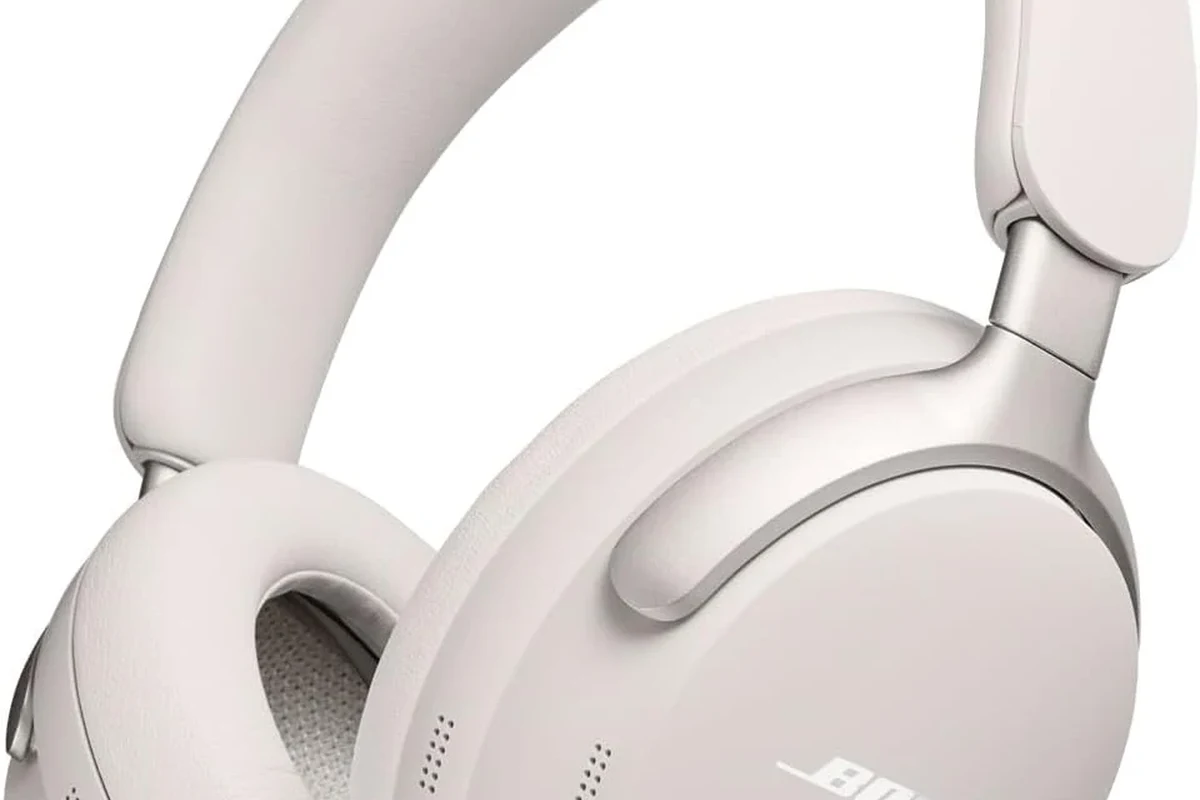
Bose QC headphones are built around three things most people care about: wireless convenience, active noise cancellation, and all-day wearability. Before you change settings, it helps to understand that the “best” setup depends on where you listen and what you want to hear most clearly.
For example, a quiet home office may call for a lighter sound profile and less noise cancellation, while a plane or train usually benefits from stronger ANC. If you are also comparing brands, our guides on how noise cancelling headphones work and transparency mode headphones can help you understand why these modes matter.
Exact button layouts, app features, and pairing behavior can vary slightly by Bose QC model and software version, so it is worth checking the latest app instructions for your specific pair.
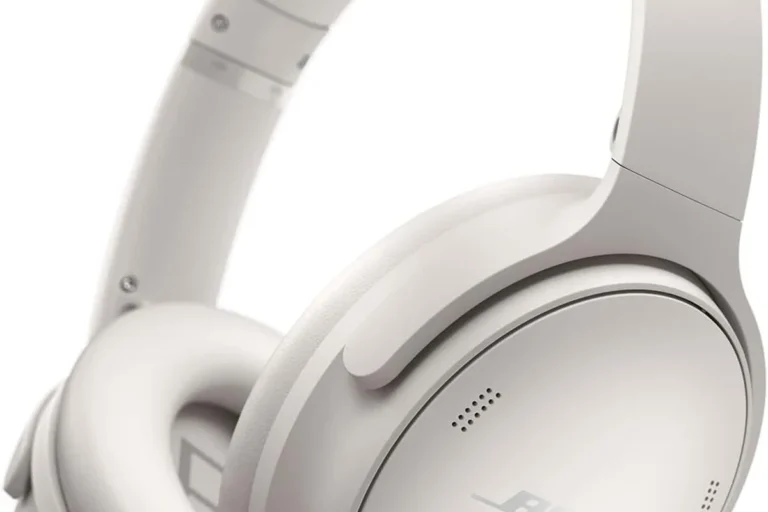
One more thing: Bose QC headphones are typically closed-back wireless headphones, which means they are designed to isolate outside noise better than open-back headphones. That makes them especially useful for travel, commuting, and shared workspaces, but it also means fit and seal matter more than many new owners expect.
Quick Setup Guide for Bose QC Headphones in 2026
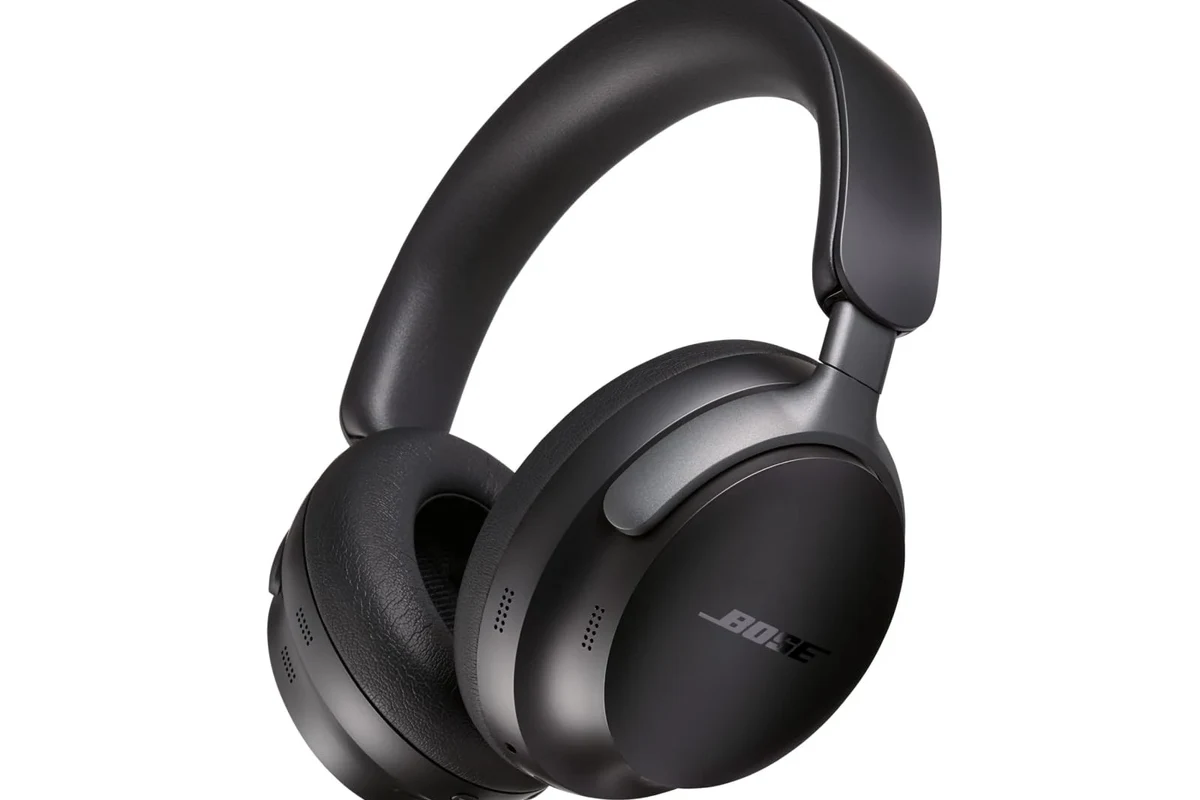
Setup is usually straightforward, but taking a few extra minutes at the start can save you from pairing problems later. Start with a full charge, then connect the headphones to your phone, computer, or tablet before adjusting the app settings.
Pairing with iPhone, Android, Windows, and Mac
To pair Bose QC headphones, turn them on and put them into Bluetooth pairing mode, then open Bluetooth settings on your device and select the headphones from the list. On iPhone and Android, the process is usually quick, and on Windows or Mac you may need to confirm the device in both Bluetooth and sound output settings.
Power on the headphones and wait for the pairing prompt or indicator light that shows they are discoverable.
Go to Bluetooth on your iPhone, Android phone, Windows PC, or Mac and look for the Bose QC name.
After pairing, make sure the headphones are selected as the active sound device for music, calls, or video playback.
If you use a computer often, it can help to read our guides on select headphones in Windows 11 and USB-C headphones on Mac so you know where to change output settings if audio routes to the wrong device.
Installing the Bose app and updating firmware
The Bose app is where many of the useful controls live, including sound settings, device management, and firmware updates. If you skip the app, you may miss improvements that affect stability, battery behavior, or noise-canceling performance.
After installing the app, pair your headphones inside the app if prompted, then check for updates before your first long listening session. This is especially useful if you plan to use the headphones for travel, because you do not want to troubleshoot software issues at the airport.
Checking battery level, controls, and voice prompts
Before you head out, learn how to check battery level, pause music, answer calls, and switch between listening modes. Bose QC headphones often use a combination of physical buttons, touch controls, and voice prompts, depending on the model.
Spend two minutes learning the controls at home first. It is much easier to remember button functions before you are on a plane, in traffic, or in a noisy office.
Battery level is worth checking regularly, especially if you use ANC often. A low battery can change how the headphones behave, so staying ahead of charging helps keep sound and features consistent.
How to Get the Best Sound from Bose QC Headphones
Good sound is not just about the headphone driver or brand name. With Bose QC headphones, the fit, EQ, and listening mode all influence how bass, vocals, and background details come through.
Choosing the right fit for stronger bass and clearer vocals
A proper seal around your ears helps the headphones sound fuller and more balanced. If the earcups sit too high, too low, or too loosely, bass can sound thin and vocals may lose clarity.
Adjust the headband so the earcups cover your ears evenly and press gently but securely. If your glasses, hairstyle, or head shape break the seal, try shifting the cups slightly until the sound feels more centered and stable.
Closed-back headphones often sound more bass-forward when they seal well, which is why fit can matter almost as much as EQ.
Using EQ settings for music, podcasts, and calls
EQ settings can help you tailor Bose QC headphones to what you listen to most. A small bass boost may make pop, hip-hop, or movies feel more energetic, while a flatter setting can make podcasts and calls sound more natural.
For spoken content, too much bass can muddy voices, so it is often better to keep the low end controlled. For music, a gentle adjustment is usually enough; extreme EQ changes may make the sound less balanced or less comfortable over time.
Should you always use the same EQ setting?
No. A setting that sounds great for music may not be ideal for podcasts, meetings, or late-night listening. Switching EQ based on your use case usually gives you clearer results.
Matching ANC and Aware modes to your listening environment
Noise cancellation is one of the main reasons people buy Bose QC headphones, but it works best when you choose the right mode for the situation. Strong ANC is helpful on planes, buses, and noisy streets, while Aware or passthrough-style listening is better when you need to hear your surroundings.
If you want a deeper breakdown of this feature, our article on what noise cancelling headphones are explains the basics in plain language. In everyday use, the goal is simple: reduce distractions without blocking out important sounds when safety matters.
Noise cancellation can make it harder to notice traffic, announcements, or people nearby. Use awareness modes in public spaces when you need to stay alert.
How to Use Bose QC Headphones for All-Day Comfort
Comfort is one of the strongest reasons to choose Bose QC headphones, but even a comfortable pair can feel tiring if the fit is off. Small adjustments to the headband, earcups, and listening habits can make a big difference over a full day.
Adjusting headband pressure and earcup position
The best fit is snug, not tight. If the headband presses too hard, the headphones may feel warm or heavy after a while; if they are too loose, sound quality and noise isolation may suffer.
Position the earcups so they sit flat against your ears and do not pinch the jawline. If you wear them for work calls, make sure the microphone position and earcup angle do not shift every time you move your head.
Tips for long flights, work sessions, and commuting
For flights, use ANC to reduce engine noise and keep volume moderate so you do not compensate for background sound. For work sessions, a balanced EQ and comfortable clamp force usually work better than a bass-heavy tuning.
For commuting, consider switching between ANC and Aware mode depending on whether you are on a train platform, walking outside, or sitting in a quieter car. If you travel often, you may also find our guide on wireless headphones on a plane useful for understanding travel-friendly behavior.
If the headphones feel warm after a long session, take a short break and reset the fit. A quick pause can improve comfort more than forcing the headphones to stay on for hours.
When to take breaks to avoid ear fatigue
Even with comfortable headphones, long listening sessions can cause ear fatigue. If music starts sounding harsh, voices feel less clear, or you notice pressure around your ears, it is time to take a break.
A simple habit is to remove the headphones for a few minutes every hour or two, especially during workdays or long flights. If you already experience tinnitus, sensitivity to sound, or ear pain, follow safe listening guidance and speak with an audiologist if needed.
Listening at high volumes for long periods can cause hearing damage. Keep volume at 60% or below for extended sessions.
Common Mistakes People Make When Using Bose QC Headphones
Many Bose QC problems are not really product failures. They are usually caused by skipped updates, weak charging habits, or unrealistic expectations about what ANC can do.
Ignoring firmware updates and app settings
One common mistake is using the headphones straight out of the box and never checking the app again. Firmware updates and app settings can affect connection stability, sound tuning, and feature behavior.
If the headphones seem inconsistent, start with the basics: update the firmware, reconnect the device, and review the sound settings. That simple process solves more issues than many people expect.
Using the wrong charging cable or charging habits
Another common issue is charging with the wrong cable or leaving the headphones plugged in without checking the power source. Using a reliable USB-C cable and a stable charger is usually the safest approach.
Charging behavior can vary by model, but it is still smart to avoid cheap, damaged, or poorly made cables when possible.
For travel, charge the headphones before you leave instead of relying on airport power or random adapters. That makes it easier to keep ANC available during the parts of the trip where you need it most.
Expecting ANC to work perfectly in every situation
Noise cancellation is strong, but it is not magic. Sudden voices, sharp noises, and some higher-frequency sounds may still get through, especially in open or chaotic environments.
That is why it helps to think of ANC as a tool, not a shield. It reduces distraction, but it does not replace situational awareness or safe listening habits.
Expert Advice: Features to Use Carefully and When to Avoid Overuse
Bose QC headphones are easy to enjoy, but a few features should be used thoughtfully. The goal is not just better sound; it is also safer and more sustainable listening over time.
Warning about listening at high volume for long periods
High volume can make music feel more exciting at first, but it also increases the risk of hearing damage. If you need to turn the volume up to overcome outside noise, it is usually better to use ANC instead of pushing the level higher.
If you notice ringing, muffled hearing, or discomfort after listening, reduce volume and consider speaking with an audiologist or hearing professional.
When noise cancellation can reduce awareness in public spaces
Strong ANC is excellent on a plane or in an office, but it can be risky near traffic, bike lanes, or crowded stations. If you need to hear announcements or people approaching, switch to a more open listening mode.
This is one reason many users keep both ANC and Aware mode available. The best setting is the one that matches your environment, not the one that sounds most impressive in isolation.
Why battery optimization matters for travel and daily use
Battery life affects convenience more than most people realize. If you use the headphones for commuting, remote work, and flights, keeping a charging routine helps prevent dead-battery stress at the worst possible time.
It is also smart to lower unnecessary features when you do not need them. For example, if you are in a quiet room, you may not need maximum ANC, and that can help stretch battery life across the day.
Bose QC Headphones vs Other Premium Noise-Canceling Headphones
When people compare Bose QC headphones with other premium noise-canceling models, the biggest differences usually come down to comfort, tuning, app features, and how the ANC behaves in real life. Brand preference matters too, especially if you already use a phone or laptop from the same ecosystem.
Comfort, sound quality, and ANC compared with Sony and Apple
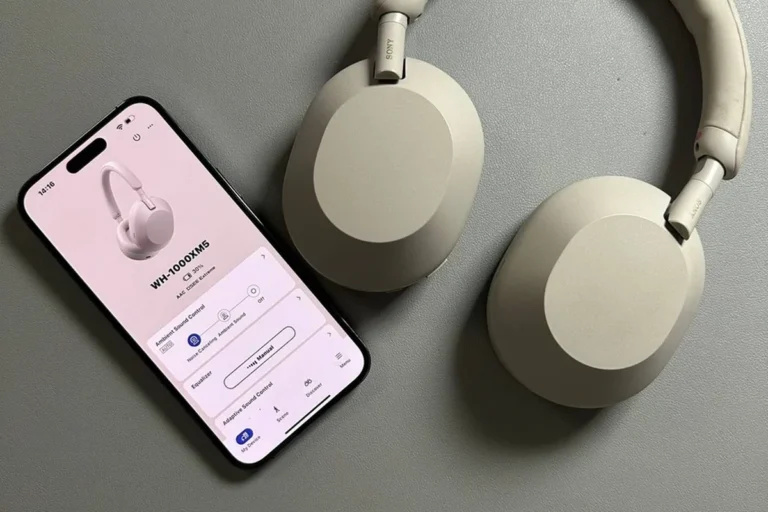
Compared with other premium options, Bose is often chosen for comfort and straightforward noise cancellation. Sony models are frequently praised for feature depth and tuning flexibility, while Apple headphones may appeal most to users already invested in Apple devices.
Sound quality is partly subjective, so the best choice depends on whether you prefer a warmer, smoother presentation or a more detailed, customizable one. If you want a broader buying perspective, our general guide on types of headphones explained can help you compare closed-back wireless models with other styles.
Is the Bose QC price worth it for your use case?
The Bose QC price is easier to justify if you care most about comfort, travel-friendly ANC, and simple daily use. If you want the most advanced app controls or the widest feature list, another brand may fit better.
In other words, Bose QC headphones make the most sense for listeners who value a balanced, low-stress experience. If your priority is gaming latency, studio monitoring, or open-back soundstage, a different headphone category may be a better match.
Final Recap: The Best Way to Use Bose QC Headphones for Sound and Comfort
The best way to use Bose QC headphones is to pair them correctly, keep the app and firmware updated, and adjust the fit before you judge the sound. Once the headphones are set up well, you can fine-tune EQ, ANC, and awareness modes for each place you listen.
If you focus on comfort, safe volume, and the right mode for your environment, Bose QC headphones can be a strong everyday choice for travel, work, and commuting. That practical approach will usually give you better results than chasing the loudest or most aggressive settings.
Frequently Asked Questions
Wireless use is the main advantage for Bose QC headphones because it keeps setup simple and portable. Wired listening may be useful in some situations, but the best option depends on your device and how you plan to listen.
Bose QC headphones are closed-back, so they isolate noise better than open-back models. Open-back headphones can feel wider and more airy, but they are usually less practical for commuting or travel.
A balanced EQ is usually best for most listeners, with only small bass or treble adjustments as needed. Podcasts and calls often sound clearer with less bass, while music may benefit from a gentle low-end boost.
Yes, they are a strong choice for commuting and travel because noise cancellation and comfort matter a lot in those settings. Use awareness mode when you need to hear traffic, announcements, or people nearby.
Check Bluetooth support, battery behavior, app features, comfort, and noise cancellation options. If you care about sound tuning, also look at EQ controls and how the headphones fit your listening use case.
Keep volume moderate, use the right fit, and take short breaks during long sessions. If you notice discomfort, ringing, or reduced hearing after listening, lower the volume and consider speaking with an audiologist.