Why Are My Bose Headphones Beeping and How to Fix It

Bose headphones usually beep because of low battery, Bluetooth pairing issues, or a normal mode alert like ANC switching. Start with charging, re-pairing, and a restart before moving to a reset or support.
If your Bose headphones are beeping, the sound usually means something is trying to tell you: low battery, Bluetooth trouble, a control input, or a mode change. In most cases, the fix is simple once you identify whether the beep is a normal alert or a warning about a connection or charging problem.
- Most likely cause: Low battery, Bluetooth drops, or mode changes.
- Best first fix: Fully charge and re-pair the headphones.
- Common mistake: Reconnecting without clearing old Bluetooth pairings.
- Model differences: QuietComfort, 700, Ultra, and earbuds can beep for different reasons.
- Safety note: Stop using the headphones if the battery is hot, swollen, or damaged.
Why Are My Bose Headphones Beeping? Understanding What the Signal Means
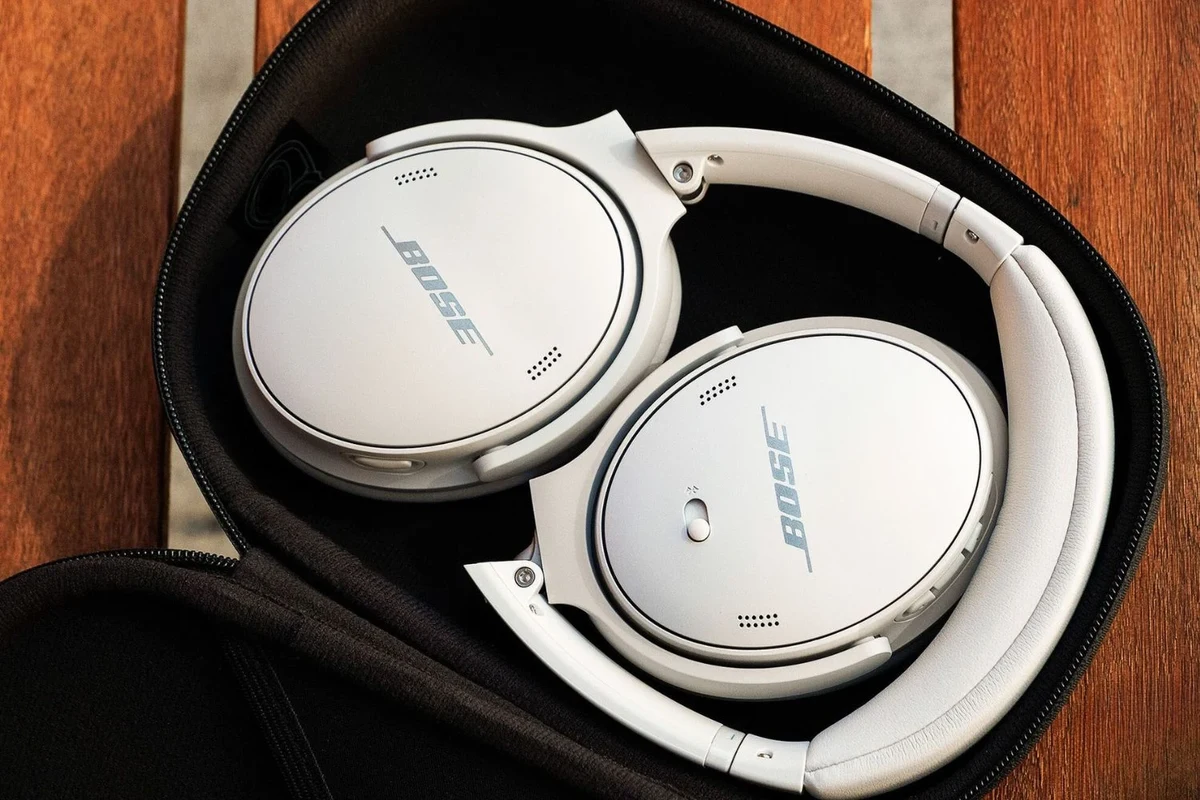
Bose uses beeps and voice prompts to communicate status changes, and that can feel confusing if you are not expecting it. A single beep may be normal, while repeated or unusual beeping can point to a battery, pairing, or hardware issue.
Battery alerts, Bluetooth notifications, and voice prompts explained
One of the most common reasons for beeping is a low battery alert. Bose headphones may also beep when Bluetooth disconnects, reconnects, or enters pairing mode, and some models use voice prompts instead of, or alongside, beeps.
If the sound happens right after turning the headphones on, pressing a button, or opening the case, it is often a status notification rather than a fault. That said, repeated beeping with no clear trigger usually means something needs attention.
How Bose beep patterns differ across QuietComfort, Noise Cancelling Headphones, and earbuds
Beep behavior can vary across Bose QuietComfort models, Bose Noise Cancelling Headphones, and wireless earbuds. Over-ear models may beep when ANC changes, when they switch devices, or when power is low, while earbuds may beep during charging, syncing, or fit checks.
The exact pattern can also differ by generation and app settings. If you use multiple Bose products, do not assume they all signal the same way.
Quick Checks First: The Most Common Reasons Bose Headphones Keep Beeping
Before you reset anything, start with the basics. A fast check usually solves the problem faster than a full troubleshooting routine.
Low battery or charging issues
A weak battery is one of the simplest explanations for repeated beeps. If the headphones are not charging properly, they may keep warning you even when plugged in.
Check the cable, charging port, case contacts, and power source. If you use a third-party charger, test a different cable or adapter to rule out an accessory issue.
Bluetooth connection drops, pairing mode, and device switching
Beeping often happens when the headphones lose their Bluetooth connection or jump between devices. This is especially common if the headphones are already paired with a phone, tablet, and laptop at the same time.
If the headphones keep reconnecting and disconnecting, the beep may be the result of unstable wireless pairing rather than a speaker or battery problem. This is also a good time to check whether another device nearby is grabbing the connection.
Button presses, touch controls, and accidental activation
Sometimes the beeping is caused by the headphones interpreting a press, tap, or hold as a command. On some Bose models, accidental touch input can trigger a mode change, volume change, or playback command.
If the beeps happen while adjusting the headphones, cleaning them, or placing them in a bag, a control may be getting pressed without you noticing. That is especially common with compact earbuds and touch-sensitive earcups.
How to Fix Bose Headphones Beeping Step by Step
Use these fixes in order so you do not waste time on a more advanced reset before checking the simple stuff. Most users can stop the beeping with one or two of these steps.
Fully charge the headphones and verify the charging cable, port, and case
Start by charging the headphones for a full cycle. Make sure the port is clean, the cable fits securely, and the charging case or dock is working as expected.
If the battery indicator looks inconsistent, try another cable and power source. A damaged cable or loose port can make the headphones act like they are low on power even when they are plugged in.
If the beeping starts only during charging, test the same cable with another device. That helps you quickly separate a headphone issue from a bad charger.
Reconnect Bluetooth and remove old pairings from your phone or laptop
Delete the Bose headphones from your Bluetooth list, then pair them again from scratch. If you use the headphones with more than one device, remove stale pairings from each one so they stop competing for the connection.
This step is especially useful if the beeping happens when you move between your phone and laptop. For readers who also use other wireless audio gear, our guide on Bluetooth headphones explained simply can help make the connection process easier to understand.
Restart, reset, or power cycle the headphones the right way
A simple restart can clear temporary glitches. Turn the headphones off, wait a few seconds, then power them back on and test again.
If the problem continues, try a proper reset according to your Bose model. If you are not sure which reset method applies, our guide on how to reset Bluetooth headphones is a useful starting point.
Listening at high volumes for long periods can cause hearing damage. Keep volume at 60% or below for extended sessions.
Update Bose firmware and the Bose app for 2026 compatibility
Firmware updates can fix connection bugs, charging quirks, and app-related issues. Open the Bose app, check for updates, and make sure your phone or laptop is running a current Bluetooth software version.
In 2026, app compatibility matters more than many people expect, especially if you use newer phones or switch between operating systems. If the app is outdated, the headphones may behave unpredictably even when the hardware is fine.
Model-Specific Beeping Issues: QuietComfort, Bose 700, Ultra, and Earbuds
Not every Bose model beeps for the same reason. Knowing your product family helps you tell normal alerts from actual problems.
Why over-ear Bose models may beep during ANC mode changes or source switching
QuietComfort, Bose 700, and Ultra-style over-ear headphones often beep when noise cancellation settings change or when they switch audio sources. That is usually normal and tied to the headphones’ status system.
If the beep happens every time you toggle ANC, transparency, or device switching, the headphones may simply be confirming the action. For readers comparing these features, our article on how noise cancelling headphones work explains why these mode changes matter.
Why Bose earbuds may beep from fit, case, or earbud sync problems
Wireless earbuds can beep if they are not seated correctly in the ear or if one bud is not syncing with the other. They may also beep when the charging case is not making proper contact.
If one earbud is charging and the other is not, or if the case battery is low, the beeping can become more frequent. Clean the contacts carefully and make sure both earbuds are fully seated before assuming the problem is internal.
Practical examples of beeping behavior by model family
A QuietComfort over-ear model may beep once when switching from Bluetooth to a wired source. A Bose 700 may beep when it enters pairing mode or confirms a voice assistant action. Earbuds may beep when you place them in the case, remove them, or lose sync.
That variation is normal, so the key question is whether the beep matches an action you just took. If it does not, the issue is more likely battery, pairing, or firmware related.
Bose beep patterns can vary by model generation, app settings, and firmware version. If your headphones behave differently than a friend’s, that does not automatically mean they are broken.
Common Mistakes That Make Bose Beeping Worse
Some troubleshooting habits can actually create more confusion. Avoid these common mistakes if you want a faster fix.
Ignoring battery calibration and using unreliable chargers
If the battery meter seems inaccurate, the headphones may need a full charge cycle before the indicator becomes more reliable. Repeatedly topping off the battery with low-quality chargers can also make charging behavior harder to trust.
Use a stable power source and a known-good cable whenever possible. Cheap or damaged accessories can make a healthy battery look faulty.
Reconnecting without clearing the Bluetooth cache
If you simply tap “connect” again without removing old pairings, the device may keep trying to reconnect to the wrong profile. That can lead to repeated beeps and unstable audio playback.
On phones and laptops, it helps to forget the device, clear old entries, and then pair again cleanly. This is especially useful if the headphones were previously used with several devices.
Confusing normal alerts with fault beeps or hardware warnings
Some beeps are meant to help you, not warn you about damage. A normal beep for ANC, power, or pairing does not mean the headphones are failing.
What matters is frequency, timing, and whether the beep is tied to a clear action. Random or constant beeping is more concerning than a single confirmation tone.
When the Beeping Points to a Bigger Problem
If simple fixes do not work, the beeping may be a sign of a deeper hardware issue. At that point, it is worth checking for physical damage or battery failure.
Signs of a failing battery, damaged charging port, or internal hardware fault
A battery problem may show up as very short runtime, sudden shutoffs, or beeping that returns even after a full charge. A damaged charging port can make the headphones charge only at certain angles or not at all.
If the headphones get unusually warm, stop charging, or beep while not in use, treat that as a warning sign. Do not keep forcing the charge if the device is behaving abnormally.
When a factory reset is worth trying and when it is not
A factory reset can help if the beeping is caused by corrupted settings, bad pairing data, or app sync issues. It is often worth trying after you have already checked charging and Bluetooth.
However, a reset will not fix a swollen battery, water damage, or a broken internal component. If the headphones show physical damage, a reset alone is unlikely to solve the problem.
Expert advice warning: avoid repeated resets or forced charging if the battery is swollen or overheating
If the battery looks swollen, the headphones smell burnt, or the shell feels hot, stop using them and contact support or a repair professional. Repeated resets or forced charging can make the issue worse and may create a safety risk.
Repair, Replacement, or Upgrade: What It Costs to Solve Bose Beeping in 2026
The cheapest fix is often an accessory replacement, but sometimes the real solution is repair or replacement. The right choice depends on the model, age, and condition of the headphones.
Typical costs for replacement cables, charging cases, and accessory fixes
Many beeping problems are solved with a new cable, a cleaner charging setup, or a replacement case. These are usually the least expensive options, though pricing can vary by model and retailer.
If the issue is only a bad charger or worn case contacts, replacing accessories can be much cheaper than buying a new pair of headphones.
Warranty, Bose support, and out-of-warranty repair considerations
If your headphones are still under warranty, Bose support may be the best first stop. Out-of-warranty repairs can be worthwhile for newer premium models, but the final cost depends on the exact fault and service options available.
Before sending anything in, confirm whether the beeping is caused by a known firmware issue or a physical defect. That can save you time and shipping costs.
When replacing the headphones is cheaper than repairing them
If the battery is failing, the charging hardware is damaged, and the headphones are already old, replacement may make more sense. That is especially true if repair costs approach the price of a newer model with better battery life or improved Bluetooth stability.
For shoppers comparing options, it can help to review broader headphone categories like types of headphones explained before deciding whether to repair, replace, or upgrade.
Final Recap: The Fastest Way to Stop Bose Headphones From Beeping
In most cases, Bose headphones beep because of low battery, Bluetooth pairing problems, or a normal mode alert. Start with charging, reconnecting Bluetooth, and restarting the headphones before moving on to a reset or firmware update.
Summary of the most likely causes and best fixes
If the beeping matches a button press, ANC change, or device switch, it is probably normal. If it happens randomly, check the battery, charging gear, and Bluetooth settings first.
What to try first, what to avoid, and when to contact support
Try a full charge, a clean re-pair, and a proper restart before anything else. Avoid repeated forced charging if the battery is hot or swollen, and contact Bose support if the beeping continues after basic troubleshooting.
Frequently Asked Questions
Wireless Bose headphones usually beep more often because they rely on Bluetooth, battery alerts, and mode changes. Wired headphones typically have fewer status sounds because they do not need pairing or wireless connection cues.
Noise cancelling headphones may beep when ANC, transparency, or awareness modes change. That is usually normal and is often just the headphone confirming the setting change.
Over-ear headphones can be easier to troubleshoot because charging and controls are more visible, but earbuds are not necessarily more prone to problems. The better choice depends on fit, charging habits, and how many devices you pair them with.
Driver type, tuning, frequency response, and EQ support all affect sound quality, but personal preference matters a lot. Bass, clarity, and soundstage can vary by model and by how you listen.
For commuting, look for strong noise cancellation and a stable wireless connection. For gaming or studio work, prioritize low latency, comfort, and the right sound profile for your setup.
Check ear cushion material, headband pressure, build quality, and overall weight if you plan to wear them for long sessions. Comfort is personal, so a model that feels good for one listener may not suit another.