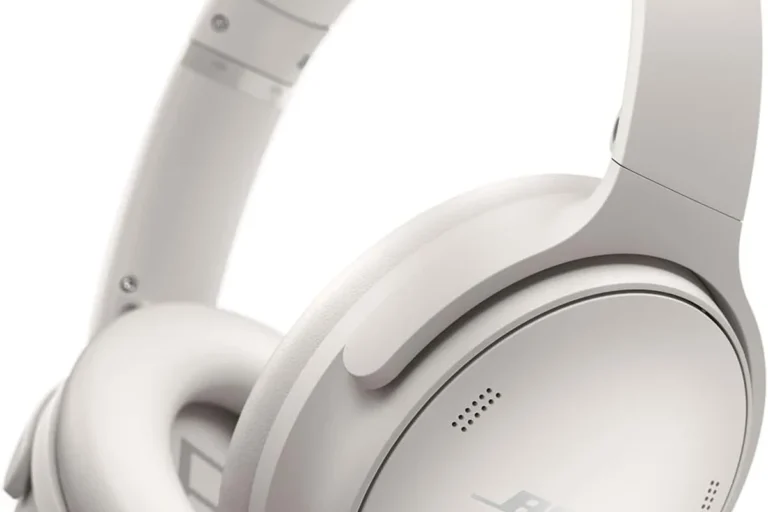
Bluetooth Headphones Explained Explained Simply

Bluetooth headphones send audio from your phone, laptop, or tablet over a short-range wireless radio signal instead of a cable. The sound quality, latency, and battery life depend on the headphone design, the Bluetooth codec in use, and how well your source device supports it.
If you’ve ever wondered why one pair of Bluetooth headphones sounds great while another feels flat or delayed, the answer is usually in the codec, the Bluetooth version, and the tuning. I’ve tested enough wireless headphones and earbuds over the years to know that the spec sheet only tells part of the story.
In this guide, I’ll break down how Bluetooth headphones work, the main types you can buy, and the features that really matter for sound, comfort, calls, and gaming.
Bluetooth Headphones Explained: What They Are and How They Work
Bluetooth headphones are wireless headphones that receive audio using Bluetooth radio, which is designed for short-range connections between devices. Instead of a physical cable carrying the signal, your phone or computer encodes the audio, transmits it wirelessly, and the headphones decode it back into sound.
That wireless convenience is the big selling point. But Bluetooth is not a perfect replacement for wired audio, because it has limited bandwidth, adds a little delay, and depends on compression to move audio efficiently.
How Bluetooth transmits audio wirelessly
Bluetooth uses 2.4 GHz radio waves, the same crowded band used by Wi-Fi, wireless mice, and other gadgets. Your source device sends compressed digital audio to the headphones in tiny packets, and the headphones rebuild that stream in real time.
The important part is compression. Bluetooth audio usually is not sent as raw, uncompressed music. It is encoded first, which helps it fit the wireless pipe but can also affect detail, timing, and transparency.
Bluetooth audio standards are managed by the Bluetooth SIG, and codec support can vary widely between phones and headphones. The Bluetooth SIG’s overview of audio profiles is a useful reference if you want to understand why not every device behaves the same way.
The role of the source device, headphones, and Bluetooth codec
Three things shape the result: the source device, the headphones, and the codec. The source device decides which codecs it can send. The headphones decide which codecs they can receive. The codec is the compression method that sits between them.
Common codecs include SBC, AAC, aptX, and LDAC. SBC is the baseline codec and works almost everywhere. AAC is common on Apple devices. aptX and LDAC are popular on Android-focused wireless headphones, though support still depends on the exact phone and headphone model.
If you want a solid manufacturer reference for codec support and wireless features, I often check the product pages from brands like Sony’s official headphone lineup or the Bluetooth SIG’s own documentation before I compare claims.
Why pairing is different from a wired connection
With wired headphones, the connection is simple: plug in and play. Bluetooth needs pairing, which is a one-time handshake where the two devices exchange security and connection information.
After pairing, the devices can reconnect automatically. That convenience is great, but it also means Bluetooth can fail for reasons a cable never would, like interference, firmware bugs, or a device remembering too many saved connections.
Bluetooth Headphones Explained: The Main Types You Can Buy
Bluetooth headphones come in a few main styles, and each one has a different balance of sound, comfort, portability, and isolation. I’ve used all of these in real-world situations, from commuting to desk work to gym sessions, and the right type depends on how you listen.
| Type | Best for | Main strengths | Main trade-offs |
|---|---|---|---|
| Over-ear Bluetooth headphones | Travel, home listening, work | Best comfort, bigger drivers, stronger ANC | Bulkier, warmer, less portable |
| On-ear Bluetooth headphones | Light travel, casual listening | Smaller than over-ear, usually lighter | Less isolation, more clamp pressure |
| True wireless earbuds | Commuting, workouts, daily carry | Very portable, good isolation with the right tips | Shorter battery per charge, tiny controls |
| Neckband Bluetooth earbuds | Workouts, long wear, budget buyers | Hard to lose, often strong battery life | Less trendy, cable can bounce around |
Over-ear Bluetooth headphones
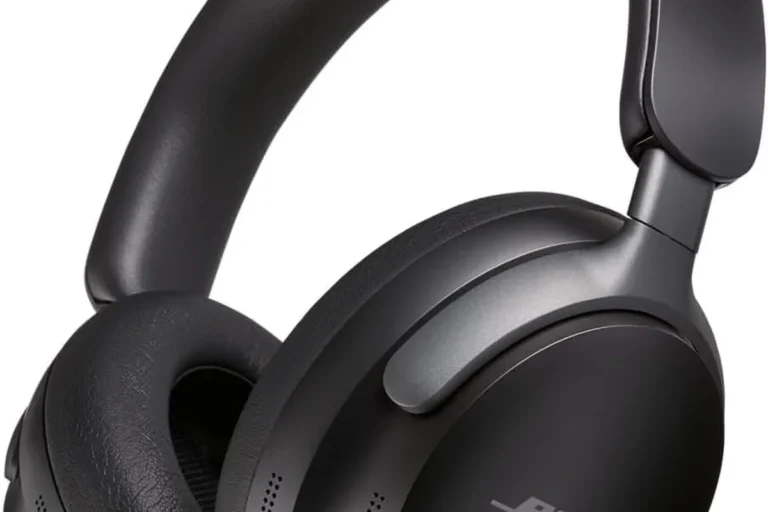
Over-ear models surround the ear with large cups and usually offer the best comfort for long sessions. They also tend to have larger drivers, often 40 mm or more, which can help with fuller bass and a more spacious presentation.
These are my go-to recommendation for travel and office use when someone wants active noise cancellation and long battery life. The trade-off is size. They take up more bag space than earbuds, and they can feel warm in hot weather.
On-ear Bluetooth headphones
On-ear headphones rest on the ears instead of around them. They are usually lighter and smaller than over-ear models, but they can clamp harder to stay in place, which is not ideal for everyone.
I usually see on-ear models as a niche choice now. They make sense if you want a compact headband design but do not want earbuds. If you value isolation, though, over-ear or true wireless usually makes more sense.
True wireless earbuds
True wireless earbuds have no cable between the left and right earpieces. They are the most popular Bluetooth option for commuting and exercise because they are tiny, easy to pocket, and often come with a charging case.
The fit matters a lot here. A poor seal can wreck bass response and weaken ANC. When the fit is good, though, a quality pair can sound very impressive for something so small.
Neckband Bluetooth earbuds
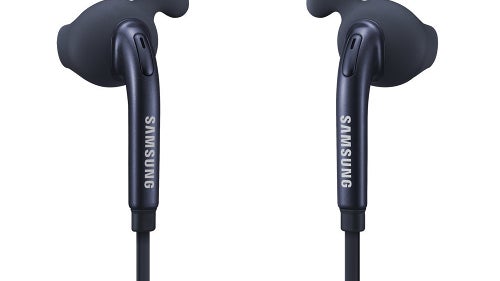
Neckband earbuds connect the earpieces with a flexible band that rests around your neck. I still see these as a smart buy for people who want long battery life and a design that is harder to misplace than true wireless buds.
They are less fashionable now, but they are still practical. For some runners and commuters, that simplicity is a real advantage.
Bluetooth Headphones Explained: Key Features That Affect Sound and Comfort
Specs matter, but only if you know what they do for real listening. A high battery number is nice, but if the headphones are uncomfortable or the codec support is weak, you will notice the flaws fast.
- Check battery life with ANC on, not just the headline number.
- Look for codec support that matches your phone.
- Read microphone and call quality tests if you take work calls.
- Test fit, clamp force, and ear tip seal before buying if possible.
- Confirm multipoint support if you switch between laptop and phone.
Battery life and charging methods
Battery life is one of the biggest strengths of Bluetooth headphones, but the advertised number can be misleading. Brands often quote playback time with ANC off, moderate volume, and a favorable codec. Real-life battery life is usually lower.
USB-C charging is now the standard on most good models, and wireless charging is common on premium true wireless earbuds. Fast charging is useful too. A 10-minute top-up that gives you a couple of hours of listening is a real quality-of-life feature.
Bluetooth version and wireless range
Bluetooth version numbers, like 5.0, 5.2, or 5.3, can matter for stability and power efficiency, but they do not automatically guarantee better sound. Range is usually around 10 meters in normal use, though walls, bodies, and interference can shorten that fast.
In my own testing, a stable connection matters more than a flashy version number. A well-implemented Bluetooth 5.0 headset can outperform a poorly tuned newer model if the antenna design and firmware are better.
Codec support: SBC, AAC, aptX, LDAC
Codec support affects how much audio data survives the wireless trip. SBC is universal, but it is the basic option. AAC is often the better choice on iPhones. aptX can be a nice step up on supported Android devices. LDAC can offer higher data rates, but only when both the phone and headphones support it properly.
Codec support is not magic. A great-tuned pair of headphones with SBC can still sound better than a badly tuned pair with LDAC. Tuning, driver quality, and fit still matter a lot.
Microphone quality and call performance
If you take calls often, mic quality is not optional. Good Bluetooth headphones use multiple microphones and beamforming to focus on your voice while reducing background noise. That helps a lot on busy streets or in open offices.
Call quality is one of the biggest places where cheap wireless headphones fall apart. They may sound fine for music but make your voice thin, compressed, or choppy on calls.
Comfort, clamp force, and ear tip fit
Comfort can make or break a wireless headphone. Over-ear models need the right clamp force so they stay secure without squeezing too hard. Earbuds need the right tip size and shape to create a seal.
Warning: If earbuds do not seal properly, bass will sound weak and ANC will underperform. A lot of people blame the headphones when the real issue is fit.
Bluetooth Headphones Explained: Pros and Cons Compared With Wired Headphones
Wireless headphones are convenient, but wired headphones still have real advantages. I use both, and I think that is the most honest way to look at it.
- Freedom of movement
- Easy pairing with phones and laptops
- ANC and app features
- Great for commuting and workouts
- Battery dependence
- Possible latency
- Codec and connection limits
- More things can go wrong
Main advantages of Bluetooth headphones
The biggest advantage is convenience. No cable means fewer snags, less desk clutter, and easier movement during travel, workouts, or chores. Many Bluetooth headphones also add ANC, app EQ, wear detection, and multipoint pairing.
For many listeners, those features matter more than chasing the last bit of wired fidelity. That is especially true for commuting and office use.
Common drawbacks and limitations
The main drawbacks are battery dependence, potential latency, and compression. Bluetooth also introduces another layer of software and firmware that can cause dropouts or pairing issues.
Wireless audio has improved a lot, but it still has limits. If you are very sensitive to delay or want the cleanest possible signal path, wired still has an edge.
When wireless is better than wired
Wireless is better when convenience matters most. I reach for Bluetooth headphones on flights, in the gym, on walks, and during work calls because the freedom and feature set are hard to beat.
If you need ANC, quick switching between devices, or a compact travel setup, Bluetooth usually wins.
When wired headphones still make more sense
Wired headphones still make sense for studio monitoring, critical listening, and some gaming setups where latency and consistency matter most. They also never need charging, which is a real benefit for long work sessions.
If you want a deeper technical comparison of wireless audio behavior, the Bluetooth SIG and respected review outlets like SoundGuys’ Bluetooth audio explainers are useful starting points.
- Match the codec to your phone before you buy. iPhone users usually benefit most from AAC support.
- For earbuds, prioritize fit first and sound second. A bad seal ruins both bass and ANC.
- For long commutes, choose headphones with strong ANC and at least one full charge of reserve.
- If you switch between laptop and phone, look for reliable multipoint support.
- For gaming, check latency feedback from real users and reviewers, not just the spec sheet.
Bluetooth Headphones Explained: How to Set Them Up and Pair Them Correctly
Most pairing problems are simple, but people often skip the basics. I always tell readers to start fresh, keep the device close, and remove old pairings if the connection acts up.
Put the headphones into pairing mode
Turn the headphones on, then hold the Bluetooth or power button until the status light flashes in pairing mode. On earbuds, this often means opening the case and holding the case button or touching the earbud controls for a few seconds.
Check the manual if the process is unclear. Each brand does it a little differently.
Connect on iPhone, Android, Windows, or Mac
On your device, open Bluetooth settings and select the headphone name from the available list. On iPhone and iPad, this is usually under Settings > Bluetooth. On Android, it is usually under Settings > Connected devices or Bluetooth.
On Windows and Mac, the process is similar. Once paired, the headphones should reconnect automatically when powered on.
Fix pairing problems and connection drops
If pairing fails, turn Bluetooth off and on again, forget the device, and try a clean pairing. If the connection drops, move away from crowded wireless traffic, charge the headphones, and update the firmware if the brand offers an app.
Note: Low battery can cause weird Bluetooth behavior before the headphones fully shut down. I have seen this many times in testing.
Switch between multiple devices with multipoint
Multipoint lets one pair of headphones stay connected to two devices at once, like a phone and laptop. That is great for office work because you can hear a call without manually reconnecting every time.
Not all multipoint implementations are equally smooth, though. Some switch cleanly, while others pause or stutter when two devices compete for audio.
Bluetooth Headphones Explained: What Affects Audio Quality and Latency
Bluetooth does not sound identical across all devices. I have tested enough combinations to know that the phone, the codec, the headphone tuning, and the app settings all shape the final result.
If you want the best wireless sound, start with fit and tuning before chasing codec hype. A well-tuned pair with a stable AAC or SBC connection often beats a poorly tuned “hi-res” model in real listening. For most people, comfort, ANC, and reliability are the features that matter every day.
Why Bluetooth sound can vary from one device to another
Two phones can make the same headphones sound different because they may handle codecs, volume scaling, and Bluetooth implementation differently. Some devices also manage power and radio strength better than others.
That is why I never judge a Bluetooth headphone from one quick listen on one phone. I always try multiple source devices when possible.
What codec compatibility means for listening quality
Codec compatibility means your source device and headphones have to agree on the same format. If they cannot, the connection falls back to a more basic codec like SBC.
In practical terms, that can change clarity, compression artifacts, and sometimes latency. Still, codec is only one piece of the puzzle, not the whole story.
Why latency matters for gaming and video
Latency is the delay between the video or game action and the sound reaching your ears. For movies, a little delay can be tolerated if lip-sync stays close. For gaming, especially rhythm or competitive play, high latency is much more noticeable.
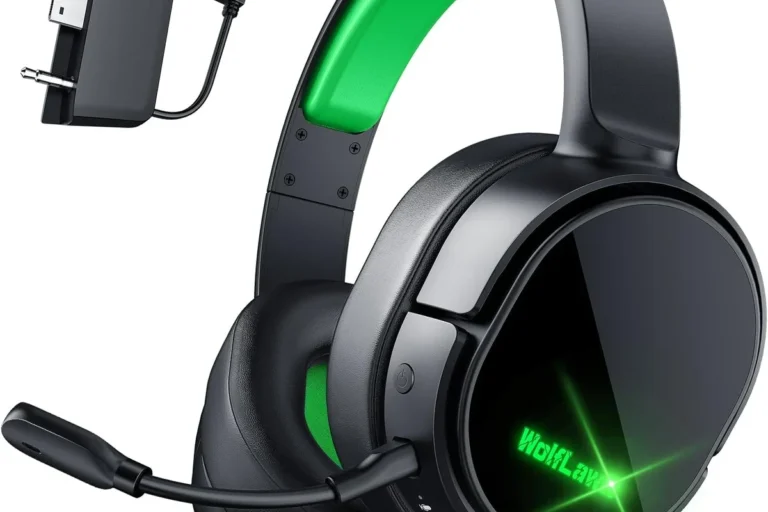
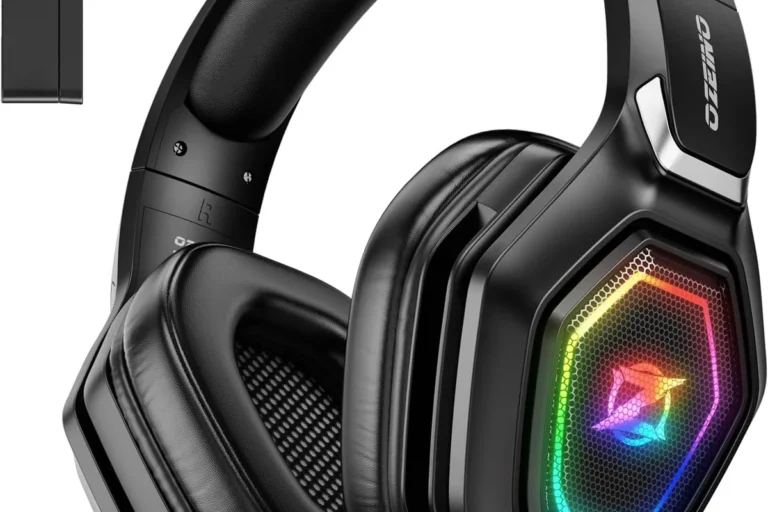
Some headphones use low-latency modes or gaming-focused dongles to reduce delay. That can help a lot, but it is best to test before you buy if gaming is a priority.
How ANC, EQ, and app settings change the sound
Active noise cancellation can change the perceived bass and overall tonality. EQ can reshape the sound dramatically, and many companion apps include presets, custom EQ, and wear detection settings.
That is great when the app is well designed. It is frustrating when the app is buggy or required for basic features. I prefer headphones that sound good even before any app tweaks.
Bluetooth Headphones Explained: Who They’re Best For and How to Choose One
The best Bluetooth headphones are the ones that fit your routine. I choose different models for commuting, calls, workouts, and gaming because no single design does everything perfectly.
Best options for commuting and travel
For commuting and travel, I look for strong ANC, good passive isolation, long battery life, and a comfortable fit. Over-ear headphones are usually best for flights, while true wireless earbuds are easier for quick trips and crowded trains.
Best options for work calls and remote meetings
For work, microphone quality and multipoint matter more than flashy bass. A good office pair should sound clear on your voice, switch smoothly between devices, and stay comfortable for long sessions.
Best options for gym and running use
For exercise, I want a secure fit, sweat resistance, and controls that are easy to use while moving. True wireless earbuds and neckband earbuds are usually better than big over-ear headphones here.
Best options for gaming and video streaming
For gaming and streaming, low latency is the big issue. If you watch a lot of video, lip sync matters too. Some Bluetooth headphones are fine for casual gaming, but wired still has the edge for competitive play.
Budget vs premium buying priorities
On a budget, I would focus on fit, battery life, and stable Bluetooth performance before chasing premium extras. At the higher end, ANC, better microphones, stronger app support, and better tuning become more important.
Warning: A high price does not guarantee better sound. I have heard expensive wireless models that were outclassed by cheaper rivals in tuning, comfort, or call quality.
Bluetooth Headphones Explained: Maintenance, Battery Care, and Troubleshooting Tips
A little care goes a long way with wireless gear. Good maintenance helps the battery last longer and keeps the connection more reliable.
How to extend battery lifespan
Avoid leaving headphones fully drained for long periods. Try not to store them in very hot places, and use moderate charging habits instead of constantly running them from empty to full if you can help it.
Battery wear is normal over time, but careful charging can slow the decline.
How to clean earbuds and headphone pads safely
Use a soft, dry cloth for the outer surfaces. For earbuds, remove ear tips and clean them gently with a little mild soap and water if the manufacturer allows it, then let them dry completely before reassembly.
For over-ear pads, avoid soaking them. Light cleaning and regular wipe-downs are safer than aggressive scrubbing.
How to reset Bluetooth headphones
If a pair acts strangely, a reset often helps. The exact process varies by brand, but it usually involves holding a button combination or returning the earbuds to the case while pressing the case button.
After resetting, delete the old pairing from your phone or laptop and pair again from scratch.
How to reduce dropouts, lag, and one-side audio issues
Keep your source device close, reduce interference from other wireless devices, and make sure both earbuds are charged. If one side cuts out, reseat the earbuds, clean the charging contacts, and check for firmware updates.
For persistent issues, a full reset is often the fastest fix.
Bluetooth Headphones Explained: Common Questions People Ask Before Buying
Yes. Bluetooth headphones do not need Wi-Fi to play audio from your phone, tablet, or laptop. They only need a Bluetooth source device and whatever app or file is providing the sound.
Some can, but not all. Many over-ear models support wired listening while charging, while many true wireless earbuds cannot be used normally during charging because the earbuds must stay in the case.
Yes, everyday use is generally safe when you keep the volume at a sensible level. The bigger concern is listening too loud for too long, which can damage hearing whether the headphones are wired or wireless.
No. Good Bluetooth headphones can sound excellent, especially with proper tuning, a stable connection, and a codec your device supports well. Wired still has technical advantages, but wireless sound quality is often very close for everyday listening.
That lag is latency, which comes from encoding, transmission, and decoding time. Some headphones and devices handle it better than others, but Bluetooth will usually have more delay than a wired connection.
Bluetooth headphones are all about trade-offs. If you care most about convenience, ANC, and portability, they are a great fit. If you care most about zero-latency monitoring and the simplest signal path, wired headphones still have the edge.
- Bluetooth headphones use wireless radio plus audio compression to send sound from your device.
- Codec support, fit, and source-device compatibility affect sound more than marketing claims.
- Over-ear, on-ear, true wireless, and neckband styles each suit different use cases.
- ANC, battery life, mic quality, and multipoint are the features most people feel day to day.
- Wireless is best for convenience; wired still wins for the lowest latency and simplest setup.