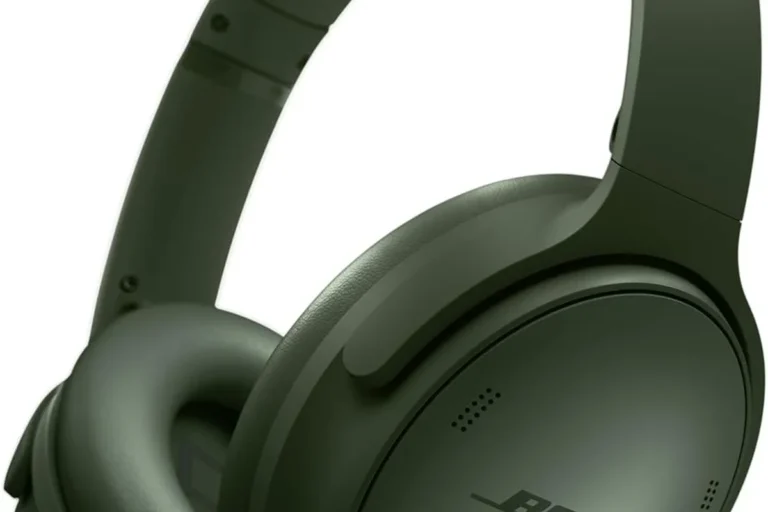
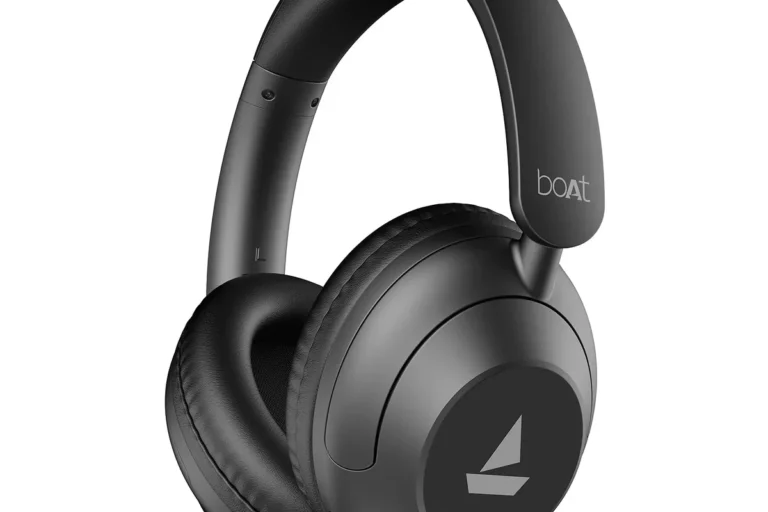
What Is Headphone Accommodations on iPhone Explained

Headphone Accommodations on iPhone is a built-in accessibility feature that customizes headphone sound for clearer, more comfortable listening. It works best with supported headphones like AirPods and Beats, and it can improve vocals, reduce harsh treble, and help with low-volume listening.
If you’ve ever wondered what is headphone accommodations on iPhone, it’s Apple’s built-in audio tuning feature that helps customize headphone sound to your hearing and listening preferences. It can make speech clearer, soften harsh highs, and improve the overall balance of compatible headphones without needing a separate EQ app.
- Free feature: Built into iPhone and easy to test.
- Best for clarity: Helps speech, podcasts, and dialogue.
- Compatibility matters: Results vary by headphone model.
- Not full EQ: Useful, but not a complete audio tuning tool.
What Is Headphone Accommodations on iPhone? A Simple Definition for 2026 Users

Headphone Accommodations is an accessibility audio feature in iPhone settings that changes how sound is delivered through supported headphones. Instead of applying a one-size-fits-all sound profile, it lets iPhone shape audio in a way that may be easier to hear and more comfortable for long listening sessions.
For many users, the feature is useful because headphone sound is not always perfectly balanced out of the box. Some headphones emphasize bass, some sound too bright, and some make vocals feel buried. Apple’s tuning tools aim to improve that experience in a simple, system-level way.
How Apple’s accessibility audio feature works with AirPods and Beats
Apple designed Headphone Accommodations to work best with certain Apple and Beats headphones, especially AirPods models and compatible Beats devices. When supported, the iPhone can analyze and adjust audio output in a way that is more integrated than a typical third-party equalizer.
The result is usually subtle rather than extreme. You are not getting a dramatic studio-style remix of the sound. Instead, the iPhone can help speech stand out more clearly, reduce listener fatigue, and make music or podcasts feel more natural for your ears.
Why this setting matters for clearer, more personalized listening
This setting matters because hearing preferences vary a lot from person to person. One listener may want brighter vocals, while another may find the same sound sharp or tiring. Headphone Accommodations gives iPhone users a way to personalize audio without buying new gear right away.
Note
Accessibility tuning is not a replacement for proper hearing care. If you suspect hearing loss, tinnitus, or sound sensitivity, an audiologist can help you understand what kind of support you need.
Who Searches for Headphone Accommodations and What They Want to Fix
People usually search for headphone accommodations because something about their audio sounds off. Maybe voices feel muffled, the treble is too sharp, or the volume needs to stay low but still sound clear. In many cases, they are looking for an easy fix before replacing headphones.
Common search intent: muffled sound, weak vocals, harsh treble, or hearing support
Search intent often falls into a few common buckets. Some users want to fix muffled headphone sound, others want stronger speech clarity, and some simply need a gentler sound profile that is less fatiguing over time.
That is why this feature attracts both casual listeners and users with hearing-related concerns. It is practical, built into iPhone, and often easier to try than installing another app or changing hardware.
Real-life use cases: music, podcasts, calls, videos, and low-volume listening
Headphone Accommodations can help in everyday situations such as podcasts on the commute, video calls at work, or late-night listening when you want lower volume. It can also make dialogue easier to follow in videos and movies.
Audio Tip
If vocals are hard to hear, start by improving speech clarity before boosting volume. That often gives a better result than turning everything louder.
For music, the benefit depends on the headphone model and your taste. Some listeners like a little extra presence in the mids, while others prefer a more neutral sound. If you want a broader understanding of tuning options, our guide to best EQ settings for headphones can help you compare approaches.
How Headphone Accommodations Adjust Audio on iPhone
At a basic level, the feature adjusts tone balance and audio emphasis so certain parts of the sound are easier to hear. It can affect how bright, soft, or speech-focused your headphones sound, depending on the options you choose.
Custom Audio Setup vs. manual tuning in Accessibility settings
iPhone gives users more than one way to shape the sound. You can use a guided setup to help Apple tune audio based on your listening preferences, or you can manually adjust settings in Accessibility if you already know what you want to change.
The guided route is usually the better starting point for beginners. Manual tuning is helpful if you already know whether you need more clarity, less harshness, or a different balance for music versus spoken content.
Supported headphones and why AirPods usually get the best results
Not every headphone or earbud will respond the same way. Apple’s feature is most effective with supported headphones, and AirPods often get the smoothest integration because they are designed to work closely with iPhone software.
That does not mean other headphones cannot sound good on iPhone. It simply means the feature’s results may vary by brand, model, connection type, and how the headphones are tuned from the factory. If you are comparing connection styles, our article on Bluetooth vs wired headphones sound quality is a useful companion read.
What changes: tone balance, brightness, soft sounds, and speech clarity
Headphone Accommodations can change the sound in ways that affect tone balance, brightness, and the audibility of softer details. That means quiet dialogue may come through more clearly, and overly sharp highs may feel less aggressive.
Key audio insight: this feature is best thought of as accessibility tuning, not a full pro-grade equalizer.It can improve clarity and comfort, but it will not fix every headphone flaw.
If your headphones are already very bass-heavy or very bright, the improvement may be noticeable but not dramatic. In those cases, hardware choice still matters. For example, some listeners get better long-term results from choosing the right headphone type first, as explained in our guide to types of headphones explained.
Step-by-Step: How to Turn On Headphone Accommodations on iPhone
Turning on the feature is straightforward, but the best setup depends on what you want to fix. A careful first pass usually works better than pushing every setting to the maximum.
Where to find the setting in iOS 2026
In most current iPhone versions, you can find the option in Settings under Accessibility, then Audio/Visual, then Headphone Accommodations. Apple may adjust menu names over time, but the feature generally stays in the Accessibility area.
What to Check
- Connect your supported headphones first.
- Open Accessibility audio settings.
- Turn on Headphone Accommodations and test playback.
Best first-time setup choices for most listeners
For a first try, start with moderate changes rather than strong ones. A gentle adjustment is easier to evaluate and less likely to make music or speech sound unnatural.
Important
Using too much correction can make audio feel thin, overly bright, or tiring. Small adjustments are usually easier to live with for long sessions.
How to test changes with music, calls, and spoken content
Always test the feature with more than one type of content. Music helps you hear tone changes, while podcasts and calls are better for judging speech clarity.
A good test is to play a familiar song, a podcast episode, and a short call or voice memo. If one sounds better but another sounds worse, reduce the intensity and try again.
Best Ways to Use Headphone Accommodations for Different Listening Problems
The feature is most useful when you match it to a specific listening problem. That makes it easier to get a meaningful improvement instead of random sound changes.
Boosting vocals for podcasts and audiobooks
If you listen to podcasts or audiobooks often, you may want speech to stand out more clearly. Headphone Accommodations can help bring voices forward so you do not have to keep raising the volume.
This is especially useful for low-volume listening in quiet spaces, where small clarity improvements can make a big difference. It can also be helpful if background music tends to overpower dialogue.
Reducing harsh highs for bright-sounding headphones
Some headphones sound a little too sharp in the treble, especially with cymbals, sibilant voices, or high-pitched effects. In those cases, a softer tuning profile can make listening less fatiguing.
If you already know your headphones lean bright, you may also want to read our guide on how to reduce treble in headphones. That article is useful when you want to understand the problem from both the hardware and software side.
Improving everyday listening for older ears or hearing sensitivity
Many older listeners find that speech clarity matters more than heavy bass. Others have sound sensitivity and prefer a smoother, less aggressive headphone profile. Headphone Accommodations can support both goals in a simple way.
If you regularly struggle to hear speech, feel discomfort with normal listening levels, or notice ringing after headphone use, it is smart to consult an audiologist. A professional hearing assessment is more reliable than guessing at sound settings.
Common Mistakes People Make When Using Headphone Accommodations
Like any audio feature, this one works best when you use it carefully. A few common mistakes can make the sound worse instead of better.
Turning the feature on without testing different intensity levels
Many users switch it on once and assume they are done. In reality, the difference between mild and strong tuning can be significant, so it is worth experimenting.
Try small changes first, then listen again after a few minutes. Your ears often need a little time to tell whether the new sound is actually better or just different.
Using it with unsupported headphones and expecting the same results
The feature may not behave the same way across all headphones. If your model is not fully supported, results can be limited or inconsistent.
Apple’s audio features often work best when the hardware and software are designed to work together, which is one reason AirPods usually feel more seamless on iPhone.
Overcorrecting sound and making audio unnatural or fatiguing
Too much correction can make voices sound artificial or make music lose its natural balance. That is especially true if you try to fix several issues at once with one setting.
If the sound becomes tiring, back off the intensity before judging the feature. A smaller adjustment is often the better long-term choice.
Expert Advice: When to Use It, When to Skip It, and What to Watch Out For
Headphone Accommodations is a useful tool, but it is not the answer to every audio problem. Knowing when to use it can save you time and help you make better headphone decisions.
Warning from audio editors: don’t confuse accessibility tuning with full EQ control
Accessibility tuning is helpful, but it is not the same as a full equalizer with complete frequency control. If you need precise bass, midrange, and treble shaping, a dedicated EQ app or device may give you more flexibility.
That said, third-party EQ tools can be more complicated and sometimes less consistent across apps. For readers who want to understand the broader audio chain, our guide on what is a headphone amplifier explains why hardware and software both matter.
When Headphone Accommodations is better than third-party EQ apps
For simple, system-wide improvements, Apple’s built-in feature is often easier than installing another app. It is especially convenient if you mostly listen on iPhone and want one setting that applies across different audio apps.
It can also be a better choice for users who want a straightforward accessibility option rather than a technical tuning workflow. Less setup usually means more consistent everyday use.
When a hearing test, better headphones, or volume habits may be the smarter fix
If the main problem is poor headphone quality, software tuning can only do so much. A better-tuned pair of headphones may solve the issue more effectively than any setting tweak.
If your concern is hearing health, safe volume habits matter even more. Follow safe listening guidelines, and if you notice pain, pressure, or persistent ringing, speak with an audiologist rather than relying on settings alone.
Is Headphone Accommodations Worth It? Cost, Value, and Final Takeaway
For iPhone users with supported headphones, the feature is easy to recommend as a free tool worth trying. It costs nothing to test, and it may noticeably improve comfort, speech clarity, or tonal balance.
It’s free on iPhone, but value depends on headphone compatibility and listening goals
The value comes down to whether your headphones are compatible and whether your listening issue is the kind this feature can actually improve. If you want subtle clarity changes, it can be very useful. If you want deep sound customization, you may need more advanced tools.
Quick recap of the biggest benefits, limitations, and best-use scenarios
Headphone Accommodations is best for users who want clearer vocals, softer highs, or a more comfortable listening experience on iPhone. It is less useful for people who want precise EQ control or who use headphones that are not well supported.
In short, it is a smart first step, not a magic fix. For many listeners, though, that first step is enough to make everyday headphone use noticeably better.
Frequently Asked Questions
Yes, they can. Wireless headphones may sound slightly different because of Bluetooth processing, while wired headphones can feel more direct depending on the model and source device.
They can be, especially in loud places where you do not need to raise the volume as much. Comfort still depends on fit, clamp force, ear cushion material, and how sensitive you are to noise cancellation.
Open-back headphones often feel more spacious and natural, while closed-back headphones usually block more outside noise. The better choice depends on whether you want soundstage, isolation, or portability.
Look at tuning, comfort, driver design, and how the headphones are intended to be used, not just one spec. Frequency response, impedance, and sensitivity can help, but they do not tell the full story on their own.
Gaming often benefits from clear positioning and a comfortable fit, commuting usually needs isolation or noise cancelling, and studio use often calls for more neutral sound. Match the headphone type to the job first.
Check weight, ear cushion material, headband padding, hinge design, and whether replacement parts are available. For long sessions, a lighter fit and softer padding usually matter more than flashy specs.