Can You Use Bluetooth Headphones on TV for Easy Listening

Yes, you can use Bluetooth headphones on TV if the TV supports Bluetooth audio or if you add a Bluetooth transmitter. The best setup depends on your TV model, latency needs, and how important clear lip-sync is to you.
If you’re wondering can you use bluetooth headphones on tv, the short answer is yes in many cases. The catch is that some TVs support Bluetooth audio natively, while others need a Bluetooth transmitter or another workaround.
For viewers who want quieter late-night watching, better privacy in shared spaces, or a more focused gaming setup, Bluetooth headphones can be a simple solution. The best connection method depends on your TV model, your headphones, and how sensitive you are to audio delay.
- Direct pairing: Works on many modern TVs with Bluetooth audio output.
- Transmitter backup: Needed when the TV only supports Bluetooth remotes or accessories.
- Latency matters: Low-delay gear is best for movies and gaming.
- Compatibility check: TV brand alone is not enough; verify the exact model.
Can You Use Bluetooth Headphones on TV? What Viewers Need to Know in 2025
Yes, many modern TVs can pair with Bluetooth headphones, but not all of them send audio over Bluetooth. Some sets only use Bluetooth for remotes, keyboards, or other accessories, which can be confusing if you expect headphone support automatically.
In 2025, the most important thing is to check whether your TV supports Bluetooth audio output, not just Bluetooth in general. If it does, pairing is usually simple. If it doesn’t, an external transmitter is often the easiest fix.
Bluetooth support can vary by TV brand, model year, and software updates. Always check the TV’s sound or accessory settings before buying extra gear.
How Bluetooth Works with TVs: Built-In Support vs. External Adapters
Bluetooth headphones connect to a TV the same way they connect to a phone or tablet: the TV sends audio wirelessly to the headphones. The difference is that TVs are more inconsistent about how they handle Bluetooth audio.
Some models include native headphone pairing, while others require a transmitter plugged into an audio output. That’s why two TVs from the same brand can behave very differently.
TVs with native Bluetooth audio output
When a TV has native Bluetooth audio output, you can usually open the sound or Bluetooth menu, put the headphones in pairing mode, and connect directly. This is the cleanest setup because it doesn’t add extra boxes or cables.
Native support is especially convenient for casual streaming, news, or family viewing. It also keeps the setup simple for users who don’t want to manage extra hardware.
When a Bluetooth transmitter is required
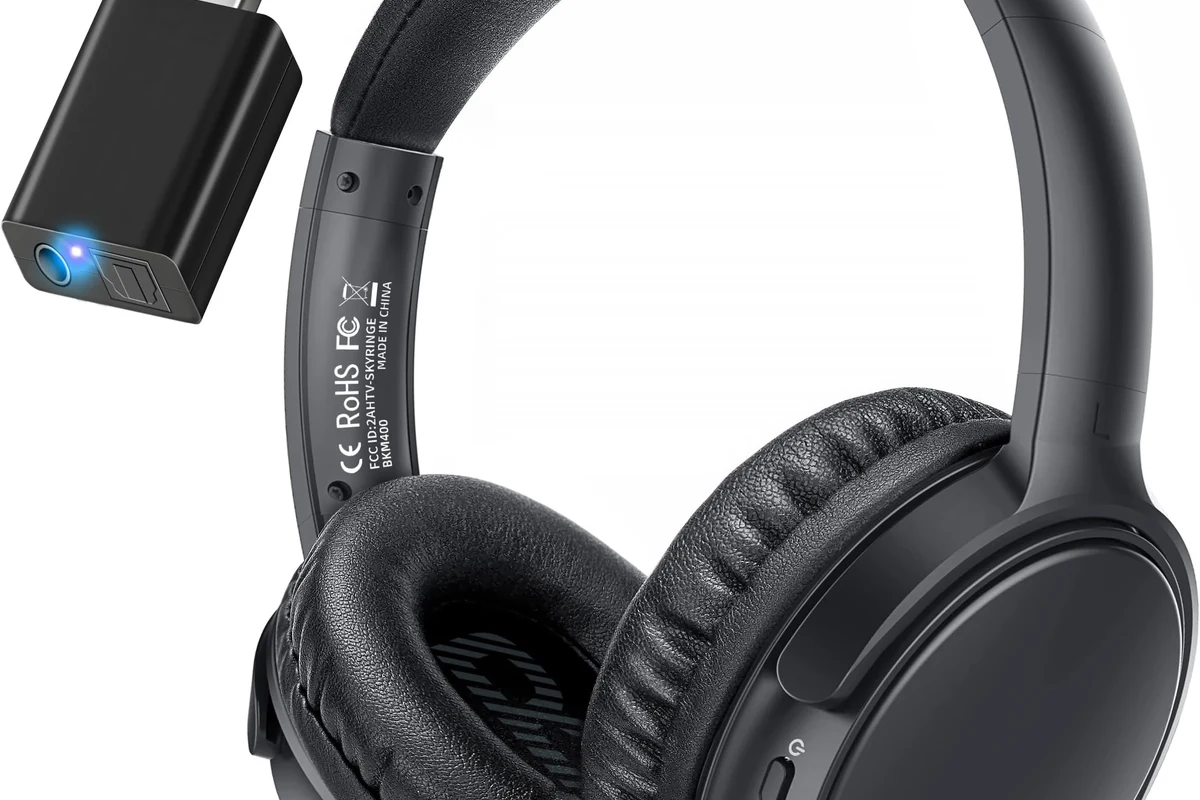
If the TV cannot send audio to Bluetooth headphones by itself, a transmitter bridges the gap. It plugs into an output such as optical, AUX, or sometimes USB, then broadcasts the sound to your headphones.
This is the most common solution for older TVs and for sets that only support Bluetooth remotes. It can also be a smart upgrade if you want better range or lower latency than the TV’s built-in Bluetooth offers.
Not every USB port on a TV carries audio. Before buying a transmitter, confirm that the port or output you plan to use actually supports TV sound.
Why some TVs only support Bluetooth remotes, not headphones
Some TVs include Bluetooth for control devices, but not for audio streaming. That means the TV can talk to a remote or keyboard while still blocking headphone connections.
This limitation is common enough that it catches many buyers off guard. If your TV menu shows Bluetooth but won’t pair with headphones, the feature may be accessory-only rather than audio-capable.
Best Ways to Connect Bluetooth Headphones to a TV for Easy Listening
There are several ways to get TV audio into Bluetooth headphones, and the best option depends on your equipment. For most people, the easiest path is direct pairing if the TV supports it, or a transmitter if it doesn’t.
If you’re still comparing headphone styles for TV use, it can help to review different headphone types explained so you can decide whether over-ear, on-ear, or earbuds fit your viewing habits best.
Pairing directly through the TV settings
Direct pairing is the simplest method when it works. Open the TV’s Bluetooth or sound settings, switch your headphones into pairing mode, and follow the on-screen prompts.
This method is best for users who want a fast setup without extra cables. It works especially well for short viewing sessions and everyday streaming.
Using a Bluetooth transmitter with optical, AUX, or USB connections
A Bluetooth transmitter is the most flexible backup option. Optical is often a strong choice for home theater use, AUX works on many older sets, and USB may be useful on certain TVs or streaming boxes if audio support is included.
If you want more guidance on wireless audio behavior, our bluetooth headphones explained simply guide can help make the connection process easier to understand. For users who notice delay, a bluetooth headphone lag fix article is also worth checking.
If lip-sync matters to you, look for a transmitter and headphones that support low-latency features. That can make dialogue and on-screen action feel much more natural.
Connecting through a streaming device, soundbar, or AV receiver
Some viewers route TV audio through a streaming device, soundbar, or AV receiver instead of connecting headphones to the TV directly. This can work well if that device supports Bluetooth output or has its own headphone-friendly audio path.
This approach is useful in more complex home theater setups. It may also help if your TV’s built-in Bluetooth is unreliable or unavailable.
Real-World Use Cases: Watching Movies, Gaming, and Late-Night TV
Bluetooth headphones are popular because they solve everyday problems, not just technical ones. They let you watch without waking the house, keep dialogue clear, and enjoy a more private audio experience.
Low-volume listening for shared living spaces
In apartments, dorms, and family homes, low-volume listening is a major advantage. Bluetooth headphones let you hear dialogue and details clearly without turning up the TV for everyone else.
That can be especially helpful when one person wants to sleep or when the room is already noisy. It’s a simple quality-of-life upgrade for shared spaces.
Closed-back headphones usually block more outside sound than open-back models, which can make them a better pick for TV listening in busy homes.
Gaming with Bluetooth headphones: what works and what lags
For gaming, Bluetooth headphones can work well for slower-paced titles, menu navigation, and single-player experiences. The main drawback is that Bluetooth can introduce delay, which may be noticeable in fast action or rhythm games.
If you game often, latency matters more than most people expect. A low-latency transmitter or a gaming headset designed for TV use may be a better fit than a standard Bluetooth-only setup.
Watching sports or dialogue-heavy shows without disturbing others
Sports, sitcoms, and drama series all benefit from clear headphone audio, especially when commentary or dialogue is easy to miss. Bluetooth headphones can make speech easier to follow at lower volume.
If you often watch late at night, this setup can be more comfortable than blasting a soundbar. It also keeps the audio focused directly in your ears, which many viewers prefer for long sessions.
Listening at high volumes for long periods can cause hearing damage. Keep volume at 60% or below for extended sessions.
Common Problems When Using Bluetooth Headphones on TV
Bluetooth is convenient, but it is not always perfect for TV use. The most common complaints are delay, dropouts, and awkward volume behavior.
Audio delay and lip-sync issues
Audio delay is the biggest issue for many TV viewers. If voices don’t match mouth movement, the experience can feel distracting even if the sound quality is good.
This is where low-latency support can matter. Without it, some users may notice a small but noticeable delay, especially on certain TVs or when using budget transmitters.
Connection drops, limited range, and pairing failures
Bluetooth range is usually good enough for a living room, but walls, furniture, and interference can affect stability. If your connection drops, the problem may be the TV, the transmitter, or the headphones themselves.
Pairing failures are also common after software updates or when multiple devices are remembered. Resetting the headphones and reconnecting from scratch often helps, and our how to reset bluetooth headphones guide can be useful in those situations.
Volume control quirks and one-ear audio issues
Some TVs control headphone volume separately, while others make you manage both the TV and headphone volume. That can lead to sound that is too quiet, too loud, or harder to fine-tune than expected.
One-ear audio can also happen if the TV or transmitter is set up incorrectly, or if the headphones are in a mode that doesn’t match the source. If you run into that problem, recheck the output settings before assuming the headphones are faulty.
Expert Advice: What to Check Before Buying a TV Headphone Setup
Before you buy anything, check the TV’s audio output options, the headphones’ Bluetooth features, and how important delay-free playback is for your use case. A little planning can save you from buying the wrong adapter.
Bluetooth version, codec support, and latency features
Newer Bluetooth versions can help with stability, but codec support and latency features matter just as much. If you want smoother TV audio, look for low-latency support on both the transmitter and headphones when possible.
Keep in mind that codec support varies by brand and model. Even good-sounding headphones may still lag if the TV or transmitter is the weak link.
If you experience frequent dropouts, uncomfortable listening levels, or hearing-related concerns such as tinnitus, consult an audiologist or a qualified audio specialist for personalized guidance.
Compatibility with Samsung, LG, Sony, Roku TV, and Fire TV models
Compatibility can vary across major TV platforms, even within the same brand family. Some Samsung, LG, and Sony models support Bluetooth headphones well, while others may limit audio functions or hide them in different menu locations.
Roku TV and Fire TV models can also differ depending on the manufacturer behind the screen. Always check the exact model, not just the brand name, before assuming Bluetooth audio will work.
Warning signs that a cheap adapter may cause poor audio quality
A very cheap adapter may work at first but create more problems later. Common warning signs include unstable pairing, weak range, obvious delay, and poor sound balance.
If the adapter has vague compatibility claims or no clear audio output support, that’s a red flag. Spending a little more on a reliable transmitter is often worth it for better everyday performance.
Cost Comparison: Built-In Bluetooth vs. Bluetooth Transmitter vs. Wireless TV Headphones
The cheapest option is not always the best value. Built-in Bluetooth is convenient, a transmitter adds flexibility, and dedicated wireless TV headphones can be the most comfortable and TV-focused solution.
Budget setup options for casual viewers
For casual use, built-in Bluetooth or a basic transmitter may be enough. If you mostly watch news, sitcoms, or occasional streaming, you may not need a more expensive setup.
Budget buyers should focus on simple pairing, acceptable range, and clear voices rather than chasing advanced features. A straightforward setup is often the best value for everyday TV watching.
Mid-range solutions for better latency and range
Mid-range setups usually offer a better balance of comfort, stability, and latency control. That can make them a smarter choice for viewers who watch often and want fewer audio annoyances.
This tier is also a good fit for mixed use, such as movies one night and gaming the next. If you want fewer compromises, it’s often the sweet spot.
Premium setups for gamers and home theater users
Premium setups are best for people who care about lip-sync, long listening comfort, and consistent performance. That may include serious gamers, home theater fans, or anyone who watches TV for hours at a time.
If you’re comparing TV listening gear with other wireless options, it may also help to read about bluetooth vs wired headphones sound quality. Wired connections can still be useful when absolute timing matters more than convenience.
Final Recap: The Easiest Way to Use Bluetooth Headphones on TV in 2025
The easiest way to use Bluetooth headphones on TV is to pair them directly if your TV supports Bluetooth audio output. If it doesn’t, a Bluetooth transmitter is usually the most practical fix.
For the best results, check latency, compatibility, and volume behavior before you buy. That way, you can enjoy private TV listening with fewer surprises and a setup that actually fits your viewing habits.
Frequently Asked Questions
Wired headphones usually avoid Bluetooth delay and can sound more consistent. Wireless is more convenient, but sound quality and latency can vary by TV, transmitter, and headphone model.
Yes, noise cancelling headphones can be very helpful in noisy homes because they reduce background sound. They are especially useful for dialogue-heavy shows, but comfort and latency still matter.
Closed-back headphones are usually better for TV because they block more outside noise and keep sound from leaking out. Open-back models can sound more spacious, but they are less practical in shared rooms.
Look at Bluetooth support, low-latency features, comfort, battery life, and how the headphones handle voices. Driver type, tuning, and fit also affect how clear dialogue and bass sound.
Start with your TV’s built-in Bluetooth support before buying extra gear. If needed, a basic transmitter can be a low-cost way to add wireless headphone support without replacing your TV.
For long sessions, comfort usually matters first because even great sound gets tiring if the headphones feel heavy or tight. Soft ear cushions, moderate weight, and a stable fit help a lot over time.