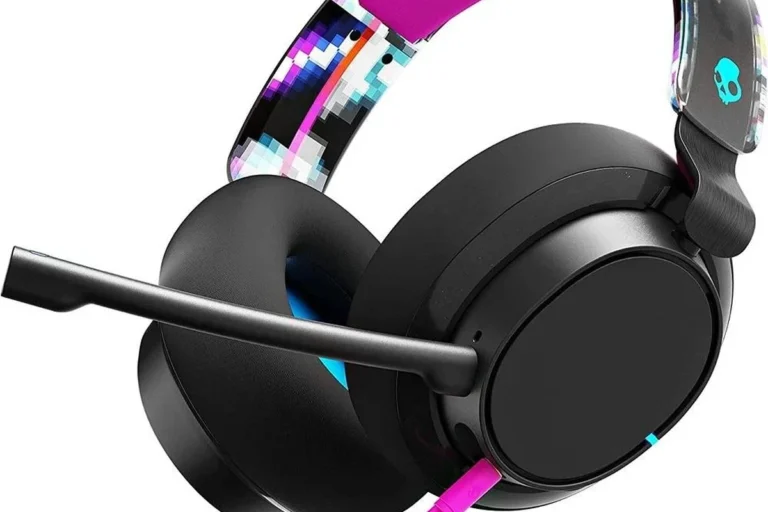
Why Are My Skullcandy Headphones Flashing Red and How to Fix It

The red flashing light usually means your Skullcandy headphones are low on battery, stuck in pairing mode, or having a charging issue. Start with a known-good charger, then reset and re-pair the headphones if the light keeps flashing.
If your Skullcandy headphones are flashing red, the light is usually warning you about battery level, charging, pairing, or a reset issue. In most cases, the fix is simple: check the charge, inspect the cable and port, then reset and re-pair the headphones.
- Most likely cause: Low battery or a charging problem.
- Best first fix: Try a different cable, port, and power source.
- Next step: Reset the headphones and clear Bluetooth history.
- Model matters: LED behavior can differ across Skullcandy headphones and earbuds.
- Replacement sign: Repeated flashing after resets may point to battery wear or hardware failure.
Why Are My Skullcandy Headphones Flashing Red? What the Light Pattern Usually Means

A red flashing light is rarely random. On many Skullcandy models, it points to a low battery, a charging problem, or a Bluetooth state that needs attention before the headphones will work normally again.
Battery warning, pairing status, charging error, or firmware issue
The most common reason is a low battery warning. If the headphones have enough power to turn on but not enough to stay stable, the LED may flash red to tell you they need charging.
In other cases, the red flash can mean the headphones are trying to pair or reconnect. If the device is stuck between pairing and connecting, the light can keep blinking until you clear the old connection and start over.
A charging error is also possible. If the cable, wall adapter, USB port, or charging contacts are not working correctly, the headphones may show a red light even though they are plugged in.
Less commonly, a firmware glitch can cause odd LED behavior. This is more likely if the headphones were working normally before and the red flashing started after a failed update, a battery drain, or a sudden disconnect.
How Skullcandy LED behavior differs by model in 2026
Skullcandy uses different light patterns across its lineup, so the same red flash may not mean exactly the same thing on every model. Over-ear headphones, sports earbuds, and true wireless buds can each use the LED differently.
That is why it helps to check the model manual before assuming the battery is dead. A flashing red light on one Skullcandy product might mean charging, while on another it may indicate low power or pairing mode.
First Checks Before You Troubleshoot the Red Flashing Light

Before you reset anything, do a few quick checks. These simple steps solve a lot of red light problems and can save you from unnecessary troubleshooting.
Confirm the exact Skullcandy model and battery level
Look at the model name on the box, app, or product label. Crusher, Hesh, Venue, Indy, Dime, and Rail models can behave differently, so model-specific guidance matters.
If the headphones power on at all, check whether they respond to volume, play/pause, or voice prompts. If they only flash red and shut off quickly, the battery may simply be too low to run normally.
Check the charging cable, port, and power source
Try a different USB cable and a different power source before anything else. A weak laptop port or a damaged cable can make it look like the headphones are failing when the issue is really with charging.
Inspect the charging port for lint, dust, or bent contacts. If the plug does not sit firmly, the headphones may never reach a full charge.
Use a known-good wall charger and cable first. That is often faster than guessing whether the battery, port, or Bluetooth connection is the real problem.
Look for moisture, dirt, or physical damage around the indicator
Moisture can interfere with charging and LED behavior, especially on earbuds used for workouts or travel. If the headphones were exposed to sweat or rain, let them dry fully before charging again.
Also check for cracks, loose buttons, or a damaged charging area. Physical wear can cause the red light to flash even when the battery itself is not the main issue.
How to Fix Skullcandy Headphones Flashing Red Step by Step
If the basic checks do not solve it, move through the fixes below in order. Start with the easiest options first so you do not erase settings unless you really need to.
Reset the headphones and clear Bluetooth pairing history
A reset often clears a stuck light pattern or a pairing loop. If you are not sure how to do it for your exact model, follow Skullcandy’s instructions carefully rather than forcing random button combinations.
After resetting the headphones, go into your phone, laptop, or tablet and remove the old Bluetooth pairing entry. Then restart the device and pair again from scratch.
Make sure the device is fully powered down before starting the reset process.
Delete the Skullcandy device from your phone, computer, or tablet’s saved Bluetooth list.
Reset the headphones using the correct model method, then pair them again as a new device.
Try a full charge cycle with a known-working charger
Charge the headphones for a full cycle using a reliable charger and cable. If the battery was deeply drained, it may need time before the light behavior changes.
Do not keep unplugging and reconnecting every few minutes. Give the battery time to recover and watch whether the red flashing stops after a stable charging session.
Re-pair with your phone, laptop, or tablet
Once the headphones have enough charge, pair them again with one device first. This helps you rule out Bluetooth conflicts caused by multiple saved devices or a bad connection profile.
If the headphones connect to one device but not another, the problem may be with the source device rather than the Skullcandy headphones themselves.
Bluetooth issues can look like battery problems. If the red light appears right after a failed connection, the headphones may be stuck in pairing mode instead of actually low on power.
Update firmware if your Skullcandy model supports it
Some Skullcandy models support firmware updates through an app or companion software. If your model offers this option, updating can fix LED glitches, pairing bugs, and charging-related behavior.
Only update when the battery is charged enough and the connection is stable. A failed update can create more problems than it solves.
Model-Specific Red Light Behavior: Wired, Wireless, and True Wireless Skullcandy Devices
Different Skullcandy product types show red lights in different ways. The model category matters just as much as the brand name.
Crusher, Hesh, and Venue-style over-ear headphones
Over-ear wireless headphones often use a red flashing light to show low battery, charging, or pairing mode. If the headphones work for a short time and then flash red, battery wear is a likely cause.
These models may also show a red light while charging and switch behavior once the battery reaches a safer level. If the light never changes after hours on charge, the cable, port, or battery may be the issue.
Indy, Dime, Rail, and other earbud models
True wireless earbuds often rely on the case for charging and status indicators. A red flash may mean the buds are not seated correctly in the case, the case battery is low, or one earbud is not making contact.
Check that both earbuds are aligned properly and that the charging pins are clean. A tiny bit of debris can stop the buds from charging even when the case appears to be working.
What a blinking red light means while charging versus while connected
While charging, a blinking red light usually suggests the battery is low or the charge is still in progress. While connected, it often points to a pairing problem, a low battery warning, or a connection error.
If the light changes when you plug in the cable, that is a useful clue. If it keeps blinking red no matter what you do, the issue may be hardware-related.
Many Bluetooth headphones use the same LED for battery, pairing, and charging status, which is why one flashing color can mean several different things depending on the moment.
Common Mistakes That Keep the Red Light Flashing
Some problems stay unresolved because the first fix was not actually fixing the cause. These are the mistakes we see most often with wireless headphones and earbuds.
Using low-quality charging cables or weak USB ports
Not every USB cable delivers power reliably. A worn cable or weak port can create unstable charging, making the LED flash red even though the headphones are technically plugged in.
If possible, use the original cable or a high-quality replacement. Avoid charging from random public USB ports or underpowered accessories when troubleshooting.
Assuming the battery is dead when it is actually in pairing mode
A flashing red light does not always mean the battery is gone. On some models, it can mean the headphones are waiting to pair or reconnect.
If you skip the Bluetooth reset and keep charging instead, you may miss the real issue. Check whether the headphones are discoverable on your phone before assuming the battery has failed.
Ignoring a stuck reset or incomplete charge
Sometimes a reset does not fully complete, especially if the battery is too low or the buttons were not held long enough. In that case, the red light can keep returning.
Likewise, a battery that has been deeply drained may need a longer charge than expected. Give it enough time before deciding the headphones are broken.
When the Red Flashing Light Points to a Bigger Problem
If the light keeps flashing after resets, cable swaps, and full charging attempts, the issue may be more serious. At that point, it is worth thinking about repairability and long-term value.
Battery wear, charging circuit failure, or water damage
Rechargeable batteries wear down over time, especially in heavily used wireless headphones and earbuds. If the battery no longer holds a charge, the red light may be the first sign.
Charging circuit failure is another possibility. Water exposure, sweat damage, or internal corrosion can interrupt the power path and keep the indicator blinking.
Warning signs that the headphones may need replacement
If the headphones only stay on while plugged in, shut off quickly after charging, or never show a stable connection, replacement may be the better option. Repeated red flashing after multiple resets is also a warning sign.
Physical damage, swollen battery symptoms, or overheating should be treated seriously. Stop using the headphones and avoid further charging attempts if anything looks unsafe.
If your headphones get unusually hot, smell burnt, or show battery swelling, stop using them right away. For hearing concerns or recurring ear pain during long listening sessions, consult an audiologist or medical professional.
Expert advice: when not to keep force-resetting the device
Do not keep force-resetting the headphones over and over if the battery seems unstable or the device is heating up. Repeated resets will not fix a damaged battery or a failed charging board.
If the problem keeps returning after a clean reset and known-good charger test, it is better to evaluate warranty or replacement options.
Listening at high volumes for long periods can cause hearing damage. Keep volume at 60% or below for extended sessions.
Repair, Replacement, and Cost Considerations in 2026
For many Skullcandy models, the real decision is whether to repair, replace, or live with the issue. That depends on the age of the headphones, the model, and how often you use them.
What a basic fix costs versus replacing the headphones
A basic fix may cost almost nothing if the issue is just a cable, cleaning, or reset. If the battery or charging hardware is failing, the practical cost can rise quickly depending on parts and labor.
Because prices vary by model and region, it is smart to compare repair effort against the cost of a new pair before spending too much time troubleshooting.
Warranty coverage, support options, and out-of-warranty decisions
If your headphones are still under warranty, contact Skullcandy support first. Warranty coverage can make a big difference if the flashing red light is tied to a manufacturing defect rather than normal wear.
Out of warranty, you will need to weigh convenience against cost. For budget-friendly headphones, replacement is often more sensible than paying for a complex repair.
How Skullcandy repair value compares with buying a new pair
In many cases, wireless headphones are not designed for easy battery replacement by the average user. That means repair value can be limited if the battery or internal charging circuit is the real problem.
If the sound quality, comfort, and fit still matter to you, compare the repair estimate with the value of upgrading to a newer model. This is especially true if you want better battery life, stronger Bluetooth stability, or improved comfort for long sessions.
Final Recap: The Fastest Way to Stop Skullcandy Headphones Flashing Red
The fastest fix is usually to check the charger, let the headphones charge fully, reset them, and re-pair them with one device. If that does not work, the red flashing light may point to battery wear or a hardware problem.
Quick summary of the most likely cause and best fix
Most red flashing lights come from low battery, pairing mode, or a charging issue. Start with a known-good cable and power source, then reset and reconnect the headphones if the light keeps flashing.
How to avoid the red flashing light from coming back
Keep the charging port clean, avoid cheap cables, and store the headphones dry and fully charged when possible. If you use them for long listening sessions, follow safe volume habits and take breaks so both the battery and your ears last longer.
For readers comparing headphone types and wireless behavior, our guides on resetting Bluetooth headphones, connecting Bluetooth headphones, and Bluetooth headphones explained simply can help with the next troubleshooting step.
Frequently Asked Questions
A red flashing light usually means the battery is low or the headphones are still charging. If it never changes, check the cable, port, and power source.
Turn the headphones off, remove them from Bluetooth on your device, then follow the correct reset steps for your model. After that, pair them again as a new device.
Not always. It can also mean pairing mode, a charging error, or a connection problem.
The earbuds may not be seated correctly, the case may be low on power, or the charging contacts may be dirty. Clean the contacts and make sure both buds are aligned properly.
Wired headphones usually avoid Bluetooth pairing issues, while wireless models offer more convenience. If you want fewer connection problems, wired is simpler, but wireless is better for mobility.
Look at fit, weight, ear cushion material, battery life, and build quality. For long listening sessions, comfort and stable wireless performance often matter more than extra features.