How to Listen to TV with Headphones Easily and Clearly

The easiest way to listen to TV with headphones is to use a wired connection for the most reliable sound or Bluetooth if your TV supports it well. For the clearest results, focus on low delay, good comfort, and TV settings that improve dialogue.
If you want to know how to connect Bluetooth headphones to a TV, the easiest path is usually either a direct wireless connection or a simple wired adapter. The best setup depends on your TV’s outputs, your headphones, and how much delay you can tolerate for movies, sports, or gaming.
- Best reliability: Wired connections usually have the least lag.
- Best convenience: Bluetooth works well when TV support is strong.
- Clear dialogue: Use speech enhancement or dialogue boost settings.
- Comfort matters: Choose lightweight headphones for long sessions.
How to Listen to TV with Headphones: What Viewers Need to Know in 2025
Listening to TV with headphones is easier than it used to be, but the “best” method still depends on your gear. Some TVs support Bluetooth audio directly, while others need a transmitter, adapter, or old-school wired connection.
In 2025, the main goal is still the same: keep dialogue clear, avoid lip-sync lag, and choose a setup that feels comfortable for long viewing sessions. If you also use a console or streaming device, it helps to understand the TV audio path before buying anything.
TV headphone compatibility can vary a lot by brand, model, and audio settings. Always check your TV’s audio output options before assuming a headset will work smoothly.
Best Ways to Connect Headphones to a TV Without Losing Sound Quality
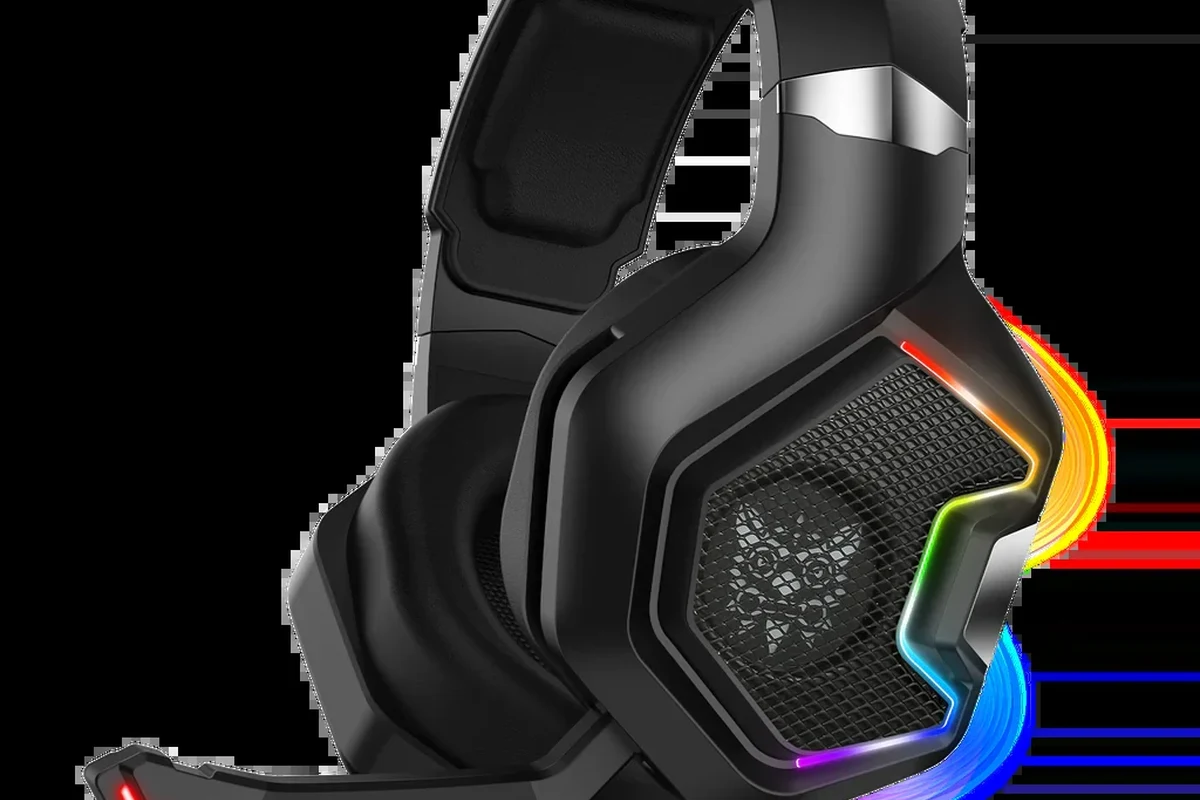
There are a few common ways to route TV sound to headphones, and each has trade-offs. Wireless is convenient, but wired connections usually offer the most stable sound with the least delay.
Bluetooth TV connections: when they work well and when they don’t
Bluetooth is the simplest option when your TV supports it natively. It works well for casual watching, especially if you want to move around the room without cable clutter.
The downside is latency. Some Bluetooth headphones sound perfectly fine for dialogue, but others can create a noticeable delay that makes lips and voices feel out of sync. Codec support, TV processing, and headphone compatibility all matter here.
Wired options: 3.5mm, RCA, optical, and headphone jack setups
Wired listening is still one of the most reliable ways to watch TV with headphones. A 3.5mm headphone jack is the easiest if your TV has one, but many newer models don’t.
If your TV lacks a headphone port, you may be able to use RCA outputs or an optical output with the right converter. Optical connections often require a DAC or adapter that turns the signal into a headphone-friendly output.
- Does your TV have a headphone jack, RCA out, or optical out?
- Does the adapter support the exact audio format your TV sends?
- Will the connection let you control volume from the TV or the headphones?
Using a TV transmitter or adapter for older and newer TVs
If your TV does not have Bluetooth, a transmitter can add wireless headphone support. These devices plug into the TV’s audio output and send sound to compatible headphones.
This is often the best bridge between older TVs and newer wireless headphones. Just be careful: the quality of the transmitter matters a lot, and cheap models can cause static, dropouts, or annoying delay.
Low-cost transmitters can introduce lag, unstable pairing, or weak range. If you watch dialogue-heavy shows or play games, a poor adapter can make the experience frustrating fast.
Choosing the Right Headphones for TV Watching
The right headphones for TV are not always the same as the right headphones for music. Comfort, battery life, latency, and fit matter more when you are wearing them for a full movie or a long sports night.
Wireless vs. wired headphones for movies, sports, and late-night viewing
Wireless headphones are great if you want freedom of movement and a cleaner setup. They are especially convenient for shared living rooms, where you may want to stand up without unplugging anything.
Wired headphones still win for simplicity and consistency. If you want the least chance of delay, a cable is often the safer choice for TV dialogue and live sports.
Comfort, battery life, latency, and range for long sessions
For long sessions, comfort is just as important as sound quality. Lightweight over-ear models with soft ear cushions usually feel better than tight or shallow designs.
Battery life matters for wireless headphones, but so does quick charging and stable range. A headset that lasts all evening is useful only if it stays connected and does not introduce distracting lag.
Open-back, closed-back, and noise-canceling models: which fits your room
Closed-back headphones are usually the most practical for TV because they keep sound in and block more outside noise. That makes them a solid choice for apartments, shared homes, and noisy rooms.
Open-back headphones can sound spacious, but they leak sound and let more room noise in. Noise-canceling headphones are useful if your space is loud, though they may change the sound signature slightly depending on the model.
If dialogue sounds muddy, try a closed-back or noise-canceling model before increasing the volume. Better isolation often improves clarity more than louder playback.
How to Set Up TV Headphones for Clear Dialogue and Low Delay
A good setup is not just about plugging things in. You also need the right TV audio settings, a stable connection, and a little troubleshooting if lip-sync feels off.
Step-by-step setup examples for smart TVs, streaming boxes, and gaming consoles
For a smart TV with Bluetooth, open the audio or sound menu, put the headphones in pairing mode, and select them from the TV’s device list. Once paired, test a dialogue scene before settling in for a full movie.
For a streaming box, the audio may still pass through the TV, so the TV’s output settings are the key step. For gaming consoles, you may need to connect headphones directly to the controller, console, or TV depending on whether you care more about chat, game audio, or latency.
Check whether the TV sends sound through Bluetooth, optical, 3.5mm, RCA, or HDMI ARC/eARC.
Use the TV menu for wireless pairing, or connect the cable/adapter securely for wired listening.
Play a scene with clear speech and check whether the voices match the actors’ lips.
How to reduce audio lag and lip-sync issues
If the sound is late, first check whether your TV has a lip-sync setting or audio delay adjustment. Some TVs also have a “game mode” or low-latency mode that can help reduce processing.
Another useful trick is to avoid routing audio through too many devices. The more steps the signal takes, the more chances there are for delay. If Bluetooth keeps drifting out of sync, a wired connection or low-latency transmitter is often the better fix.
Listening at high volumes for long periods can cause hearing damage. Keep volume at 60% or below for extended sessions.
TV sound settings that improve speech clarity and volume balance
Many TVs include speech enhancement, clear voice, or dialogue boost settings. These can make voices easier to understand without forcing you to raise the overall volume too much.
If explosions and music overpower speech, try lowering bass-heavy processing or switching from a “cinema” preset to a more balanced sound mode. Small adjustments often help more than people expect.
If you regularly struggle to hear dialogue even after adjusting TV settings, consider speaking with an audiologist. Hearing changes can affect TV clarity more than a headphone upgrade can.
Common Mistakes People Make When Listening to TV with Headphones
Most headphone-TV problems come from setup mistakes, not from the headphones themselves. A few checks up front can save a lot of frustration later.
Ignoring codec support, latency, and TV audio output settings
Not every Bluetooth setup is equal. If the TV and headphones do not support a compatible low-latency path, you may hear delay even if the connection seems stable.
TV audio output settings also matter. Some sets default to internal speakers, mute one output when another is active, or send a format your adapter cannot handle properly.
Using the wrong adapter or assuming every Bluetooth headphone will pair smoothly
A common mistake is buying an adapter that does not match the TV’s output. For example, an optical output needs a different solution than a 3.5mm jack.
Another issue is assuming all Bluetooth headphones behave the same way. Pairing quality, range, and delay can vary widely by model, especially with older TVs or budget transmitters.
Some TVs let you send audio to both speakers and headphones at the same time, but others force you to choose one output. That setting can make setup much easier when it is available.
Overlooking hearing safety and turning the volume too high
Headphones make it easy to listen privately, but they also make it easy to turn the volume up too far. That is especially true late at night when the room is quiet and you want to catch every word.
If you need to turn the volume very high just to understand dialogue, the issue may be fit, isolation, or TV settings rather than the headphones alone. Safe listening should always come first.
Expert Advice: What to Watch Out for Before Buying a TV Headphone Setup
Before you spend money, think about how you actually watch TV. A solo viewer needs something different from a family room setup or a gaming-focused living room.
Important warning about cheap transmitters, unstable connections, and poor sync
Cheap transmitters can look like an easy fix, but they may create more problems than they solve. Weak range, pairing drops, and poor sync are common complaints with low-quality units.
If you watch a lot of dialogue-heavy content, live sports, or games, reliability should matter more than the lowest price. A stable connection usually feels better than a flashy feature list.
When a transmitter is poorly designed, even good headphones can sound delayed or inconsistent. Match the adapter quality to how often you use it.
When a dedicated TV headphone system is worth the extra cost
A dedicated TV headphone system can be worth it if you watch often, need very low delay, or share a room with others. These systems are usually built for ease of use, strong range, and simple charging.
They may cost more than a basic Bluetooth workaround, but the convenience can be worth it for older viewers, frequent movie nights, or anyone who wants fewer pairing headaches.
Price Comparison: Budget, Mid-Range, and Premium TV Headphone Solutions
Price depends on whether you need just a simple connection or a complete listening system. Brand, build quality, and feature set can change the cost a lot, so treat any estimate as a range rather than a fixed number.
Affordable plug-and-play options for casual viewers
Budget setups usually include a basic wired connection or a simple Bluetooth transmitter. These are best for occasional viewing, bedroom TVs, or anyone who wants an easy starting point.
The main compromise is that you may get fewer comfort features, shorter range, or less reliable latency control. Still, for casual use, budget solutions can be perfectly practical.
Mid-range setups for better range, comfort, and reliability
Mid-range options often improve the parts that matter most: stronger wireless stability, better battery life, and more comfortable headphones. This is a sweet spot for many households.
If you watch several nights a week, it often makes sense to spend a little more for better fit and fewer connection problems. The experience is usually smoother over time.
Premium systems for home theaters, gaming, and shared living rooms
Premium TV headphone systems are best when low delay, long range, and easy switching matter most. They are especially useful in home theater setups and gaming spaces where sync is critical.
These systems can be more expensive, but they often feel more polished and dependable. If multiple people use the TV or you want a near “set it and forget it” experience, premium can be worth it.
Final Recap: The Easiest Way to Watch TV with Headphones Clearly and Comfortably
The easiest way to listen to TV with headphones is the one that matches your TV outputs, your headphones, and your tolerance for delay. Wired setups are usually the most reliable, while Bluetooth is the most convenient when the TV and headphones work well together.
For the clearest experience, prioritize low lag, comfortable fit, and dialogue-friendly TV settings. If you want more headphone guidance for other devices, our readers often also compare how to select headphones in Windows 11 and Bluetooth headphones explained simply to better understand wireless audio behavior.
Frequently Asked Questions
Wired headphones usually offer the most reliable sound and the least delay. Wireless headphones are more convenient, but performance can vary by TV, transmitter, and codec support.
Yes, they can make speech easier to hear by reducing room noise. They are especially helpful in shared spaces or noisy homes, though the sound profile may vary by model.
Closed-back over-ear headphones are often the most practical choice for TV because they improve isolation and comfort. Open-back models can sound spacious, but they leak sound and are less ideal for shared rooms.
Use a low-latency transmitter or enable any TV lip-sync settings available. If delay is still noticeable, wired headphones are usually the most dependable fix.
Check battery life, comfort, latency, range, and whether the headphones match your TV’s output method. If you use Bluetooth, codec support and pairing stability also matter.
Look for lightweight headphones with soft ear cushions and a secure but gentle fit. Comfort depends on head shape, clamping force, and materials, so personal preference matters a lot.