Can I Use Headphones with PlayStation Portal Guide

Yes, you can use headphones with PlayStation Portal, but standard Bluetooth headphones do not pair directly. The most reliable options are PlayStation Link devices, compatible wired setups, or Remote Play workarounds on other devices.
If you’re asking can i use headphones with playstation portal, the short answer is yes, but not every headphone type works the same way. The PlayStation Portal has a few audio limitations, so the best setup depends on whether you want wired convenience, low-latency wireless audio, or a workaround through Remote Play.
For most players, the key thing to understand is that the Portal is not a full replacement for a PS5 or a phone-based Remote Play setup. That means headphone support is more limited than many people expect, especially if you’re hoping to pair standard Bluetooth earbuds instantly.
Compatibility can vary by headphone model, adapter, firmware version, and how you use Remote Play. Always check the latest PlayStation support details before buying a new headset.
- Best wireless route: PlayStation Link is usually the safest choice.
- Bluetooth limit: Standard Bluetooth headphones are not directly supported.
- Wired caution: USB-C and adapter compatibility can vary.
- Buy smart: Check latency, comfort, and mic support before purchasing.
Can I Use Headphones with PlayStation Portal? What Works in 2025
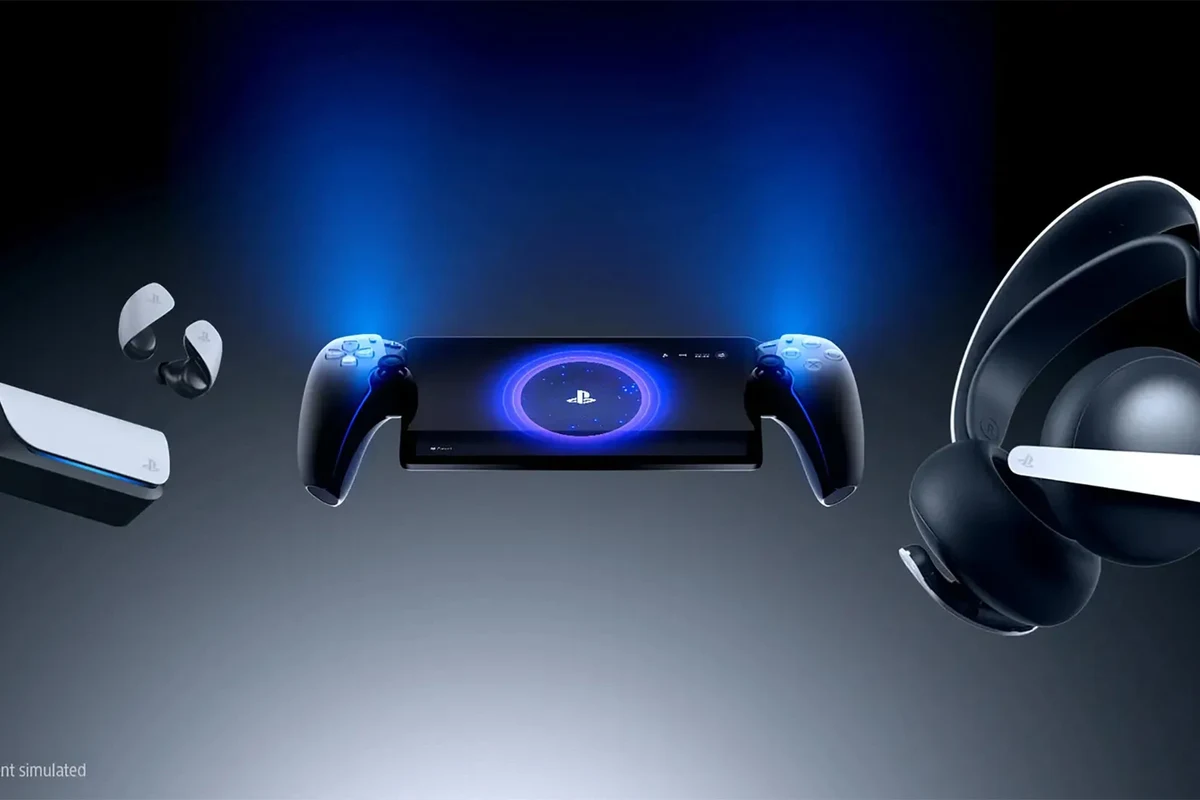
Yes, you can use headphones with PlayStation Portal, but the best options are not always the most obvious ones. In 2025, the Portal works best with PlayStation Link accessories and some wired setups, while standard Bluetooth headphones remain unsupported for direct pairing.
That means the answer is less about “can I plug in any headset?” and more about “which connection method actually works reliably?” If you already own gaming headphones, it’s worth checking the connection type before assuming they will work with the Portal.
If you want a broader primer on headset compatibility across devices, our guide on Bluetooth headphones explained simply is a useful starting point. It helps make sense of why some wireless products pair easily while others do not.
PlayStation Portal Audio Options Explained: Wired, Wireless, and Remote Play Audio
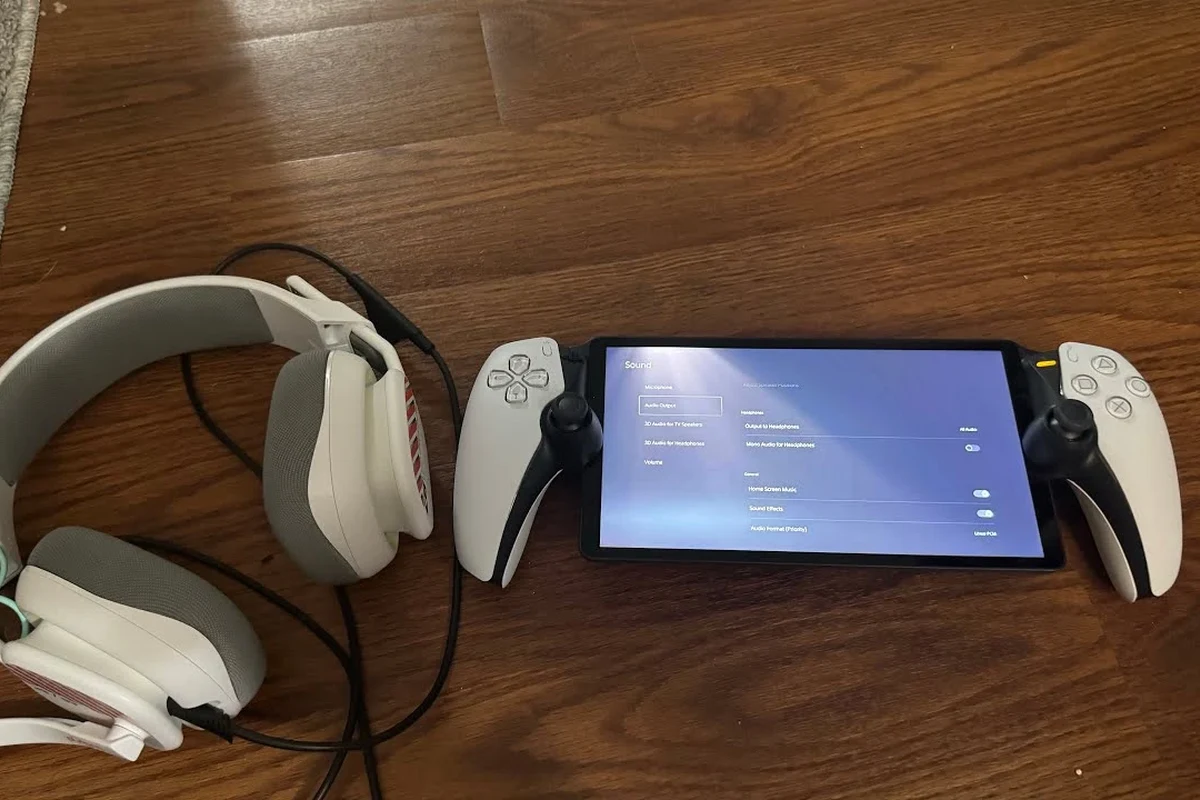
The Portal is designed around Remote Play, so its audio behavior is tied to how Sony built the device rather than how a typical tablet or handheld works. In practice, that means you should think in terms of supported wireless accessories, limited wired possibilities, and audio routed through the Remote Play experience.
For many gamers, the main goal is simple: get clean game sound without lag or extra setup. That is where connection type matters most, because even a great-sounding headset can feel frustrating if the audio path is awkward or delayed.
USB-C Headphones and Adapters: When They Work and When They Don’t
Some USB-C audio devices may work if they are recognized by the Portal, but this is not something to assume across every headset or adapter. USB-C support can depend on whether the device is treated as a compatible audio accessory, and that can vary by model.
If you are thinking about a USB-C dongle, remember that not all adapters are equal. A simple charging adapter is not the same as an audio dongle, and a dongle that works on a phone may not behave the same way on the Portal.
Do not buy a USB-C adapter expecting guaranteed headphone support on PlayStation Portal. Adapter compatibility is one of the most common reasons people end up with no audio or unstable audio.
Bluetooth Headphones: Why Direct Pairing Is Not Supported
Direct Bluetooth pairing is the biggest limitation for many buyers. The Portal does not support standard Bluetooth headphone pairing in the way phones, laptops, and tablets do.
That means your everyday wireless earbuds may work with your phone or PC, but not directly with the Portal. This is one of the most common surprises for first-time owners, especially if they expected console audio to behave like mobile audio.
If wireless freedom matters most, look for PlayStation Link support first. It is usually a safer bet than hoping a standard Bluetooth headset will connect.
Using the Portal’s Built-In Speaker vs. Headphones for Better Gaming Audio
The built-in speaker is fine for casual use, but headphones usually provide a better gaming experience. A good headset gives you clearer dialogue, stronger positional cues, and more privacy in shared spaces.
That said, the Portal speaker can be useful for quick sessions or when you do not want anything on your head. If you play late at night or in a noisy room, headphones are usually the better choice for both immersion and focus.
For gaming, comfort often matters as much as sound quality. A headset that feels light and breathable can be more enjoyable than a technically “better” model during long sessions.
Best Ways to Connect Headphones to PlayStation Portal
If you want the most reliable setup, focus on the connection methods that are known to fit the Portal’s ecosystem. In most cases, that means PlayStation Link products or carefully chosen workarounds rather than generic Bluetooth.
Choosing the right method also helps with latency, which is especially important in shooters, racing games, and anything that depends on timing. Even small delays can make audio feel disconnected from the action.
Using PlayStation Pulse Explore and Other PlayStation Link Devices
PlayStation Link accessories are the most straightforward wireless option for Portal users. Sony’s own Pulse Explore earbuds and other PlayStation Link devices are designed to work within the same ecosystem, which reduces guesswork.
For many readers, this is the cleanest solution because it avoids the headache of unsupported pairing methods. If you want low-latency wireless sound and less troubleshooting, PlayStation Link is usually the first place to look.
- PlayStation Link is the most dependable wireless route.
- Standard Bluetooth is not a direct option on Portal.
- Wired and adapter-based solutions may work, but compatibility varies.
Wired 3.5mm Headphones Through the DualSense on PS5 vs. Portal Limitations
It is easy to confuse PS5 headset support with Portal support. On a PS5, you can often use a wired 3.5mm headset through the DualSense controller, but the Portal is a different device with different rules.
So if your favorite headset works beautifully on the PS5 controller, that does not automatically mean it will work the same way on Portal. This distinction matters a lot when shopping for a new gaming headset.
Do not assume a headset that works on PS5 will work on PlayStation Portal in the same way. The Portal has its own audio compatibility limits.
Workarounds with Remote Play on Phone, Tablet, or PC
One practical workaround is to use Remote Play on another device, such as a phone, tablet, or PC, where headphone support may be easier. That can give you more flexibility if you already own a headset that does not play nicely with the Portal itself.
This is not the same as using the Portal directly, but it can be a smart backup plan. If you want to compare headphone behavior across devices, our guide on wired headphones on MacBook and our article on selecting headphones in Windows 11 can help you understand how device-specific audio support changes the experience.
Headphone Compatibility Guide by Use Case
The best headphones for PlayStation Portal depend on how you play. A casual player may want something simple and affordable, while a competitive player may care more about latency and clarity.
Think about comfort, noise isolation, battery life, and whether you need a mic. Those details often matter more in daily use than flashy marketing terms.
Best for Casual Play: Affordable Wired Options
If you mainly play story games, platformers, or slower-paced titles, affordable wired headphones can be a sensible choice. They are usually easy to manage, do not need charging, and can offer solid sound for the money.
Wired models also avoid battery anxiety, which is helpful if you use your Portal in short bursts throughout the day. For casual players, that simplicity can be more valuable than extra features.
Best for Competitive Gaming: Low-Latency Wireless Picks
For fast-paced games, low-latency wireless matters more than almost anything else. You want sound that stays tightly synced with what you see on screen, especially for footsteps, reloads, or timing-based cues.
That is why PlayStation Link is so attractive for competitive use. It is built for a more responsive gaming audio experience than standard Bluetooth, which can introduce noticeable delay depending on the product and environment.
Best for Travel and Shared Spaces: Noise-Isolating Over-Ear Models
If you use the Portal in hotels, on the couch, or in a shared room, noise isolation can improve the experience a lot. Over-ear headphones often do a better job of blocking outside sound than smaller earbuds, though fit and seal vary by model.
Closed-back over-ear headphones are often a strong pick for privacy and immersion. If you are curious about how isolation and comfort affect daily listening, our article on how noise cancelling headphones work explains the difference between passive isolation and active noise cancellation.
Common Mistakes People Make When Trying to Use Headphones with PlayStation Portal
Most Portal headphone problems come from expectations, not bad hardware. People buy a headset assuming it will behave like a phone accessory, then run into pairing or latency issues.
A little planning can save money and frustration, especially if you are shopping specifically for gaming audio.
Assuming Any Bluetooth Headset Will Pair Instantly
This is the number one mistake. Standard Bluetooth headphones are common everywhere else, so it is natural to assume they will work here too, but the Portal does not support direct Bluetooth headphone pairing.
Before buying, always check whether the headset is designed for PlayStation Link, USB audio, or another supported method. That small step can prevent a return or an unnecessary extra adapter.
Buying the Wrong Adapter or Expecting TV Audio Passthrough
Another common problem is expecting an adapter to solve everything. Some people also assume the Portal will pass audio through a TV or home theater setup, but that is not how the device is intended to work.
If you need a workaround, make sure the adapter is meant for audio, not just charging or data. Even then, results can vary, so it is better to verify compatibility before relying on it.
Overlooking Latency, Battery Life, and Mic Support
Sound quality is important, but gaming comfort is broader than sound alone. Latency affects how responsive the audio feels, battery life affects convenience, and mic support matters if you chat with friends.
It is easy to buy for one feature and regret missing another. A headset that sounds good but feels laggy, or one that is wireless but uncomfortable after 45 minutes, may not be the right fit for Portal use.
If you have tinnitus, hearing sensitivity, or any concern about volume-related discomfort, speak with an audiologist. For long gaming sessions, safe listening habits matter just as much as headset choice.
Expert Advice: What Top Headphone Reviews Recommends Before You Buy
At Top Headphone Reviews, we think the smartest Portal purchase is the one that matches the device’s real limits. That means checking compatibility first, then focusing on sound, comfort, and convenience.
It is also wise to remember that headphone performance is personal. Fit, ear shape, and your preferred sound signature can change how a model feels in actual use.
Check Latency, Codec Support, and Console Ecosystem Compatibility
For gaming, latency is often more important than raw sound quality. If audio arrives too late, even a good headset can feel wrong during play.
Codec support and ecosystem compatibility also matter, especially with wireless products. A headset may be excellent for phones or laptops but still be a poor choice for Portal if it is not built for the right connection method.
Watch for Price Differences Between Budget, Mid-Range, and Premium Options
Budget headsets can be fine for casual gaming, but they may cut corners on mic quality, comfort, or build. Mid-range models often hit a better balance, while premium options may offer stronger materials, better tuning, or ecosystem features.
Price alone does not guarantee a better experience. The best value is usually the headset that fits your use case without forcing you to pay for features you will not use.
When to Choose PlayStation Link Over Standard Bluetooth
If your main goal is smooth gaming audio on Portal, PlayStation Link is usually the safer choice. It is better aligned with the device and avoids the direct Bluetooth limitation altogether.
Standard Bluetooth still makes sense for phones, tablets, and general listening, but Portal users should prioritize compatibility over convenience. If you want to compare how different headphone types behave in other settings, our guide on types of headphones explained can help you narrow down the right style.
- PlayStation Link offers the cleanest Portal-friendly wireless path
- Wired options can be simple and reliable when supported
- Headphones improve privacy and immersion in shared spaces
- Standard Bluetooth is not directly supported
- Adapter compatibility can be inconsistent
- Some workarounds add complexity or latency
Listening at high volumes for long periods can cause hearing damage. Keep volume at 60% or below for extended sessions.
Final Verdict: The Best Headphone Setup for PlayStation Portal Users in 2025
If you want the most reliable answer to can i use headphones with playstation portal, the best setup is usually PlayStation Link or another clearly compatible audio solution. Standard Bluetooth headphones are not the easy plug-and-play answer many people expect.
For casual players, a simple wired or compatible budget option may be enough. For competitive gaming, low-latency wireless matters more, and for travel or shared spaces, closed-back comfort and noise isolation can make a big difference.
In short, buy for compatibility first, then comfort, then sound quality. That approach will save you time, money, and a lot of setup frustration.
Frequently Asked Questions
Wireless can be more convenient, but only if the connection is supported and low-latency. Wired headphones are often simpler, while PlayStation Link is usually the best wireless route for Portal users.
Yes, especially in noisy rooms or shared spaces. Noise cancelling can improve focus, but comfort, latency, and compatibility still matter more for gaming.
Closed-back headphones are usually better for Portal because they block more outside sound and reduce audio leakage. Open-back models can sound spacious, but they are less practical in busy or shared spaces.
Look at latency, comfort, driver tuning, mic support, and connection type before chasing specs like frequency response alone. Clear mids and controlled bass often help gaming more than extreme bass.
Pick a model with a comfortable fit, reliable wireless or wired support, and a sound profile you enjoy for long sessions. If you also use them for travel or commuting, noise isolation and battery life may matter more.
Check weight, ear cushion material, clamping force, battery life, and whether the headset supports your device. If you feel ear fatigue or hearing discomfort, take breaks and consider speaking with an audiologist.