Can I Connect Wireless Headphones to Xbox Easily

Yes, you can connect wireless headphones to Xbox, but not every Bluetooth headset pairs directly. The easiest options are Xbox Wireless headsets, a TV or monitor audio route, or a compatible low-latency transmitter.
Yes, you can connect wireless headphones to Xbox, but the method depends on the type of headphones you own and which Xbox console you use. In 2025, the easiest path is usually an Xbox Wireless headset or a compatible transmitter setup, not standard Bluetooth pairing.
- Direct pairing: Xbox Wireless headsets are usually the simplest option.
- Bluetooth limit: Most Bluetooth headphones do not connect straight to Xbox.
- Best workaround: Use a TV, monitor, or transmitter for Bluetooth headphones.
- Gaming performance: Check latency and mic support before buying.
Can I Connect Wireless Headphones to Xbox? What Works in 2025
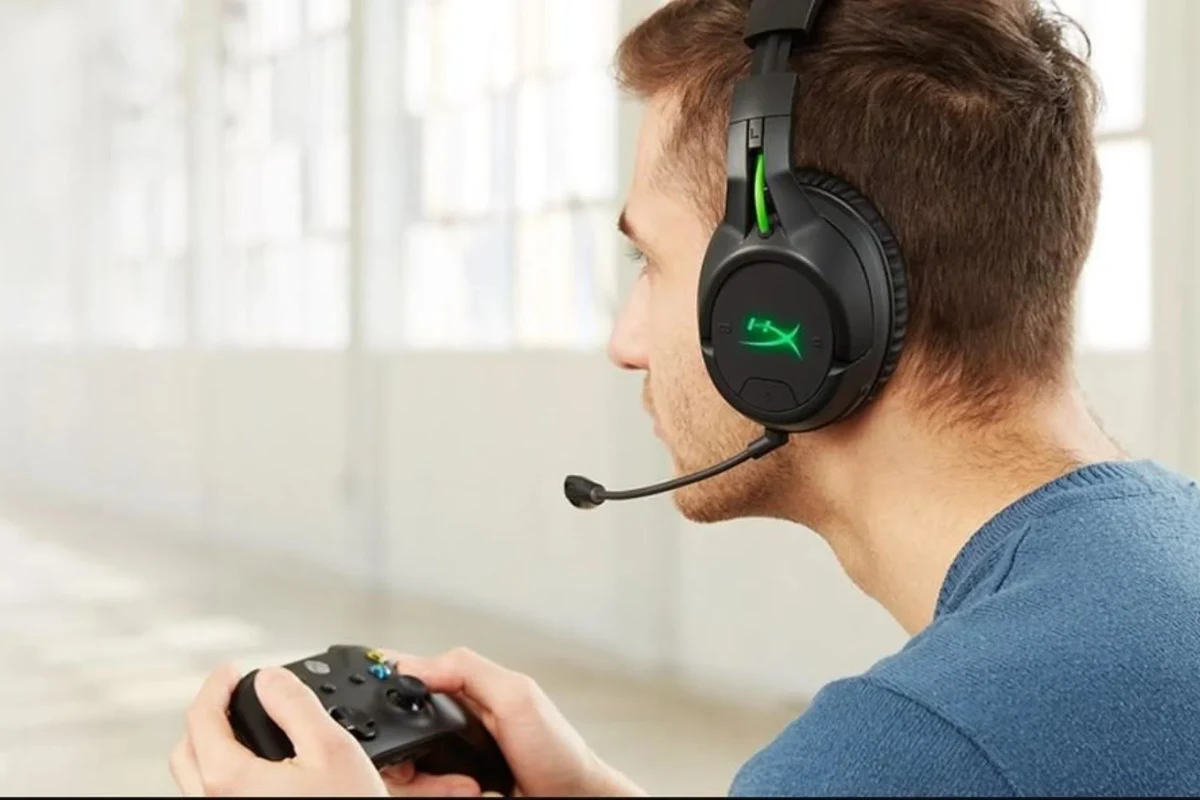
If you are asking, “can i connect wireless headphones to xbox,” the short answer is yes, but not all wireless headphones connect the same way. Xbox is more selective than phones, laptops, or many TVs, so the connection method matters just as much as the headset itself.
For most players, the best results come from Xbox Wireless headsets, TV audio output, or a Bluetooth transmitter that is designed for low-latency gaming. If you want a broader refresher on connection basics, our guide on how to connect Bluetooth headphones can help you understand the general pairing process before you try it on a console.
Xbox Wireless vs Bluetooth: Why the Difference Matters for Headphones
Xbox does not treat Bluetooth and Xbox Wireless as the same thing. That is why a pair of wireless headphones that works instantly on your phone may not show up as a normal Bluetooth device on the console.
Xbox Wireless is Microsoft’s own connection system for supported headsets and accessories. Bluetooth, by contrast, is not built into Xbox for direct headphone pairing in the same simple way many people expect.
Which Xbox Consoles Support Xbox Wireless Audio
Modern Xbox consoles such as Xbox Series X and Xbox Series S support Xbox Wireless audio accessories. Many Xbox One models also support compatible wireless headsets through Microsoft’s wireless system.
That said, support depends on the exact headset model and whether it is designed for Xbox Wireless or only for Bluetooth. A headset that works on a phone may still need an adapter or another audio route for Xbox use.
Why Most Bluetooth Headphones Do Not Pair Directly
Most Bluetooth headphones do not pair directly with Xbox because the console is not built like a phone or tablet with standard Bluetooth audio support for every headset. That limitation surprises a lot of buyers.
The result is simple: if your headphones are Bluetooth-only, they usually will not connect straight to the Xbox dashboard. You will need another path, such as a TV, monitor, transmitter, or wired solution.
Best Ways to Use Wireless Headphones with Xbox
There are several workable ways to use wireless headphones with Xbox, and the best one depends on your budget, your headset, and whether you care more about convenience or latency. Some methods are better for casual play, while others are better for competitive gaming.
If low delay matters to you, prioritize a direct Xbox Wireless headset or a low-latency transmitter over a generic Bluetooth workaround.
Xbox Wireless Headsets for Direct Console Pairing
The cleanest option is an Xbox Wireless headset made for direct pairing with the console. These headsets are designed to connect without extra dongles in many cases, which keeps setup simple.
This route is usually the most reliable for game audio and voice chat together. It is also the least frustrating if you want everything to work with minimal tweaking.
Using a TV or Monitor Bluetooth Output
Another option is to send Xbox audio through your TV or monitor and then connect your Bluetooth headphones to that display. This can work well if your TV supports Bluetooth audio output.
The downside is that not every TV handles Bluetooth audio well, and some introduce noticeable delay. For story games or casual play, it may be fine; for fast shooters, it may feel less responsive.
USB Wireless Adapters and Compatible Transmitters
Some wireless headphones can work with USB dongles or compatible transmitters, depending on the headset and the console setup. This is often a better route than hoping standard Bluetooth will just work.
Before buying, check whether the transmitter is truly compatible with Xbox and whether it supports audio only or audio plus mic. If you also care about gaming on other devices, our wired vs wireless headphones guide can help you weigh convenience against stability.
Wired Workarounds with Wireless Headphones and Controllers
Some wireless headphones can still be used in a wired mode with the Xbox controller or another audio source. This is not the most elegant answer, but it can solve compatibility issues quickly.
This workaround is especially useful if you already own a headset and do not want to replace it right away. It may also help if you only need a temporary setup for one game night.
Step-by-Step Setup Examples for Popular Gaming Scenarios
Below are practical setup examples for the most common Xbox headphone situations. These are general steps, so exact menus and button names may vary by headset, TV, and console model.
Headphone compatibility can vary by brand and model, so always check the headset manual and Xbox support notes before you buy or pair.
Connecting an Xbox Wireless Headset to Xbox Series X|S
Put the headset in pairing mode using its power or pairing button.
Press the Xbox pairing button on the console until the wireless light begins flashing.
Once the headset and console recognize each other, the audio should route through the headset automatically.
After pairing, test game audio and voice chat to make sure both are working. If the sound seems uneven, check the headset’s own volume controls and the Xbox audio settings.
Routing Audio Through a TV for Bluetooth Headphones
Make sure the Xbox is sending sound to the TV or monitor through HDMI.
Use the TV’s Bluetooth settings if the display supports wireless audio.
Launch a game and see whether the audio feels in sync with the action on screen.
If the delay is distracting, you may want a different solution. A display-based Bluetooth setup is convenient, but it is not always the best fit for competitive gaming.
Using a Bluetooth Transmitter with Xbox for Lag-Free Audio
Look for one that works with your Xbox audio path and supports low-latency playback.
Plug the transmitter into the correct output on the TV, monitor, or adapter setup.
Put the headphones in pairing mode and confirm the connection before gaming.
This method can be a smart middle ground if you already own Bluetooth headphones and want better performance than a basic TV pairing. Still, transmitter quality varies, so read compatibility notes carefully.
Common Mistakes When Trying to Connect Wireless Headphones to Xbox
Most connection problems come from incorrect assumptions, not broken headphones. A little planning can save you time, money, and a lot of menu diving.
Assuming All Bluetooth Headphones Work with Xbox
This is the biggest mistake. A headset being wireless does not automatically mean it is Xbox-compatible.
Many Bluetooth headphones are built for phones, laptops, and tablets, not console pairing. If you want a smoother experience, check Xbox compatibility before buying instead of hoping it will work later.
Ignoring Latency, Voice Chat, and Mic Compatibility
Latency is the delay between what happens on screen and when you hear it. For gaming, especially shooters and rhythm games, that delay can be a dealbreaker.
Voice chat support matters too. Some setups deliver game audio but make the microphone awkward or unusable, which is a problem if you play online with friends.
Not every wireless headphone setup supports microphone input on Xbox. If party chat matters, confirm mic compatibility before you buy.
Overlooking Battery Life and Charging During Long Sessions
Wireless audio is only convenient if the battery lasts long enough for your sessions. Long gaming nights can expose weak battery life quickly.
It is also worth checking how the headset charges while in use. A headset that dies mid-match is frustrating, even if the sound quality is otherwise good.
What to Look for in a Wireless Headphone or Headset for Xbox
Choosing the right headset is about more than just wireless convenience. You also want stable audio, clear communication, and a comfortable fit for long sessions.
Some gaming headsets are tuned to emphasize footsteps and dialogue, while others focus on bigger bass for cinematic games. The best choice depends on how you actually play.
Audio Latency, Range, and Mic Quality
For Xbox gaming, low latency is one of the most important features to check. You want audio that feels synchronized with the action, not slightly behind it.
Range matters too if you often stand up between matches or play from farther away. Mic quality is equally important for party chat, even if you mostly use the headset for game sound.
Comfort, Battery Life, and Multi-Device Switching
Comfort becomes a big deal during longer play sessions. Look for padding, clamp force, and overall weight that feel good for your head shape.
Battery life and multi-device switching are also useful if you want to move between Xbox, phone, and PC. If you are comparing headset styles, our types of headphones explained guide can help you understand over-ear, on-ear, and in-ear tradeoffs.
Price Comparison: Budget vs Mid-Range vs Premium Options
Budget wireless solutions can be tempting, but they may trade away mic quality, battery life, or connection stability. Mid-range models often hit the best balance for most players.
Premium options may add better comfort, stronger materials, and more polished audio features, but the right choice still depends on your budget and play style. For a general buying baseline, you may also find our best headphones under 100 roundup useful when comparing value-focused options.
Expert Advice: The Best Choice Depends on How You Play
There is no single best answer for every Xbox player. The right wireless headphone setup depends on whether you care most about simplicity, competitive performance, or cross-device convenience.
Casual Single-Player Gaming vs Competitive Online Play
If you mostly play single-player games, a TV Bluetooth route or a flexible transmitter setup may be perfectly fine. Small delay is usually less noticeable when you are not relying on split-second reactions.
For competitive online play, direct Xbox Wireless or a very low-latency solution is usually the safer choice. That gives you better timing, cleaner chat, and fewer connection headaches.
If you have recurring ear pain, ringing, or trouble hearing dialogue clearly, speak with an audiologist or hearing professional. They can help you choose safer listening habits and rule out hearing issues.
When to Choose Xbox Wireless Over Bluetooth Accessories
Choose Xbox Wireless if you want the most direct, console-friendly experience with fewer compatibility surprises. It is often the simplest path for both audio and chat.
Choose Bluetooth accessories if you already own a favorite headset and are comfortable using a TV, monitor, or transmitter workaround. That can be a practical solution, but it is not always the cleanest one.
Listening at high volumes for long periods can cause hearing damage. Keep volume at 60% or below for extended sessions.
Final Recap: The Easiest Way to Connect Wireless Headphones to Xbox
The easiest way to connect wireless headphones to Xbox is usually to use an Xbox Wireless headset made for the console. If you already own Bluetooth headphones, your next-best options are a TV output, monitor output, or a compatible low-latency transmitter.
So, if you are still wondering can i connect wireless headphones to xbox, the answer is yes, but the best method depends on your headset and how you play. For the smoothest experience, always check compatibility, latency, and mic support before you buy.
Frequently Asked Questions
Wireless headphones can sound very good for gaming, but wired models often avoid latency and charging issues. The best choice depends on your budget, comfort needs, and how sensitive you are to delay.
Noise cancelling headphones can help block distractions during gaming sessions. They are especially useful in noisy rooms, but they do not automatically improve game audio quality or mic performance.
Closed-back headphones are usually better for Xbox because they isolate outside noise and keep game sound from leaking out. Open-back models can feel wider and more natural, but they are less private and less practical for shared spaces.
Over-ear headphones are usually the most comfortable for long sessions because they spread pressure around the ear. On-ear and in-ear options can work well too, but fit and comfort vary a lot by person.
Look at latency, mic quality, battery life, and whether the headset lets you adjust EQ. Driver size and frequency response can matter, but tuning and comfort often make a bigger difference than specs alone.
Match the headset to your main use case first, then compare comfort, build quality, and connection type. For gaming, check Xbox compatibility and mic support; for commuting, focus on isolation and battery life; for studio-style work, prioritize clarity and reliable wired or low-latency monitoring.