Does PS5 Have Bluetooth for Headphones What You Need to Know

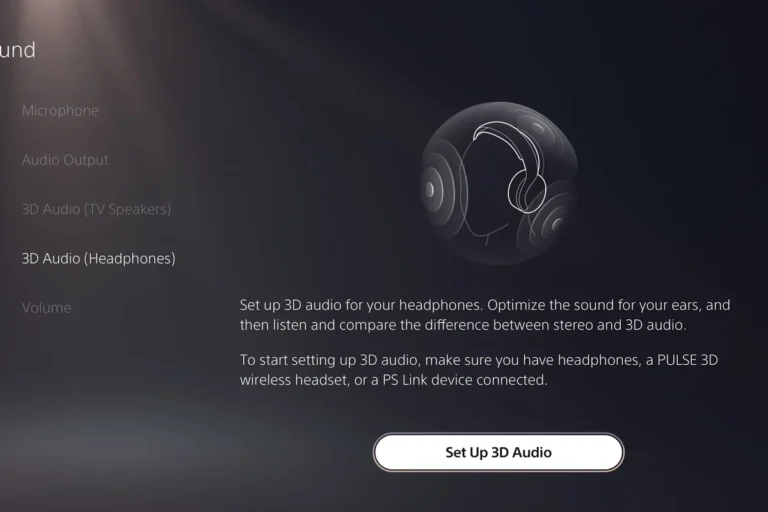
No, the PS5 does not officially support standard Bluetooth headphones for direct game audio. For the most reliable setup, use a wired headset through the DualSense controller or a PS5-compatible wireless headset with a USB dongle.
If you’re asking does PS5 have Bluetooth for headphones, the short answer is yes and no. The PS5 includes Bluetooth for some accessories, but it does not officially support standard Bluetooth headphones for direct game audio the way a phone or laptop does.
That can be frustrating, especially if you already own a favorite wireless headset. The good news is that Sony gives you several practical ways to listen, and some work much better than others depending on whether you care most about low latency, microphone support, or simple convenience.
Bluetooth support on consoles is often more limited than on phones because gaming audio needs lower delay and more stable voice chat performance.
- Bluetooth limits: PS5 Bluetooth is not meant for universal headphone pairing.
- Best wireless option: Use a USB dongle headset for lower latency.
- Best simple option: Wired headphones through the controller are the easiest fix.
- Watch for lag: TV Bluetooth and adapters can add delay in fast games.
- Check chat support: Mic compatibility matters for multiplayer.
Does PS5 Have Bluetooth for Headphones? The Short Answer and What It Means in 2025
The PS5 does have Bluetooth hardware, but it is not designed to be a universal audio receiver for every headphone on the market. In practice, Sony keeps direct Bluetooth audio support very limited on purpose.
For most players in 2025, that means you should not expect to open the Bluetooth menu and pair regular headphones instantly. If your goal is smooth gameplay with clear audio and stable chat, a PS5-compatible headset or another supported audio route is usually the safer choice.
How PS5 Bluetooth Audio Actually Works: What Sony Supports and What It Doesn’t
Sony’s Bluetooth implementation on PS5 is selective. The console can connect to certain accessories, but it does not treat every Bluetooth headphone like a standard audio device.
This is why some users are surprised when a headset pairs with a phone or PC but refuses to work normally on PS5. The console is prioritizing gaming stability, not broad consumer Bluetooth compatibility.
Why standard Bluetooth headphones are not officially supported for game audio
Standard Bluetooth headphones often introduce delay, and that delay can be distracting in games where sound cues matter. Even a small lag can throw off timing in shooters, rhythm games, and fast action titles.
There is also the microphone side of the equation. A headset may connect for playback but fail to deliver full chat functionality, which makes it less useful for multiplayer play.
Not every Bluetooth adapter or TV Bluetooth mode is ideal for gaming. Some routes add noticeable audio delay, which can hurt competitive play.
What the PS5 does support: controllers, accessories, and limited device types
The PS5 supports Bluetooth for the DualSense controller and some compatible accessories, but that is different from full headphone support. In other words, the console is Bluetooth-capable without being a general-purpose Bluetooth music hub.
That distinction matters when shopping. If a product is marketed as “Bluetooth gaming headphones,” check whether it includes a USB dongle, wired option, or explicit PS5 compatibility rather than assuming the console will pair with it directly.
Best Ways to Use Headphones with PS5 Without Bluetooth Headache
If you want the least frustrating setup, focus on methods built for gaming audio. These options usually deliver lower lag, better voice chat support, and fewer compatibility surprises.
- Whether the headset supports PS5 directly
- Whether a microphone is included and works on console
- Whether you prefer wireless convenience or the simplest wired setup
USB wireless dongle headsets for low-latency gaming
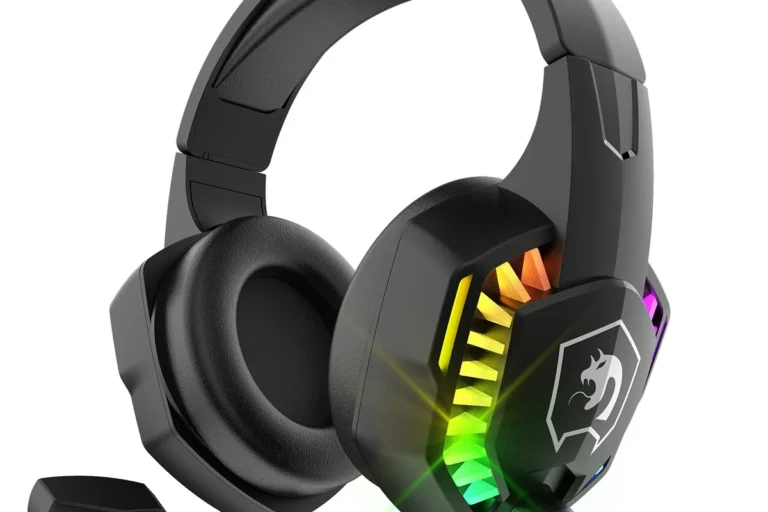
USB wireless headsets with a 2.4GHz dongle are often the easiest wireless choice for PS5. They are not the same as standard Bluetooth headphones, but they usually provide faster response and more reliable audio for games.
This is the route many console players prefer when they want wireless freedom without the lag risk. If you already read guides like our Bluetooth headphones explained simply article, you know wireless audio can work well when the connection type is chosen carefully.
If you want wireless gaming with less delay, look for a headset that uses a USB dongle rather than relying on standard Bluetooth alone.
Wired 3.5mm headphones through the DualSense controller
The simplest option is often the best. Plugging wired headphones into the 3.5mm jack on the DualSense controller gives you direct audio with no wireless pairing hassle.
This setup is especially useful if you already own a good pair of wired headphones and want to keep costs down. It also avoids battery charging concerns, which can matter during long sessions.
Wired connections are often the easiest way to avoid audio delay in gaming, which is why many competitive players still use them.
TV, monitor, and AV receiver audio routes for headphone use
Another path is to connect headphones through your TV, monitor, or AV receiver if that device supports headphone output or audio passthrough. This can be convenient when you want to listen without plugging into the controller.
However, the quality of this route depends heavily on the display or receiver. Some setups sound great, while others add delay or limit volume control, so it is worth checking the audio menu before buying anything extra.
Bluetooth Workarounds for PS5 Headphones: What Actually Works in Real Life
There are workarounds, but they are not all equally good. Some are fine for casual play, while others are better avoided if you care about timing and chat quality.
Bluetooth adapters for PS5 USB ports
USB Bluetooth adapters can sometimes let you connect headphones to a PS5, but results vary by brand and model. Some adapters are designed more for audio than others, and many still introduce noticeable lag.
If you go this route, read compatibility notes carefully. The best adapters are usually the ones that clearly mention gaming use, low latency, and console support instead of vague “works with everything” claims.
Using a TV’s built-in Bluetooth audio output
Some TVs can send audio to Bluetooth headphones, which may seem like an easy fix. In practice, this can work for movies or slower games, but gaming delay is still a concern.
If your TV includes a low-latency mode or a dedicated gaming audio setting, that can help. Still, this solution is usually better for casual single-player use than for fast online competition.
- No extra console accessory needed
- Simple for casual listening
- Possible audio delay
- Mic support is often limited
Pairing through a separate audio extractor or transmitter
Some players use audio extractors or dedicated Bluetooth transmitters to route PS5 sound to headphones. This can be useful in specific setups, especially if your display lacks good audio output options.
But this is another area where performance varies. Before buying, make sure the device supports the kind of audio delay and microphone behavior you need, because not all transmitters are built with gaming in mind.
Common Mistakes Gamers Make When Trying to Connect Bluetooth Headphones to PS5
Most PS5 Bluetooth problems come from expecting the console to behave like a phone. That assumption leads to confusion, wasted money, and disappointing audio results.
Expecting instant pairing like a phone or laptop
Many people assume any Bluetooth headset will show up in the PS5 menu and pair in seconds. That is not how Sony designed the system, so the process is usually more limited and less flexible.
If your headset does not appear right away, that does not necessarily mean it is broken. It may simply be incompatible with the PS5’s Bluetooth audio rules.
Ignoring audio lag in action and competitive games
Audio delay is the biggest reason standard Bluetooth is a poor fit for many games. You may notice sound arriving slightly after the action, which can feel off even if the delay seems small.
For story games, that may be acceptable. For shooters, fighting games, and rhythm titles, it can be a real problem.
Overlooking microphone support and chat compatibility
A lot of players focus only on sound output and forget about the mic. Even if headphones play audio, voice chat may not work properly through the same Bluetooth connection.
If multiplayer chat matters to you, check for full PS5 voice support before buying. A headset with a USB dongle or a wired mic connection is often a much safer choice.
Listening at high volumes for long periods can cause hearing damage. Keep volume at 60% or below for extended sessions.
Expert Advice: When Bluetooth Is Fine and When It’s the Wrong Choice
Bluetooth is not automatically bad. It is just a better fit for some gaming habits than others, and the right answer depends on how you play.
Casual single-player gaming vs competitive multiplayer
If you mostly play slower single-player games, a Bluetooth workaround may be acceptable, especially if you already own the headphones. The convenience can outweigh the drawbacks when reaction timing is not critical.
For competitive multiplayer, though, low latency matters more. In that case, a USB wireless headset or wired headphones usually make more sense.
If you notice persistent audio delay, connection dropouts, or hearing discomfort during long sessions, consider speaking with an audiologist or a qualified audio specialist.
Latency, battery life, and audio quality trade-offs to watch in 2025
In 2025, the trade-off is still the same: convenience versus performance. Bluetooth is easy, but it can bring latency, battery management, and sometimes weaker chat support.
Wired headphones avoid charging and pairing issues. Wireless dongle headsets cost more, but they often deliver the more reliable gaming experience that PS5 players want.
Cost and Comparison: Bluetooth Adapters vs PS5-Compatible Gaming Headsets
When comparing options, think beyond the purchase price. A cheap adapter may seem attractive, but if it adds lag or breaks chat support, it can become a poor value quickly.
Budget-friendly options for occasional use
If you only play casually, a basic Bluetooth transmitter or TV audio route may be enough. Just understand that the experience can vary a lot from one setup to another.
For budget shoppers, the main goal is to keep expectations realistic. If you want the lowest-cost path, wired headphones into the controller are usually the cleanest answer.
Mid-range and premium headset choices for better performance
Mid-range and premium PS5-compatible gaming headsets often justify their cost with easier setup, better latency, and more dependable microphone support. Some also add comfort features that matter during long sessions, like softer ear cushions or lighter builds.
If you are comparing headset styles more broadly, our guides on types of headphones explained and Bluetooth vs wired headphones sound quality can help you narrow down the best fit for your gaming habits.
Final Takeaway: The Best Headphone Setup for PS5 in 2025
So, does PS5 have Bluetooth for headphones? Not in the simple, universal way most people expect. The console supports Bluetooth for limited functions, but standard Bluetooth headphones are not the best direct solution for game audio.
Quick recap of the safest, most reliable audio options
If you want the most reliable setup, use a wired 3.5mm headset through the DualSense controller or a PS5-compatible wireless headset with a USB dongle. Those options usually give you the best mix of sound quality, low delay, and chat support.
Bluetooth can still work in some cases, especially for casual play, but it is best treated as a workaround rather than the default PS5 headphone solution.
Frequently Asked Questions
Yes. Many PS5 players use USB wireless dongle headsets for lower latency and more reliable audio. Wired headphones through the DualSense controller are another simple option.
Often, yes. Wired headphones avoid Bluetooth delay and usually give you a more stable connection for gaming and voice chat.
They can work well if they connect through a supported method such as a 3.5mm cable or USB dongle. Noise cancelling helps block outside noise, but gaming performance still depends on the connection type.
Closed-back headphones are usually better for PS5 because they block more outside noise and keep game audio from leaking. Open-back models can sound spacious, but they are less private and less isolated.
Look at connection type, comfort, microphone support, and whether the headset is designed for low-latency gaming. Driver size, frequency response, and EQ options can help, but they are only part of the picture.
Start with how you play most often. For casual use, wired headphones may be the best value, while frequent multiplayer players may prefer a PS5-compatible wireless headset with a USB dongle.