Can You Connect Bluetooth Headphones to Roku TV Easily

Yes, but not every Roku TV supports direct Bluetooth headphone pairing. The easiest fallback is Roku private listening through the mobile app, and a transmitter can help if you want a more stable setup.
If you’re asking can you connect bluetooth headphones to roku tv, the short answer is: sometimes directly, but not on every Roku TV setup. In many cases, the easiest solution is Roku’s private listening through the mobile app or a compatible Roku accessory.
- Direct support varies: Some Roku TVs pair Bluetooth headphones natively, others do not.
- Free workaround: The Roku mobile app is often the easiest private listening option.
- Watch latency: Movies and gaming can expose Bluetooth delay quickly.
- Best value: App-based listening is cheapest; transmitters offer more consistency.
Can You Connect Bluetooth Headphones to Roku TV? What Works in 2025
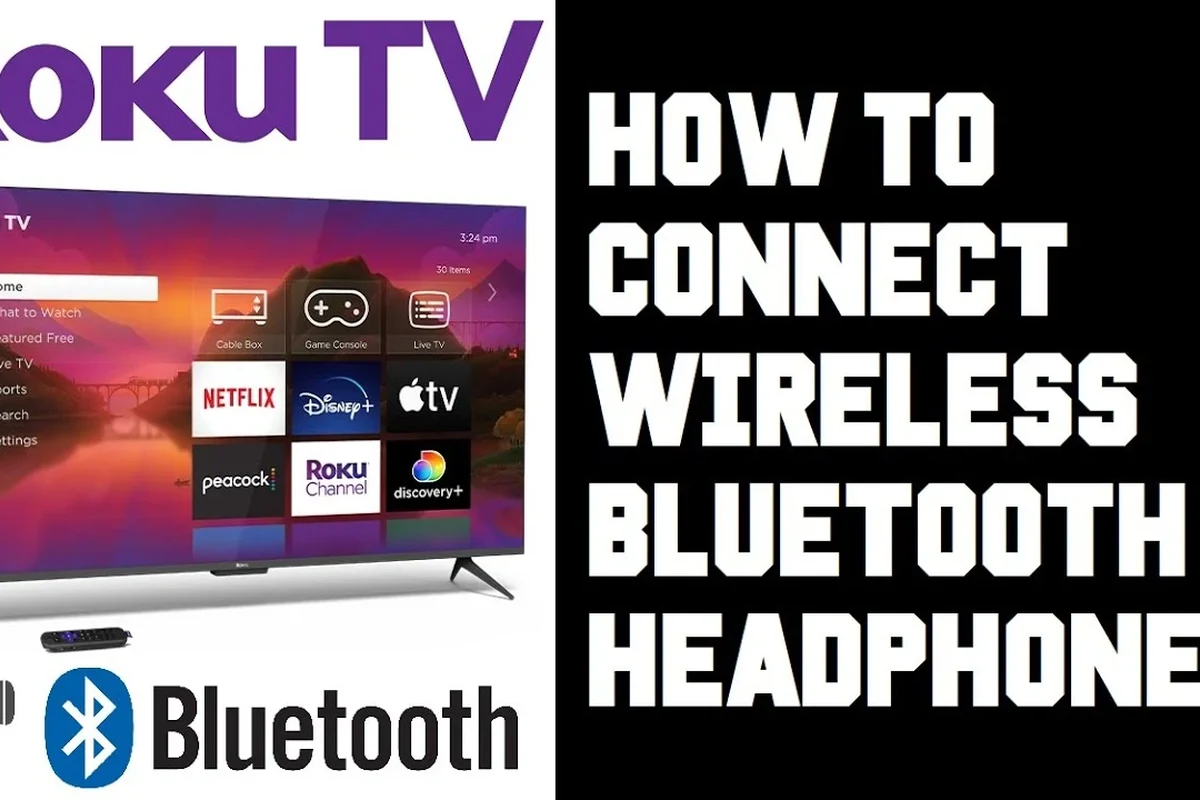
Roku TV audio support can be a little confusing because “Roku TV” and “Roku device” are not always the same thing. Some TVs with Roku built in have Bluetooth support through the TV itself, while many Roku streaming devices rely on workarounds instead of native headphone pairing.
In 2025, the safest way to think about it is this: Bluetooth headphones may work directly on select Roku TV models, but the Roku platform itself is not a universal Bluetooth headphone hub. If your model does not support direct pairing, you’ll usually need the Roku mobile app, a Roku wireless audio accessory, or a Bluetooth transmitter connected to the TV.
How Roku TV Handles Bluetooth Audio: Native Support vs. Workarounds
Roku TV audio support depends on the hardware made by the TV brand, not just the Roku software interface. That means one Roku TV may offer Bluetooth headphone pairing in the settings, while another may not show any Bluetooth audio option at all.
This is where many shoppers get tripped up. They assume every Roku TV works like a phone or tablet with standard Bluetooth pairing, but the actual setup varies by manufacturer and model year.
Which Roku TV models support Bluetooth headphones directly
Some newer Roku TV models and certain smart TVs with Roku built in can pair Bluetooth headphones directly through the TV’s settings menu. If your TV has a Bluetooth audio or Bluetooth device menu, that’s usually the sign that direct pairing may be available.
Because support varies, the model number and software version matter. If you are unsure, check your TV manual or settings screen first instead of assuming the feature is there.
When you need the Roku mobile app or private listening mode
If your TV does not support direct Bluetooth audio, the Roku mobile app is often the easiest workaround. Private listening sends the TV’s audio to your phone, and then you can listen through wired or Bluetooth headphones connected to the phone.
This method is especially helpful for casual viewers who want a simple solution without buying extra gear. It is also a good option if you already use how to connect bluetooth headphones on phones or tablets and want a familiar setup.
Step-by-Step Ways to Connect Bluetooth Headphones to Roku TV
There are a few practical ways to get headphone audio from a Roku TV, and the best one depends on your exact TV model. The goal is usually the same: send the sound to your headphones without making the setup too complicated.
Not every Roku TV supports Bluetooth headphone pairing directly. Before buying accessories, check your TV’s settings, manual, or support page so you do not pay for a feature your model cannot use.
Using Roku Wireless Audio devices and compatible accessories
Roku has its own wireless audio ecosystem, and some users prefer that route because it is designed to work with Roku products. Depending on your setup, compatible wireless headphones or audio accessories may offer a smoother experience than trying to force a generic Bluetooth pairing.
This option can be useful if you want a more stable connection and fewer setup headaches. It may cost more than the app method, but it can feel more seamless for regular TV watching.
If you watch TV for long stretches, prioritize comfort and connection stability over flashy features. A simple, well-fitting headset often works better than a feature-heavy model with poor battery life or lag.
Using the Roku mobile app for private listening
The Roku mobile app is one of the most beginner-friendly solutions for private listening. Once the app is installed and connected to the same network as your Roku TV, you can route audio to your phone and listen through your headphones there.
This can be a good choice for late-night viewing, shared living spaces, or quick use without extra hardware. It is also the easiest path if you already own one of the best bluetooth vs wired headphones pairs and want to compare which sounds better for TV use.
Private listening can be more flexible than direct Bluetooth pairing because your headphones connect to your phone, not the TV. That means your headset choice depends less on the TV and more on the phone’s audio support.
Pairing through TV Bluetooth settings on select smart TV models
If your Roku TV includes Bluetooth audio in the settings, pairing is usually straightforward. Put your headphones into pairing mode, open the TV’s Bluetooth menu, and follow the on-screen prompts until the devices connect.
After pairing, test volume and sync with a show or movie before settling in. If the sound feels delayed, you may need a different headset or a transmitter with lower latency support.
Look for Bluetooth device settings in your Roku TV’s menu. If you do not see any Bluetooth option, your model may not support direct headphone pairing.
Follow your headphone brand’s pairing instructions. Most wireless models use a power button hold or a dedicated pairing button.
Choose the headphones from the TV list, then play a video to confirm the sound is coming through clearly and in sync.
Practical Examples: Best Use Cases for Watching TV with Bluetooth Headphones
Bluetooth headphones are not just about convenience. For many viewers, they solve real everyday problems like shared spaces, hearing needs, or keeping the TV volume under control.
Late-night streaming without disturbing others
This is the most common reason people want headphone support on a Roku TV. If someone else is sleeping, working, or studying nearby, private listening can keep everyone happy.
Over-ear headphones often feel best for long shows because they are more comfortable than many compact earbuds. If you want a deeper look at fit styles, the site’s types of headphones explained guide can help you compare options.
Gaming and low-latency audio considerations
If you use your Roku TV for gaming, latency matters more than it does for casual TV shows. Even a small audio delay can make dialogue feel off or make game sounds arrive after the action on screen.
For gaming, look for low-latency wireless support when possible, and avoid assuming every Bluetooth headphone will feel equally responsive. In many cases, a wired connection or low-lag transmitter is still the safer choice for fast-paced play.
Helping older adults or viewers with hearing needs
Headphones can make dialogue easier to follow for people who struggle with TV clarity. That can be especially useful for older adults or anyone who prefers to keep the room volume lower.
If hearing loss, tinnitus, or speech clarity is a concern, it may help to consult an audiologist for personalized advice. Volume and comfort matter, and safe listening should always come first.
If you or a family member has ongoing hearing difficulty, ask an audiologist which headphone style is most comfortable and easiest to understand for speech. The right fit can make TV listening much less tiring.
Common Problems When Connecting Bluetooth Headphones to Roku TV
Even when the connection works, the experience is not always perfect. The most common complaints are delay, unstable pairing, and sound dropouts.
Audio delay, pairing failures, and dropouts
Audio delay happens when the sound reaches your headphones slightly after the picture appears on screen. Pairing failures usually come from compatibility issues, while dropouts can happen when the signal is weak or crowded by other wireless devices.
If pairing keeps failing, restarting the TV, resetting the headphones, and trying again in a quieter wireless environment can help. For a deeper troubleshooting walkthrough, see bluetooth headphone lag fix.
Why some headphones connect to the TV but not Roku itself
This is a common point of confusion. On many setups, the TV is doing the Bluetooth pairing, not the Roku software, so the headphone connection lives in the TV’s own system menu.
That means a headphone may work perfectly with one Roku TV and fail on another even if both look similar. The difference is often the TV manufacturer’s Bluetooth hardware and software support.
How distance, interference, and firmware affect performance
Bluetooth works best when the headphones are close to the TV and there are not many walls or electronic devices in the way. Microwaves, routers, and crowded wireless signals can all make the connection less stable.
Firmware also matters. Updating your Roku TV and headphones, when possible, can improve compatibility and reduce random glitches.
If your headphones keep cutting out, test them near the TV first. A stable close-range connection usually tells you whether the issue is range, interference, or compatibility.
Expert Advice: What to Watch Out for Before Buying Headphones or Adapters
Before you buy anything, think about how you actually watch TV. The best choice for movies, sports, and gaming is not always the same, and the cheapest option is not always the best value.
Warning about latency for movies and gaming
Latency is the biggest reason some Bluetooth setups feel disappointing on TV. If dialogue does not match lip movement, the experience becomes distracting fast.
For movie fans and gamers, low-latency support should be near the top of your checklist. If you cannot confirm that a headset is built for minimal delay, a transmitter or wired alternative may be safer.
Battery life, codec support, and comfort for long viewing sessions
Long TV sessions demand more than just decent sound. You will want enough battery life to last through a movie marathon, plus a comfortable fit that does not pinch after an hour or two.
Codec support may also matter, but it depends on the TV, headphones, and adapter working together. Since performance varies by brand and model, it is better to focus on proven comfort, stable pairing, and reliable battery life first.
Listening at high volumes for long periods can cause hearing damage. Keep volume at 60% or below for extended sessions.
When a Bluetooth transmitter may be a better choice
If your Roku TV does not support direct Bluetooth headphone pairing, a transmitter can be a practical workaround. It plugs into the TV’s audio output and sends sound to compatible wireless headphones.
This is often the better route for people who want a more consistent connection than app-based listening. It can also be useful if you want to keep using the TV without depending on your phone.
Cost and Comparison: Free Roku App Method vs. Bluetooth Accessories
Cost is often the deciding factor for most households. The good news is that you may not need to buy anything at all if the Roku app works well for your setup.
Budget-friendly options for casual viewers
The Roku mobile app is usually the lowest-cost option because it uses hardware you already own. If you already have Bluetooth headphones for your phone, you may be able to use them for private listening with no extra purchase.
That said, the app route depends on your phone, your network, and how comfortable you are with switching audio through a second device.
Mid-range and premium solutions for better audio quality
Mid-range setups often include a Bluetooth transmitter or a more capable wireless headphone model. Premium options may offer better comfort, stronger battery life, or more stable audio performance, but results still vary by brand and TV support.
Which option offers the best value in 2025
For most casual viewers, the Roku app is the best value because it is simple and often free. For frequent late-night watching or gaming, a dedicated transmitter or compatible wireless audio solution may be worth the extra cost.
If you want to compare sound behavior across connection types, the article on bluetooth vs wired headphones sound quality is a useful next read.
- Some Roku TVs support Bluetooth headphones directly, but many do not.
- The Roku mobile app is the easiest free workaround for private listening.
- Latency, range, and compatibility are the biggest issues to watch.
- A Bluetooth transmitter can be a better choice for stable TV audio.
Final Recap: The Easiest Way to Use Bluetooth Headphones with Roku TV
So, can you connect bluetooth headphones to roku tv? Yes, but the answer depends on the exact TV model and whether it supports Bluetooth audio natively. If it does, pairing is simple; if it does not, the Roku mobile app or a transmitter is usually the next best move.
For most people, the easiest path in 2025 is to start with the Roku app, then move to direct Bluetooth or an accessory only if you need better convenience, lower delay, or a more permanent setup. That approach keeps costs down and helps you avoid buying gear you may not need.
Frequently Asked Questions
Wired headphones usually offer more reliable audio with no Bluetooth delay. Wireless headphones are more convenient, but sound quality and latency can vary by model.
Over-ear headphones are often the most comfortable for long movie sessions. Closed-back designs can also help block outside noise better than open-back models.
Yes, noise cancelling headphones can make dialogue easier to hear in noisy rooms. Just remember that ANC performance varies by brand and model.
Try keeping the headphones close to the TV and reducing wireless interference. If lag is still noticeable, a low-latency transmitter or wired setup may work better.
Check battery life, comfort, Bluetooth support, and whether the headphones are known for low latency. If you plan to game, look closely at delay performance and connection stability.
Over-ear headphones are usually the most comfortable for long sessions, while in-ear models are more compact and portable. The best choice depends on your comfort preference, ear shape, and how long you watch TV.