How to Use Bose Headphones for the Best Audio Experience

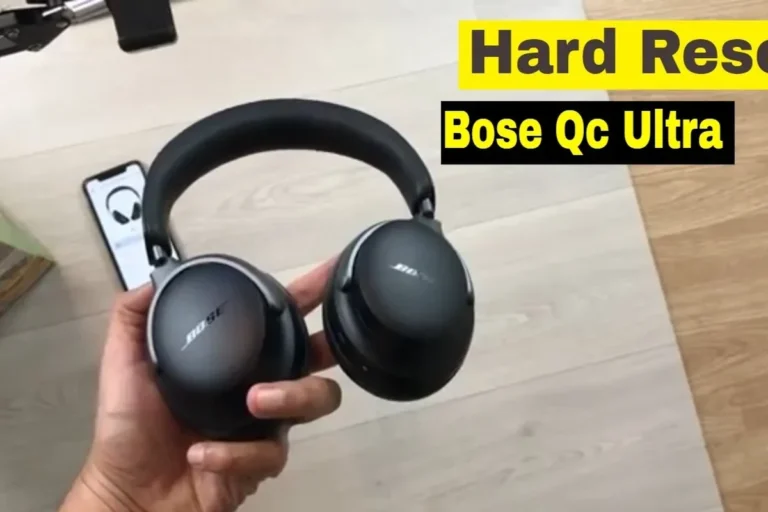
Use Bose headphones by pairing them, updating firmware in the Bose app, and learning the main controls for your model. Then adjust noise cancellation, EQ, and fit based on where and how you listen.
If you’re learning how to use Bose headphones, the good news is that the basics are simple: charge them, pair them, and use the Bose app to fine-tune sound and controls. Once you know where the key settings live, Bose headphones are easy to use for music, calls, commuting, and travel.
This guide from the Top Headphone Reviews Editorial Team walks through setup, daily controls, sound optimization, and a few common mistakes that can hold performance back. Because Bose model features can vary, always check your exact model in the app or product manual when needed.
- Setup first: Pair the headphones, then check the Bose app for updates.
- Use the right mode: ANC for noise, aware mode for safety, wired for latency.
- Fit matters: A good seal improves bass, comfort, and noise cancellation.
- Keep it simple: Small EQ changes usually work better than big boosts.
How to Use Bose Headphones: What New Owners Need to Know First
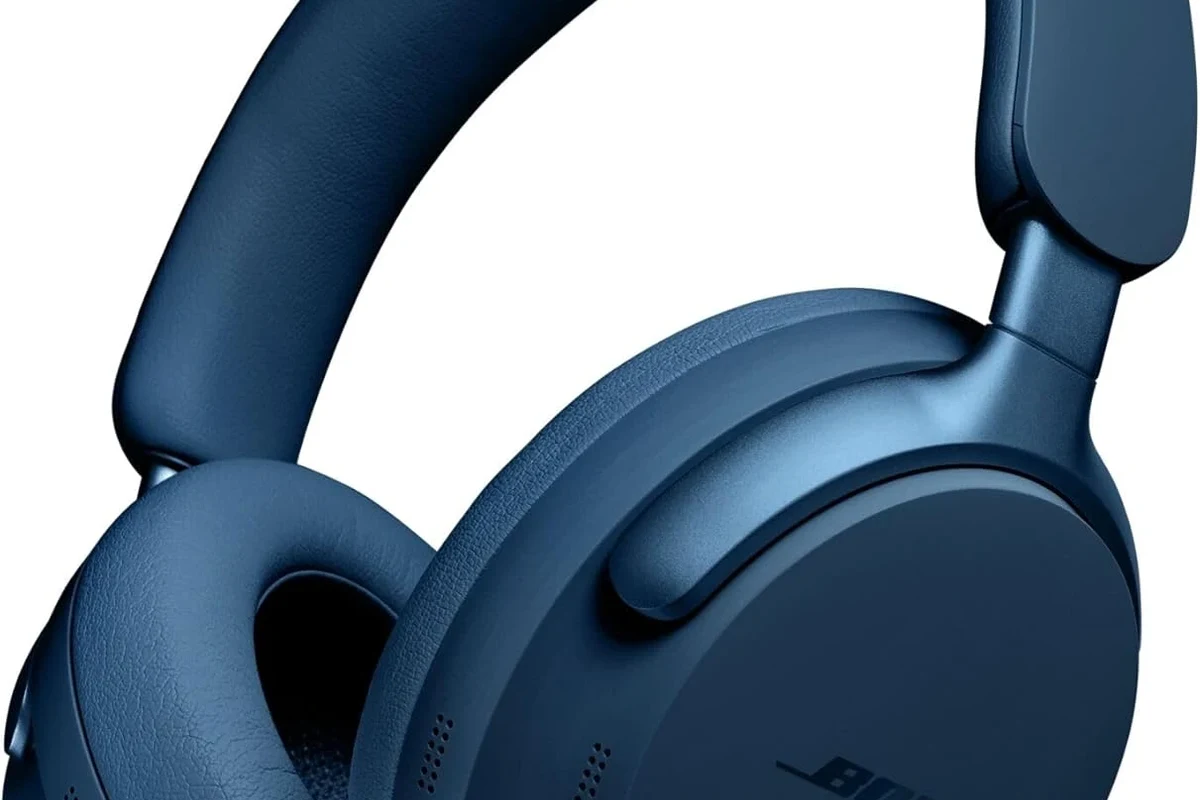
Before you start changing settings, make sure the headphones are charged and updated. A full charge helps during first setup, and a firmware update can improve stability, Bluetooth behavior, and app features.
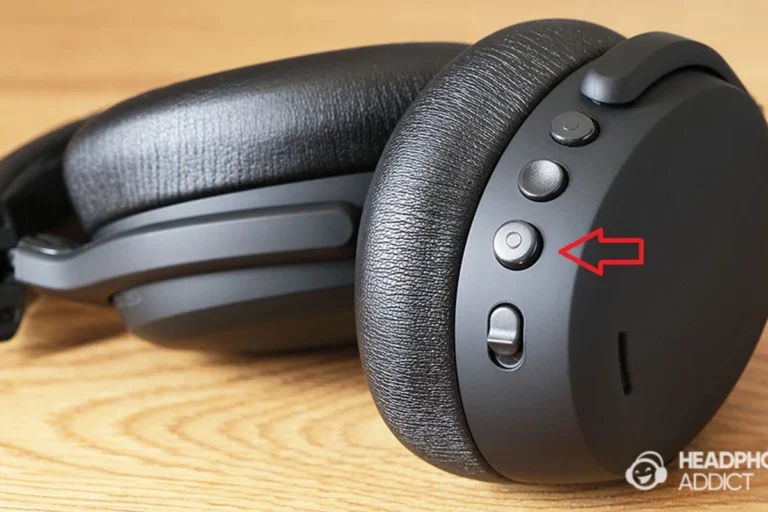
If your Bose model includes physical buttons, touch controls, or both, spend a minute learning the layout before using them on the go. That small step makes the headphones much easier to use in daily life, especially if you switch between phone calls, music, and travel audio.
Start with the default Bose sound profile first, then adjust EQ later after you’ve heard how the headphones sound in real use.
Setting Up Bose Headphones the Right Way in 2026

Setup usually starts with Bluetooth pairing, then moves to the Bose app for updates and personalization. If you are using them with multiple devices, it helps to connect the most important one first, such as your phone or laptop.
Pairing with iPhone, Android, Windows, and Mac
To pair Bose headphones, put them into Bluetooth pairing mode and open Bluetooth settings on your device. On iPhone and Android, select the headphones from the list; on Windows or Mac, choose them from the Bluetooth menu and wait for the connection to complete.
If you use a laptop for work, it can help to confirm the headphones are selected as the active audio output after pairing. For a deeper walkthrough on computer setup, see our guide on selecting headphones in Windows 11 and our article on USB-C headphones on Mac if you also use wired listening.
- Bluetooth is turned on
- Headphones are in pairing mode
- The correct device is selected as audio output
- Call and media permissions are enabled if needed
Using the Bose app for firmware updates and personalized controls
The Bose app is where many owners get the most value from their headphones. It may let you install firmware updates, adjust noise cancellation levels, customize controls, and manage connected devices depending on the model.
Updating firmware is one of the simplest ways to avoid bugs and connection issues. If your headphones sound slightly off or the controls feel inconsistent, checking the app first is usually a smart move before assuming something is wrong with the hardware.
App features can vary by Bose model and software version, so some settings may look different from one headphone to another.
Core Controls and Features That Improve Daily Listening
Once setup is complete, the main goal is to use the controls smoothly without taking your eyes off what you’re doing. Bose headphones are designed to make this easy, but the exact buttons or gestures depend on the model.
If you are new to wireless audio, it may help to review the basics of Bluetooth headphones explained simply so pairing, range, and connection drops make more sense.
Power, play/pause, volume, and track skipping
Most Bose headphones use a mix of buttons, touch controls, or voice prompts for everyday actions. Common tasks include turning the headphones on or off, pausing music, adjusting volume, and skipping tracks.
Spend a few minutes testing these controls at home before using them outside. That way, you can make quick changes on a train, in an office, or at the gym without fumbling for the right command.
Why do Bose controls feel different from model to model?
Bose changes the control layout depending on the product line, so one model may rely on physical buttons while another uses touch gestures. The best approach is to learn the controls for your exact model in the app or quick-start guide.
Switching between noise cancellation and aware mode
One of the biggest Bose strengths is the ability to switch between active noise cancellation and aware-style listening. Noise cancellation helps reduce outside sound, while aware mode lets you hear more of your surroundings without removing the headphones.
If you want a deeper look at the technology behind it, our guide on how noise cancelling headphones work explains the basics in plain language. Bose’s version of this feature is especially useful for commuting, offices, and flights.
Noise cancellation works best when the earcups seal well and the headphones stay positioned correctly on your head.
Using voice assistants, multipoint, and touch controls
Many Bose headphones support voice assistants, and some models can stay connected to more than one device at a time through multipoint pairing. That makes it easier to move between a phone call and a laptop meeting without reconnecting manually.
Touch controls can be handy, but they also take a little practice. If your model supports them, test simple gestures slowly at first so you don’t accidentally skip tracks or change volume too aggressively.
How to Optimize Sound Quality for Music, Calls, and Streaming
Bose headphones are usually tuned for easy listening, but you can still improve the experience by adjusting EQ, fit, and app settings. The best settings depend on what you listen to most, whether that’s podcasts, bass-heavy music, or long video calls.
Best EQ and app settings for different audio genres
If you listen to bass-heavy genres like hip-hop or electronic music, a small bass boost may help, but avoid overdoing it or the sound can become muddy. For vocals, podcasts, and acoustic tracks, a flatter EQ often keeps voices clearer and more natural.
Streaming quality also matters. If your app or service offers higher-quality playback, use it when possible, but remember that the final result still depends on the recording, your device, and your hearing preference.
Mic and call setup for clearer voice quality
For clearer calls, keep the microphones unobstructed and avoid covering the headset area with hair, hats, or scarves. If your Bose headphones allow call-related settings in the app, check that they are enabled and updated.
In noisy places, noise reduction can help your voice come through more clearly, but no headset can fully remove every background sound. If call quality matters a lot for work, it’s worth testing the headphones in a quiet room and in a busy environment before relying on them daily.
Practical examples: commuting, working from home, and travel
During commuting, noise cancellation can help reduce train rumble, traffic noise, and general crowd sound. At home, aware mode may be more practical if you need to hear a doorbell, family member, or delivery driver.
For travel, Bose headphones are often easiest to enjoy when you pair them before boarding and keep the battery topped up. If you fly often, our guide on wireless headphones on a plane can help you plan for in-flight use.
Common Mistakes That Limit Bose Headphone Performance
Many Bose owners don’t get the best experience because of small setup mistakes rather than bad hardware. A few simple checks can improve comfort, sound, and reliability right away.
Skipping firmware updates and app calibration
One common mistake is ignoring updates after the first pairing. Firmware updates may improve connection stability, control behavior, or app compatibility, so it’s worth checking occasionally.
Some Bose models also benefit from app-based personalization or calibration tools. If the headphones support those features, use them, because they can make the default tuning feel more balanced for your ears.
Using the wrong fit or ear cushion placement
Fit has a major effect on sound quality, especially bass and noise cancellation. If over-ear cups sit too high, too low, or don’t seal well, the audio can sound thin and outside noise may leak in.
Adjust the headband and earcup position until the seal feels even on both sides. If the cushions are worn or damaged, replacing them can restore comfort and improve performance more than changing EQ alone.
Ignoring battery care and charging habits
Battery habits matter over time. Avoid leaving the headphones completely drained for long periods, and use the recommended charging cable and power source when possible.
It’s also smart not to store them in extreme heat or direct sunlight. Good battery care won’t make the headphones sound better immediately, but it can help preserve long-term reliability.
Listening at high volumes for long periods can cause hearing damage. Keep volume at 60% or below for extended sessions.
Expert Advice: When to Use Noise Cancellation, Aware Mode, or Wired Listening
The best listening mode depends on where you are and what you’re doing. Bose gives you flexibility, and using the right mode at the right time can make the headphones feel much more useful.
If you have hearing concerns, ringing in the ears, or sensitivity to loud sound, consult an audiologist or hearing professional before listening at higher volumes for long sessions.
Situations where ANC gives the best result
ANC is usually the best choice for steady background noise such as airplane engines, bus rides, fans, or office hum. It helps reduce distraction so you can listen at a lower and safer volume.
If you want to understand the broader category better, read our guide to noise cancelling headphones for more context on when ANC helps most.
When aware mode is safer and more practical
Aware mode is the better option when you need to stay alert to your surroundings. It can be useful while walking near traffic, waiting for announcements, or working in an environment where you still need some situational awareness.
For many users, aware mode is the everyday default because it feels more natural than fully blocking outside sound. It’s especially helpful in shared homes, offices, and public spaces.
Why wired mode can still matter for low-latency or hi-res use
Wireless is convenient, but wired listening can still matter if you want lower latency for video editing, gaming, or certain desktop setups. A cable can also help when the battery is low or when a device connection is unstable.
Wired mode does not automatically guarantee better sound, but it can provide a more direct connection in some situations. If you use a laptop or older device often, it’s worth knowing whether your Bose model supports wired playback and what cable it needs.
Bose Headphones vs Other Premium Brands: Features, Value, and Price Considerations
Bose is usually chosen for comfort, easy controls, and strong noise cancellation rather than for flashy features. Compared with some other premium brands, Bose often appeals to listeners who want a simple, polished experience instead of a highly technical one.
How Bose compares on comfort, ANC, and app usability
In general, Bose is known for comfortable wear and user-friendly app control, which matters a lot if you wear headphones for hours at a time. Some competing brands may offer more customization, but Bose often keeps the experience straightforward.
That said, the “best” choice depends on your priorities. If you care most about ANC, comfort, and easy daily use, Bose can be a very strong option; if you want deeper EQ control or a specific feature set, another brand may fit better.
| Model Type | Best For | Price Range |
|---|---|---|
| Bose wireless over-ear | Travel, commuting, all-day comfort | Varies by model |
| Other premium ANC headphones | Feature-rich customization | Varies by brand |
| Wired audiophile headphones | Low latency, desktop listening | Varies widely |
What buyers should expect at different price points in 2026
In 2026, headphone pricing still varies a lot by model, materials, and feature set. Higher prices may bring better ANC, more comfort features, or stronger app support, but they do not always guarantee better sound for every listener.
If you are shopping on a budget, focus on the features you will actually use: Bluetooth stability, comfort, battery life, and microphone quality. For a broader buying perspective, our article on best headphones under 100 can help you compare value across brands.
Final Recap: The Best Way to Use Bose Headphones for Everyday Listening
The best way to use Bose headphones is to pair them correctly, keep the firmware updated, and learn the controls for your exact model. From there, use the Bose app to fine-tune sound, manage noise cancellation, and improve comfort for your routine.
For most people, the ideal Bose setup is simple: ANC for noisy places, aware mode when safety matters, and wired listening when latency or battery life becomes more important. If you keep the fit right and avoid common setup mistakes, Bose headphones can deliver a smooth, dependable everyday audio experience.
- Pair the headphones, then update firmware in the Bose app.
- Use ANC for noise, aware mode for safety, and wired mode when needed.
- Check fit and ear cushion seal for better sound and comfort.
- Adjust EQ lightly based on music, calls, and streaming habits.
Frequently Asked Questions
Wireless is usually best for everyday convenience, calls, and commuting. Wired can be useful for low-latency tasks or when the battery is low.
Yes, Bose headphones are commonly chosen for noise cancellation and travel comfort. ANC is especially useful for steady background noise like engines and traffic.
Over-ear models usually offer more comfort and stronger isolation, while on-ear models are lighter but may leak more sound. In-ear earbuds are the most compact and portable.
Start with small EQ changes instead of large boosts. Add a little bass for fuller music or keep EQ flatter for clearer vocals and podcasts.
Check battery life, Bluetooth stability, comfort, microphone quality, and whether the app supports the controls you want. Also consider ANC strength and wired compatibility if those matter to you.
Look for a lightweight design, soft ear cushions, and a secure but gentle fit. Comfort can vary by head shape, ear size, and how long you wear them.