Do Wireless Headphones Work on an Airplane Explained

Yes, wireless headphones usually work on airplanes, especially with your own phone, tablet, or laptop. Seatback screen support is less reliable, so a wired backup is still smart.
If you’re wondering whether wireless headphones work on an airplane, the short answer is yes, usually for your own device, and sometimes for airline entertainment systems. The catch is that compatibility depends on the plane, the airline, and whether you’re using Bluetooth, airplane mode, or a seatback screen.
- Best use: Wireless works well with downloaded media on your own device.
- Main limit: Many seatback screens still need a cable or adapter.
- Smart backup: Pack a wired cable, dongle, or Bluetooth transmitter.
- Travel tip: Charge fully and check airline rules before boarding.
Do Wireless Headphones Work on an Airplane? Search Intent and Quick Answer
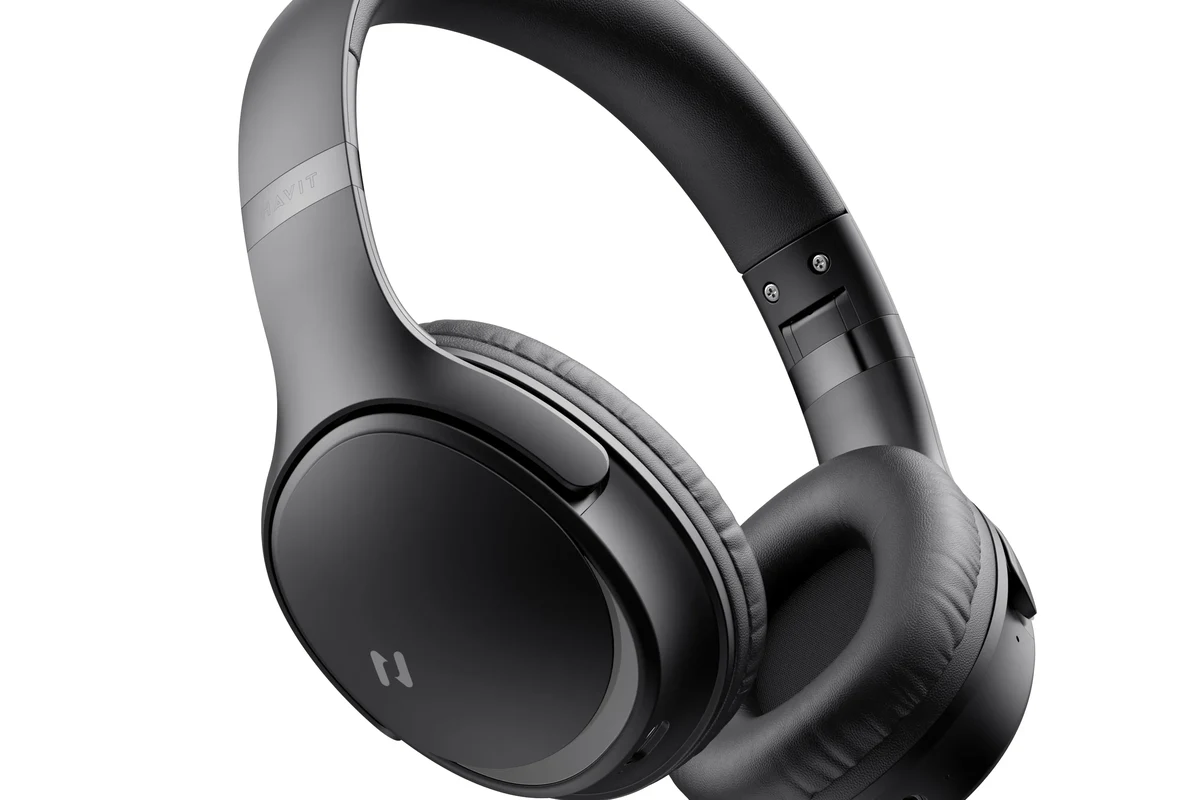
Most travelers asking “do wireless headphones work on an airplane” really want to know two things: can they listen without wires, and will they connect to the plane’s entertainment system. In many cases, wireless headphones work fine for downloaded movies, music, and podcasts on your phone, tablet, or laptop.
For seatback screens, the answer is less consistent. Some newer aircraft support Bluetooth pairing, but many still require a wired connection or an airline adapter.
How Wireless Headphones Connect in Flight: Bluetooth, Radio Signals, and In-Flight Systems
Wireless headphones usually connect by Bluetooth, which is a short-range radio signal designed for personal audio. That signal is different from the systems airlines use for in-flight entertainment, which may output audio through a built-in screen, a wired jack, or a Bluetooth-enabled interface.
Your headphones do not need internet access to work with a phone or tablet. They only need a compatible Bluetooth source, enough battery, and a device that is allowed to keep Bluetooth active in flight.
Why Bluetooth usually works for personal listening but not with seatback screens
Bluetooth works well when your audio source is your own device because the pairing is direct. If your phone or tablet is playing downloaded content, the headphones connect just like they would at home or on a commute.
Seatback screens are different because many older systems were built before Bluetooth became common. Even when the screen has a headphone output, it may still need a cable or adapter instead of a wireless pairing.
If you use a seatback screen often, check the airline’s entertainment details before you board. Compatibility can vary by aircraft type, route, and cabin class.
What airplane mode changes on your phone, tablet, and laptop
Airplane mode turns off most wireless transmission features on your device, including cellular data and often Wi-Fi. On many devices, Bluetooth can be turned back on manually after airplane mode is enabled, which is why wireless headphones can still work.
This is where many travelers get confused. Airplane mode does not always mean “all wireless features are off forever”; it usually means you must re-enable Bluetooth if the airline allows it.
Bluetooth headphones can often stay connected in airplane mode because Bluetooth is a low-power local connection, not a cellular signal.
When Wireless Headphones Do and Don’t Work at 35,000 Feet
At cruising altitude, wireless headphones can be very convenient, but they are not universally plug-and-play. The best results usually come from using them with your own device rather than relying on the plane’s entertainment hardware.
If you want a smooth experience, think about the source first: your phone, the airline app, a seatback screen, or the aircraft’s built-in Bluetooth system.
Using them with downloaded media on your own device
This is the easiest and most reliable setup. Download movies, shows, playlists, or podcasts before boarding, then pair your headphones to your phone, tablet, or laptop once the crew says it is okay to use wireless features.
For long flights, this approach avoids buffering, weak cabin Wi-Fi, and seatback compatibility issues. It is also a good reason to review a simple wired vs wireless headphones comparison before you travel.
Before takeoff, test your Bluetooth pairing at home and confirm your downloaded content opens offline. That saves time when the cabin gets busy.
Pairing with airline Wi-Fi entertainment systems and Bluetooth-enabled aircraft
Some airlines now offer Bluetooth support in seatback entertainment systems, but it is still not guaranteed. On these aircraft, you may be able to pair your headphones directly after selecting the audio output option on the screen.
Even then, the experience may vary. Connection speed, latency, and audio stability can differ depending on the aircraft hardware and the airline’s software.
Can Bluetooth headphones connect to every airplane screen?
No. Some newer planes support it, but many still require a wired jack, adapter, or airline-specific setup.
Limitations on older planes and budget carriers
Older aircraft are the most likely to lack Bluetooth entertainment support. Many budget carriers also keep onboard systems simple, which can mean fewer charging options, fewer screen features, and no wireless audio pairing at all.
If you fly often on mixed fleets, a wireless-only setup can be frustrating. This is why many frequent flyers still carry a backup cable or adapter, even if they prefer Bluetooth headphones for everyday use.
Best Ways to Use Wireless Headphones on a Plane Without Hassle
The easiest way to avoid problems is to prepare before boarding. Wireless headphones can be excellent for travel, but only if you manage charging, pairing, and compatibility ahead of time.
A little planning goes a long way, especially on long-haul flights where battery life and comfort matter more than convenience at home.
Pre-flight setup: charging, pairing, and downloading content
Charge your headphones fully before you leave for the airport. If your model uses a companion app or multiple device memory, pair it in advance so you are not troubleshooting in a narrow seat.
Also download the content you want to watch or listen to. That reduces dependence on airline Wi-Fi and makes your headphones more useful even if the entertainment system is limited.
- Headphones are fully charged
- Downloaded media is available offline
- Bluetooth pairing works with your device
- You packed a charging cable
Carrying a backup wired option or Bluetooth transmitter
A backup wired option is still one of the smartest travel moves. If your headphones support a detachable cable, bring it; if not, consider a small Bluetooth transmitter for seatback screens that only offer a headphone jack.
This matters because not every aircraft will support your preferred setup. A backup can turn a frustrating flight into a simple one, especially if you are using Bluetooth headphones with mixed airline systems.
Managing battery life on long-haul flights
Battery life becomes a bigger issue on long flights than on short trips. Noise cancellation, high volume, and constant Bluetooth use can all reduce runtime, so it helps to conserve battery when you can.
Turn off features you do not need, lower the volume during quiet scenes, and carry a charging cable or power bank if your airline permits it. If you want to understand how active noise cancellation affects power and comfort, our guide to noise cancelling headphones is a useful companion read.
Common Mistakes Travelers Make With Wireless Headphones on Airplanes
Most airplane headphone problems are not caused by the headphones themselves. They happen because travelers assume all aircraft work the same way or forget to pack the right accessories.
Knowing the common mistakes can save time, reduce stress, and help you avoid a dead battery right when the movie gets good.
Assuming Bluetooth works with every seatback screen
This is the biggest misconception. Bluetooth support is improving, but it is still far from universal, and some screens only support wired audio output.
Before you assume your headphones will pair, check the airline’s entertainment page or the seatback instructions. If you want a broader look at connection basics, our article on Bluetooth headphones explained can help.
Forgetting adapters, dongles, or charging cables
Wireless headphones are convenient, but they are not always self-sufficient. A missing cable or adapter can make a compatible system unusable, especially on older planes with unusual jacks.
Pack the same way you would for a phone or laptop trip: charger, cable, and any needed adapters. That small pouch can make a huge difference in flight.
Ignoring airline-specific rules and device compatibility
Airline policies can differ on when wireless features may be used, and some carriers are more flexible than others. Device compatibility also matters, especially if you switch between phones, tablets, and laptops.
If you use a Windows laptop for travel entertainment, it can help to know how to select headphones in Windows 11 before you get to the gate. That way, you are not learning the menu system in the middle of boarding.
Expert Advice: Safety, Cabin Etiquette, and Airline Policy Warnings
Using wireless headphones on a plane is mostly about convenience, but safety and etiquette still matter. You need to stay aware of announcements, crew instructions, and the changing environment around you.
Good travel audio habits make the flight better for you and less disruptive for everyone else.
When to switch off wireless features during takeoff and landing
Follow the crew’s instructions first. Some airlines allow Bluetooth during most of the flight, while others may ask passengers to disable wireless features at specific times.
Even if your device technically works, airline policy always comes first. If the cabin crew asks you to switch something off, do it promptly.
Always follow airline and crew instructions, even if your device seems to be working normally. Rules can change by carrier, aircraft, and phase of flight.
Volume, noise cancellation, and awareness of announcements
Noise cancelling headphones are great for reducing engine hum, but they can also make it easier to miss announcements if the volume is too high. That is especially important when the crew is giving gate, turbulence, or safety updates.
If you use ANC, keep an ear on the cabin environment and pause playback when needed. For more detail on how isolation differs from cancellation, see our guide on noise isolation.
Listening at high volumes for long periods can cause hearing damage. Keep volume at 60% or below for extended sessions.
Why crew instructions should override device assumptions
Even if your headphones are airline-friendly, the crew has the final say on device use. That is especially true if there is turbulence, a safety briefing, or a system-specific restriction on the aircraft.
If you ever feel unsure, ask a flight attendant rather than guessing. A quick question is better than a preventable problem.
If you have hearing sensitivity, tinnitus, or discomfort from long listening sessions, follow safe listening guidelines and consider speaking with an audiologist.
Cost, Convenience, and Comparison: Wireless vs Wired Headphones for Air Travel in 2026
For air travel, wireless headphones are usually more convenient, but wired headphones are still more dependable. The best choice depends on how often you fly, what devices you use, and how much you value simplicity over flexibility.
If you are choosing a travel setup from scratch, it helps to compare reliability, comfort, and accessory needs instead of focusing only on the wireless label.
Which option is more reliable for frequent flyers
Wired headphones are usually the most reliable on airplanes because they do not depend on battery life or Bluetooth pairing. They also work with many seatback systems that still use a standard headphone jack.
Wireless headphones win on comfort and convenience, especially for personal devices. If you want a broader sound-quality comparison, our Bluetooth vs wired headphones sound quality guide is a good place to start.
When a premium wireless model is worth it
A premium wireless model can be worth it if you fly often, use noise cancellation, and want all-day comfort. Better battery life, stronger ANC, and a more stable Bluetooth connection can make long trips noticeably easier.
That said, premium does not automatically mean airline-compatible. A great home headset can still need an adapter or wired backup on the plane.
Budget-friendly travel setups that still work well
You do not need the most expensive headphones to travel well. A solid midrange wireless model with decent battery life, plus a cheap backup cable or adapter, can be enough for most flyers.
For readers comparing options on a budget, it is often smarter to buy a dependable travel setup than to chase the latest feature list. Comfort, battery life, and compatibility usually matter more than flashy extras.
Final Recap: The Real Answer for Travelers Choosing Wireless Headphones
So, do wireless headphones work on an airplane? Yes, in many cases they do, especially with your own phone, tablet, or laptop and downloaded content. The main limitations show up with seatback screens, older aircraft, and airlines that still rely on wired audio outputs.
If you travel often, the safest setup is a charged wireless headset, a backup cable or adapter, and a little pre-flight planning. That combination gives you the best chance of smooth audio from takeoff to landing.
- Wireless headphones usually work best with your own device.
- Seatback Bluetooth support is still inconsistent.
- A backup cable or adapter is smart for most flights.
- Battery life and airline rules matter as much as sound quality.
Frequently Asked Questions
Wireless headphones are more convenient for your own device, but wired headphones are usually more reliable for seatback screens. If you fly often, carrying both options is the safest choice.
Yes, noise cancelling headphones can reduce engine noise and make flights more comfortable. Keep the volume moderate so you can still hear announcements and crew instructions.
Over-ear models often give the best comfort and noise isolation for long flights, while in-ear options are smaller and easier to pack. The best choice depends on fit, comfort, and how long you plan to listen.
Driver type can affect bass, clarity, and overall tuning, but comfort and isolation matter a lot in noisy cabins. A well-tuned model with good fit often sounds better in flight than a larger driver that leaks sound.
Check battery life, Bluetooth version, noise cancellation, weight, and whether the headphones support a wired backup connection. If you use a laptop or seatback screen, compatibility should be part of the decision too.
Look for lightweight designs, soft ear cushions, and a secure but gentle fit. If you feel pressure or soreness during long sessions, take breaks and consider a different style or size.