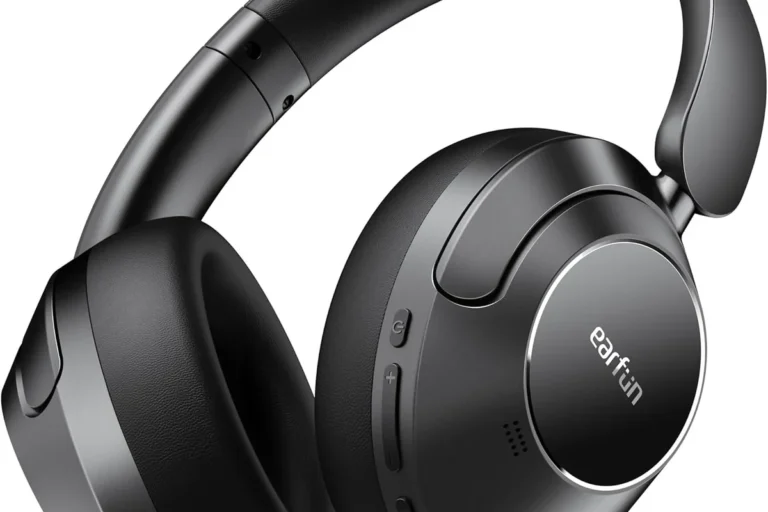
Will Beats Headphones Work with Android Devices Easily

Yes, Beats headphones usually work well with Android devices through Bluetooth. You may miss some Apple-only features, but basic listening, calls, and controls are generally easy.
Yes, Beats headphones generally work with Android devices, and in most cases the setup is straightforward through Bluetooth. You may not get every Apple-only feature, but Android users can still enjoy wireless listening, calls, and everyday controls.
- Bluetooth ready: Beats generally pair easily with Android phones and tablets.
- Feature limits: Apple-exclusive extras may not translate fully to Android.
- Model matters: Over-ear and true wireless options fit different needs.
- Check compatibility: Bluetooth, app support, and codecs can affect performance.
Will Beats Headphones Work with Android Devices in 2026?

For most Android users, the answer is still yes. Beats headphones are designed to connect over standard Bluetooth, which makes them broadly compatible with Android phones and tablets from many brands.
That means you can usually pair them, play music, take calls, and use basic playback controls without needing an Apple device. The main difference is that some premium features are more seamless on iPhone and iPad than they are on Android.
Compatibility can vary by Beats model, Android version, and phone manufacturer. If your device supports modern Bluetooth and has current software updates, your chances of a smooth connection are much better.
How Beats Connect to Android: Bluetooth Pairing, App Support, and Basic Compatibility
Beats headphones connect to Android the same way most wireless headphones do: by Bluetooth pairing. Once paired, they behave like a normal wireless audio device for streaming, calls, and media playback.
Some Beats models also work with the Beats app on Android, which can help with firmware updates, battery information, and model-specific settings. That app support is useful, but it is not required just to listen to audio.
If you want a broader primer on wireless audio basics, our guide on Bluetooth headphones explained is a helpful place to start. It covers the main ideas behind pairing, range, and common Bluetooth behavior.
What Android users can expect during first-time setup
First-time setup is usually simple. Turn on pairing mode on the Beats headphones, open Bluetooth settings on your Android phone, and select the device from the list.
In many cases, the process takes less than a minute. If the headphones do not appear right away, a quick reset, a Bluetooth toggle, or a restart of the phone often solves the issue.
Put the Beats headphones into Bluetooth pairing mode according to the model’s instructions.
Go to your phone or tablet’s Bluetooth menu and scan for nearby devices.
Select the Beats device, wait for pairing, and test music or a phone call.
Which Beats features work natively on Android and which do not
Core features usually work well on Android: wireless audio, basic playback control, and microphone use for calls. Some models also support noise cancellation, transparency mode, and battery status in a limited or app-assisted way.
Apple-focused features such as instant ecosystem switching, some device handoff behaviors, or tighter Siri integration are not the same on Android. If you are buying Beats mainly for those Apple perks, Android may feel less polished.
Best Beats Headphone Models for Android Users
The best Beats model for Android depends on how you listen. If you want full-size headphones for long sessions, over-ear options are usually more comfortable. If you want portability, true wireless earbuds may be the better fit.
For readers comparing headphone styles, our guide to different headphone types can help you match the design to your daily routine. Fit, isolation, and comfort matter just as much as brand name.
| Model | Best For | Price Range |
|---|---|---|
| Beats over-ear headphones | Long listening, travel, and stronger comfort | Varies by model |
| Beats true wireless earbuds | Commuting, workouts, and pocketable use | Varies by model |
| Beats on-ear styles | Lightweight everyday listening | Varies by model |
Wireless over-ear vs. true wireless Beats options for everyday Android use
Over-ear Beats headphones are often better if you want fuller comfort, longer battery life, and a more immersive listening feel. They can also be a better choice for long commutes or office use.
True wireless Beats earbuds are better if you want a smaller case, easier gym carry, and a more discreet fit. For Android users who are always on the move, that convenience can matter more than size.
- Easy Bluetooth pairing on Android
- Portable and everyday-friendly
- Useful for calls and streaming
- Some Apple features are limited
- Model experience can vary
- Fit may not suit every ear or head shape
Practical examples: commuting, calls, workouts, and streaming
For commuting, Beats can be a practical choice if you want simple wireless playback and decent isolation. For calls, the microphone quality will depend on the model and your environment, especially in windy or noisy places.
For workouts, secure fit is the biggest factor. For streaming video or music, most Android phones handle Beats well, though Bluetooth latency can still vary slightly by device and app.
Sound Quality, Controls, and Battery Life on Android
Sound quality on Android depends on both the headphones and the phone. Beats usually deliver a consumer-friendly tuning that many listeners find energetic and bass-forward, but the exact result can change with EQ settings, source quality, and the Android device itself.
If you want to fine-tune the sound, our guide to best EQ settings for headphones may help you shape bass, mids, and treble to your taste. Small EQ changes can make a bigger difference than many buyers expect.
How audio performance compares across Android phones and tablets
Most modern Android phones should play Beats without major issues, but not every device handles Bluetooth the same way. Differences in Bluetooth implementation, software updates, and background app behavior can affect stability and battery drain.
Tablets can work just as well as phones, though some models may have weaker Bluetooth range or less polished media controls. If you notice dropouts, the issue is often the source device rather than the headphones themselves.
On-ear controls, voice assistant access, and media playback behavior
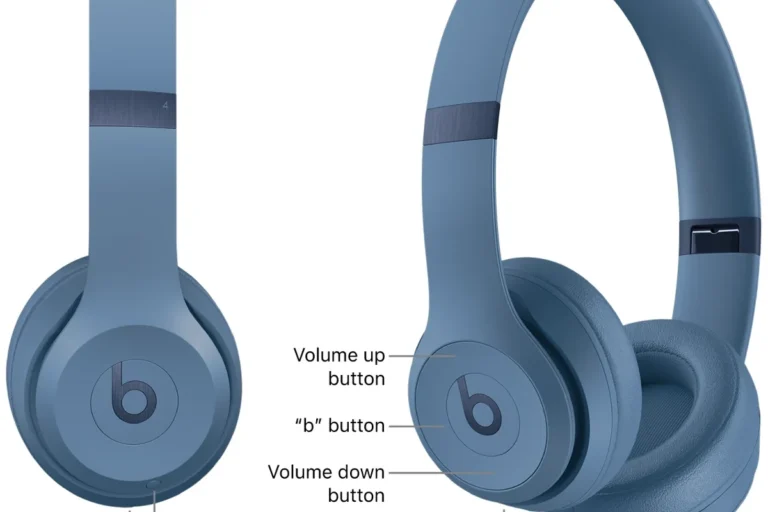
Physical controls on Beats usually work for playback, volume, and call management on Android. That said, the exact button behavior can differ by model, and some shortcut features may be more limited outside Apple’s ecosystem.
Voice assistant access may depend on your Android phone’s default assistant settings and the headphone model. If you rely heavily on Google Assistant or other voice tools, test the workflow before assuming every shortcut will work the same way as on iPhone.
Bluetooth headphones can sound slightly different from one Android phone to another because software, codec support, and signal handling are not always identical.
Common Android Compatibility Mistakes to Avoid
Most Beats pairing problems are avoidable. The biggest mistakes usually happen when buyers assume all Bluetooth devices behave exactly the same, or when they expect every Apple feature to transfer cleanly to Android.
If your headphones ever act up, a basic reset can help. Our guide on how to reset Bluetooth headphones is useful for clearing stubborn pairing issues and starting fresh.
Bluetooth version mismatches and pairing issues
A newer Bluetooth version on the headphones does not guarantee perfect performance if the phone’s Bluetooth stack is outdated or buggy. In practice, software updates and stable pairing matter more than the number alone.
When pairing fails, check that the headphones are not already connected to another device, and make sure your phone’s Bluetooth is on and visible. Simple interference from crowded wireless environments can also cause delays.
Expecting Apple-only features to work on Android
This is one of the most common disappointments. Features that feel magical on Apple devices may be absent, reduced, or less automatic on Android.
Beats can still be a good Android purchase, but only if you are buying them for the right reasons: comfort, branding, style, sound signature, and general wireless convenience.
Ignoring codec support and device-specific limitations
Codec support can influence wireless audio quality and latency, but it is only one piece of the puzzle. Your Android phone, the headphone model, and the app you use all play a role.
If you care about video sync, gaming delay, or maximum clarity, do not rely on brand reputation alone. Check whether your phone and headphones are a good match for your use case before you buy.
Do not assume every Android phone will deliver the same Bluetooth performance. Codec support, software updates, and wireless congestion can all affect your real-world experience.
Expert Advice: When Beats Are a Smart Buy for Android Users
Beats are a smart buy for Android users when you want easy wireless use, recognizable design, and a listening experience that works well out of the box. They are especially appealing if you value convenience more than deep customization.
If you are comparing options across different headphone styles, our article on wired vs wireless headphones can help you decide whether Bluetooth convenience is worth the trade-offs for your routine.
Warning signs that another headphone brand may offer better value
If your priority is maximum codec flexibility, deeper app controls, or the lowest possible price, another brand may be a better fit. Some Android-friendly headphones offer more tuning options or stronger feature sets at lower cost.
You may also want to look elsewhere if you need very specific gaming latency performance, studio-style accuracy, or advanced multi-device behavior that Beats does not emphasize as strongly on Android.
If you depend on hearing health, have tinnitus, or notice discomfort after long listening sessions, follow safe listening guidelines and consider speaking with an audiologist.
How to check if your Android phone is a good match before buying
Before buying, check three things: your phone’s Bluetooth version, whether the Beats app is supported on your device, and whether your preferred listening apps behave well over Bluetooth. These basics often matter more than marketing claims.
It also helps to read recent user feedback for your exact phone model. Android compatibility can be excellent overall, but small software differences sometimes affect pairing, range, or controls.
- Bluetooth support on your Android phone or tablet
- Beats app availability for your model
- Expected use: calls, commuting, workouts, or gaming
- Comfort, weight, and ear/fit preference
Beats vs. Other Android-Friendly Headphones: Price and Value Comparison
When comparing Beats with other Android-friendly headphones, you are not just paying for sound. You are also paying for design, brand recognition, app support, and a certain style of user experience.
That can be worthwhile for some buyers, but not everyone needs the same feature mix. If you are shopping on a tighter budget, our guide to best headphones under 100 may help you find a more value-focused alternative.
What you pay for design, branding, and ecosystem features
Beats often appeal to buyers who want a recognizable look and a smooth, mainstream listening experience. The design, packaging, and ecosystem feel can be part of the value, even if Android users do not use every extra feature.
That said, branding should not be confused with better Android performance. A less expensive model from another brand may deliver similar or better everyday results for your phone.
When cheaper alternatives may deliver better Android performance
Cheaper alternatives can be the smarter buy if you care most about battery life, app customization, or codec flexibility. Some brands focus more directly on Android-friendly features and give you more control for less money.
If you mainly want clean Bluetooth audio and dependable controls, you may not need to pay extra for Beats unless you specifically like their design or sound profile.
Final Recap: Are Beats Headphones Easy to Use with Android?
Yes, Beats headphones are generally easy to use with Android devices, especially for wireless listening, calls, and everyday playback. The connection process is usually simple, and most users will have a smooth experience once paired.
The main limitation is that Android users do not always get the same polished feature set that Apple users enjoy. If you buy Beats for Bluetooth convenience, portable design, and straightforward audio use, they can be a solid match for Android.
- Beats usually pair easily with Android over Bluetooth.
- Basic audio and call functions work well on most devices.
- Some Apple-only extras are limited or unavailable on Android.
- Model choice and phone compatibility can change the experience.
Frequently Asked Questions
Most Beats headphones are designed for Bluetooth use on Android, and that is usually the easiest setup. Wired use may depend on the exact model and accessory support.
Yes, many Android users can use Beats noise cancelling features normally. The core ANC function often works, but some app or ecosystem extras may be limited.
Choose based on comfort and daily use. Over-ear models suit longer sessions, while in-ear options are better for portability and workouts.
Not always, but EQ can help if you want more bass, clearer vocals, or less treble. Small adjustments can improve the sound for your ears and your phone.
Check Bluetooth support, app compatibility, and whether the model fits your use case. It also helps to review codec support and recent user feedback for your phone.
Comfort depends on the model, ear cushions, and your head or ear shape. If you listen for long periods, prioritize fit, weight, and padding over brand name.