Can I Bluetooth Headphones to Xbox Easy Guide

No, standard Bluetooth headphones usually cannot connect directly to Xbox for normal game audio. The easiest alternatives are Xbox Wireless headsets, wired headphones through the controller, or a Bluetooth transmitter workaround.
If you’re asking, “can i bluetooth headphones to xbox,” the short answer is usually no, not in the same way you would pair them with a phone or laptop. Most Xbox consoles do not support standard Bluetooth audio for headphones, so you’ll need an Xbox-compatible headset, a wired connection, or a workaround.
- Direct support: Xbox usually does not pair with regular Bluetooth headphones for audio.
- Best reliability: Xbox Wireless or wired controller audio is the safest choice.
- Workaround limits: Bluetooth transmitters can add lag and may not support mic chat.
- Best value: An Xbox-compatible headset is often the simplest long-term option.
Can You Use Bluetooth Headphones on Xbox in 2025? The Short Answer and Search Intent

In 2025, the answer is still mostly the same: standard Bluetooth headphones are not natively supported for direct audio on Xbox consoles. That means you cannot usually pair regular Bluetooth earbuds or headphones to an Xbox Series X, Series S, or Xbox One and expect them to work like they do on a phone.
For most players, the real question is not whether Bluetooth exists, but whether the Xbox can send game audio and voice chat through it. The practical answer is that Xbox is built around its own wireless system, wired controller audio, and accessory options that are more reliable for gaming.
Why Xbox Does Not Support Standard Bluetooth Audio for Headphones

Xbox uses a different wireless approach because gaming audio needs low delay, stable voice chat, and consistent controller communication. Standard Bluetooth is fine for music and video in many cases, but it is not always the best fit for real-time gaming.
That is why Xbox focuses on its own wireless accessory ecosystem instead of opening the door to every Bluetooth headset on the market. If you want a deeper look at how wireless audio differs from cable-free gaming setups, our guide on Bluetooth headphones explained is a helpful starting point.
How Xbox Wireless Differs From Bluetooth
Xbox Wireless is Microsoft’s own connection method for supported headsets and accessories. It is designed to keep latency low and make pairing easier with the console.
Bluetooth, by contrast, is a broader consumer standard used by phones, tablets, and computers. It works well for general listening, but gaming consoles often avoid it because delay and connection behavior can vary by device.
Some devices can still connect to Xbox in indirect ways, but that does not mean they are using native Bluetooth audio support.
What Happens When You Try Pairing Regular Bluetooth Headphones
If you try to pair regular Bluetooth headphones directly to an Xbox, the console usually will not show them as a usable audio device. In many cases, nothing happens beyond a failed pairing attempt.
That can be confusing because the headphones may pair instantly with your phone or TV, yet still refuse to work with Xbox. If you are troubleshooting wireless audio in general, our article on how to connect Bluetooth headphones may help you understand the pairing process better.
Best Ways to Connect Headphones to Xbox Without Native Bluetooth
Even though Xbox does not support standard Bluetooth headphones directly, you still have several good ways to get audio. The best choice depends on whether you care most about simplicity, microphone support, sound quality, or budget.
Using Xbox Wireless Headsets for the Smoothest Setup
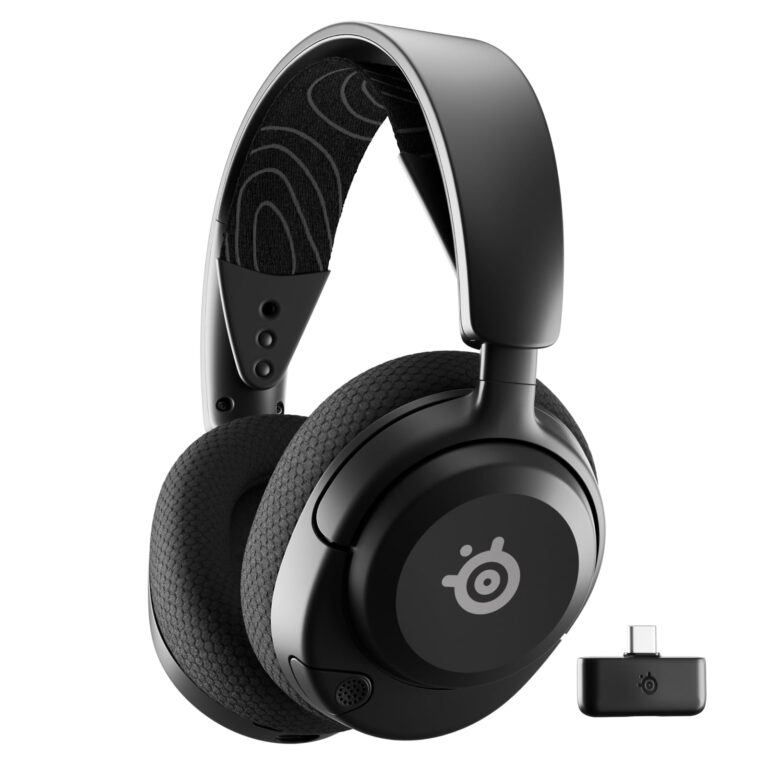
The easiest option is an Xbox Wireless headset that is made for the console. These headsets are designed for low-latency audio and usually offer a more seamless experience than generic Bluetooth models.
This is often the best route if you want game audio and party chat without extra adapters. It is also the least frustrating option for players who want a clean setup and fewer compatibility questions.
If you game often on Xbox, prioritize headset compatibility first and wireless convenience second. A headset that connects cleanly is usually better than a feature-rich model that needs workarounds.
Connecting Wired Headphones Through the Controller
Wired headphones are the simplest universal option. If your headset has a 3.5mm plug, you can connect it directly to the Xbox controller and start listening right away.
This method is usually the most reliable for voice chat and game audio because it avoids wireless delay altogether. For readers comparing cable-based and wireless listening in general, our guide on Bluetooth vs wired headphones sound quality explains the trade-offs clearly.
Using a Bluetooth Transmitter With Xbox for Audio Workarounds
A Bluetooth transmitter can sometimes be used as a workaround, but it is not the same as native support. In most cases, you connect the transmitter to the Xbox audio output path, then pair your Bluetooth headphones to the transmitter instead of to the console.
This can work for some listening setups, especially for TV-style audio, but results vary by transmitter quality and connection method. It may also introduce latency, and microphone support is often limited or unavailable.
Not every transmitter supports low-latency gaming, microphone audio, or stable stereo sound. Check compatibility carefully before buying.
Step-by-Step Setup Examples for Popular Xbox Use Cases
The right setup depends on how you use your Xbox. Casual solo play, party chat, and streaming apps can each call for a different approach.
Casual Gaming on Xbox Series X and Series S
If you mainly play single-player games, the easiest path is usually a wired headset through the controller or an Xbox Wireless headset. Both options keep setup simple and reduce the chance of audio delay.
If you only want to listen privately and do not need a microphone, a Bluetooth transmitter may be acceptable for some users. Just remember that action games and rhythm-heavy titles can expose even small delays.
Pick wired, Xbox Wireless, or a transmitter based on your budget and tolerance for delay.
Check whether the sound matches the on-screen action before starting a long session.
Party Chat and Multiplayer Voice Audio
For party chat, microphone reliability matters as much as sound quality. That is why wired controller headsets and Xbox Wireless headsets usually make the most sense.
Many Bluetooth headphone workarounds focus on audio output only, which can make voice chat awkward or impossible. If chat is important, avoid assuming that any Bluetooth adapter will support your mic properly.
Watching TV or Streaming Apps Through Xbox
If you use Xbox for streaming apps, a Bluetooth transmitter can be more practical than it is for competitive gaming. Video apps are often a little more forgiving than fast-paced games when it comes to audio delay.
Still, you should test lip-sync before committing to a setup. If the sound looks slightly behind the picture, the experience can feel distracting over time.
Even small audio delays are easier to notice in games than in music, because your ears and eyes expect near-instant feedback from every button press.
Common Mistakes People Make When Trying to Bluetooth Headphones to Xbox
Most connection problems come from expectations, not from broken hardware. A lot of buyers assume any wireless headset should work the same way on every device.
Confusing Bluetooth Audio With Xbox Wireless Support
One of the biggest mistakes is assuming “wireless” means “Bluetooth.” Xbox Wireless and Bluetooth are not the same thing, and a headset that supports one may not support the other.
Before buying, check whether the product explicitly says it works with Xbox consoles. If it only says Bluetooth, that is usually not enough for direct Xbox audio.
Buying the Wrong Adapter or Transmitter
Another common issue is buying a cheap adapter that looks compatible on paper but performs poorly in real use. Some transmitters are fine for music, yet weak for gaming latency or voice chat.
It is worth reading the product details carefully and matching the adapter to your exact Xbox setup. If you are unsure about wireless behavior in general, our article on Bluetooth headphone lag fix can help you understand why delay happens.
Ignoring Latency, Mic Support, and Audio Quality Limits
Latency is the biggest reason Bluetooth workarounds disappoint gamers. Even if the sound is clear, a slight delay can make gunshots, dialogue, or footsteps feel off.
Mic support is another problem. Some adapters carry audio out but do not handle voice input well, so party chat may still require a different headset or cable.
Listening at high volumes for long periods can cause hearing damage. Keep volume at 60% or below for extended sessions.
Expert Advice: When a Bluetooth Workaround Is Worth It and When It Is Not
A Bluetooth workaround can make sense if you mainly want casual listening and already own a good pair of headphones. It is less appealing if you play competitive games, use voice chat often, or want the least amount of setup hassle.
Latency and Sync Issues to Watch For
For gaming, latency is the main trade-off. If the audio arrives too late, it can affect timing, immersion, and reaction speed.
This is especially noticeable in shooters, fighting games, and rhythm titles. If you are sensitive to audio delay, wired or Xbox-compatible wireless options are usually the safer choice.
Battery Life, Range, and Microphone Trade-Offs
Wireless convenience always comes with trade-offs. Battery life, range, and microphone behavior can all vary by headset, transmitter, and how far you sit from the console.
Some Bluetooth setups are fine for a couch-and-TV living room, but less dependable if you move around a lot. If long sessions are part of your routine, comfort and battery life matter just as much as connectivity.
Warning on Cheap Adapters and Unstable Connections
Very low-cost adapters can be tempting, but unstable pairing and dropouts quickly ruin the experience. If the connection cuts out during a match, the savings are not worth it.
For frequent Xbox use, it is usually smarter to spend on a headset or adapter with clearer compatibility support than to gamble on the cheapest option available.
If you have ongoing hearing discomfort, ringing, or sensitivity after gaming sessions, consult an audiologist. A professional can help you check safe listening habits and rule out hearing issues.
Cost Comparison: Bluetooth Workarounds vs Xbox-Compatible Headsets
Price matters, but value matters more. A cheaper workaround can end up costing more in frustration if it does not support chat, has lag, or disconnects often.
For many players, the best value is the option that works reliably every time you turn on the console.
Budget Option vs Mid-Range vs Premium Headset Choices
Budget users may prefer a wired headset because it is simple and usually the least expensive path. Mid-range buyers often get better comfort, better mics, and more stable wireless support with an Xbox-compatible headset.
Premium options may add stronger build quality, better controls, and more polished wireless performance, but those benefits depend on the exact model. The right choice varies by brand, fit, and how you play.
Which Option Gives the Best Value for Most Xbox Players
For most players, an Xbox-compatible headset gives the best balance of convenience and performance. It avoids the setup headaches that come with Bluetooth workarounds and usually supports gaming audio more cleanly.
If you already own good Bluetooth headphones and only need occasional listening, a transmitter may still be worth trying. But if you want the easiest all-around solution, native Xbox support usually wins.
- Xbox usually does not support standard Bluetooth headphones directly.
- Xbox Wireless, wired controller audio, and some transmitters are the main alternatives.
- For gaming and chat, Xbox-compatible headsets are usually the most reliable choice.
- Bluetooth workarounds can help for casual listening, but latency and mic limits are common.
Final Recap: The Best Answer to “Can I Bluetooth Headphones to Xbox?”
The best answer is: not directly, at least not with standard Bluetooth headphones in the normal way most people expect. Xbox is designed around Xbox Wireless, wired controller audio, and select workarounds rather than native Bluetooth headset support.
If you want the smoothest experience, choose an Xbox-compatible headset or a wired headset through the controller. If you already own Bluetooth headphones, a transmitter may work for some setups, but it is usually better as a convenience option than a perfect gaming solution.
For readers comparing headphone types and connection methods, it also helps to understand the broader trade-offs between wireless convenience and cable reliability. In gaming, the right choice is the one that gives you stable sound, clear chat, and comfort for long sessions.
Frequently Asked Questions
Not always. Wired headphones can offer a more direct connection, while wireless models add convenience and can sound excellent depending on the headset and codec support.
They can be helpful if you want less room noise and more focus. For gaming, though, comfort, mic quality, and latency usually matter more than noise cancellation alone.
Closed-back headphones usually work better for most Xbox players because they block more outside noise and keep game audio contained. Open-back headphones can sound wider, but they leak sound and are less private.
Look at driver type, comfort, latency, and whether the headset supports your console properly. Frequency response and bass tuning matter too, but they vary by model and personal preference.
A gentle EQ adjustment can help balance bass and speech clarity. Avoid overboosting low frequencies, since too much bass can make footsteps and dialogue harder to hear.
Check weight, ear cushion material, clamping force, and build quality. Comfort varies a lot by head shape, so a headset that feels light and breathable is often better for long sessions.