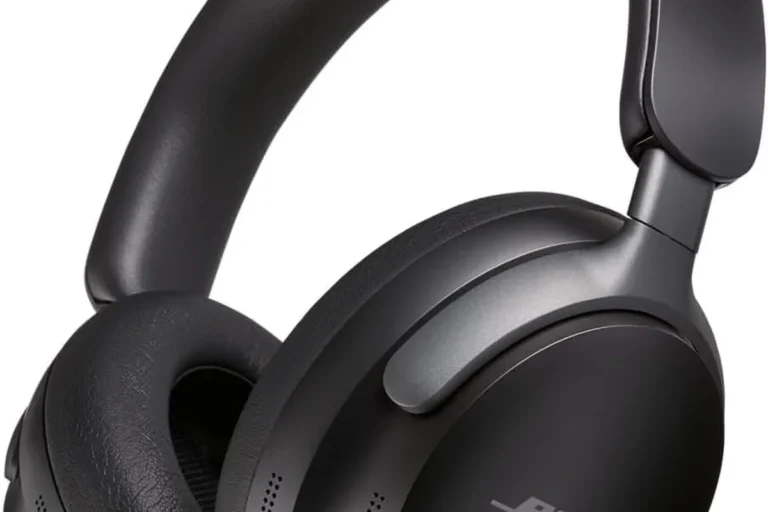
Can Apple Headphones Work on Android Easily and Well

Yes, Apple headphones can work on Android for music, calls, and basic playback. You may lose some Apple-only features, and wired models need the correct adapter or headphone jack.
If you’re wondering can apple headphones work on android, the short answer is yes in most cases. The bigger question is what type of Apple headphones you have, because wired EarPods, AirPods, and Beats each behave a little differently on Android.
- Basic use: AirPods, EarPods, and Beats can all work on Android.
- Main limit: Apple-exclusive features are reduced or unavailable.
- Wired setup: Adapter choice matters for USB-C phones.
- Best fit: Beats is often the smoothest Apple-owned option for Android.
Can Apple Headphones Work on Android in 2025? Quick Answer and What “Work” Really Means
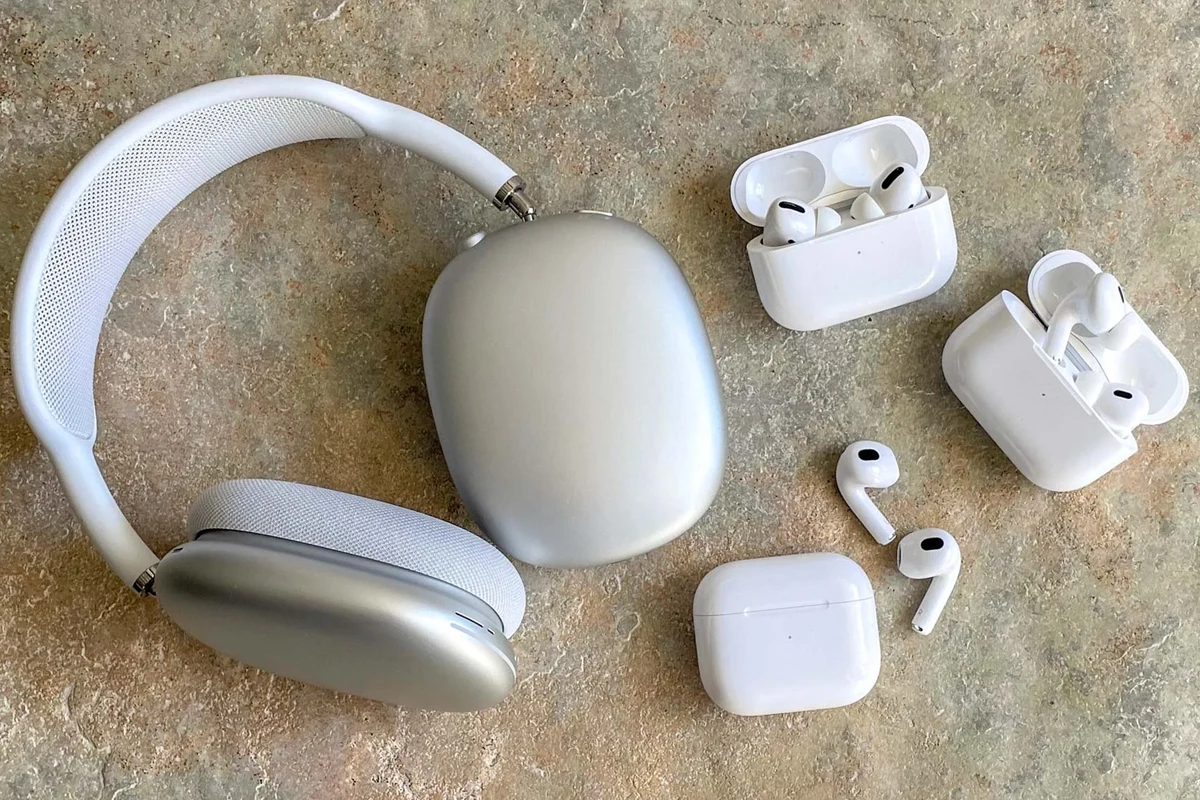
Apple headphones can usually play audio on Android without much trouble, but “work” does not always mean “all features work.” For many people, the basics matter most: music playback, phone calls, and simple controls.
If you want a broader look at wireless setup basics, our guide to connect Bluetooth headphones can help you understand the pairing process on Android devices.
In 2025, compatibility is still mostly about connection type. Wired models need the right plug or adapter, while Bluetooth models need a successful pairing and may lose some Apple-only extras once they leave the iPhone ecosystem.
Which Apple Headphones Are We Talking About? AirPods, EarPods, and Beats on Android
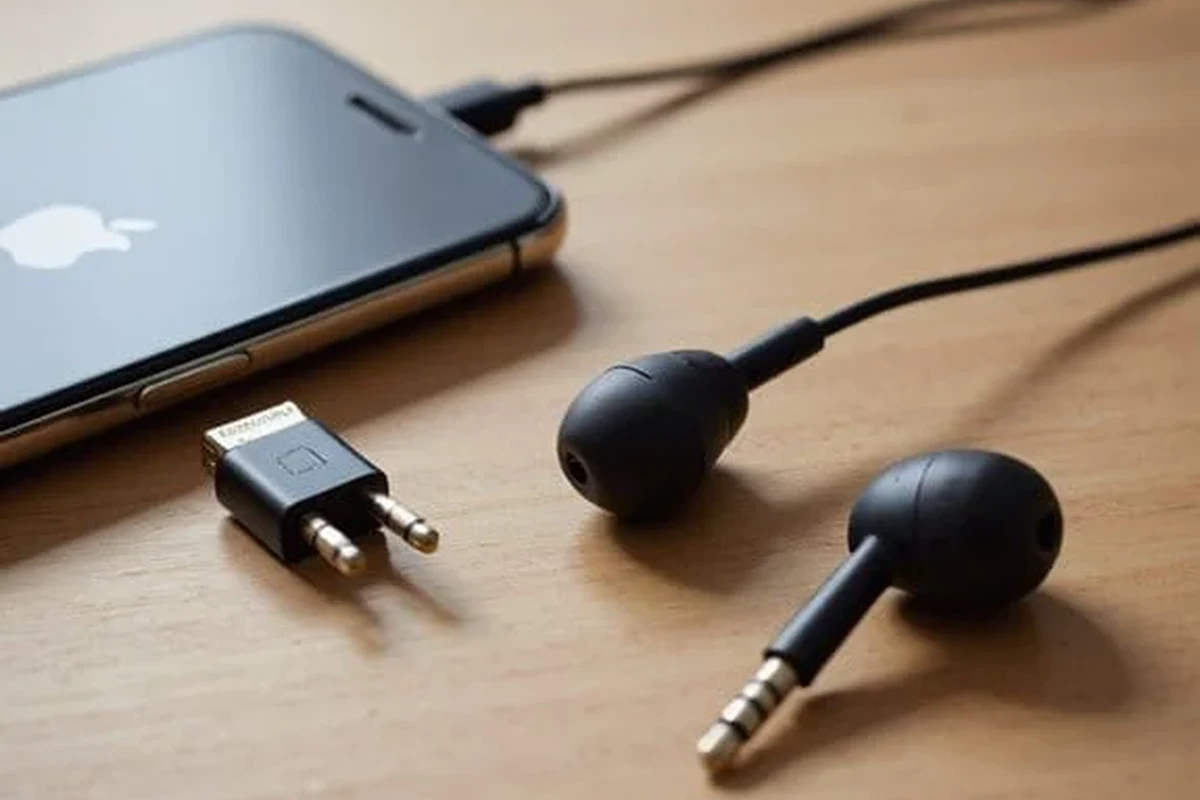
Apple’s headphone family is not all the same. AirPods are wireless earbuds, EarPods are wired earbuds, and Beats is Apple-owned but often behaves more like a cross-platform brand.
That distinction matters because Android support changes depending on whether the connection is wired or wireless. It also affects how much battery info, touch control, and noise cancellation behavior you can expect.
Wired Apple EarPods with Android phones: plug-in compatibility and adapter needs
Wired EarPods can work on Android if your phone still has a 3.5mm headphone jack or if you use the correct adapter. The main issue is not sound quality, but matching the connector to your phone.
Many newer Android phones use USB-C instead of a headphone jack, so a USB-C to 3.5mm adapter may be needed. If you want a deeper comparison of connection types, our article on wired vs wireless headphones explains the trade-offs clearly.
Not every USB-C adapter supports microphone input, so a cheap adapter may play audio but fail on calls.
AirPods and AirPods Pro on Android: pairing, audio playback, and feature limits
AirPods and AirPods Pro can pair with Android like standard Bluetooth earbuds. Once connected, they usually handle music, podcasts, and calls just fine.
The catch is that many Apple-specific conveniences are reduced or unavailable. You may not get the same battery pop-ups, automatic switching, or Siri integration that iPhone users enjoy.
For readers curious about how active noise cancellation behaves in general, our guide on how noise cancelling headphones work is a useful background read.
Beats headphones on Android: why they usually offer the smoothest experience
Beats headphones often give Android users the easiest experience because they are designed to work well across platforms. They still connect by Bluetooth, but the day-to-day experience can feel less limited than AirPods on Android.
That does not mean every Beats model is identical, but many Android users find them more practical when they want Apple-owned audio gear without relying on the full Apple ecosystem.
How to Connect Apple Headphones to Android Step by Step
Connecting Apple headphones to Android is usually simple, but the steps differ for wireless and wired models. The main goal is to match the right connector or Bluetooth pairing mode to your phone.
Bluetooth pairing process for AirPods and Beats
For AirPods or Beats, open the case or press the pairing button until the indicator light shows they are ready to connect.
Go to your phone’s Bluetooth settings, scan for new devices, and select the headphones when they appear.
Play a song or video to make sure sound is routed correctly, then test the microphone with a call or voice note.
Using a Lightning-to-USB-C or 3.5mm adapter with wired models
If you have wired Apple EarPods, the adapter choice matters more than the earbuds themselves. A Lightning version is meant for Apple devices, while Android phones usually need either 3.5mm support or a USB-C adapter that can handle audio.
Be careful not to assume that every Apple cable or dongle will work on Android just because it physically fits. If you want more background on connector choices, our article on Lightning headphones vs Bluetooth can help explain why wired and wireless setups behave differently.
Some adapters only support charging or data, not headphone audio. Check compatibility before buying, especially for USB-C phones.
Troubleshooting when Android won’t detect the headphones
If Android does not detect the headphones, start with the basics. Turn Bluetooth off and on again, charge the headphones, and make sure they are not still connected to another device.
For wired models, inspect the adapter and test the earbuds on another phone if possible. If you keep having pairing issues, resetting the headphones can help; our guide on reset Bluetooth headphones covers general reset steps.
- Bluetooth is enabled on the Android phone
- The headphones are in pairing mode
- The adapter supports audio and microphone use
- The headphones are not connected to another device
What Works Well on Android and What Doesn’t
For many people, Apple headphones work better on Android than expected. Music playback is usually stable, call quality can be solid, and the connection is often reliable once setup is done.
The limitations show up mostly in features, not basic audio. That is why the answer to can apple headphones work on android is usually yes, but with important caveats.
Music, calls, and basic playback performance
Music playback is the easiest part. AirPods, EarPods, and Beats can all deliver normal listening on Android as long as the connection is correct.
Call performance depends on the model, the phone, and the app you use. In many cases, the headphones will sound perfectly usable for everyday conversations, video meetings, and voice messages.
Microphone quality, latency, and media controls
Microphone quality is usually good enough for casual use, but it may vary more on Android than on Apple devices. Background noise, Bluetooth stability, and the app you are using can all affect the result.
Latency is another factor, especially for videos and games. Bluetooth headphones can have some delay, and Android users who care about gaming should pay attention to Bluetooth headphone lag fix tips if audio timing becomes annoying.
Media controls also tend to be basic. You may get play, pause, and track skipping, but advanced gestures and device-specific shortcuts are not always fully supported.
Features you may lose: Siri, battery pop-ups, automatic ear detection, and spatial audio extras
This is where the experience changes the most. Siri is not an Android feature, so voice assistant integration is limited or absent.
You may also lose Apple battery pop-ups, seamless device switching, automatic ear detection, and some spatial audio behavior that depends on Apple software. If you want to understand how headphone features differ by design, our article on types of headphones explained is a helpful companion piece.
Some Bluetooth earbuds can sound nearly identical across phones, but the software features around them can change a lot from one platform to another.
Best Use Cases: When Apple Headphones Make Sense for Android Users
Apple headphones can still make sense for Android users in the right situations. The key is knowing whether you care more about convenience, sound, or ecosystem features.
Casual listening, commuting, and office calls
If you mainly listen to music, watch videos, or take office calls, Apple headphones can be a practical choice on Android. They are easy to use, and the sound quality is often good enough for everyday listening.
For commuters, the comfort and portability of AirPods-style earbuds can be a big plus. For office use, the convenience of quick pairing may matter more than advanced customization.
Using AirPods with Android tablets, laptops, and multiple devices
AirPods can still be useful if you move between an Android phone, a Windows laptop, and a tablet. They may not switch as smoothly as they do inside Apple’s ecosystem, but they can still serve as a flexible wireless headset.
If you use headphones on a Windows device too, our guide on select headphones in Windows 11 may help you manage device output more easily.
When Apple headphones are not the best value for Android owners
If you are buying from scratch and only use Android, Apple headphones may not be the smartest value. You may pay for ecosystem features you cannot fully use.
In that case, Android-friendly earbuds or headphones may offer better app support, easier customization, and more complete feature access for the same budget.
Common Mistakes Android Users Make With Apple Headphones
Most problems come from expectations, not the headphones themselves. Users often assume that a product made by Apple will behave the same way on Android, and that is rarely true.
Expecting full Apple ecosystem features on Android
The biggest mistake is expecting full AirPods or Beats integration without an Apple device. Basic audio usually works, but many premium conveniences are tied to iPhone software.
That includes some battery indicators, seamless switching, and Apple assistant features. If those matter most, you may want to compare alternatives before buying.
Buying the wrong adapter or assuming USB-C compatibility
Another common issue is assuming any USB-C adapter will work with any wired Apple earbud. That is not always true, especially when microphone support is involved.
Check whether your Android phone needs a DAC-enabled adapter, a simple audio dongle, or a direct 3.5mm connection. The wrong choice can lead to silent earbuds or broken call audio.
Overlooking battery management and firmware update limitations
Wireless Apple headphones still need battery management on Android, but the software tools may be limited. You may not get the same easy battery visibility or firmware update experience that iPhone users get.
That means you should be more proactive about charging and checking whether the headphones are behaving normally. If the sound becomes muffled, our guide on why headphones sound muffled may help narrow down the cause.
Expert Advice: Is It Worth Buying Apple Headphones for Android in 2025?
My practical view is simple: Apple headphones can work well on Android, but they make the most sense when you already own them or find a strong deal. If you are buying specifically for Android, compare the feature set carefully first.
Price versus performance comparison with Android-friendly alternatives
Price matters because you are not just paying for sound. You are also paying for design, comfort, battery life, noise cancellation, and software features.
Android-friendly alternatives may offer more complete app support and better control over EQ, ANC, and button customization. If you want to improve sound on almost any headset, our article on best EQ settings for headphone can also help.
When to choose AirPods, when to choose Beats, and when to skip both
Choose AirPods if you already own them, like their fit, or want simple wireless earbuds for casual use. Choose Beats if you want a more Android-friendly Apple-owned option with generally fewer ecosystem frustrations.
Skip both if you want maximum Android control, stronger app features, or the best value for a strict budget. In that case, a good Android-focused wireless model will usually be the safer buy.
If you have hearing concerns, tinnitus, or trouble understanding speech even at moderate volume, speak with an audiologist. Safe listening habits matter more than brand choice.
Listening at high volumes for long periods can cause hearing damage. Keep volume at 60% or below for extended sessions.
Final Recap: Can Apple Headphones Work on Android Easily and Well?
Yes, Apple headphones can work on Android easily in many cases, especially for basic listening and calls. AirPods, EarPods, and Beats all function differently, but none of them are completely locked out of Android use.
The main limitation is feature support, not simple audio playback. If you are okay with losing some Apple-only extras, Apple headphones can still be a perfectly usable choice on Android.
- AirPods and Beats connect to Android by Bluetooth.
- Wired EarPods need the right jack or adapter.
- Basic audio works well; Apple-only features are limited.
- Beats usually offers the smoothest Android experience.
Frequently Asked Questions
Sound quality can be similar for basic listening, but the experience may feel smoother on iPhone because Apple features work more fully there. On Android, the headphones still play audio well, but some software extras are limited.
Wireless models are easier to pair, while wired models depend on the right adapter or headphone jack. The better choice depends on your phone’s ports and whether you want convenience or a simple plug-in setup.
Yes, the noise cancelling can still work, but control options may be more limited than on Apple devices. Performance can also vary by fit, seal, and the model you choose.
Check latency, comfort, mic quality, battery life, and whether the headphones support the connection type your device needs. Gaming users should pay extra attention to delay, while commute users may care more about ANC and portability.
Lightweight headphones with soft ear cushions or a secure earbud fit are usually more comfortable for long sessions. Build quality matters too, because hinges, cables, and charging cases can affect durability over time.
EQ can help reduce harsh treble, add bass, or improve vocal clarity depending on the headphone model. Small adjustments are usually better than extreme changes, especially if you want balanced sound for daily use.