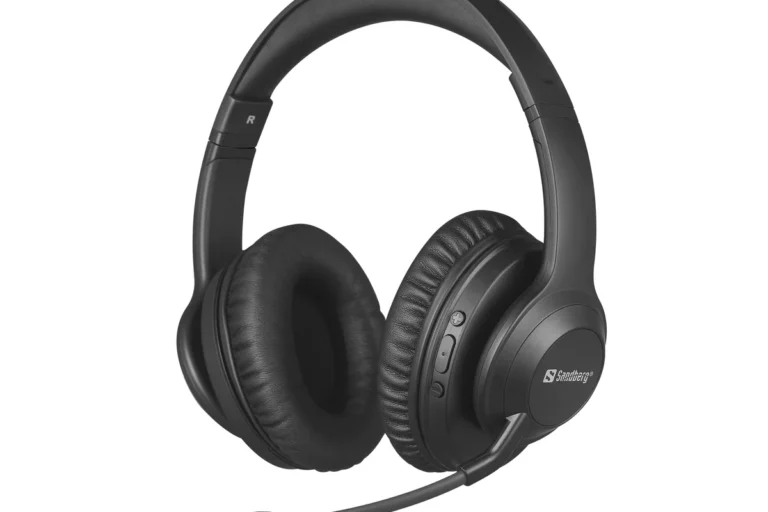
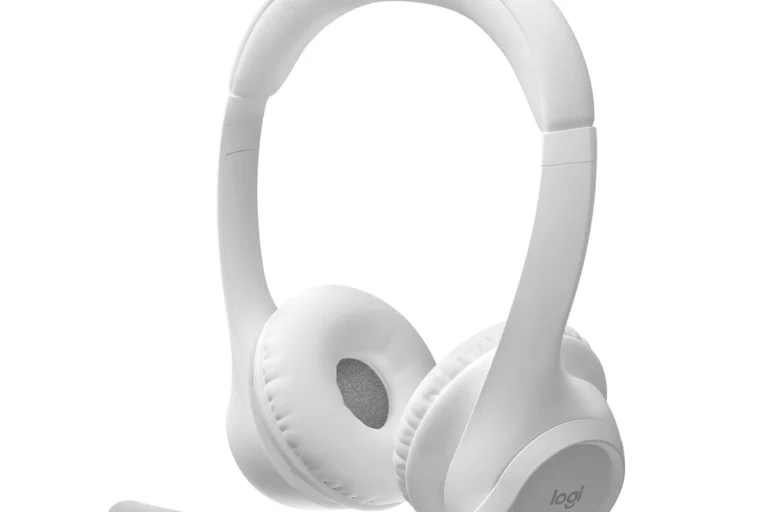
What Headphones Work With PS Portal Best Options Guide

Wired 3.5mm headphones work best with PS Portal, and Sony’s PlayStation Link audio gear is the top wireless choice. Standard Bluetooth headphones do not connect directly, so compatibility depends on the headset’s connection type.
If you’re trying to figure out what headphones work with PS Portal, the short answer is this: wired 3.5mm headphones work reliably, and Sony’s PlayStation Link audio gear is the best wireless option. Standard Bluetooth headphones do not connect directly to PS Portal, so compatibility depends on the connection type, not just the brand.
That makes the PS Portal a little different from a phone or tablet. In this guide from Top Headphone Reviews Editorial Team, we’ll break down the easiest headphone choices, what to avoid, and how to pick the best setup for home play, travel, and voice chat.
- Best simple option: Use wired 3.5mm headphones for easy plug-and-play audio.
- Best wireless option: Choose PlayStation Link gear for lower-latency gaming.
- Main limitation: Standard Bluetooth headphones usually do not pair directly.
- Best for chat: Pick a headset with a clear mic and comfortable fit.
What Headphones Work With PS Portal: Quick Answer and 2025 Compatibility Overview
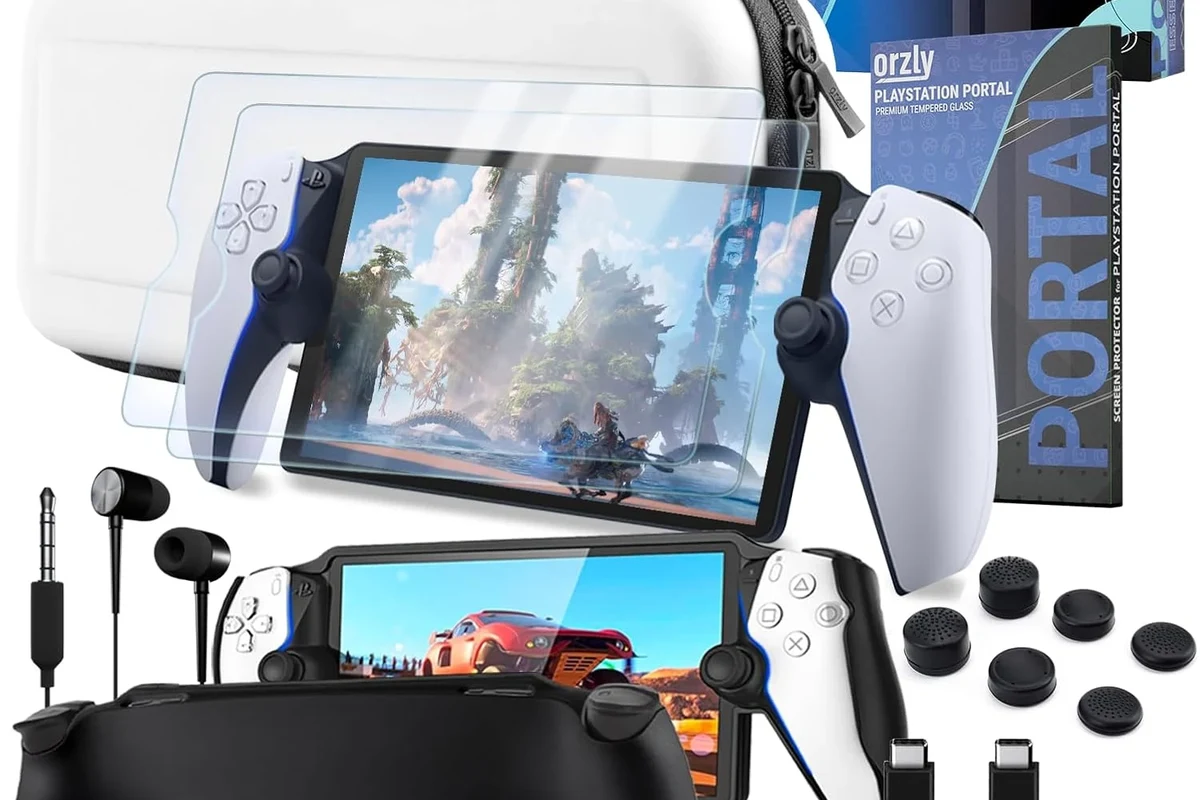
PS Portal works best with wired headphones through its 3.5mm headphone jack, plus Sony’s newer PlayStation Link wireless headphones and earbuds through supported hardware. If you already own a standard Bluetooth headset, it will usually not pair directly with the Portal.
For most players, the safest choices are simple wired earbuds, a comfortable wired gaming headset, or a PlayStation Link product if you want low-latency wireless audio. Availability and exact feature support can vary by model, firmware updates, and region, so it is always worth checking the latest compatibility notes before buying.
How PS Portal Audio Works: Bluetooth Limits, Remote Play, and Sony’s Audio Ecosystem
PS Portal is built around Remote Play, so your game audio is streamed from your PlayStation rather than sent like a normal local console connection. That design helps Sony control latency and keep the experience more stable, but it also changes how headphones connect.
Instead of supporting every wireless standard, Sony keeps the Portal’s audio path more selective. That is why some users can plug in a headset and play immediately, while others need a dongle-based solution or a PlayStation Link accessory.
Why standard Bluetooth headphones do not connect directly
Standard Bluetooth headphones usually do not connect directly because the PS Portal does not work like a typical Bluetooth audio device. Even if your headphones pair with phones, tablets, or laptops, that does not guarantee they will work here.
This limitation matters most for gamers who expect quick wireless pairing. If your goal is simple plug-and-play convenience, a wired headset is still the most dependable path.
Some users look for adapters or workarounds, but those can add latency, extra setup steps, and compatibility headaches. For gaming, simpler is usually better.
What Sony-designed wireless audio support means for gamers
Sony’s own wireless audio support is designed to reduce lag and keep the sound aligned with what you see on screen. That is especially important in fast-paced games where footsteps, reloads, and timing cues matter.
If you want wireless freedom without the usual Bluetooth delay, Sony’s PlayStation Link headphones and earbuds are the most logical match. They are made for the PlayStation ecosystem, so they are the closest thing to a “native” wireless option for Portal users.
Best Headphone Types for PS Portal Users: Wired, USB-C, and PlayStation Wireless Options
When people ask what headphones work with PS Portal, the answer usually comes down to three categories: wired 3.5mm headphones, USB-C or dongle-based solutions, and PlayStation Link wireless models. Each one has different trade-offs in convenience, latency, and price.
If you want a broader look at how physical connectors affect headphone use across devices, our guide on wired headphones on MacBook explains why jack-based setups are still popular for simple, reliable audio.
Wired 3.5mm headphones for the simplest plug-and-play setup
Wired 3.5mm headphones are the easiest option because they usually connect directly to the PS Portal with no pairing process. That makes them ideal for players who want to start gaming fast and avoid charging another device.
This is also the most budget-friendly route. You can use basic earbuds, closed-back gaming headsets, or even older wired headphones you already own, as long as the cable and plug are in good condition.
- No wireless lag
- No battery to charge
- Usually the easiest setup
- Cable can feel limiting
- Less convenient for travel
- Mic quality depends on the headset
USB-C wired headsets and dongle-based wireless alternatives
USB-C audio can be useful if the headset or adapter is specifically designed for gaming devices, but compatibility is not as universal as a standard 3.5mm plug. With PS Portal, the key question is whether the accessory is officially supported and whether it introduces extra delay.
Dongle-based wireless headsets can work well in some gaming setups because they use a dedicated wireless connection instead of Bluetooth. Still, they may require extra hardware, and that can make the setup less portable than a simple wired headset.
Do not assume every USB-C headset or wireless dongle will work with PS Portal. Check the product’s compatibility details carefully before you buy.
PlayStation Link headphones and earbuds for low-latency gaming
PlayStation Link headphones and earbuds are the strongest wireless choice for PS Portal users who want lower latency and a more seamless Sony experience. They are built for gaming, so they are better suited to action games, shooters, and competitive play than standard Bluetooth models.
These are usually the premium route, but they make sense if you want the cleanest wireless setup and plan to use your audio with other supported PlayStation devices too. For many buyers, this is the best “buy once, use often” option.
Gaming headsets often sound “better” for play not because of huge bass, but because they keep dialogue, effects, and directional cues easier to hear.
Top Use Cases and Practical Examples: Mobile Gaming, Couch Play, and Travel
The best PS Portal headphones depend on where you play most often. A setup that feels perfect on the couch may be annoying on a train, and a travel-friendly earbud may not be ideal for long multiplayer sessions at home.
Best options for playing at home with minimal setup
If you mostly play at home, a wired 3.5mm headset is usually the easiest recommendation. It keeps setup simple, avoids charging, and gives you consistent audio with almost no fuss.
For couch gaming, comfort matters as much as sound. A lightweight over-ear headset with soft ear cushions can feel better than a tight clamp or heavy design during longer sessions.
Should you choose earbuds or over-ear headphones for PS Portal?
Choose earbuds if you want portability and less bulk. Choose over-ear headphones if you want better comfort, fuller sound, and more isolation during long play sessions.
Best options for commuting, travel, and shared spaces
For travel, compact wired earbuds or a small wireless setup can be easier to carry than a full-size headset. If you play in shared spaces, closed-back headphones or well-fitting earbuds can help keep game audio more private.
If you are comparing travel-friendly audio choices across devices, our guide on wireless headphones on a plane covers the convenience trade-offs that matter when you move around a lot.
Noise isolation can also be helpful in noisy environments, though it is not the same as active noise cancellation. For a deeper look at that feature, see our explanation of noise cancelling headphones.
Best options for voice chat and multiplayer sessions
If you play multiplayer games, microphone quality becomes a major factor. A headset with a clear mic, decent voice pickup, and low background noise is usually more useful than one that simply sounds bass-heavy.
For party chat, look for a headset that keeps your voice clear without making you sound distant or muffled. If your headset has a detachable mic or mute control, that can also make daily use easier.
What to Look for in PS Portal Headphones: Latency, Mic Quality, Comfort, and Battery Life
Headphones for PS Portal should be judged like gaming gear, not just music headphones. The best choice balances timing, comfort, voice clarity, and convenience for the way you actually play.
Latency and audio sync for fast-paced games
Latency is one of the biggest reasons standard Bluetooth is not the ideal answer for gaming. Even a small delay can make gunfire, footsteps, and on-screen action feel slightly off.
Wired headphones are the safest choice for perfect sync. If you want wireless, choose a low-latency gaming system such as PlayStation Link or another officially supported dongle-based option.
Listening at high volumes for long periods can cause hearing damage. Keep volume at 60% or below for extended sessions.
Comfort for long remote play sessions
Comfort depends on weight, clamp force, ear cushion material, and whether you prefer over-ear, on-ear, or in-ear designs. For long PS Portal sessions, many players find over-ear headphones more comfortable, while others prefer earbuds because they stay cooler.
If you play for hours, small comfort issues become big problems. A headset that feels fine for 20 minutes may become tiring after a full evening of remote play.
Microphone clarity for party chat and online play
A good mic should make your voice easy to understand without too much hiss or room noise. Wired gaming headsets often do this well, but some earbuds and wireless models can also perform well if the mic is tuned properly.
If voice chat is a priority, check whether the headset supports a boom mic, inline mic, or built-in mic, and think about where you will use it. A noisy room, bus, or shared living space can affect mic performance more than the headset itself.
If you already notice ringing, discomfort, or trouble hearing after long sessions, speak with an audiologist or hearing professional. Safe listening habits matter just as much as choosing the right headset.
Price and Value Comparison: Budget Picks vs Mid-Range vs Premium PS Portal Audio Choices
There is no single best price point for PS Portal headphones. The right value depends on whether you want the cheapest working solution, a better all-around headset, or the most polished wireless experience.
Affordable wired models for casual players
Budget wired earbuds and basic 3.5mm headsets are often the best value for casual players. They are simple, dependable, and usually good enough for single-player games, streaming, and occasional chat.
If you are shopping on a tight budget, focus on build quality and comfort rather than chasing extra features you may not use. A well-made wired headset can be more practical than a cheap wireless one.
Mid-range wireless solutions with better convenience
Mid-range wireless options can be attractive if you want freedom from cables but do not want to jump straight to premium gear. The catch is that you need to pay close attention to compatibility and latency.
These are best for players who value convenience and already know they want wireless audio often. Just remember that not every wireless headset is equally suited to PS Portal use.
Premium PlayStation Link headsets for the best experience
Premium PlayStation Link headphones or earbuds are usually the strongest choice if you want the smoothest wireless setup. They are especially appealing if you care about low lag, ease of use, and a more integrated PlayStation experience.
That said, premium does not automatically mean best for everyone. If you mainly play casually or only use the Portal occasionally, a simple wired headset may deliver better value.
Common Mistakes to Avoid When Choosing Headphones for PS Portal
Buying headphones for PS Portal is easier when you know the common traps. Most mistakes happen when shoppers assume “wireless” means “compatible,” or they buy for console use without thinking about how the Portal is actually used.
Assuming any Bluetooth headset will pair directly
This is the most common mistake. A headset can be excellent for phones and still fail to work the way you expect on PS Portal.
Before buying, check whether the headset uses standard Bluetooth, a USB dongle, or PlayStation Link. That one detail often decides whether the product is a good match.
Overlooking dongle compatibility and charging needs
Some wireless solutions depend on a USB dongle, an adapter, or a charging case. That can be fine, but it adds another thing to carry and another battery to manage.
If you travel often, extra accessories may become annoying fast. Simpler setups are usually better for mobile play and shared spaces.
Buying for console use instead of PS Portal use cases
A headset that works great on a PS5 sitting in the living room may not be the most practical choice for Portal use. The Portal is more about portability, quick access, and Remote Play convenience.
Think about your real habits: couch play, bedtime gaming, travel, or multiplayer chat. The right answer changes depending on where and how you play.
- Does it connect by 3.5mm, USB dongle, or PlayStation Link?
- Will the mic work clearly in your usual play space?
- Is the headset comfortable for long sessions?
- Do you need wireless freedom or just reliable audio?
Expert Advice and Final Recap: The Best Headphone Match for Your PS Portal Setup
If you want the simplest answer to what headphones work with PS Portal, start with wired 3.5mm headphones. If you want the best wireless experience, look at Sony’s PlayStation Link headphones or earbuds, since standard Bluetooth is not the right fit.
For most readers, the best choice is the one that matches how you play: wired for reliability, PlayStation Link for premium wireless convenience, and a comfortable mic-equipped headset if you chat often. If you want more general headphone buying guidance, our headphone types explained guide can help you compare over-ear, on-ear, and in-ear designs.
Best overall recommendation by budget and play style
Budget players should choose a good wired 3.5mm headset or earbuds. Frequent travelers may prefer a compact wired option or a supported wireless gaming solution, while premium buyers will get the most polished results from PlayStation Link gear.
Final warning on compatibility before you buy
Do not buy based on the word “Bluetooth” alone. Always check the exact connection type, supported devices, and any required dongles or adapters before you spend money.
That one step will save you the most frustration and help you get the right PS Portal audio setup the first time.
Frequently Asked Questions
Wired headphones are usually the most reliable choice because they avoid lag and pairing issues. Wireless can be more convenient, but only supported low-latency options are a good fit for PS Portal.
Noise cancelling can help you focus in noisy rooms, but it does not guarantee better game audio. Comfort, latency, and mic quality still matter more for most players.
Open-back headphones can sound spacious, but they leak sound and block less outside noise. For PS Portal, closed-back headphones or earbuds are usually more practical for privacy and immersion.
Over-ear headphones are often best for comfort and isolation during long sessions. In-ear earbuds are more portable, while on-ear models can be lighter but may feel less comfortable over time.
For gaming, focus on latency, comfort, mic quality, and a balanced sound profile rather than chasing one spec. Driver type, bass tuning, and clarity can affect how well you hear footsteps, dialogue, and effects.
Start with a reliable wired 3.5mm headset or earbuds if you want the lowest-cost option. Check build quality, comfort, and mic clarity first, then decide whether wireless convenience is worth the higher price.