10 Best Wired Headsets 2026: Top Picks for Gaming, Calls & Work

A Best Wired Headsets 2026 gives up nothing to Bluetooth when it comes to sound quality, latency, or reliability. Plugging in with a cable means no pairing screens, no battery to charge, and no lag between what happens on screen and what reaches your ears. That last point matters most for gaming, where a half-second of audio delay can mean missing a footstep cue or a callout from a teammate.
Wired designs also cover more ground than most shoppers expect. Some connect through USB-A for plug-and-play simplicity on an office laptop. Others use a 3.5mm jack that works across consoles, phones, and PCs without any drivers. A growing number now include USB-C, matching the connector on modern MacBooks and Android devices. The right choice depends less on brand and more on where and how the headset will actually connect.
Comfort, microphone clarity, and control layout separate a good wired headset from a forgettable one. Memory foam cushions and adjustable headbands matter for anyone wearing a headset for hours, whether gaming or sitting through back-to-back video calls. Mic quality deserves equal attention: a detachable boom mic suits gaming and streaming, while a noise-canceling inline mic works better for calls in shared spaces. Console gamers should also check whether surround sound features require special software, since some only work on Windows PCs.
Best for immersive gaming: HyperX Cloud III
Best for competitive esports audio: Razer BlackShark V2 X
Best for everyday video calls: Logitech H390
Best for surround sound gaming on a budget: Logitech G432
Best for iPhone and USB-C devices: Apple EarPods with USB-C
Best for casual music listening: Sony ZX Series MDR-ZX110
Best for streamers and esports players: Logitech G PRO X
Best for lightweight remote work setups: Lenovo USB-A Stereo Headset
Best for professional meeting clarity: Jabra Evolve 10
Best for call center and office use: Plantronics Blackwire C3210
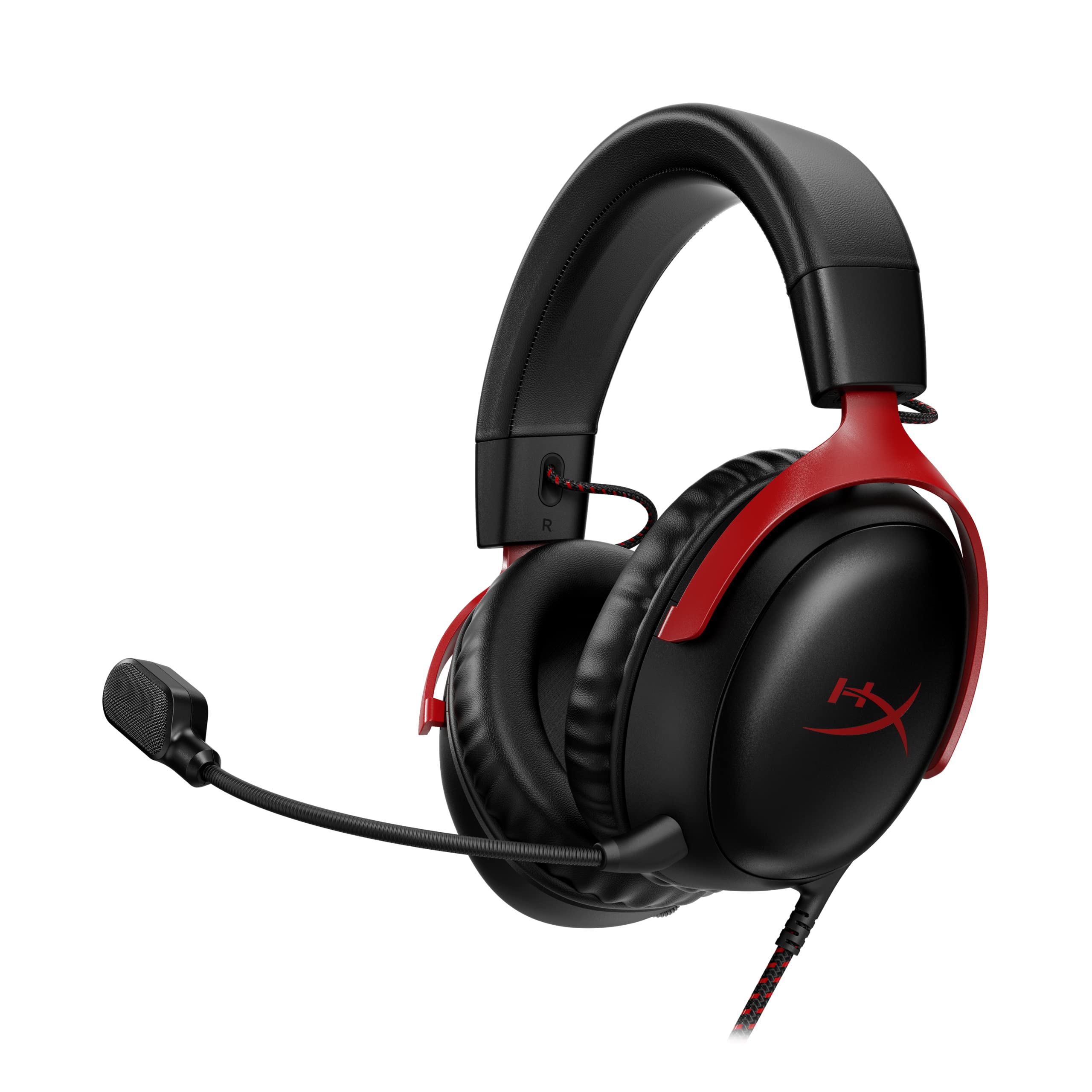
HyperX Cloud III
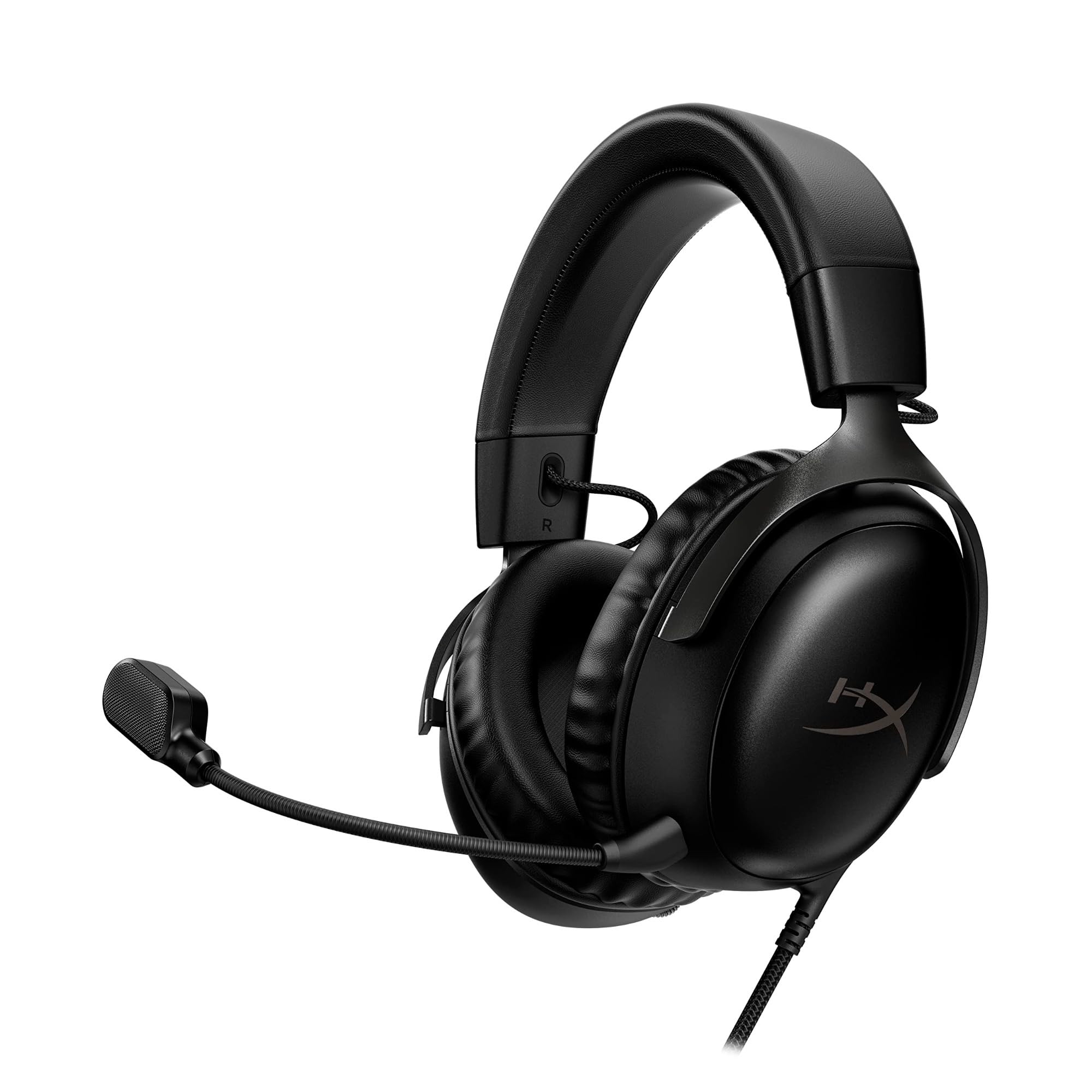
This headset suits gamers who want console flexibility, all-day comfort, and a mic that holds up in voice chat.
Pros
- Memory foam cushions built for long sessions
- Works across PC, PlayStation, Xbox, and Switch
- Detachable mic with clear noise-canceling pickup
Cons
- No true wireless surround processing built in
- Bulkier fit than lightweight esports headsets
- USB-C adapter needed for some features
The Cloud III’s angled 53mm drivers give game audio a fuller, more directional feel without needing special software. Since it connects through 3.5mm, USB-C, or USB-A, it works the same way on a PlayStation as it does on a gaming PC. The aluminum frame adds durability that plastic-heavy headsets lack. Best Wired Headsets 2026
Comfort stands out most in this design. The memory foam headband and ear cushions reduce pressure during multi-hour sessions, and the mic’s LED mute indicator makes it easy to confirm mute status at a glance.
Razer BlackShark V2 X
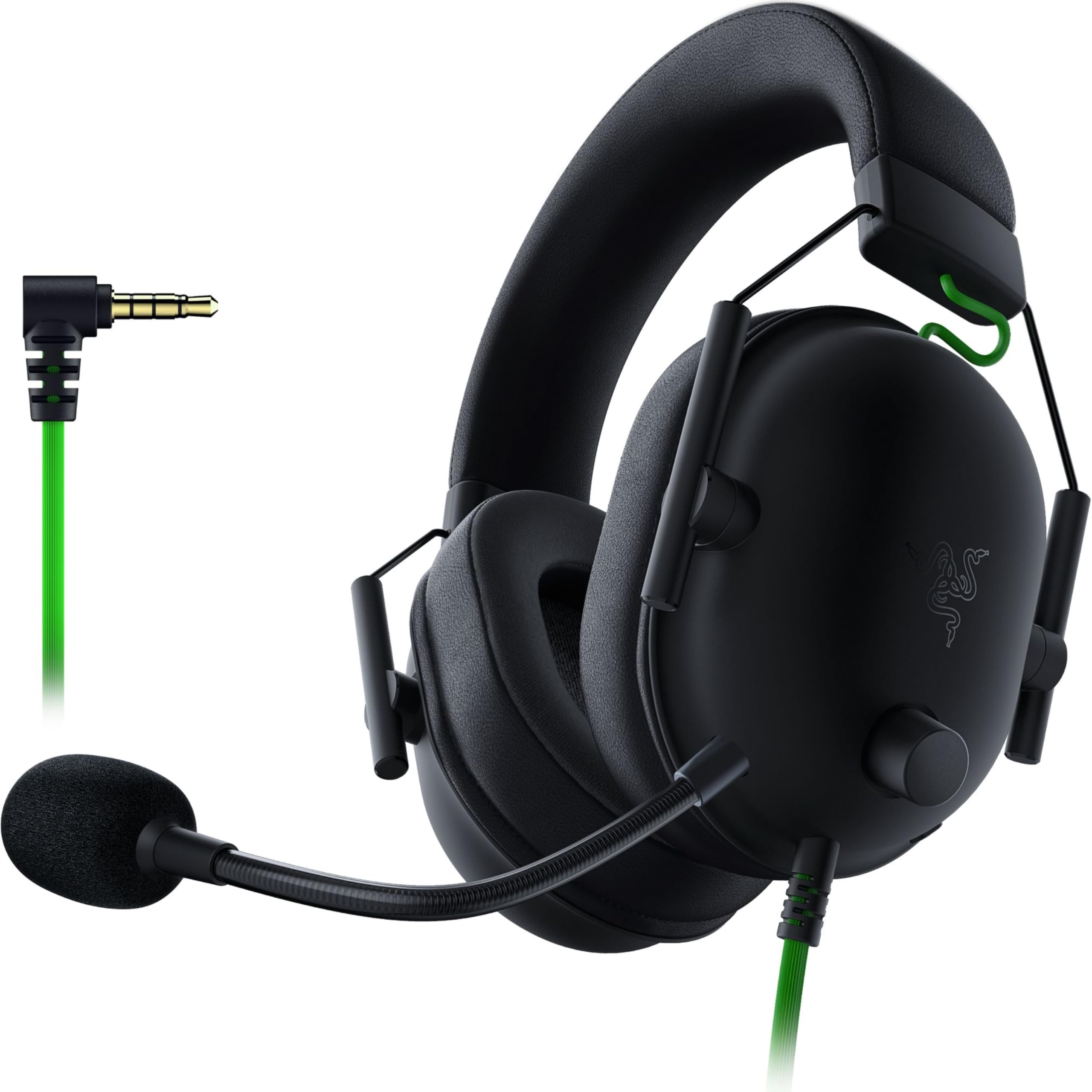
Competitive gamers who prioritize positional audio and a lightweight fit should look at this headset first.
Pros
- Titanium-coated 50mm drivers tuned for clarity
- Lightweight build reduces fatigue over long matches
- Strong passive noise isolation from sealed earcups
Cons
- 7.1 surround sound only works on Windows 10 64-bit
- No detachable mic for non-gaming use
- Console use needs a separate stereo adapter for Xbox
The BlackShark V2 X splits its driver tuning into highs, mids, and lows, which helps footsteps and gunfire sound distinct from background music or explosions. At under half a pound, it stays comfortable through extended play sessions.
The HyperClear cardioid mic favors voice pickup over ambient noise, which keeps teammates from hearing keyboard clatter. Surround sound requires Windows software, so PlayStation and Switch users get standard stereo instead.
Logitech H390

Anyone who spends their day on video calls will appreciate how simple this headset is to set up and use.
Pros
- True plug-and-play USB-A connection
- Rotating noise-canceling mic tucks away when unused
- Works with Chromebooks as well as Windows and Mac
Cons
- Basic stereo sound, not built for gaming
- On-ear fit less plush than over-ear designs
- No 3.5mm option for phones or consoles
The H390 skips complicated software entirely. Plugging the USB-A connector into a laptop is the entire setup process, which makes it a dependable option for shared office equipment or school-issued Chromebooks.
In-line volume and mute controls sit right on the cable, so adjusting audio mid-call doesn’t require touching a keyboard. The leatherette ear cushions swivel for a more even fit, though comfort trails behind headsets built specifically for gaming.
Logitech G432
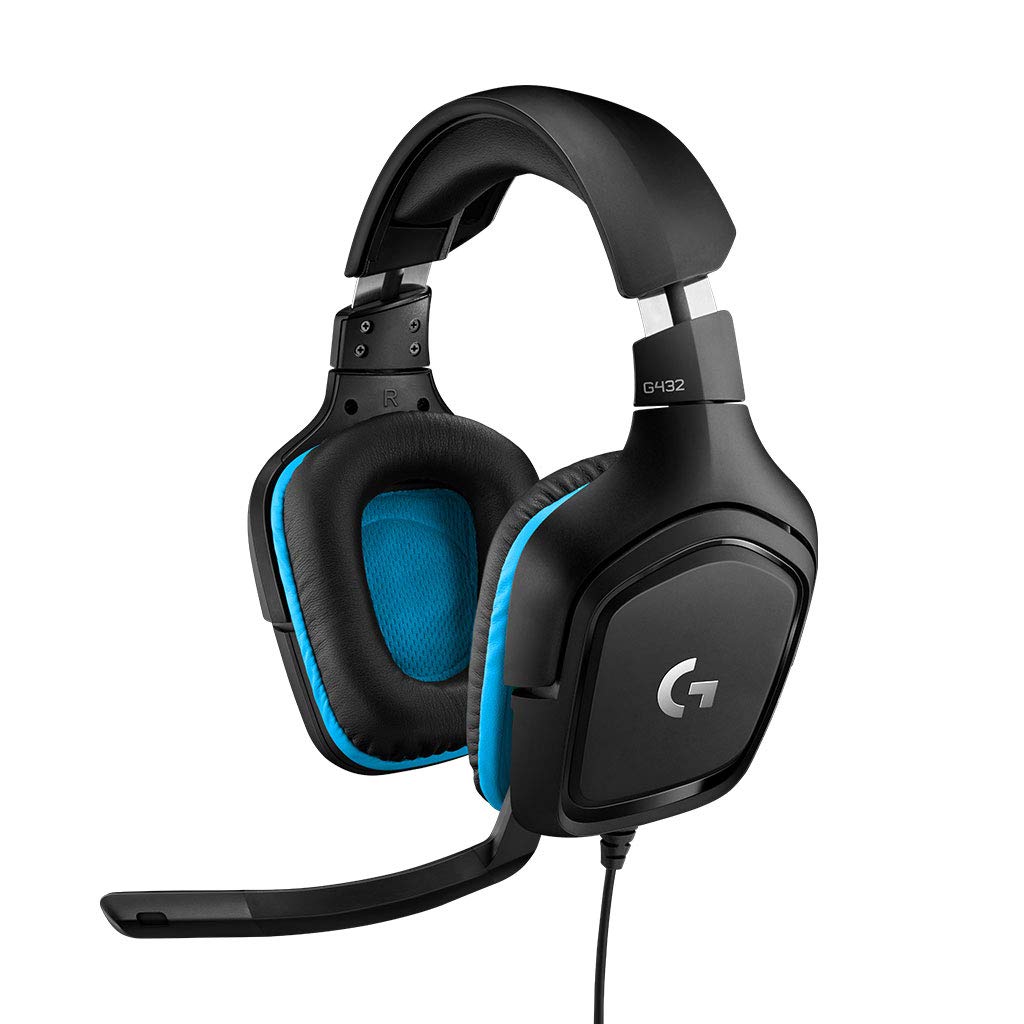
Budget-conscious gamers who still want surround sound should consider this model over cheaper stereo-only options.
Pros
- DTS Headphone 2.0 surround sound for positional cues
- Large 50mm drivers with strong bass response
- Rotating earcups add flexibility in fit
Cons
- Surround sound requires Logitech G HUB software
- Console surround support is limited to stereo output
- Bulkier than minimalist office headsets
The G432 brings 3D positional audio to a mid-range price point, letting players hear enemy footsteps or approaching threats from specific directions. That surround effect depends on installing Logitech’s G HUB software on a Windows PC.
Without the software, or on PlayStation and Switch, the G432 still functions well as a stereo headset. The flip-to-mute boom mic and leatherette ear cups add practical comfort touches for everyday gaming.
Apple EarPods with USB-C

These earbuds fit best as a portable, no-fuss option for calls and music on USB-C phones and tablets.
Pros
- Compact and easy to carry anywhere
- Built-in remote for volume, calls, and playback
- Compatible with any USB-C device
Cons
- No noise cancellation or isolation
- Not designed for gaming use
- Fit may not suit users who prefer in-ear seals
The EarPods trade advanced features for simplicity. The in-line remote lets users skip tracks, answer calls, or adjust volume without touching their phone, and the open-ear design avoids the sealed-in feeling some in-ear buds create.
Sound quality stays serviceable for calls, podcasts, and casual listening, but bass and detail fall short of headset-style options. Anyone gaming or joining long meetings will want a mic with stronger noise rejection.
Sony ZX Series MDR-ZX110

Listeners who just want solid sound for music and don’t need a microphone will find good value here.
Pros
- Wide frequency range for deep bass and clear highs
- Lightweight, foldable design for travel
- Simple 3.5mm connection works with almost any device
Cons
- No built-in microphone
- On-ear fit less comfortable for extended wear
- No active noise cancellation
The MDR-ZX110 focuses on music rather than communication. Its 1.38-inch neodymium drivers produce punchy bass, and the swiveling earcups fold flat for easy storage in a bag.
Without a microphone, this headset doesn’t work for calls or gaming voice chat. It suits listeners who already have a separate mic setup or just want clean audio for music and video on a laptop or phone.
Logitech G PRO X

Streamers and competitive players who need professional-grade voice clarity should prioritize this headset.
Pros
- Detachable mic with Blue VO!CE voice processing
- Includes USB sound card for surround and EQ profiles
- Durable steel and aluminum construction
Cons
- Software dependency for surround sound and mic tuning
- Heavier build than lightweight esports headsets
- Setup takes longer than plug-and-play options
The G PRO X separates itself with its Blue VO!CE software, which reduces background noise and shapes voice tone through the included USB sound card. That card also stores custom EQ profiles, useful for players who compete across different setups.
Memory foam ear pads come in leatherette or velour, letting users choose breathability over noise isolation. The mobile cable with inline mic adds flexibility for non-gaming use, though most of the headset’s advanced features need a Windows PC running Logitech’s software.
Lenovo USB-A Stereo Headset

Remote workers who want AI-powered noise cancellation without a premium price will appreciate this lightweight option.
Pros
- AI noise cancellation adjustable through companion app
- Very lightweight at about 140 grams
- Replaceable earcups extend the headset’s lifespan
Cons
- Requires app installation for full noise cancellation benefits
- USB-A only, no 3.5mm or USB-C option
- Newer product with a smaller review history
The double-sided boom mic gives users flexibility to wear it on either ear, and the in-line controls handle mute and volume without needing to open the app. Noise cancellation strength depends on the Lenovo software, which some office IT setups may restrict.
At under five ounces, this headset stays comfortable through long workdays. Its USB-A-only connection limits use on newer laptops that have moved to USB-C exclusively.
Jabra Evolve 10
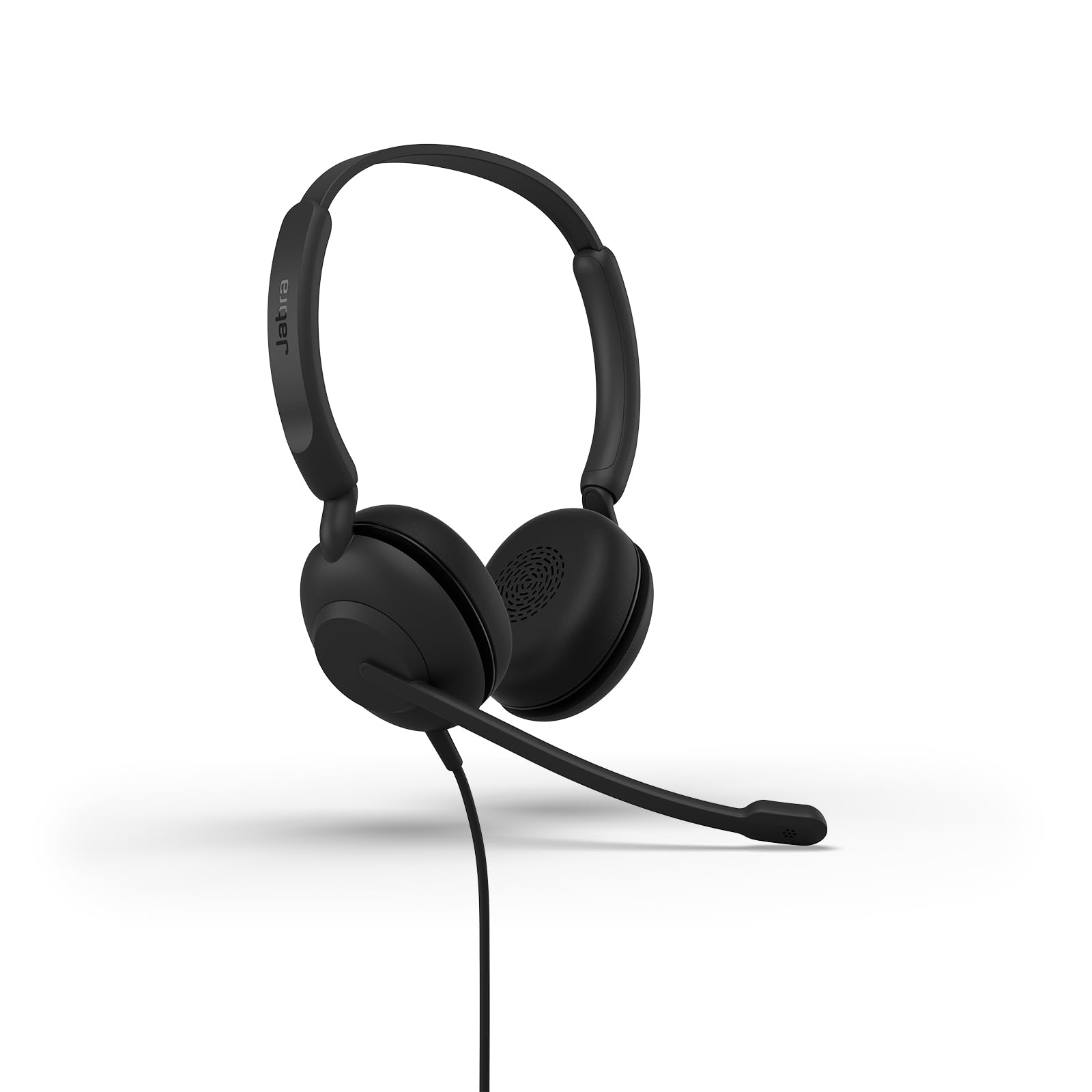
Professionals who take frequent calls in noisy office environments get dependable clarity from this headset.
Pros
- Noise-canceling mic built for busy office settings
- Adjustable boom arm works on either ear
- TCO certified with over half recycled materials
Cons
- Wired USB-A only, no wireless option
- Basic stereo output, not tuned for gaming or music
- On-ear cushions less plush than over-ear designs
The Evolve 10 keeps setup minimal: plug the USB adapter into a laptop and join a call within seconds. The noise-canceling microphone filters out chatter and keyboard noise, which matters most in shared office spaces or open floor plans.
Its focus stays narrow. This headset handles calls well but doesn’t try to compete on music quality or gaming features, making it a practical, no-frills pick for daily work calls.
Plantronics Blackwire C3210

Call centers and office teams that need a reliable, no-nonsense USB headset will find this a solid fit.
Pros
- Noise-canceling boom mic for clear calls
- Simple USB-A plug-and-play setup
- Durable build with a full frequency range
Cons
- Mono sound limits music and gaming use
- On-ear design fits less comfortably over long shifts
- No wireless connectivity
The C3210 targets call clarity above all else, using a noise-canceling mic that keeps voices intact in busy call center environments. Its 20Hz to 20kHz frequency range covers both low and high tones better than many mono headsets.
The supra-aural (on-ear) design keeps it lightweight but offers less cushioning than over-ear alternatives for shifts that stretch past a few hours. As a dedicated communication tool, it performs its core job reliably.
Buying Guide
Match the Connection to the Device
Connection type determines whether a headset works at all with a given setup. USB-A suits desktop computers and older laptops. USB-C fits newer laptops, tablets, and Android phones. A 3.5mm jack offers the widest compatibility, working across consoles, phones, and PCs without drivers or adapters.
| Connection | Best For | Limitation |
|---|---|---|
| USB-A | Desktops, older laptops, plug-and-play setup | Not compatible with USB-C-only devices |
| USB-C | Newer laptops, phones, tablets | Fewer legacy device options |
| 3.5mm | Consoles, phones, universal use | No digital features like surround sound |
Consider the Microphone Type
A detachable boom mic works best for gaming, since it can be removed when not needed. An inline mic on the cable suits call-focused headsets, keeping the design simpler and lighter. Noise-canceling mics matter most for anyone working in a shared or noisy space.
Check for Software Dependencies
Some features only activate with a manufacturer’s software installed. Surround sound, AI noise cancellation, and custom EQ profiles often require a companion app running on Windows. Confirm operating system compatibility before assuming a feature will work out of the box.
Weigh Comfort for Session Length
Memory foam cushions and adjustable headbands reduce pressure during multi-hour use, which matters for both gaming marathons and back-to-back meetings. Over-ear designs generally distribute weight better than on-ear styles, though they add bulk and reduce portability.
Review Cable and Control Features
In-line controls for volume and mute add convenience without needing to touch a device mid-call or mid-game. A detachable cable protects the headset from damage if it snags, while a fixed cable keeps the design simpler and less likely to develop connection issues over time.