Do Bluetooth Headphones Work on PS5 Find Out Now

No, standard Bluetooth headphones usually do not work directly on PS5 the way they do on phones or laptops. You can still use them with a USB dongle, wired connection, or Bluetooth transmitter.
If you’re wondering whether do bluetooth headphones work on ps5, the short answer is: not directly in the standard way most people expect. The PS5 does not natively support regular Bluetooth audio headphones for game sound, so you usually need a workaround like a USB dongle, a wired connection, or a Bluetooth transmitter.
That can be frustrating, especially if you already own a good pair of wireless headphones. But once you understand the PS5’s limits, it becomes much easier to choose the right setup for low-lag gaming, chat audio, and comfort.
- Native support: PS5 does not fully support standard Bluetooth audio headphones.
- Best reliability: Wired or USB dongle headsets usually perform better for gaming.
- Adapter option: Bluetooth transmitters can work, but results vary.
- Low-latency tip: Competitive players should avoid setups with noticeable audio delay.
Do Bluetooth Headphones Work on PS5? The Short Answer for 2025
In most cases, standard Bluetooth headphones do not work on the PS5 as a simple plug-and-play audio option. The console is designed to avoid common Bluetooth audio issues, especially delay, instability, and mic compatibility problems.
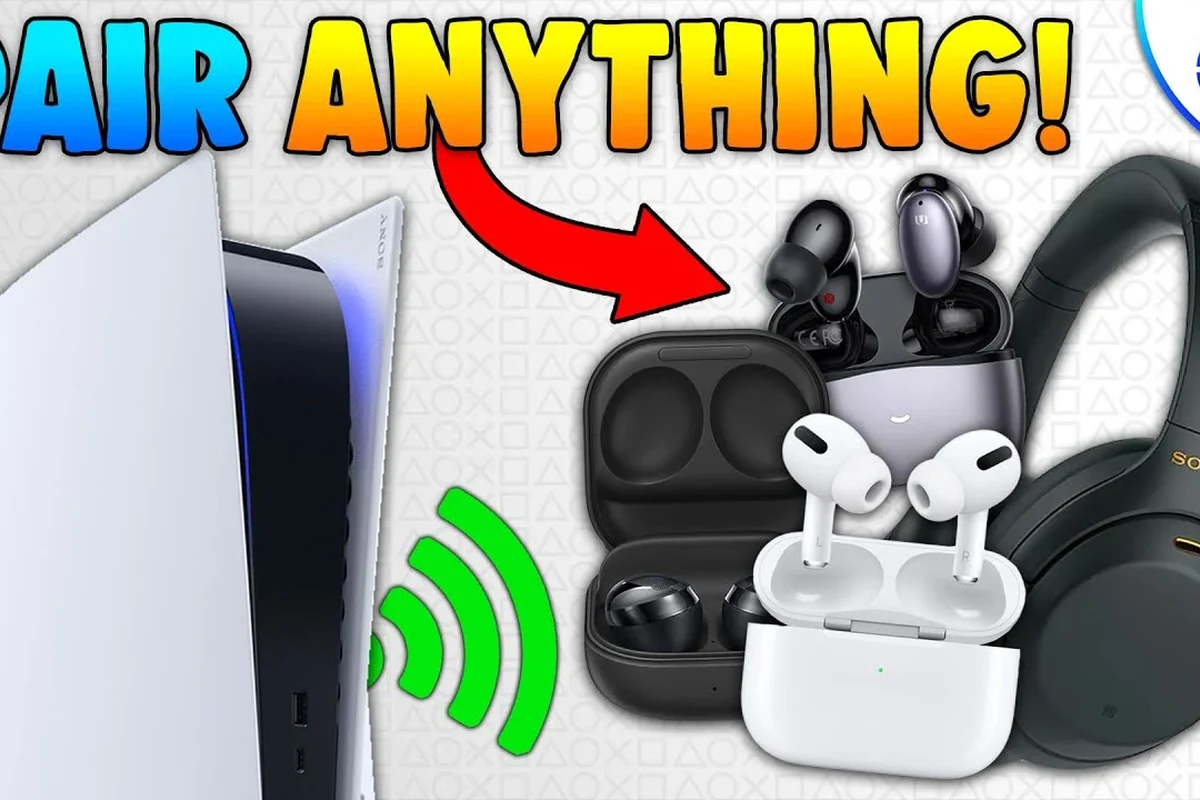
You may still be able to use Bluetooth headphones with the PS5 through special adapters or transmitters, but that is not the same as native Bluetooth support. If your goal is easy, reliable game audio, Sony’s preferred paths are usually wired headsets, USB wireless headsets, or officially compatible accessories.
Why the PS5 Does Not Support Standard Bluetooth Audio
The main reason is simple: gaming audio needs to stay in sync with what you see on screen. Even a small delay can make footsteps, gunfire, dialogue, and rhythm-based gameplay feel off.
Bluetooth works well for music and podcasts, but gaming is less forgiving. Sony appears to prioritize stable, low-latency audio over broad compatibility with every Bluetooth headphone on the market.
Bluetooth latency and game audio delay
Bluetooth audio can introduce noticeable lag, depending on the headphone model, codec support, and connection quality. In a fast-paced game, that delay can make sound effects arrive after the action on screen.
For casual listening, that may be fine. For competitive gaming, latency is often the deal-breaker. If you want to learn more about the delay side of wireless audio, our guide to Bluetooth headphone lag fix explains why timing matters so much.
Listening at high volumes for long periods can cause hearing damage. Keep volume at 60% or below for extended sessions.
Sony’s hardware and compatibility limitations
The PS5’s audio system is built around gaming accessories and controller-based audio paths, not broad Bluetooth headphone support. That means some devices may pair in limited ways, while others simply won’t connect at all.
It’s also worth remembering that Bluetooth compatibility varies by brand and model. Even if a headset works with your phone or laptop, that does not guarantee it will behave properly on a PS5.
What Happens When You Try to Pair Bluetooth Headphones with a PS5
Many players try pairing their headphones through the PS5 settings and quickly run into a wall. The console may not show your headset at all, or it may refuse to use it for full audio output.
In some cases, the device appears connected but still does not deliver game sound correctly. That can make it feel like the headset is “almost working,” which is often more confusing than a clear failure.
Common error messages and connection failures
Typical problems include the PS5 not finding the headset, repeated pairing failures, or audio output staying on the TV instead of the headphones. Some users also see device conflicts if the headset was previously paired to another device.
If you are troubleshooting Bluetooth headphones in general, our guide on how to connect Bluetooth headphones can help you understand the basic pairing process, even though the PS5 itself has stricter limits.
Why some devices connect but still do not output sound properly
A connection does not always mean full audio support. The PS5 may recognize a device in a limited way, but the headset might not handle game audio, chat audio, or microphone input the way you expect.
This is especially common with earbuds and multipurpose Bluetooth headsets. They may connect to the system, yet still fail to provide a clean, stable experience for gaming.
Bluetooth performance can vary a lot by headset model, adapter quality, and how crowded your wireless environment is.
Best Ways to Use Headphones with PS5 Instead of Native Bluetooth
If native Bluetooth is not the best route, there are still several practical ways to use headphones with the PS5. The right option depends on whether you care most about convenience, latency, microphone support, or price.
USB wireless dongle headphones
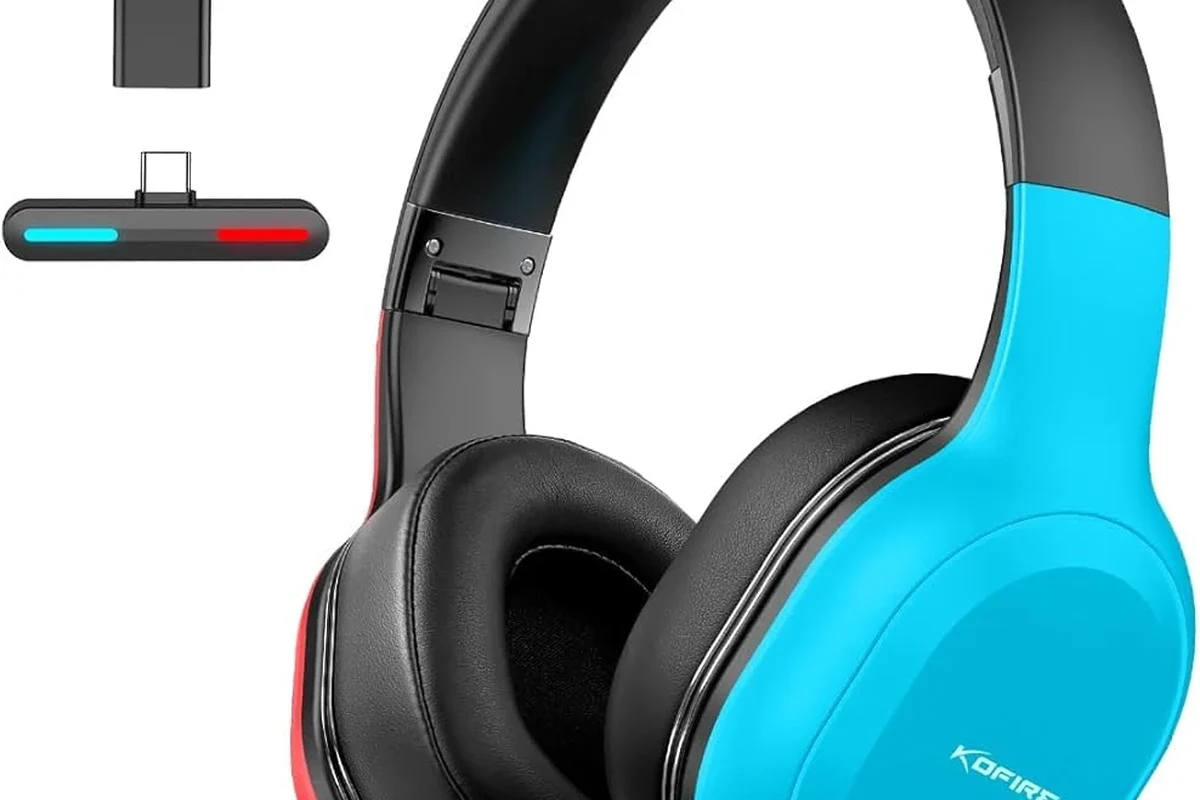
USB wireless gaming headsets are one of the easiest solutions. They usually come with a dongle that plugs into the PS5 and creates a dedicated wireless link designed for gaming.
This setup often gives you better stability and lower delay than standard Bluetooth. It is also usually simpler than using a separate transmitter, because the headset and dongle are meant to work together.
If you want wireless gaming without the usual Bluetooth headaches, look for a headset that includes a USB dongle made for console use.
3.5mm wired headset through the DualSense controller
A wired headset plugged into the DualSense controller is the most straightforward option. It avoids Bluetooth delay entirely and usually gives you a reliable connection for both audio and voice chat.
For many players, this is still the best value choice. If you are comparing wired and wireless sound quality in general, our article on Bluetooth vs wired headphones sound quality is a useful next read.
Bluetooth transmitter adapters for PS5
A Bluetooth transmitter can add wireless headphone support to the PS5 by sending audio from the console to your headset. This can be helpful if you already own Bluetooth headphones and want to avoid buying a new gaming headset.
That said, adapter quality matters a lot. Some transmitters work better than others, and you may still notice latency, reduced mic support, or inconsistent pairing depending on the setup.
Many gamers choose wired or dongle-based audio not because it sounds “better,” but because it is more predictable during fast gameplay.
Which Option Is Best for Different Gamers? Practical Examples
The best PS5 headphone setup depends on how you play. A budget player, a competitive gamer, and a casual couch gamer often need very different things.
Budget players looking for the cheapest fix
If you want the lowest-cost option, a 3.5mm wired headset is often the easiest answer. You do not need batteries, dongles, or extra adapters, and setup is usually simple.
Some Bluetooth transmitter adapters are affordable too, but the cheapest one is not always the best choice if audio delay or connection dropouts become annoying.
Competitive gamers who need low latency
Competitive players usually want the most consistent audio timing possible. In that case, wired headsets or high-quality USB wireless dongle headsets are usually safer than standard Bluetooth.
Fast reaction games can make even small delay feel distracting. If you care about footsteps, directional cues, or chat clarity, prioritize stability over convenience.
Casual players who want convenience over perfection
Casual players may be fine with a Bluetooth transmitter if the goal is simple couch gaming and relaxed play. If a little latency does not bother you, that setup can be convenient.
Just keep expectations realistic. A Bluetooth workaround can be useful, but it may not feel as seamless as a headset designed specifically for the PS5.
- Flexible options for different budgets
- Wired setups are simple and reliable
- USB dongles often reduce lag
- Native Bluetooth support is limited
- Adapters can add delay or complexity
- Mic and chat support may vary
Cost Comparison: Built-In Bluetooth Workarounds vs PS5-Compatible Headsets
Price matters, but so does convenience. A cheaper workaround can become less appealing if it creates lag, setup problems, or poor mic performance.
Price range of Bluetooth adapters
Bluetooth transmitter adapters usually range from budget-friendly to mid-range, depending on features and build quality. The price can vary by brand, supported codecs, and whether the adapter is made for console use.
Some adapters are good for basic audio only, while others try to improve latency or support multiple devices. Even then, results can differ from one headset to another.
Price range of dedicated wireless gaming headsets
Dedicated PS5-compatible wireless headsets often cost more than a simple adapter, but they are usually easier to live with. You are paying for a system that is built around gaming use rather than general Bluetooth listening.
That extra cost can be worth it if you want fewer connection problems and better out-of-the-box compatibility. Still, the right pick depends on your budget and how often you game.
Common Mistakes to Avoid When Using Headphones on PS5
A lot of frustration comes from buying the wrong kind of headset for the job. A little research before you buy can save time, money, and setup headaches.
Buying unsupported Bluetooth earbuds without checking compatibility
Not every Bluetooth earbud set will work well with the PS5, even if it works perfectly with a phone. Some users assume “Bluetooth is Bluetooth,” but gaming consoles often have stricter rules.
Before buying, check whether the headset is officially compatible, uses a USB dongle, or requires a transmitter. If you are still learning the basics of wireless audio, our Bluetooth headphones explained guide is a good place to start.
Ignoring latency, mic support, and audio quality trade-offs
It is easy to focus only on whether the headphones connect. But for PS5 gaming, latency, microphone support, and stable audio quality matter just as much.
A headset that sounds good for music may still be a poor gaming choice if the audio arrives late or chat features do not work properly. Always match the headset to the way you actually play.
- Does it use a USB dongle, wired jack, or Bluetooth transmitter?
- Is microphone support important for your games?
- Do you care more about low latency or total convenience?
Expert Advice: What Top Headphone Reviews Recommends in 2025
For most PS5 players, the best choice is the one that gives you stable audio with the least hassle. That usually means a wired headset, a USB wireless gaming headset, or a carefully chosen adapter setup.
When to choose wired, wireless dongle, or adapter-based audio
Choose wired if you want the simplest and most reliable option. Choose a USB wireless dongle headset if you want convenience without relying on standard Bluetooth.
Choose an adapter only if you already own Bluetooth headphones and are comfortable accepting possible trade-offs. If you want a broader look at headphone styles, our types of headphones explained article can help narrow down your options.
Warning signs that a “Bluetooth fix” may disappoint
Be cautious if a product promises universal compatibility without explaining latency or microphone support. Those are common signs that the experience may not be ideal for gaming.
Also be wary of vague product listings that do not clearly say how the audio connects to the PS5. Clear compatibility details are usually a better sign than flashy marketing.
If you have ongoing ear discomfort, ringing, or hearing concerns, consider speaking with an audiologist. For long gaming sessions, a comfortable fit and safe volume matter just as much as sound quality.
Final Recap: Do Bluetooth Headphones Work on PS5 or Not?
So, do Bluetooth headphones work on PS5? Not in the simple native way most people hope for. The PS5 generally needs a workaround such as a USB wireless dongle, a wired controller connection, or a Bluetooth transmitter.
If you want the most reliable experience, go wired or choose a PS5-compatible wireless headset made for gaming. If you already own Bluetooth headphones, an adapter can help, but it is worth checking the trade-offs before you buy.
Frequently Asked Questions
Wired headphones are usually more reliable and have no Bluetooth-style delay. Wireless headsets with a USB dongle can also work well if you want more freedom.
Check the connection type, microphone support, latency, comfort, and official compatibility notes. It also helps to compare battery life, weight, and ear cushion materials.
Noise-cancelling headphones can help block background noise and improve focus. Just make sure they still sound clear for game audio and do not feel too heavy for long sessions.
Closed-back headphones usually isolate sound better and are better for shared spaces. Open-back headphones can feel more spacious, but they leak sound and offer less outside noise control.
There is no single best driver type for everyone, because tuning matters as much as driver size. For gaming, clarity, directional cues, and balanced bass are often more useful than raw power.
Look for a lightweight design, soft ear cushions, and an adjustable headband. If you feel pressure or heat buildup, take breaks and consider a different fit or material.