How Do You Use Headphones on Xbox One Easily and Fast

Use a wired headset in the Xbox One controller for the easiest setup, or pair an Xbox-compatible wireless headset if you want no cable clutter. Bluetooth-only headphones often need workarounds, so check compatibility and audio settings if you do not hear game or chat sound.
If you want to know how do you use headphones on Xbox One, the fastest answer is usually simple: plug a wired headset into the controller, or pair an Xbox-compatible wireless headset. The exact method depends on your headset type, your controller, and whether you need game audio, chat audio, or both.
- Easiest method: Plug a 3.5mm headset into the controller.
- Best wireless option: Use an Xbox-compatible wireless headset.
- Common issue: Bluetooth-only headphones may not work directly.
- Setup fix: Check output settings, mic mute, and chat balance.
- Safety: Keep volume moderate during long sessions.
How Do You Use Headphones on Xbox One: What You Need to Know First

Before you buy or connect anything, it helps to understand what the Xbox One can and cannot do with headphones. That saves time and avoids the common mistake of assuming every Bluetooth or phone headset will work the same way.
Understanding Xbox One headphone support in 2026
In 2026, Xbox One still supports wired headsets through the controller and wireless headsets made for Xbox. Some setups also work through your TV, monitor, or an audio extractor, but those are usually workarounds rather than the cleanest solution.
One important limitation is that Xbox One does not treat standard Bluetooth headphones like a typical phone or laptop would. If your headset is Bluetooth-only, it may not connect directly for game audio and chat.
What players usually mean by “using headphones” on Xbox One
When players ask how do you use headphones on Xbox One, they usually mean one of three things: hearing game audio privately, using voice chat in multiplayer, or doing both at the same time. The right setup depends on which of those matters most to you.
For casual play, simple audio-only use may be enough. For online gaming, you will want a headset with a microphone and a connection method that supports chat properly.
Best Ways to Connect Headphones to Xbox One

There are a few reliable ways to get sound from Xbox One into headphones. The best option depends on whether you already own a wired headset, want a wireless setup, or need to route audio through another device.
Using a wired headset through the Xbox One controller
This is the easiest and most common method. If your headset has a 3.5mm plug, connect it directly to the headphone jack on the Xbox One controller, then make sure the headset is seated fully.
Some older controllers may need a headset adapter, especially if they do not have a built-in 3.5mm port. If you use an adapter, check that it is firmly attached and compatible with your controller model.
Connecting wireless Xbox-compatible headsets
Wireless headsets designed for Xbox usually connect through Xbox Wireless, not regular Bluetooth. That means pairing is often done through the console settings or by using the headset’s pairing button.
These headsets are often the cleanest choice for people who want fewer cables and easier movement. If you also want more guidance on wireless audio basics, our guide to connecting Bluetooth headphones can help explain the difference between Bluetooth and console-specific wireless connections.
Using a TV, monitor, or audio extractor as a workaround
Some players route Xbox audio through a TV or monitor and then plug headphones into that display. Others use an audio extractor or external DAC to split or improve the signal before sending it to headphones.
This can be useful if your controller jack is unavailable or you want a different sound path. Still, it may add extra setup steps, and audio quality can vary depending on the device and cable chain.
Step-by-Step Setup for Fast Audio and Chat Access
If you want a quick setup, focus on the connection type first, then adjust the Xbox sound settings. A few small changes can make the difference between “connected” and “actually usable.”
How to plug in wired headphones correctly
Make sure your Xbox One controller has a 3.5mm port or a properly attached headset adapter.
Push the headphone plug in until it clicks or feels secure. A loose plug can cause one-sided sound or no mic detection.
Open a game or party chat and confirm that sound plays through the headset instead of the TV.
If the headset includes inline controls, set the volume and mic mute switch before testing. A small control wheel or mute button can make a big difference in whether the headset seems to work.
How to pair and assign a wireless headset
Turn on the headset, then put it in pairing mode according to the manufacturer’s instructions. On the console, use the pairing process for Xbox Wireless headsets or the supported wireless method for your model.
After pairing, check that the headset is selected for audio output and, if needed, chat input. If you are comparing headset types for comfort and fit, our types of headphones explained guide can help you choose a style that suits long gaming sessions.
How to adjust game and chat audio balance
Once the headset is connected, adjust the balance between game sound and voice chat. Many Xbox headsets and controller settings let you shift audio toward chat if teammates sound too quiet, or toward game audio if the mix feels flat.
This part matters more than many players expect. A good balance can improve awareness in competitive games and make party chat easier to follow without turning everything up too loud.
Headphone Types That Work Best with Xbox One
Not every headphone type is equally convenient on Xbox One. Some are simple and reliable, while others work only in limited ways or require extra accessories.
3.5mm wired gaming headsets
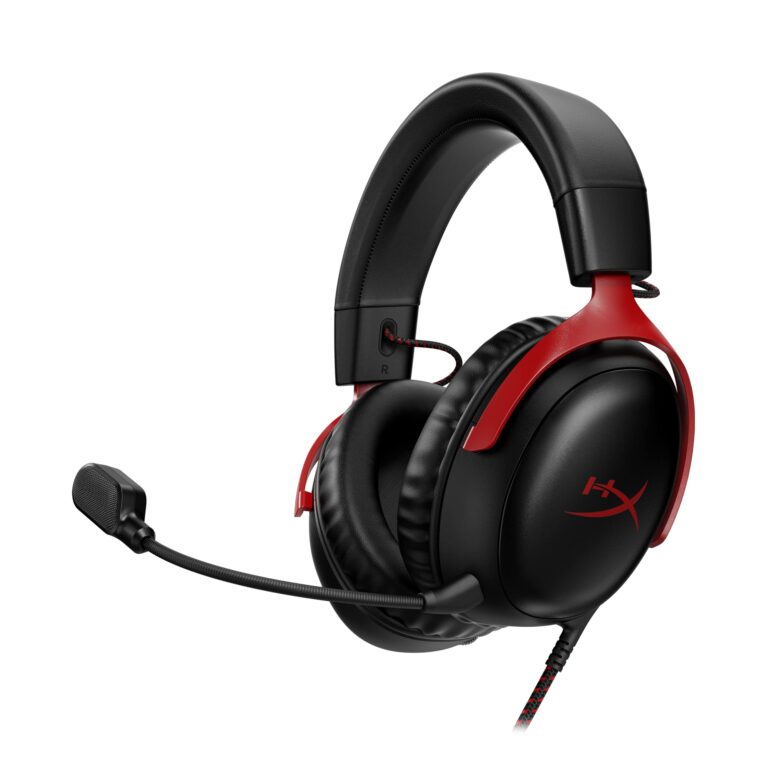
Wired gaming headsets with a 3.5mm plug are usually the most straightforward choice. They are easy to set up, widely available, and often support both audio and microphone use through the controller.
For many players, this is still the best value because there is no battery to charge and no pairing process to troubleshoot. Sound quality and mic quality can still vary a lot by brand and model, so it is worth reading reviews before buying.
Xbox Wireless headsets and compatible models
Xbox Wireless headsets are built for smoother console integration. They often provide a more seamless connection than generic wireless options and may be easier to manage for chat and game sound at the same time.
These models are especially appealing if you want less cable clutter and a more console-friendly experience. The tradeoff is that they can cost more than basic wired options, and comfort will still depend on the headband, ear cushions, and weight.
Bluetooth headphones: what works, what does not
Bluetooth headphones are a common source of confusion. In many cases, they do not connect directly to Xbox One for normal gaming audio the way they do on phones or tablets.
Some workarounds exist, but they can introduce latency, limited chat support, or extra hardware. If you are curious about why Bluetooth behaves differently, our Bluetooth headphones explained guide gives a simple overview of how the connection works.
Budget vs premium options for casual and competitive players
Budget headsets are fine for party chat, casual gaming, and basic private listening. Premium headsets may offer better mic clarity, stronger comfort for long sessions, and more useful controls, but the best choice depends on how often you play.
If you want a broader buying baseline for value, our best headphones under 100 guide can help you think through what features matter most at lower price points.
Common Mistakes That Stop Headphones from Working on Xbox One
Most headphone problems on Xbox One come from setup errors, not broken hardware. A quick checklist often solves the issue without needing a replacement.
Wrong controller, cable, or adapter setup
One of the most common mistakes is using a controller that does not support the headset properly, or forgetting to use the correct adapter. A damaged cable can also cause crackling, low volume, or no sound at all.
If your headset works elsewhere but not on Xbox One, the controller connection is one of the first things to check.
Audio output settings left on TV speakers
Sometimes the headset is physically connected, but the console is still sending audio to the TV. In that case, you may hear nothing in your headphones even though the connection seems fine.
Always check both the console audio settings and the headset volume controls. A headset can be connected correctly and still stay silent if output routing is wrong.
Mic not detected or chat audio too low
If other players cannot hear you, the microphone may be muted, the plug may not be fully inserted, or chat permissions may need adjustment. If chat audio is too low, the balance may be set too far toward game sound.
These are small issues, but they are easy to overlook when you are in a hurry. For voice chat, it helps to test in a party before joining a competitive match.
Bluetooth pairing confusion and unsupported connections
Many users expect any Bluetooth headset to work like it does on a phone. On Xbox One, that assumption often causes frustration because the console’s wireless support is more specific than people expect.
Do not buy a Bluetooth-only headset expecting a guaranteed direct Xbox One connection. Compatibility depends on the headset and the connection method, and many standard Bluetooth models will not support full console audio and chat.
Expert Advice: Getting Better Sound, Chat, and Comfort
Once your headset works, the next step is making it sound better and feel better. That usually means choosing the right accessories, tuning the audio, and avoiding low-quality gear that causes problems later.
When to use a headset adapter or external DAC
A headset adapter can help if your controller lacks the connection you need or if you want easier volume and chat control. An external DAC may be useful in some setups, especially if you are routing audio through a monitor or another source.
These tools are not required for everyone, but they can improve flexibility. Just remember that each extra device adds another possible point of failure.
How to improve voice chat clarity and game immersion
For clearer chat, keep the mic close to your mouth without letting it rub against clothing. For better immersion, adjust the game/chat mix so voices stay understandable while the game still feels detailed and spacious.
Comfort also matters more during long sessions than many players realize. Lightweight designs and soft ear cushions often feel better than bulky headsets, even if the specs look similar on paper.
Warning signs that a cheap headset may cause issues
Very cheap headsets can work fine at first, but some have weak cables, poor microphone pickup, or uncomfortable padding that gets worse over time. If the headset feels fragile in your hands, it may not hold up well with regular gaming.
Listening at high volumes for long periods can cause hearing damage. Keep volume at 60% or below for extended sessions.
If you notice ringing, ear pain, or persistent muffled hearing after gaming, follow safe listening habits and consider speaking with an audiologist.
Price, Value, and Headphone Choices for Different Players
The best Xbox One headphone choice depends on how you play, not just how much you want to spend. A simple wired model may be perfect for one player, while another may benefit from wireless convenience or stronger chat performance.
Low-cost solutions for basic gaming and party chat
Low-cost wired headsets are usually the easiest starting point. They are practical for party chat, story games, and anyone who wants private audio without paying for extra features.
At this level, focus on a secure plug, a working microphone, and comfortable ear pads more than flashy branding.
Mid-range picks for balanced performance and convenience
Mid-range headsets often offer a better mix of comfort, build quality, and mic performance. This is a sweet spot for players who game regularly and want fewer compromises.
Many people find this range ideal because it improves the experience without pushing into premium pricing or complicated setup.
High-end headset features worth paying for in 2026
Higher-end models may offer better wireless convenience, more refined sound tuning, improved materials, and stronger long-session comfort. Some also include stronger noise isolation or more intuitive controls, depending on the design.
Still, premium features are only worth it if you will actually use them. If you mainly play occasionally, a simpler headset may be the smarter buy.
Final Recap: The Fastest Way to Use Headphones on Xbox One
If you want the fastest path, use a wired headset through the controller or choose an Xbox-compatible wireless headset. Those two options are usually the most reliable and easiest to manage for both game audio and chat.
Quick summary of the easiest setup paths
Wired headsets are the simplest because they plug in and usually work right away. Wireless Xbox headsets are the best next option if you want freedom from cables and a more streamlined setup.
TV, monitor, and extractor workarounds can help in special cases, but they are not usually the first choice for beginners.
Best choice by user type: casual, multiplayer, or budget-focused
Casual players should start with a basic wired headset. Multiplayer players may prefer an Xbox-compatible wireless model for convenience and chat control.
Budget-focused buyers should prioritize compatibility and comfort first, then sound quality second. That approach usually leads to a better purchase than chasing the highest spec sheet.
- Wired 3.5mm headsets are the easiest Xbox One option.
- Xbox-compatible wireless headsets are best for cable-free play.
- Bluetooth-only headphones are often not directly supported.
- Check audio output, mic mute, and chat balance if sound fails.
Frequently Asked Questions
Wired headsets are usually the simplest and most reliable because they plug into the controller. Wireless Xbox-compatible headsets are better if you want fewer cables and easier movement.
Standard Bluetooth headphones often do not connect directly to Xbox One for full game audio and chat. Some workarounds exist, but compatibility depends on the headset and setup.
Over-ear headsets are usually the most comfortable for long sessions because they spread pressure across a larger area. Ear cushion material, weight, and clamping force matter a lot too.
Noise-cancelling headphones can help reduce outside distractions, especially in shared spaces. They do not automatically improve game audio quality, so comfort and compatibility still matter.
Check connection type, microphone support, comfort, and whether the headset is officially compatible with Xbox. Sound tuning, battery life, and build quality may also matter depending on your play style.
Keep volume at a moderate level and take breaks during long sessions. If you notice ringing, discomfort, or muffled hearing, reduce volume and consider speaking with an audiologist.