Xbox Compatible Headset

The best Xbox compatible headset is one that matches your connection type, comfort needs, and chat priorities. For most players, official Xbox Wireless or a wired 3.5mm headset is the safest place to start.
An Xbox compatible headset is any headset that can connect to an Xbox console in a way that supports game audio, voice chat, or both. The best choice depends on how you play: casual couch gaming, competitive multiplayer, party chat, or cross-platform use with PC and mobile.
- Compatibility first: Xbox support depends on the connection method, not just the word “wireless.”
- Comfort matters: A headset that feels good for long sessions is usually the better buy.
- Mic clarity counts: Clear voice chat is essential for multiplayer and party chat.
- Bluetooth has limits: Many Bluetooth headsets do not work directly with Xbox game audio.
- Check the details: Verify official specs, warranty terms, and current availability before purchasing.
Xbox Compatible Headset: What It Is and Who It’s For
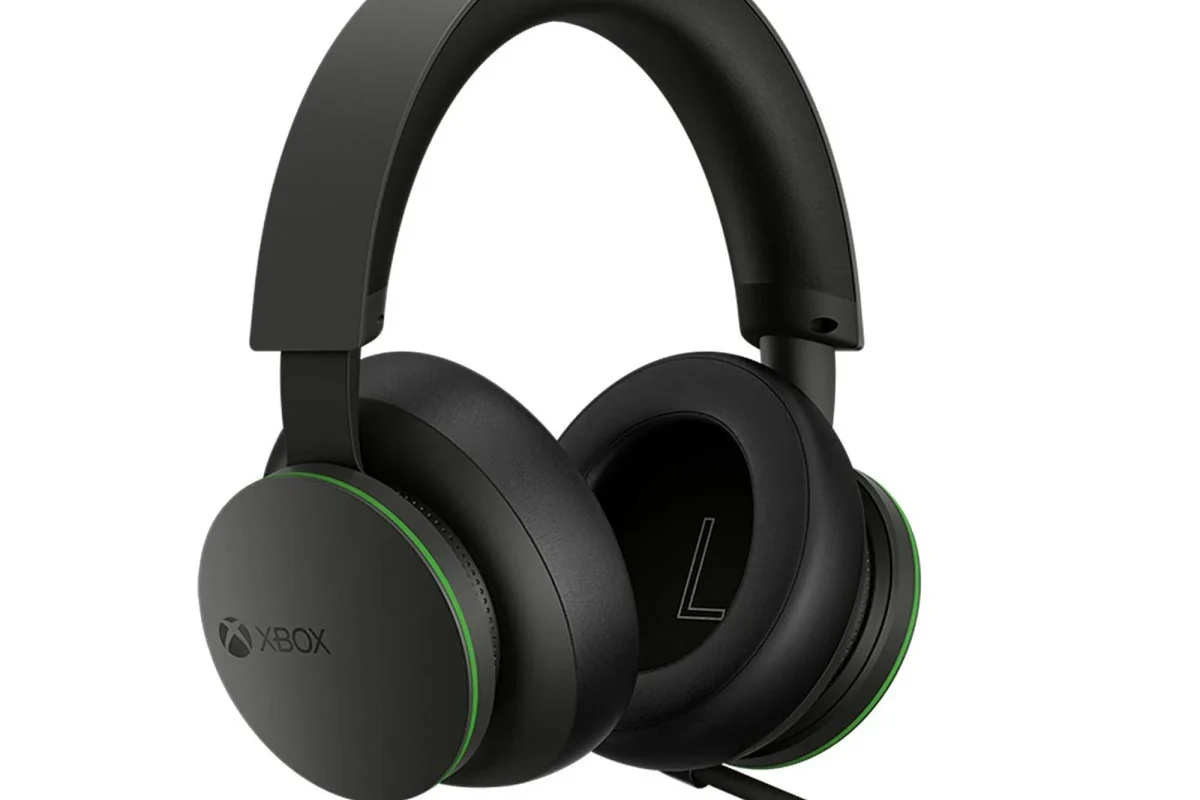
“Xbox compatible” does not mean one universal connection type. Some headsets plug into the controller, some use Xbox Wireless, and others work through a PC, phone, or TV instead of directly with the console.
Quick answer: the best Xbox compatible headset for most players
For most players, the safest pick is a comfortable headset with clear mic performance, simple controls, and a connection method that works natively with Xbox. If you want fewer setup headaches, prioritize official Xbox Wireless support or a reliable 3.5mm wired option over a Bluetooth-only model.
Who should buy one: casual gamers, competitive players, and party chat users
Casual players usually want easy setup and decent comfort. Competitive players need low-latency audio, accurate directional cues, and a microphone that keeps callouts understandable. Party chat users often care most about comfort, sidetone, and a mic that does not make their voice sound thin or muffled.
Why Xbox compatibility matters in 2026
In 2026, compatibility still matters because not every wireless headset works directly with Xbox consoles. Xbox has its own wireless ecosystem, and standard Bluetooth remains limited for direct console audio on many models. Before buying, confirm the headset’s official support page and the console generation it is designed for.
When a headset says it is “Xbox compatible,” the important question is not the label itself but the connection method, chat support, and comfort for your play style.
How to Choose the Right Xbox Compatible Headset
The right headset depends on how you connect, how long you wear it, and how much you value voice chat versus pure sound quality. A good buying decision starts with compatibility, then moves to comfort and audio tuning.
Wired vs. wireless: latency, convenience, and price
Wired headsets usually cost less and avoid charging, which is useful if you play often or do not want battery anxiety. Wireless headsets are more convenient, but you should consider latency, battery life, and whether the model uses Xbox Wireless or another supported connection.
Connection types: Xbox Wireless, 3.5mm, USB, and Bluetooth limitations
Xbox Wireless is the cleanest option for many players because it is designed for the console. A 3.5mm headset is simple and widely compatible through the controller, while USB support depends heavily on the headset and console model. Bluetooth is the most misunderstood option; many Xbox consoles do not accept standard Bluetooth headsets for direct game audio the way phones and PCs do.
If you need a deeper walkthrough, see how to connect wireless headphones to Xbox Series X and this guide on using Bluetooth headphones on Xbox Series X.
Sound quality priorities: game audio, spatial sound, and bass balance
For gaming, the most useful sound is not always the loudest bass. Clear mids help you hear dialogue and footsteps, while controlled bass keeps explosions from drowning out everything else. Spatial sound features can improve direction cues in supported games, but they work best when the headset is tuned well in the first place.
Mic quality and voice chat clarity for multiplayer
A headset microphone should make speech easy to understand without exaggerated hiss or background noise. Look for a mic that handles your normal voice volume well and includes a mute function that is easy to reach. If you often chat in noisy rooms, mic monitoring and noise suppression can be helpful, though the exact quality varies by model.
Comfort and fit: clamping force, ear cup size, and long-session wear
Comfort matters as much as audio because a headset that sounds good but feels tight will not be pleasant for long sessions. Check ear cup depth, headband padding, and overall weight if that information is available from the manufacturer. If you wear glasses, softer pads and moderate clamping force can make a real difference.
A simple wired or easy wireless headset is often enough if you mainly want game sound and party chat.
Xbox compatibility matters less here; you may want a separate headset for travel and a gaming model for home use.
Focus on tuning, mic quality, and comfort rather than marketing terms like “surround” or “pro sound.”
Build materials, durability, and value for the money
Plastic construction is not automatically bad, but hinges, cables, and yokes should feel secure. Metal reinforcement can help durability, though it does not guarantee a better headset. Value comes from balancing sound, comfort, and reliability instead of paying extra for features you will not use.
Best Features to Look For in 2026
Many headset features sound impressive on a product page, but only a few matter every day. In 2026, the most useful upgrades are still practical ones: battery convenience, easy controls, and support for the devices you actually use.
Battery life and charging convenience for wireless models
For wireless headsets, battery life affects whether the headset feels effortless or annoying. A charging dock, USB-C charging, or a quick-charge feature can be more valuable than a flashy app. If battery claims matter to you, verify them on the official product page because runtime can vary by volume, features, and firmware.
Noise isolation vs. active noise canceling
Noise isolation comes from the ear cups physically blocking sound, while active noise canceling, or ANC, uses microphones and processing to reduce steady background noise. ANC can help in shared homes or noisy rooms, but it is not required for gaming and may add cost or weight. Passive isolation is often enough if you mostly play in a quiet space.
On-ear controls, mute functions, and ease of use
Quick-access volume dials, mute switches, and sidetone controls can make a headset easier to live with. The best controls are the ones you can find without looking away from the screen. If the headset uses an app for basic functions, make sure you are comfortable with that extra step.
Compatibility with Xbox Series X, Series S, and older Xbox consoles
Not every headset supports every Xbox generation in the same way. Xbox Series X and Series S are the main targets for newer models, but some headsets also work with Xbox One or older consoles through a controller jack or adapter. Always check the manufacturer’s compatibility chart before buying.
Cross-platform use for PC, mobile, and cloud gaming
Many buyers want one headset for Xbox and other devices. That can be a smart move if you also game on PC or use cloud gaming, but cross-platform support is not always seamless. A headset may work differently over Bluetooth, dongle, or cable, so confirm how it behaves on each device.
Xbox Wireless headset style models
Best for players who want a straightforward console connection and fewer pairing issues, though battery and app features vary by brand.
Wired 3.5mm gaming headsets
Best for budget buyers and anyone who prefers plug-and-play simplicity, with the trade-off of a cable.
Real-World Benefits of a Good Xbox Compatible Headset
A good headset is not just about louder sound. It can change how clearly you communicate, how much you notice in-game details, and how comfortable long sessions feel in a shared home.
Better team communication in competitive games
In team-based games, clear voice chat can help with callouts, coordination, and faster reactions. A headset with a clean mic and low-latency audio reduces the chance that you miss important cues. For competitive play, clarity matters more than exaggerated bass.
More immersive single-player audio and spatial awareness
Story-driven games often benefit from a balanced headset that keeps dialogue intelligible while still delivering atmosphere. Spatial cues can make environments feel larger and more detailed, especially when the game supports them. The headset does not need to be expensive to be immersive if its tuning is balanced.
Less distraction in shared living spaces
Headsets help you keep game audio to yourself, which is useful in apartments, dorms, and family homes. This can make late-night sessions easier and reduce the need to keep TV speakers loud. A comfortable headset also makes it easier to stay focused when the room is noisy.
Improved convenience for long gaming sessions and daily use
Many gamers use the same headset for party chat, streaming, work calls, and casual listening. That makes comfort, mic flexibility, and easy controls especially important. A headset that is pleasant to wear for hours is usually more useful than one that only sounds impressive for a few minutes.
If you split time between Xbox and PC, look for a headset with clear device-switching instructions and a wired fallback option in case wireless pairing becomes inconvenient.
Common Mistakes Buyers Make
Many headset regrets come from compatibility assumptions rather than sound quality. A little checking before purchase can prevent the most common problems.
Assuming every Bluetooth headset works directly with Xbox
This is one of the biggest mistakes. Standard Bluetooth works great with phones and many laptops, but Xbox support is different and often limited. If you want to understand the difference in more detail, read can you connect Bluetooth headphones to Xbox Series S.
Overpaying for features you may not use
Premium features like advanced ANC, companion apps, or multiple EQ presets are only valuable if you will actually use them. Many players are better served by a comfortable, reliable headset with a good mic and native Xbox support. Pay for the features that solve your real problems.
Ignoring comfort and weight for marathon sessions
Heavy or tight headsets can become distracting over time. Even a great-sounding model can feel tiring if the headband pressure is too strong or the ear pads are shallow. Comfort is especially important for players who use a headset every day.
Buying for style instead of mic performance and compatibility
RGB lighting and aggressive styling do not improve chat quality or Xbox support. A headset that looks flashy but has a weak mic or awkward connection can be frustrating fast. Focus on the basics first: fit, mic, and the right connection type.
- Better chat clarity and team coordination
- More immersive game audio and direction cues
- Less noise for people around you
- Some models need careful compatibility checking
- Wireless options add charging and battery concerns
- Comfort and mic quality vary widely by model
Safe Use, Setup, and Care Guide
Good headset habits protect both the gear and your hearing. Follow the manufacturer’s instructions for setup and care, and use recognized safe-listening guidance from health authorities when setting volume.
How to connect and pair an Xbox compatible headset correctly
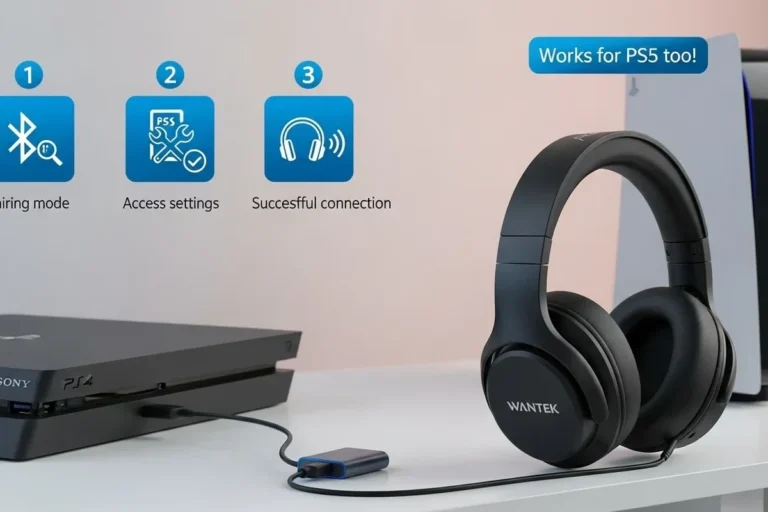
Start by confirming the connection type: controller jack, Xbox Wireless, USB, or another supported method. Then follow the manufacturer’s pairing steps exactly, since some headsets require a button sequence or app setup. If you need a step-by-step walkthrough, see how to connect headphones to Xbox Series X easily and can you connect wireless headphones to Xbox easily.
Use the headset’s official manual or support page to confirm whether it works through Xbox Wireless, a 3.5mm jack, USB, or an adapter.
Do not assume Bluetooth alone will work with Xbox game audio.
Make sure voice chat, sidetone, and volume controls behave the way you expect before a long session.
Volume safety and hearing protection during long sessions
Keep volume at a moderate level and take breaks during long sessions. Health authorities such as the World Health Organization recommend safe listening habits rather than pushing volume as high as possible. If you notice ringing, muffled hearing, or discomfort, lower the level and give your ears a rest.
Avoid listening at high volume for extended periods, and do not ignore hearing discomfort. If you have ongoing hearing concerns, speak with a hearing specialist or doctor.
Cleaning ear pads, headbands, and microphone booms
Wipe ear pads and headbands with a soft, slightly damp cloth according to the manufacturer’s cleaning guidance. For removable pads, follow the brand’s instructions before washing or replacing them. Keep the microphone boom free of dust and debris so speech stays clear.
Storage, charging habits, and cable care to extend lifespan
Store the headset in a cool, dry place and avoid crushing the ear cups in bags or drawers. Use the charging cable and charger recommended by the manufacturer, and stop using any cable or unit that is frayed, cracked, swollen, or overheating. For wired headsets, gentle coiling helps reduce stress on the plug and cable.
Stop using any charging cable, battery, or unit that is frayed, swollen, cracked, or overheating, and follow the manufacturer’s safety guidance.
Value, Limitations, and Final Recommendation
The best value depends on how much flexibility you want and how strict your budget is. Since prices and availability change often, confirm current listings, warranty terms, and return policies before you buy.
What a fair price looks like for budget, midrange, and premium options
Budget headsets usually focus on basic wired functionality and acceptable mic quality. Midrange models often improve comfort, wireless convenience, and chat clarity. Premium options may add stronger materials, better tuning, or more advanced features, but those extras only matter if they fit your use case.
What this guide can and cannot prove without hands-on testing
This guide can help you compare connection types, feature priorities, and common trade-offs, but it cannot verify how a specific headset sounds in your room or fits your head. For final confirmation, check official specs, user manuals, warranty pages, and retailer return terms. When possible, compare multiple sources rather than relying on marketing language alone.
Best overall recommendation based on use case and budget
For most Xbox players, the best overall choice is a comfortable headset with official Xbox support, a clear microphone, and simple controls. If you want the most dependable setup, a wired 3.5mm model is often the easiest value pick, while wireless Xbox-compatible models make sense if you want freedom from cables and are willing to manage charging.
When to choose an alternative headset or audio setup
Choose a different setup if you mainly play on mobile, need strong Bluetooth flexibility, or want studio-style sound for music first and gaming second. In those cases, a separate gaming headset, a PC-focused wireless model, or a headphone-plus-mic setup may be a better fit than forcing one product to do everything.
- Pick the connection type first, because Xbox compatibility is not the same as Bluetooth compatibility.
- Comfort and mic clarity matter as much as sound quality for long gaming sessions.
- Check official specs, current compatibility notes, and return policies before buying.
Common Questions
A wired 3.5mm headset is usually the easiest because it plugs into the controller. Xbox Wireless models are also simple if you want a cable-free setup.
Not usually. Many Xbox consoles do not support standard Bluetooth headsets for direct game audio, so check the official compatibility details first.
For most gamers, both matter, but mic clarity is especially important for multiplayer. If you play solo more often, sound tuning may matter a bit more.
No. Higher prices can add convenience or features, but comfort, compatibility, and mic quality matter more than marketing terms.
Check ear cup size, headband padding, weight, and clamping force if the brand provides those details. Return policy matters too, because fit is personal.
Frequently Asked Questions
A wired 3.5mm headset is usually the simplest because it plugs into the controller and does not need charging. If you want wireless freedom, choose a model with official Xbox support and follow the pairing steps carefully.
Xbox consoles handle Bluetooth differently from phones and many PCs. That means a Bluetooth headset may connect to another device but still fail to deliver direct Xbox game audio.
Clear microphone pickup, easy mute controls, and comfortable long-wear design matter most. Sidetone can also help because it lets you hear your own voice naturally.
Choose the right ear cup size, avoid overly tight clamping force, and take short breaks. If a headset feels heavy or hot after a while, it may not be the best long-session choice.
Use a soft cloth and follow the manufacturer’s cleaning guidance for pads and microphone parts. Store it in a cool, dry place and avoid bending cables sharply or crushing the ear cups.
Keep volume moderate and rest your ears during long play sessions. Use the recommended charger and stop using any cable or battery that looks damaged, swollen, or overheats.