Can You Connect Bluetooth Headphones to Xbox Series S Easily

No, Xbox Series S does not connect to standard Bluetooth headphones directly. The easiest options are an Xbox Wireless headset, a wired controller connection, or a TV/transmitter workaround.
If you’re asking, can you connect bluetooth headphones to xbox series s, the short answer is no—not directly in the usual way. Xbox Series S does not support standard Bluetooth audio for most headphones, so you’ll need an Xbox Wireless headset or a workaround such as a TV, monitor, or Bluetooth transmitter.
- Direct Bluetooth: Not supported for most headphones on Xbox Series S.
- Best native choice: Xbox Wireless headsets are the simplest option.
- Workarounds: TV, monitor, or transmitter setups can work with limits.
- Gaming performance: Wired or Xbox Wireless usually gives lower latency.
Can You Connect Bluetooth Headphones to Xbox Series S in 2025?

In 2025, the answer is still the same for most users: Xbox Series S does not pair with regular Bluetooth headphones the way a phone, laptop, or tablet does. That means AirPods, many travel headphones, and standard wireless earbuds usually will not connect directly for game audio.
There are a few exceptions and workarounds, but they depend on your setup. If your goal is simple plug-and-play gaming sound, the easiest route is still an Xbox-compatible wireless headset or a wired headset connected to the controller.
Why Xbox Series S Does Not Support Standard Bluetooth Audio
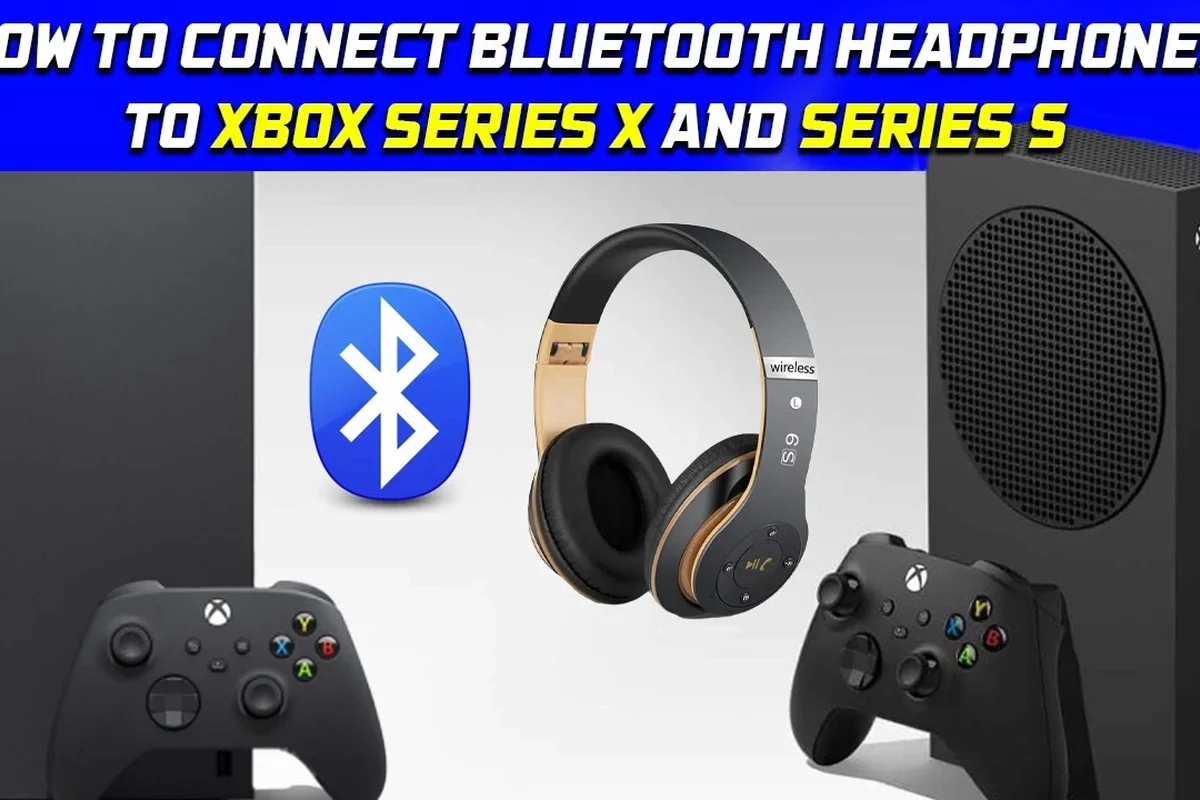
Microsoft designed the Xbox audio ecosystem around its own wireless system rather than standard Bluetooth. That choice helps reduce delay and keeps voice chat and game audio more stable for gaming.
If you want a deeper background on how wireless headphone pairing works in general, our guide on how to connect Bluetooth headphones explains the basic pairing process on devices that do support it.
How Xbox Wireless differs from Bluetooth
Xbox Wireless is Microsoft’s proprietary connection method for supported headsets and controllers. It is built for lower latency and tighter game/chat integration than typical Bluetooth audio.
Bluetooth is more universal, but it is not always ideal for fast-paced gaming. Even when it works through a workaround, you may notice delay, reduced mic support, or audio quality changes depending on the adapter or TV path.
What this means for headphone compatibility
Not every wireless headset is Xbox-ready. A headset may work perfectly with a phone or PC and still fail to connect directly to a Series S.
Before buying, check whether the headset specifically supports Xbox Wireless, wired 3.5 mm connection through the controller, or a USB dongle that is listed as Xbox-compatible. This is one of the most common points of confusion for buyers.
Best Ways to Use Wireless Headphones with Xbox Series S
There are several practical ways to get wireless audio on Xbox Series S, but they are not all equal. The best option depends on whether you care most about simplicity, chat support, sound quality, or latency.
Xbox Wireless headsets: the simplest native option
If you want the least hassle, an Xbox Wireless headset is usually the cleanest choice. It pairs directly with the console and is designed for game audio and party chat.
This option is usually best for players who want reliable performance without extra adapters. It also avoids many of the lag and microphone issues that can happen with Bluetooth workarounds.
Compatibility can vary by headset model, so always check for explicit Xbox support before buying. “Wireless” does not automatically mean “Xbox Wireless.”
Using a TV, monitor, or external audio device as a workaround
Another common method is sending Xbox audio to your TV or monitor, then using the display’s Bluetooth output if it supports it. Some TVs and sound systems can transmit audio to Bluetooth headphones even when the console itself cannot.
This can be convenient for casual play, but it may introduce audio delay. For story games, streaming, or slower-paced titles, that might be acceptable. For competitive shooters, it may not be ideal.
Bluetooth transmitters and adapters: when they help
Bluetooth transmitters can sometimes solve the connection problem by plugging into the TV, monitor, or controller audio path. They are useful when you want to reuse headphones you already own.
That said, results vary a lot by adapter quality, codec support, and how the audio is routed. Cheap transmitters are more likely to cause dropouts, sync issues, or weak microphone support.
Many Bluetooth adapters only handle audio playback, not mic input. If party chat matters to you, confirm microphone support before you buy.
Step-by-Step: How to Connect Headphones to Xbox Series S the Right Way
The “right way” depends on which headset type you own. A direct Xbox Wireless headset setup is the easiest, while TV and transmitter methods require a few more checks.
Connecting an Xbox Wireless headset
Turn on the headset and put it in pairing mode, then use the Xbox pairing button on the console. Once the headset and console find each other, wait for the connection to complete before adjusting volume or chat balance.
If your headset includes an app or companion settings, use those later for EQ, mic monitoring, and sidetone adjustments. Start with the default settings first so you can confirm the connection is stable.
Charge it first and place it in pairing mode according to the manufacturer’s instructions.
Use the Xbox pairing button so the console can discover supported wireless headsets.
Test both game sound and voice chat before you start playing.
Pairing through a controller, TV, or transmitter setup
If you are using a wired headset, plug it into the controller’s 3.5 mm jack and make sure the controller firmware is updated. For Bluetooth workarounds, pair the headphones to the TV, monitor, or transmitter instead of the console.
For readers who want a broader overview of wireless pairing behavior, our article on Bluetooth headphones explained simply covers the basics in plain language.
If the connection feels unstable, try moving the transmitter closer, reducing interference, or using a different audio output path. Small placement changes can make a noticeable difference.
Testing game audio, chat audio, and latency
After setup, test three things: game sound, voice chat, and delay. A headset can sound fine in menus but still feel off once you are in a fast game or party chat.
If you notice a delay between controller action and sound, that is usually a sign the Bluetooth path is not ideal for gaming. For more troubleshooting ideas, our guide to Bluetooth headphone lag fix may help you understand why latency happens.
Even a small audio delay can feel much more noticeable in gaming than it does when watching videos or listening to music.
Common Mistakes People Make When Trying to Use Bluetooth Headphones on Xbox Series S
Most connection problems come from simple assumptions. The good news is that they are easy to avoid once you know what to watch for.
Assuming any Bluetooth headset will pair directly
This is the biggest mistake. Many people assume “wireless” means “Bluetooth,” but Xbox Series S does not work that way for standard headphones.
Before you buy, look for official Xbox support, a controller cable option, or a known-compatible adapter path. If you want to better understand how Bluetooth differs from other headphone types, our types of headphones explained guide is a helpful starting point.
Ignoring audio lag and microphone limitations
Some Bluetooth setups are fine for watching a movie but frustrating for gaming. Delay can make gunfire, footsteps, and dialogue feel slightly out of sync.
Mic support is another common issue. A headset may play audio well but fail to pass voice chat cleanly through the same connection.
Choosing cheap adapters that cause dropouts
Low-cost transmitters can work in theory, but they often introduce unstable performance. Dropouts, static, and random disconnections are more common with bargain adapters.
If you are trying to save money, it is usually better to choose a simple wired solution than a very cheap wireless adapter that makes gaming less enjoyable.
What to Look for in a Headphone Setup for Xbox Series S
The best Xbox Series S audio setup is not just about “wireless.” It is about latency, chat support, comfort, and whether the headset fits the way you actually play.
Low-latency performance for gaming
For fast-paced games, low latency matters more than fancy features. If the sound arrives late, even a good headset can feel wrong.
Xbox Wireless or a direct wired connection usually gives the most dependable timing. Bluetooth can still work for casual play, but it is not the first choice for competitive gaming.
Mic quality for party chat and multiplayer
If you use party chat often, prioritize a headset with a clear microphone and stable voice pickup. A noisy mic or weak voice transmission can be more annoying than slightly softer game audio.
Noise cancellation and voice isolation features can help, but they vary by brand and model. If communication matters, read the product details carefully rather than relying on the word “gaming” alone.
Battery life, comfort, and codec support
Long sessions call for good battery life and comfortable ear pads. Weight, clamp force, and cushion material can matter more than many buyers expect.
Codec support is also worth checking if you are using a Bluetooth workaround. Better codec support may improve sound quality or stability, but results still depend on the full chain of devices.
If comfort matters for long gaming nights, look for soft ear cushions, adjustable headbands, and a headset weight that feels balanced on your head.
Cost Comparison: Bluetooth Workarounds vs Xbox-Compatible Headsets
Price is one of the biggest reasons people try to reuse Bluetooth headphones they already own. That can make sense, but the cheapest route is not always the best value once lag and compatibility are factored in.
Budget transmitter setups
Budget transmitter setups can be appealing if you already have good Bluetooth headphones. They may work well enough for casual gaming, but the experience depends heavily on the adapter and your TV or monitor.
These setups are usually best for people who mainly play single-player games and do not need perfect chat performance.
Mid-range Xbox Wireless headsets
Mid-range Xbox Wireless headsets are often the easiest balance of convenience and performance. They remove a lot of guesswork and are usually more reliable than mixed adapter setups.
For many players, this is the sweet spot: easier setup than a transmitter, better gaming performance than standard Bluetooth, and fewer compatibility surprises.
Premium options for serious gamers
Premium headsets may offer better comfort, stronger microphones, more tuning options, or longer battery life. Whether they are worth it depends on how often you play and how much you value audio quality.
As always, the best choice depends on your budget, your hearing preferences, and whether you care more about chat clarity, sound immersion, or all-day comfort.
Expert Advice: When Bluetooth Is Worth It and When It Is Not
Bluetooth can still be useful with Xbox Series S, but only in the right situations. The trick is knowing when convenience matters more than perfect performance.
Best use cases for casual gaming and streaming
Bluetooth workarounds can be fine for slower games, story-driven titles, and casual streaming sessions. If you are not bothered by a little delay, they can be a practical way to use headphones you already own.
They are also useful when you want a simple listening setup and do not plan to rely heavily on voice chat.
When to avoid Bluetooth and choose native Xbox audio instead
Skip Bluetooth if you play competitive games, use party chat often, or want the most consistent audio possible. In those cases, Xbox Wireless or a wired headset is usually the better choice.
If you have ongoing hearing concerns, ringing in the ears, or discomfort during long sessions, consult an audiologist or hearing professional. They can help you choose a setup and listening level that is safer for your ears.
Listening at high volumes for long periods can cause hearing damage. Keep volume at 60% or below for extended sessions.
Final Verdict: The Easiest Way to Use Headphones with Xbox Series S
So, can you connect Bluetooth headphones to Xbox Series S? Not directly in the standard Bluetooth way, but you can still use wireless headphones through Xbox Wireless, a TV or monitor output, or a transmitter setup.
For most gamers, the easiest and most reliable choice is an Xbox-compatible wireless headset. If you already own Bluetooth headphones, a workaround can be useful, but it is usually best for casual play rather than low-latency gaming.
- Xbox Series S does not support direct standard Bluetooth headphone pairing.
- Xbox Wireless headsets are the simplest native wireless option.
- TVs, monitors, and transmitters can work, but latency and mic support may vary.
- For competitive gaming, wired or Xbox Wireless usually performs better than Bluetooth.
Frequently Asked Questions
Not always. Wired headphones usually have less latency, while wireless models can be more convenient. Sound quality depends on the headset, connection method, and how you play.
Closed-back headphones usually block more outside noise and can help you focus during gaming. Open-back headphones may feel more spacious, but they leak sound and are less private.
Focus on latency, mic quality, comfort, battery life, and compatibility. Driver size and frequency response matter too, but the full headset design matters more than one spec alone.
Look for reliable connection options, comfortable ear pads, and a clear microphone if you chat often. Budget models can be good, but check reviews for build quality and stability.
Over-ear headphones are often the most comfortable for long gaming sessions because they spread pressure around the ear. In-ear models are lighter, but comfort depends more on fit and ear tip shape.
Yes, EQ can help tune bass, mids, and treble to your taste. Small changes usually work better than extreme boosts, especially if you want clearer dialogue and less muddy sound.