Why Do My Sony Headphones Keep Pausing and How to Fix It

Sony headphones usually keep pausing because of Bluetooth issues, wear detection, touch controls, or a connected device setting. Start by checking fit, battery, and pairing, then reset the headphones and test for app or firmware conflicts.
If your Sony headphones keep pausing, the cause is usually one of a few things: unstable Bluetooth, wear detection misreading your fit, touch controls being triggered, or a phone/app setting interrupting playback. In many cases, the fix is simple once you narrow down whether the problem is in the headphones, the app, or the connected device.
This guide from the Top Headphone Reviews Editorial Team walks through the most common reasons Sony headphones pause unexpectedly and the fastest ways to stop it. We’ll also cover when pausing points to a deeper software issue or hardware damage.
- Most common cause: Wear detection or touch controls misreading movement or fit.
- Fastest fix: Re-pair Bluetooth, restart both devices, and test again.
- Device check: Phone, app, notifications, or battery-saving settings may be pausing audio.
- Software fix: Update Sony firmware and review companion app settings.
- Last resort: Repeated pausing after resets can point to hardware damage.
Why Do My Sony Headphones Keep Pausing? Understanding the Most Common Causes
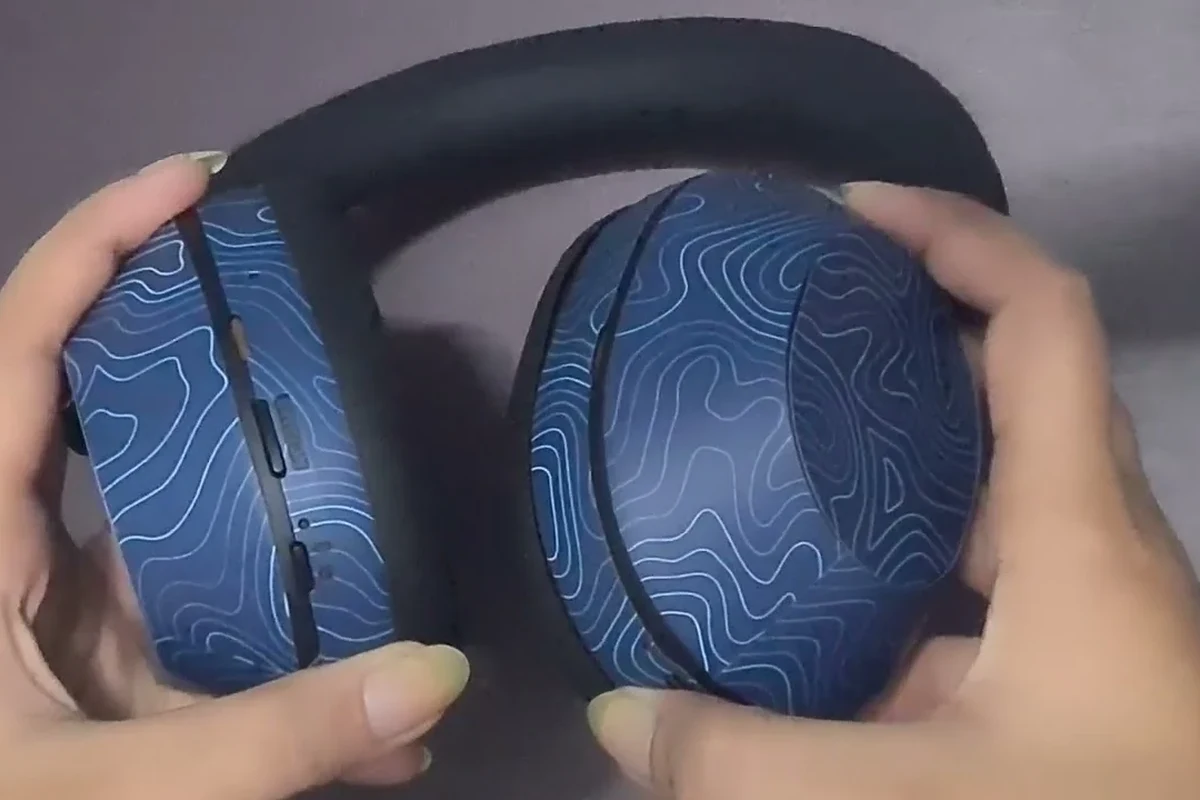
Random pausing can feel frustrating because it often seems to happen without any obvious pattern. On Sony wireless headphones, the pause may come from a feature doing its job too aggressively, or from a connection issue that looks like a feature problem.
Before changing settings, it helps to identify the source. If pausing happens when you remove the headphones, it may be wear detection. If it happens during movement, it may be a loose fit or sensor issue. If it happens only on one device, the phone or laptop is more likely the culprit.
How Sony’s auto-pause, wear detection, and touch controls can trigger interruptions
Many Sony headphones include wear detection, touch controls, and voice-assistant features designed to make playback more convenient. The downside is that these tools can misread a brief movement, a loose ear cup, or accidental contact and pause your audio.
For example, a slight shift while walking, adjusting your glasses, or brushing the ear cup can trigger a pause. In some models, speak-to-chat or automatic pause behavior may also stop music when the headphones think you are talking or removing them.
Feature names and behavior vary by Sony model. What pauses playback on one pair may not exist on another, so always check the model-specific app settings.
Why this issue happens more often with wireless Sony models in 2026
Wireless headphones have more ways to interrupt playback than wired models because they rely on Bluetooth, battery power, sensors, and companion apps. That means a pause can come from the headset itself, the source device, or the software in between.
In 2026, the most common causes are still familiar: multipoint switching, aggressive battery-saving settings, app permissions, and firmware bugs that affect newer Sony models. Wireless convenience is great, but it also adds more points of failure than a simple wired connection.
Quick Checks to Stop Sony Headphones from Pausing Right Away
Start with the fastest fixes first. These checks solve a surprising number of pause complaints, especially when the issue began after a phone update, a low battery warning, or moving between devices.
Confirm Bluetooth connection stability and device proximity
Bluetooth dropouts can look like random pausing. If your phone is in another room, in a crowded wireless area, or blocked by your body or a bag, the connection may briefly weaken and stop playback.
Move the source device closer and test again. If the pausing improves, the issue is likely signal stability rather than the headphones themselves. This is especially useful when comparing Bluetooth vs wired headphones, since wired models do not depend on wireless stability.
Check battery level, charging case issues, and low-power behavior
Low battery can cause erratic behavior before the headphones fully shut down. Some Sony models also behave differently when the case is not charging correctly or when battery contacts are dirty.
If you use earbuds, make sure they are seated properly in the case and actually charging. If the battery level is low, charge the headphones fully and test again before changing any advanced settings.
If your headphones pause only when the battery is very low, that may be normal power-saving behavior. If they pause at full charge, the issue is more likely software, sensors, or hardware.
Restart the headphones and the connected phone, tablet, or laptop
A simple restart clears temporary Bluetooth glitches and app conflicts. Power off the headphones, restart the phone or laptop, then reconnect and test playback again.
This step is worth doing before anything else because it can fix temporary pairing errors, background app conflicts, and minor system bugs without changing your saved settings.
Wear Detection and Sensor Problems: The Most Overlooked Sony Headphone Issue
Wear detection is one of Sony’s most useful features, but it is also one of the most common reasons for unexpected pausing. If the headphones think you removed them, playback stops automatically.
That is helpful when it works correctly. But if the sensor is blocked, dirty, or poorly aligned, it may pause music even though the headphones are still on your head.
How ear detection sensors pause playback when they misread fit
Most wear detection systems rely on sensors that detect when the headphones are on your ears. If the sensor cannot clearly tell that the headphones are being worn, it may assume you removed them and pause the track.
This happens more often with loose fit, thick hair, hats, glasses, or ear cup positioning that does not fully cover the sensor area. The result is a pause that seems random but is actually caused by the headset losing confidence in the fit.
Wear detection can be very sensitive. Even a small shift in ear cup position can make some headphones pause for a second and then resume.
Common fit mistakes that cause false pauses during walking or workouts
Movement makes fit problems more obvious. Walking, running, or lifting can loosen the ear cups or earbuds just enough for the sensors to think the headphones were removed.
Over-ear models may pause if the cups slide off-center. Earbuds can pause if the tips do not seal well or if they rotate slightly during exercise. If the issue only happens during movement, fit is a strong suspect.
How to clean sensors and adjust placement for better detection
Clean the sensor area gently with a dry, soft cloth. Avoid liquid cleaners unless Sony specifically allows them for your model, because moisture can damage sensitive contact points.
Then reseat the headphones carefully. For over-ear models, make sure the pads sit evenly around the ear. For earbuds, try a different ear tip size if available. A better fit often solves the problem faster than any setting change.
If you want a broader fit comparison, our guide to over-ear vs on-ear vs in-ear can help you understand why some styles are more stable during movement than others.
App, Firmware, and Bluetooth Settings That Can Cause Random Pausing
Software settings are another common source of pausing. Sony headphones often rely on a companion app for feature control, and if those settings are outdated or conflicting, playback behavior can change unexpectedly.
How outdated Sony Headphones Connect settings affect playback behavior
Older app settings can conflict with newer phone software or firmware updates. If you changed settings months ago and forgot about them, a feature such as auto-pause, adaptive sound control, or speak-to-chat may still be active.
Open the Sony companion app and review any playback-related options. If something seems unclear, temporarily disable extra features and test the headphones in a simpler setup.
Bluetooth multipoint switching and device conflicts explained
Multipoint can be useful, but it can also cause pauses if your headphones keep switching between two active devices. A laptop, phone, tablet, or smartwatch may send a signal that interrupts the current audio source.
If the headphones are paired with more than one device, disconnect one device and test again. This is especially relevant if you use your headphones for both music and calls, or if your laptop keeps taking priority over your phone.
For a deeper look at connection behavior, see our guide on Bluetooth headphones explained and how wireless links can behave differently from a direct cable connection.
Firmware updates that fix pausing bugs on newer Sony models
Firmware updates can fix known bugs, improve Bluetooth stability, and refine sensor behavior. If your pausing started after a major app or phone update, checking for a newer headphone firmware version is a smart move.
Update through the Sony app if your model supports it, then retest playback after the update finishes. If the problem improves, the pause issue may have been a software bug rather than a hardware defect.
Device-Side Problems: When the Phone or Streaming App Is the Real Cause
Sometimes the headphones are not the problem at all. The connected device can pause audio because of notifications, calls, battery settings, or app permissions.
This is why testing the headphones on a second device is so useful. If the issue disappears, the source device or app is probably responsible.
Notifications, calls, and voice assistants interrupting music playback
Incoming calls, voice assistant triggers, and certain notifications can interrupt music playback on many phones and computers. Some devices are set to pause audio automatically when a call, alert, or voice command is detected.
If pausing happens at regular intervals, check whether a calendar alert, messaging app, or assistant shortcut is triggering it. Disabling unnecessary alerts during listening sessions can make playback much more stable.
Streaming app glitches, power-saving settings, and background restrictions
Streaming apps can pause if they lose background permission, run into a login issue, or get restricted by battery optimization. This is common on phones that aggressively manage background apps to save power.
Try a different music app or local audio file to see whether the problem follows one app. If it does, reinstalling the app or clearing its cache may help.
If music pauses only in one app, the headphones are probably fine. Test with another app or device before changing headphone settings.
Practical examples on iPhone, Android, Windows, and Mac
On iPhone, focus on Bluetooth permissions, app notifications, and whether Siri or calls are interrupting playback. On Android, battery optimization and background restrictions are common causes.
On Windows, the wrong output device, conference mode, or Bluetooth profile switching can interrupt sound. If you need help choosing the correct output on a PC, our guide on selecting headphones in Windows 11 may help.
On Mac, audio can pause if another app takes control of sound output or if the headphones reconnect during a system sleep cycle. In all cases, testing one device at a time is the fastest way to isolate the problem.
How to Fix Sony Headphones That Keep Pausing: Step-by-Step Troubleshooting
If the quick checks did not solve it, move into a more structured reset process. The goal is to clear bad connections, simplify the settings, and test the headphones in the most basic state possible.
Resetting Bluetooth connections and re-pairing the headphones
Forget the headphones from your phone, tablet, or laptop, then pair them again from scratch. This often clears corrupted Bluetooth data that can cause pausing or reconnect loops.
If the headphones were paired to several devices, remove them from each one before starting fresh. That reduces the chance of one old connection interrupting the new one.
Remove the Sony headphones from your Bluetooth list on every device you use.
Turn the headphones and source device off, then restart both.
Reconnect the headphones and test playback before enabling extra features.
Turning off auto-pause, touch controls, or speak-to-chat when needed
If the pausing is caused by a feature you do not use, turn it off temporarily. Disabling speak-to-chat, auto-pause, or sensitive touch gestures can instantly stabilize playback.
This is a good troubleshooting step because it tells you whether the problem is feature-related or hardware-related. If the pausing stops after disabling a feature, you have found the likely cause.
Factory reset vs. soft reset: when each option makes sense
A soft reset is the first choice when the headphones are acting strangely but still power on normally. It clears temporary glitches without erasing everything.
A factory reset is more serious and is best used when the headphones keep pausing after re-pairing, updating, and testing on different devices. If you are unsure, start with the gentler reset first and only move to a full reset if needed.
For more general reset guidance, our article on how to reset Bluetooth headphones may help you compare the steps with your Sony model.
When Repairs, Replacements, or Upgrades Make More Sense
Not every pausing problem is worth endless troubleshooting. If the headphones are old, physically damaged, or failing in multiple ways, repair or replacement may be the more practical choice.
Signs of failing sensors, worn batteries, or damaged touch panels
If pausing happens even after resets and re-pairing, the sensor or touch panel may be failing. Other warning signs include random disconnects, unstable battery life, or controls that respond only part of the time.
Physical wear can also matter. Cracked housings, loose ear cups, or damaged charging contacts can create problems that software fixes will not solve.
Cost comparison: quick DIY fixes vs. repair service vs. replacement
DIY fixes are usually the cheapest and fastest option when the issue is software, fit, or a dirty sensor. Repair service makes more sense if the headphones are still valuable and the damage is isolated.
Replacement may be smarter if the battery is worn out, multiple parts are failing, or the total repair cost approaches the price of a better pair. Costs vary a lot by model, age, and local service availability.
Which Sony headphone features are worth paying extra for in 2026
If you are upgrading, focus on features that reduce future frustration: stable Bluetooth, reliable wear detection, strong battery life, and easy app controls. Good noise cancellation can also help by lowering the need to constantly adjust playback volume and settings.
For readers comparing buying options, it can help to understand how different headphone types behave in daily use. A model with better fit and simpler controls may be a better long-term choice than one loaded with features you do not need.
- Better fit and stable controls
- Fewer random interruptions
- More reliable daily use
- Higher price for better features
- More settings to manage
- Battery wear still matters over time
Final Recap: The Fastest Way to Stop Sony Headphones from Pausing
In most cases, Sony headphones keep pausing because of Bluetooth instability, wear detection misreads, touch control triggers, or a phone/app setting interrupting playback. The fastest fix is to check fit, battery, and pairing first, then simplify the settings and test one device at a time.
If the problem continues after resets, firmware updates, and a clean re-pair, the issue may be hardware-related or tied to a deeper software conflict. At that point, it is worth considering repair, replacement, or professional help rather than fighting the same pause issue over and over.
If your Sony headphones pause even on multiple devices, after a full reset, or only when one ear cup, sensor, or touch area is used, contact Sony support or a qualified audio repair specialist. If you also notice hearing discomfort, ringing, or fatigue during listening, follow safe volume habits and consult an audiologist.
Frequently Asked Questions
The most common causes are Bluetooth instability, wear detection misreading your fit, touch controls, or a phone/app setting interrupting playback. Low battery and multipoint switching can also trigger pauses.
Yes, wireless models can pause more often because they depend on Bluetooth, battery power, and app settings. Wired headphones usually have fewer interruption points, though device-side app issues can still matter.
Noise cancelling itself usually does not cause pausing, but related features like transparency mode or voice detection can change how the headphones behave. If those features are enabled, review the Sony app settings.
It depends on fit and use case. Over-ear headphones may stay more stable for some users, while well-fitted in-ear earbuds can work better for workouts if the ear tips seal properly.
Look at Bluetooth stability, battery life, comfort, control style, and whether the model supports multipoint or app-based customization. Sound quality, ANC strength, and fit also matter depending on your commute, gaming, or studio needs.
Choose a lightweight model with soft ear cushions or the right ear tip size, and avoid clamping pressure that feels too tight. Take breaks, keep volume at safe levels, and adjust the fit so the headphones do not shift or trigger sensors.