Why Do My JBL Headphones Keep Turning Off Fix It Now

The most common reasons JBL headphones keep turning off are low battery, auto-off behavior, Bluetooth dropouts, or a firmware issue. Start with a full charge, reset, and re-pair before assuming the headphones are broken.
If your JBL headphones keep turning off, the most common reasons are a weak battery, an auto power-off setting, Bluetooth dropouts, or a firmware glitch. In many cases, the problem is fixable at home with a reset, a full charge, and a quick check of your connection settings.
- Battery first: Weak or aging batteries are the most common cause.
- Check settings: Auto-off and ANC can make shutdowns seem random.
- Test connections: Bluetooth dropouts may look like power loss.
- Reset properly: A clean reset and re-pair often fix glitches.
Why Do My JBL Headphones Keep Turning Off? Understanding the Most Common Causes
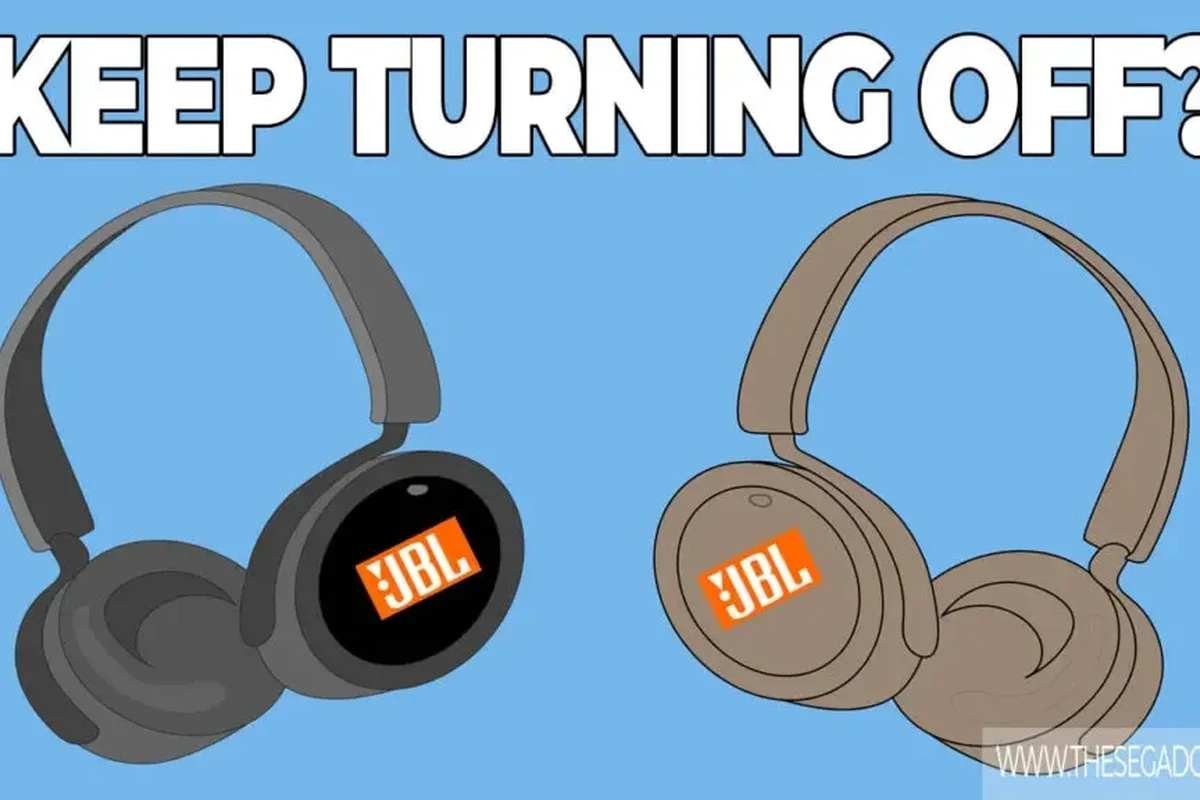
When JBL headphones shut down unexpectedly, it usually does not mean the headphones are completely dead. More often, the issue is tied to battery behavior, sleep settings, connection instability, or a temporary software bug.
Wireless headphones are designed to save power, so they may turn off when they think they are idle, disconnected, or running too low on charge. That can feel random if you are listening through a phone, laptop, or gaming device and the audio cuts out without warning.
It also helps to separate a true power-off from a Bluetooth disconnect. Sometimes the headphones remain on, but the audio source loses the connection, which makes the headphones seem like they shut off.
Quick Checks First: Battery, Auto-Off Settings, and Bluetooth Connection Problems
Before assuming the headset is faulty, start with the basics. A few simple checks can reveal whether the issue is battery-related, caused by a sleep timer, or triggered by pairing problems.
How Low Battery Levels Trigger Sudden Shutoffs
Low battery is one of the most common reasons JBL headphones power down during use. Some models give a clear warning, while others may only show unstable behavior before switching off.
If the battery is aging, the headphones may also show misleading charge levels. They can appear partly charged, then shut off faster than expected once you start using features like ANC or higher volume.
Charge the headphones fully, then test them at moderate volume with ANC turned off. That makes it easier to tell whether the battery itself is the problem.
When Auto Power-Off Is Misread as a Fault
Many JBL headphones include an auto power-off or standby feature to conserve battery life. If the headphones detect no playback or no active connection, they may shut down after a period of inactivity.
This can be mistaken for a defect, especially if you pause music often or switch between devices. If the power-off happens after a consistent time gap, the feature may be working as designed rather than failing.
Auto-off timing can vary by model and firmware version, so the exact behavior may not be the same across every JBL headphone.
Bluetooth Dropouts That Make JBL Headphones Seem Like They’re Turning Off
Bluetooth problems can look like a shutdown even when the headphones are still powered on. If the wireless signal drops, audio stops immediately, and the headset may later enter sleep mode if it no longer detects use.
Interference from other devices, low battery on the source device, or being too far from the phone or laptop can all cause dropouts. For a clearer picture, test the headphones in the same room as your device and see whether the issue still happens.
If you want a deeper explanation of wireless stability, our guide to Bluetooth headphones explained can help you understand why connection strength matters so much.
Model-Specific Issues in JBL Headphones: ANC, Touch Controls, and Firmware Glitches
Some JBL models are more likely to show power-related quirks because they include extra features such as active noise cancellation, touch controls, voice prompts, or app-based settings. Those features are useful, but they can also create more points of failure.
Problems Seen in JBL Tune, Live, and Tour Series
Different JBL lines can behave differently depending on their feature set and battery design. The Tune series is often simpler, while Live and Tour models may include more advanced controls, ANC, and companion app functions.
That means one model may seem to shut off because of a basic battery issue, while another may be reacting to a firmware bug or a control input problem. If your headphones have a companion app, check whether any power-saving settings were changed without you noticing.
Touch-sensitive controls and wear sensors can sometimes make headphones feel “glitchy” when the real issue is a false pause, accidental tap, or sensor misread.
How Noise Cancellation and Smart Features Can Drain Power Faster
Active noise cancellation uses extra processing and battery power, so headphones with ANC may shut down sooner than expected if the battery is already aging. Higher volume, voice assistants, and multipoint connections can also increase power use.
If the headphones stay on longer with ANC disabled, that is a strong clue that battery drain is part of the issue. For readers comparing ANC behavior more broadly, our article on how noise cancelling headphones work explains why those features need more power.
Listening at high volumes for long periods can cause hearing damage. Keep volume at 60% or below for extended sessions.
Step-by-Step Fixes You Can Try at Home Before Replacing Anything
Most JBL shutdown problems are worth troubleshooting before you buy a replacement. A careful reset, a better charging setup, and a fresh pairing process often solve the issue.
Resetting JBL Headphones the Right Way
A reset can clear temporary software errors that cause unstable power behavior. The exact reset method varies by model, so check your manual or JBL support instructions for the correct button combination.
After resetting, remove the headphones from your phone, tablet, or computer’s Bluetooth list and pair them again from scratch. This helps clear old connection data that may be causing repeated dropouts.
Do not just pause playback. Make sure the headset is fully shut down before starting the reset process.
Use the correct button sequence for your exact JBL model, since methods can differ between product lines.
Delete the old Bluetooth profile, then connect again to create a clean wireless link.
If you need a general pairing refresher, our guide on how to reset Bluetooth headphones walks through the process in a simple way.
Charging Port, Cable, and Adapter Checks That Actually Matter
A faulty cable or dirty charging port can make headphones seem like they are charging when they are not. If the battery never reaches a full charge, sudden shutdowns are almost guaranteed.
Inspect the USB-C port for lint, dust, or looseness, and try a different cable and wall adapter if possible. Avoid forcing the connector, since repeated stress can make port damage worse over time.
- USB-C port for debris or looseness
- Charging cable for damage
- Wall adapter or USB port for reliable output
- Whether the charging indicator behaves normally
Updating Firmware and Re-Pairing Devices for Stable Performance
If your JBL headphones support firmware updates through an app, install the latest version when available. Firmware fixes can improve battery reporting, Bluetooth stability, and control behavior.
Re-pairing is also important across different devices. A phone may work fine while a laptop creates dropouts, especially if the laptop’s Bluetooth drivers or audio settings are outdated.
For Windows users, it can help to review device selection settings as well, especially if the audio is switching between outputs unexpectedly. Our guides on selecting headphones in Windows 11 and another Windows 11 headphone selection guide may be useful if your computer is part of the problem.
Common Mistakes That Make the Problem Worse
Some troubleshooting habits can actually hide the real issue or make battery problems worse. If you want a reliable fix, avoid jumping straight to replacement before testing the basics.
Ignoring Battery Health After Months of Heavy Use
Rechargeable batteries wear down over time, especially if the headphones are used daily. If your JBL headset used to last much longer, reduced runtime may simply mean the battery has aged.
That does not always mean the product is unusable, but it does mean your expectations should change. A battery that once handled long commutes may now struggle through a full workday, especially with ANC enabled.
Using Incompatible Chargers or Fast-Charge Habits That Cause Issues
Not every charger behaves the same way. While many modern headphones can handle standard USB charging safely, poor-quality adapters, damaged cables, or inconsistent power sources can create charging problems.
If you regularly use random chargers, laptop ports, or low-quality power bricks, test with a known-good cable and adapter first. Stable charging is more important than charging speed for diagnosing shutdown issues.
Assuming the Headphones Are Broken Without Testing Another Device
Sometimes the headphones are fine, but the phone, computer, or tablet is the real cause. Bluetooth settings, audio drivers, and interference can all make a healthy headset seem unreliable.
Try the headphones with a second device before deciding the hardware has failed. This is especially useful if the shutdown only happens on one laptop, one app, or one operating system.
When It’s a Hardware Problem: Signs You Need Repair or Replacement
If the headphones still turn off after a full reset, fresh charge, and device test, the issue may be physical rather than software-related. At that point, the battery, power button, or internal board may be failing.
Battery Degradation, Loose Power Buttons, and Internal Damage
A weak battery is the most common hardware reason for repeated shutdowns. Other warning signs include a loose power button, charging that cuts in and out, or headphones that only stay on when held in a certain position.
Internal damage can also happen after drops, moisture exposure, or long-term wear. If the headphones power off when you move them or gently press the earcup, that is a sign the issue may be physical.
If you notice swelling, heat, burning smells, or unusual charging behavior, stop using the headphones and contact a professional repair service or the manufacturer.
Repair Cost vs. Replacement Cost: What Makes Sense in 2026
Whether repair makes sense depends on the model, the age of the headphones, and the cost of parts or labor. On some older or midrange models, replacing the headphones may be more practical than repairing a worn battery.
For newer or higher-end JBL models, repair can still be worthwhile if the rest of the headset is in good condition. Since pricing and service availability vary by region, it is smart to compare quotes before making a decision.
Expert Advice: How to Prevent JBL Headphones From Turning Off Again
Once the issue is fixed, a few simple habits can help the headphones stay reliable longer. Good charging and storage habits can make a noticeable difference in battery life and overall stability.
Best Charging Habits for Longer Battery Life
Try not to leave the battery at zero for long periods, and avoid unnecessary heat while charging. Charging in a cool, dry place is usually better for long-term battery health than topping up in a hot car or near a window.
It also helps to use a dependable charger and cable instead of rotating through low-quality accessories. Consistent charging habits often reduce the chance of weird battery readings later.
If you use the headphones daily, aim for regular top-ups instead of waiting until the battery is nearly empty every time.
Storage, Cleaning, and Usage Tips That Protect Power Performance
Keep the headphones clean, especially around the charging port, buttons, and ear cushions. Dust and sweat can build up over time and affect both comfort and function.
Store the headphones in a case or a dry place when not in use, and avoid bending the headband or twisting the earcups unnecessarily. If you want a broader maintenance refresher, our guide on how to clean headphones covers safe cleaning habits.
For readers comparing wireless and wired behavior, it may also help to understand the tradeoffs in our article on wired vs wireless headphones. Wired models do not have the same battery shutdown issue, but they come with their own limitations.
Final Recap: The Fastest Way to Diagnose Why Your JBL Headphones Keep Turning Off
If you are wondering why do my jbl headphones keep turning off, start with the simplest causes first: battery level, auto-off behavior, and Bluetooth connection stability. Those three issues explain most cases and are usually the easiest to fix.
If the problem continues after a full charge, reset, re-pair, and device test, the issue is more likely hardware-related. At that point, battery degradation or internal damage may be the real cause, and repair or replacement becomes the more practical next step.
- Check battery health and charging first.
- Rule out auto-off and Bluetooth dropouts.
- Reset, update firmware, and re-pair devices.
- Replace or repair only after testing hardware signs.
Frequently Asked Questions
A full battery reading does not always mean the battery is healthy. Firmware issues, Bluetooth dropouts, or a worn battery can still cause sudden shutdowns.
Yes, many wireless headphones include an auto power-off or standby feature. If playback stops or the connection drops, the headphones may shut down after a while.
They can be, because ANC and other smart features use extra battery power. If the battery is aging, those features may make shutdowns happen sooner.
Wired headphones avoid battery shutdowns entirely, while wireless headphones offer more convenience. If battery reliability matters most, wired is usually simpler.
Look at battery life, charging type, ANC support, Bluetooth version, comfort, and build quality. The best choice depends on your use case, such as commuting, gaming, or long work sessions.
Choose a fit that matches your head and ear shape, and pay attention to cushion material, clamp force, and weight. Regular cleaning and careful storage also help extend comfort and durability.