Why Does My JBL Headphones Keep Turning Off Fixes Guide

JBL headphones usually keep turning off because of battery wear, auto-off settings, Bluetooth issues, or charging problems. Start with a full charge, a reset, and a second device test before assuming the headset needs repair or replacement.
If your JBL headphones keep turning off, the most common causes are a weak battery, auto-off settings, Bluetooth instability, or a charging problem. In many cases, you can fix it with a full charge, a reset, or a firmware update before assuming the headphones are broken.
- Battery first: Weak or aging batteries are the most common cause of random shutdowns.
- Check charging: Cables, adapters, and dirty ports can mimic battery failure.
- Reset and re-pair: Bluetooth glitches often clear after a full reset.
- Watch for auto-off: Inactivity timers can shut headphones down on purpose.
- Know when to stop: Swelling, overheating, or fast drain can signal hardware trouble.
Why Does My JBL Headphones Keep Turning Off? Understanding the Most Common Causes
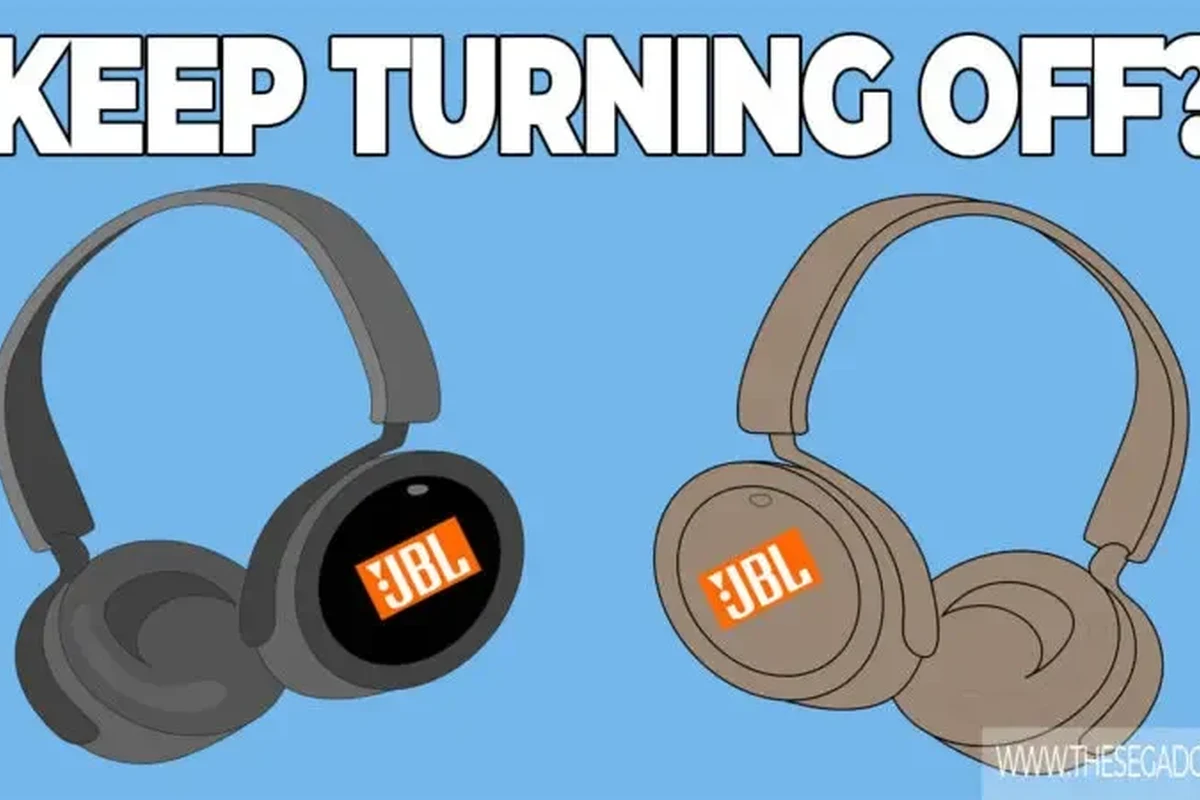
When JBL headphones power down on their own, the issue usually falls into one of a few buckets: battery health, inactivity timers, connection problems, or hardware faults. The good news is that random shutdowns do not always mean the headphones are dead.
Wireless models are especially sensitive to battery condition and power management. If the battery can no longer deliver stable voltage, the headset may shut off even when the battery indicator still shows some charge.
Battery issues, auto-power-off settings, and connection instability
Aging batteries are one of the biggest reasons JBL headphones shut off unexpectedly. As batteries wear down, they may drain faster, report charge incorrectly, or fail under load when you raise the volume or switch on noise cancelling.
Auto-power-off settings can also make it seem like the headphones are failing. If the headset thinks it has been idle, disconnected, or inactive for too long, it may shut down to save power.
Connection instability can add to the confusion. If Bluetooth keeps dropping, the headphones may appear to “turn off” when they are actually losing the link to your phone, laptop, or tablet.
How the problem shows up in real-world use: music cuts out, calls drop, or the headset shuts down randomly
Most users notice the problem during everyday listening. Music may pause suddenly, a call may end without warning, or the headphones may power off after a few minutes even though they were just charged.
Sometimes the shutdown happens when the headphones are under heavier demand, such as during gaming, long streaming sessions, or ANC use. That pattern often points to battery weakness or power delivery issues rather than a simple Bluetooth glitch.
Quick Checks First: Fast Fixes You Can Try in Minutes
Before diving into deeper troubleshooting, start with the basics. A few simple checks can rule out charging problems, pairing errors, and accidental sleep settings.
If you also use a computer for audio, it can help to confirm the output device is set correctly, especially after updates. Our guide on selecting headphones in Windows 11 can help if the sound seems to disappear when the headset disconnects.
Fully charge the headphones and test with a different charging cable or adapter
Charge the headphones to full before testing them again. If the battery was deeply drained, the first charge cycle may take longer than expected.
Try a different cable and a different wall adapter if possible. A damaged cable or weak charger can make the battery appear to charge when it really is not receiving stable power.
Power-cycle the headset and reconnect to your device
Turn the headphones off, wait a few seconds, and turn them back on. Then remove them from your Bluetooth device list and pair them again.
This simple power-cycle can clear temporary glitches that cause random shutdowns or unstable connections. If you are unsure about the exact reset process, our how to reset Bluetooth headphones guide is a useful reference.
Check whether inactivity timers or sleep settings are triggering shutdowns
Some JBL models include power-saving behavior that turns the headphones off after a period of inactivity. That can be helpful for battery life, but it is easy to mistake for a defect.
Check the app, manual, or product settings to see whether an auto-off timer is enabled. If the headphones only shut down when audio pauses or when they are idle, the timer may be the real cause.
Battery Health Problems in JBL Headphones: Signs, Causes, and What to Do
Battery wear is one of the most likely explanations when JBL headphones keep turning off repeatedly. This is especially true for older units, but even newer models can show battery problems if they have been frequently overcharged, stored poorly, or used heavily.
How aging batteries behave in 2026 JBL models and older units
In newer JBL models available in 2026, battery management is usually better than in older generations, but no rechargeable battery lasts forever. Over time, batteries lose capacity and become less stable under load.
Older headphones may still show a “full” battery icon while actually holding far less usable charge. That is why the headset may work for a short time and then shut off suddenly, especially at higher volume or with ANC enabled.
Practical examples of weak-battery shutdowns during streaming, gaming, or long calls
A weak battery often shows up during long listening sessions. The headphones may start fine, then power off during a movie, a gaming match, or a long work call.
You may also notice that shutdowns happen faster when features like active noise cancellation, voice assistant support, or strong Bluetooth connectivity are turned on. Those features can increase power demand and expose a battery that is no longer healthy.
When battery replacement is worth considering versus replacing the headphones
Battery replacement can make sense if the headphones are otherwise in good condition and the model is worth repairing. That said, not every JBL headset is designed for easy battery service, and repair costs can vary widely.
If the headphones are older, out of warranty, or already showing other problems like worn ear cushions, broken hinges, or unreliable buttons, replacing the pair may be the more practical choice. For readers comparing repair versus upgrade options, our best headphones under 100 guide can help if you decide a new pair makes more sense.
Bluetooth, Firmware, and Device Compatibility Issues That Can Trigger Shutdowns
Not every shutdown is caused by the headphones themselves. Sometimes the problem comes from Bluetooth pairing, outdated firmware, or a device update that changes how audio accessories behave.
Outdated firmware causing unstable power behavior
Firmware updates can fix bugs related to battery reporting, power management, and wireless stability. If your JBL headphones support app-based updates, it is worth checking whether a newer version is available.
Outdated firmware can sometimes cause the headset to misread battery level or disconnect unexpectedly. That may look like a shutdown problem even though the underlying issue is software-related.
Phone, laptop, or tablet compatibility problems after OS updates
After a phone or laptop update, Bluetooth behavior can change. A headset that worked fine yesterday may start disconnecting, pausing, or powering down after the operating system changes how it manages audio devices.
This is especially common when switching between devices or using multiple Bluetooth accessories. If the issue started right after an update, compatibility is worth checking before you assume the battery has failed.
How to reset Bluetooth pairing and test with a second device
Delete the JBL headphones from your device’s Bluetooth list, then pair them again from scratch. This can clear corrupted pairing data that causes unstable behavior.
Next, test the headphones with a second phone, tablet, or laptop. If the shutdowns only happen on one device, the problem may be with that device’s Bluetooth settings rather than the headset itself.
If you want a broader explanation of wireless behavior, our Bluetooth headphones explained simply article is a helpful starting point.
Charging Port, Cable, and Power Delivery Problems You Shouldn’t Ignore
If the headphones are not charging consistently, they may shut off because they never truly reach a stable full battery. Charging problems often look like battery failure, but the real issue can be the port, cable, or charger.
Loose USB-C ports, dirty contacts, and intermittent charging
A loose USB-C port can interrupt charging every time the cable moves. Dirt, lint, or oxidation in the port can also stop the headset from making a solid connection.
If the battery percentage jumps around or the headphones only charge at certain angles, the charging path may be unreliable. In that case, cleaning the port carefully and checking for physical damage is important.
Why cheap chargers can cause misleading battery readings
Low-quality chargers may deliver inconsistent power, which can confuse battery reporting. The headphones may show charging, but the battery may not actually be filling at a normal rate.
That can lead to shutdowns later, because the headset thinks it has more charge than it really does. Using a reliable charger and cable is one of the easiest ways to avoid that problem.
Best practices for safe charging and avoiding power-related damage
Use a known-good cable, avoid bent connectors, and do not force the plug into the port. If the headphones get unusually hot while charging, stop using that charger and inspect the setup.
Cleaning headphones can also help if dust or debris is affecting the charging contacts or buttons. Keep the headset dry and store it in a case when possible.
Common Mistakes That Make JBL Headphones Turn Off More Often
Some shutdown problems are made worse by everyday habits. Small mistakes can shorten battery life, trigger auto-off behavior, or make troubleshooting feel more confusing than it needs to be.
Leaving auto-off features enabled without realizing it
Many users do not notice that auto-off is active until the headphones keep shutting down during quiet listening. This can happen when you pause music, take a call, or leave the headset idle for too long.
If the timing is predictable, the feature may be working as designed. Review the headset settings or companion app to see whether you can adjust the timeout.
Using the headphones while the battery is already critically low
Running a headset near empty can cause sudden shutdowns, especially when volume rises or ANC turns on. A battery that is almost drained may not fail gradually; it may cut out all at once.
It is better to recharge earlier than to push the battery to the limit. That simple habit can reduce sudden power-offs and help the battery stay healthier over time.
Ignoring firmware updates, factory reset steps, or proper reset timing
Many people try one quick fix and stop there. In reality, some JBL issues only clear after a proper reset, a fresh pairing, or a successful firmware update.
Reset timing matters too. If the headset is not fully powered off or the buttons are not held long enough, the reset may not complete correctly and the shutdown problem can continue.
Expert Advice: When the Shutdown Problem Signals a Hardware Fault
If the headphones keep turning off after you have checked charging, pairing, and firmware, the issue may be hardware-related. At that point, the goal is to figure out whether the headset is safe to keep using.
Warning signs like overheating, swelling, random restarts, or failure to hold charge
Hardware faults often show up as repeated restarts, unusual heat, swelling around the ear cups or battery area, or a battery that drops from “full” to dead very quickly. These are stronger warning signs than ordinary Bluetooth dropouts.
If the headphones shut off even while plugged in, or if they power back on and then die again within minutes, the battery or internal power circuit may be failing.
When to contact JBL support or a repair shop instead of troubleshooting further
If basic troubleshooting does not help and the headset is still under warranty, contact JBL support first. If the warranty is expired, a repair shop may be able to check the battery, charging port, or internal power board.
This is especially sensible if the headphones are a higher-end model and the rest of the hardware is in good shape. For some users, repair is cheaper than replacement; for others, it is not.
Safety note on damaged batteries and why not to keep using them
If a battery looks swollen, smells unusual, or gets hot during charging, stop using the headphones right away. Damaged lithium batteries can be unsafe and should not be ignored.
Do not keep using headphones with a swollen, overheating, or physically damaged battery. Unplug them, stop charging, and seek professional help or replacement.
Repair, Replacement, or Upgrade: What Makes the Most Sense in 2026?
Once you know why your JBL headphones keep turning off, the next step is deciding whether to fix, repair, or replace them. The right choice depends on the model’s age, condition, and how much you rely on it every day.
Cost comparison: basic fixes versus battery replacement versus buying a new pair
Basic fixes are usually the cheapest path. A better cable, a reset, a firmware update, or a cleaner charging port may solve the problem without spending much at all.
Battery replacement can be worth it if the headset is otherwise solid, but repair pricing varies by model and service availability. Buying a new pair may make more sense if the headset is old or if multiple parts are wearing out.
How to decide based on model age, warranty status, and listening needs
If the headphones are still under warranty, start with support and avoid opening the headset yourself. If they are older and already out of warranty, compare repair cost against the value of a newer model.
Your listening needs matter too. A commuter may want reliable Bluetooth and long battery life, while a gamer may care more about low lag and stable connection. If you are weighing wireless versus wired options, our wired vs wireless headphones guide can help you choose the better fit.
Final recap: the fastest path to stopping random shutdowns and keeping your JBL headphones reliable
Start with the simplest fixes: charge fully, try another cable, reset the headset, and test a second device. Then check battery health, firmware, and charging-port condition before assuming the headphones are finished.
If the headset still turns off randomly after those steps, it is likely time to contact support, consider repair, or move on to a replacement that better fits your daily use.
Frequently Asked Questions
This usually points to battery wear, a faulty charging cable, or unstable Bluetooth connection. It can also happen if an auto-off timer is enabled or the battery percentage is reporting incorrectly.
Wireless headphones can shut off because they rely on battery power and Bluetooth stability. Wired headphones do not have a battery-based power-off issue, but they can still fail if the cable or source device has a problem.
Yes, active noise cancelling can increase power use and reveal a weak battery sooner. If the headphones shut off mainly when ANC is on, battery health is worth checking.
Common signs include short runtime, sudden shutdowns, inaccurate battery readings, and power loss under heavier use. If the headphones die quickly after a full charge, the battery may be aging.
That usually suggests a device compatibility or Bluetooth pairing issue on the laptop. Remove the headphones, pair them again, and check for operating system or driver updates.
Look for comfortable fit, decent battery life, stable Bluetooth, and a model with clear controls and reliable firmware support. Comfort, weight, and ear cushion material matter a lot for long sessions.