Why Do My JBL Headphones Keep Pausing Fixes That Work

JBL headphones usually keep pausing because of fit and sensor issues, Bluetooth interference, app glitches, or device settings. The fastest fix is to test the fit, re-pair the headphones, update firmware, and check whether the phone or app is pausing playback instead.
If your JBL headphones keep pausing, the cause is usually one of a few common issues: fit and sensor behavior, Bluetooth instability, device settings, or the app you are listening through. The good news is that most cases can be fixed without replacing the headphones.
- Fit first: Loose cups or earbuds can trigger sensors or touch controls.
- Check Bluetooth: Interference, low battery, or bad pairing can cause random pauses.
- Test the source device: Phone, laptop, or app settings may be stopping audio.
- Update and reset: Firmware updates and factory resets fix many common cases.
Why Do My JBL Headphones Keep Pausing? Understanding the Most Common Triggers
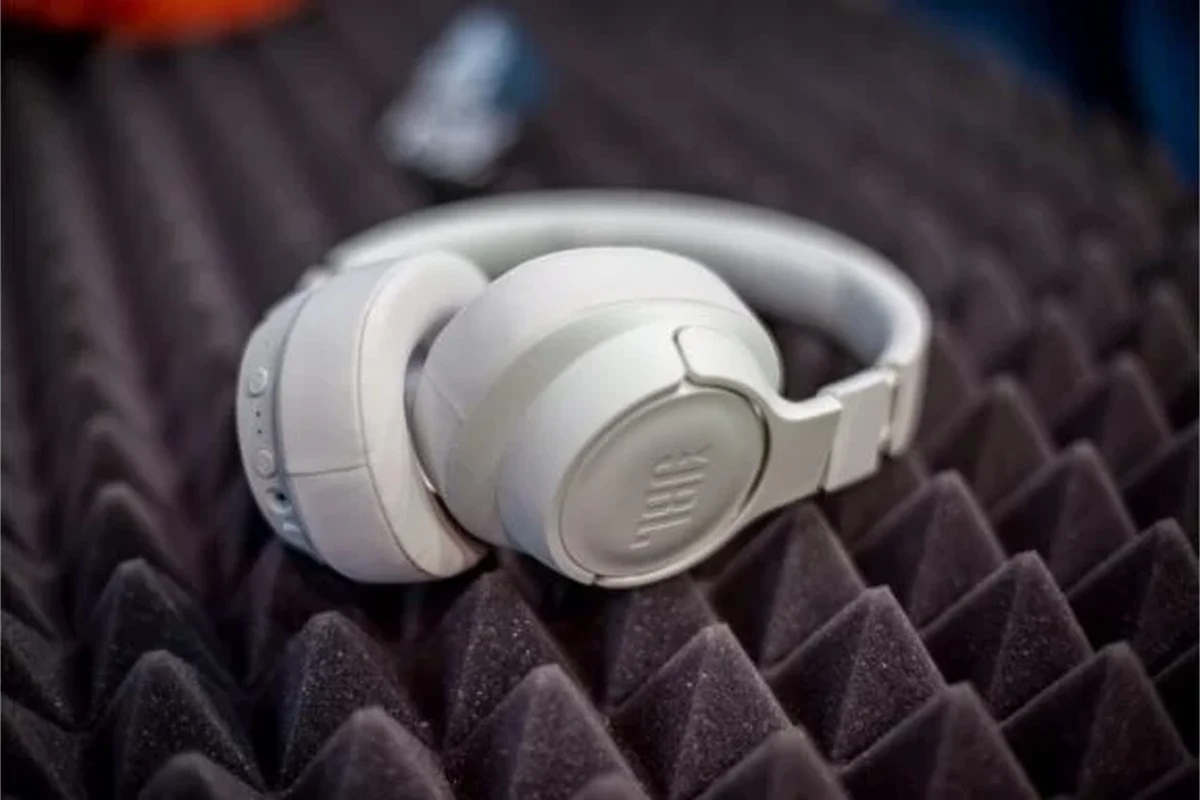
When people ask, why do my JBL headphones keep pausing, they are often dealing with a problem that looks random but has a simple trigger. JBL wireless models can pause audio when a sensor thinks the headphones were removed, when touch controls are brushed by accident, or when the Bluetooth signal becomes unstable.
It is also worth remembering that the source device can pause playback on its own. A phone, tablet, or laptop may interrupt audio because of notifications, battery-saving settings, or a streaming app glitch. If you want a broader look at wireless behavior, our guide to Bluetooth headphones explained simply is a helpful starting point.
Auto-pause sensors, loose fit, and accidental touch controls
Many wireless headphones and earbuds use wear detection or proximity-style behavior to pause audio when they are removed. If the fit is loose, the sensor may think the headphones are off your head even when they are not.
Touch controls can also be easy to trigger by accident. A quick brush against the cup or earbud can pause, skip, or resume playback depending on the model.
Bluetooth dropouts, app glitches, and device-side interruptions
Random pauses are often caused by a weak Bluetooth connection rather than the headphones themselves. Walls, crowded wireless spaces, and interference from nearby devices can briefly break the connection and stop playback.
App glitches are another common cause. A music app, podcast app, or video app may buffer, freeze, or stop responding even while the headphones stay connected.
Search intent: quick fixes for a frustrating playback problem
Most readers are not looking for a deep technical explanation. They want a fast way to stop the pausing and get back to listening.
That is why the best troubleshooting approach starts with fit, then moves to Bluetooth, then checks the phone or app. This order saves time and helps you avoid resetting everything too early.
Check the Basics First: Fit, Sensors, and Playback Behavior
Before changing settings, check how the headphones sit on your head or in your ears. A poor fit can create the illusion of a software problem when the real issue is physical contact or sensor misreadings.
How JBL on-ear and over-ear models can pause when removed or shifted
On-ear and over-ear JBL headphones may pause when the ear cups shift out of position. If the model uses wear detection, lifting one cup or sliding the headphones slightly can be enough to trigger pause behavior.
This is especially noticeable during walking, commuting, or head movement. If pausing happens only when you adjust the fit, the headphones may be doing exactly what the sensor is designed to do.
How in-ear models may misread wear detection or touch input
In-ear JBL models can pause if the ear tips do not seal properly or if debris blocks a sensor. They can also pause from accidental taps if the touch area is sensitive.
If you are unsure whether your issue is fit-related, try reseating the earbuds and cleaning them gently. For more on choosing the right style, see over ear vs on ear vs in ear.
Practical example: pausing only when you move your head or adjust the cups
If your music pauses only when you turn your head, lean back, or touch the ear cups, the cause is probably not Bluetooth. It is more likely a sensor, a loose fit, or a touch-control sensitivity issue.
In that case, test the headphones while sitting still. If the pausing stops, you have already narrowed the problem down to fit or accidental input.
Bluetooth and Connection Issues That Cause Random Pauses
Bluetooth problems are one of the most common reasons wireless headphones pause unexpectedly. Even a short signal drop can interrupt audio, and some devices recover slowly enough that it feels like a pause.
Interference from Wi‑Fi, other devices, or crowded wireless environments
Bluetooth shares the air with Wi‑Fi routers, smartwatches, keyboards, game controllers, and other wireless gear. In busy environments, that can create brief interruptions.
If the pausing happens in one room but not another, interference is a strong clue. Try moving closer to the source device or turning off nearby wireless accessories one at a time.
Outdated firmware, unstable pairing, and low battery symptoms
Old firmware can make a stable pair become unstable over time. Pairing problems also happen when the headphones are connected to multiple devices or when the saved connection becomes corrupted.
Low battery can cause strange behavior too. Some headphones do not simply shut off at a certain level; they may stutter, disconnect, or pause before powering down completely.
If your headphones disconnect repeatedly even after re-pairing, the issue may be hardware-related. At that point, continued troubleshooting may not help much without service or replacement.
Expert advice warning: when repeated disconnects point to a hardware fault
If the headphones pause on multiple devices, after a reset, and in different locations, that is a sign the problem may be inside the headset itself. A failing battery, damaged antenna, or worn control board can all cause unstable playback.
If the pausing comes with crackling, one-sided audio, or sudden power-offs, contact JBL support or a qualified repair service before assuming it is only a software issue.
Device Settings to Review on Your Phone, Laptop, or Tablet
Sometimes the headphones are fine and the source device is the real problem. Phones and laptops can stop playback for reasons that have nothing to do with the headset.
Auto-play, battery optimization, and media control permissions
Battery optimization can limit background activity for music apps, which may make playback stop or fail to resume properly. On some devices, media permissions or auto-play behavior can also interfere with continuous listening.
If you are listening on a computer, make sure the correct output device is selected. Our guide on how to select headphones in Windows 11 may help if your laptop keeps switching audio paths.
Voice assistant triggers, proximity settings, and app background restrictions
Voice assistants can interrupt playback if they are triggered accidentally by a button press or wake phrase. Some phones also use proximity or sensor-based behavior that may pause media during calls or when the screen locks.
Background restrictions can create similar symptoms, especially in streaming apps. If a music app is not allowed to run freely in the background, playback may pause when you switch apps or lock the screen.
Common mistake: blaming the headphones when the source device is pausing audio
It is easy to assume the headphones are broken because the pause happens while you are listening through them. But the pause command may be coming from the phone, not the headset.
Try the same headphones with a second device. If they work normally elsewhere, the issue is likely in the original phone, tablet, or laptop settings.
JBL App, Firmware, and Reset Steps That Often Fix the Problem
Once you have checked fit and device settings, move on to software fixes. These steps often solve pausing issues that seem random at first.
Updating firmware through the JBL Headphones app
If your JBL model supports the JBL Headphones app, check whether a firmware update is available. Updates can fix connection bugs, sensor problems, and control quirks that cause playback interruptions.
Make sure the headphones are charged before updating. A low battery during a firmware update can create more problems than it solves.
After updating firmware, test the headphones with one app at a time. That makes it easier to tell whether the fix worked or whether a second issue is still present.
Clearing pairing history and re-pairing correctly
If the connection has become unstable, delete the JBL headphones from your device’s Bluetooth list and pair them again from scratch. This clears old connection data that may be causing repeated pauses.
For a step-by-step refresher, our article on how to reset Bluetooth headphones can help you do this cleanly. A fresh pairing often solves problems that a simple reconnect does not.
Factory reset steps and when to try them
A factory reset is usually the next step when firmware updates and re-pairing do not work. It can clear stored errors, touch-control confusion, and pairing conflicts.
Use a reset when the issue happens across multiple devices and apps. If the problem disappears after resetting, the cause was likely software or saved connection data rather than a damaged component.
When the Issue Is the Content App, Not the Headphones
Streaming apps can pause for reasons that have nothing to do with JBL hardware. Buffering, account issues, background limits, and app bugs can all interrupt playback.
Streaming apps that buffer, pause, or fail to resume playback
Spotify, YouTube, podcast apps, and similar services may pause if the network is unstable or if the app loses focus. Some apps also behave differently when they are minimized or when the screen turns off.
If the headphones seem fine in one app but not another, the app is probably the culprit. That is a useful clue because it keeps you from chasing the wrong fix.
Testing with offline music to isolate the cause
The easiest way to isolate the issue is to play offline music or a downloaded podcast. If offline playback works smoothly, your headphones are less likely to be the problem.
This test helps separate wireless issues from app or internet issues. It is one of the quickest ways to narrow down the cause without changing every setting on your phone.
Practical example: YouTube, Spotify, and podcasts behaving differently
You may notice that YouTube pauses during ads or buffering, while Spotify keeps playing, or that podcasts stop only when the screen locks. That pattern usually points to app behavior rather than hardware failure.
When different apps behave differently, compare their background settings, permissions, and data-saving modes. Small differences there can create very different listening experiences.
Repair, Replacement, and Cost Considerations in 2026
Once you know the cause, the next question is whether repair is worth it. The answer depends on the model, the age of the headphones, and whether the issue is software or hardware.
When a simple fix is free versus when replacement parts may be needed
Re-pairing, resetting, updating firmware, and adjusting settings are free fixes. If the problem is caused by a damaged battery, worn sensor, or broken control board, parts or service may be needed.
That is where model value matters. A simple software fix is easy to justify, but paying for hardware repair on an older budget headset may not make sense.
Comparing repair value on budget JBL models vs premium ANC models
Budget JBL headphones are often better replaced than repaired if the issue is physical. Premium noise-cancelling models may be worth servicing longer because the overall cost of ownership is higher.
If you are deciding whether to repair or replace, it may help to review how noise control affects daily use in our guide to how noise cancelling headphones work. Features like ANC can increase the value of a repair on higher-end models.
What to expect from warranty support and service costs
Warranty support can reduce the cost if the headphones are still covered. Outside warranty, service pricing varies by model, region, and the exact fault, so it is best to check with JBL support or an authorized repair channel.
Final Recap: The Fastest Way to Stop JBL Headphones from Pausing
The fastest fix is to start with the simplest causes first. Check fit, sensor behavior, and accidental touch input, then test Bluetooth stability, then review device settings and the app you are using.
Best troubleshooting order from easiest to most advanced
Begin with a full charge, a careful fit check, and a test on another device. If the issue continues, update firmware, clear pairing history, and reset the headphones before considering repair.
- Fit and sensors can pause playback by design.
- Bluetooth interference and low battery are common causes.
- Phone, laptop, or app settings may be stopping audio.
- Firmware updates, re-pairing, and resets fix many cases.
Key takeaways for preventing the issue from coming back
Keep your headphones charged, update firmware when available, and avoid storing them near heavy wireless interference. If the pausing returns across devices and apps, the issue may be hardware-related and worth professional attention.
Protect Your Hearing
Listening at high volumes for long periods can cause hearing damage. Keep volume at 60% or below for extended sessions.
For readers comparing headphone styles, sound behavior, and wireless reliability, it also helps to understand the difference between wired vs wireless headphones and how that choice affects stability during daily use.
Frequently Asked Questions
Wireless headphones can pause from Bluetooth dropouts, battery issues, or sensor behavior. Wired headphones usually avoid those problems but can still pause if the source device or app is interrupting playback.
Noise cancelling itself does not usually cause pausing, but ANC headphones add more electronics that can introduce app, firmware, or battery-related issues. If you want to understand the feature better, compare it with passive isolation and device settings.
Open-back headphones feel more spacious but leak sound and block less noise. Closed-back models isolate better and are usually the better choice for commuting, shared spaces, and focused listening.
Start by checking the fit, then try EQ changes in your music app or device settings. Small adjustments can improve bass, clarity, and balance, but results vary by model and personal preference.
Check Bluetooth stability, battery life, comfort, microphone quality, and whether the model supports the features you need. For gaming, low latency matters more, while commuters may care more about ANC, fit, and durability.
Soft cushions, a stable fit, and moderate clamping pressure usually make long sessions more comfortable. Weight, heat buildup, and build quality also matter, especially if you listen for hours at a time.