Pink Gaming Headphones

Pink gaming headphones are best when style is paired with clear mic performance, comfortable fit, and the right connection for your platform. If you choose by color alone, you may miss more important differences in sound, latency, and daily comfort.
Pink gaming headphones are a style-first way to build a setup that still needs to perform well in chat, comfort, and game audio. The best models balance looks with low-latency sound, a clear microphone, and a fit you can wear for long sessions without distraction.
- Sound first: Balanced audio and clear directional cues matter more than flashy extras.
- Mic quality matters: A clean microphone and easy mute control improve team chat and calls.
- Comfort is essential: Ear cup depth, padding, and clamp force affect long-session use.
- Choose the right connection: Wired is simpler; wireless adds convenience but needs compatibility checks.
- Color is secondary: Pink should be the finish you want, not the reason you ignore specs.
Pink Gaming Headphones: What They Are and Who They’re Best For
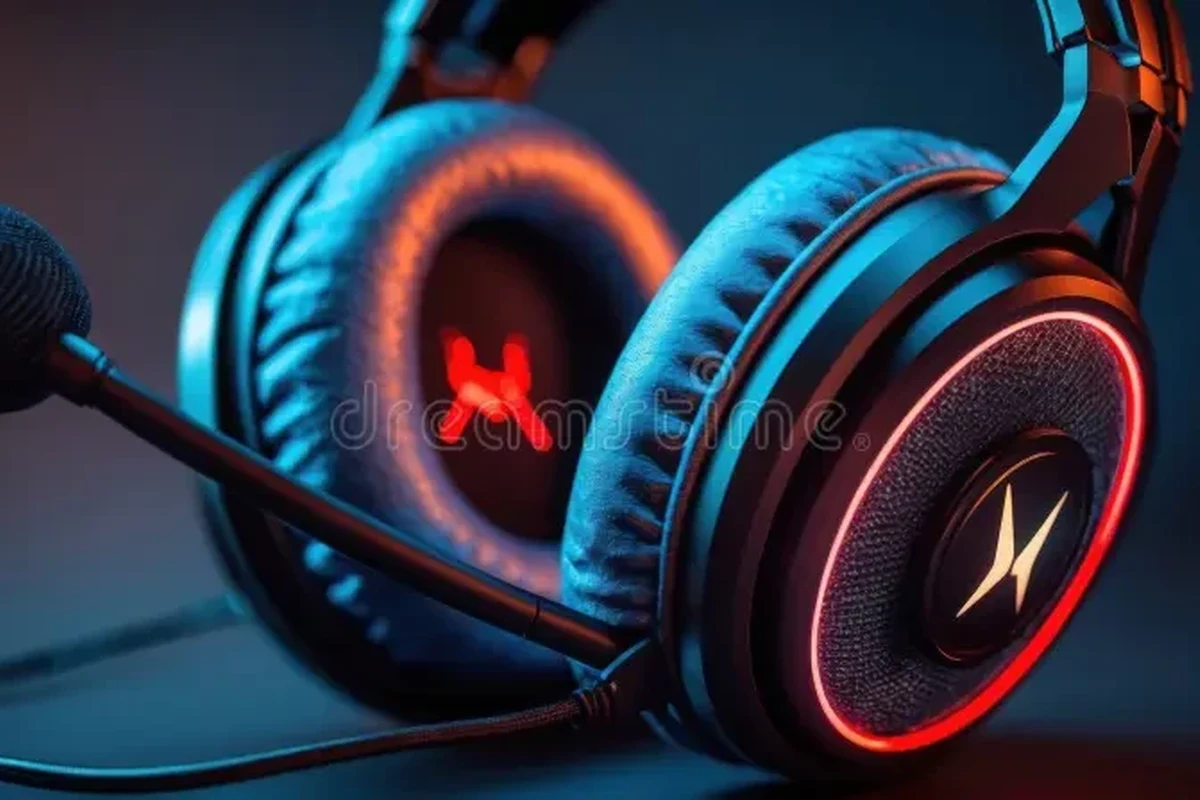
Pink gaming headphones are simply gaming headsets or headphones offered in pink finishes, from soft pastel shades to brighter neon tones. The color is the easy part; the real value comes from whether the headset fits your platform, keeps voices clear, and stays comfortable during long play sessions.
Quick answer: the best pink gaming headphones balance style, comfort, mic quality, and low-latency audio
If you want a pink headset that feels worth buying, focus on the basics first: clear directional sound for games, a microphone that handles chat cleanly, and a fit that does not become tiring after an hour. Wireless convenience can be great, but only if latency, battery life, and compatibility match how you play.
Ideal users: casual gamers, streamers, teens, and anyone wanting a color-matched setup
Pink gaming headphones are especially appealing for gamers who care about desk aesthetics, streamers building a branded look, teens choosing a first headset, and anyone who wants accessories that match a keyboard, mouse, or console setup. They also make sense for players who use one headset for gaming, calls, and everyday listening, as long as the mic and comfort are good enough for mixed use.
Color can be a great starting point, but gaming performance still depends on sound tuning, microphone quality, comfort, and platform compatibility.
How to Choose Pink Gaming Headphones in 2026
In 2026, shoppers have more pink gaming headset options than ever, but the same core buying rules still apply. Start with sound, mic quality, and fit, then decide whether wireless features, RGB lighting, or app control are genuinely useful for your setup.
Sound quality for gaming: directional audio, bass balance, and clarity for footsteps
For gaming, “good sound” does not just mean strong bass. You want clear directional cues so you can tell where footsteps, gunfire, or environmental sounds are coming from, especially in competitive shooters and battle royale games.
A headset with overly boosted bass can make explosions exciting, but it may also blur subtle details. A more balanced tuning often works better if you care about hearing voice lines, reload sounds, and distance cues without turning the volume up too far.
Microphone performance: voice clarity, background noise handling, and mute controls
A gaming headset microphone should make your voice easy to understand without forcing teammates to hear every keyboard click or fan hum. Manufacturer claims about noise reduction can help, but the real question is whether the mic sounds natural and stays consistent across Discord, console chat, and in-game voice systems.
Physical mute switches, flip-to-mute booms, and easy-to-find controls are especially useful during fast-paced matches. If you stream or join frequent voice calls, these small details often matter more than flashy lighting.
Comfort and fit: clamping force, ear cup depth, headband padding, and weight
Comfort is one of the biggest differences between a headset you enjoy and one you avoid. Look for enough ear cup depth so your ears do not press against the drivers, plus padding that does not feel too hot after longer sessions.
Clamp force matters too: too loose and the headset shifts, too tight and it becomes distracting. Lightweight designs can help, but weight alone does not guarantee comfort if the headband is narrow or the padding is thin.
Wired vs wireless: latency, battery life, compatibility, and convenience
Wired pink gaming headphones are usually the safest choice for plug-and-play reliability and low latency. That makes them a strong option for competitive gaming, older consoles, school laptops, and players who do not want to think about charging.
Wireless models are more convenient for couch play, desk setups, and multitasking, but they depend on battery life and the connection method. Some use Bluetooth, some use a USB dongle, and some support both; if you want the lowest delay, check the manufacturer’s gaming connection details before buying.
For console users, compatibility matters just as much as color. If you want platform-specific guidance, see can I use wireless headphones with PS5 for gaming and can you use Bluetooth headphones on Xbox Series X for the connection trade-offs that often surprise buyers.
Build materials and durability: plastics, metal reinforcement, and cable quality
Most pink gaming headsets use plastic shells to keep weight and cost down. That is not automatically a problem, but hinges, sliders, and yokes should feel sturdy enough for daily adjustment and storage.
Metal reinforcement can improve long-term confidence, especially on the headband or adjustment arms. For wired models, cable quality matters too: look for strain relief near the plug and avoid thin, overly stiff cables that can wear out quickly.
Budget considerations: entry-level picks, mid-range value, and premium features
Entry-level pink gaming headphones often focus on the basics: stereo sound, a simple mic, and a lighter build. These can be the smartest choice if you mainly play casually and want a cute setup without paying for extras you will not use.
Mid-range models usually offer the best value for most shoppers because they may add better padding, stronger microphones, wireless options, or app-based sound tuning. Premium models can be worth it if you want stronger build quality, advanced controls, or multi-device flexibility, but only if those features match your actual use case.
- Check platform compatibility for PC, PlayStation, Xbox, Switch, or mobile
- Decide whether wired reliability or wireless convenience matters more
- Confirm microphone type, mute controls, and return policy
- Review warranty terms and the manufacturer’s support page
Key Features That Matter Most for Gaming Performance
Some features look impressive in product photos but do very little for actual gameplay. The features below are the ones most likely to affect how pink gaming headphones feel in real use.
Spatial awareness and positional audio in competitive games
Positional audio helps you judge where sounds are coming from, which can improve awareness in competitive games. On PC and modern consoles, the headset itself is only part of the equation; game settings, console audio options, and spatial audio software can all influence the result.
Do not assume a headset is “competitive” just because it has a gaming label. Clear mids, controlled bass, and decent imaging usually matter more than marketing terms.
Chat mix, sidetone, and on-headset controls for easier communication
Chat mix lets you adjust how loud game audio is compared with voice chat, which is useful when teammates are too quiet or the game is too loud. Sidetone, sometimes called mic monitoring, feeds a little of your own voice back into the headset so you do not end up shouting.
On-headset volume wheels, mute buttons, and EQ switches can also make daily use easier. These controls are especially helpful if you switch between gaming, calls, and streaming without wanting to open software every time.
RGB, app support, and customization without sacrificing practicality
RGB lighting and companion apps can make a pink headset feel more personal, but they should be extras, not the reason you buy. App support is most useful when it lets you adjust EQ, mic gain, or sidetone in a simple way.
If software is clunky or only works on one platform, it can become more annoying than helpful. In 2026, a practical headset is still the one that sounds good and works reliably before you ever touch the lighting settings.
ANC and passive isolation: when they help and when they are unnecessary
ANC, or active noise cancellation, uses microphones and processing to reduce steady background noise. It can help if you game in a shared room, near a fan, or in a noisy apartment, but it is not always necessary for pure gaming.
Passive isolation comes from the ear cups and padding physically blocking outside sound. For many gamers, a well-sealed closed-back headset provides enough isolation without adding the cost or battery trade-offs of ANC.
If you are choosing between two pink models, compare microphone controls and comfort before chasing extra lighting effects. Those two factors tend to affect daily satisfaction more than cosmetic features.
Real-World Benefits and Limitations of Pink Gaming Headphones
Pink gaming headphones can be a smart purchase, but the color can also shape the selection in ways shoppers do not expect. Understanding the upside and the trade-offs helps you avoid paying more for a look that does not match the performance you need.
Benefits: style-forward setups, better immersion, and easier team communication
A pink headset can make a setup feel more personal and cohesive, especially if you already use pastel accessories, RGB lighting, or a themed desk. For many gamers, that visual satisfaction is part of the fun and makes the setup feel more intentional.
When the headset also has a clear mic and comfortable fit, it can improve immersion and make team communication feel smoother. That matters just as much in casual co-op games as it does in ranked play.
Limitations: color options may narrow the feature set or raise the price
One drawback is that pink finishes are sometimes offered only on certain models or variants, which can limit your choices. You may find that the exact color you want is available only in a wired version, a specific size, or a model with fewer features than the black or white alternatives.
In some cases, the color variant also costs more or is harder to replace later. That is why it helps to compare the pink version against the same headset in other colors before deciding.
- Matches themed gaming setups and streaming spaces
- Can still deliver strong voice chat and game audio
- Available across wired and wireless categories
- Color choice may limit feature options
- Some models charge extra for cosmetic variants
- Photos can hide comfort or mic weaknesses
Common mistakes buyers make when choosing by color first
One common mistake is assuming that a headset looks comfortable because the ear cups are large in photos. Another is overlooking the microphone, then realizing later that teammates hear too much background noise or distortion.
Buyers also sometimes forget platform compatibility, especially with consoles. If you are shopping for a specific system, it helps to confirm connection support before you fall in love with the finish.
Evidence limits: why specs and reviews matter more than photos alone
Product photos are useful for color and design, but they cannot tell you how a headset sounds, fits, or handles voice chat. That is why manufacturer specifications, return policies, and trustworthy reviews matter more than polished marketing images.
When a precise detail is not listed, treat it as unknown rather than assuming it will be good enough. For the most current information, always verify the official product page and warranty terms before buying.
Best Use Cases: Streaming, Casual Play, Competitive Gaming, and Everyday Listening
Pink gaming headphones are not just for one type of player. The best model depends on how you split your time between gaming, calls, music, and daily wear.
Streaming and content creation
Streamers need a headset that looks good on camera and keeps voice chat manageable during long sessions. A clear microphone, easy mute control, and comfortable fit are usually more important than aggressive bass or flashy software.
If you stream often, look for a headset that works cleanly with your recording or broadcasting setup. For some users, a wired model is simpler because it avoids pairing issues and battery interruptions.
Console gaming on PS5, Xbox, and Nintendo Switch
Console compatibility can be the deciding factor. Some systems work best with a simple 3.5 mm wired connection, while others support wireless options through USB dongles or specific adapters.
If you play on Xbox, it is worth checking connection details carefully because wireless support can be different from other platforms. Our guides on using Xbox headphones for better gaming and USB headphones on Xbox One for gaming can help you narrow down the right setup.
PC gaming and cross-platform compatibility
PC users usually have the most flexibility, but that does not mean every headset is equally easy to use. Driver software, USB dongles, Bluetooth pairing, and app-based EQ can all affect how smoothly the headset works across devices.
If you switch between a desktop, laptop, and handheld gaming device, choose a headset with simple controls and reliable connection options. Cross-platform convenience is often more valuable than a long feature list you will rarely touch.
Music, calls, school, and hybrid daily use
Many pink gaming headphones double as everyday headphones for music, school, and office calls. That can be a plus if you want one headset to do more than gaming, but it only works well when the sound is balanced and the mic is clear enough for meetings.
For mixed use, comfort and portability matter even more. Foldable or travel-friendly designs can be useful, but they should still feel sturdy enough for daily handling.
If you plan to use one headset for gaming and calls, prioritize a detachable or flip-to-mute microphone, plus a sound profile that does not overwhelm voices with too much bass.
Safety, Setup, and Care Guide for Pink Gaming Headphones
A good headset lasts longer and feels better when you set it up correctly and care for it consistently. Safe listening habits and basic maintenance also help protect your hearing and your gear.
Safe listening habits: volume limits and hearing protection
Health authorities and hearing experts generally recommend keeping listening volume moderate and taking breaks, especially during long sessions. If you need to raise the volume just to hear footsteps or chat, that is often a sign that the headset, game settings, or room noise should be adjusted instead.
Do not rely on loud volume as a solution for poor audio balance. If you have hearing concerns or ringing after listening, reduce volume and consider speaking with a hearing specialist.
First-time setup: pairing, firmware updates, and audio settings
For wireless models, start with the manufacturer’s pairing steps and then check whether a firmware update is available through the official app or support page. Firmware can improve stability, microphone behavior, or compatibility, but only use official software from the brand.
After pairing, review your console or PC audio settings. You may need to select the headset as the default input and output device, adjust chat volume, or enable spatial audio features if the model supports them.
Use the headset’s intended cable, dongle, or pairing process rather than guessing with a random adapter.
Install firmware from the manufacturer’s app or support page if the brand provides one.
Balance audio so voices stay clear without forcing the overall volume too high.
Cleaning and maintenance: ear pads, headbands, microphones, and storage
Dust, sweat, and skin oils can build up on ear pads and headbands over time, especially if you use the headset for long gaming or study sessions. Follow the manufacturer’s cleaning guidance, and avoid harsh cleaners that can damage padding or coating materials.
Keep the microphone boom free of debris and store the headset in a dry, cool place when not in use. If your model uses a detachable cable, unplug it gently by the connector rather than yanking the cord.
Stop using any charging cable, battery, or headset that is frayed, swollen, cracked, or overheating, and follow the manufacturer’s safety guidance right away.
Common troubleshooting issues: mic not working, audio delay, and connection drops
If the mic is not working, check the mute switch first, then confirm the correct input device is selected in system settings. For wireless headsets, audio delay or dropouts can sometimes improve by moving closer to the dongle, reducing interference, or reconnecting through the official pairing process.
If problems continue, review the support page for your exact model before trying workarounds. That is especially important for consoles and Bluetooth devices, where compatibility can vary by firmware and platform.
Value Check: Which Pink Gaming Headphones Offer the Best Trade-Offs?
The best value is not always the headset with the most features. It is the one that fits your platform, feels comfortable enough to keep using, and gives you the microphone quality you actually need.
When to prioritize comfort over extra features
If you game for long stretches, comfort should come before lighting effects, app extras, or rare cosmetic details. A headset that feels good for two hours is usually more valuable than one with a longer spec sheet but a tighter clamp or shallow ear cups.
When wireless is worth the premium
Wireless is worth paying more for when you move around often, play from a couch, or dislike cable clutter. It can also make sense if your setup includes multiple devices and you want fewer physical connections to manage.
When a budget wired model is the smarter buy
A budget wired headset is often the smarter choice for players who want dependable audio, simple setup, and no charging routine. It is also a practical option for younger gamers, backup headsets, or anyone who values easy replacement over premium extras.
Transparent verdict: the best choice depends on your platform, budget, and play style
Pink gaming headphones can be a great buy when the color matches your style and the technical basics are still strong. Before choosing one, confirm the mic, comfort, and connection type first, then let the pink finish be the final deciding factor rather than the starting point.
Pink gaming headphones are best for shoppers who want a more personalized setup without giving up practical gaming features. If you play for long sessions or use multiple platforms, choose the model with the best comfort and compatibility, and consider a different color only if the pink version compromises sound, mic quality, or value.
For console-specific setup questions, our guides on how to connect Bluetooth headphones to TV and connecting headphones to Xbox Series X easily can also help if your gaming setup doubles as a media setup.
Common Questions
No. Many pink gaming headphones are fully functional gaming headsets with good mics and solid audio. The color is just the finish.
Wired is usually simpler and lower-latency. Wireless is better if you want more freedom and are willing to manage charging.
Microphone clarity and easy mute controls matter most. Background noise handling is also important if you game in a shared space.
Yes, if the microphone is clear enough and the headset is comfortable. A balanced sound profile also helps with music and video calls.
Usually no. It is better to choose the model with stronger comfort and performance, then pick pink only if it does not compromise value.
Frequently Asked Questions
They are worth buying when the color matches your setup and the headset still delivers clear audio, a usable microphone, and good comfort. A stylish finish should not replace the basics.
Check ear cup depth, headband padding, and whether the clamp force seems appropriate for long sessions. If possible, review the return policy in case the fit is not right.
They can be a little more involved because pairing, firmware updates, and battery care may be needed. Once set up, they are often more convenient than wired models.
Avoid choosing a headset just because it looks cute in photos. Make sure the mic, sound tuning, and compatibility are strong enough for your actual use.
Use the manufacturer’s cleaning guidance and keep the headset in a dry, cool place. Avoid harsh cleaners, and handle cables and charging gear gently.
Keep the volume moderate and take breaks, especially if you play for long periods. If you notice ringing, discomfort, or hearing changes, lower the volume and seek professional advice if needed.