Can You Use Bluetooth Headphones on Xbox Series S Guide

No, Xbox Series S does not support standard Bluetooth headphones directly. The best wireless options are Xbox Wireless headsets or a Bluetooth workaround through your TV, monitor, or transmitter.
If you’re asking can you use bluetooth headphones on xbox series s, the short answer is no, not directly. The Xbox Series S does not support standard Bluetooth audio for headsets, so you need either an Xbox Wireless headset, a wired connection, or a workaround through your TV, monitor, or adapter.
- Direct pairing: Standard Bluetooth headphones do not connect directly to Xbox Series S.
- Best reliability: Xbox Wireless and wired controller audio are usually the safest choices.
- Workarounds: TV transmitters can work, but latency and chat support may vary.
- Buyer tip: Check compatibility before buying any headset or adapter.
- Safety: Keep listening levels moderate during long gaming sessions.
Can You Use Bluetooth Headphones on Xbox Series S? The Short Answer and Why It Matters
This is one of the most common questions Xbox owners ask, especially if they already own a favorite pair of wireless headphones. The key thing to know is that Xbox Series S is built differently from phones, tablets, and laptops, so “Bluetooth headphones” do not pair to the console in the usual way.
That matters because audio delay, chat support, and comfort all depend on the connection method you choose. If you buy the wrong headset or adapter, you may end up with lag, missing microphone support, or a setup that feels more complicated than it should be.
Xbox consoles use their own wireless audio ecosystem, so a headset that works perfectly on your phone may still not connect to the Series S.
How Xbox Series S Audio Connectivity Works in 2026
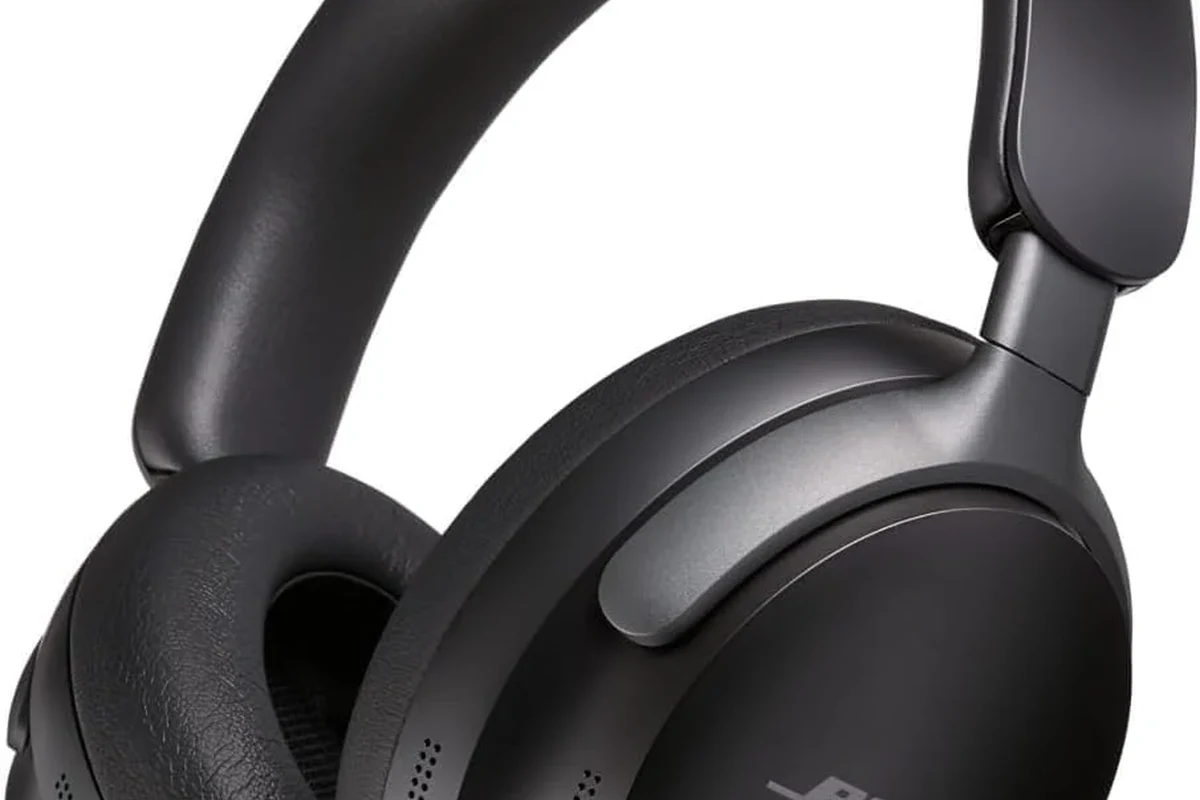
In 2026, the Xbox Series S still relies on a few specific audio paths rather than open Bluetooth pairing. That usually means Xbox Wireless headsets, wired headphones through the controller, or audio routed through a TV, monitor, or external device.
The best option depends on whether you care most about low latency, microphone chat, convenience, or sound quality. For many gamers, the “best” setup is not the most wireless one, but the one that keeps game audio and chat stable.
Why the Xbox Series S Does Not Support Standard Bluetooth Audio
Microsoft designed Xbox wireless audio to prioritize low-latency gaming and reliable chat. Standard Bluetooth can introduce delay, and that delay is more noticeable in fast games, especially when footsteps, gunshots, and voice chat need to stay in sync.
Another issue is feature support. Even if a Bluetooth workaround gets audio playing, microphone access and party chat may not work the way you expect.
Many gaming headsets use 2.4GHz wireless instead of standard Bluetooth because it usually delivers lower latency and more stable chat performance.
The Difference Between Bluetooth, Xbox Wireless, and TV Audio
Bluetooth is the wireless standard most people know from phones and laptops. Xbox Wireless is Microsoft’s own connection system for compatible headsets and accessories, and it is made specifically for console gaming.
TV audio is different again. If your headset connects to your television or monitor, the console itself is not handling the headset connection directly, which can be helpful but may also add delay depending on the display and adapter.
Best Ways to Use Headphones with Xbox Series S Without Bluetooth
If you want the simplest answer for most players, use a headset made for Xbox or a wired pair plugged into the controller. These methods are usually the least frustrating and give the most predictable audio results.
If you already own wireless headphones, you can still use them in some cases, but the setup often involves a workaround rather than direct pairing. For a deeper look at wireless audio basics, see our guide to Bluetooth headphones explained simply.
Using Xbox Wireless Headsets for Direct Console Pairing
An Xbox Wireless headset is the most direct wireless option for Series S. These headsets are designed to connect to the console without needing a separate transmitter in many cases, which keeps the setup simple.
This is usually the best route if you want low-latency game audio and party chat in one package. It is especially useful for players who do not want to troubleshoot extra dongles, splitters, or TV settings.
If you play multiplayer often, prioritize headset models that support both game audio and voice chat clearly, not just “wireless” on the box.
Connecting Wired Headphones Through the Xbox Controller
Wired headphones are still one of the easiest solutions for Xbox Series S. If your headphones have a 3.5mm plug, you can connect them directly to the controller and start playing right away.
This option avoids Bluetooth lag and usually gives the most dependable chat support. It is also a smart choice if you already own a good wired headset and do not want to spend extra on new gear.
- Does your headset have a 3.5mm cable?
- Does the controller jack feel secure?
- Do you need microphone support for party chat?
Using Your TV, Monitor, or External Audio Device as a Workaround
Some gamers route audio through the TV or monitor and then connect headphones to that device. This can work, but the result depends heavily on the display’s audio output options and how much processing it adds.
If your TV already supports low-latency audio pass-through, this can be a convenient compromise. If not, you may notice lip-sync issues, which is why a direct headset connection is often better for gaming.
Bluetooth Workarounds That Actually Work for Xbox Series S
There are ways to use Bluetooth headphones with Xbox Series S indirectly, but “indirectly” is the important word. These methods can be useful, yet they come with trade-offs in latency, convenience, or microphone support.
If you want to understand Bluetooth delay better before buying an adapter, our article on Bluetooth headphone lag fix can help you judge what is realistic.
Bluetooth Transmitters for TV or Monitor Audio Output
A Bluetooth transmitter can send audio from your TV or monitor to your Bluetooth headphones. This is the most common workaround for people who already own a favorite wireless headset and want to keep using it.
That said, transmitter quality matters. Some models handle latency better than others, and some may work fine for casual play but feel off during fast action games or dialogue-heavy scenes.
Not all Bluetooth transmitters support low latency or microphone audio. Before buying, check whether the transmitter is designed for gaming and whether it supports your headset’s connection type.
Using a Mobile App or Remote Play Setup for Voice and Game Audio
Remote play and companion apps can be useful for specific tasks, but they are not a perfect replacement for native console audio. Some players use them for voice chat, second-screen control, or casual listening, but the experience can vary based on your network.
This setup makes more sense for convenience than for competitive play. If your goal is zero-delay sound and clear directional cues, direct console audio is still the safer choice.
When USB Audio Adapters or Mixers Make Sense
USB audio adapters or small mixers can help in certain setups, especially if you want to combine game audio with a microphone or route sound to another device. They are not necessary for everyone, but they can solve problems that simple Bluetooth cannot.
These tools make the most sense for streamers, desk setups, or users who already own multiple audio devices. If you are shopping for a broader gaming headset setup, our guide on types of headphones explained can help you narrow down over-ear, on-ear, and in-ear options.
Practical Examples: Which Setup Is Best for Different Gamers?
The best solution depends on how you play. A casual solo player may value convenience, while a competitive gamer usually cares more about delay, microphone clarity, and directional audio.
Casual Players Who Want Simple Plug-and-Play Audio
If you mostly play story games or relaxed sessions, a wired headset into the controller is often the easiest answer. It is affordable, simple, and avoids most pairing headaches.
If you strongly prefer wireless, an Xbox Wireless headset is usually the next best option because it keeps the setup streamlined without relying on your TV for audio.
Competitive Gamers Who Need Low Latency and Clear Chat
Competitive players should focus on latency first and comfort second. In this case, Xbox Wireless or wired audio is usually better than generic Bluetooth because timing matters more when reaction speed counts.
Clear chat is also important. If your headset’s microphone is inconsistent through a Bluetooth workaround, it can become more distracting than helpful during team play.
Budget Buyers vs. Premium Headphone Owners
Budget buyers often get the best value from a wired headset or an affordable Xbox-compatible model. You do not need an expensive wireless setup to get solid game audio on Series S.
Premium headphone owners may prefer to keep using a favorite Bluetooth pair, but they should be realistic about the compromises. Sometimes the smarter move is to preserve sound quality for music and use a separate gaming headset for the console.
Common Mistakes People Make When Trying to Use Bluetooth Headphones on Xbox Series S
Most problems happen because people assume Xbox works like a phone or tablet. It usually does not, and that leads to confusion when the headset refuses to pair or the sound feels delayed.
Assuming Any Bluetooth Headset Will Pair Directly
This is the biggest mistake. A headset may be excellent on Android, iPhone, or PC, but that does not mean it will connect directly to Xbox Series S.
Before buying, check whether the headset is Xbox Wireless compatible or whether you will need a transmitter, TV pass-through, or another workaround.
Ignoring Audio Delay and Lip-Sync Problems
Even when Bluetooth audio works through a workaround, delay can still be noticeable. That matters more in games than it does for podcasts or casual video watching.
If speech, gunfire, or button feedback feels late, the setup may not be ideal for gaming. For more on wireless timing issues, see our guide to Bluetooth vs wired headphones sound quality.
Overlooking Microphone and Party Chat Limitations
Some Bluetooth setups only handle listening, not talking. That means your headphones may play game audio but still fail to support party chat properly.
If you play online with friends, confirm that both audio and microphone features work before you commit to a specific adapter or headset.
Listening at high volumes for long periods can cause hearing damage. Keep volume at 60% or below for extended sessions.
Expert Advice: What to Check Before Buying a Headphone or Adapter in 2026
In 2026, the smartest Xbox Series S buyers look at the whole chain: console, controller, TV or monitor, headset, and any adapter in between. A good headset can still sound bad if the connection path is weak.
Latency, Codec Support, and Bluetooth Transmitter Quality
Latency should be your first concern if you want wireless audio. Even a comfortable headset can feel wrong if the sound arrives late.
Codec support and transmitter quality may also affect performance, but results vary by brand, model, and the devices connected in your setup. If you are unsure, a simple wired connection is often the safest fallback.
If you have persistent hearing discomfort, ringing, or sensitivity after gaming sessions, consult an audiologist or hearing professional.
Price Comparison: Cheap Adapters vs. Xbox Wireless Headsets
Cheap adapters can look attractive, but they may create more problems than they solve. Some work well enough for casual use, while others introduce delay, hiss, or unstable pairing.
Xbox Wireless headsets usually cost more, but they can reduce setup headaches and give a more consistent gaming experience. The better value depends on how often you play and how much frustration you want to avoid.
Compatibility Tips for Dolby Atmos, TV Pass-Through, and Chat Audio
Before you buy, check whether your setup needs Dolby Atmos support, TV audio pass-through, or microphone chat. These features can change the best choice for your room and your play style.
If you use a monitor without strong audio output, a direct headset may be better than a TV-based workaround. If you are building a desk setup, our general guide on Bluetooth headphones explained simply can also help you understand where wireless audio fits and where it does not.
Final Verdict: The Best Way to Get Wireless Audio on Xbox Series S
So, can you use bluetooth headphones on xbox series s? Not directly, and that is the main limitation to remember. The cleanest options are an Xbox Wireless headset or a wired headset through the controller.
If you already own Bluetooth headphones, a transmitter or TV workaround can help, but it is usually a compromise rather than a perfect solution. For most gamers, the best wireless experience on Xbox Series S comes from Xbox-compatible gear, not standard Bluetooth.
- Xbox Series S does not support standard Bluetooth headphone pairing.
- Xbox Wireless and wired controller audio are the most reliable options.
- Bluetooth workarounds can work, but latency and chat support may vary.
- Check compatibility before buying any adapter or headset.
Frequently Asked Questions
No, standard Bluetooth headsets do not pair directly with Xbox Series S. You usually need an Xbox Wireless headset, a wired connection, or a workaround like a transmitter.
In most cases, yes. Wired audio usually gives lower latency and more reliable chat support, which helps in fast-paced games.
They can work, especially through a TV or monitor, but performance varies by transmitter and headset. Some setups may still have noticeable delay or limited microphone support.
Comfortable over-ear headphones are often the best choice for long sessions, but fit and ear cushion material matter a lot. If you have ear pain or sensitivity, consider speaking with an audiologist.
Closed-back headphones usually isolate outside noise better, which is helpful for gaming in shared spaces. Open-back headphones can feel more spacious, but they leak sound and may not suit every room.
Check connection type, latency, microphone support, comfort, and whether the headset is Xbox compatible. If you use Bluetooth workarounds, also look at transmitter quality and pass-through options.