How To Wear Headphones On One Ear: Easy Guide

Wearing headphones on one ear is useful when you need music, calls, or audio while staying aware of people and sounds around you in the United States. The safest method is to use one earbud or place one earcup over one ear, keep the volume low, and leave the other ear fully open. For stereo sound, turn on Mono Audio so you do not miss sounds mixed into only one channel.

Choose the Right One-Ear Method
The best method depends on your headphone type, the activity, and how much outside sound you need to hear.
One earbud
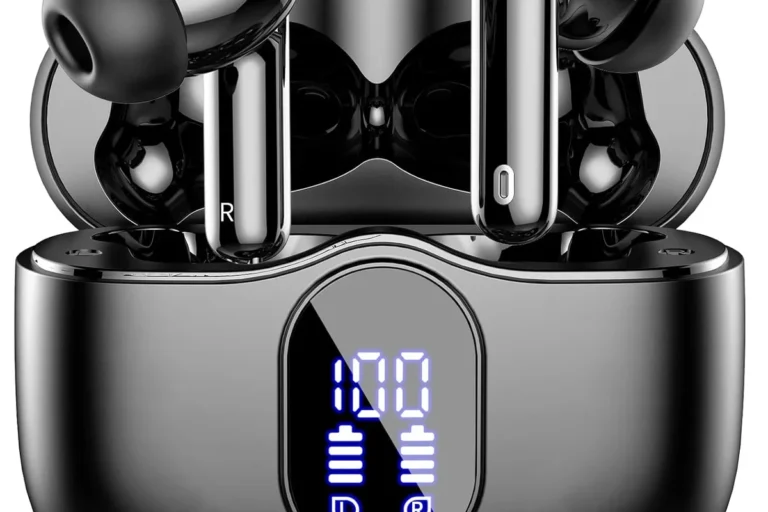
A single earbud is usually the easiest option. Put one earbud in the ear you prefer and leave the other ear uncovered.
This works well for:
- Phone calls
- Podcasts
- Navigation prompts
- Short listening sessions
- Workplaces where you need to hear people nearby
A single earbud may not give you the full sound mix. Some music uses separate left and right channels. If you use only one side, vocals or instruments may sound weak or disappear.
One earcup on an over-ear headset
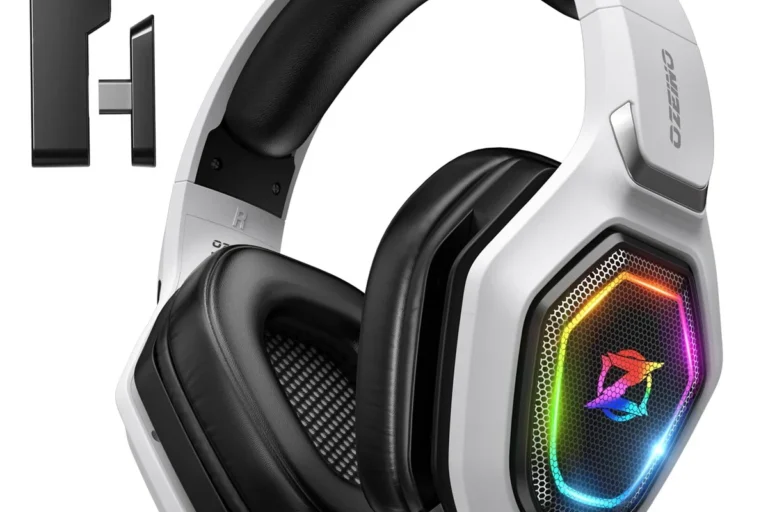
With over-ear headphones, place one earcup over one ear and move the other earcup away from your head. Some headsets let you rotate one earcup outward.
This method can work for:
- Office calls
- Gaming with nearby communication
- Radio monitoring
- Short periods of music or video
Do not force the headband into an odd position. A twisted band can press unevenly on your head, slip off, or damage the headset.
One side of on-ear headphones
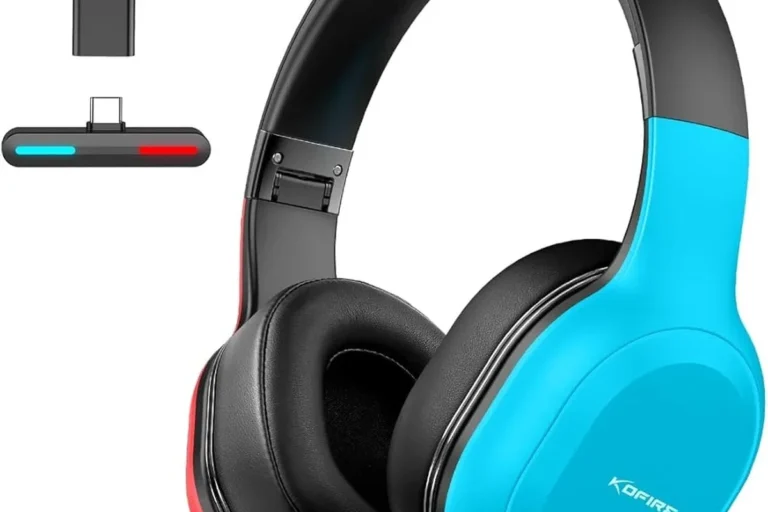
On-ear headphones sit on the outer ear. You can place one side over one ear and leave the other side off.
This can be less stable than using one earbud. The unused side may swing, press against your neck, or catch on clothing. Adjust the band so it rests lightly rather than pulling the active earcup away from your ear.
Bone-conduction headphones
Bone-conduction headphones sit near the cheekbones instead of sealing the ear canal. They can leave both ear canals open, but they are not the same as wearing headphones on one ear.
They may help when you need to hear nearby sound. However, they still produce sound and can still distract you or expose you to loud audio. Open ears do not remove the need for safe volume.

How to Wear Headphones on One Ear Step by Step
Follow these steps for a secure fit, clear sound, and better awareness.
1. Pick the ear that feels natural
Most people choose the ear opposite their dominant hand when they need to keep one hand free. Others choose the ear that gives the best fit.
Try both sides. Choose the side that:
- Feels comfortable
- Stays in place
- Does not block an important nearby sound
- Does not make you raise the volume
- Does not cause pressure or pain
There is no universal rule that says you must use the left or right ear.
2. Clean the earbud or earcup
Wipe the contact surface before use. Earwax, sweat, and skin oil can reduce grip and sound quality.
For earbuds, use a dry or slightly damp cloth. Do not pour liquid into the speaker mesh. Follow the care instructions from the headphone maker.
3. Fit the active side gently
For an earbud, insert it only as far as needed to hold it in place. Do not push it deep into the ear canal.
For an over-ear or on-ear headset, center the earcup over the ear. The pad should rest evenly without pressing hard.
A good fit should feel secure but not tight. If you feel throbbing, numbness, heat, or pain, remove the headphones and readjust them.
4. Move the unused side out of the way
With a two-sided headset, rotate the unused earcup outward if the design allows it. Do not bend the earcup hinge beyond its normal range.
If the unused side keeps falling back, a single-ear headset may be a better tool. It is designed to stay on one side without the weight of a second earcup.
5. Set the volume before you start
Begin at a low volume. Raise it only enough to hear the content clearly.
A practical warning sign is the need to speak louder than normal while wearing the active earbud. Another sign is ringing or muffled hearing after listening. If either occurs, lower the volume and take a break.
The National Institute on Deafness and Other Communication Disorders explains that repeated exposure to loud sound can cause noise-induced hearing loss. The risk depends on both volume and listening time.
6. Turn on Mono Audio when needed
Mono Audio sends the left and right audio channels to both sides. This helps when you use only one earbud.
On an iPhone
- Open Settings.
- Tap Accessibility.
- Tap Audio & Visual.
- Turn on Mono Audio.
- Adjust the balance slider if needed.
On many Android phones
The menu name can vary by brand and Android version.
- Open Settings.
- Search for Mono audio or Audio balance.
- Open the accessibility audio settings.
- Turn on Mono audio.
- Keep the balance near the center unless you have a specific reason to change it.
If you cannot find the setting, search your phone maker’s support page for the exact model.
7. Check your surroundings
Before starting audio, listen to the area around you. Keep the uncovered ear open.
Do not rely on one-ear listening as your only safety measure near:
- Roads
- Driveways
- Parking lots
- Train platforms
- Construction areas
- Airports
- Crowded sidewalks
- Emergency activity
Remove both headphones when you need to cross a road, follow instructions, or speak with someone. In the United States, laws for headphones while driving, cycling, or operating equipment vary by state and location. Check the rule that applies where you are.
8. Check the fit after a few minutes
A fit that feels fine at first may become uncomfortable later. After several minutes, check for:
- Ear pain
- Skin pressure
- Headache
- Heat
- Ringing
- Muffled hearing
- A need to keep raising the volume
If symptoms continue after you stop listening, avoid more loud sound. Seek medical advice if pain, ringing, dizziness, or hearing changes persist.

How to Hear the Full Audio in One Ear
Use Mono Audio when the content sounds incomplete. Stereo recordings divide sound between the left and right channels. Listening to only one channel can remove part of the recording.
Mono Audio combines both channels. It is useful for:
- Music
- Movies
- Video calls
- Online classes
- Podcasts with stereo production
- Accessibility needs
Mono Audio does not make a two-ear listening setup safer by itself. It only changes how the channels are combined.
When not to use Mono Audio
You may prefer stereo when:
- You use both headphones
- You need left-right audio cues for gaming
- You are mixing or editing sound
- The app already produces mono sound
Some games use directional audio. Combining the channels can make it harder to tell where a sound comes from.
Fix uneven sound without raising the volume
If one ear sounds much quieter, check these items in order:
- Make sure the earbud or earcup is positioned correctly.
- Clean the speaker mesh.
- Check the phone’s left-right balance.
- Turn Mono Audio on and off to compare the sound.
- Test the headphones with another device.
- Charge or reconnect the headphones.
- Check whether the audio app has its own balance setting.
Do not keep increasing the volume to correct a blocked mesh or a damaged speaker.

How Loud Should One-Ear Headphones Be?
Keep the volume as low as possible while still hearing the content. One-ear listening can tempt you to turn the sound up because outside noise reaches the uncovered ear and makes the active side seem quiet.
The CDC and NIOSH describe noise exposure as a combination of sound level and time. Their recommended exposure limit for occupational noise is 85 dBA as an 8-hour time-weighted average, with less allowable time as the sound level rises. This workplace limit is not a personal guarantee that every listening level is safe.
Use these habits:
| Situation | Better practice |
|---|---|
| Quiet room | Keep the volume low |
| Office or classroom | Use the lowest clear setting |
| Bus, subway, or airplane | Avoid trying to overpower the noise |
| Walking near traffic | Keep the uncovered ear open and pause audio when needed |
| Long listening session | Take regular quiet breaks |
| Ringing or muffled hearing | Stop or lower the volume |
Noise-canceling headphones can reduce the urge to raise the volume in steady background noise. They do not make loud listening harmless. They can also reduce awareness of alarms, voices, vehicles, and announcements.

Is It Safe to Wear Headphones on One Ear?
One-ear listening may help you stay aware of your surroundings, but it is not automatically safe. The active ear still receives sound, and loud audio can harm hearing in that ear.
The uncovered ear may also give you a false sense of safety. You can still miss a warning because of distraction, traffic noise, poor visibility, or focused attention on the audio.
Use extra care if you:
- Work near machinery
- Operate a vehicle
- Ride a bicycle or scooter
- Walk near traffic
- Work in a clinical or industrial setting
- Need to hear alarms or instructions
- Have hearing loss in one ear
- Have ear pain, drainage, or an active ear infection
For workplace noise, follow your employer’s hearing-protection program. In areas with hazardous noise, an ordinary earbud is not a substitute for approved hearing protection.
Avoid switching sides to “balance” loud sound
Switching from the left ear to the right does not cancel the risk from loud audio. Each ear receives its own exposure. The safer approach is to reduce volume, shorten the session, and take quiet breaks.
Watch for warning signs
Stop listening and give your ears a quiet period if you notice:
- Ringing or buzzing
- Muffled hearing
- Ear fullness
- Pain
- Dizziness
- Unusual sound sensitivity
Contact a health professional if these symptoms do not improve, happen often, or start suddenly. Sudden hearing loss needs prompt medical attention.

Common Problems and Quick Fixes
The headphone keeps falling off
Try a smaller ear tip, a different ear tip shape, or a model with an ear hook. For a headset, adjust the headband before tightening it. A tight fit is not always a stable fit.
The sound is too quiet
Check the device volume, app volume, earbud position, battery, and speaker mesh. Do not solve a fit problem by using maximum volume.
The sound is missing parts of the music
Turn on Mono Audio. The recording may use separate left and right channels.
The unused earcup feels awkward
Rotate it outward if the hinge permits it. If the headset does not support one-ear use, switch to a single-ear headset or one earbud.
People cannot hear you on calls
Move the microphone toward your mouth if the design allows it. Check the app’s microphone permission, Bluetooth connection, and mute setting. Wind and traffic can also reduce call quality.
Your ear hurts after wearing one earbud
Remove the earbud. Try a smaller tip, a looser fit, or a different style. Do not keep wearing it through pain.

Best Practices for Work, Travel, and Exercise
At work
Use one ear only when workplace rules allow it. Keep the volume low enough to hear coworkers and alarms. Remove the headphone during meetings or when someone speaks to you.
In noisy workplaces, do not treat an open ear as hearing protection. Use the protection required by the workplace safety program.
While traveling
One ear can help you hear station announcements, but keep the volume low. At airports, train stations, and bus stops, pause audio when listening for a gate, platform, or route announcement.
While walking
Keep your uncovered ear toward the traffic or activity you need to monitor. This is not a guarantee of safety. Stay alert, avoid looking at your phone while crossing, and pause audio at intersections.
While exercising
Sweat can make earbuds slip and can damage some devices. Use a secure fit and clean the headphones after use. Remove them when you need to hear a coach, partner, vehicle, or emergency signal.
While driving
Do not assume one-ear listening is legal or safe in your state. Headphones can reduce attention even when one ear remains open. Check local rules and avoid using audio that competes with road awareness.
One Earbud vs. One Earcup
| Option | Main benefit | Main limitation |
|---|---|---|
| One earbud | Small and easy to wear | May sound incomplete without Mono Audio |
| One over-ear earcup | Often comfortable for calls | The unused cup may be awkward |
| One on-ear side | Light and simple | May slip or press on the ear |
| Single-ear headset | Built for one-ear use | Usually less suited to full music listening |
| Bone-conduction headset | Leaves ear canals open | Still produces sound and can distract |
Choose a single-ear headset when your main goal is calls or communication. Choose one earbud when portability matters. Choose one earcup when you already own a headset and need short-term one-ear use.
No style removes the need to manage volume, listening time, and attention.
Frequently Asked Questions
Can I wear one AirPod or one wireless earbud?
Yes. Use one earbud at a time, keep the other ear open, and turn on Mono Audio if you want both stereo channels combined. Store the unused earbud in its case so it does not get lost or discharge.
Which ear should I use for a single earbud?
Use the side that feels comfortable and leaves you best able to monitor your surroundings. If you need to hear traffic or a coworker, keep that side open.
Does wearing headphones on one ear damage hearing?
One-ear use does not prevent hearing damage. Loud sound can harm the ear wearing the headphone. Lower volume and shorter listening time reduce risk.
Can I sleep with one earbud in?
It is generally a poor choice. An earbud can cause pressure, fall under your body, collect moisture, or play sound for many hours. Remove it before sleeping.
Why does music sound strange in one ear?
The recording may use stereo separation. Turn on Mono Audio or check the device’s balance setting. If one ear still sounds muffled with different headphones, consider a hearing or ear-health issue and seek medical advice.
Key Takeaways
- Use one earbud or one earcup, not a badly twisted two-sided headset.
- Keep the unused ear open when you need environmental awareness.
- Turn on Mono Audio if stereo music sounds incomplete.
- Use the lowest clear volume and take quiet breaks.
- Remove headphones near traffic, machinery, alarms, and important instructions.
- Stop listening if you develop pain, ringing, dizziness, or muffled hearing.
Conclusion
To wear headphones on one ear, choose the side that feels stable, keep the volume low, and leave the other ear uncovered. Use Mono Audio when you need to hear the full recording through one ear. For calls and short work sessions, a single-ear headset may be more comfortable than forcing a standard pair into an uneven position.
Your next step is simple: put on the headphone at low volume, check the fit after a few minutes, and pause the audio whenever your surroundings require full attention.