How To Wear Headphones Around The Neck: Easy Guide

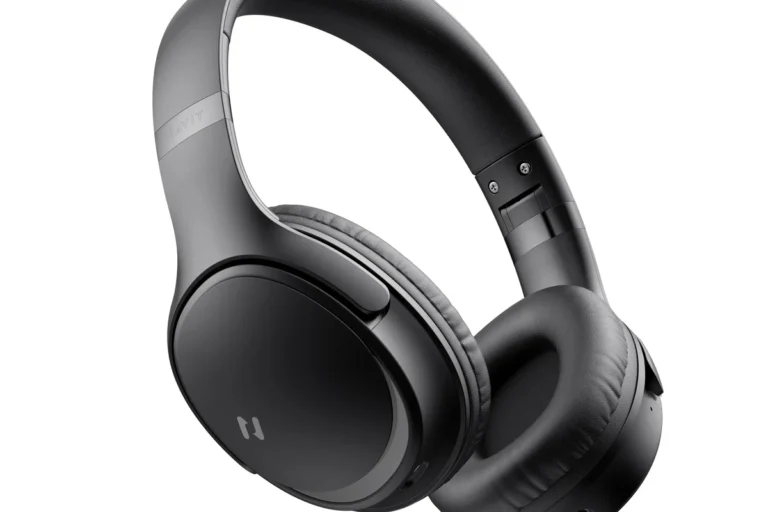
Wearing headphones around your neck is simple: remove the ear cups from your ears, place the headband behind your neck, and let the ear cups rest on your upper chest with the cushions facing inward. This method works well when you need a short break from music, a quick conversation, or better awareness of traffic and people around you in the United States.
The fit should feel stable but not tight. If the headphones press into your throat, pull on your hair, or slide toward one shoulder, adjust the ear cups or use a different carrying method. Over-ear, on-ear, and neckband headphones each sit a little differently.
Introduction
Headphones around the neck are convenient, but there is no single position that fits every person or every model. The best position depends on the headband shape, ear cup size, cable placement, clothing, and how long you plan to wear them.
For most people, the safest and most comfortable setup is to keep the headband behind the neck and the ear cups on the upper chest. Turn the cushions toward your body. This keeps the speakers from catching on clothing and makes it easier to put the headphones back on.

The Correct Way to Wear Headphones Around Your Neck
Follow these steps to place standard headphones around your neck:
-
Pause or remove the headphones from your device.
Pause audio before removing the headphones. This reduces the chance of missing an alert or causing a sudden sound when you put them back on. -
Lift the ear cups away from your ears.
Use both hands if the headphones are large or tight. Do not pull one side sharply, as this can twist the headband. -
Move the headband behind your neck.
The headband should rest on the back or upper sides of your neck. It should not sit across your throat. -
Place the ear cups on your upper chest.
Let both cups rest at a similar height. For many models, the cushions should face inward toward your shirt. -
Adjust the angle.
Turn the ear cups slightly inward if they feel loose. If they press against your collarbone, rotate them outward or raise the headband slightly. -
Check the cable or controls.
Keep a cable, microphone, or control module where it will not catch on a bag strap or jacket zipper.
A good fit stays in place when you turn your head. It should not pinch your neck, block your breathing, or force your shoulders forward.
Which way should the ear cups face?
In most cases, place the ear cushions toward your chest. This position protects the cushions from rubbing against rough surfaces and keeps the outer shells from catching on clothing.
Some people prefer the ear cups facing outward. That can work if the headphones remain stable and the outer controls are easier to reach. However, outward-facing cups may bump into coat collars, backpack straps, or seat belts.
Should the headband go in front or behind your neck?
The headband should usually go behind your neck. Wearing it across the front can press on your throat and may feel restrictive. It can also place more stress on the hinges if the ear cups are forced into an unnatural angle.

How to Wear Different Types of Headphones Around Your Neck
The right neck position changes with the headphone design. Over-ear headphones need more space, while small on-ear models can sit closer to the neck.
| Headphone type | Recommended neck position | Main adjustment |
|---|---|---|
| Over-ear | Headband behind the neck; ear cups on the upper chest | Turn cups inward and keep them clear of the collar |
| On-ear | Headband behind the neck; pads resting lightly below the jaw or on the chest | Reduce pressure if the pads pinch the neck |
| Wireless headphones | Same as over-ear or on-ear headphones | Check battery and button placement |
| Wired headphones | Headband behind the neck; cable facing the device | Prevent the cable from pulling at one side |
| Neckband headphones | Flexible band resting around the back and sides of the neck | Keep the band flat rather than twisted |
| In-ear earbuds | Usually place them in a case, not around the neck | Do not leave loose earbuds where they can fall or snag |
Over-ear headphones
Large over-ear headphones often feel secure around the neck because their ear cups rest against the chest. Their size can also make them warm or bulky.
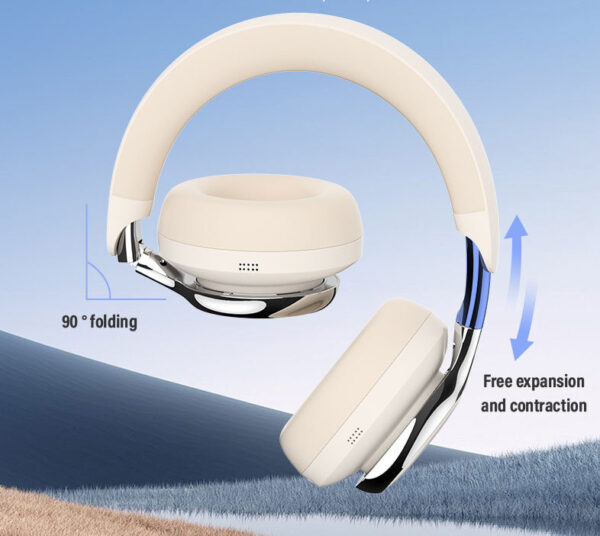
To improve comfort, extend or shorten the headband before placing the headphones around your neck. If the ear cups push against your jaw, rotate them slightly or move the headband lower on the neck.
Avoid forcing large ear cups under a tight collar. The collar can press on the hinges and create uneven pressure.
On-ear headphones
On-ear headphones may sit higher than over-ear models. Their smaller pads can rest under the jaw, near the sides of the neck, or on the upper chest.
If the pads pinch your skin, loosen the headband. If the headphones slide off when you look down, move the ear cups closer together or place the headband slightly higher.
Neckband headphones
Neckband headphones are designed to rest around the neck. Keep the band flat against your neck and place the left and right earbuds near their intended sides.
Do not twist the band to make it tighter. A twist can place stress on the internal wiring or make the controls move to an awkward position.

How to Make Headphones More Comfortable Around Your Neck
Comfort improves when the headphones sit on your body rather than hanging from one side. Start with the headband and then adjust the ear cups.
Try these changes:
- Loosen the headband if the ear cups press into your neck.
- Raise the headband slightly if the ear cups slide toward your stomach.
- Turn the ear cups inward if the headphones catch on your shirt.
- Move cables away from your collar if they rub against your skin.
- Use both hands when putting on or removing large headphones.
- Remove bulky clothing from under the ear cups if a coat or scarf creates pressure.
- Keep the ear cups level so one side does not carry most of the weight.
Your clothing can change the fit. A hoodie, scarf, or high collar may push the ear cups upward. A smooth shirt may allow them to slide more easily. If you wear headphones around your neck for a long period, a soft collar and a lighter headset may feel better than thick, padded models.
Avoid pressure on the throat
Headphones should never make swallowing, breathing, or turning your head difficult. If the headband presses against the front of your neck, move it behind your neck or stop wearing the headphones that way.
A tight fit may also cause skin irritation. Remove the headphones for a short break if your skin becomes sore, hot, or red.
Prevent hair pulling
Long hair can catch in hinges, adjustment rails, or ear cup joints. Move hair away from the sides of the neck before placing the headphones down.
If hair continues to catch, turn the ear cups inward and avoid sliding the headset across your neck. Pulling the headphones straight away from your body is gentler than dragging them through your hair.

How to Wear Headphones Around Your Neck With Glasses
People who wear glasses can usually place headphones around the neck without changing the basic method. Remove the headphones with both hands, then keep the headband behind the neck.
Glasses mainly affect comfort when you put the headphones back over your ears. Large ear cushions may push the glasses arms against your head. To reduce pressure:
- Lift the headphones into place without sliding them across the glasses.
- Center each ear cup over the ear.
- Adjust the headband so the cups seal without excessive force.
- Check that the glasses arms do not break the cushion seal.
When the headphones are around your neck, keep the ear cups below the glasses and frame. This prevents the cups from catching on the glasses when you move the headset back into position.

How to Wear Headphones Around Your Neck With a Cable
A wired headset should sit so the cable runs toward the device without pulling sharply. If the cable is connected to a phone in your pants pocket, place the plug side closest to that pocket.
A cable can become a snag hazard around backpacks, exercise equipment, door handles, and seat belts. When moving through a crowded area, disconnect the cable or place the headphones in a bag.
Do not wrap the cable tightly around your neck. If you need to store wired headphones, coil the cable loosely and use a case or soft pouch. Tight bends near the plug and ear cups can damage the conductors over time.
If the cable pulls one ear cup downward, shorten the distance between you and the device. You can also route the cable under a jacket, but make sure it does not restrict movement or catch on another object.
How to Wear Headphones Around Your Neck While Walking or Commuting
Headphones around the neck can help you stay aware of your surroundings, but they do not make every environment safe. Keep your attention on vehicles, bicycles, stairs, platform edges, and other people.
When walking near traffic in the United States, keep audio paused or use a level that allows you to hear warnings and approaching vehicles. The same rule applies in parking lots, transit stations, and shared paths.
Do not let headphones hang loosely while riding a bicycle, scooter, or motorcycle. A dangling cable or large ear cup can catch on equipment or clothing. Follow local traffic laws and the safety rules for the vehicle or path you use.
For air travel, keep the headphones secure when boarding or moving through a narrow aisle. A headset hanging from one shoulder can catch on an armrest or another passenger's bag.

Common Mistakes When Wearing Headphones Around Your Neck
Several small habits can make the position uncomfortable or damage the headphones.
Wearing the headband across the throat
This creates pressure at the front of the neck and may force the ear cups into an awkward angle. Move the headband behind your neck instead.
Pulling one ear cup down
Pulling only one side can twist the headband and strain the adjustment joints. Use both hands when removing large headphones.
Leaving the ear cups twisted
Some headphones fold inward for storage. That folding position may not be designed for wearing the headset around the neck. Return the cups to their normal orientation before placing them on your chest.
Wearing a tight collar underneath
A high collar can push the ear cups into your jaw. Loosen the clothing, move the headset above the collar, or store it in a case.
Keeping active noise cancellation on
Noise cancellation may continue using battery power while the headphones are around your neck. It can also reduce awareness if sound still reaches your ears. Pause audio and turn off unneeded features when you are not listening.
Using the neck position as a storage case
The neck is not a secure storage area. Headphones can fall when you bend over, sit down, change clothes, or remove a backpack. Use a case or bag for longer storage.

What to Do If the Headphones Keep Sliding
If headphones slide forward, adjust the fit in this order:
- Check whether the headband is too loose.
- Move the headband higher behind the neck.
- Turn the ear cups inward.
- Remove clothing that pushes the cups outward.
- Check whether one ear cup is heavier because of a cable or control module.
- Store the headphones if they still cannot stay secure.
If one side falls lower than the other, inspect the headband extension and cable. One side may be extended farther, or the cable may be pulling the headset down.
If the headphones slide because the neckband is too large, do not bend it forcefully. Some neckband models have a fixed shape and may break if reshaped. Check the manufacturer’s instructions for approved adjustment limits.

Headphones Around the Neck: Quick Decision Guide
Use this guide to choose the best position for your situation:
- Taking a short listening break: Keep the headset around your neck with the ear cups facing inward.
- Walking near traffic: Pause audio and keep the headset stable or store it.
- Carrying a backpack: Check that the straps do not catch the ear cups or cable.
- Wearing a high collar: Place the ear cups above the collar or use a case.
- Using a wired headset: Route the cable toward the device without a tight loop.
- Storing the headset for several hours: Use a case instead of leaving it around your neck.
- Wearing a neckband model: Keep the band flat and avoid twisting it.
- Feeling pain or pressure: Remove the headphones and change the fit.
The best position is the one that stays secure without pressure, snags, or reduced awareness.

Frequently Asked Questions
Is it bad to wear headphones around your neck?
No. Wearing headphones around your neck is generally fine for short periods when they fit comfortably. Stop or change the position if they press on your throat, cause skin pain, pull your hair, or restrict movement.
Should headphones face in or out around your neck?
Ear cups usually work best facing inward toward your chest. This position can reduce snags and protect the cushions. Facing outward is also acceptable if it feels stable and does not catch on clothing.
Can I sleep with headphones around my neck?
It is not a good idea. Headphones can press against your neck, catch on bedding, or break when you turn. Store them before sleeping, and never wrap a cable around your neck.
Why do my headphones hurt my neck?
The headband may be too tight, the ear cups may be too heavy, or your collar may be pushing the headset into your skin. Loosen the band, adjust the cup angle, remove bulky clothing, or use a lighter model.
How can I stop my headphones from falling off my neck?
Keep the headband behind your neck, turn the ear cups inward, and make sure both sides have the same extension length. If the headset still falls when you bend over, store it in a case instead.
Conclusion
To wear headphones around your neck, place the headband behind your neck and rest the ear cups on your upper chest. Keep the cushions facing inward, adjust the fit so both sides sit evenly, and keep cables away from snag points.
Use the neck position for short breaks, not as a replacement for a case. If the headphones cause pressure, slip often, or reduce your awareness in a busy area, remove them or store them safely.