How to Turn Beats Headphones Off in Simple Steps

Most Beats headphones turn off with a long press on the power button, while many Beats earbuds shut down when placed in the charging case. If your model seems “off” but still reconnects, it is probably in standby or sleep mode rather than fully powered down.
If you want to know how to turn Beats headphones off, the exact method depends on the model. Most over-ear Beats use a power button, while many earbuds rely on the charging case or an automatic idle mode.
- Over-ear models: Usually use a power button hold to shut down.
- Earbuds: The charging case often handles power-off behavior.
- Confirm shutdown: Check lights, Bluetooth disconnects, and battery drain.
- Avoid mistakes: Don’t confuse standby, sleep, and full power-off.
How to Turn Beats Headphones Off: What Most Users Need to Know First
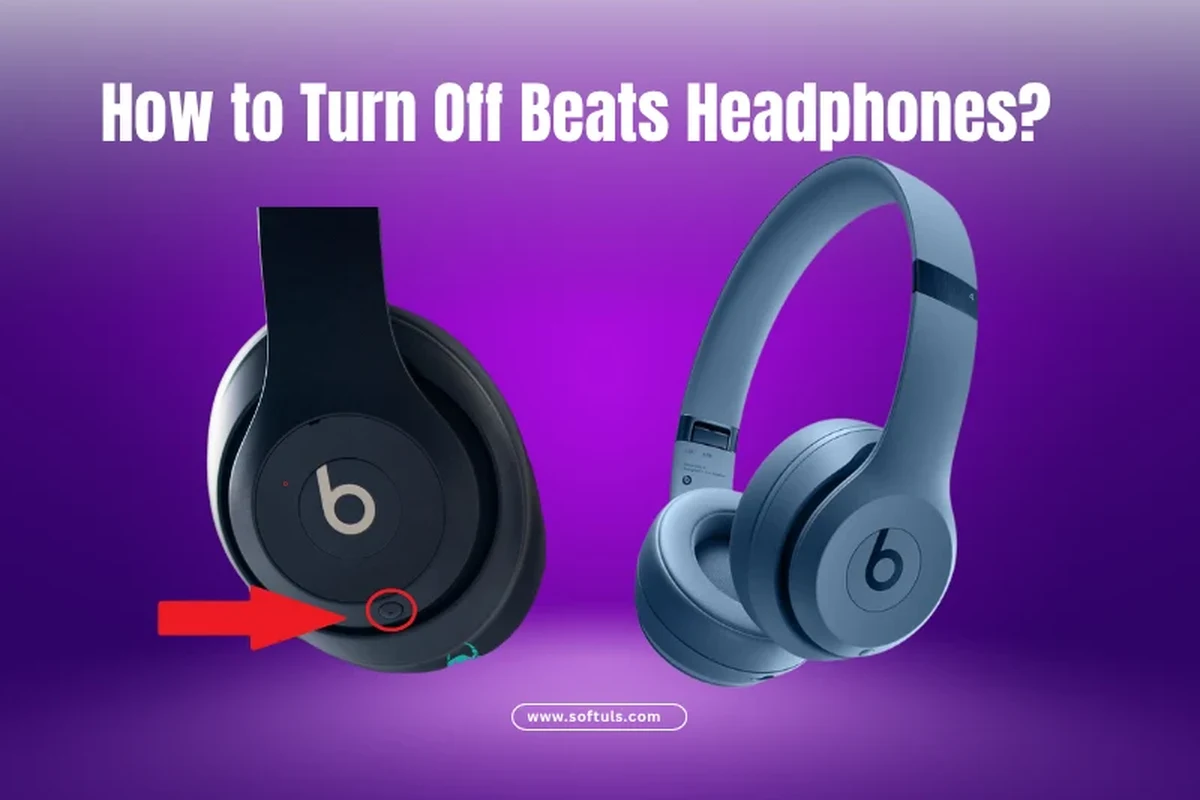
Beats products do not all shut down the same way, which is why the process can feel confusing at first. Some models power off manually, some pause into standby, and some earbuds appear “off” only after they return to the case.
Why Beats power behavior can feel different from other headphones
Unlike some wired headphones or simpler Bluetooth models, many Beats devices are designed around battery management and quick reconnection. That means the headphones may keep a low-power connection active for convenience, even when they seem idle.
This is especially noticeable if you are used to older headphones that had a very obvious on/off switch. With Beats, the button layout, charging case, and sleep settings can all affect how power works.
Which Beats models this guide applies to in 2026
This guide covers common Beats headphones and earbuds that readers still use in 2026, including Studio Pro, Studio series, Solo series, Fit Pro, Powerbeats models, and Beats Flex. Exact behavior can vary by generation and firmware, so model-specific instructions are always worth checking.
If you are unsure which model you own, look at the product name in Bluetooth settings or on the original box. That small detail can save a lot of guesswork when trying to shut the device down correctly.
Quick Answer: The Fastest Way to Turn Off Beats Headphones
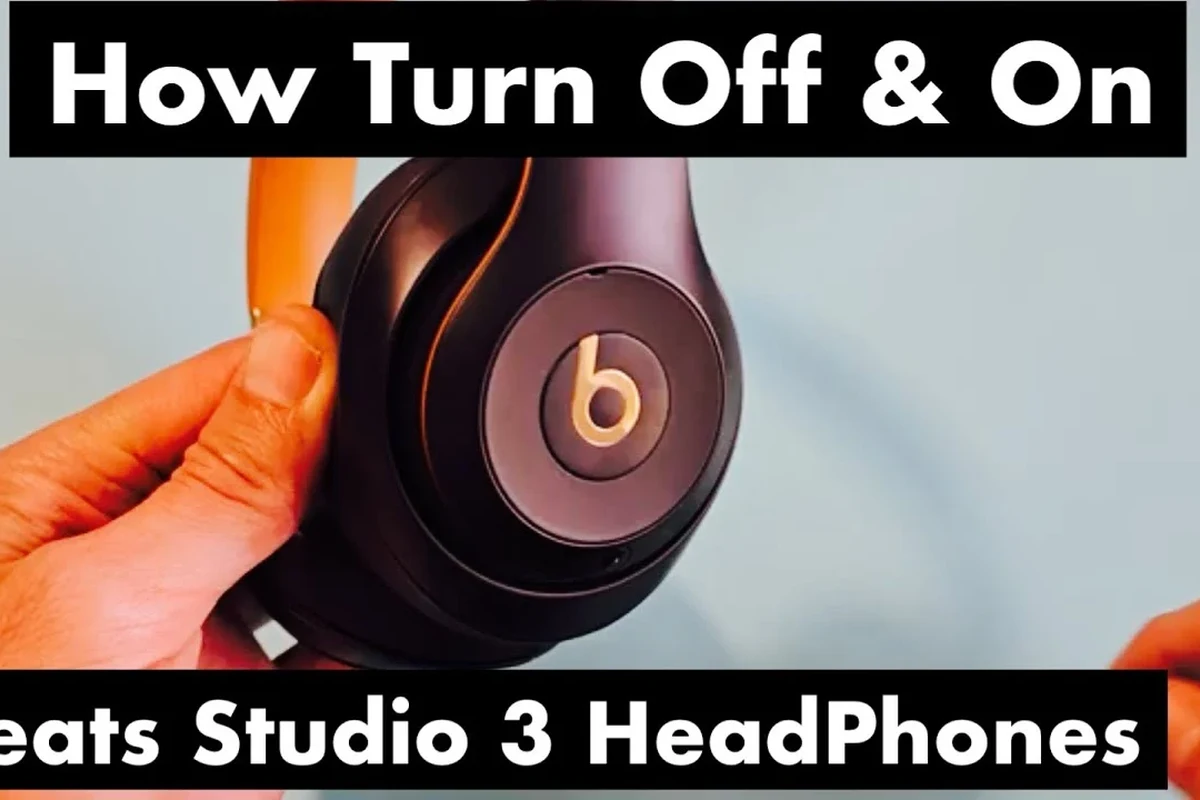
The fastest way to turn off Beats headphones is usually to hold the power button until the status light changes or the device powers down. For earbuds, the quickest shutdown is often placing them back in the charging case and closing the lid.
Using the power button on over-ear Beats models
On many over-ear Beats headphones, the power button is the main control for turning the headset on and off. Press and hold it for a few seconds until the light turns off or the device gives a shutdown cue.
If nothing happens right away, do not keep tapping randomly. A short press may only pause playback or activate Bluetooth controls instead of powering the headphones down.
Turning off Beats earbuds and when the case handles power
For earbuds like Beats Fit Pro and some Powerbeats models, the charging case often handles shutdown behavior. Putting the earbuds into the case usually disconnects them and starts charging or standby management automatically.
In many cases, you do not need a separate power-off action for the earbuds themselves. The case acts as the main power control, which is why storage matters so much for battery life.
What to do if your model has no obvious power button
If your Beats model does not have a clear power switch, check whether it is designed to sleep automatically after inactivity. Some models are meant to stay ready for quick use rather than fully shutting off every time.
In that situation, disconnecting Bluetooth, returning the earbuds to the case, or letting the headset sit idle may be the intended behavior. If you are also learning about device compatibility, our guide on how to connect Bluetooth headphones can help you understand the pairing side too.
Step-by-Step: How to Turn Off Popular Beats Headphone Models
The right shutdown method depends on the headset style. Below is a practical model-by-model breakdown so you can avoid pressing the wrong button or waiting for a feature that your model does not have.
Beats Studio Pro and Beats Studio series
For Studio-style over-ear Beats, look for the power button on the earcup. Hold it until the headphones power down, then wait for the indicator light to turn off or stop blinking.
If your Studio model supports quick sleep, it may also disconnect after a period of inactivity. That can feel like power-off, but it is not always the same as a full shutdown.
If your Beats keep reconnecting too quickly, turn Bluetooth off on the paired phone or laptop before storing them. That can make shutdown behavior easier to notice.
Beats Solo series
Solo models usually use a small power button or multifunction control on the earcup. Hold it long enough for the headset to power down, then confirm the light goes out.
Because Solo headphones are lightweight and portable, many users leave them in a semi-active state by accident. A quick visual check of the light is the easiest way to confirm they are not still awake.
Beats Fit Pro and Powerbeats models
For Beats Fit Pro and many Powerbeats earbuds, shutdown often happens when you place them in the charging case. Make sure each earbud seats properly in the magnetic slot before closing the lid.
If one earbud is not seated correctly, it may continue draining battery or stay connected longer than expected. That is a common reason people think the earbuds are off when they are only partially disconnected.
Some Beats earbuds can stay in a low-power state for convenience, so “off” may look different from one model to another. The case often matters more than a button press.
Beats Flex and neckband-style models
Beats Flex and similar neckband designs often use a power button on the inline control module. Hold the button until the indicator shows shutdown, then let the neckband rest without reconnecting.
These models can be easy to misread because the controls are small and close together. If you only press briefly, you may just trigger playback or call controls instead of turning the headset off.
How to Tell if Your Beats Are Actually Off
It is worth confirming shutdown instead of assuming it worked. A headset that is still connected in the background can slowly drain battery and create annoying pairing issues later.
Status lights, audio cues, and Bluetooth disconnect signs
The clearest sign is usually the status light turning off or changing from active blinking to no light at all. Some models also give a short tone or voice cue when they power down.
On your phone or laptop, the Bluetooth connection should disappear or show as disconnected after a proper shutdown. If it reconnects immediately, the headphones may still be active or waiting in standby.
Many wireless headphones use standby power so they can reconnect faster the next time you use them. That convenience can make them seem “off” even when they are still using a tiny amount of battery.
Checking battery drain after shutdown
If you are not sure whether the headphones truly powered down, check battery level before and after a few hours of storage. A small drop can be normal, but noticeable drain may mean the device stayed connected.
This is also a useful habit if you leave your headphones in a bag, desk drawer, or gym locker. Battery behavior can vary by model, age, and how often the headphones reconnect.
When standby mode is mistaken for being fully off
Standby mode is one of the most common sources of confusion. The headphones may stop playing audio and look inactive, but still remain ready for instant Bluetooth reconnection.
That is not always a problem, but it does mean the device is not completely off in the strict sense. If you want full shutdown behavior, you usually need the model’s specific power method or the charging case.
Common Mistakes People Make When Trying to Power Down Beats
Most shutdown problems come from small button mistakes or from expecting every Beats product to behave the same way. Once you know the pattern, the process becomes much easier.
Holding the wrong button too long or too briefly
A short press may pause music, answer a call, or skip a track instead of turning the device off. On the other hand, holding the wrong button too long can trigger pairing mode or a reset sequence.
If a power button is present, use a steady press and watch for the light or cue that confirms shutdown. Do not rely on guesswork when the controls are close together.
Assuming auto-off works the same across all models
Auto-off and sleep behavior can vary a lot between over-ear headphones, earbuds, and neckband-style products. Some models shut down quickly, while others stay semi-active for convenience.
That is why a guide for one Beats model does not always apply to another. If you use multiple headphone types, it helps to compare them with general types of headphones explained so the differences make more sense.
Forgetting the charging case, cable, or paired device settings
For earbuds, the charging case is often part of the shutdown process, not just a storage accessory. If the earbuds are not seated properly, they may stay connected or keep draining battery.
It also helps to check your paired phone, tablet, or laptop. Sometimes a device setting or active Bluetooth connection makes the headphones seem awake even after you think they are off.
Expert Advice: When Not Turning Beats Off Can Cause Problems
Leaving Beats active all the time is not usually dangerous, but it can create avoidable battery and connection issues. A little shutdown discipline goes a long way, especially if you use your headphones daily.
Battery drain, heat, and long-term battery health
Any wireless battery can slowly lose charge if it stays awake or connected for long periods. That can be annoying on busy days and may also add unnecessary wear over time.
If you notice warmth while the headphones are not in use, that is a good reason to check whether they are still active or sitting in a charging state. For hearing and battery safety, use normal listening levels and follow safe listening guidance if you wear headphones for long sessions.
Listening at high volumes for long periods can cause hearing damage. Keep volume at 60% or below for extended sessions.
Bluetooth connection issues from leaving headphones active
Headphones that stay connected too long can cause pairing confusion, especially if you switch between a phone, laptop, and tablet. They may reconnect at the wrong moment or refuse to hand off cleanly.
If that happens often, a shutdown habit can help more than repeatedly re-pairing the device. For deeper connection issues, readers sometimes also need a reset, which is why our how to reset Bluetooth headphones guide can be useful.
Warning signs that suggest a reset or firmware update may be needed
If your Beats will not power off correctly, the light behaves strangely, or the headphones keep reconnecting by themselves, the issue may be more than a simple button press. In some cases, the model may need a reset or a firmware update through the companion ecosystem.
That is also worth checking if the battery level drops much faster than expected. When shutdown behavior changes suddenly, it usually points to a software, pairing, or hardware issue rather than normal use.
If shutdown problems continue after a reset, or if you notice unusual battery drain, contact the manufacturer or a qualified audio service center. If you experience ear pain, ringing, or hearing changes, consult an audiologist.
Beats Power Off vs. Auto-Sleep vs. Charging Case: What’s the Difference?
These three states are easy to mix up, but they are not identical. Understanding the difference helps you store the headphones correctly and avoid unnecessary battery loss.
How automatic sleep affects daily use
Auto-sleep is designed to make headphones convenient. The device can remain ready for quick use without forcing you to power it on every time you want to listen.
That is helpful for commuting, work calls, and short listening sessions, but it also means the headphones may not be fully off. If you want the cleanest battery savings, manual shutdown or case storage is usually better.
Why some users think Beats are off when they are only idle
Once music stops, many people assume the headphones are done for the day. In reality, the Bluetooth link may still be active, or the headset may still be in a low-power listening state.
This is especially common with earbuds and devices that reconnect instantly when you move them. The quickest way to verify is to look at the phone’s Bluetooth status and the headphone indicator light together.
Comparison of manual shutdown and automatic power management
Manual shutdown gives you the clearest control, while automatic power management gives you convenience. Neither is universally better; it depends on how often you use the headphones and how much battery control you want.
If you travel often or want to preserve battery between uses, manual power-off is usually the safer habit. If you use your Beats several times a day, standby or case-based management may be more practical.
Final Recap: The Simplest Way to Turn Beats Headphones Off Correctly
The simplest answer is this: use the power button on over-ear Beats, and use the charging case for most Beats earbuds. If your model has no obvious power button, it may rely on sleep mode instead of a full manual shutdown.
Best practices for daily shutdown and storage
Check your model, watch for the indicator light, and confirm Bluetooth disconnects before putting the headphones away. For earbuds, always seat them properly in the case so they stop drawing power and stay protected.
If you use your Beats every day, a consistent shutdown routine will reduce battery drain and make reconnection smoother. It also helps keep the headphones ready when you need them most.
When to troubleshoot, reset, or check model-specific instructions
If the headphones will not turn off, keep reconnecting, or drain battery too quickly, look up the exact model instructions before trying random fixes. A reset may help, but only after you confirm the normal power-off method for that version.
For readers comparing Beats with other wireless options, our broader Bluetooth and headphone guides can help you decide whether a different style better fits your routine. The right shutdown method should feel simple once you know how your model is designed.
Frequently Asked Questions
Many Beats earbuds and some compact models rely on the charging case or automatic sleep instead of a separate power switch. Put the earbuds in the case, close the lid, and check that Bluetooth disconnects.
Some Beats models enter standby or sleep after inactivity, but that is not always the same as a full shutdown. Manual power-off or case storage is usually the best way to be sure.
Over-ear Beats often feel more stable for long listening, while earbuds are more portable and lighter. Comfort, ear shape, and clamp pressure matter more than category alone.
Check the power button method, the charging case fit, and the Bluetooth connection on your phone or laptop. If the issue continues, a reset may help.
Noise cancelling only uses power when the headphones are active, but standby and Bluetooth features can still use a small amount of battery. Turning the headset fully off or storing earbuds in the case helps reduce drain.
Check battery life, comfort, Bluetooth version, charging method, and whether the model has a true power button or case-based power control. For sound quality, consider bass response, clarity, and EQ options based on your listening habits.