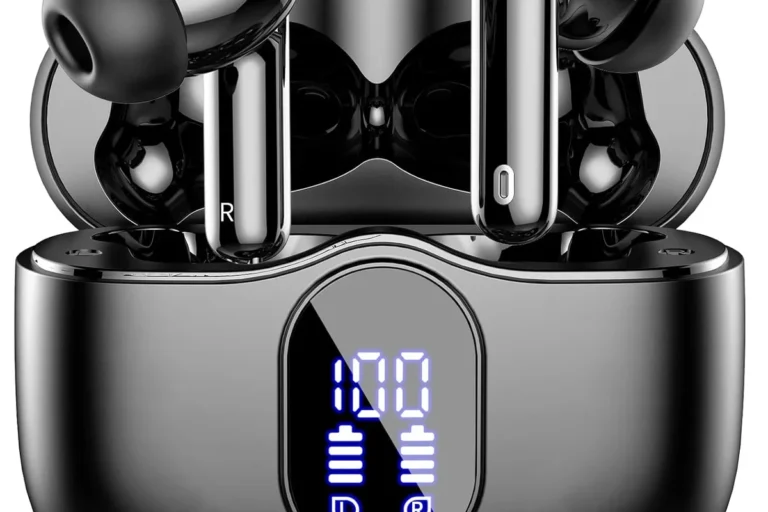
How To Test Noise Cancelling Headphones: Easy Guide

To test noise-cancelling headphones in the United States, compare them in the same noisy setting, with the same fit, volume, music, and battery state. Test active noise cancellation (ANC), passive isolation, sound quality, comfort, microphone performance, and safety. A phone test can reveal real-world results, while a microphone and test tone can provide more consistent measurements.
What Noise Cancellation Actually Does
Noise-cancelling headphones use microphones, electronic circuits, and speakers to reduce outside sound. The microphones detect incoming noise. The headphones then create a matching sound wave with the opposite phase. These waves partly cancel each other before reaching your ears.
This system works best with steady, low sounds. Examples include:
- Airplane engine rumble
- Bus and subway noise
- HVAC systems
- Office ventilation
- Road noise
- Computer fans
ANC is less effective against sudden or sharp sounds. Voices, clattering dishes, barking dogs, and construction impacts contain many changing frequencies. Good headphones may reduce these sounds, but they usually cannot remove them.
Noise control has three parts:
| Type | How it works | Best at reducing |
|---|---|---|
| Active noise cancellation | Uses microphones and electronic processing | Low, steady noise |
| Passive isolation | Uses ear cup seals or ear tips | Higher sounds and leaks |
| Transparency or ambient mode | Uses microphones to let outside sound in | Awareness of people and traffic |
A strong test separates these functions. If you test only with ANC turned on, you may confuse a tight ear seal with electronic noise cancellation.

What You Need Before Testing
You can test headphones with basic tools, but a repeatable setup gives better results. You need the headphones, a phone or computer, a quiet room, and a consistent noise source.
For a simple home test, prepare:
- The headphones fully charged or at the same charge level for each test
- A phone, tablet, or computer
- The headphone maker’s app, if one exists
- Music or spoken audio at a comfortable level
- A steady noise source, such as a fan or air conditioner
- A second device for recording notes
- A timer
- A clean pair of ear tips or ear cushions
For a more advanced test, add:
- A sound-level meter
- A calibrated measurement microphone
- A headphone test fixture
- Audio test software
- Pink noise or sine-wave test tones
- A stable audio interface
A phone microphone is not a reliable substitute for a measurement microphone. Phone microphones apply automatic gain control and other processing. They may also roll off very low or high frequencies. Use a phone for practical comparisons, not precise frequency-response claims.
Before testing, update the headphone firmware if the manufacturer recommends it. Record the firmware version, device used, Bluetooth codec if shown, ANC mode, and battery level. These details matter because software can change ANC behavior.

How to Test ANC at Home
The best home test compares the same headphones with ANC on, ANC off, and transparency mode. Keep every other condition the same.
1. Choose a steady noise source
Use a fan, air conditioner, bathroom exhaust fan, or recorded airplane noise. A steady sound makes differences easier to hear.
Avoid testing first with music or conversation. Music masks outside sound and can make the headphones seem quieter than they are.
2. Fit the headphones carefully
For over-ear headphones, place the ear cups so they fully surround your ears. Move hair, glasses, and hat bands away from the cushion when possible.
For in-ear headphones, try each supplied ear tip. A poor seal can reduce bass and weaken both passive isolation and ANC. The correct tip should feel secure without causing pain.
3. Turn ANC off
Play the noise source at a safe, comfortable level. Listen for 30 seconds. Note the sound of the room and how much noise reaches your ears.
Record a simple rating, such as:
- 0: no reduction
- 1: slight reduction
- 2: moderate reduction
- 3: strong reduction
- 4: very strong reduction
This is a listening score, not a laboratory measurement.
4. Turn ANC on
Without changing your position or the noise source, activate ANC. Wait several seconds for the mode to settle.
Listen for:
- Lower bass rumble
- A change in pressure or “vacuum” sensation
- Hiss
- Warbling or pumping
- Uneven reduction between the left and right ear
- Sudden changes when you move your head
The main sign of effective ANC is a clear drop in steady background noise. A small amount of hiss does not always mean poor performance. Some headphones trade a little electronic noise for stronger cancellation.
5. Test transparency mode
Switch to transparency, ambient, or awareness mode. Your voice should sound fairly natural. If your voice sounds hollow, distant, or heavily processed, the mode may add noticeable coloration.
Test this mode with speech, traffic, and a doorbell. Transparency mode can help awareness, but it should not replace normal caution near roads or other hazards.
6. Repeat with different sounds
Use at least three sound types:
- Low steady noise: fan, HVAC system, or engine rumble
- Midrange noise: speech or a television at a low level
- Sudden noise: hand claps, a dropped book, or a door closing
Do not create loud impulse sounds close to your ears. The goal is to compare normal listening conditions, not to expose your hearing to a shock.
7. Test movement
Walk, turn your head, chew, and adjust the headphones. Check whether the seal breaks or the ANC changes.
For earbuds, test while speaking and walking. Jaw movement can loosen the ear tip. For over-ear headphones, test with glasses because the frame can create a small gap under the cushion.
8. Repeat the test
Run the test again later in the day. If the result changes greatly, look for differences in fit, source volume, battery level, or device settings.

How to Measure Noise Reduction More Objectively
A basic measurement compares sound pressure with ANC off and ANC on. The calculation is:
Noise reduction in decibels = level with ANC off − level with ANC on
For example, if a microphone records 72 dB with ANC off and 60 dB with ANC on:
72 dB − 60 dB = 12 dB of reduction
This result applies only to that test setup and frequency range. It does not mean the headphones reduce every sound by 12 dB.
A simple measurement setup
Place a measurement microphone near the ear position. Play the same noise through a speaker. Record the level with:
- Headphones absent
- Headphones worn with ANC off
- Headphones worn with ANC on
The first condition helps show how much sound the setup produces. The second shows passive isolation. The third shows the combined effect of passive isolation and ANC.
Use the same speaker position, microphone position, noise level, headphone fit, and test duration each time.
Use frequency bands
ANC results often differ by frequency. Measure or compare low, mid, and high bands:
| Frequency range | Common sound | Typical control method |
|---|---|---|
| Low frequency | Engines and HVAC rumble | ANC often helps most |
| Mid frequency | Speech and many office sounds | Fit and passive isolation matter |
| High frequency | Hiss, clicks, and clatter | Ear cup or ear tip seal matters most |
A single broadband number can hide these differences. Two headphones may show similar total reduction while behaving very differently against voices or engine noise.
Understand measurement limits
A home setup can support a useful comparison, but it may not match an acoustics laboratory. Results can change because of:
- Microphone placement
- Ear shape
- Ear cup seal
- Ear tip size
- Speaker distance
- Room reflections
- Head movement
- Test noise spectrum
- Automatic processing in the recording device
Professional headphone tests use controlled fixtures, calibrated microphones, and repeatable signals. If you publish measurements, describe the equipment and method. Do not present a home result as an official certification or universal performance figure.
How to Test Passive Isolation Separately
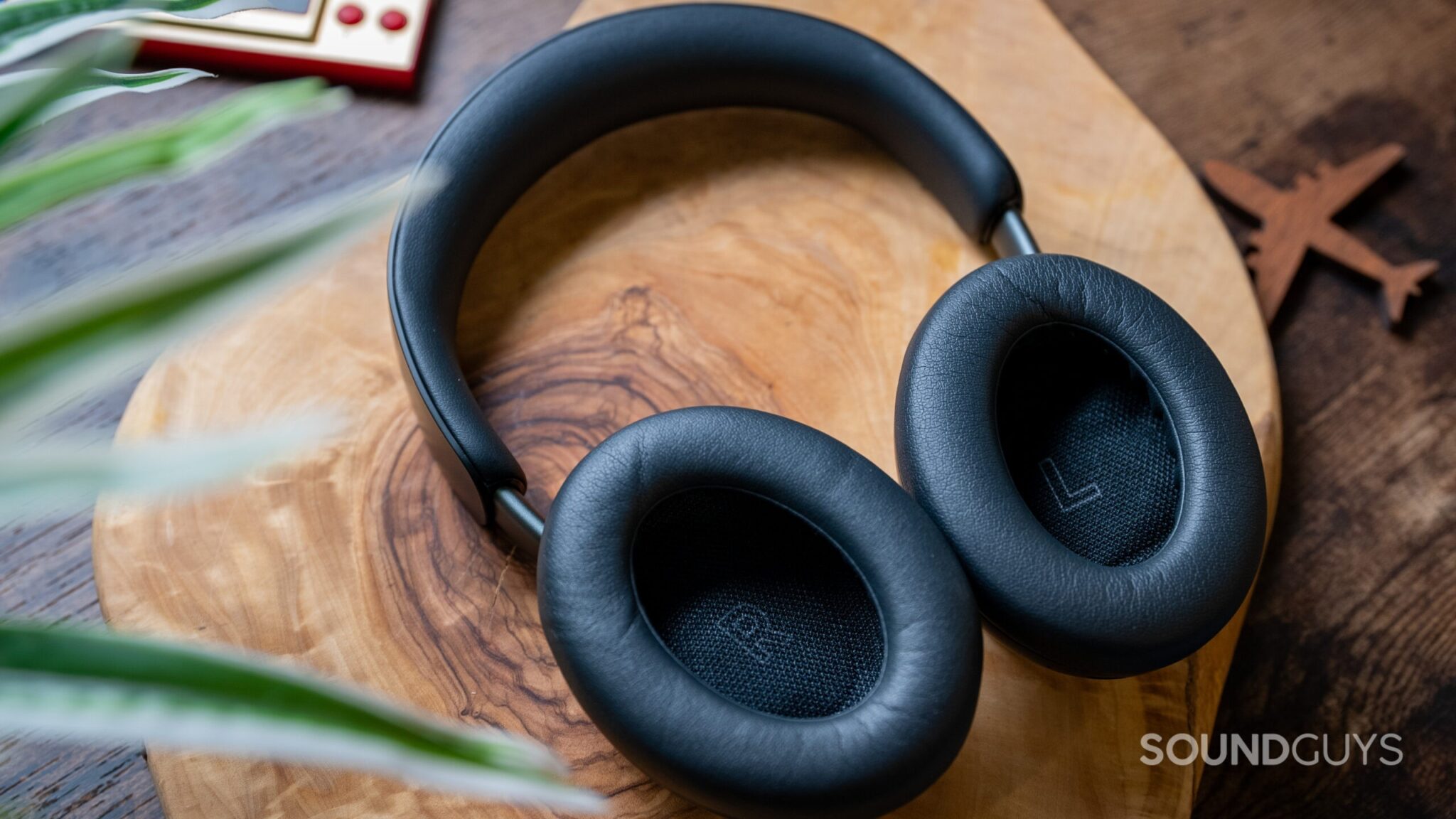
Passive isolation is the noise reduction created by the physical fit. It works even when the battery is empty and ANC is disabled.
To test it, keep the headphones in the same position and compare:
- No headphones
- Headphones with ANC off
- Headphones with ANC on
If ANC off already sounds quiet, the ear cups or ear tips provide strong passive isolation. If ANC on produces a further drop in low-frequency noise, the electronic system is adding useful cancellation.
Test passive isolation with speech, claps, keyboard noise, and light traffic recordings. These sounds can reveal whether the headphones block midrange and high-frequency noise.
Check the seal for over-ear headphones by gently pressing the ear cups toward your head. If the sound becomes much quieter, the original fit may be weak. Do not press hard enough to cause pain or damage the headphones.
For earbuds, try a different ear tip. A larger tip may improve the seal, but a larger size is not automatically better. The best tip is the one that seals both ears without pressure or discomfort.

How to Test Sound Quality With ANC On and Off
Noise cancellation can change the way headphones sound. Test music with ANC on, ANC off, and transparency mode.
Use several familiar tracks rather than one song. Include:
- A vocal track
- Acoustic instruments
- Bass-heavy music
- A dense rock or pop mix
- Spoken audio or a podcast
Listen for:
- Bass level and control
- Vocal clarity
- Treble detail
- Hiss during quiet passages
- Changes in stereo width
- Sudden volume shifts
- Distortion when ANC changes
- Audio delay during video
Keep the volume fixed. If the headphones become louder when ANC turns on, they may seem to sound better even when the tonal balance has not improved. A fair comparison uses the same approximate listening level.
Use the same Bluetooth connection for all modes. If possible, disable equalizers, spatial audio, loudness normalization, and hearing-enhancement settings. Then test those features separately if you plan to use them.
For a useful result, judge sound quality over several minutes. Quick switching can favor the louder setting. Familiar music helps reveal changes, but do not turn the volume up to hear small details.

How to Test Comfort, Fit, and Long-Term Use
The best ANC system is not useful if the headphones hurt after 20 minutes. Comfort testing should last at least 30 minutes, and longer if you expect to wear the headphones during work or travel.
Check:
- Ear pressure
- Headband pressure
- Heat buildup
- Ear cup size
- Ear tip stability
- Weight balance
- Glasses compatibility
- Hair or hat interference
- Ease of adjusting the fit
Wear the headphones while sitting, walking, and looking down. Test the controls without removing them. Listen for crackling when the ear cups move.
For earbuds, watch for soreness in the ear canal. A tight seal can improve noise reduction but may become uncomfortable over time. For over-ear models, a deep ear cup may feel better than a soft but shallow cushion.
Record comfort at 10, 30, and 60 minutes. This helps separate first impressions from long-session performance.

How to Test Battery Life and Charging Claims
Battery testing requires a fixed setup. Use the same volume, ANC mode, connection, and playback content throughout the test.
Record:
- Starting battery percentage
- ANC setting
- Playback volume
- Bluetooth device
- Start time
- Stop time
- Battery percentage at the end
- Whether automatic sleep or wear detection was active
A manufacturer’s battery claim may depend on conditions such as a specific codec, volume level, or ANC mode. Some claims exclude voice calls or use a full charge under controlled conditions.
Test ANC battery life separately from battery life with ANC off. Also check whether the headphones still play audio when the battery is low, and whether a wired connection works without power.
Do not leave charging equipment unattended if the product, cable, or battery becomes unusually hot. Stop using a damaged or swollen battery and follow the manufacturer’s safety instructions.

How to Test Call Quality and the Microphones
ANC microphones and call microphones do different jobs. A headphone can block outside noise well but transmit a poor voice signal during calls.
Test calls in three settings:
- Quiet indoor room
- Moderate background noise
- Outdoor or wind-exposed area
Ask the other person to describe your voice. Check whether it sounds clear, thin, muffled, distant, or interrupted.
Test while:
- Facing the phone
- Turning your head
- Walking
- Speaking softly
- Speaking at a normal level
Record a short voice memo if you cannot make a live call. A voice memo may not match call processing exactly, but it can reveal microphone clipping, low level, or heavy background noise.
Test mute controls and sidetone, which is the sound of your own voice fed back to you. Confirm whether mute affects the headset, the app, or only the device. This can vary by phone, computer, and meeting platform.

How to Test Headphones on a Plane, Train, or Bus
Travel testing can reveal problems that are hard to find at home. For safety, keep announcements audible when required and follow crew or transit instructions.
On an airplane, compare ANC during:
- Boarding
- Taxiing
- Cruise
- Meal service
- Descent
Engine noise may change across the flight. Keep the headphone fit consistent and note whether cabin pressure causes discomfort.
On a train or bus, test low rumble, track noise, brakes, announcements, and passenger speech. ANC may reduce engine vibration but leave speech and sudden sounds partly audible.
Do not rely on noise-cancelling headphones to replace hearing protection in a loud workplace. Consumer headphones are not automatically rated as hearing protection. In the United States, occupational hearing protection decisions should follow employer guidance and applicable Occupational Safety and Health Administration requirements.
How to Record and Compare Test Results
Use a simple scorecard. Avoid a single “best” score because noise control depends on the sound and the listener.
| Category | ANC off | ANC on | Notes |
|---|---|---|---|
| Low rumble | 0–4 | 0–4 | Fan or engine sound |
| Speech | 0–4 | 0–4 | Television or recorded speech |
| Sudden sounds | 0–4 | 0–4 | Claps or door closing |
| Hiss | 0–4 | 0–4 | Electronic noise |
| Fit stability | 0–4 | 0–4 | Movement test |
| Comfort | 0–4 | 0–4 | After 30 minutes |
| Transparency | 0–4 | 0–4 | Voice and traffic awareness |
For this table, a higher ANC score should mean stronger noise reduction. For hiss, comfort, and transparency, define the score before testing. For example, a higher comfort score can mean more comfortable, while a higher hiss score can mean more audible hiss. Clear labels prevent confusion.
Compare headphones only when they use the same test conditions. A louder speaker, tighter fit, or different noise recording can change the result.
Write down failures as well as strengths. Useful notes include:
- “Strong low-frequency reduction, but voices remain clear.”
- “Good seal until walking.”
- “ANC creates a low pulsing sound.”
- “Left ear loses the seal with glasses.”
- “Transparency sounds natural but adds wind noise.”

Common Testing Mistakes
Several mistakes can make ANC headphones appear better or worse than they are.
Testing with music only
Music masks outside noise. Test with music paused first.
Changing the fit between modes
A small ear cup shift can create a large difference. Put the headphones in the same position before each comparison.
Using different volume levels
Louder audio can hide more outside noise. Keep playback and test-source volume fixed.
Testing only one type of noise
A headphone that works well against a fan may perform less well against speech. Use low, middle, and sudden sounds.
Treating ANC as hearing protection
ANC headphones may reduce perceived noise, but they are not automatically certified hearing protectors. Do not use consumer headphones in place of approved protection where workplace rules require it.
Ignoring ear pressure
Some users experience discomfort, dizziness, or a blocked-ear feeling with ANC. Turn ANC off if symptoms occur. Stop using the headphones if discomfort continues and seek appropriate medical advice.
Trusting a single decibel number
One number cannot describe all frequencies, fits, ears, or environments. Always state the test conditions.
Testing with a damaged seal
Cracked cushions, loose hinges, and worn ear tips can reduce isolation. Inspect the hardware before drawing conclusions.

What to Do When the Test Results Look Wrong
If ANC seems weak, check the fit first. Replace worn ear tips, try another size, clean the microphones, and remove hair or glasses from the ear cup seal.
If ANC produces a hiss or pulsing sound, switch modes and update the companion app if an update is available. Some headphones allow ANC strength or adaptive processing to be adjusted. If the sound continues in every mode, contact the manufacturer.
If one side performs differently, check:
- Ear tip size on each side
- Earwax or debris near the earbud
- Microphone openings
- Balance settings on the phone
- Mono audio settings
- Physical damage
- Firmware updates
If battery life is much lower than expected, turn off features such as voice assistants, multipoint Bluetooth, spatial audio, or wear detection one at a time. Compare the result with the manufacturer’s stated test conditions.
If sound changes when you move, the seal is unstable. Try another ear tip, adjust the headband, or test without glasses or a hat. If the problem remains, the design may not suit your ear shape.
Key Takeaways
- Test ANC with the same noise, fit, volume, and device each time.
- Compare ANC on, ANC off, and transparency mode.
- Use steady low noise to test ANC and speech or clatter to test passive isolation.
- Separate sound quality, comfort, call quality, battery life, and noise reduction.
- A home test can compare products, but it cannot replace calibrated laboratory measurement.
- Consumer ANC headphones are not automatically hearing protection.
- Fit often matters as much as the electronic ANC system.
Frequently Asked Questions
How can I tell if noise cancellation is working?
Use a steady sound, such as a fan or HVAC system. Listen with ANC off, then turn it on without moving the headphones. A working system should reduce much of the low rumble. If the change is small, check the fit, battery, app settings, and microphone openings.
Can I test ANC without special equipment?
Yes. A home listening test can compare ANC modes and identify fit problems, hiss, pressure, and performance against different sounds. You need calibrated equipment only when you want repeatable acoustic measurements.
Should ANC remove voices completely?
No. ANC is usually strongest against steady low-frequency noise. Voices change quickly and contain midrange frequencies, so they may remain partly audible. Ear cup sealing and ear tip fit help reduce voices more than ANC alone.
Why does ANC feel like pressure in my ears?
Some people notice a blocked-ear or pressure-like sensation when ANC changes low-frequency sound. The sensation does not always mean harmful physical pressure, but discomfort is a valid reason to lower the ANC level or turn it off. Seek medical advice if symptoms persist.
Does ANC work when the battery is empty?
It depends on the model. Passive isolation may still work, and some headphones support wired playback without power. Electronic ANC normally requires battery power. Check the product manual for the exact behavior.
Conclusion
Testing noise-cancelling headphones is most useful when you treat it as a controlled comparison rather than a quick listening impression. Start with fit, compare ANC on and off, use several types of noise, and record comfort and battery results under fixed conditions.
For the clearest answer, test the headphones in the place where you will use them most. A fan reveals low-frequency ANC, speech reveals isolation limits, and a long wearing session reveals comfort problems that a short store demo may miss.