How Do Neckband Headphones Work: Simple Guide

Introduction
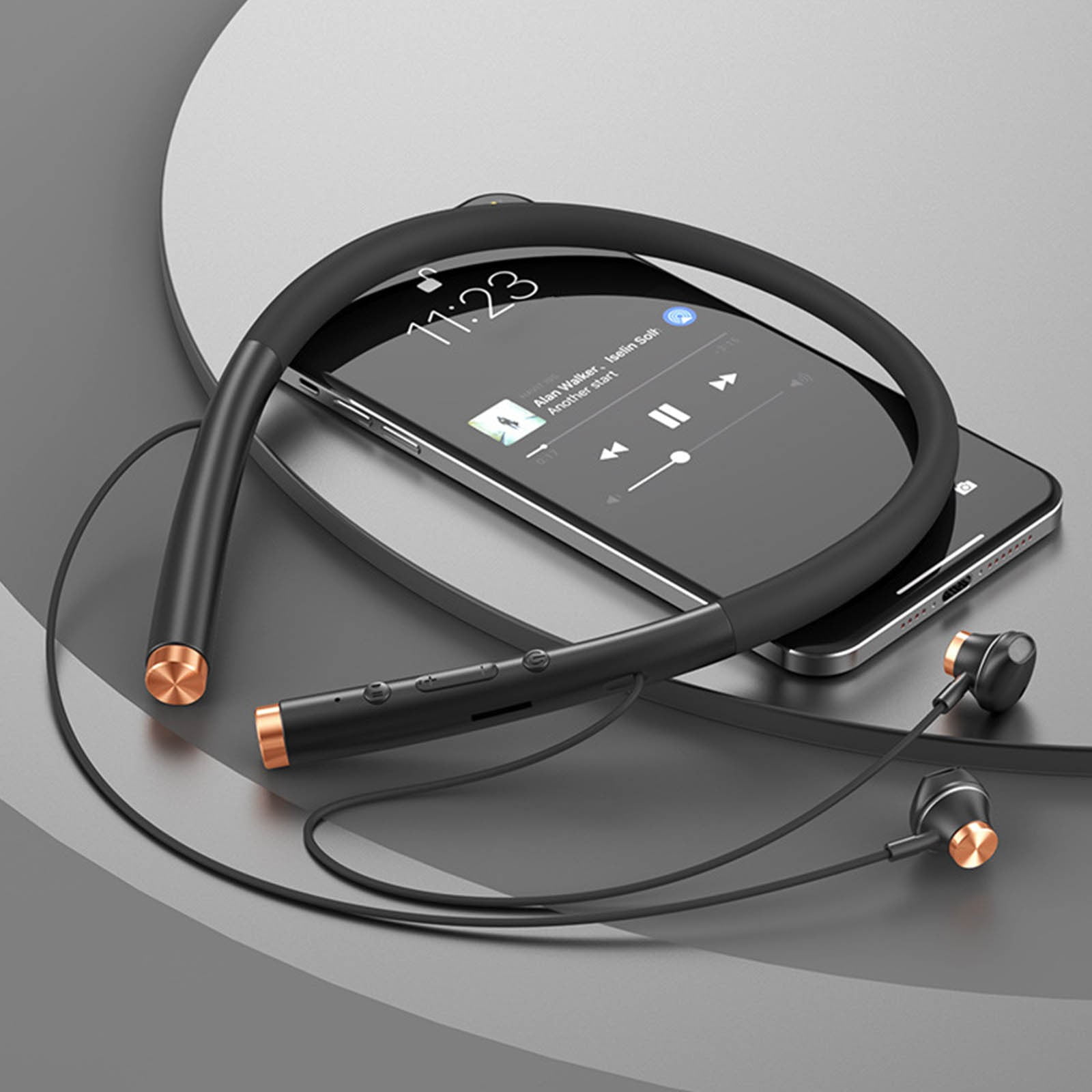
For people in the United States, neckband headphones are a practical middle ground between wired earbuds and fully separate true wireless earbuds. They use Bluetooth to receive audio from a phone, tablet, laptop, or other compatible device. A small battery, wireless chip, amplifier, microphone, and control system sit inside the band around your neck. Thin wires then carry power and sound to the earbuds.
In simple terms, neckband headphones work by combining a Bluetooth receiver, rechargeable battery, audio amplifier, and two earbud speakers in one wearable design.
They can be useful for work calls, travel, exercise, and daily listening. Their main benefits are longer battery life, less risk of losing an earbud, and easy physical controls. Their limits include neck weight, cable wear, and the need to keep the band charged.

What Are Neckband Headphones?
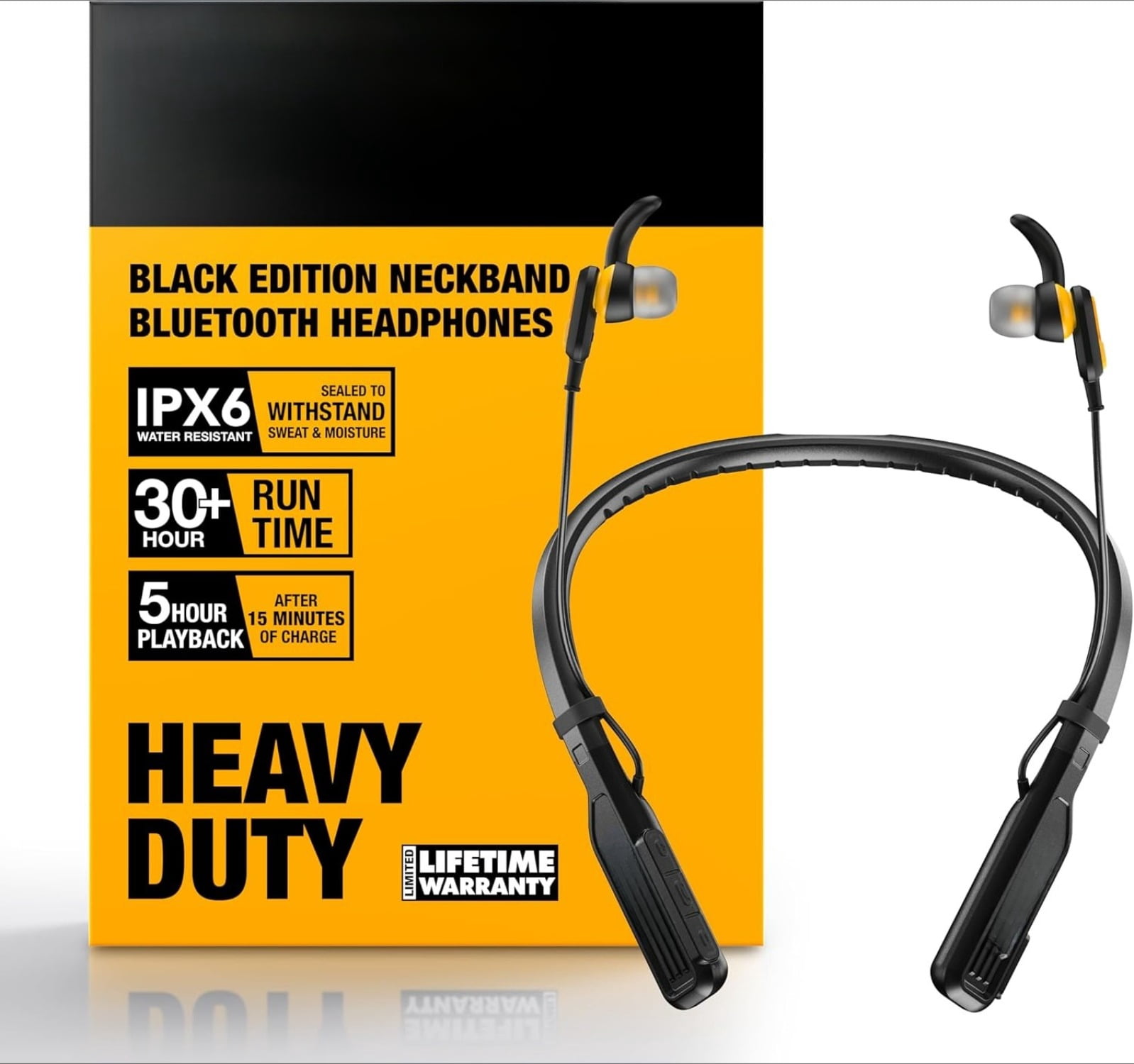
Neckband headphones are wireless headphones with a flexible or rigid band that rests behind your neck. The earbuds may connect to the band with short wires, or they may attach to it magnetically when not in use.
Most models have these parts:
- Neckband housing: Holds the battery, Bluetooth electronics, controls, and often the microphones.
- Earbuds or ear tips: Deliver sound into your ears.
- Internal wires: Carry audio and electrical power from the band to each earbud.
- Bluetooth antenna: Sends and receives wireless signals.
- Battery: Stores power for the electronic parts.
- Buttons or touch controls: Manage volume, calls, playback, and voice assistants.
- Charging port: Usually USB-C on newer models, although some use another connector.
A neckband model is not the same as a wireless headset with a large headband. It is also different from true wireless earbuds, which place all electronics and batteries inside the two separate earbuds.
How Do Neckband Headphones Work Step by Step?
Neckband headphones follow a short signal path from your device to your ears.
1. Your device creates digital audio
A phone, computer, or tablet stores or receives audio as digital data. This may come from a music app, video, game, phone call, or system sound.
The device prepares that audio for wireless transmission. It may use a Bluetooth audio format, often called a codec, to reduce the amount of data sent over the connection.
2. Bluetooth sends the audio to the neckband
The neckband pairs with your device through Bluetooth. After pairing, the device sends compressed audio data through the 2.4 GHz Bluetooth radio band.
The neckband’s Bluetooth chip receives the data. It also manages tasks such as:
- Device pairing
- Connection control
- Codec support
- Call audio
- Battery reporting
- Playback commands
Bluetooth does not send sound directly into the earbud speaker. It sends digital information that the neckband must decode and convert.
3. The Bluetooth chip decodes the signal
The neckband converts the incoming Bluetooth data back into an audio signal. The exact result depends on the codec supported by both the source device and the headphones.
Common Bluetooth audio codecs include:
- SBC: A basic Bluetooth audio codec supported by most devices.
- AAC: Common on Apple devices and also supported by some Android products.
- aptX: Supported by some phones and headphones.
- aptX HD or similar higher-quality formats: May carry more audio data but require support from both devices.
- Low-latency codecs or modes: designed to reduce delay for video or gaming.
The best codec available is limited by the weakest compatible device. If your phone supports AAC but the neckband supports only SBC, the connection normally uses SBC.
4. The amplifier increases the audio signal
After decoding, the audio signal passes to a small amplifier. The amplifier raises the signal to a level that can move the speaker drivers.
The amplifier does not create more musical detail. It provides enough electrical power for the drivers to produce an audible sound level.
5. The speaker drivers create sound
Each earbud contains a tiny speaker driver. The driver uses an electrical signal to move a diaphragm back and forth.
That movement creates changes in air pressure. Your ears detect those changes as sound.
Most neckband headphones use dynamic drivers. A dynamic driver usually contains:
- A voice coil
- A magnet
- A flexible diaphragm
- A housing that directs sound toward the ear canal
The driver’s size alone does not determine sound quality. Tuning, seal, fit, amplifier design, and digital processing also affect the result.
6. The microphone sends your voice back
For a phone call or voice command, the process runs in the opposite direction.
The neckband microphone detects your voice as changes in air pressure. The electronics convert those changes into digital data. Bluetooth then sends the voice signal to the connected phone or computer.
Many models use more than one microphone. Their software may compare the microphone signals to reduce wind or background noise. This can improve call clarity, but it does not remove all noise.
How Does Bluetooth Pairing Work?
Bluetooth pairing creates a trusted connection between the neckband and a source device. You usually need to complete this process only once for each device.
Standard pairing steps
- Charge the neckband before first use.
- Turn it on.
- Hold the power or pairing button until the indicator shows pairing mode.
- Open Bluetooth settings on your phone or computer.
- Select the neckband from the list of nearby devices.
- Confirm the pairing request if one appears.
- Play audio to check the connection.
After pairing, the neckband may connect automatically when both devices are nearby and Bluetooth is active.
Some neckband headphones support multipoint Bluetooth. This lets one headset remain connected to two devices, such as a work laptop and a phone. Multipoint behavior varies by model. Some devices pause one source when the other receives a call.
What can block or weaken the connection?
Bluetooth range depends on the Bluetooth version, antenna design, body position, walls, nearby wireless signals, and device power. A phone in a pocket may still work well, but your body can partly block the signal.
A connection may drop when:
- The devices are too far apart.
- A wall or metal object blocks the signal.
- Several wireless devices create interference.
- The headphone battery is nearly empty.
- The phone switches between Bluetooth devices.
- The headphone firmware or phone software has a compatibility issue.

How Do Neckband Headphones Get Power?
A rechargeable lithium-ion or lithium-polymer battery powers the neckband. The battery sends energy to the Bluetooth chip, amplifier, microphones, controls, and earbuds.
The battery does not power the earbuds through Bluetooth. Instead, wires inside the neckband carry electrical power and the audio signal to the left and right drivers.
What affects battery life?
Manufacturers usually measure battery life under stated test conditions. Actual use may produce a different result.
Battery life can change with:
- Listening volume
- Call time
- Codec and connection mode
- Active noise cancellation
- Ambient sound or transparency mode
- Microphone use
- Battery age
- Temperature
- Bluetooth signal strength
Higher volume usually uses more power. Phone calls can also reduce battery life because the microphones and two-way Bluetooth audio remain active.
What happens when the battery is empty?
Most Bluetooth neckband headphones stop working when the battery is empty, even if the earbuds are connected by wires. The wires carry audio from the neckband electronics; they do not normally create a separate passive wired mode.
A few models may support wired listening, but that requires a documented wired input and the right cable. Do not assume that a USB-C charging port can carry audio. Charging and audio functions depend on the model.

How Do the Buttons and Controls Work?
The neckband’s buttons send commands to its internal control chip. The chip then changes playback, volume, calls, or power settings.
Common controls include:
- Single press: Play or pause
- Double press: Skip or answer a call
- Press and hold: Power on, power off, or reject a call
- Separate buttons: Increase or reduce volume
- Dedicated button: Activate a voice assistant
- Magnetic earbuds: Pause playback or end standby when connected
The exact commands differ by manufacturer. Your phone may also interpret commands differently from a laptop or tablet.
Button controls often work better than tiny touch surfaces when you are moving, wearing gloves, or using the headphones outdoors. Touch controls can feel cleaner, but accidental taps may occur when adjusting the earbuds.

Do Neckband Headphones Have Noise Cancellation?
Some neckband headphones use passive noise isolation. Others include active noise cancellation, often called ANC.
Passive noise isolation
Passive isolation comes from the physical ear tips and earbud housing. A good seal blocks some outside sound before it reaches your ears.
The fit matters greatly. If the ear tips are too small or loose, outside noise can enter and bass may sound weak.
Active noise cancellation
ANC uses microphones to listen to outside sound. The headphones create an opposite electrical signal through the drivers. When the outside sound and the cancellation signal meet, some of the sound is reduced.
ANC often works best against steady, low sounds such as:
- Aircraft engine noise
- Bus or train rumble
- Air-conditioning systems
- Office ventilation
ANC may work less well against sudden voices, claps, high-pitched sounds, or changing noise. It can also create a slight feeling of pressure for some listeners.
Transparency or ambient mode
Transparency mode uses external microphones to send some outside sound through the earbuds. This can help you hear announcements or speak without removing the headphones.
However, electronic transparency is not the same as unaided hearing. Keep the volume low and remove the headphones when you need full awareness, such as when crossing a busy street.

How Do Neckband Headphones Handle Phone Calls?
During a call, the headphones switch from one-way media audio to two-way Bluetooth communication.
The phone sends the other person’s voice to the neckband. At the same time, the neckband sends your microphone signal back to the phone.
This two-way mode may use a different Bluetooth profile and audio quality than music playback. As a result, music can sound clearer than a phone call.
Call quality depends on:
- Microphone placement
- Wind protection
- Background noise
- Bluetooth connection quality
- Phone network quality
- The call app
- Software noise reduction
A neckband with microphones near your mouth may perform better in wind than earbuds with microphones far from your face. Still, no small wireless microphone can guarantee clear speech in loud outdoor conditions.

Neckband Headphones vs. True Wireless Earbuds
Both designs use Bluetooth, but they place the parts in different locations.
| Feature | Neckband headphones | True wireless earbuds |
|---|---|---|
| Main battery location | In the neckband | Inside each earbud and charging case |
| Risk of losing one earbud | Lower because the earbuds are joined | Higher because the earbuds are separate |
| Physical controls | Often easy to find | May require touch controls |
| Weight | Rests partly on the neck | Rests mostly in the ears |
| Charging case | Not always required | Usually required |
| Wire exposure | Short wires connect the earbuds | No earbud wires |
| Battery replacement | Often difficult for users | Usually difficult for users |
| Storage | Can hang around the neck | Usually stored in a case |
Neckband headphones may suit people who want a tether between the earbuds. True wireless earbuds may suit people who prefer a smaller, cable-free design.
Neither design is automatically better. The deciding factors are fit, battery needs, control style, call use, and tolerance for carrying a charging case.
Common Problems and Practical Fixes
Start with simple and safe checks before changing advanced settings.
The headphones will not turn on
Possible causes include a drained battery, a damaged charging cable, or a blocked charging port.
Try these steps:
- Charge the headphones with a known-good cable and suitable charger.
- Check whether a charging light appears.
- Clean dust from the port with a dry, nonmetal tool.
- Hold the power button for the time listed in the manual.
- Try a reset only if normal charging and power steps fail.
Do not force a connector into the port. Stop using the device if the battery swells, becomes unusually hot, leaks, or smells strange.
The headphones do not appear in Bluetooth settings
Make sure the headphones are in pairing mode, not merely powered on. Turn off Bluetooth on a device that may already be connected, then search again.
If the problem continues, remove the saved headphone entry from your phone and pair again. A factory reset may erase saved connections and other settings.
Only one earbud produces sound
Check the balance setting on your phone or computer. Then inspect the earbud opening for wax or debris and confirm that the balance is centered.
If one side remains silent after a reset, the internal wire, driver, or electronic circuit may have failed.
The sound cuts out
Keep the source device closer to the neckband. Remove other Bluetooth connections for a test. Then restart both devices and install updates offered by the manufacturer.
If dropouts happen only in one location, local wireless interference may be involved. If they happen everywhere, hardware or software may be the cause.
The microphone sounds unclear
Move the microphone opening away from clothing and check for dirt. Reduce wind exposure and confirm that the correct microphone is selected in the call app.
Test the headphones in a voice recorder. If the recording is also unclear, the issue is likely in the headset rather than the call service.

How to Wear and Maintain Neckband Headphones
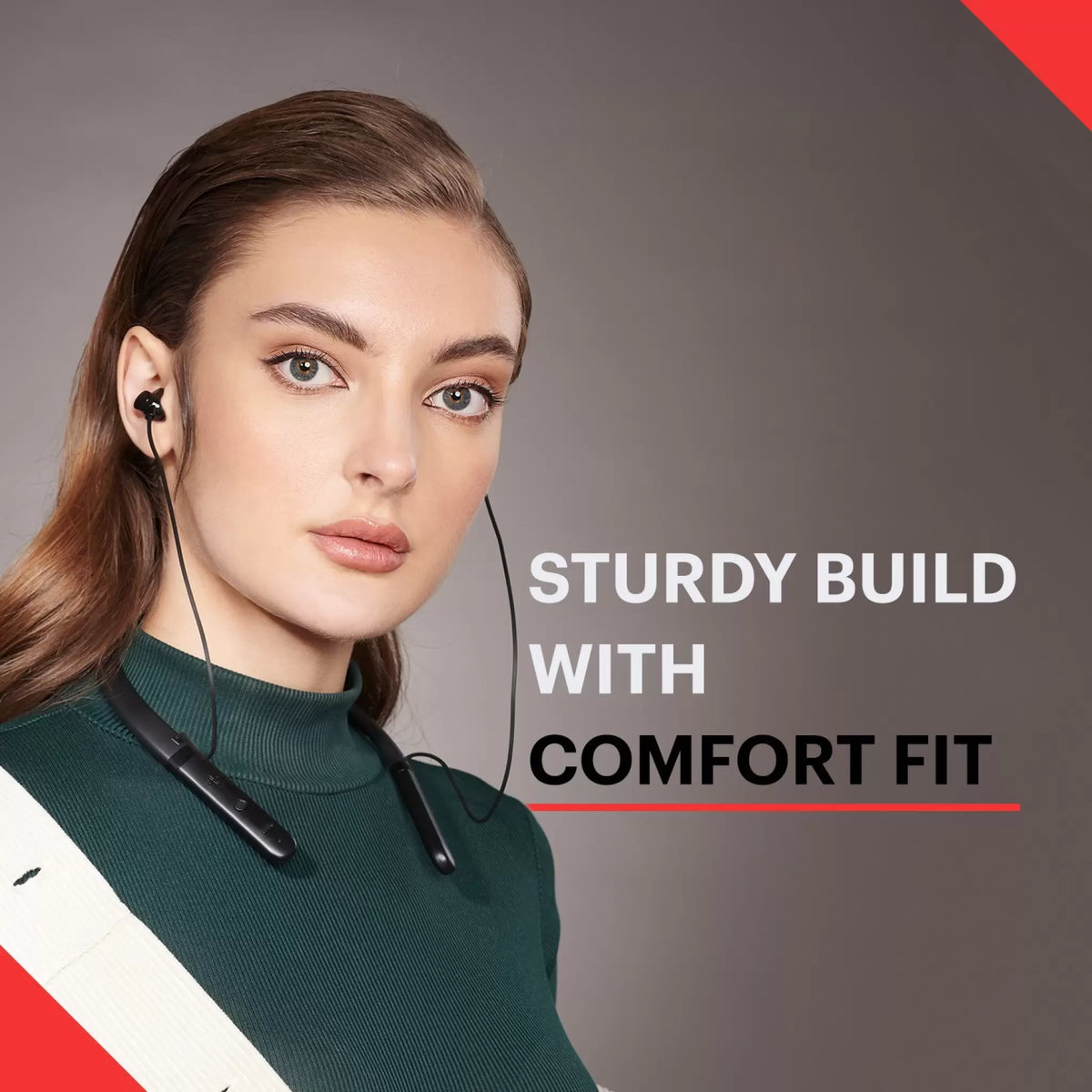
Wear the band behind your neck with the earbuds seated gently in your ears. Choose ear tips that create a stable seal without painful pressure.
For longer service life:
- Keep the charging port dry.
- Wipe sweat from the band after exercise.
- Store the headphones away from sharp bends.
- Do not pull the earbuds by their wires.
- Use the correct charging cable.
- Keep the firmware and companion app updated when updates are available.
- Avoid leaving the battery fully empty for long periods.
- Store the headset in a cool, dry place.
Water resistance is not the same as waterproofing. Check the product’s documented rating before using it in rain, a shower, or a pool. Do not charge wet headphones.
Battery safety
Stop using the headphones if the battery becomes swollen, unusually hot, damaged, or gives off an unusual odor. Do not open the battery housing or attempt a cell replacement unless a qualified repair service is equipped to do it.
Dispose of rechargeable batteries through a local battery recycling program. Do not place a damaged lithium battery in ordinary household trash.

Are Neckband Headphones Safe to Use?
The main listening risk is excessive sound exposure, not the Bluetooth signal itself. Loud sound over time can harm hearing, and the risk rises with both volume and listening duration.
Use a moderate volume and take quiet breaks. If you hear ringing, muffled sound, pain, or a blocked feeling after listening, stop and allow your ears to rest. Repeated symptoms or trouble hearing call for evaluation by a qualified health professional.
For safety outdoors, use transparency mode or remove the headphones when you need to hear traffic, alarms, announcements, or other warnings. Do not use noise-canceling headphones as a reason to ignore your surroundings.
The U.S. Centers for Disease Control and Prevention and the National Institute for Occupational Safety and Health provide public information on noise exposure and hearing protection. Device-specific radio and exposure information is provided through manufacturer documentation and applicable U.S. regulatory materials.

What Should You Check Before Buying Neckband Headphones?
Choose the design based on how you will use it, not only on its codec list or battery claim.
| Your priority | Features to look for | Trade-off |
|---|---|---|
| Long workdays | Large stated battery capacity and comfortable band | More weight may rest on your neck |
| Exercise | Sweat resistance, secure ear tips, and stable controls | Water protection does not guarantee full waterproofing |
| Frequent calls | Multiple microphones and a clear call mode | Noise reduction may change your voice |
| Travel | ANC, comfortable fit, and simple controls | ANC uses more battery |
| Low delay for video | Low-latency support on both device and headphones | Compatibility may be limited |
| Avoiding lost earbuds | Connected earbuds and magnetic storage | The band and wires remain visible |
| Use with several devices | Multipoint Bluetooth | Switching can be less predictable |
Check the full specification sheet for Bluetooth profiles, supported codecs, charging time, battery conditions, water rating, app requirements, and warranty terms. These details can change by model and region, including the United States.

Key Takeaways
- Neckband headphones receive digital audio through Bluetooth.
- Their internal chip decodes the signal and sends it to a small amplifier.
- The amplifier drives speaker units in the earbuds.
- A rechargeable battery powers the Bluetooth radio, amplifier, microphones, and controls.
- The band keeps the earbuds connected and often provides space for a larger battery.
- Sound quality depends on codec support, driver tuning, fit, seal, and software.
- Battery life, water resistance, multipoint support, and ANC vary by model.
- Safe listening depends mainly on controlling volume and listening time.
Frequently Asked Questions
Do neckband headphones use Bluetooth?
Yes. Most modern neckband headphones use Bluetooth to receive audio from a phone, tablet, computer, or another compatible device. The earbuds then receive the decoded audio through wires connected to the neckband.
Can neckband headphones work without a phone?
They can work with any compatible Bluetooth source, including a laptop, tablet, television adapter, smartwatch, or music player. Some models may support wired audio, but that feature must be listed in the product documentation.
Are neckband headphones better than wired earbuds?
They offer wireless convenience while keeping the earbuds connected by a band. Wired earbuds may work without charging and can provide a direct audio connection. The better choice depends on whether you value wireless freedom or no-battery operation.
Why do neckband headphones have wires if they are wireless?
“Wireless” usually refers to the connection between the headphones and the audio source. The short wires between the neckband and earbuds remain because they carry power and audio inside the headset.
Can neckband headphones connect to two devices?
Some models support multipoint Bluetooth, which allows connections to two devices. The feature is not universal, and the switching behavior depends on the headphones, operating system, and connected devices.
Do neckband headphones have a microphone?
Most models include at least one microphone for phone calls and voice commands. Microphone quality depends on placement, wind protection, software processing, and the surrounding noise.
Conclusion
Neckband headphones work through a simple chain: Bluetooth receives the audio, internal electronics decode it, an amplifier powers the drivers, and the earbud speakers turn the signal into sound. The same system uses microphones to send your voice back during calls.
Their main advantage is the balance between wireless listening and a connected earbud design. Before choosing a pair, compare fit, battery behavior, call quality, controls, noise cancellation, water resistance, and device compatibility. For safe use, keep the volume moderate and stay aware of your surroundings when listening outdoors.