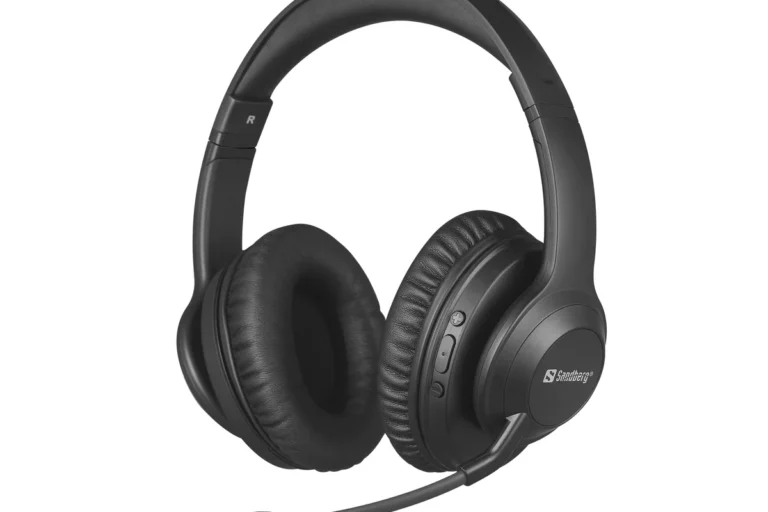
Can You Hook Up Headphones to a TV Easily and Safely

Yes, you can hook up headphones to a TV in most cases using wired, Bluetooth, optical, or dedicated wireless methods. The best choice depends on your TV’s ports, your budget, and whether you need low-latency sound for movies or gaming.
If you’re asking can you hook up headphones to a TV, the short answer is yes in most cases. The best method depends on your TV’s ports, whether you want wired or wireless audio, and how much delay you can tolerate for movies or gaming.
- Best simple option: Use a 3.5mm headphone jack if your TV has one.
- Best for sync: Wired or low-latency wireless is usually better than basic Bluetooth.
- Best for modern TVs: Optical out plus a DAC or Bluetooth transmitter can fill the gap.
- Best for comfort: Over-ear headphones are often easiest for long viewing sessions.
Can You Hook Up Headphones to a TV? What Viewers Need to Know in 2025
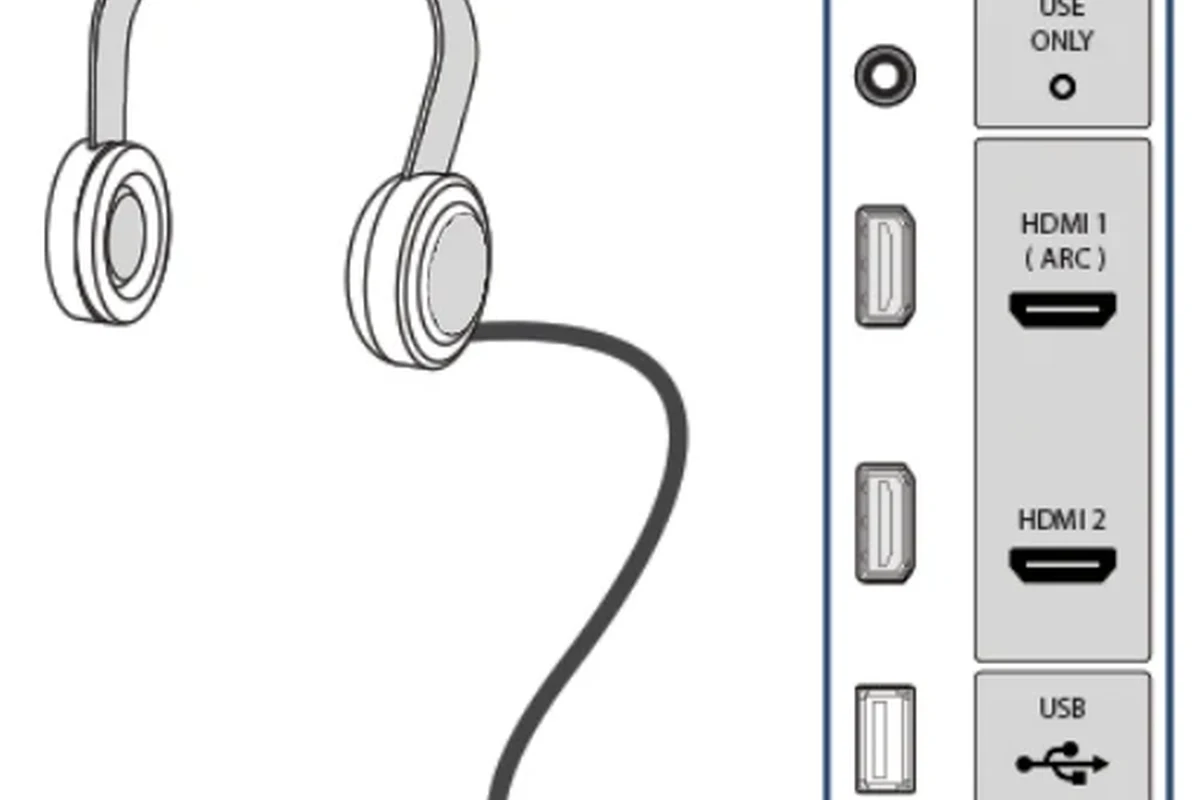
For most viewers, connecting headphones to a TV is completely doable. The real question is which connection method gives you the cleanest sound, the least lag, and the easiest setup for your room.
Why people want private TV listening for late-night viewing, gaming, and shared spaces
Private listening is popular because it keeps the room quiet while letting you hear dialogue, effects, and game audio clearly. It is especially useful for late-night viewing, apartment living, shared bedrooms, and situations where someone else in the home is sleeping or working.
Gamers also like headphone listening because it can make directional audio easier to hear, especially when the setup has low latency. For many households, headphones are simply the most practical way to enjoy TV without disturbing others.
What “hook up headphones to a TV” usually means: wired, wireless, Bluetooth, and assisted listening
When people say they want to hook up headphones to a TV, they usually mean one of four things: plugging in wired headphones, pairing Bluetooth headphones, using a dedicated wireless TV headphone system, or setting up assisted listening gear for clearer speech.
Each option has trade-offs. Wired setups are usually simple and stable, Bluetooth is convenient, and dedicated wireless systems can be better for range and sync. Assisted listening devices may help viewers who want clearer dialogue or easier volume control.
TV Headphone Connection Options: Which Method Fits Your Setup?
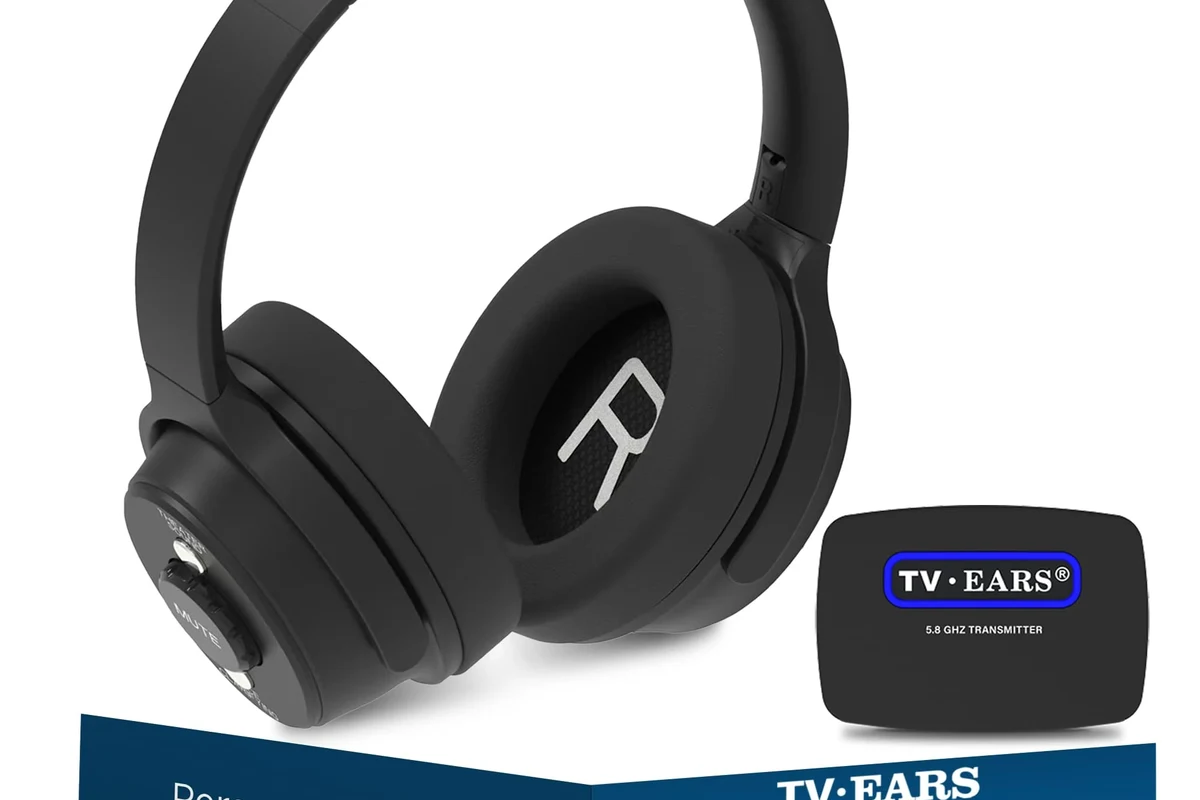
Your TV may offer one or more audio output options, and each one changes the type of headphones or adapter you’ll need. Before buying anything, it helps to identify the port on the back or side of the TV and match it to your preferred listening style.
Wired connection through 3.5mm headphone jack
If your TV has a 3.5mm headphone jack, this is usually the simplest route. Just plug in a wired headset or headphones and check the TV sound menu to make sure audio is routed correctly.
This method is easy and reliable, but not every TV includes a headphone jack anymore. Some TVs also lower the speaker volume or mute the built-in speakers when headphones are connected, which is normal.
RCA audio out to headphones with an adapter or amplifier
Some older TVs use red-and-white RCA audio outputs instead of a headphone jack. In that case, you may need an adapter, a small headphone amplifier, or a converter that turns line-level output into a usable headphone signal.
This can work well, but the quality depends on the adapter and the TV’s audio output behavior. A weak adapter may create low volume, hiss, or imbalance, so it is worth choosing a decent one rather than the cheapest option available.
Optical audio out with a DAC or headphone base station
Many modern TVs include optical audio out, which is a common path for better sound setups. Since optical output is digital, you usually need a DAC or a headphone base station to convert the signal into something headphones can use.
This is a strong choice if your TV lacks a headphone jack but you still want stable sound. It can also be a neat solution for home theater listening, especially if you want cleaner audio than many basic adapters provide.
Bluetooth pairing on smart TVs and streaming devices
Bluetooth is the most convenient option on many smart TVs and streaming boxes. If the TV supports Bluetooth audio output, you can pair compatible headphones without extra cables.
The downside is that Bluetooth can introduce delay, which may bother people watching fast dialogue scenes or playing games. If you go this route, look for a TV and headphones that support low-latency behavior when possible.
Using a wireless TV headphone system for long-range, low-latency listening
A dedicated wireless TV headphone system is often the best choice for larger rooms or users who want fewer sync issues. These systems usually come with a transmitter base and headphones designed for TV audio.
They can be more expensive than basic Bluetooth, but they often offer stronger range, more stable connection, and better lip-sync for movies and shows. For many households, that extra convenience is worth it.
How to Connect Headphones to a TV Safely Step by Step
Safety matters here in two ways: protecting your hearing and avoiding compatibility mistakes. A careful setup can save you from distorted sound, weak volume, or unnecessary adapter purchases.
Check your TV’s audio outputs before buying anything
Start by looking at the TV’s physical ports and the sound menu. Check whether you have a headphone jack, RCA output, optical output, Bluetooth, or USB audio support before buying a cable or transmitter.
This simple step prevents a lot of returns. TV models vary widely, even within the same brand, so it is best to verify the exact outputs on your own set.
- Available TV audio ports
- Bluetooth audio support
- Headphone volume settings
- Audio output format options
Match the headphone type to the TV port
Once you know the output, match it to the right headphone method. A 3.5mm jack usually works with wired headphones, optical output often needs a DAC, and Bluetooth requires pairing support on both devices.
If your headphones are wired but the TV only has digital output, you may need extra hardware. That is normal, but it is important to buy the right adapter for the specific port, not just any audio converter.
Some TVs send a fixed-level signal through their audio outputs, while others let you control volume from the TV menu. That difference affects how loud your headphones will sound.
Set TV audio output correctly in the sound menu
After connecting, open the TV’s sound settings and choose the correct output device. Some TVs require you to switch from “TV speakers” to “external audio,” “headphones,” or “Bluetooth audio.”
If the sound seems missing or too quiet, the issue is often a menu setting rather than the headphones themselves. This is one of the most common setup problems people run into.
Test volume levels to avoid distortion or hearing damage
Start at a low volume and raise it slowly. This helps you catch distortion early and reduces the chance of sudden loud audio that could be uncomfortable or harmful.
Listening at high volumes for long periods can cause hearing damage. Keep volume at 60% or below for extended sessions.
Confirm lip-sync and latency for movies and games
After the sound is working, test whether the audio stays in sync with the picture. A small delay may not bother everyone, but it can be distracting during gaming, sports, or fast-paced dialogue.
If latency is noticeable, a wired connection or a low-latency wireless system is usually better than standard Bluetooth. For more on wireless behavior, our guide on Bluetooth headphones explained simply can help you understand why delay happens.
If you notice persistent imbalance, ringing, discomfort, or you already manage tinnitus or hearing loss, speak with an audiologist before using headphones for long TV sessions.
Best Use Cases: Movies, Gaming, and Watching TV Without Disturbing Others
Different viewers need different headphone setups. What works best for a movie night may not be ideal for gaming or for a shared living room.
Movie watching with clearer dialogue and private sound
Headphones can make dialogue easier to follow, especially when a TV’s built-in speakers sound thin or the room has a lot of background noise. This is helpful for late-night films or shows with quiet speech and sudden effects.
Closed-back over-ear headphones are often a good choice because they help keep sound private and can make spoken audio feel more focused. If you want help comparing styles, our article on types of headphones explained is a useful place to start.
Gaming on console or smart TV with low-latency audio
For gaming, low latency matters a lot. Even a small delay can make gunshots, footsteps, and controller actions feel off, so wired or purpose-built wireless solutions are often the safest bet.
Comfort also matters during long sessions. Over-ear headphones are usually easier to wear for hours than tight on-ear models, though fit still depends on head shape, clamp force, and ear cushion material.
Shared living rooms, apartments, and caregiving situations
Headphones are a practical solution when one person wants loud, clear TV audio and another needs quiet. This is common in apartments, dorms, family rooms, and caregiving environments where different schedules overlap.
In these situations, a simple setup that works every day is often more valuable than a fancy one. Reliability, easy charging, and easy volume control matter more than extra features you may never use.
Accessibility and hearing assistance benefits
Some viewers use headphones because they help speech sound clearer and reduce distractions. That can make TV easier to enjoy for people who struggle with ambient noise or want more control over listening levels.
Still, headphones are not a substitute for medical advice or hearing care. If you need speech clarity help on a regular basis, an audiologist can suggest safer and more personalized options.
Common Mistakes When Hooking Up Headphones to a TV
Most TV headphone problems come from a few predictable mistakes. Avoiding them can save time, money, and frustration.
Assuming every TV has a headphone jack
Many people assume the TV will have a standard headphone port, but that is no longer guaranteed. Some newer models only offer Bluetooth or digital outputs like optical audio.
Always check the actual ports before you buy headphones or adapters. If you are also curious about device port changes in other products, our guide on phone eadphones 2026 covers how quickly audio hardware can change.
Using Bluetooth without checking delay issues
Bluetooth is convenient, but it is not always ideal for synced video. Some TVs and headphones handle delay better than others, and game mode settings can help on certain devices.
If delay matters to you, check reviews and compatibility notes before buying. A Bluetooth setup that sounds fine for talk shows may still feel slow during gaming or action scenes.
Buying the wrong adapter for optical, RCA, or USB ports
Not all adapters do the same job. RCA, optical, USB, and 3.5mm ports each require different types of hardware, and the wrong one may not work at all.
When in doubt, look for a converter designed specifically for your TV output. A small amount of research is better than guessing and ending up with low volume or no sound.
Ignoring TV audio settings that mute speakers or reduce quality
Some TVs mute the internal speakers when headphones are connected, while others need a manual output switch. If the sound is missing, the menu setting is often the real issue.
Also check whether the TV is set to stereo, bitstream, or another format that matches your gear. Incorrect settings can reduce clarity or create unnecessary compatibility problems.
Overlooking volume control differences between TV and headphones
Some headphone setups use the TV volume, while others use the headphone or transmitter volume. If you only adjust one control, the sound may be too quiet or unexpectedly loud.
It helps to test both controls slowly and keep notes on which one affects the final listening level. That makes day-to-day use much easier.
Cheap adapters can create hiss, weak output, or unstable sound. If audio quality matters, choose a well-reviewed converter or a dedicated wireless system instead of the lowest-cost option.
Cost Comparison: Cheapest vs Best TV Headphone Setup in 2025
The right budget depends on whether you just want basic private listening or you want a more polished home-theater experience. Prices vary by brand, model, and features, so these are broad cost tiers rather than fixed numbers.
Budget wired setup and what it costs
The cheapest option is usually a pair of wired headphones plus a simple cable or adapter, if your TV supports it. This is often the lowest-cost path because it avoids batteries, pairing, and extra transmitter hardware.
Budget setups can work very well for casual viewing, but they depend heavily on the TV’s available ports. If the TV lacks a headphone jack, the savings may disappear once you add the right converter.
Mid-range Bluetooth transmitter or DAC solution
A mid-range setup often includes a Bluetooth transmitter or a DAC-based audio converter. This route is a good compromise if your TV lacks a headphone jack but you still want a fairly simple listening experience.
It can also improve flexibility, especially if you want to use your favorite wireless headphones. Just remember that sound quality and latency can vary by model and codec support.
Premium wireless headphone systems for home theater use
Premium TV headphone systems usually include a dedicated transmitter and matching headphones. They are designed for comfort, stable range, and better sync than many basic consumer Bluetooth setups.
These are often the best option for people who watch TV every day, want long battery life, or need dependable performance across a larger room. They cost more, but they often feel more seamless in daily use.
Which option offers the best value for casual viewers vs gamers
Casual viewers usually get the best value from a simple wired or Bluetooth setup, depending on their TV ports. Gamers and movie fans who care about sync often get more value from low-latency wireless gear or a direct wired connection.
If you are trying to choose headphones for more than one device, our guide on connect Bluetooth headphones can also help you understand pairing basics outside the TV world.
Expert Advice: What Top Headphone Reviews Recommends Before You Buy
At Top Headphone Reviews, our editorial advice is simple: match the gear to the job. A TV headphone setup should be comfortable, easy to use, and good enough to stay in sync with what you are watching.
Choose low-latency gear for gaming and synced video
If you plan to game or watch fast-moving content, prioritize low latency. That matters more than extra bass or fancy features when picture and sound need to stay aligned.
Prefer comfortable over-ear headphones for long sessions
Over-ear headphones are often the safest comfort choice for long TV sessions because they spread pressure around the ear more gently than many smaller designs. Ear cushion material, headband padding, and clamp force all affect comfort.
For long listening, closed-back models can also help keep sound private. If you want to understand the trade-offs between styles, our article on headphones vs earphones complete guide is worth a look.
Look for easy charging, stable pairing, and clear sound
Wireless convenience only feels good when pairing is stable and charging is simple. A headset that is annoying to reconnect or constantly needs charging will become frustrating fast.
Clear mids and dialogue-friendly tuning often matter more for TV than huge bass. That is especially true for news, drama, and family viewing.
Be cautious with cheap adapters that create hiss, lag, or weak volume
Very inexpensive adapters can work, but they can also introduce hiss, distortion, or a low signal level. If you care about clean sound, it is usually better to spend a little more on a better converter or transmitter.
Audio Tip
If you hear constant background noise, first lower the TV output volume and then adjust the headphone volume. This often improves clarity and reduces distortion.
Final Recap: The Easiest and Safest Way to Hook Up Headphones to a TV
Yes, you can hook up headphones to a TV easily in many setups, but the best method depends on your TV’s ports and how sensitive you are to audio delay. Wired is usually simplest, Bluetooth is most convenient, and dedicated wireless systems are often best for long-range TV listening.
Quick summary of the best connection method by TV type and budget
If your TV has a headphone jack, wired headphones are the easiest choice. If it only has optical or RCA output, a DAC or adapter can solve the problem. If you want freedom of movement, Bluetooth or a dedicated wireless TV system may be the better fit.
Final takeaway on safety, convenience, and sound quality
Start by checking your TV outputs, then choose the simplest setup that gives you clear, synced sound without pushing the volume too high. For most people, the safest and most satisfying solution is the one that balances comfort, compatibility, and hearing protection.
Frequently Asked Questions
Wired headphones usually offer the most reliable sync and the simplest setup. Wireless headphones are more convenient, but latency and battery life can vary by model.
Yes, noise cancelling headphones can be great for reducing background noise during movies or late-night viewing. They do not fix audio delay, so connection type still matters.
Closed-back headphones are usually better for TV because they keep sound private and reduce outside noise. Open-back headphones can sound more spacious, but they leak sound and work less well in shared spaces.
Over-ear headphones are often the most comfortable for long viewing because they spread pressure around the ear. Comfort still depends on fit, cushion material, and headband clamp.
For TV use, look at latency, comfort, battery life, and the ability to deliver clear dialogue. Frequency response, driver type, and EQ options can also affect bass, clarity, and overall balance.
Gamers should prioritize low latency and comfort, movie viewers should focus on dialogue clarity and sync, and casual viewers may prefer simple wireless convenience. Budget, TV ports, and personal comfort should guide the final choice.