Can You Use Bluetooth Headphones on a Plane TV Safely

Yes, but usually not by pairing directly to the plane TV. The most reliable method is using a Bluetooth transmitter with the seatback audio jack or listening through your own device.
If you’re asking can you use bluetooth headphones on a plane tv, the short answer is: sometimes, but not usually by pairing them directly to the seatback screen. In most cases, you’ll need either an airline that supports Bluetooth seatback audio or a small Bluetooth transmitter plugged into the plane TV’s headphone jack.
That means the safest, most reliable setup is usually not “Bluetooth only.” It’s a travel-friendly combo of the right headphones, the right adapter, and a backup wired option in case the aircraft system is older or limited.
- Direct pairing: Works only on select airline seatback systems.
- Best workaround: Use a Bluetooth transmitter with the plane TV jack.
- Backup plan: Pack a cable in case Bluetooth fails or battery dies.
- Safety first: Keep volume moderate on long flights to protect hearing.
Can You Use Bluetooth Headphones on a Plane TV? Quick Answer for 2025 Travelers
Most plane TVs still do not support direct Bluetooth headphone pairing. Some newer aircraft and premium cabins do, but many seatback systems are still built around wired audio output.
If your airline does not support Bluetooth, you can often still listen wirelessly by using a personal Bluetooth transmitter connected to the seatback audio jack. That makes Bluetooth headphones usable without relying on the plane’s own wireless features.
How In-Flight Entertainment Audio Works on Modern Plane TVs
Plane TVs are usually part of the in-flight entertainment system built into the seat in front of you. Audio is sent through the seatback screen, but the connection type depends on the aircraft and airline.
Some systems still use a standard headphone jack, while others may offer USB power or a newer digital audio path. The problem is that “plane TV” audio is not standardized, so what works on one airline may fail on another.
Bluetooth vs. Wired 3.5mm vs. USB-C in Seatback Systems
Wired 3.5mm audio is still the most common and simplest option for plane TVs. If your headphones have a cable, or if you use a Bluetooth transmitter with a 3.5mm input, you can usually connect without much trouble.
USB-C audio is less common on seatback screens and is more likely to be used for charging than for sound. Bluetooth is convenient, but it depends on whether the seatback system supports it or whether you bring your own transmitter.
Seatback ports can vary by aircraft, airline, and cabin class. Always check the plane’s entertainment instructions if they are available before you board.
Why Most Plane TVs Still Don’t Support Direct Bluetooth Pairing
Many airlines have been slow to add Bluetooth because older seatback systems were designed before wireless headphone pairing became common. Upgrading every seat screen costs money and also requires testing for reliability.
There is also a practical issue: Bluetooth adds pairing steps, possible lag, and support questions from passengers. For airlines, a simple wired jack is still easier to maintain.
When Bluetooth Headphones Do Work on a Plane TV
There are a few situations where Bluetooth headphones can work well with a plane TV. The key is knowing whether the aircraft supports direct wireless audio or whether you need a small accessory to bridge the gap.
Airline-Specific Bluetooth-Enabled Seatback Screens
Some newer seatback systems include built-in Bluetooth support. In that case, you may be able to pair your headphones directly from the screen’s audio menu.
Even then, the process can vary a lot by airline and aircraft type. If you fly often, it is worth checking your airline’s seatback entertainment details before you travel.
Using a Personal Bluetooth Transmitter with the Plane TV Jack
This is the most common workaround for travelers who want wireless sound on a plane TV. A Bluetooth transmitter plugs into the seatback headphone jack and sends audio to your Bluetooth headphones.
For readers who want a broader look at wireless travel audio, our guide on wireless headphones on airplane use explains the basic limitations you may run into on flights.
Not every transmitter works with every seatback jack. Some aircraft use odd jack shapes, so a simple adapter may be needed for a secure connection.
Connecting Through Your Own Device Instead of the Seat Screen
Another option is to skip the plane TV entirely and watch content on your own phone, tablet, or laptop. Then you can connect your Bluetooth headphones directly to your device without any airline compatibility issues.
This is often the easiest route if the seatback system is outdated, the audio is hard to hear, or the plane TV does not support your preferred connection type. If you want help with basic pairing steps, see our guide on how to connect Bluetooth headphones.
Step-by-Step: Safely Using Bluetooth Headphones on a Plane TV
The safest approach is to prepare before boarding. That way you are not trying to troubleshoot cables, batteries, or pairing menus while the cabin is dark and the plane is moving.
What to Pack Before Boarding: Headphones, Adapter, and Spare Cable
Bring Bluetooth headphones with enough battery for the full flight, plus a backup cable if your model supports wired listening. A compact Bluetooth transmitter and the correct adapter can also save you if the seatback screen does not support direct pairing.
A spare cable is especially useful for long-haul flights. If the battery dies or pairing fails, you will still have a way to hear the movie or show.
How to Pair a Bluetooth Transmitter to a Seatback Screen
First, plug the transmitter into the seatback headphone jack or the correct adapter. Then put the transmitter into pairing mode and connect your headphones just as you would with a phone or tablet.
Plug it into the plane TV audio jack, using an adapter if needed.
Put the transmitter and headphones into pairing mode and wait for the connection.
Play a short clip and make sure the sound is coming through clearly.
Testing Audio Delay and Volume Before Takeoff
Bluetooth can introduce a small delay, which matters most if you are watching lips on screen or fast-moving dialogue. Test the audio as soon as possible so you can adjust before the movie starts.
Also check volume at a low setting first. Some seatback systems and some headphones can get louder than expected, and you do not want to discover that after the cabin quiets down.
Listening at high volumes for long periods can cause hearing damage. Keep volume at 60% or below for extended sessions.
Common Mistakes Travelers Make with Plane TV Bluetooth Audio
Most problems are not caused by Bluetooth itself. They usually come from missing adapters, weak batteries, or assuming every aircraft works the same way.
Assuming Every Airline Supports Bluetooth
This is the biggest mistake. Even if one airline supports wireless seatback audio, another airline on the same route may not.
Before your trip, check the aircraft type if possible and look up the airline’s entertainment features. A little research can save you from a silent screen and a lot of frustration.
Forgetting the Right Adapter for the Seat Jack
Some plane TV audio jacks need a dual-prong adapter or a specific fit. If you only pack standard accessories, your transmitter may not connect properly.
Travelers who use different devices may also want to compare wired and wireless options. Our article on Bluetooth vs wired headphones sound quality can help you decide when a cable is the better choice.
Ignoring Latency, Battery Life, and Volume Limits
Bluetooth latency can be annoying during movies, especially if the sound is slightly behind the picture. Battery life matters too, because a long flight can drain both your headphones and your transmitter.
Volume limits are worth respecting as well. If your headphones are noisy, poorly sealed, or uncomfortable, you may keep turning them up, which can lead to listening fatigue and potential hearing risk.
Best Bluetooth Headphone and Transmitter Options for Flights
The best flight setup depends on your budget and how often you travel. For occasional flyers, a simple transmitter and a comfortable pair of Bluetooth headphones may be enough. Frequent travelers may want better battery life, stronger noise cancellation, and a more stable connection.
Budget vs. Premium Setup: What’s Worth Paying For in 2025
A budget setup usually focuses on basic pairing, acceptable sound, and enough battery for a single flight. That can be fine if you only travel a few times a year.
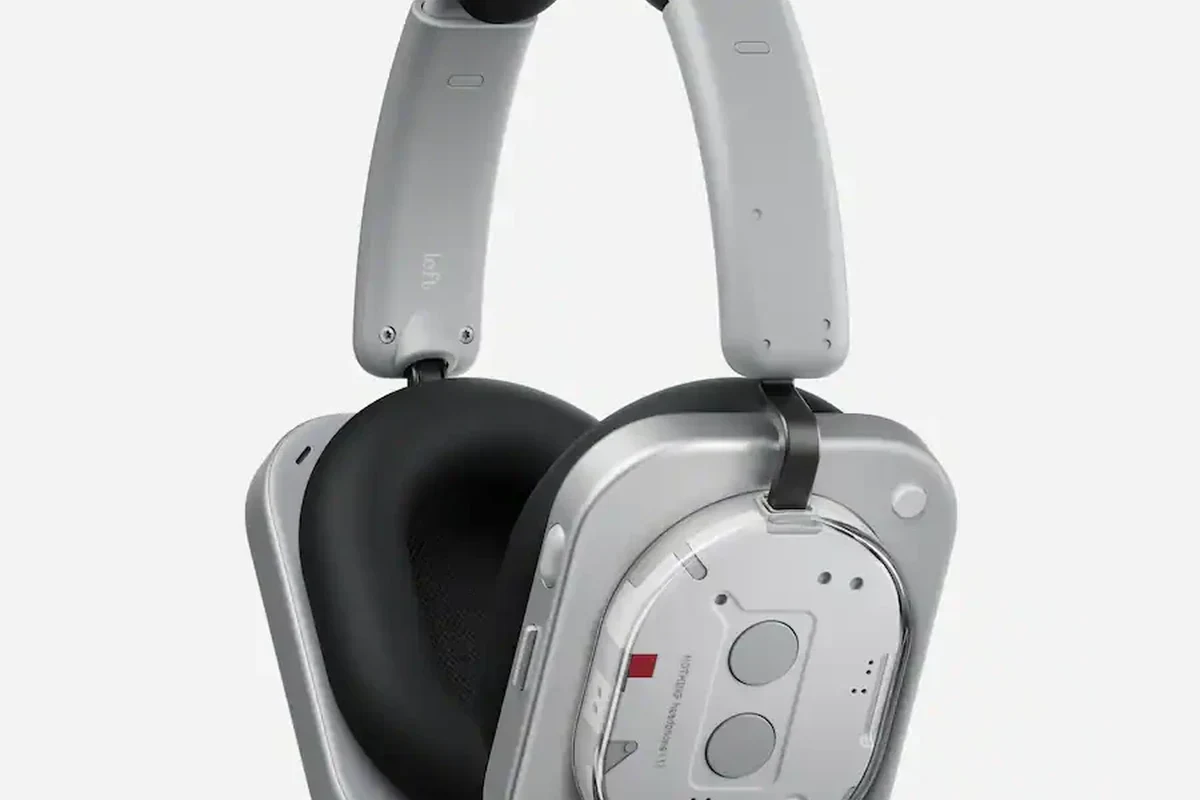
A premium setup may be worth it if you want better noise cancellation, more comfortable ear cushions, and a transmitter that handles long flights more reliably. Your best choice depends on how much you value convenience versus cost.
- Wireless comfort on long flights
- Less cable clutter
- Easy to use with your own device
- May need extra accessories
- Not all plane TVs support it
- Battery and latency can be issues
Best Features to Look For: Low Latency, Multipoint, and Long Battery Life
Low-latency support is helpful if you care about lip-sync during movies. Multipoint can be useful if you want to switch between a tablet and phone without reconnecting every time.
Long battery life matters most on overnight or international flights. Comfort also matters a lot, so look for lightweight headphones, soft ear pads, and a fit you can wear for several hours.
Closed-back headphones and noise cancelling models often feel more effective on planes because they block cabin noise better than open-back designs.
Expert Advice: Safety, Etiquette, and Airline Rules for In-Flight Audio
Using Bluetooth on a plane is usually safe when you follow airline instructions and keep your setup simple. The main priorities are hearing safety, battery readiness, and not disturbing other passengers while you pair devices.
When to Switch to Airplane Mode and Why It Matters
Always follow the airline’s rules for wireless devices. In many cases, you will be asked to switch your phone or tablet to airplane mode, even if Bluetooth itself remains available for headphones.
If you are using your own device for entertainment, airplane mode helps reduce interference and keeps you aligned with standard travel rules. When in doubt, listen to the crew’s instructions.
How to Avoid Disturbing Nearby Passengers During Pairing
Pair your headphones before the cabin gets quiet if possible. That gives you time to fix connection issues without repeated beeps, voice prompts, or loud test sounds.
Keep your screen brightness, notification sounds, and volume low while setting up. It is a simple courtesy that makes the whole row more comfortable.
If you regularly struggle to hear dialogue, feel ear pain, or notice ringing after flights, consider speaking with an audiologist. They can help you choose safer listening habits and rule out hearing issues.
Final Verdict: The Safest and Most Reliable Way to Use Bluetooth Headphones on a Plane TV
Yes, you can use Bluetooth headphones on a plane TV in some cases, but direct pairing is still uncommon. The most dependable method is usually a Bluetooth transmitter connected to the seatback audio jack, with a wired backup in your bag.
If you want the least stressful experience, check your airline’s seatback features before flying, pack the right adapter, and test your setup early. That approach gives you the best chance of enjoying your movie without cable chaos, pairing problems, or surprise silence.
Frequently Asked Questions
Wireless headphones are more convenient, but wired headphones are often more reliable on plane TVs. If you want fewer setup issues, a wired backup is still smart to pack.
Yes, noise cancelling headphones can make dialogue easier to hear by reducing cabin noise. Results vary by model, fit, and how loud the aircraft is.
Over-ear headphones are usually the most comfortable for long flights, while in-ear models are more compact for travel. On-ear designs can work too, but comfort depends on the clamp force and ear shape.
Look for low-latency Bluetooth, strong battery life, comfortable padding, and a stable connection. If you use a transmitter, make sure it matches the seatback jack and supports your headphones.
Use a good fit, keep volume at a safe level, and choose headphones with clear mids for dialogue. An EQ can help, but the best results usually come from better isolation and a reliable connection.
Check comfort, battery life, Bluetooth version, latency support, and whether the headphones can also work with a cable. Build quality and ear cushion material matter too for long listening sessions.