Can You Use Any Bluetooth Headphones with PS5 Guide

No, you usually cannot use any Bluetooth headphones with PS5 directly like you would on a phone. Most players need a USB adapter, TV audio routing, or a PlayStation-compatible wireless headset for the best results.
If you are asking can you use any bluetooth headphones with ps5, the short answer is no, not directly in the way most people expect. The PS5 has Bluetooth support for some accessories, but standard Bluetooth headphone pairing is limited, so many headphones will not connect the same way they do with a phone or laptop.
That does not mean Bluetooth is off the table. It just means PS5 players usually need a workaround, and the best choice depends on whether you care most about convenience, low lag, mic support, or sound quality.
Bluetooth compatibility can vary by headphone model, adapter, TV, and even firmware updates. If you already own a pair, the easiest path is to check how they connect before buying extra gear.
- Direct pairing: Most Bluetooth headphones do not connect to PS5 the simple way.
- Best workaround: USB adapters and TV audio can work, but results vary.
- Gaming performance: Low latency matters most for competitive play and chat.
- Safer buy: Dedicated PS5 wireless or wired headsets are usually more reliable.
Can You Use Any Bluetooth Headphones with PS5? The Short Answer and What It Really Means in 2025
In practical terms, most Bluetooth headphones are not a simple plug-and-play match for PS5. Sony designed the console to work best with wired headsets, PlayStation-compatible wireless headsets, and certain USB-based audio solutions rather than generic Bluetooth audio.
So when people ask whether any Bluetooth headphones work with PS5, the real answer is: sometimes, but not in a straightforward or guaranteed way. If you want a smooth setup for gaming, voice chat, and fast response times, you usually need an adapter, a compatible transmitter, or audio routed through another device.
How PS5 Handles Bluetooth Audio: Why Most Headphones Don’t Connect Directly
The PS5 does not behave like a smartphone when it comes to Bluetooth audio. It supports certain wireless accessories, but not broad, open-ended pairing with every Bluetooth headset on the market.
Bluetooth limitations on PS5 and Sony’s design choices
Sony’s setup is aimed at reducing connection problems and keeping gaming audio stable. Generic Bluetooth headphones can create conflicts with controller communication, microphone routing, and audio latency, so the console is more selective than many users expect.
If you have read our guide on bluetooth headphones explained, the key idea is that Bluetooth is flexible, but not always ideal for every device. On PS5, that flexibility comes with trade-offs.
Why latency matters for gaming, voice chat, and cinematic audio
Latency is the delay between what happens on screen and what you hear in your headphones. In gaming, even a small delay can make footsteps, gunfire, dialogue, and button feedback feel out of sync.
That matters less for slow, story-driven games and more for shooters, rhythm titles, and competitive multiplayer. It also matters for voice chat, because delayed audio can make conversations feel awkward or harder to follow.
Cheap wireless workarounds may connect successfully but still sound delayed, unstable, or compressed. A device that pairs easily is not always a device that performs well for gaming.
Best Ways to Use Bluetooth Headphones with PS5 Without Frustration
If you want to use Bluetooth-style headphones with PS5, the easiest route is usually not direct pairing. Instead, think in terms of adapters, TV audio routing, or headsets made for console wireless use.
Using a USB Bluetooth adapter or dongle
A USB Bluetooth adapter can add wireless audio support to a PS5, but results vary a lot by model. Some adapters handle stereo sound reasonably well, while others introduce lag, dropouts, or microphone limitations.
If you go this route, check whether the adapter supports low-latency audio and whether it works with your headset’s microphone. Many users discover too late that audio works but chat does not, or that the sound is delayed enough to be distracting.
Connecting through your TV, monitor, or soundbar
Another option is to send PS5 audio to your TV or monitor and then connect Bluetooth headphones to that display or audio system. This can be simple if your TV supports Bluetooth audio output.
The downside is that TV Bluetooth can still add delay, and microphone support usually does not carry over. For single-player games or casual viewing, though, this can be a perfectly acceptable setup.
If your TV has a game mode or low-latency audio mode, turn it on before judging headphone performance. Display settings can make a bigger difference than many players realize.
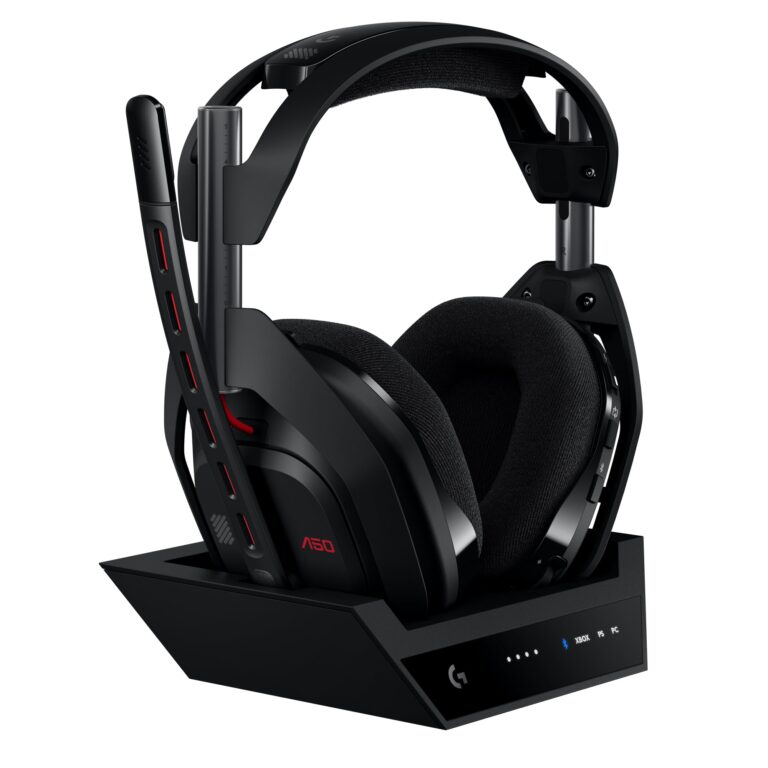
Using a headset with a PlayStation-compatible wireless USB transmitter
For most PS5 players, this is the cleanest wireless option. Many gaming headsets use their own USB transmitter instead of standard Bluetooth, which usually gives you lower latency and more reliable performance.
This is often the best choice if you want wireless convenience without the common Bluetooth headaches. It is also easier to get stable voice chat, which matters if you play online regularly.
What Types of Bluetooth Headphones Work Best with PS5 in Real Use
Not every headphone type behaves the same on PS5. Comfort, sound profile, and connection method all matter, especially during long sessions.
Over-ear vs. earbuds for gaming comfort and sound quality
Over-ear headphones are usually more comfortable for longer gaming sessions because they spread pressure over a larger area. They also tend to deliver fuller sound and better passive isolation, which can help with immersion.
Earbuds can be more portable and lighter, but they may not feel as comfortable after several hours. Their sound can be excellent, but fit and seal vary more from person to person.
For gaming, a good seal matters almost as much as driver size. Better isolation can make dialogue clearer without pushing the volume too high.
Headphones with low-latency codecs and gaming modes
If a headset or adapter supports a low-latency mode, that can help reduce the delay you hear in games. However, codec support can still depend on the entire chain: console, adapter, headphones, and display.
Gaming modes are helpful, but they are not magic. They can improve responsiveness, yet they do not always remove every issue with audio sync or mic stability.
Examples of setups that work well for casual and competitive players
For casual single-player gaming, Bluetooth through a TV or a decent USB adapter may be fine if delay does not bother you. For competitive play, a wired headset or a dedicated wireless gaming headset is usually the safer choice.
If you want to compare wireless and wired listening more generally, our guide on bluetooth vs wired headphones sound quality explains why latency and consistency often push gamers toward wired or dedicated wireless solutions.
- Casual play can work with Bluetooth workarounds.
- Competitive gaming usually benefits from lower-latency audio.
- Mic support is not guaranteed with every setup.
Common Mistakes Gamers Make When Trying to Pair Bluetooth Headphones with PS5
Most frustration comes from assumptions, not the headphones themselves. A setup that works well on a phone can behave very differently on a console.
Assuming standard Bluetooth pairing will work like on a phone
This is the biggest mistake. PS5 is not designed to pair with every Bluetooth headset the way a smartphone does, so the process may fail before you even get to sound quality.
Some players keep retrying pairing steps when the real issue is compatibility. If your headset is not meant for direct console pairing, no amount of tapping the Bluetooth button will fix that.
Ignoring audio delay and microphone compatibility
Even if the headphones connect, the delay may still be enough to make gameplay feel off. That matters most in fast-action games, but it can also affect story games when dialogue and lip sync feel disconnected.
Microphone support is another common surprise. Some setups only deliver audio, while others require extra configuration or do not support chat at all.
Buying cheap adapters that hurt sound quality or disconnect often
Low-cost adapters can seem like a quick fix, but they often create more problems than they solve. Weak build quality, unstable connections, and poor audio handling are common complaints with bargain devices.
Listening at high volumes for long periods can cause hearing damage. Keep volume at 60% or below for extended sessions.
If you are unsure whether Bluetooth lag is the issue, our article on bluetooth headphone lag fix can help you narrow down the usual causes before you buy new gear.
What to Look for Before Buying: Features, Compatibility, and Price Ranges
Before you spend money, decide what matters most: convenience, chat quality, sound quality, or competitive responsiveness. That one choice makes the rest of the buying process much easier.
Budget-friendly options vs. premium gaming headphones
Budget Bluetooth headphones may be fine for casual play, music, and streaming, but they often cut corners on latency, mic quality, or durability. Premium models may improve comfort and sound, but they still may not solve PS5 compatibility on their own.
Important specs: latency, battery life, mic support, and multipoint
For PS5 use, latency is the most important spec to watch. Battery life matters too, especially for long sessions, while mic support and multipoint can be useful if you switch between devices.
- Low-latency support or gaming mode
- Confirmed PS5 or USB adapter compatibility
- Mic support for chat if you need it
- Comfort and weight for long sessions
- Return policy in case the setup disappoints
When a dedicated PS5 headset is a better value than Bluetooth-only gear
If you play online often, a dedicated PS5 headset can be better value because it removes guesswork. You usually get more reliable pairing, better chat support, and less audio delay without needing extra accessories.
This is especially true if you want a simple setup that works every time you turn the console on. Bluetooth-only gear can still be useful, but it is rarely the most trouble-free choice for PS5.
Expert Advice: When Bluetooth Is Fine and When You Should Avoid It
Bluetooth is not automatically bad for PS5. It is just better for some situations than others, and knowing the difference saves money and frustration.
Best use cases for single-player, streaming, and casual gaming
Bluetooth makes sense when you play slower games, watch cutscenes, or use the PS5 more like a media device. It can also be fine for casual streaming if you are not sensitive to a little delay.
If you mainly want comfort and convenience, and you already own good Bluetooth headphones, trying a compatible adapter or TV connection can be worthwhile.
Situations where wired or dedicated wireless headsets are the smarter choice
If you play competitive shooters, rhythm games, or online titles where timing matters, wired or dedicated wireless headsets are usually the better choice. They offer more consistent audio and less chance of lag ruining the experience.
If you have ongoing hearing discomfort, ringing, or trouble understanding game audio even at moderate volume, consider speaking with an audiologist. A good fit and safe listening habits matter as much as headphone specs.
Final Recap: The Best Answer for PS5 Players in 2025
So, can you use any bluetooth headphones with ps5? Not directly, and not always reliably. The PS5 is much happier with wired headsets, PlayStation-compatible wireless headsets, or Bluetooth workarounds like a USB adapter or TV audio routing.
If you want the simplest answer, Bluetooth can work for casual use, but it is not the best default choice for most gamers. For smoother chat, lower delay, and fewer connection problems, a dedicated PS5 headset or wired option is usually the smarter buy.
Frequently Asked Questions
Not always. Wired headphones usually offer more consistent latency, while wireless can be more convenient. Sound quality depends on the model, codec support, and how you use them.
They can be, especially for blocking background noise during single-player games. For multiplayer, make sure the headset also has clear mic support and low-latency audio.
Closed-back headphones usually isolate better and help keep game audio focused. Open-back models can feel more spacious, but they leak sound and are less ideal in noisy rooms.
Check latency, connection method, mic support, battery life, and comfort. If you use Bluetooth, also look for low-latency modes or a compatible USB transmitter.
Start with comfort, reliable connection, and clear voice chat before chasing extra features. Budget models can work well if they fit your use case and do not introduce noticeable lag.
Light weight, soft ear cushions, and a secure but gentle fit matter most. Build quality and clamp force also affect comfort over several hours.