Can You Connect Bluetooth Headphones to PS4 Easily

Yes, but PS4 does not support every Bluetooth headphone directly, so pairing is often limited. The most reliable choices are a USB Bluetooth adapter, a PS4-compatible wireless headset, or a wired backup.
Yes, you can connect Bluetooth headphones to PS4 in some cases, but not always in the simple “pair and play” way most people expect. The PS4 has limited native Bluetooth audio support, so the easiest setup usually involves a USB adapter, a wired workaround, or sending audio through another device.
- Compatibility: Direct Bluetooth pairing on PS4 is limited.
- Best workaround: Use a quality USB Bluetooth adapter or gaming transmitter.
- Reliability: Wired headsets are still the safest option for low lag.
- Voice chat: Mic support may not work well with every adapter.
Can You Connect Bluetooth Headphones to PS4: What Works in 2026 and What Doesn’t
Contents
- 1 Can You Connect Bluetooth Headphones to PS4: What Works in 2026 and What Doesn’t
- 2 Why PS4 Bluetooth Headphone Support Is Limited
- 3 The Best Ways to Use Bluetooth Headphones on PS4
- 4 Step-by-Step Setup Examples for Popular Headphone Types
- 5 Common Problems When Trying to Connect Bluetooth Headphones to PS4
- 6 What to Buy: Adapter, Headset, or Wired Backup?
- 7 Expert Advice: Mistakes to Avoid Before Buying a Bluetooth Solution
- 8 Final Verdict: The Easiest Way to Get Wireless Audio on PS4
- 9 Frequently Asked Questions
- 10 Author
In 2026, the short answer is still the same: some Bluetooth headphones can work with PS4, but many standard pairs will not connect directly. The console was not built to support every Bluetooth headset the way a phone or laptop does.
If you are trying to use everyday wireless headphones, you may run into pairing errors, missing microphone support, or no audio at all. That is why many PS4 players rely on adapters or PS4-compatible gaming headsets instead of direct Bluetooth pairing.
Why PS4 Bluetooth Headphone Support Is Limited
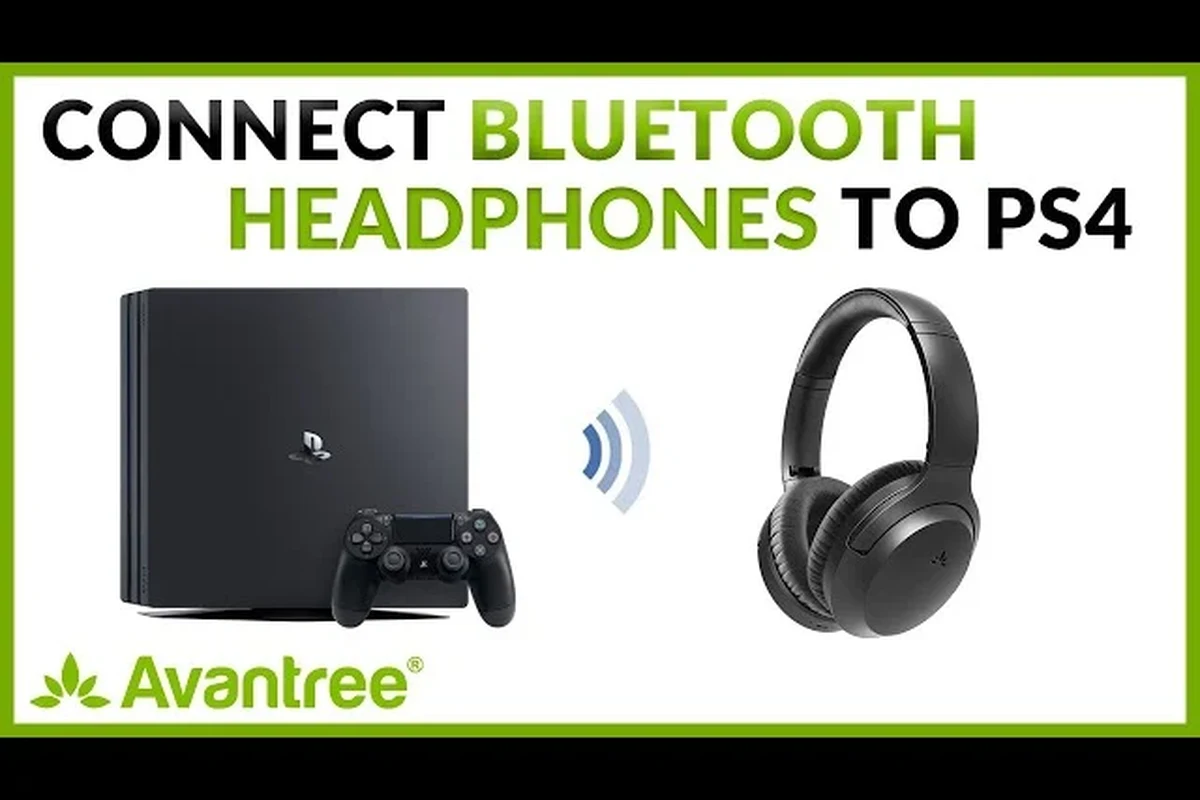
Sony designed the PS4 with a narrower Bluetooth profile than most users expect. That means the console can be picky about which audio devices it accepts, especially for gaming voice chat and low-latency sound.
How Sony’s Bluetooth restrictions affect gaming audio
Gaming audio needs to stay in sync with what you see on screen. Even a small delay can make footsteps, gunfire, and dialogue feel off, which is especially noticeable in fast-paced games.
The PS4’s restrictions help avoid some of those issues, but they also block many standard Bluetooth headphones from connecting directly. For players, that often means the headset pairs with the console in theory, but does not behave like a true gaming audio device.
Why standard pairing often fails with wireless headphones
Many consumer headphones are built for phones, tablets, and laptops first. They may connect to Bluetooth audio sources easily, but the PS4 may reject them because of profile mismatch or voice chat limitations.
This is why “Bluetooth compatible” does not automatically mean “PS4 compatible.” If you want a broader overview of pairing basics, our guide on how to connect Bluetooth headphones explains the general process, but the PS4 has extra limits that make things more complicated.
The Best Ways to Use Bluetooth Headphones on PS4
There are a few practical ways to get wireless audio from a PS4, and some are much better than others. The best choice depends on whether you care more about sound quality, microphone use, or convenience.
Using a Bluetooth USB dongle for direct wireless audio
A USB Bluetooth adapter is one of the most common workarounds. You plug the dongle into the PS4, pair your headphones to the adapter, and route game audio through that connection.
This can be a simple solution, but performance may vary by adapter brand, headphone model, and game type. Some adapters support audio only, while others also support chat features with mixed results.
If you choose a USB Bluetooth adapter, look for one that clearly supports PS4 audio and low-latency playback. Generic adapters may connect, but still sound delayed or unstable.
Connecting through the PS4 controller’s 3.5mm jack with a wireless adapter
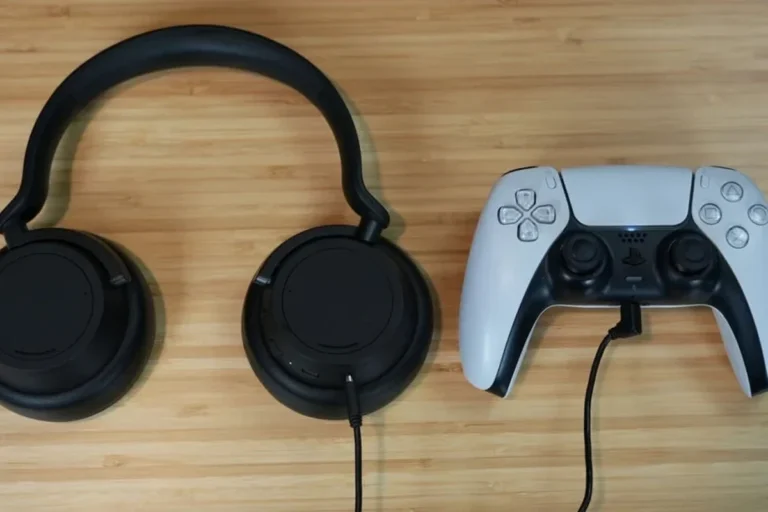
Another workaround is to use a wireless transmitter that feeds into the DualShock 4 controller’s 3.5mm jack. In this setup, the controller becomes the audio path, and the wireless adapter handles the headphone link.
This method can be useful when you want to avoid a long cable across the room. Still, it is more of a workaround than a perfect wireless solution, and microphone support may depend on the adapter design.
Some wireless adapters only handle audio output and do not pass microphone input cleanly. If you play online multiplayer often, check chat support before buying.
Pairing via TV, monitor, or sound system Bluetooth output
If your TV or monitor has Bluetooth audio output, you may be able to connect your headphones there instead of directly to the PS4. This can be the easiest option for single-player gaming or casual use.
The downside is that TV Bluetooth can add delay, and some displays only support audio output through specific menus or only with certain headphones. For competitive gaming, this route is usually less reliable than a proper gaming transmitter.
Step-by-Step Setup Examples for Popular Headphone Types
Different headphone styles behave differently on PS4. Over-ear Bluetooth headphones, gaming headsets, and true wireless earbuds all have their own strengths and weak spots.
How over-ear Bluetooth headphones connect through adapters
Over-ear Bluetooth headphones are often the easiest to use with a USB adapter because they usually have stable wireless antennas and better battery life. The process is usually: plug in the adapter, put the headphones in pairing mode, and wait for the devices to link.
If the connection works, you should hear game audio through the headphones within a few seconds. If not, try re-pairing the adapter, restarting the PS4, or checking whether the adapter requires a special USB mode.
Plug the Bluetooth dongle into the PS4 USB port and wait for the indicator light or pairing mode.
Hold the Bluetooth button on your headphones until the device is discoverable.
Check PS4 sound settings and test game audio, then adjust volume and chat settings if needed.
How gaming headsets with USB transmitters differ from true Bluetooth models
Many gaming headsets do not use standard Bluetooth at all. Instead, they come with a USB transmitter that creates a dedicated wireless link designed for gaming.
That setup is often more reliable than Bluetooth because it is built for lower latency and better voice chat support. If your main goal is smooth PS4 audio, a headset with its own transmitter may be a better choice than a standard Bluetooth headphone.
Many “wireless gaming headsets” are not Bluetooth headsets at all. They use a separate 2.4GHz wireless connection that is often faster and more stable for gaming.
What happens with AirPods, Sony WH-1000XM series, and similar headphones
Popular consumer headphones like AirPods and premium over-ear models such as the Sony WH-1000XM series may connect in some setups, but direct PS4 pairing is not guaranteed. Even when audio works, microphone support can be inconsistent.
If you want a deeper look at wireless audio behavior across devices, our article on Bluetooth headphones explained simply breaks down why one device pairs easily while another refuses to connect.
Do not assume premium headphones will automatically work better on PS4. A higher price does not fix profile mismatch, latency, or missing chat features.
Common Problems When Trying to Connect Bluetooth Headphones to PS4
Even when a connection succeeds, the experience may still be frustrating. The most common issues are delay, weak signal, and microphone problems.
Audio lag and lip-sync delay in games and streaming
Bluetooth latency is one of the biggest reasons PS4 players avoid standard wireless headphones. If audio arrives late, dialogue may not match the video and gameplay cues can feel sluggish.
This is especially noticeable in action games, rhythm games, and streamed video. Some adapters reduce lag, but results vary, and wired audio is still the safest choice when timing matters most.
Mic not working, weak signal, and random disconnects
A headset may play sound but fail to send microphone input to the PS4. That can be a problem for party chat, multiplayer coordination, and in-game voice features.
Weak signal and random disconnects can also happen if the adapter is low quality or if the headphones move too far from the console. If you are troubleshooting, it can help to reset the headphones and re-pair them from scratch. For general reset steps, see our guide on how to reset Bluetooth headphones.
Controller interference and pairing conflicts
Because the PS4 controller already uses wireless communication, some setups can feel crowded. In rare cases, Bluetooth accessories may interfere with one another or make pairing less stable than expected.
If you notice stuttering or dropouts, try moving the adapter away from other USB devices and testing the headphones with fewer nearby wireless products. Shorter distances usually help.
Listening at high volumes for long periods can cause hearing damage. Keep volume at 60% or below for extended sessions.
What to Buy: Adapter, Headset, or Wired Backup?
The best purchase depends on how you play. If you want simple wireless convenience, a good adapter may be enough. If you want the most reliable gaming setup, a PS4-compatible headset or wired backup often makes more sense.
Price comparison of Bluetooth adapters vs PS4-compatible headsets
Bluetooth adapters are usually the cheaper entry point, but the final cost can rise if you need a better model for lower latency or clearer chat support. Prices vary widely by brand and feature set.
PS4-compatible gaming headsets usually cost more, but they may save you time and frustration because they are designed for console use. Our readers often find that spending a little more upfront can be worthwhile if they play online regularly.
When a wired headset is the smarter budget choice
If your priority is stable sound and clear voice chat, a wired headset is often the easiest fix. Plugging into the controller removes Bluetooth delay and avoids pairing problems.
This is why many budget gamers still prefer wired headphones for PS4. For a broader sound-quality comparison, you may also want to read our guide on Bluetooth vs wired headphones sound quality.
- Lower cost
- No battery charging
- Simple plug-and-play use
- Less freedom of movement
- Cable wear over time
- Not fully wireless
Expert Advice: Mistakes to Avoid Before Buying a Bluetooth Solution
It is easy to buy the wrong accessory when you are trying to make Bluetooth work on PS4. A little compatibility checking can save you from wasted money and poor audio quality.
Why “Bluetooth compatible” does not always mean PS4 compatible
Product listings can be misleading if you do not read the fine print. A headset may support Bluetooth on phones and laptops but still fail on PS4 because the console expects different wireless behavior.
Look for clear PS4 support, not just general Bluetooth support. If the product only says it works with “most devices,” that is usually not specific enough for console gaming.
Warnings about cheap adapters, latency, and poor mic support
Very cheap adapters can be tempting, but they may create more problems than they solve. Common issues include unstable pairing, poor voice chat quality, and noticeable audio delay.
If you are sensitive to delay, or if you play competitive games, choose carefully and check whether the adapter supports low-latency audio. If you have ongoing hearing concerns or tinnitus, follow safe listening guidance and consider speaking with an audiologist.
If you regularly experience distorted sound, discomfort, or difficulty understanding speech at normal volume, consult an audiologist or a qualified audio specialist. Persistent ear pain or ringing should not be ignored.
Final Verdict: The Easiest Way to Get Wireless Audio on PS4
So, can connect bluetooth headphones to ps4? Yes, but the easiest method is usually not direct pairing. In most cases, a USB Bluetooth adapter or a PS4-compatible wireless gaming headset is more dependable than trying to connect standard Bluetooth headphones straight to the console.
Quick recap of the safest, most reliable setup options
If you want the least hassle, choose a headset made for PS4 or use a wired headset through the controller. If you want wireless freedom, pick a quality adapter with low-latency support and be ready to test microphone performance before settling on it.
For readers who want to understand the broader headphone landscape before buying, our guide on types of headphones explained can help you decide whether over-ear, on-ear, or in-ear models make the most sense for gaming and everyday listening.
- PS4 does not support every Bluetooth headphone directly.
- USB adapters and PS4-ready gaming headsets are the most practical wireless options.
- Wired headphones remain the most reliable choice for low lag and voice chat.
Frequently Asked Questions
Not always. Wired headphones usually offer more stable sound and less lag, while wireless headphones are better for convenience.
Over-ear headphones often feel more comfortable for long sessions and can offer a wider soundstage. Earbuds may be lighter and more portable, but fit and isolation vary by model.
They can reduce outside noise and make dialogue easier to hear. However, noise cancelling does not fix Bluetooth lag or compatibility issues.
Closed-back headphones are usually better for gaming because they block more outside noise and keep sound from leaking out. Open-back models can sound more spacious, but they are less private and less isolating.
Check compatibility, latency support, microphone support, comfort, and connection type. Driver size, frequency response, and EQ options can also affect sound, but real-world fit matters more than numbers alone.
Look for soft ear cushions, a light headband, and a fit that does not press too tightly. Take regular breaks and keep volume at a safe level to reduce fatigue.