How to Tell What Bose Headphones I Have Fast and Easy

Check the model name on the headphones, case, app, or original receipt first. If that is missing, compare the design, controls, charging port, and noise-cancelling behavior to narrow down the exact Bose model.
If you’re trying to figure out how to tell what Bose headphones I have, the fastest method is to check the model name on the headphones, the case, or the Bose app. If that still doesn’t help, the design details, controls, and noise-cancelling behavior usually narrow it down quickly.
- Fastest check: Look for the model name on the headphones, case, or app.
- Best visual clues: Compare earcup shape, hinges, logo placement, and button layout.
- Model families matter: QuietComfort, 700, and Bose earbuds each have distinct design cues.
- Verify if unsure: Use the serial number and Bose support tools for confirmation.
How to Identify Your Bose Headphones by Model, Design, and Features
Bose usually makes identification easier than many brands because each product family has a distinct look, control style, and app support pattern. Start by checking the exact model name, then compare the shape, buttons, and charging port to the most common Bose lines.
If you are still unsure, use multiple clues together instead of relying on one detail. A single feature like Bluetooth or noise cancellation is not enough, since many Bose models share those basics.
Quick Checks First: Find the Model Name on the Headphones, Case, or App
The quickest way to identify Bose headphones is to look for a printed model number or product name. Bose often places this information in a subtle spot, so take a close look before assuming the model is missing.
Look for the printed model number inside the headband, earcup, or charging case
On over-ear Bose headphones, the model name may appear inside the headband, under the ear cushion edge, or on the inner side of an earcup. On earbuds, check the inside of the charging case, the stem, or the small print on the earbud body.
Names like QuietComfort, QuietComfort Ultra, Bose 700, or Sport Earbuds are usually enough to identify the product family. If you see a serial number instead, keep it handy for Bose support later.
Check the Bose Music or Bose Connect app for connected device details
If your headphones still connect to a phone, open the Bose Music or Bose Connect app and check the device information screen. The app may show the product name, firmware version, and connection status, which can help confirm the exact model.
This is especially useful if the printed label is worn off or the headphones were bought secondhand. App support can vary by model, so the app itself may also hint at whether you have an older or newer Bose product.
Use the original box, receipt, or online order history if available
The original box is often the easiest source because Bose product names are usually printed clearly on the packaging. If you no longer have the box, check your email receipts, retailer account history, or order confirmations.
This method is especially helpful when the headphones are refurbished, gifted, or inherited. A purchase record can confirm whether you own a QuietComfort model, a Bose 700, or a pair of true wireless earbuds.
Compare the Most Common Bose Headphone Lines in 2026
Once you know the product family, it becomes much easier to tell the exact model. Bose naming can be similar across generations, so focus on the differences in shape, controls, and feature set.
A helpful reminder: Bose has both over-ear headphones and earbuds, and they are easy to mix up if you only remember the color or the noise-cancelling feature. For a broader overview of product styles, our guide to types of headphones explained can make the comparison easier.
QuietComfort series: QC35, QC45, and QuietComfort Ultra clues
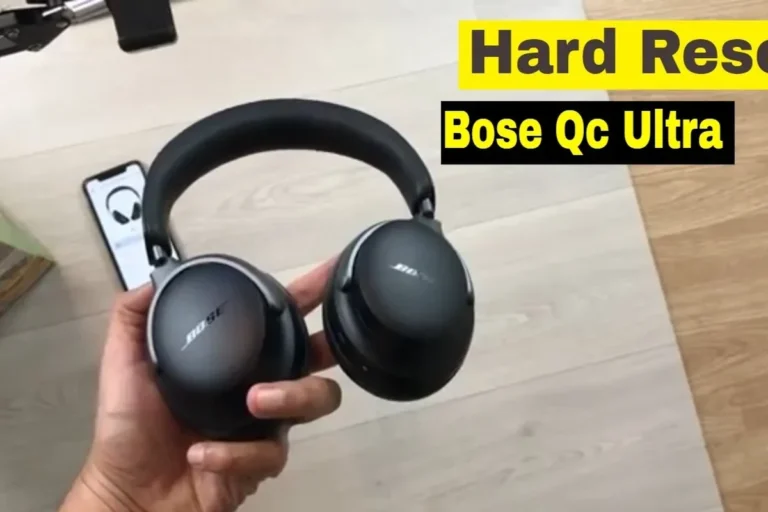
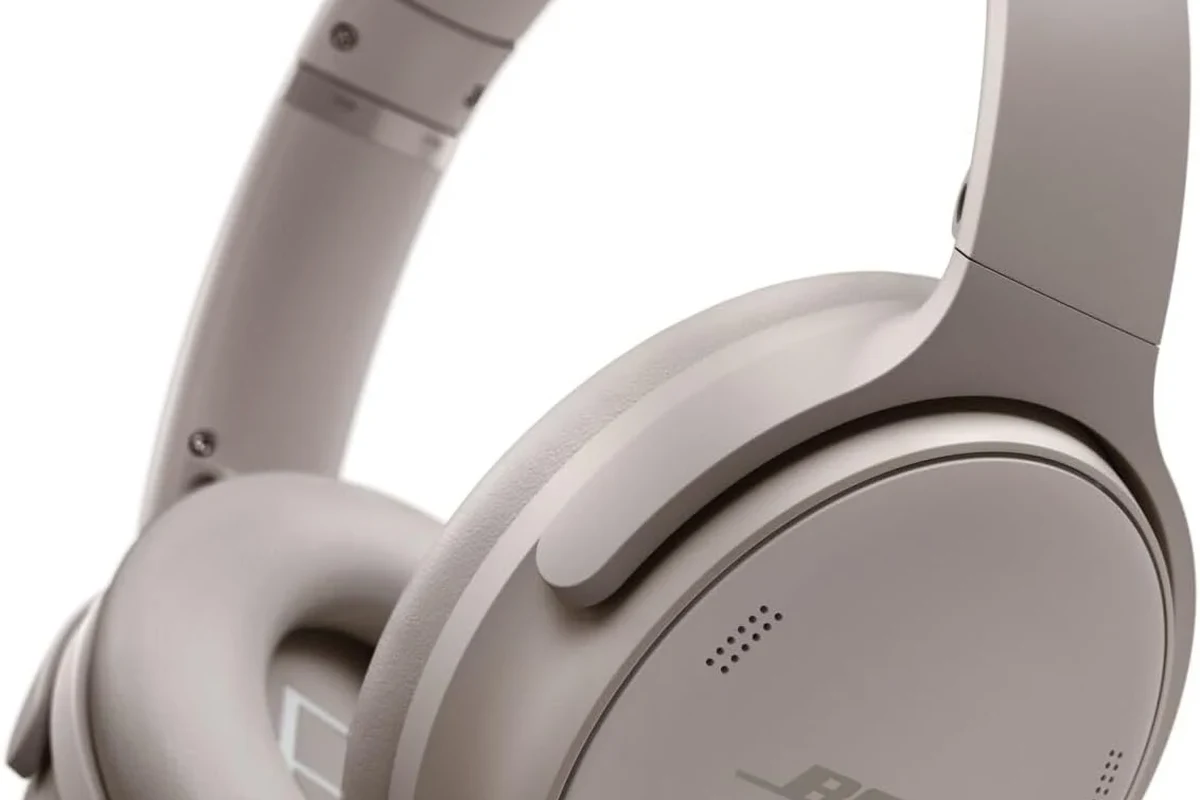
The QuietComfort line is one of the most common Bose families, and the generations can look similar at first glance. QC35 and QC45 are both over-ear wireless headphones with a familiar folding design, while QuietComfort Ultra has a more modern look and updated feature set.
Look closely at the headband shape, earcup finish, and button layout. Newer QuietComfort models often feel more streamlined, while older QC models may have a simpler control arrangement and a more traditional Bose silhouette.
Noise Cancelling Headphones 700 vs. QuietComfort differences
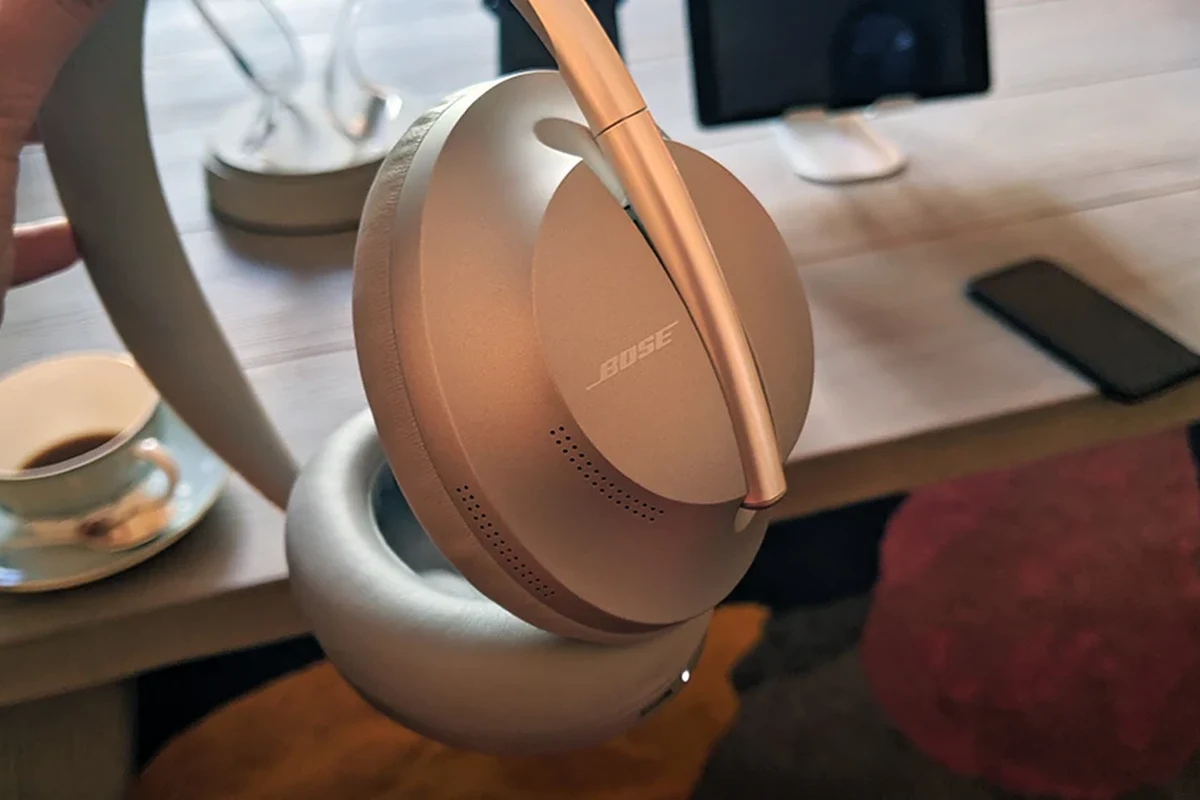
The Bose Noise Cancelling Headphones 700 usually stand out because of their more angular, premium-looking earcups and slimmer headband profile. They also use a control style that feels different from the classic QuietComfort layout.
QuietComfort models tend to look a little softer and more rounded. If your Bose headphones feel more minimalist and the controls are not arranged like the older QC line, you may be looking at the 700 series instead.
Sport and workout models: Bose Sport Earbuds, Ultra Open Earbuds, and QuietComfort Earbuds
Bose’s workout and earbud models are easier to separate once you know the fit style. Sport Earbuds are true wireless earbuds with a secure in-ear design, while QuietComfort Earbuds focus more on noise cancellation and everyday use.
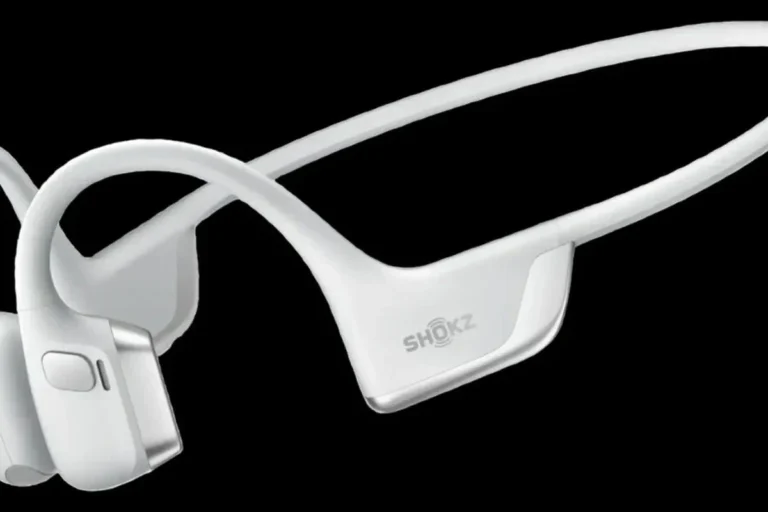
Ultra Open Earbuds have a very different open-ear design, which makes them stand out quickly from sealed in-ear models. If your Bose product does not sit inside the ear canal the way a normal earbud does, it may be an open-ear model rather than a standard true wireless set.
Visual Features That Reveal the Exact Bose Model
Visual clues are often the most reliable way to identify Bose headphones when the model name is missing. Pay attention to the shape of the earcups, the hinge design, and where Bose placed the logo.
Ear cup shape, hinge design, and button layout
Over-ear Bose models often differ most clearly in the earcup shape and how the cups fold or rotate. Older models may have a more obvious folding hinge, while newer ones often use smoother lines and less bulky joints.
Button placement also matters. Some Bose headphones use physical buttons for power, volume, and playback, while others rely more heavily on touch or gesture-based controls.
Color options, logo placement, and finish differences
Color can help, but it should never be your only clue because Bose often releases multiple generations in similar shades. Still, the exact finish, logo size, and placement can point you toward a specific series.
For example, some Bose models have a more matte look, while others appear glossier or more refined. The logo may be printed larger on one generation and more discreet on another.
Wired, wireless, over-ear, on-ear, and true wireless design cues
Check whether your headphones are wired, wireless, or true wireless earbuds. Bose has made all of these categories over time, and the design itself can eliminate several possibilities right away.
Over-ear headphones cover the entire ear, on-ear models rest on top of it, and true wireless earbuds have no connecting cable between the left and right sides. If you are unsure about the type first, our headphones vs earphones complete guide can help you sort the basics before matching a Bose model.
How to Tell What Bose Headphones You Have by Sound and Controls
Sound behavior and controls are useful clues, especially when the physical label is gone. While sound varies by listening preference, Bose models often differ in how they handle noise cancellation, voice prompts, and touch interaction.
Note
Feature names and app support can change by model generation, region, and firmware updates. If your headphones were purchased used, the previous owner may also have changed settings that affect how they behave.
Voice prompts, physical buttons, and touch controls
Some Bose headphones use clear voice prompts when powering on, pairing, or switching devices. Others rely more on button presses or touch controls, which can help separate newer premium models from older ones.
If your headphones respond to swipes or taps on the earcup, that is a strong clue they belong to a newer Bluetooth-focused Bose line. Traditional button-heavy layouts are more common on older or simpler models.
Noise cancellation behavior and transparency mode differences
Bose is well known for noise cancellation, but not every model handles it the same way. Some headphones offer stronger active noise cancelling, while others emphasize awareness or transparency features for hearing more of your surroundings.
If your headphones have a dedicated mode for hearing outside sound, that may point to a newer product family. For a deeper explanation of the feature itself, see our guide on what is noise cancelling headphones and how it changes the listening experience.
Battery life and charging port clues for newer vs. older models
Charging ports can help narrow things down, especially if you know whether the headphones use USB-C or an older connector. Newer Bose products are more likely to use modern charging standards, while older models may reflect the technology of their release period.
Battery life can also hint at the generation, though published estimates and real-world results may vary based on volume, Bluetooth strength, and noise cancellation use. If the battery seems unusually weak, it may be a sign of age rather than the model itself.
Common Mistakes When Identifying Bose Headphones
It is easy to misidentify Bose headphones because many models share the same brand look and similar feature names. The biggest mistakes usually happen when people focus on one detail instead of comparing several clues together.
Confusing similar QuietComfort generations
QuietComfort models are especially easy to mix up because Bose has reused familiar design language across multiple generations. QC35, QC45, and QuietComfort Ultra may all look related, but they are not the same product.
Check the controls, hinge style, and app compatibility before deciding. A slightly different button layout or earcup shape can be the key detail that separates one generation from another.
Mixing up Bose-branded accessories with the actual headphone model
Sometimes the case, cable, or ear tips are Bose-branded even if the headphones themselves are a different model. That can lead to confusion, especially when buying used products or spare parts.
Always identify the headphones themselves, not just the accessories. A charging case or replacement cable does not tell you the exact Bose model by itself.
Assuming a replacement ear cushion or cable changes the model
Replacement pads and third-party cables can make one Bose headphone look like another. That is why it is risky to identify a model based only on worn parts or aftermarket accessories.
If the ear cushions have been replaced, compare the main frame, button layout, and serial information instead. The core design matters more than cosmetic parts that may have been swapped out.
Expert Advice: What to Do If the Model Is Still Unclear
If you still cannot identify the headphones, move from visual guessing to verification. Bose support tools and serial number checks are usually the most reliable way to confirm the exact product.
Use the serial number and Bose support tools to confirm the exact product
Look for the serial number on the headphones, case, or original packaging, then use Bose’s support resources to confirm the product. This is often the best route when the model name is missing or the headphones were bought secondhand.
If the product is not showing up in the app, the serial number does not match the visible design, or you suspect the device is damaged, contact Bose support or a qualified audio retailer for confirmation.
Check for counterfeit or refurbished units with mismatched details
Refurbished and counterfeit products can look close to the real thing at first glance, but small mismatches often give them away. Watch for odd labeling, inconsistent control placement, or packaging that does not match the product family.
If several details conflict, do not assume it is just a rare version. The safest move is to verify the serial number and compare it with official Bose support information.
Warning signs that the headphones may not be genuine Bose
Important
Be cautious if the headphones have poor print quality, unusual app behavior, weak build quality, or a model name that does not match the design. Those are common warning signs that the unit may not be genuine.
Also be careful if the seller cannot provide original photos, a receipt, or any proof of purchase. A genuine Bose product should still have consistent branding, model details, and recognizable build quality.
Why Knowing Your Bose Model Matters: Price, Parts, and Compatibility
Knowing the exact Bose model is useful for more than curiosity. It affects replacement parts, charging accessories, app support, repair decisions, and even resale value.
Replacement pads, charging cables, and case compatibility
Replacement ear cushions, charging cables, and protective cases are often model-specific. Even when two Bose products look similar, the fit may not be identical.
Audio Tip
Before ordering accessories, match the exact model name and generation, not just the product family. That simple step can save you from buying pads or cases that do not fit properly.
Comparing repair costs versus buying a newer Bose model
If your headphones are old, it may be worth comparing repair costs with the price of a newer model. The right choice depends on the condition of the battery, headband, ear cushions, and charging port.
For some users, repair makes sense if the headphones still sound good and fit well. For others, a newer model may be the better long-term option because of better app support and fresher battery life.
Firmware updates, app support, and resale value considerations
Newer Bose models are more likely to receive app support and firmware updates, which can improve pairing stability and feature access. Older models may still work well, but support can become more limited over time.
Knowing the model also helps if you plan to resell the headphones. Buyers usually want the exact name, condition, and accessories listed clearly, especially for premium wireless headphones and earbuds.
Final Recap: The Fastest Way to Identify Your Bose Headphones
The fastest way to tell what Bose headphones you have is to check for the model name on the headphones, app, box, or receipt. If that is not available, compare the design, controls, charging port, and noise-cancelling behavior against Bose’s most common lines.
When in doubt, use the serial number and Bose support tools to confirm the exact product. That approach is more reliable than guessing from color or accessories alone, and it helps you buy the right parts, get the right support, and avoid compatibility mistakes.
Frequently Asked Questions
Start with the main purpose, the common mistakes, and the safety or cost details that apply to your situation.
It matters because the wrong choice can waste time, cost more money, or create avoidable problems later.
Check the details for the headphone brand, model, use case, budget, or personal preference before making a final decision.
The most common mistake is following generic advice without checking condition, model, usage, and real-world limits.
Get professional help if the task involves safety risk, expensive parts, electrical systems, legal issues, or anything you are not confident handling.
Review it whenever prices, products, tools, rules, or your situation changes, because some details can become outdated.