Do Beats Headphones Work with Android Devices Today

Yes, Beats headphones work with Android devices through Bluetooth, and many models also support the Beats app for setup and updates. You may miss some Apple-only features, but core listening, calls, and controls usually work well.
If you’re asking whether Beats headphones work with Android devices, the short answer is yes. Most modern Beats models connect over Bluetooth just like any other wireless headphones, and many also support Android-friendly setup features through the Beats app.
- Compatibility: Most Beats models pair normally with Android over Bluetooth.
- App support: The Beats app can add setup and firmware convenience on supported phones.
- Limits: Apple ecosystem perks like Siri and seamless switching are reduced on Android.
- Best use: Beats can be a good fit for commuting, calls, and casual wireless listening.
Do Beats Headphones Work with Android Devices in 2026?
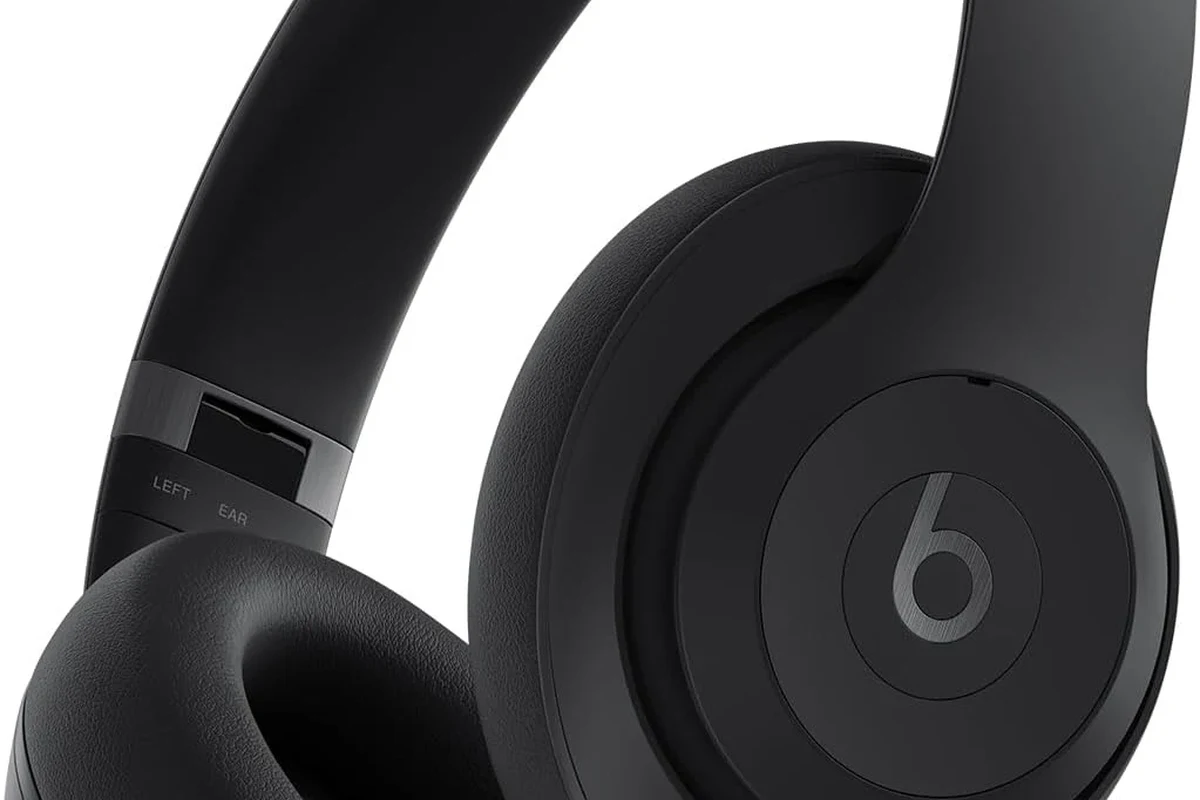
Yes, Beats headphones still work well with Android in 2026. You can pair them with most Android phones and tablets for music, calls, podcasts, gaming, and video streaming without needing an iPhone.
What matters most is the model you buy and the Android phone you use. Newer Beats products tend to be easier to set up and manage, while older models may still connect fine but offer fewer smart features.
Beats are designed to work across platforms, but some Apple-only features are not available on Android. That’s normal for many brand ecosystems, not a sign that the headphones are incompatible.
For readers comparing wireless options, it helps to understand the basics of Bluetooth headphones explained simply and how pairing works on different devices. If you are still learning the basics, our guide on how to connect Bluetooth headphones can also help.
How Beats Connect to Android: Bluetooth Pairing, Fast Pair, and Setup Basics
Most Beats headphones connect to Android through standard Bluetooth pairing. On newer Android phones, the process can feel even smoother if the headset supports quick setup features like Fast Pair.
That said, Bluetooth pairing can still vary a little by phone brand, Android version, and headphone model. If your phone is older or has outdated settings, setup may take an extra step or two.
Step-by-step pairing process for first-time Android users
Start by turning on Bluetooth in your Android settings. Then put the Beats headphones into pairing mode, usually by holding the power or system button until the indicator light flashes.
Next, open your Android Bluetooth menu and select the Beats device from the list. After the first connection, your phone should remember the headphones and reconnect automatically when both devices are on and nearby.
Open your Android Bluetooth settings and make sure wireless connections are enabled.
Hold the Beats pairing button until the light starts flashing and the headphones become discoverable.
Tap the Beats name in your Bluetooth list and wait for the connection confirmation.
If pairing fails, turn Bluetooth off and on again, then move the headphones closer to the phone before retrying.
What to expect from Beats app support on Android
Many Beats models work with the Beats app on Android, which can help with setup, battery status, firmware updates, and some device management features. This is useful if you want a more polished experience than Bluetooth alone provides.
Still, Android app support is not identical to the Apple experience. You may get useful controls and updates, but not the full set of iPhone ecosystem features.
Many wireless headphone problems are caused by old Bluetooth settings, not the headphones themselves. A simple reset or re-pair often solves the issue.
What Features Work Well on Android and What You May Miss
For everyday listening, Beats usually work very well on Android. Music playback, calls, and basic controls are the core features most users care about, and those are generally supported across most modern Android phones.
The main differences show up in ecosystem features. If you are switching from Apple gear, you may notice that some convenience perks do not travel over to Android.
Audio playback, calls, and media controls
On Android, you can usually expect stable audio playback, pause and play controls, track skipping, and call handling. These are the functions that matter most for commuting, walking, studying, and office use.
Sound quality will depend on the specific Beats model, your phone’s Bluetooth implementation, and your listening preferences. If you want to fine-tune the sound, Android EQ apps or your phone’s built-in equalizer can help.
For readers comparing wireless sound behavior, our guide to Bluetooth vs wired headphones sound quality explains why wireless audio can sound slightly different from cable-based listening. If you want to improve tone and balance, best EQ settings for headphone is also worth a look.
Limitations versus iPhone: Siri, seamless switching, and some ecosystem perks
Android users may miss Apple-centric features such as Siri integration, instant cross-device switching inside the Apple ecosystem, and certain automatic setup perks. Those are not usually deal-breakers, but they do matter if you expected a fully Apple-style experience.
In practical terms, this means Beats can be a good Android headphone choice without being the absolute best choice for every Android buyer. If you value deep customization and platform-neutral convenience, other brands may offer more.
Do not assume every feature advertised for Beats will work the same way on Android. Always check the exact model’s feature list before buying, especially if you want noise cancellation, multipoint, or app-based controls.
Best Beats Models for Android Users: Practical Examples and Use Cases
Some Beats headphones make more sense for Android users than others. The best choice depends on whether you want over-ear comfort, workout-friendly earbuds, or a simple everyday pair for commuting.
When comparing models, think about battery life, fit, noise cancellation, and how often you switch between devices. If you are still deciding between categories, our article on types of headphones explained can help narrow the choice.
Beats Studio Pro for over-ear listening
Beats Studio Pro is the kind of model many Android users consider for travel, desk listening, and longer sessions. Over-ear cups usually feel more immersive and can be more comfortable than smaller on-ear designs for extended use.
If you want a closed-back style that helps reduce outside noise, over-ear Beats can be a strong fit. For readers comparing this design with other headphone types, open back vs closed back headphones is a useful reference.
Beats Fit Pro and Beats Solo Buds for everyday commuting
Beats Fit Pro is often a practical pick for active Android users who want secure in-ear fit and easy portability. The design is useful for commuting, walking, and gym sessions where a stable fit matters more than large ear cups.
Beats Solo Buds are another simple everyday option for users who want compact wireless listening. They are easy to carry, quick to use, and better suited to people who prioritize convenience over big, room-filling sound.
- Easy Bluetooth pairing with Android
- Good everyday wireless convenience
- Useful app support on many models
- Some Apple features are missing
- Experience can vary by Android phone
- Not always the best value for the money
Common Android Compatibility Mistakes People Make with Beats Headphones
Most Beats-and-Android problems are not true compatibility failures. They usually come from setup mistakes, old software, or unrealistic expectations about Apple-only features.
If you run into trouble, start with the basics before assuming the headphones are defective. A lot of wireless issues can be fixed in minutes.
Bluetooth version confusion and outdated phone settings
One common mistake is assuming any Bluetooth device should work perfectly on any phone without updates. In reality, older Android phones, outdated Bluetooth drivers, or aggressive battery-saving settings can affect pairing and stability.
If you are troubleshooting, check whether your phone software is current, Bluetooth is enabled properly, and the headphones are charged. For deeper wireless troubleshooting, our guide on Bluetooth headphone lag fix may help.
Assuming all Apple-only features work on Android
Another mistake is buying Beats for Android while expecting the full Apple experience. Some features are tied to Apple’s ecosystem, so Android users should focus on the features that are actually supported on their phones.
This is why it helps to read product details carefully and compare them to your real use case. If you mainly want music, calls, and easy wireless use, Beats can still make sense.
- Android version and Bluetooth stability
- Beats model feature support
- Battery level before pairing
- Whether the Beats app is available for your phone
Expert Advice: How to Get the Best Performance and Avoid Connectivity Issues
To get the best results from Beats on Android, keep the headphones updated, charged, and paired cleanly. Small maintenance steps can make a big difference in reliability.
This is especially important if you use your headphones every day for commuting, work calls, or workouts. The more often you switch between devices, the more useful good setup habits become.
Battery, firmware, and app settings that improve reliability
Check battery levels regularly, because low power can cause dropouts or weaker Bluetooth performance. If your model supports firmware updates through the Beats app, install them when available.
Also review app permissions and background activity settings on Android. If the Beats app is restricted too heavily, some convenience features may not work as expected.
If your headphones repeatedly disconnect, sound distorted, or fail to charge correctly, consider contacting the manufacturer or an audiologist only if the issue affects listening comfort or hearing health. For sound-quality problems, a headphone specialist or repair shop may also help.
When to reset, re-pair, or update your Android device
If the headphones are acting strangely, remove them from your Bluetooth list and pair them again from scratch. A clean re-pair often clears up random connection bugs and audio routing issues.
If that does not help, restart your Android phone and check for system updates. When a problem keeps returning across devices, a full headphone reset may be the next step.
If you want a dedicated reset walkthrough, see our guide on how to reset Bluetooth headphones. That can be especially useful when a headset remembers too many devices or refuses to reconnect properly.
Listening at high volumes for long periods can cause hearing damage. Keep volume at 60% or below for extended sessions.
Beats vs Other Android-Friendly Headphones: Price, Value, and Alternatives
Beats are not the only good wireless option for Android users. They sit in a premium-style category, but value depends on how much you care about design, convenience, and brand preference.
Some buyers will love the sound signature and easy setup. Others may get more useful features or better value from competitors.
Where Beats fits in the premium price range
Beats often appeal to buyers who want stylish headphones with easy wireless use and a bass-forward sound profile. If that matches your taste, they can be a satisfying Android choice.
But premium pricing should always be judged against your needs. If you mainly want strong ANC, balanced tuning, or the best feature set for Android, compare carefully before you buy.
When Sony, Bose, or JBL may be a better Android choice
Sony may be a better pick if you want deep app controls, strong noise cancellation, and flexible sound tuning. Bose is often attractive for comfort and ANC-focused listening, while JBL can be a smart value option for casual everyday use.
If you are comparing noise-cancelling performance across brands, our guide on how noise cancelling headphones work can help you understand what really matters. You may also want to read wired vs wireless headphones if you are deciding between convenience and maximum simplicity.
- Beats headphones do work with Android devices.
- Most features rely on Bluetooth, with some app support on newer models.
- Apple-only perks are limited or unavailable on Android.
- Model choice matters more than brand name alone.
Final Verdict: Should Android Users Buy Beats Headphones in 2026?
Yes, Android users can absolutely buy Beats headphones in 2026, and for many people they will work just fine. If you want a stylish wireless headphone or earbud with easy pairing, solid everyday use, and a familiar sound profile, Beats remains a reasonable option.
Still, Android buyers should be selective. If you want the best value, the most Android-friendly feature set, or the strongest customization, Sony, Bose, or JBL may fit better depending on your budget and listening habits.
In the end, the answer to do beats headphones work with android is yes, but the best choice depends on the exact model and the features you expect to use. Check compatibility, compare alternatives, and choose the headphones that match your listening style rather than the logo alone.
Frequently Asked Questions
Yes, most Beats headphones work over standard Bluetooth even without the app. The app mainly adds setup help, battery info, and firmware updates on supported models.
Wireless Beats are more convenient for everyday use, but wired headphones can avoid Bluetooth latency and compression. The better choice depends on whether you value freedom or maximum simplicity.
Noise cancelling usually works on Android, but the app and control experience may differ by model. Check the product page so you know which features are supported on your phone.
Over-ear models are usually best for longer listening and better isolation, while in-ear models are better for portability and workouts. Fit and comfort matter more than category alone.
Look at Bluetooth support, app EQ options, and how the headphones handle bass, clarity, and volume at your usual listening level. Small EQ adjustments can improve balance a lot.
For commuting, prioritize comfort and noise cancellation; for gaming, check latency and mic quality; for studio-style listening, look for more balanced tuning. Match the model to the task instead of buying by brand alone.