Why Do My Sony Headphones Keep Pausing When I Talk

Sony headphones usually pause when you talk because a voice-detection or wear-detection feature is enabled and reacting to your speech. If the problem keeps happening, check the Sony app, turn off the trigger feature, and test the headphones on another device.
If your Sony headphones keep pausing when you talk, the most common reason is usually a built-in voice or wear-detection feature reacting to your speech. On many wireless Sony models, that pause is intentional, but it can also happen too often if a setting is too sensitive or a sensor is misreading movement.
- Most likely cause: Speak-to-Chat or voice detection is reacting to your voice.
- Other common cause: Wear sensors or multipoint Bluetooth can interrupt playback.
- Best first fix: Check Sony app settings before resetting the headphones.
- When to worry: Random dropouts, weak battery, or sensor glitches may point to hardware issues.
Why Do My Sony Headphones Keep Pausing When I Talk? Understanding the Most Common Trigger
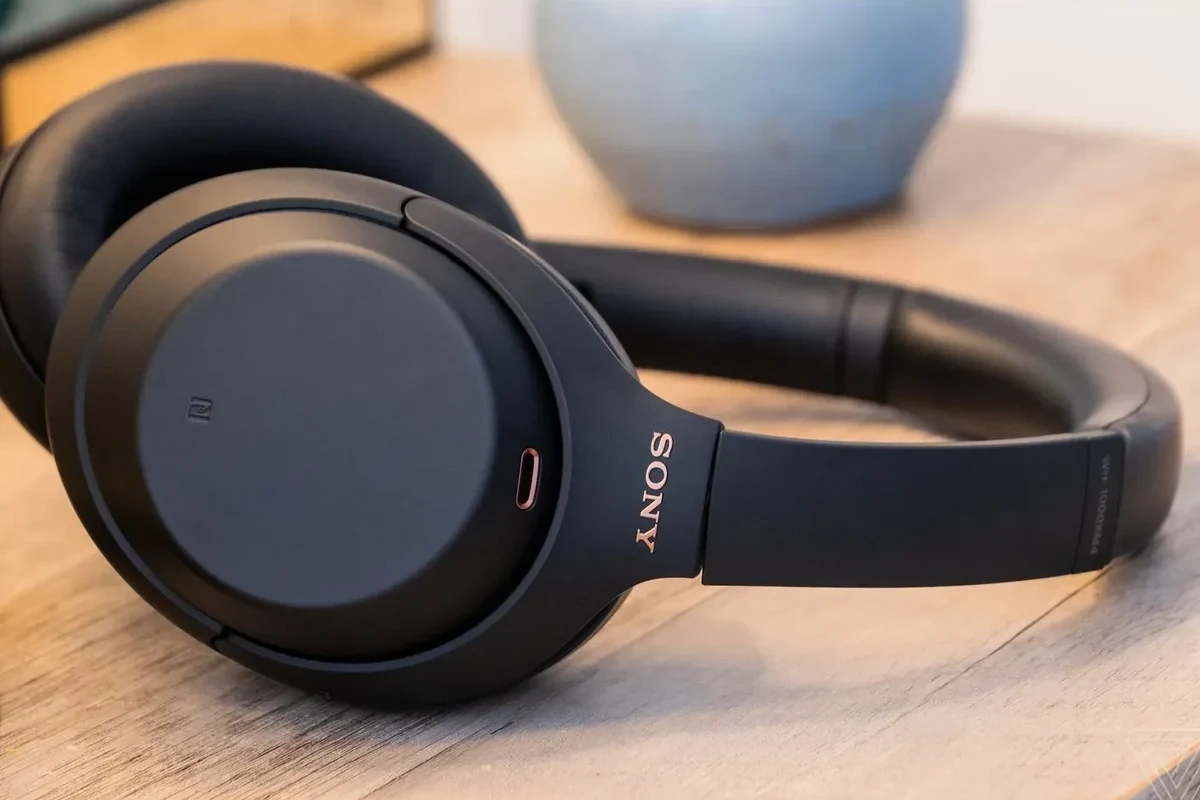
For many Sony users, the answer starts with smart features rather than a defect. Sony wireless headphones and earbuds often include voice-aware tools that try to detect when you start speaking, then pause audio so you can hear people around you.
That can be useful in daily life, but it becomes annoying when the headphones pause every time you say a few words, hum along, or answer someone briefly. If you are comparing how this behavior differs across models, it helps to understand the basics of wired versus wireless headphones and why wireless models rely more on sensors and app settings.
How Sony’s auto-pause and voice-detection features can react to your own speech
On supported Sony models, features like Speak-to-Chat or similar voice-detection behavior can pause music when the headphones detect your voice. The idea is simple: when you talk, playback stops so you do not need to remove the headphones.
The downside is that the headphones may not always know whether you are speaking to someone, singing softly, or simply muttering to yourself. A short sentence, a cough, or even a strong jaw movement can sometimes trigger a pause.
Why this issue shows up more on wireless Sony models than wired headphones
Wired headphones usually do not have the same level of smart sensing. They rely on the device or app for playback control, so there are fewer automatic actions that can interrupt sound.
Wireless Sony headphones, by contrast, may use microphones, proximity sensors, and Bluetooth behavior to manage listening modes. That extra intelligence is helpful, but it also creates more opportunities for accidental pausing.
Search Intent: What Users Usually Want to Fix First
Most people searching this problem are not trying to learn every technical detail. They usually want to stop the pausing as quickly as possible during calls, classes, or casual listening.
In many cases, the fix is simple: turn off a voice feature, adjust wear detection, or re-pair the headphones. Before assuming the hardware is damaged, it is worth checking the settings first.
Stopping music from pausing during calls, meetings, and casual conversations
If your headphones pause during a call or meeting, the issue may be a mix of app behavior and Bluetooth profile switching. Some headphones temporarily change how they handle audio when the microphone is active.
That can feel like a pause, even when the headphones are actually switching to a different listening mode. This is common on modern wireless audio gear, especially when connected to phones, laptops, and tablets at the same time.
Identifying whether the problem is a feature, a setting, or a malfunction
The fastest way to narrow it down is to ask one question: does the pausing happen only when you speak, or also when you stay quiet? If it happens mainly while talking, a voice feature is the likely cause.
If the headphones pause randomly, disconnect, or react to light movement, the issue may be wear detection, Bluetooth instability, or a battery problem. That difference matters because each cause has a different fix.
Sony Settings That Commonly Cause Pausing When You Speak
Sony’s app-based controls are often the real reason behind this behavior. Depending on your model, the headphones may have speech-aware features, auto-wear detection, or multipoint switching that can interrupt playback.
For readers who want a broader Bluetooth refresher, our guide to Bluetooth headphones explained simply covers why wireless audio can behave differently from wired setups.
Speak-to-chat and voice activation behavior on Sony WH-1000XM and WF-1000XM models
On many Sony WH-1000XM and WF-1000XM products, Speak-to-Chat is the first setting to check. When enabled, it listens for your voice and pauses audio automatically.
If you talk a lot while listening, this feature may feel too aggressive. Some users love it for convenience, while others prefer to disable it entirely because it triggers too often in everyday use.
If your Sony headphones pause too easily, check the Sony app first and look for voice-detection or Speak-to-Chat options before resetting anything.
Wear detection and sensor sensitivity issues that can misread movement or jaw motion
Wear detection is another common cause. These sensors are designed to tell when the headphones are on your head, and some models pause playback when they think you have removed them.
If the fit is loose, the ear cups are shifted, or you move your jaw a lot while talking, the sensors may misread that motion. Earbuds can also be affected if the seal is unstable or the fit is too shallow.
Multipoint Bluetooth switching that interrupts playback when another device wakes up
If your Sony headphones are connected to two devices, multipoint Bluetooth can also cause interruptions. A phone notification, a laptop audio prompt, or a tablet waking up may briefly take over playback.
That does not always look like a full disconnect. Sometimes it feels like the headphones “pause” because the active audio source changes for a moment.
Some behavior depends on the exact Sony model, firmware version, and connected device. A setting that exists on one headphone may not appear on another.
Real-World Examples of When the Pausing Happens
Most users notice the problem in everyday situations, not in a lab-like test. That is why the issue can be frustrating: it appears only when you are actually using the headphones naturally.
Below are the most common situations where Sony headphones pause unexpectedly.
Talking during a podcast, online class, or work call
This is one of the most common reports. You start replying to someone, asking a question in class, or speaking during a work call, and the audio stops almost immediately.
That usually points to voice detection, especially if the pause happens the moment you begin speaking rather than after a long delay.
Pausing while humming, singing, or speaking softly to someone nearby
Some headphones are sensitive enough to react to quiet humming or soft singing. Even an under-the-breath comment can trigger the pause if the microphone or voice-detection system is tuned aggressively.
If this happens often, the headphones may simply be doing what they were designed to do, just a little too well for your listening style.
Interruption patterns during commuting, gym use, or office multitasking
Movement can complicate things. On a commute, in the gym, or while moving around an office, touch sensors, fit sensors, and Bluetooth switching all have more chances to misbehave.
Sweat, loose placement, or constant head movement can make the headphones think you removed them or switched devices, even when you did not.
Many auto-pause issues are caused by convenience features that work well in quiet home use but become overly sensitive in busy real-world environments.
What to Check Before Assuming the Headphones Are Broken
It is easy to assume there is a hardware fault when the pausing gets annoying. In practice, the cause is often a feature toggle, a stale app setting, or a Bluetooth pairing issue.
A few quick checks can save time and help you avoid unnecessary repairs.
Confirming the exact Sony model and which smart features it supports
Start by confirming the model name printed on the headphones or in the app. Sony’s feature set varies by series, and not every model supports the same sensors or voice controls.
That matters because the fix for one model may not exist on another. If you know the exact model, you can check whether Speak-to-Chat, wear detection, or multipoint is actually available.
Reviewing app settings in Sony Headphones Connect or Sound Connect in 2026
Sony has used app-based controls for many of its wireless headphones, and the app name or interface may change over time. In 2026, some users may see Sony Headphones Connect, while others may see Sound Connect depending on region, model, or software updates.
Look for voice-detection, auto-pause, wear detection, adaptive sound, and Bluetooth connection settings. If one of those features is enabled, test the headphones with it turned off.
Testing with different devices, apps, and Bluetooth profiles
If the pausing happens only with one device or one app, the headphones may not be the real problem. A phone, laptop, or streaming app can behave differently depending on Bluetooth profile support and background activity.
Try the headphones with another device and a different audio app. If the issue disappears, you have likely isolated the cause to the original device or software environment.
- Exact Sony model and feature support
- Speak-to-Chat or voice-detection settings
- Wear detection and sensor fit
- Multipoint Bluetooth connections
- Firmware updates and app version
Common Mistakes That Make the Problem Worse
When headphones pause too often, people sometimes change several settings at once and lose track of what actually helped. A slower, more structured approach usually works better.
Leaving voice-detection features enabled without adjusting sensitivity
Some users keep voice features on because they like the convenience, then wonder why the headphones pause constantly. If the feature is too sensitive for your speech pattern, disabling it may be the simplest fix.
There is no universal “best” sensitivity level because speech volume, accent, room noise, and headphone fit all affect behavior.
Ignoring firmware updates that improve sensor behavior and Bluetooth stability
Firmware updates can improve how headphones handle sensors, connection stability, and app behavior. If you have not updated in a while, it is worth checking before troubleshooting deeper.
That said, updates are not magic. They may help, but they will not fix a feature that is simply designed to pause when you speak.
Resetting the headphones too early instead of isolating the setting causing the pause
A full reset can be useful, but it should not be the first move. If you reset too early, you may erase the clue that tells you which feature was responsible.
It is usually smarter to disable one likely setting at a time, then test the headphones again.
Expert Advice: When to Disable Features vs. When to Troubleshoot Hardware
Not every pausing issue needs a repair. In many cases, the correct response is simply to turn off a smart feature that does not match how you listen.
Still, there are some warning signs that point beyond settings and into hardware or pairing trouble.
If the headphones pause only when you speak, start with app settings. If they pause randomly, cut out on one side, or fail to stay paired, contact Sony support or a qualified repair service.
Warning signs that the issue is software-related and easy to fix
If the problem started after a settings change, app update, or new phone connection, software is the most likely cause. A feature toggle, app refresh, or Bluetooth re-pairing may solve it quickly.
Another clue is consistency: if the headphones pause only when you talk, the sensors are probably working as designed, just too aggressively for your preference.
Warning signs of sensor damage, battery instability, or pairing faults
If one earcup or one earbud behaves differently from the other, hardware may be involved. Unstable battery performance, frequent dropouts, or controls that stop responding can also point to a deeper issue.
Physical damage, moisture exposure, and wear over time can affect sensors and touch controls, especially on wireless models used for commuting or workouts.
When Sony support or a warranty claim is the smarter move
If you have already tested settings, updated firmware, and re-paired the headphones, support is the next sensible step. This is especially true if the headphones are still under warranty.
For hearing concerns or if you notice unusual audio behavior that affects comfort, it is always wise to follow safe listening guidelines and consult an audiologist if needed.
Listening at high volumes for long periods can cause hearing damage. Keep volume at 60% or below for extended sessions.
Cost and Comparison: Fixing the Problem vs. Replacing the Headphones
Most Sony pause issues can be fixed for free if the cause is a setting or Bluetooth configuration. Replacement only makes sense when the hardware is actually failing or the model no longer suits your needs.
If you are deciding whether to repair or replace, compare the cost of time, convenience, and long-term reliability.
Free fixes through settings changes, app updates, and Bluetooth re-pairing
The cheapest fixes are often the best ones: disable voice detection, adjust wear settings, update the app, and re-pair the headphones. These steps cost nothing and solve a large share of user complaints.
If you also use Windows, a device-specific issue may be part of the problem. In that case, it can help to review how to select headphones in Windows 11 so the correct output device stays active.
Potential repair or replacement costs if sensors or controls are failing
If sensors, touch controls, or internal components are damaged, repair may not be worth it depending on the model and age. Costs vary widely by brand, region, and warranty status.
For older headphones, replacement can be more practical than a repair, especially if battery life has also declined.
How Sony compares with other brands on voice-detection and auto-pause behavior
Sony is not the only brand that uses smart pausing, but it is one of the brands most associated with feature-rich wireless controls. That gives users more convenience, but also more settings to manage.
Some listeners prefer simpler models because they reduce accidental pauses. Others like Sony’s automation and just need to tune the features to fit their habits.
Final Recap: The Fastest Way to Stop Sony Headphones from Pausing When You Talk
In most cases, Sony headphones pause when you talk because a voice-detection or wear-detection feature is doing its job too aggressively. Multipoint Bluetooth and device switching can also create pauses that feel like speech-triggered interruptions.
The good news is that this is often fixable without replacing the headphones. A few careful checks usually reveal the cause.
The most likely causes in order of priority
First, check Speak-to-Chat or any voice-detection setting. Second, review wear detection and fit-related sensor behavior. Third, test multipoint Bluetooth and device switching, especially if you use more than one device.
The best next steps for a quick, reliable fix
Open the Sony app, disable the likely trigger, and retest with the same song, podcast, or call. If the issue remains, re-pair the headphones, update firmware, and test on another device before assuming a hardware fault.
If you want a better understanding of how smart listening modes affect your audio experience, our guide to how noise cancelling headphones work can help you see why modern headphones sometimes behave in unexpected ways.
Frequently Asked Questions
They often pause because Speak-to-Chat or a similar voice-detection feature is enabled. Wear detection or Bluetooth switching can also trigger the pause.
Wired headphones usually have fewer automatic pause features because they rely less on sensors and app controls. Wireless headphones offer more convenience, but they can also be more sensitive to voice and wear detection.
Yes, noise cancelling can change how voices sound by reducing background noise and sometimes adding pressure or processing. Some models also use microphones that affect how speech is detected.
Over-ear headphones are often more comfortable for longer sessions because they spread pressure across a larger area. Earbuds can be lighter, but fit and seal matter more for comfort and sound.
Look at Bluetooth stability, battery life, microphone quality, comfort, and whether the headphones support the features you actually need. For gaming, low-latency support matters more than flashy extras.
Start with small EQ changes and test one adjustment at a time. Boosting bass too much can reduce clarity, so balance low, mid, and high frequencies carefully.