How To Choose Studio Headphones: Best Guide For Mixing

Introduction
The best studio headphones for a musician, producer, or engineer in the United States are not always the most expensive pair. Choose headphones based on your main task, room, equipment, comfort needs, and the level of sound accuracy you require.
For mixing, look for a balanced sound, a secure fit, and low listening fatigue. For recording vocals or instruments, closed-back headphones usually work best because they reduce sound leakage into the microphone. Your audio interface also matters. High-impedance headphones may need more power than a phone, laptop, or small interface can provide.
A good choice should help you hear problems without adding new ones. Use the steps below to compare headphone type, sound, power needs, comfort, safety, and long-term value.

Decide What You Will Use the Headphones For
Your main task should guide your choice. Studio headphones designed for tracking do not always suit mixing, and headphones made for casual listening may hide important problems in a recording.
Mixing and mastering
For mixing, choose headphones with a clear and fairly balanced response. You need to hear:
- Vocal level and tone
- Bass balance
- Harsh treble
- Reverb tails
- Background noise
- Clicks, distortion, and edits
- Stereo placement
No headphone has a perfectly flat response. Your ears, the headphone fit, and the music style all affect what you hear. Still, a neutral or well-documented response gives you a more useful starting point than headphones with heavy bass or boosted treble.
Open-back headphones often work well for mixing in a quiet room. They can provide a more open sound and reduce the plugged-up feeling that some closed headphones create. However, they leak sound and do not block room noise well.
Recording and tracking
Choose closed-back headphones for recording vocals, podcasts, guitar, or other microphone-based work. The sealed ear cups reduce the chance that the backing track will leak into the microphone.
This matters most with:
- Condenser microphones
- Sensitive vocal microphones
- Quiet vocal performances
- Acoustic instruments
- Spoken-word recordings
- Close microphone placement
A small amount of leakage can become noticeable after compression, EQ, or other processing. Closed-back headphones reduce this risk, but they may feel warmer and less spacious during long sessions.
Editing and critical listening
For editing, choose headphones that reveal small problems without causing quick fatigue. Comfort and consistent fit matter as much as technical specifications.
A headphone that sounds impressive for five minutes may become tiring after two hours. Bright treble can make clicks and noise easy to find, but too much treble may lead you to make dull mixes. Strong bass can feel exciting, but it may cause you to reduce bass that was already at the correct level.
Live sound, mobile work, and home studios
If you work in a shared home, apartment, or untreated room, closed-back headphones may be the more practical choice. They block some outside noise and prevent your playback from disturbing others.
For live sound or travel, also consider:
- Replaceable cables
- Folding hinges
- A hard case
- Strong strain relief
- A secure headband
- Low weight
- Easy-to-replace ear pads
Your best studio headphones should fit your real workspace, not an ideal studio you may never use.
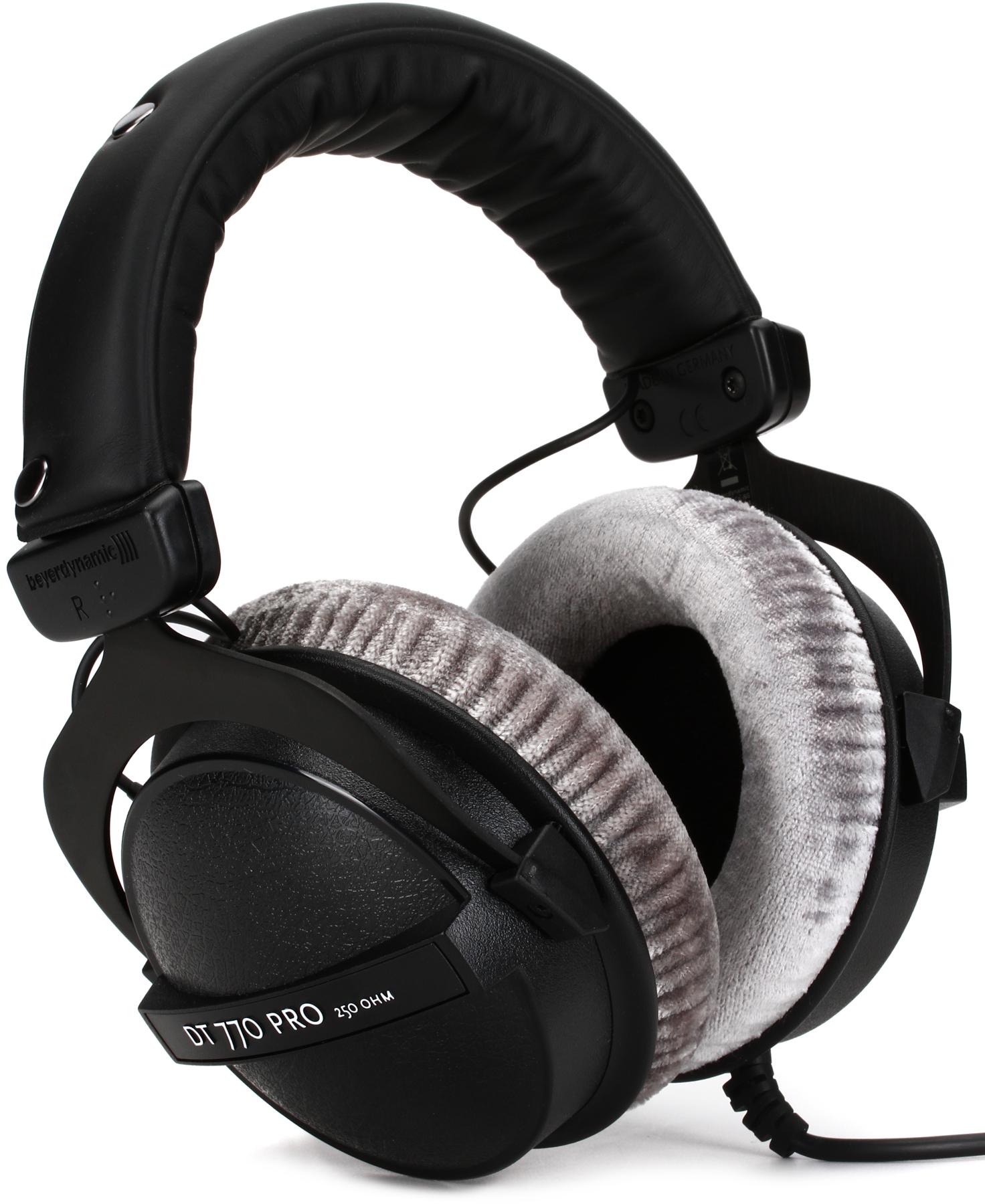
Choose Between Open-Back, Closed-Back, and Semi-Open headphones
the headphone design changes sound leakage, isolation, comfort, and mixing usefulness. No design is best for every studio task.
| Headphone type | Main strength | Main weakness | Best use |
|---|---|---|---|
| Open-back | Natural, spacious presentation | Leaks sound and blocks little noise | Mixing in a quiet room |
| Closed-back | Strong isolation and low leakage | Can feel warm or enclosed | Recording and tracking |
| Semi-open | Compromise between openness and isolation | Still leaks sound | Limited tracking and general studio work |
Open-back headphones
Open-back headphones have vents or grilles on the outer ear cups. Sound can move in and out of the ear cup.
Their common benefits include:
- A less enclosed sound
- Lower pressure buildup
- Better awareness of room sound
- Useful detail for mixing
- Less heat during long sessions
Their limits are just as important. People nearby may hear the playback, and outside noise can enter the headphones. Do not use open-back headphones when microphone leakage would damage a recording.
Open-back headphones are also not hearing protection. They may allow loud sounds from the room to reach your ears with little reduction.
Closed-back headphones
Closed-back headphones seal the rear of the driver. They are the usual choice for tracking because less sound escapes.
Their main benefits include:
- Better isolation
- Less microphone bleed
- Stronger bass perception in some designs
- Better use in shared spaces
- More privacy during recording
The seal can change the sound. Glasses, hair, and poor ear-pad contact may weaken isolation and alter bass response. Closed-back headphones can also become hot during long sessions.
Semi-open headphones
Semi-open models sit between the two designs. They may sound more open than closed headphones while offering some isolation.
Do not assume “semi-open” means suitable for all tracking. Check the actual leakage before using them near a sensitive microphone. Manufacturers use the term in different ways, so the design label alone does not tell you how much sound will escape.

Evaluate Sound Quality Without Chasing a “Flat” Graph
A balanced sound is useful, but a frequency-response graph is not a complete buying decision. Use the graph as one clue, then consider fit, seal, unit variation, and your ability to learn the headphone.
Understand frequency response
Frequency response describes how loudly a headphone reproduces different frequencies. It is often shown in hertz (Hz) and decibels (dB).
The range includes:
- Bass: roughly 20 to 250 Hz
- Midrange: roughly 250 Hz to 2,000 Hz
- Treble: roughly 2,000 Hz and above
These ranges overlap. They are practical labels, not strict borders.
A bass-heavy headphone may make low frequencies seem louder than they are. You may then remove too much bass from your mix. A treble-heavy headphone may make vocals and cymbals seem too bright. You may respond by adding too much high-frequency content.
A neutral response is not the same as a perfectly flat line. Headphones sit close to the ears, so a useful target must account for how the ear hears sound from that position.
Treat online measurements as comparisons, not absolute truth
Independent measurements can help you compare headphones. However, results can differ because of:
- Measurement equipment
- Ear-cup placement
- Headphone seal
- Pad condition
- Measurement standards
- Sample variation
- Compensation or target curves
Use measurements to identify broad traits, such as a strong bass rise or sharp treble peak. Do not treat one graph as a complete prediction of your experience.
Manufacturer graphs can also be useful, but they may use different scales and methods. Compare graphs only when the measurement conditions are reasonably similar.
Listen for problems, not excitement
When you test studio headphones, use recordings you know well. Include:
- A vocal track
- A bass-heavy track
- A natural acoustic recording
- Dense rock, pop, or electronic music
- A quiet track with reverb or room tone
Ask these questions:
- Can you follow the bass line without it sounding swollen?
- Do vocals sound natural rather than nasal or sharp?
- Do cymbals remain clear without becoming painful?
- Can you hear edits and background noise?
- Does the sound remain comfortable after 30 to 60 minutes?
- Do different recordings still sound different from one another?
Avoid choosing only by the first impression. A large bass boost or bright treble can seem detailed at first. Long work sessions reveal whether the sound is useful.

Check Impedance, Sensitivity, and Your Audio Source
Your headphones must work properly with your audio interface, headphone amplifier, mixer, computer, or mobile device. Check power needs before you buy.
Impedance
Impedance is measured in ohms (Ω). It describes how much the headphones resist the electrical signal.
Common studio headphone impedances include:
- Around 16 to 32 Ω
- Around 80 Ω
- Around 120 to 250 Ω
- Higher values in some professional models
High impedance does not automatically mean better sound. It often means the headphones need more voltage to reach a useful listening level.
A low-powered source may produce:
- Low maximum volume
- Weak control of peaks
- Audible distortion
- Greater noise at high volume settings
A powerful source can often drive lower-impedance headphones, but compatibility is not based on impedance alone.
Sensitivity
Sensitivity shows how loudly the headphones may play from a given amount of voltage or power. Manufacturers may list it as dB SPL per milliwatt or dB SPL per volt.
Because the units differ, do not compare sensitivity numbers without checking the measurement basis. A headphone with higher impedance can still play loudly if its sensitivity is high.
A practical compatibility check
Before buying, identify:
- The headphone impedance
- The sensitivity rating and unit
- The output power or recommended load of your source
- Whether you need an adapter
- Whether the source has enough clean output
If the manufacturer does not provide enough information, look for measured performance from a reliable technical source. Do not assume that a phone, laptop, or small interface will drive every 250-ohm headphone well.
A separate headphone amplifier may help when the source lacks power. It will not correct a poor headphone response, bad fit, or an unsuitable design.
Use an adapter carefully
Many studio headphones use a 3.5-millimeter plug with a 1/4-inch adapter. Use a solid adapter that fits firmly. A loose adapter can cause one-channel dropouts, crackling, or intermittent sound.
Avoid forcing a plug into a socket. Turn the source volume down before connecting headphones.

Prioritize Comfort, Fit, and Long-Term Wear
Comfort is a performance feature. If the headphones hurt, slip, or become hot, you may shorten sessions or change your listening position.
Check the headband
A good headband should hold the headphones securely without creating strong pressure at the top of your head. Excess pressure can cause pain during long sessions.
Look for:
- Even padding
- A wide contact area
- Smooth adjustment
- A stable fit
- No sharp edges
- A headband that does not pull hair
Check the ear pads
The ear pads should surround your ears rather than press hard against them. Large ears may need deeper or larger pads.
Also consider pad material:
- Velour or fabric: often cooler, but may seal less
- Leather or synthetic leather: often seals well, but may feel warmer
- Memory foam: may improve comfort and seal, depending on shape
Replacing ear pads can change the sound. Thicker pads may move the driver farther from the ear. A different material may change the seal and bass response.
Test with glasses and hair
Glasses can create a small gap between the ear pad and your head. That gap may reduce isolation and change low-frequency response. Long hair can have a similar effect.
If possible, test headphones in the same condition you will use for work. A perfect seal in a store may not match the seal you get at home.
Consider weight and heat
A heavier headphone is not automatically uncomfortable, but weight matters during long sessions. Closed-back models may also trap more heat.
Wear the headphones for at least 20 to 30 minutes before deciding. Short tests often miss pressure points.
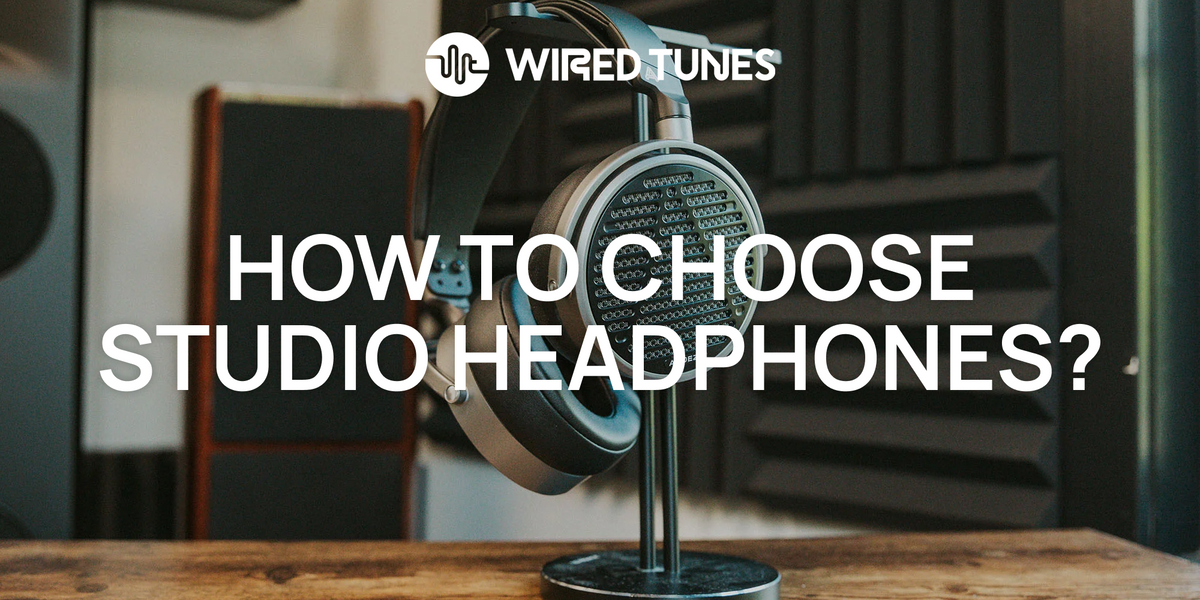
Inspect Build Quality, Cables, and Replacement Parts
Studio headphones face repeated movement, cable pulls, sweat, and daily storage. Build quality affects the cost over time.
Look for serviceable parts
Replaceable parts can extend the useful life of a headphone. Prioritize:
- Replaceable ear pads
- Replaceable cables
- Standard connectors
- Available headbands or yokes
- Published parts support
- A clear warranty in the United States
A removable cable does not guarantee that replacement parts will remain available. Check the manufacturer’s support pages before buying if repairability matters to you.
Choose the right cable
A straight cable is often easier in a studio. A coiled cable may reduce floor clutter but can pull on the headphones if stretched.
Check:
- Cable length
- Connector type
- Locking mechanism
- Cable weight
- Replacement cost
- Whether the cable is single-sided or dual-sided
A long cable can be useful at a console but awkward at a desk. A short cable may require an extension.
Do not ignore warranty terms
Warranty coverage can differ by country and seller. In the United States, confirm:
- The length of coverage
- Whether the seller is authorized
- Coverage for cable and pad failure
- Exclusions for accidental damage
- The process for service or replacement
Keep your receipt and product serial number. Avoid storing headphones under heavy objects or wrapping the cable tightly around the headband.
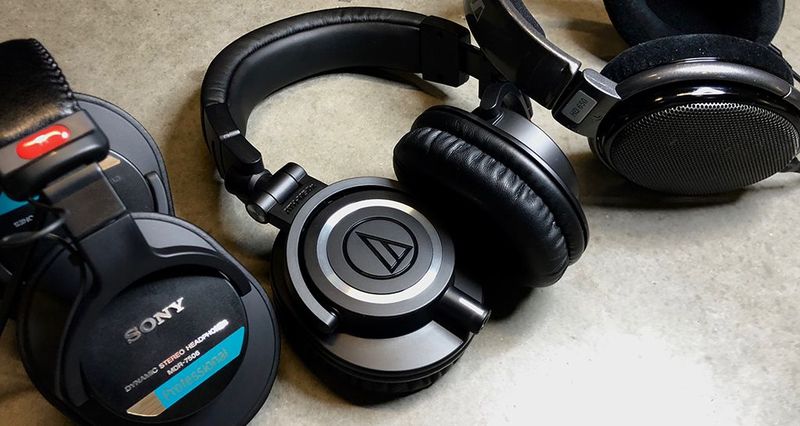
Use a Simple Buying Decision Table
The table below can narrow your options before you compare individual models.
| Your main need | Recommended starting point | Main trade-off |
|---|---|---|
| Record vocals with a microphone | Closed-back, comfortable seal | More heat and a less open sound |
| Mix in a quiet room | Open-back with a balanced response | Sound leakage and little isolation |
| Mix and record with one pair | Closed-back with a controlled response | May be less spacious for mixing |
| Use a laptop or phone | Low- to moderate-impedance model with suitable sensitivity | May offer less flexibility with future gear |
| Use a professional interface | Choose based on output power and headphone specs | Higher impedance is not automatically better |
| Work for long sessions | Light design with gentle clamp and replaceable pads | Very light models may feel less rugged |
| Travel between U.S. locations | Closed-back, folding design with a case | Folding parts may add failure points |
| Need hearing protection | Use properly rated hearing protection | Studio headphones alone do not qualify |
A useful scoring method
Score each candidate from 1 to 5 for:
- Fit and comfort
- Leakage control
- Sound balance
- Source compatibility
- Cable quality
- Replacement parts
- Warranty
- Price
Give extra weight to the features that affect your work most. For example, a vocalist should give more weight to leakage control. A mixing engineer should give more weight to tonal balance and long-session comfort.
Do not add scores from unrelated tests as if they were scientific measurements. This method is a decision aid, not a laboratory rating.

Avoid Common Studio Headphone Mistakes
The most common mistake is buying based on brand reputation or price alone. A respected model can still be wrong for your room, source, or task.
Avoid these errors:
- Choosing open-back headphones for vocal tracking
- Assuming a flat graph means perfect mixing accuracy
- Ignoring impedance and source power
- Testing only for five minutes
- Mixing at high volume to hear more detail
- Using headphones as a substitute for hearing protection
- Trusting a single online review
- Treating marketing terms such as “professional” as test results
- Ignoring replacement pad and cable costs
- Making final mix decisions without checking other playback systems
Headphones can expose detail, but they can also exaggerate stereo width and low-frequency balance. Check important mixes on other systems, such as nearfield monitors, car speakers, consumer earbuds, or a basic Bluetooth speaker.
Your room also changes the decision. In a noisy American apartment, open-back headphones may provide little practical benefit. In a quiet private room, they may be more comfortable for mixing.
Protect Your Hearing While Using Studio Headphones
Studio headphones are not automatically safe at high volume. The Occupational Safety and Health Administration and the National Institute for Occupational Safety and Health publish workplace noise guidance, but ordinary studio headphones are not certified hearing protection.
NIOSH uses an 85 dBA recommended exposure limit for an 8-hour workday and applies a 3 dB exchange rate. In simple terms, as sound level rises, the recommended exposure time falls quickly. These figures are workplace guidance, not a personal guarantee of safe listening.
Use safer habits:
- Start with the volume low.
- Raise it only enough to hear the work.
- Take regular breaks.
- Avoid using high volume to overcome room noise.
- Use proper hearing protection in loud workplaces.
- Stop if you notice ringing, muffled hearing, pain, or unusual sensitivity.
If you work near loud machinery, concerts, firearms, aircraft, or other high-level sound, use hearing protection designed and labeled for that environment. Ask a qualified hearing professional about persistent symptoms or changes in hearing.
Sources: NIOSH Criteria for a Recommended Standard: Occupational Noise Exposure and OSHA Occupational Noise Exposure.

A Step-by-Step Buying Process
Use this process before placing an order.
- Define the main task. Decide whether you will mix, record, edit, travel, or do several of these jobs.
- Choose the design. Start with open-back for quiet-room mixing or closed-back for tracking and shared spaces.
- Check the source. Match impedance and sensitivity with your interface, mixer, computer, or mobile device.
- Compare sound evidence. Review consistent measurements and listen to familiar recordings.
- Test the fit. Wear the headphones for at least 20 to 30 minutes if possible.
- Check practical parts. Review the cable, plug, pads, case, warranty, and replacement options.
- Set a safe listening level. Do not use volume to compensate for poor isolation or room noise.
- Check your work elsewhere. Compare mixes on more than one playback system.
You have likely found a suitable pair when the headphones remain comfortable, reveal useful problems, work with your equipment, and do not make you second-guess every mix after a short session.
If the sound seems too bright, too bass-heavy, or too narrow, first check the fit and source. If the problem remains, compare another headphone rather than forcing your ears to adapt.

Key Takeaways
- Choose headphones for the job, not only for price or brand.
- Use closed-back headphones for most microphone tracking.
- Use open-back headphones for mixing only in a quiet room where leakage is acceptable.
- Check impedance, sensitivity, and source power together.
- Comfort and fit affect the sound you hear and how long you can work.
- Replaceable pads and cables can improve long-term value.
- Studio headphones are not a substitute for hearing protection.
- Check important mixes on other playback systems.
Frequently Asked Questions
Are studio headphones better than regular headphones?
Studio headphones are designed to give a more work-focused presentation, but they are not automatically better for every listener. Some consumer headphones use strong bass or treble boosts that can make music more exciting but less reliable for mixing.
The useful question is whether the headphone helps you make consistent decisions. A familiar consumer headphone can still be valuable as a reference if you understand its sound.
Should I buy open-back or closed-back headphones for mixing?
Choose open-back headphones when you mix in a quiet room and do not need to prevent sound leakage. Choose closed-back headphones when you share the room, hear outside noise, or also record with microphones.
If you need one pair for both mixing and tracking, closed-back headphones are usually the more practical compromise.
Do I need a headphone amplifier?
You may need one when your audio source cannot provide enough clean volume for your headphones. This is more likely with some high-impedance models, but impedance alone does not prove that an amplifier is required.
Check the output specifications of your audio interface or mixer first. An amplifier cannot fix poor tonal balance or an uncomfortable fit.
Can I mix a song entirely on headphones?
Yes, but you need to learn how your headphones translate to other systems. Headphones can make stereo width, bass, and center placement seem different from how they sound on speakers.
Use reference tracks, take breaks, and check the mix on several playback systems before final delivery.
How loud should studio headphones be?
Use the lowest level that lets you work accurately. Avoid raising the volume to overcome outside noise. Regular breaks and a quiet workspace are safer than relying on loud playback.
If you hear ringing, muffled sound, pain, or reduced hearing after listening, stop and seek advice from a qualified hearing professional if the symptom continues.
Conclusion
To choose studio headphones, start with your main task. Pick closed-back headphones for tracking and shared rooms, or open-back headphones for mixing in a quiet space. Then check sound balance, fit, source compatibility, repairable parts, and safe listening needs.
The strongest choice is the pair that lets you hear useful detail for long sessions without causing fatigue or misleading tonal decisions. Compare carefully, test the fit, and learn how the headphones translate before relying on them for final mixes.