How To Choose Headphones For Music: Find Your Perfect Sound

The best headphones for music depend on how you listen, where you listen, and what sound you enjoy. A commuter in New York may need noise cancellation and a secure fit. Someone mixing music at home may need wired, neutral headphones. A listener in a quiet U.S. living room may care most about comfort and natural sound.
Start with four questions:
- Will you use the headphones at home, outdoors, or both?
- Do you want wireless freedom or a wired connection?
- Do you prefer strong bass, balanced sound, or a bright and detailed sound?
- How much comfort, battery life, and noise control do you need?
Do not choose headphones by brand name, price, or bass claims alone. The right model should suit your ears, music, devices, and daily routine.
1. Choose the Right Headphone Type
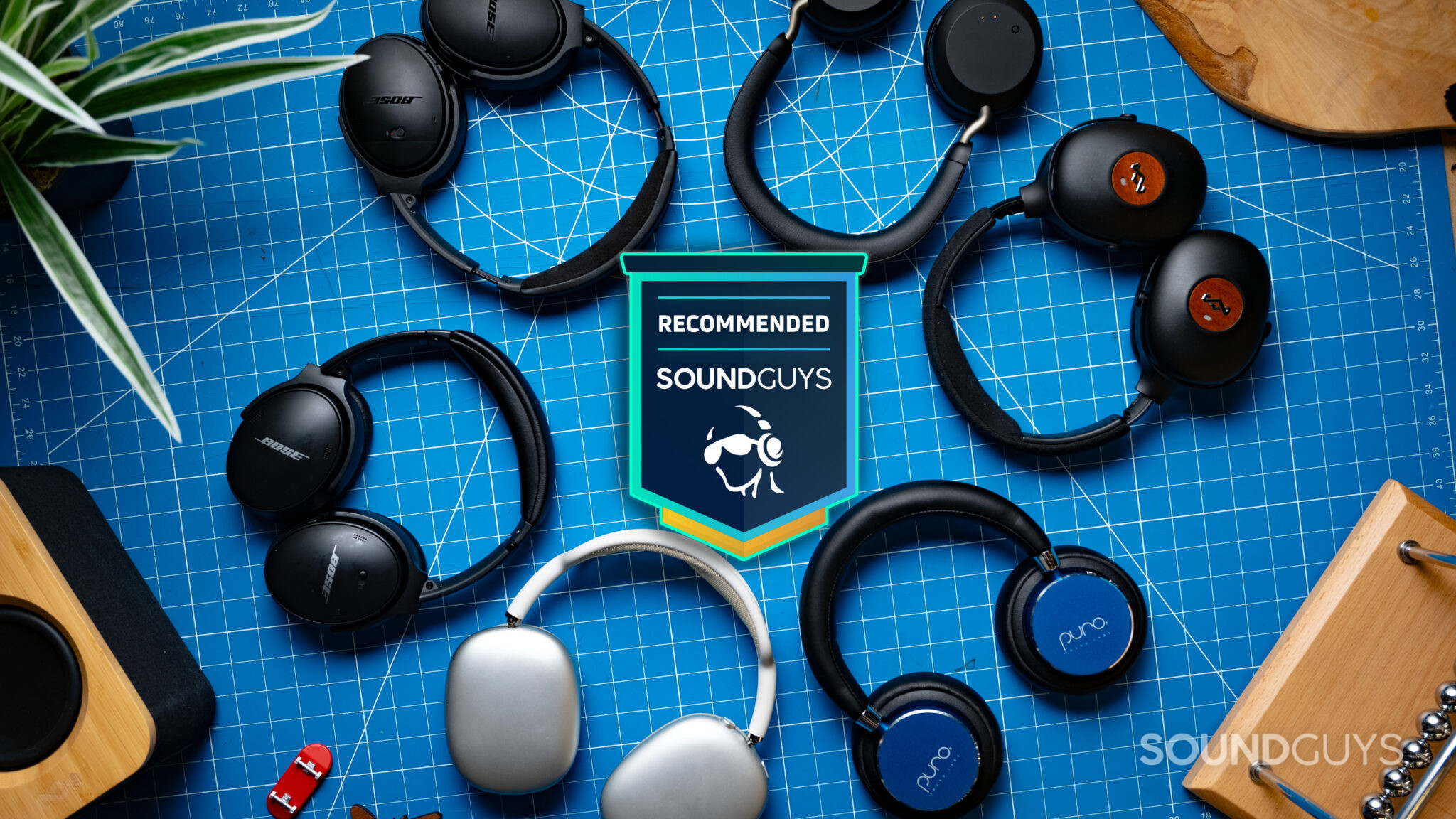
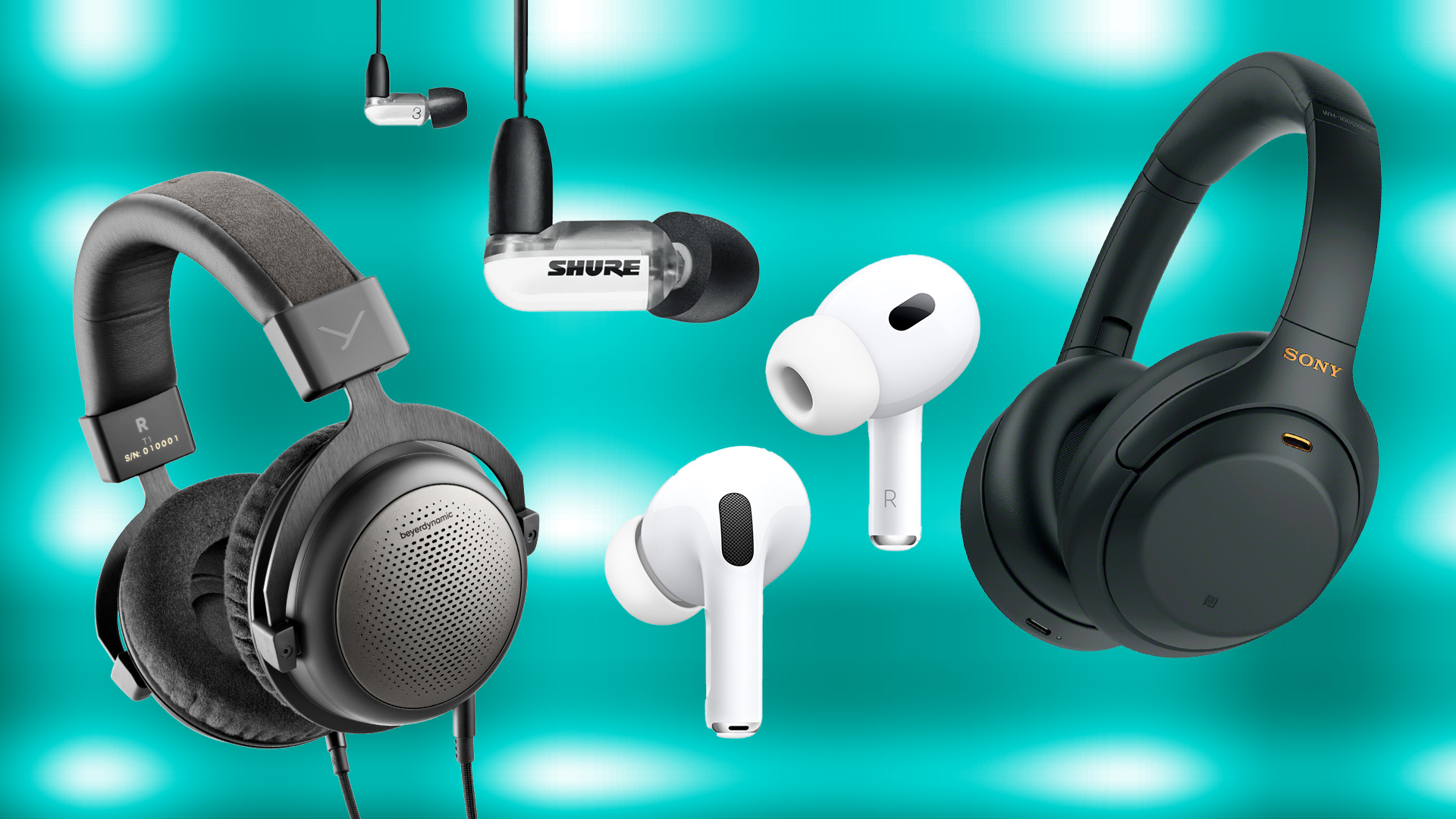
The first choice is the physical design. Headphones may be over-ear, on-ear, or in-ear. Each type changes comfort, sound, isolation, and portability.
Over-ear headphones
Over-ear headphones use ear cups that surround your ears. They are often the best choice for long music sessions at home, work, or on flights.
Main benefits:
- Large ear cups can feel more open and relaxed.
- They may create a wider sense of space.
- They can offer strong passive noise isolation.
- Many models have large batteries and useful controls.
Main limits:
- They are larger than other types.
- Closed ear cups may make your ears feel warm.
- Some models clamp too tightly.
- They are less practical for exercise.
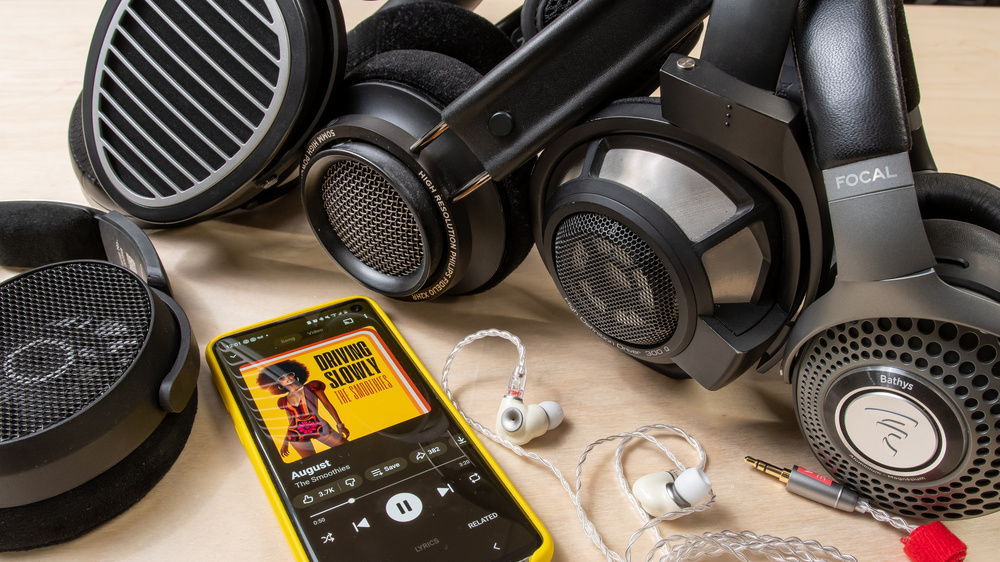
Over-ear headphones may be closed-back or open-back. Closed-back models seal the rear of the driver. This helps block outside sound and keeps music from leaking out.
Open-back headphones have vents in the ear cup. They often sound more airy and natural in a quiet room. However, they leak sound and let outside noise in. Do not use them near traffic, on public transit, or in an office where others need quiet.
On-ear headphones
On-ear headphones rest on the outer ear instead of covering it. They are often lighter and smaller than over-ear models.
They can work well for short trips and casual listening. However, the ear pads may press on your ears. Their seal may also change when you move, which can affect bass and outside noise.
In-ear headphones and earbuds
In-ear headphones fit inside the ear canal. This group includes wired in-ear monitors and true wireless earbuds.
They are useful when you want a small design, a secure fit, or strong isolation. The fit matters more than many buyers expect. A poor seal can make bass sound weak. It can also make you turn up the volume.
True wireless earbuds are convenient for phones and travel. They may also include noise cancellation, transparency mode, touch controls, and microphones. Their small batteries may need more frequent charging than over-ear models.
Quick comparison
| Type | Best for | Main strength | Main trade-off |
|---|---|---|---|
| Over-ear closed-back | Travel, office, home | Strong comfort and isolation | Large size and heat |
| Over-ear open-back | Quiet home listening | Airy, spacious sound | Sound leakage |
| On-ear | Light travel and short use | Compact design | Ear pressure and weaker seal |
| In-ear wired | Detail, portability, music work | Small and direct connection | Fit can be difficult |
| True wireless earbuds | Phones, commuting, exercise | Convenience and small size | Small batteries and easy-to-lose parts |
Choose over-ear headphones for comfort and isolation. Choose open-back headphones for quiet-room listening. Choose earbuds when size and portability matter most.
2. Decide Between Wired and Wireless Headphones
Wired headphones connect through a cable. Wireless headphones use Bluetooth or another wireless system. Neither option is automatically better for music.
When wired headphones make sense
Choose wired headphones when you want:
- No battery charging.
- A direct connection to a phone, computer, amplifier, or audio interface.
- Very low delay for music production or video work.
- Easy access to high-quality files and studio equipment.
- A simple design with fewer electronic parts.
Wired headphones can use a 3.5 mm plug, a 6.35 mm plug, USB, or another connector. Check the output on your device before buying. Some newer smartphones in the United States do not include a headphone jack, so you may need a USB-C or Lightning adapter, depending on the device.
A USB headphone model may include its own digital-to-analog converter, or DAC. This can be useful with a computer or phone. Still, a USB model may not work with every device, game console, or airplane entertainment system.
When wireless headphones make sense
Wireless headphones are a good fit when you value:
- No cable during travel or daily use.
- Easy controls for volume, calls, and playback.
- Connection to a phone, tablet, laptop, or smart TV.
- Noise cancellation in busy places.
- A clean setup at a desk or gym.
Bluetooth audio uses compression. The exact result depends on the source file, Bluetooth codec, device support, signal quality, and headphone design. A high-resolution music file does not guarantee a high-resolution wireless experience.
Bluetooth codecs include SBC, AAC, aptX variants, and LDAC. Support varies by device and operating system. A phone and headphones must support the same codec for that codec to work. Check the manuals for both products rather than trusting a general codec list.
Wireless headphones also need software and batteries. A battery may lose capacity over time. Some models can continue to play through a cable when the battery is empty, but others cannot. Confirm this feature before buying.
The connection decision
| Your priority | Better starting point |
|---|---|
| No charging | Wired |
| Travel convenience | Wireless |
| Music production | Wired |
| Phone calls and daily controls | Wireless |
| Lowest possible delay | Wired |
| Use with many older devices | Wired with the correct adapter |
| Active noise cancellation | Usually wireless |
| Simple home listening | Either |
Do not assume that wired headphones always sound better. A poorly designed wired model can sound worse than a well-designed wireless model. The driver, tuning, fit, source, and recording often matter more than the cable alone.

3. Understand Headphone Sound Quality
“Sound quality” is not one feature. It includes frequency balance, distortion, detail, space, imaging, and how the headphones fit your ears.
Frequency response
Frequency response describes how loudly headphones reproduce different parts of music.
- Bass includes kick drums, bass guitars, and low synthesizers.
- Midrange includes vocals, guitars, piano, and many instruments.
- Treble includes cymbals, string detail, and high harmonics.
A bass-heavy model can make hip-hop, pop, and electronic music feel powerful. Too much bass may cover vocals or make the sound muddy.
A neutral model aims for a more even balance. This can help with classical music, jazz, acoustic music, and production work. Neutral does not mean dull. It means the headphones add less extra emphasis.
A bright model raises the sense of treble detail. It may make music feel clear and lively. Too much treble can sound sharp, tiring, or harsh.
Frequency response charts can help compare models, but they are not a complete buying guide. Measurement systems, ear shapes, seal, and software settings can change the result. Use measurements as evidence, not as the only answer.
Sound signature
A sound signature is the general character of a headphone’s tuning.
| Sound signature | What it may sound like | Good match |
|---|---|---|
| Neutral or balanced | Natural vocals and even instruments | Many genres, mixing |
| Warm | Fuller bass and smooth treble | Jazz, folk, long sessions |
| Bass-forward | Strong impact and low-end weight | Hip-hop, EDM, pop |
| Bright | More treble energy and apparent detail | Some classical and rock |
| V-shaped | More bass and treble, less midrange | Fun casual listening |
These labels are broad. Two “warm” headphones may sound very different. Your music, hearing, and taste should guide the final choice.
Detail and resolution
Detail is the ability to hear small parts of a recording. These may include a quiet guitar layer, room ambience, or a singer’s breath.
Detail does not always improve with price. A headphone can sound sharp without revealing more useful information. A comfortable and well-tuned model may give you a better listening experience than a costly model with an aggressive treble peak.
Soundstage and imaging
Soundstage describes the perceived size of the listening space. Imaging describes how clearly you can place sounds within that space.
Open-back headphones often create a more open presentation in a quiet room. Closed-back headphones may create a more direct and focused sound. These are general patterns, not rules.
Soundstage is not the same as accuracy. A large presentation may sound impressive but may not match the recording. Choose based on what helps you enjoy your music.
Impedance and sensitivity
Impedance is measured in ohms. Sensitivity indicates how much sound a headphone can produce from a given amount of power.
High-impedance headphones may need more power than a phone, laptop, or basic audio interface can provide. If a model sounds quiet, weak, or distorted, the source may not provide enough power.
Low-impedance headphones are often easier to drive, but impedance alone does not tell the full story. Sensitivity and the headphone’s electrical design also matter. Check the manufacturer’s specifications and your source device before buying an amplifier.
Do not buy an amplifier simply because a headphone has a large ohm number. Buy one only when the source cannot reach a comfortable, clean listening level.
4. Match Headphones to Your Music and Listening Habits
Your favorite music can help guide the sound profile, but it should not limit you to one type.
For hip-hop, pop, and electronic music
Look for controlled bass with enough midrange clarity for vocals. Strong bass can add impact, but loose or excessive bass may hide rhythm details and lyrics.
A bass slider in an app can change the result. However, heavy equalization may reduce available volume or cause distortion, depending on the headphones and source.
For rock and metal
Choose headphones with clear guitars, strong drum attack, and smooth enough treble for cymbals. Very bright headphones may make dense guitar recordings sound tiring.
For classical and orchestral music
A balanced or neutral design may help you hear strings, brass, woodwinds, and room ambience. Open-back headphones can work well in a quiet room, but they are not suitable where you need isolation.
For jazz, folk, and acoustic music
Natural midrange and vocal tone often matter most. Warm headphones can make these recordings feel full. A neutral design may reveal more of the recording’s original balance.
For podcasts and vocal music
Clear midrange is more important than deep bass. Avoid a model that pushes bass so strongly that speech becomes covered.
Use several familiar recordings
Take a short playlist with:
- One song with a clear vocal.
- One track with deep bass.
- One acoustic or live recording.
- One busy track with many instruments.
- One song you know very well.
Listen at a safe, moderate level. Compare vocals, bass control, cymbals, and comfort. Do not judge from a short burst of loud sound. Loud playback can seem more exciting even when it is less accurate.

5. Choose Headphones for Your Listening Environment
The place where you listen can change the right answer.
At home
Open-back headphones may suit a quiet room. They can provide a spacious presentation and reduce the closed-in feeling that some listeners dislike.
Choose closed-back headphones if other people are nearby or if you need to block household noise. If you share a room, sound leakage may disturb others.
At work
Closed-back headphones or earbuds with noise cancellation can help in a busy office. Check your workplace rules before using noise cancellation near coworkers, alarms, or announcements.
Transparency mode can let outside sound in through the microphones. It is useful when you need to hear a conversation without removing the headphones. It is not a substitute for awareness near cars, bicycles, trains, or other hazards.
On airplanes and public transit
Active noise cancellation can reduce steady low sounds, such as engine or road noise. It does not remove every voice, horn, announcement, or sudden sound.
Over-ear models often provide more passive isolation than loose earbuds. Earbuds may be easier to pack and use in tight seats. For long flights, comfort and battery life may matter more than small differences in sound.
During exercise
Choose a model with a secure fit and suitable sweat resistance. Check the manufacturer’s stated limits. Water resistance ratings do not all mean the same thing, and they may not cover salt, soap, pools, or heavy rain.
Avoid headphones that block too much outside sound when you run or cycle near traffic. Hearing the environment may be more important than sound quality.
For gaming and video
Look for stable wireless performance, a comfortable fit, and low delay. A wired connection can reduce delay. If you need voice chat, check microphone quality in real use. A good music headphone may not have the best microphone or gaming controls.
6. Check Comfort, Fit, and Build Quality
Comfort is not a minor detail. Even excellent headphones are a poor choice if you stop wearing them after 20 minutes.
For over-ear headphones
Check these points:
- Do the ear cups surround your ears without pressing them?
- Does the headband create a painful spot?
- Is the clamp firm but not tight?
- Does the headphone stay in place when you move?
- Do glasses cause a poor seal or added pressure?
- Do the pads make your ears too warm?
A proper seal can improve bass and noise isolation. But too much pressure can cause pain. Try headphones for at least 15 to 30 minutes if a store or return policy allows it.
For earbuds
Earbud fit changes sound more than many buyers expect. Try the included ear tips in different sizes. The correct tip should seal the ear without pain and should not fall out during normal movement.
A poor seal often causes thin bass. Some listeners then raise the volume to compensate. Fix the fit before raising the volume.
Check the return policy
Headphones touch your skin and ears. Fit is personal, so a clear return policy has real value. Confirm:
- The return time limit.
- Whether opened or worn products qualify.
- Restocking fees.
- Warranty coverage.
- Replacement options for ear pads or charging cases.
Build quality is more than metal or plastic. Look at hinge movement, cable strain relief, pad replacement, case quality, and software support. A repairable or serviceable model may offer better long-term value.

7. Evaluate Noise Cancellation, Transparency, and Microphones
Active noise cancellation, or ANC, uses microphones and electronic processing to reduce outside sound. It works best against steady, low-frequency noise.
ANC may improve travel and office listening. It can also let you listen at a lower volume because you do not need to overpower background noise. It cannot block every sound, and performance depends on the fit.
Transparency mode uses microphones to mix outside sound into your music. It can help you hear announcements or talk to someone. The quality varies. Some modes sound natural, while others create a hiss or delay.
Microphone quality matters if you take calls. A headphone may sound excellent for music but produce poor voice quality in wind or traffic. Look for tests that describe the microphone in quiet and noisy conditions. Do not rely only on the number of microphones.
ANC also uses power. If battery life is a priority, check whether the listed battery figure includes ANC. Manufacturers may report separate figures for ANC on and ANC off.

8. Compare the Features That Affect Long-Term Value
A headphone’s feature list can look impressive. Focus on features you will use.
Battery life
Compare battery figures under similar conditions. Ask:
- Is ANC on or off?
- Is the test at a set volume?
- Does it include calls?
- Is the battery replaceable?
- How long does a quick charge provide?
- Can the headphones play while charging?
Manufacturers’ battery claims are useful specifications, but real results may vary by volume, codec, temperature, and call use.
Bluetooth multipoint
Multipoint lets some headphones connect to two devices at once. This may help if you switch between a U.S. work laptop and a personal phone.
Check the exact behavior. Some models pause music when a call arrives. Others may support only selected device combinations or require an app.
App and software support
An app may provide equalization, firmware updates, button controls, and sound modes. Check whether the app works with your phone and whether key functions require an account.
Software support can change. Read the current manufacturer support page before buying if app features are central to your decision.
Controls
Physical buttons are often easier to use in a pocket or while walking. Touch controls can feel smooth but may activate by accident. Voice assistants, call controls, and volume steps also vary by model.
Repair and replacement parts
Look for replaceable ear pads, available cables, and a published warranty. A battery that cannot be replaced may limit the useful life of wireless headphones. The Federal Trade Commission offers consumer guidance on warranties and repair rights, but coverage can vary by product and state.
9. Set a Budget Without Choosing by Price Alone
A higher price may buy better comfort, materials, ANC, software, or support. It does not guarantee a sound signature you will enjoy.
Use this simple budget method:
- Set the maximum amount you can spend without stress.
- Decide which features are essential.
- Remove features you will not use.
- Compare comfort, sound, warranty, and return terms.
- Keep money for accessories if needed.
Possible extra costs include:
- A USB-C or Lightning adapter.
- A headphone amplifier or DAC.
- Replacement ear pads.
- A protective case.
- A longer cable.
- A new charging cable.
- A music service subscription, if required by your setup.
A $300 headphone that causes pain is not a better value than a comfortable $100 model. A $50 wired model may also be the smarter choice if you do not need wireless features.
10. Use This Step-by-Step Buying Process
Follow this process before you buy.
Step 1: Define your main use
Write one sentence, such as:
“I need headphones for long work sessions, flights, and music from my iPhone.”
This keeps extra features from taking over the decision.
Step 2: Choose the form factor
Select over-ear, on-ear, or in-ear based on comfort, size, and activity.
Step 3: Choose open-back or closed-back
Use open-back only in quiet spaces where leakage is acceptable. Choose closed-back for isolation and shared spaces.
Step 4: Choose wired, wireless, or both
Check your devices, ports, battery needs, and desired delay. If you want flexibility, look for wireless headphones that also support wired playback.
Step 5: Pick the sound profile
Choose balanced for broad use. Choose bass-forward if you want more low-end impact. Choose a smoother sound if bright treble tires you.
Step 6: Check fit and comfort
Read the dimensions and weight, but do not rely on numbers alone. A return option matters.
Step 7: Verify compatibility
Check phone, computer, game console, TV, adapter, codec, app, and microphone support.
Step 8: Check safety and practical limits
Review battery use, water resistance, noise isolation, and controls. Do not use noise-blocking headphones in situations where you must hear warnings or traffic.
Step 9: Test with familiar music
Use several tracks at a moderate volume. Listen for comfort and balance, not just loudness.
Step 10: Reassess after several days
If the headphones hurt, disconnect, leak too much, or require features your devices do not support, return them if eligible. Do not keep a poor fit because the product received strong reviews.
Signs you chose well include stable fit, clear sound at moderate volume, comfortable long sessions, reliable connection, and features that match your routine.
11. Protect Your Hearing While Listening
Safe listening matters more than small differences in sound quality. The National Institute on Deafness and Other Communication Disorders explains that repeated exposure to loud sound can damage hearing. The NIDCD safe listening guidance recommends reducing volume, limiting exposure time, and using hearing protection in loud settings.
Use these habits:
- Keep the volume as low as needed.
- Take quiet breaks during long sessions.
- Use well-fitting tips or ear cups so you do not raise the volume to fight noise.
- Be careful with ANC: it may reduce background noise, but it does not make loud music safe.
- Give your ears time to recover after loud events.
- Stop and seek medical advice if you notice pain, ringing, muffled hearing, or a sudden change in hearing.
A common informal guide is the 60/60 approach: keep volume near 60% or lower and take breaks after about 60 minutes. This is not a personal medical limit. Device volume percentages differ, and safe exposure depends on actual sound level and time.
Do not use headphones to mask alarms, traffic, or warnings. For children and teens, parents should set sensible volume limits and monitor listening habits.
Common Headphone-Buying Mistakes
Choosing by bass alone
Heavy bass can sound exciting for a few minutes. It may later feel tiring or hide vocals. Listen for control, not just force.
Trusting a single review
Reviews use different music, devices, ears, and preferences. Use several credible sources, then test the headphones yourself when possible.
Ignoring the fit
A poor seal changes bass, isolation, and volume needs. Try different ear tips or adjust the headband before judging sound.
Assuming expensive means accurate
Price may reflect materials, brand, ANC, app features, or distribution costs. It does not guarantee the best tuning for you.
Buying open-back headphones for travel
Open-back models leak sound and do little to block outside noise. They are mainly for quiet spaces.
Ignoring battery replacement
A wireless model may become difficult to use when its internal battery ages. Check warranty terms and service options.
Using loudness as proof of quality
Louder sound often seems more detailed. Match volume when comparing headphones. Otherwise, the louder pair may seem better even when it is not.
Forgetting the source device
A headphone may need an adapter, more power, or a supported app. Check the full chain from music source to your ears.
Key Takeaways
- Choose the headphone type based on your space, comfort, and activity.
- Pick closed-back for isolation and open-back for quiet-room listening.
- Choose wired for simple, low-delay use and wireless for daily convenience.
- Match the sound signature to your taste, not just to a product description.
- Treat fit as a sound-quality feature.
- Check device compatibility, battery claims, return terms, and repair options.
- Use moderate volume and take breaks to protect your hearing.
- The best headphones are the ones you can wear comfortably and use correctly every day.
FAQs About Choosing Headphones for Music
Are wired headphones better than wireless headphones for music?
Not always. Wired headphones avoid battery limits and wireless compression, but a well-designed wireless model can sound excellent. The driver, tuning, fit, source, and recording often matter more than the connection type.
Are over-ear headphones better than earbuds?
Over-ear headphones often provide more comfort and a larger presentation, while earbuds are smaller and easier to carry. The best choice depends on fit, isolation, exercise needs, and how long you listen.
Do I need a headphone amplifier?
You may need one if your headphones are difficult for your source to drive and cannot reach a clean, comfortable level. Many easy-to-drive headphones work well from a phone, laptop, or standard audio device. Check sensitivity, impedance, and source output before buying an amplifier.
Are noise-canceling headphones good for music?
They can be very useful in planes, offices, and other noisy places. ANC may help you hear music at a lower volume. Its effect depends on the model, fit, and type of noise. It does not remove every sound or make high volume safe.
How should headphones fit?
Over-ear pads should surround your ears without painful pressure. Earbuds should form a secure seal without causing pain. If bass sounds weak or the headphones slip, try another ear-tip size or adjust the fit before changing the volume.
How much should I spend on music headphones?
Spend enough to meet your needs for fit, sound, connection, and durability. A higher price can add useful features, but it does not ensure better sound for your taste. Set a budget first and compare models within it.
Conclusion: Choose for Your Real Listening Life
To choose headphones for music, start with your daily use rather than a brand or technical label. Select the form factor, connection, sound profile, and noise control that match your space and habits.
Then verify comfort, device compatibility, battery needs, warranty terms, and hearing-safety limits. If possible, test familiar songs at a moderate volume and use the return period honestly. The right headphones should make music easy to enjoy, not turn every listening session into a compromise.