Keyboard and Mouse Gaming

Keyboard and mouse gaming is the best all-around PC control setup for precision, customization, and comfort when the gear fits your hands and play style. Choose based on shape, sensor quality, switches, and ergonomics first, then add features only if they genuinely help.
Keyboard and mouse gaming is the preferred setup for many PC players because it offers fast aiming, flexible controls, and deep customization. If you want better precision in shooters, more hotkeys in strategy or MMO games, or a setup that also works well for everyday computer use, it is still one of the strongest choices in 2026.
- Precision first: Mouse tracking and shape usually matter more than flashy specs.
- Comfort wins: The right keyboard size and mouse grip reduce fatigue in long sessions.
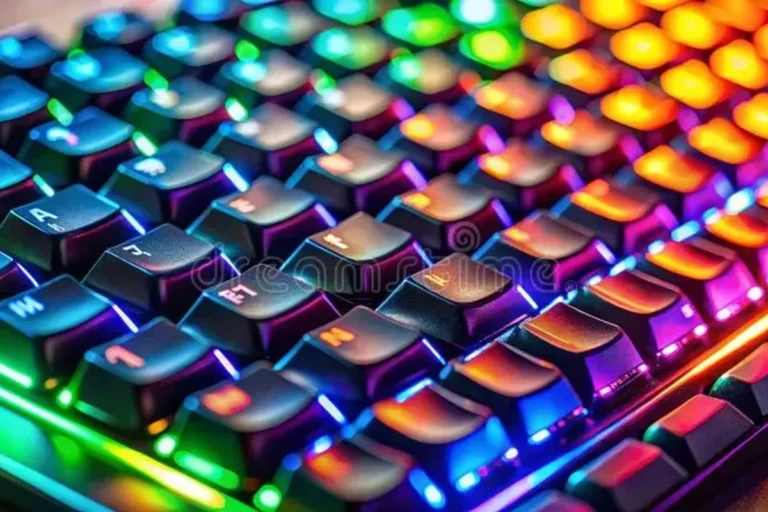
- Mechanical is often preferred: Many gamers like the clearer feel and consistency of mechanical switches.
- Wireless can work well: Modern wireless gear is convenient, but battery care matters.
Keyboard and Mouse Gaming: What It Is and Who It’s Best For

Core definition and how this setup differs from controller play
Keyboard and mouse gaming means using a keyboard for movement, commands, and shortcuts, while a mouse handles aiming, camera control, or cursor movement. Compared with a controller, this setup usually gives players more direct aiming control, more input options, and faster access to complex commands.
The trade-off is that it can take longer to learn, and comfort depends heavily on desk setup, hand size, and the shape of the mouse and keyboard. For many players, the biggest advantage is not just performance in games, but also how well the same gear supports work, browsing, and streaming.
Best use cases: FPS, RTS, MMO, simulation, and competitive gaming
This setup shines in first-person shooters because mouse aiming is often easier to fine-tune than thumb-stick aiming. It is also a strong fit for real-time strategy games, MMOs, simulation titles, and competitive games that reward fast inputs, custom keybinds, and quick menu navigation.
For some genres, such as racing or certain sports games, a controller may still feel more natural. The best choice depends on the game, but keyboard and mouse usually wins when precision and command density matter most.
Quick answer: why keyboard-and-mouse gaming matters in 2026
In 2026, keyboard and mouse gaming matters because PC games continue to favor customization, accuracy, and cross-platform flexibility. It remains the most adaptable control method for players who want performance in games and practical value for everyday computer use.
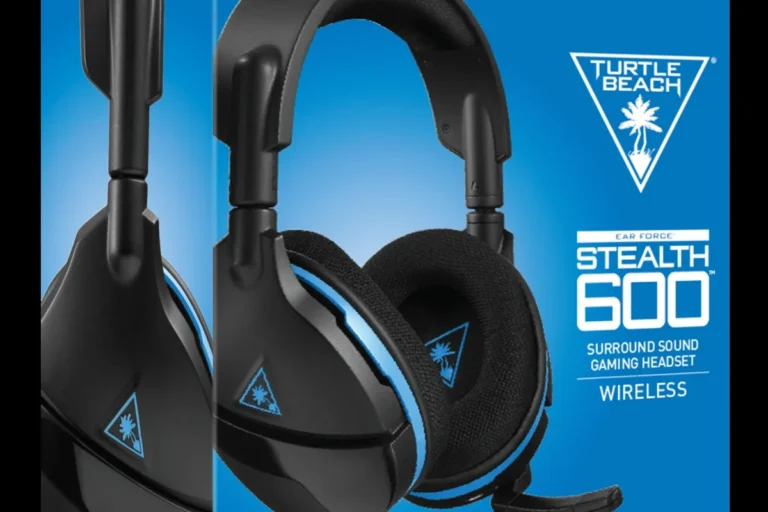
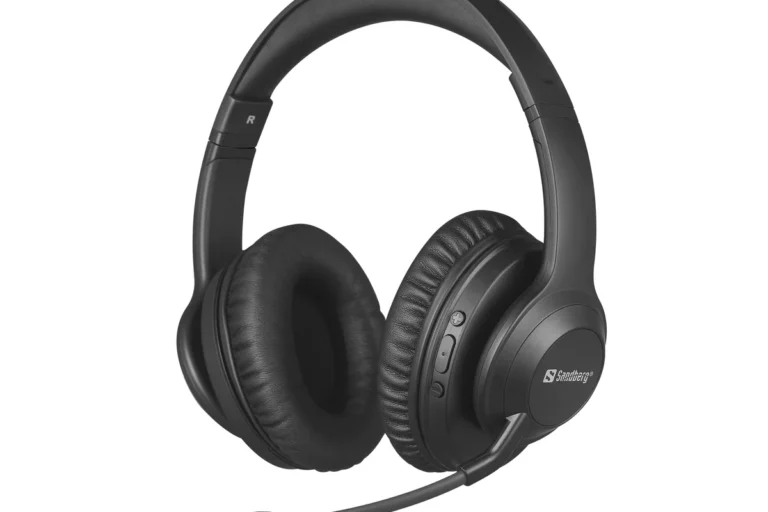
For gaming, audio matters too: a good headset or headphone setup can make footsteps, voice chat, and positional cues easier to follow, especially in competitive play.
How to Choose the Right Keyboard and Mouse Gaming Setup
Key decision criteria: responsiveness, precision, ergonomics, and durability
Start with how the gear feels under pressure. Responsiveness affects how quickly inputs register, precision affects aiming and movement control, ergonomics affects comfort over long sessions, and durability affects whether the gear holds up to daily use.
It helps to think in terms of what you actually play. A competitive FPS player may care most about mouse sensor quality and low-latency input, while an MMO player may prioritize more keys, macros, and a keyboard layout that reduces hand travel.
Mechanical vs membrane keyboards: what gamers should prioritize
Mechanical keyboards use individual switches under each key, while membrane keyboards rely on a softer sheet-style mechanism. Mechanical boards are often preferred for gaming because they tend to offer clearer key feel, more consistent actuation, and broader switch options.
Membrane keyboards can still be fine for casual players or tight budgets. If you care about long-term feel, faster key recognition, and more customization, mechanical is usually the better place to start.
Mouse sensor performance, DPI, polling rate, and switch quality
A gaming mouse is more than a high DPI number on the box. Sensor quality, tracking stability, button switch feel, and shape matter more than marketing claims. DPI is simply cursor sensitivity, while polling rate describes how often the mouse reports its position to the computer.
Higher numbers are not automatically better if the mouse shape is awkward or the clicks feel unreliable. The most useful mouse is one that tracks smoothly, fits your grip, and remains comfortable during long sessions.
If you are choosing between two mice, prioritize shape and sensor consistency before extra buttons or flashy lighting. A comfortable mouse that tracks well usually matters more than a feature-heavy model you do not enjoy holding.
Wired vs wireless: latency, convenience, and battery trade-offs
Wired gear still appeals to players who want simple plug-and-play reliability and no charging routine. Wireless gaming keyboards and mice have improved a great deal, and many players now choose them for cleaner desks and fewer cable snags.
The main trade-off is battery management. Wireless models add convenience, but you should check charging method, battery behavior, and whether the device can be used while charging if that matters to your setup.
Budget tiers and where spending matters most
At entry level, spend on decent build quality, a reliable sensor, and a keyboard with a layout you can live with. In the mid-range, better switches, stronger materials, and improved ergonomics often become more noticeable than raw specs.
At premium levels, you are usually paying for refinement: lighter weight, better wireless performance, better key feel, more durable materials, and software that is easier to manage. For most gamers, the biggest gains come from the mouse first, then the keyboard, then extras like lighting or advanced macros.
- Match the keyboard size and mouse shape to your desk space and grip style
- Check sensor quality, switch feel, and connectivity type before chasing extras
- Confirm warranty, return policy, and official compatibility details on the manufacturer site
Comfort, Fit, and Long-Session Ergonomics
Keyboard size and layout: full-size, TKL, and compact options
Full-size keyboards include the number pad, which can be useful for work and some games. Tenkeyless, or TKL, boards remove the number pad to free up mouse space, which many gamers like for lower sensitivity and wider arm movement.
Compact keyboards go even smaller, but they can require more function-layer shortcuts. That can be great for travel or minimal desks, but it is not always ideal if you rely on many secondary commands.
Mouse shape, grip style, and hand size compatibility
Mouse shape should match how you hold it. Common grip styles include palm, claw, and fingertip, and each one favors a different body shape and size. A mouse that looks great on paper can feel wrong if the hump, width, or button placement does not suit your hand.
Hand size also matters. Smaller hands often do better with compact mice, while larger hands may prefer a fuller shell that supports the palm more naturally.
Wrist position, desk height, and posture considerations
Good ergonomics starts with neutral positioning. Your shoulders should not be shrugged, your wrist should not be bent sharply, and your mouse area should allow relaxed movement without crowding.
Desk height and chair height can affect comfort more than many buyers expect. If the desk is too high, you may lift your shoulders; if it is too low, you may lean forward. Small adjustments can make a big difference over long sessions.
Materials and build quality that affect comfort over time
Soft-touch coatings, textured side grips, and stable keycaps can improve the feel of the setup during long use. A keyboard with a solid plate and a mouse with low-friction feet often feels more controlled and less fatiguing.
Build quality also affects noise and wobble. Even if a product looks premium, loose keycaps, creaky shells, or uneven feet can make long gaming sessions less pleasant.
Real-World Gaming Benefits and Performance Advantages
Accuracy and speed in competitive play
Keyboard and mouse gaming gives players fine control over aim and movement. In competitive environments, that can translate into more accurate flicks, smoother tracking, and faster reaction to on-screen targets.
It also helps with rapid command execution. A keyboard can hold many bound actions at once, which is especially useful in games that demand quick ability use, inventory management, or map control.
Customization benefits: macros, key remapping, and sensitivity tuning
One of the biggest strengths of this setup is customization. Players can remap keys, build macros for repetitive actions, and tune sensitivity to match their preferred pace and game type.
That flexibility is helpful, but it can also become a distraction if you overcomplicate the layout. The best configuration is usually the one that makes common actions easy to reach without forcing you to remember too many layers.
Some game publishers and tournament organizers limit macros or certain remapping features. If you play competitively, check the current rules for your game or league before relying on advanced software functions.
Multitasking and productivity crossover value
Keyboard and mouse gaming gear often doubles well for office work, editing, school, and streaming. Extra mouse buttons can speed up navigation, while a comfortable keyboard can make typing and chat easier after a gaming session.
This crossover value is one reason many buyers invest in a better setup even if they do not play competitively. If the same gear serves both work and play, the purchase usually feels easier to justify.
Why some players prefer keyboard and mouse over console controls
Many players prefer this setup because it feels more exact and more flexible. Others simply like the wider game library and the ability to adjust almost every part of the input experience.
If you also game on a console, it is worth knowing that some systems support headset and audio workarounds differently. For example, readers who want broader console audio guidance can see our guide to using headphones with Xbox One or our PS5 pairing guide for related setup basics.
Common Mistakes to Avoid When Buying or Using Gaming Gear
Overpaying for features you won’t use
It is easy to get distracted by RGB lighting, extra buttons, or marketing language about ultra-high DPI. Those features can be nice, but they do not automatically improve play.
If you mainly play one or two genres, focus on the features that help those games. A simpler, better-fitting setup often beats a flashy one with specs you never touch.
Ignoring sensor quality and switch feel
Mouse sensors and keyboard switches affect daily use more than many shoppers expect. A mouse that tracks inconsistently or a keyboard with mushy, uneven keys can hurt both comfort and confidence.
Try to look for reliable reviews, official specifications, and clear return policies when possible. If a product’s exact specs vary by region or revision, verify the details on the manufacturer page before buying.
Choosing style over ergonomics
Thin keyboards, aggressive angles, and sharp mouse shapes can look appealing in photos. The problem is that style does not always equal comfort, especially after several hours of play.
Comfort should win if you play regularly. A setup that feels natural tends to support better consistency and less fatigue over time.
Using the wrong sensitivity, keybinds, or desk setup
Even good gear can feel bad if the settings are off. Too-high mouse sensitivity can reduce control, while poorly placed keybinds can make you stretch or mispress during tense moments.
Desk setup matters too. If your mouse area is cramped or your keyboard sits too high, the whole experience can feel less precise than it should.
- Test a simple keybind layout before adding macros or layers
- Use a comfortable mouse grip and leave enough desk space for movement
- Check official specs and compatibility notes before purchasing
- Buying based only on RGB, brand hype, or the highest DPI number
- Forcing a mouse shape that does not match your hand
- Ignoring discomfort, cable strain, or charging issues
Setup and Optimization Guide for Better Results
How to position your keyboard and mouse for control and comfort
Place the keyboard so your left hand can reach movement keys without twisting your wrist. Keep the mouse close enough that your elbow and shoulder stay relaxed, and leave enough room to move freely if you use lower sensitivity.
If you play for long sessions, small ergonomic changes can help more than expensive accessories. The goal is a relaxed, repeatable position that feels natural every time you sit down.
Recommended software settings: DPI, polling rate, and key assignments
Start with a sensitivity that allows controlled aiming rather than fast but shaky movement. DPI and in-game sensitivity work together, so it is usually better to adjust gradually instead of chasing extreme settings.
Polling rate and key assignments are worth checking in the mouse and keyboard software, but do not assume the highest values are always best. Use settings that feel stable, responsive, and easy to remember.
- Change one setting at a time so you can tell what actually improved
- Keep your most-used commands close to movement keys
- Save a backup profile if your software allows it
Surface selection: mousepads and desk materials
The surface under your mouse affects glide and control. A mousepad can provide more consistency than a bare desk, especially if the desk finish is uneven or too slippery.
Cloth pads often feel more controlled, while harder surfaces can feel faster. The best choice depends on your grip, sensitivity, and whether you prefer smooth glide or stronger stopping power.
Lighting, cable management, and wireless charging considerations
Lighting is mostly a preference feature, but cable management can improve desk comfort and reduce snagging. If you use wireless gear, keep an eye on charging habits and storage so the battery stays in good condition.
Follow the manufacturer’s charging guidance, avoid damaged cables or swollen batteries, and do not leave gear on hot surfaces or use obviously incompatible chargers. If a device overheats or behaves unusually, stop using it and check the official support instructions.
Safety, Care, and Cleaning Tips for Long-Term Use
Safe use practices to reduce strain and repetitive stress
Long gaming sessions can strain your hands, wrists, shoulders, and eyes if your setup is poor. Take breaks, keep your posture relaxed, and avoid forcing your wrist into an awkward angle for extended periods.
For hearing safety, keep volume at a moderate level and take listening breaks when using headphones. Recognized health guidance from organizations such as the WHO and national health authorities generally recommends avoiding prolonged loud listening, especially at high volumes.
How to clean keycaps, switches, mouse feet, and sensors
Dust and skin oils can affect feel over time. Use manufacturer-approved cleaning methods, and be gentle around switches, sensors, and feet so you do not damage delicate parts.
Keycaps may usually be removed only if the manufacturer says it is safe, and mouse sensors should be kept free of debris. If you want broader headphone care guidance for gaming or travel audio, our article on using headphones comfortably also covers long-session comfort habits that transfer well to gaming.
Battery care and storage tips for wireless gear
Wireless devices benefit from sensible storage and charging habits. Keep them away from extreme heat, do not crush them in bags, and follow the official charging instructions rather than guessing based on generic advice.
If you travel with your setup, pack cables neatly and avoid bending them sharply. A damaged cable or loose connector can create charging problems and should be replaced according to the manufacturer’s guidance.
When to replace worn components or accessories
Replace mouse feet when glide becomes uneven, swap worn keycaps if legends or surfaces become hard to read, and consider a new cable if fraying appears. If a wireless battery no longer holds a useful charge, check the brand’s support options and warranty terms.
Do not keep using obviously damaged gear. A small repair is sometimes enough, but cracked shells, swollen batteries, or unstable charging behavior are signs to stop and inspect the device.
Stop using any charging cable, battery, or unit that is frayed, swollen, cracked, or overheating, and follow the manufacturer’s safety guidance.
Value, Final Verdict, and Recommendation for 2026 Buyers
Best value traits to look for at entry, mid-range, and premium levels
Entry-level buyers should look for dependable tracking, a comfortable shape, and a keyboard layout that fits their needs. Mid-range shoppers can focus on better switch feel, stronger materials, and improved ergonomics.
Premium buyers should expect refinement rather than miracle performance: better wireless convenience, more durable construction, and more polished software. In every tier, comfort and reliability are usually worth more than flashy extras.
Who should upgrade now versus wait
Upgrade now if your current gear causes discomfort, misses inputs, or makes aiming feel inconsistent. You should also consider upgrading if your setup no longer supports the games you play or the work you do every day.
If your current keyboard and mouse are comfortable and reliable, waiting can be reasonable. The best time to replace gear is when it solves a real problem, not when marketing makes a new model sound essential.
Transparent recommendation based on play style and budget
For most gamers, keyboard and mouse gaming is still the best all-around control method for PC play in 2026. It is especially strong for competitive shooters, strategy games, MMOs, and anyone who wants one setup for both gaming and daily computer use.
The smartest purchase is usually a comfortable mouse with a reliable sensor, paired with a keyboard that matches your layout preference and budget. If you are also sorting out audio for your setup, pairing that with the right headset or headphones can make voice chat and game cues easier to manage without changing your core control style.
Keyboard and mouse gaming is the best fit for players who value precision, customization, and long-term versatility, especially in FPS, RTS, MMO, and competitive play. If you want the strongest comfort-to-performance balance, choose shape, ergonomics, and sensor quality first, then add features only if they truly help your games and budget.
Common Questions
FPS, RTS, MMO, and simulation games usually benefit the most. These genres reward precision, quick commands, and flexible keybinds.
No, but many players prefer mechanical switches for their feel and consistency. Membrane keyboards can still work fine for casual play or tighter budgets.
No. Shape, sensor quality, and comfort matter more than a big DPI number.
Wired is simple and reliable, while wireless offers a cleaner desk and more freedom. Pick the one that fits your routine and charging habits.
Ergonomics matters most. A comfortable mouse shape, sensible desk height, and relaxed wrist position can make a big difference.
Frequently Asked Questions
It is best for players who want precision, fast input, and lots of customization. It is especially strong for shooters, strategy games, MMOs, and general PC use.
Look at the shape, sensor quality, switch feel, and whether the size fits your hand. DPI and RGB matter less than how the mouse actually feels and tracks.
Decide on the layout first, then look at switch type, build quality, and comfort. Full-size, TKL, and compact boards each have different trade-offs.
Keep your wrist neutral, leave enough desk space for mouse movement, and avoid a cramped posture. Small setup changes often help more than expensive accessories.
Use gentle cleaning methods and follow the manufacturer’s instructions for keycaps, switches, and sensors. Keep wireless gear away from heat and stop using any device with damaged cables or a swollen battery.
Confirm the current specs, warranty, and return policy on the official product page. Availability and exact features can vary by region or revision.