Can Wireless Headphones Connect to PS5 Easy Guide

Yes, wireless headphones can connect to PS5, but the best results usually come from a USB wireless headset or PS5-compatible dongle. Standard Bluetooth headphones often need a workaround through a TV, monitor, or adapter, and mic support may vary.
If you’re asking whether wireless headphones can connect to PS5, the short answer is yes—but not always in the way people expect. The PS5 does not support every Bluetooth headphone directly, so the best connection method depends on the headset or adapter you use.
For most gamers, the easiest path is a wireless gaming headset with a USB dongle or a compatible USB-C/USB-A transmitter. If you already own Bluetooth headphones, you may still be able to use them through a TV, monitor, or adapter, but performance and microphone support can vary.
- Best method: USB wireless dongles are usually the most reliable.
- Bluetooth limit: Direct pairing is often restricted on PS5.
- Chat support: Mic performance depends on the connection type.
- Gaming performance: Low latency matters most for competitive play.
Can Wireless Headphones Connect to PS5? What Works in 2025
Yes, wireless headphones can connect to PS5 in 2025, but the console is selective about how that connection happens. Sony’s system is designed to prioritize stable gaming audio, which is why some wireless options work smoothly while others do not pair at all.
The main thing to understand is that “wireless” does not always mean “Bluetooth.” Many gaming headsets use their own USB wireless system, and those are often the most reliable choice for PS5 players who want low delay and simple setup.
If you want a broader look at the difference between connection types, our guide on wired vs wireless headphones explains the trade-offs in everyday listening and gaming use.
How PS5 Wireless Audio Actually Works: Bluetooth, USB Dongles, and Official Support
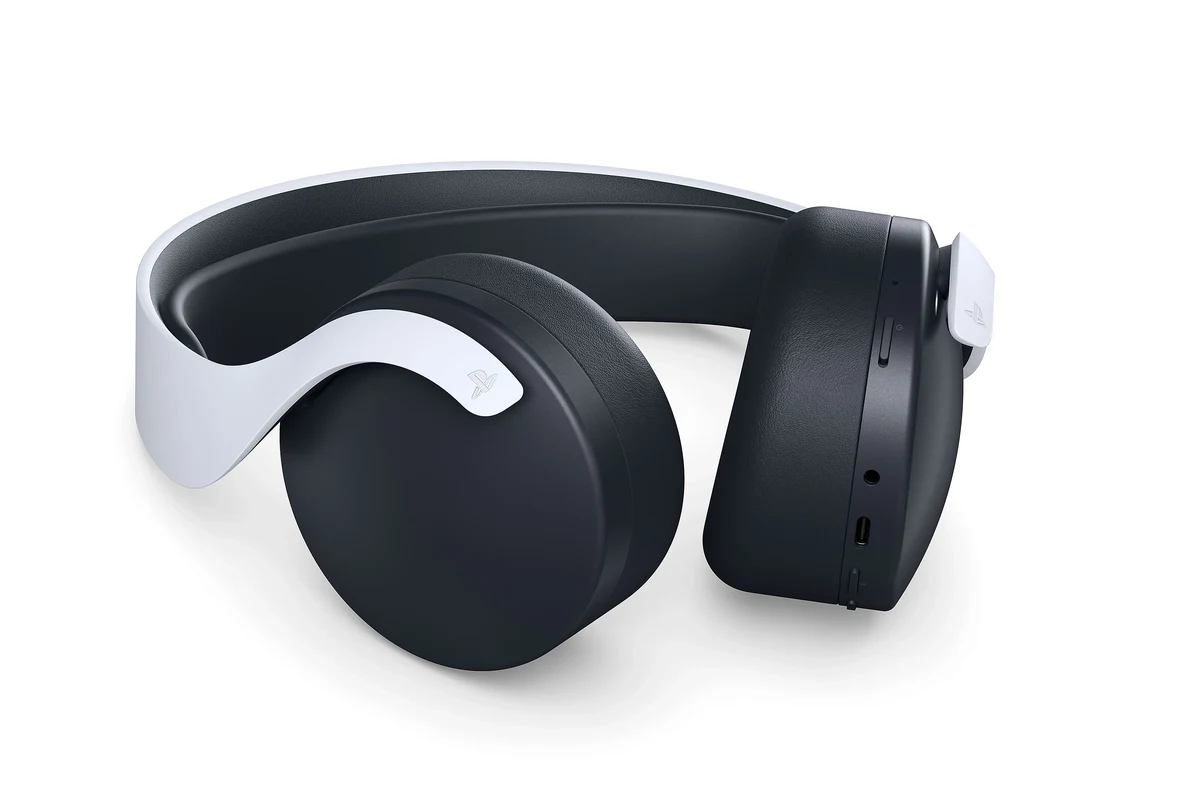
The PS5 supports wireless audio best when the connection is built for gaming. That usually means a USB wireless dongle, a headset designed for the console, or audio routed through another device such as a TV or monitor.
Standard Bluetooth is where many users run into trouble. The PS5 does not offer broad native Bluetooth headphone support the way phones or laptops do, so pairing is not as simple as opening the settings menu and connecting any headset.
Why standard Bluetooth headphones usually do not pair directly
Most regular Bluetooth headphones are made for phones, tablets, and computers, not game consoles. Even if a headset can technically connect through a workaround, the PS5 may reject it or limit features like voice chat and stable audio output.
Latency is the bigger reason. Bluetooth can add enough delay to make footsteps, reloads, or dialogue feel slightly out of sync, which is especially noticeable in competitive games.
Not every Bluetooth headphone will pair with PS5, and even if it connects through a workaround, microphone support and audio latency may still be limited.
Which wireless audio methods are compatible with PS5
The most dependable methods are USB wireless headsets, official or PS5-compatible dongles, and audio passed through a TV or monitor that supports Bluetooth output. Remote Play is another option if you are willing to listen through the device running the app.
Compatibility can vary by model, firmware, and how the manufacturer handles wireless transmission. That’s why it helps to check the headset’s product page carefully before buying.
Some headset brands include a USB transmitter in the box, while others require a separate adapter. Always confirm what is included before purchasing.
Best Ways to Connect Wireless Headphones to PS5
There are several practical ways to use wireless headphones with PS5, and each one has a different balance of convenience, latency, and microphone support. For gaming, the best method is usually the one that keeps audio delay low and setup simple.
Using a USB wireless dongle for low-latency gaming
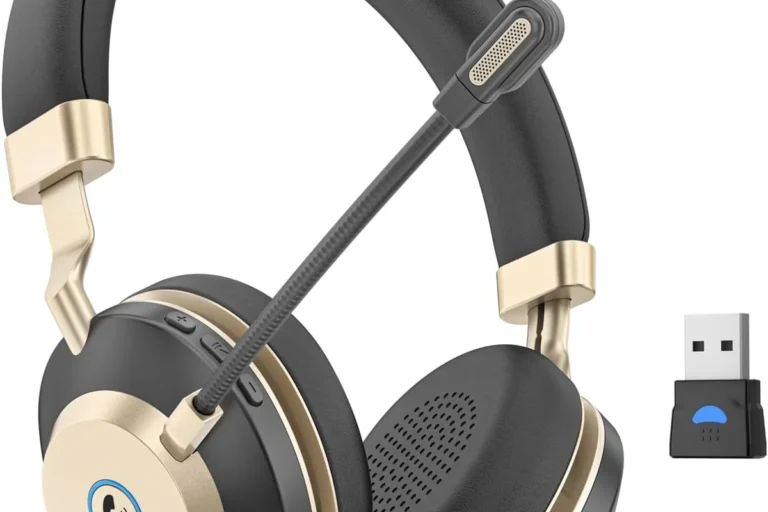
This is the most popular choice for PS5 players. You plug the dongle into the console, put the headset into pairing mode, and the headset should connect automatically or with a quick sync process.
USB wireless connections are usually more stable than standard Bluetooth and are better suited for fast-paced games. They also tend to support chat audio and game audio together, depending on the headset.
If you play shooters or rhythm games, look for a headset with a dedicated USB transmitter instead of relying on a generic Bluetooth adapter.
Connecting through a TV, monitor, or soundbar with Bluetooth
If your TV or monitor supports Bluetooth audio output, you may be able to connect your headphones there instead of directly to the PS5. This can be a useful workaround for casual gaming, especially if your display already handles audio switching well.
The downside is that TV-based Bluetooth can introduce delay, and microphone support is often limited or unavailable. This method is usually better for single-player games, movies, or relaxed play sessions than for competitive online gaming.
Some TVs let you route game audio to Bluetooth while still using the PS5 controller for chat, but the experience depends heavily on the TV’s audio menu and latency handling.
Using the PS5 Remote Play app with wireless headphones
Remote Play lets you stream your PS5 to a phone, tablet, or computer, then use wireless headphones connected to that device. This can be convenient if you want to play in another room or keep the console audio off the main display.
It is not the best option for low-latency competitive gaming, because you are adding another streaming layer. Still, it can work well for casual play, menus, and slower-paced games.
Step-by-Step Setup Examples for Common Headphone Types
Different headphone types need different setup steps, and knowing the right method can save time. Below are the most common setups PS5 owners use.
Gaming headsets with a USB transmitter
Insert the USB dongle into the PS5’s USB-A or USB-C port, depending on the headset design.
Turn on the headset and wait for the pairing light or connection tone.
Go to Sound settings and confirm the input and output device are set correctly for game audio and chat.
Many wireless gaming headsets are designed to be plug-and-play, which makes them the easiest option for most players. If you want a simple setup with fewer compatibility worries, this is usually the safest route.
Bluetooth headphones with a separate adapter
Use a transmitter made for console or audio output, not a random low-cost adapter with unclear support.
Plug it into the console, TV, or monitor depending on the adapter’s design and instructions.
Put the headphones into pairing mode and wait for the adapter to finish connecting.
This method can work, but results vary more than with a native wireless gaming headset. If you want to understand Bluetooth pairing basics first, our guide on how to connect Bluetooth headphones covers the general process in simple steps.
Wireless headphones connected through the controller or TV
The PS5 controller itself is not a true wireless audio hub for most headphones, so this route is usually not the first choice. In practice, people more often use the TV or monitor as the audio source and then send sound to Bluetooth headphones from there.
Before relying on this setup, check whether your display supports Bluetooth audio output and whether it allows low enough latency for gaming. If you are unsure, test it with a game that has clear dialogue and sound cues.
Sound Quality, Latency, and Mic Performance: What to Expect
Wireless audio on PS5 can sound very good, but the connection method matters just as much as the headphone itself. A great headset can still feel disappointing if the audio delay is too high or the mic support is limited.
Why audio delay matters in competitive games
Latency is the delay between what happens on screen and when you hear it. In story games, a small delay may not bother you much, but in multiplayer shooters or sports games, it can affect timing and reaction speed.
USB wireless headsets usually perform better here than standard Bluetooth headphones. If low delay matters to you, prioritize a headset or adapter marketed for gaming rather than general listening.
How microphone support changes by connection method
Mic performance depends on whether the headset sends voice chat through the same wireless link or through a separate system. Some Bluetooth headphones only carry audio, while gaming headsets often support both audio and mic through the dongle.
If voice chat is important, check the product details carefully. A headset may work fine for sound but still fail to provide a usable microphone on PS5.
If you notice constant audio delay, weak mic pickup, or one-sided sound issues, contact the headset maker or a professional audio specialist before buying extra adapters. For ongoing hearing discomfort, ringing, or pain, speak with an audiologist.
Listening at high volumes for long periods can cause hearing damage. Keep volume at 60% or below for extended sessions.
Common Mistakes When Trying to Use Wireless Headphones on PS5
Most PS5 headphone problems come from assumptions, not broken hardware. A little compatibility checking upfront can save you from buying the wrong accessory.
Assuming all Bluetooth headphones are PS5 compatible
This is the biggest mistake. Many users assume any wireless headphone should work the same way it does with a phone, but PS5 is much stricter about direct Bluetooth pairing.
Always check whether the headset is listed as PS5 compatible, uses a USB dongle, or requires a separate adapter.
Buying the wrong adapter or expecting full voice chat support
Not every adapter is built for gaming audio, and some only handle sound output without proper microphone support. Others may connect, but the latency may be too high for comfortable play.
If you need chat, party audio, or streaming use, make sure the adapter explicitly supports those features on PS5.
Ignoring codec, range, and battery-life limitations
Wireless headphones can vary in codec support, range, and battery endurance. Those differences affect how stable the connection feels across a room and how long you can play before recharging.
Battery life claims also vary by brand and usage, especially if you use active noise cancellation or keep the volume high. For gaming sessions, comfort and dependable runtime matter more than flashy marketing.
Expert Buying Advice: Best Value Options vs Premium Choices in 2025
If you are shopping for PS5 audio in 2025, think about how you actually play. The best value is not always the most expensive headset; it is the one that matches your gaming habits, comfort needs, and mic expectations.
Budget-friendly adapters and entry-level wireless headsets
Budget options can be a smart choice if you mostly play single-player games or only need basic wireless convenience. A simple USB wireless headset often offers a better experience than a cheap Bluetooth workaround.
When comparing entry-level models, look for plug-and-play setup, decent ear cushion comfort, and clear PS5 compatibility notes. If you want more general buying help, our guide to best headphones under 100 can help you narrow down value-focused choices.
Mid-range and premium picks for better latency and comfort
Mid-range and premium wireless headsets usually offer stronger comfort, better microphones, and more reliable wireless performance. They may also include better software controls, sidetone, or stronger build quality.
For long gaming sessions, comfort can matter as much as sound quality. Softer pads, lighter weight, and more stable clamping force can make a big difference over time.
- USB wireless headsets are usually the easiest PS5 option.
- Bluetooth often needs a TV, monitor, or adapter workaround.
- Mic support and audio delay vary a lot by connection method.
- Comfort, battery life, and latency matter more than brand name alone.
When wired headphones may still be the smarter choice
Wireless is convenient, but wired headphones still make sense for many PS5 players. They usually offer simpler setup, no battery concerns, and very low latency.
If you play competitive games often, or if you want the most predictable audio path, a wired headset can still be the better buy. It is also a good fallback if you are tired of adapter issues or pairing problems.
- Low delay with the right USB wireless headset
- Clean setup for game and chat audio
- Comfortable for couch gaming
- Not all Bluetooth headphones pair directly
- Adapters can reduce reliability or mic support
- Battery life and range vary by model
Final Verdict: Can Wireless Headphones Connect to PS5 and Which Method Is Best?
Yes, wireless headphones can connect to PS5, but the best method is usually a USB wireless dongle or a headset made specifically for gaming. Standard Bluetooth headphones are much less reliable and often need a workaround through a TV, monitor, or adapter.
If you want the simplest and most dependable setup, choose a PS5-compatible wireless gaming headset with a USB transmitter. If you already own Bluetooth headphones, check the display or adapter route carefully before expecting full mic support or low-latency performance.
Frequently Asked Questions
Not always. Wired headphones usually offer the most stable connection and lowest latency, while wireless headphones win on convenience and freedom of movement.
Yes, many can work well, especially for casual gaming and blocking room noise. Just remember that ANC performance, comfort, and battery life vary by model.
Over-ear models often feel more comfortable for long sessions and can create a fuller sound. In-ear options are more portable, but fit and isolation depend on the ear tip design.
Look at connection type, microphone support, comfort, and whether the headset is designed for low-latency audio. Driver tuning, bass balance, and EQ options also affect clarity and soundstage.
Focus on PS5 compatibility, a USB wireless dongle, and a comfortable fit before chasing extra features. Budget models can be a good value if they handle game audio and chat reliably.
Comfort, weight, ear cushion material, and battery life matter most for long use. A durable build and a secure fit can make a bigger difference than flashy extras.