Do Sony Headphones Have Tracking What You Need to Know

Sony headphones usually do not have true GPS-style tracking, but some models offer limited find features through the app and your phone. The best recovery method is checking Bluetooth history, last known location, and device tools as soon as possible.
When people ask do Sony headphones have tracking, the short answer is: some Sony models offer limited “find” support, but they do not work like full GPS trackers. In most cases, Sony headphones rely on Bluetooth history, app data, and your phone’s location tools rather than real-time live tracking.
- Tracking limit: Sony usually offers find support, not live GPS.
- Best recovery method: Use Bluetooth history and last known location.
- Battery matters: Dead headphones are much harder to locate.
- Model support varies: Features depend on the specific Sony headset.
Do Sony Headphones Have Tracking? Understanding the Real Answer in 2026
Contents
- 1 Do Sony Headphones Have Tracking? Understanding the Real Answer in 2026
- 2 What “Tracking” Means for Sony Headphones: Location, Pairing, and Device History
- 3 Which Sony Headphones Support Tracking Features Through the Sony Headphones Connect App
- 4 How to Find Lost Sony Headphones: Practical Steps That Actually Work
- 5 Common Mistakes People Make When Looking for Sony Headphones Tracking
- 6 Expert Advice: Privacy, Security, and Battery Tradeoffs You Should Know
- 7 Sony Tracking vs. Competitor Headphone Find Features: What You Get for the Price
- 8 Final Recap: The Best Way to Think About Sony Headphone Tracking
- 9 Frequently Asked Questions
- 10 Author
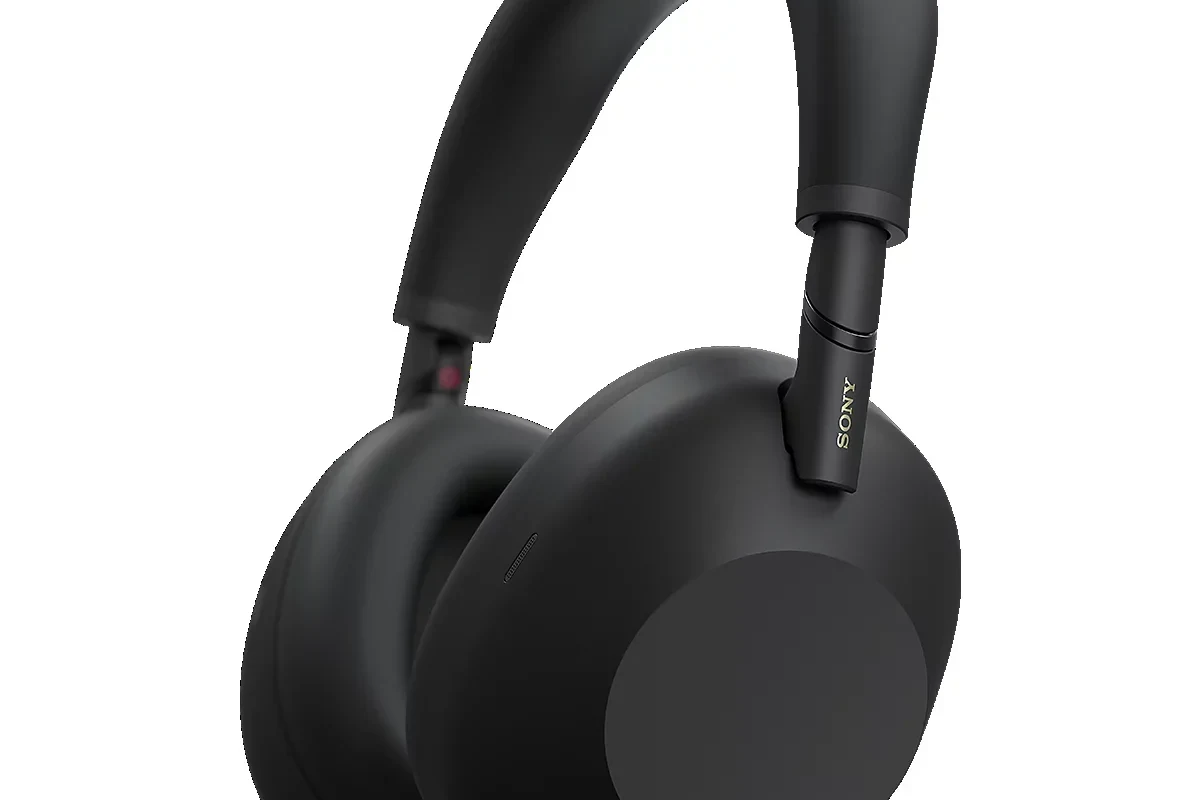
Sony headphones are built primarily for listening, noise cancellation, and wireless convenience. Tracking is usually a secondary feature, so the exact answer depends on the model, the app support, and what device you paired them with.
If you are expecting an AirTag-style system or constant live map tracking, that is not how most Sony headphones work. For many users, the most useful “tracking” is really a mix of Bluetooth connection history, last known location, and device-level find tools.
What “Tracking” Means for Sony Headphones: Location, Pairing, and Device History
Before you look for a lost pair, it helps to separate three different ideas: location tracking, Bluetooth pairing memory, and device history. Many people use the word “tracking” to mean all three, but they work very differently.
Sony headphones can remember paired devices, reconnect automatically, and sometimes show up in app-based device lists. That is useful, but it is not the same as a dedicated GPS tracker or a theft-recovery system.
Bluetooth pairing memory vs. true GPS-style tracking
Bluetooth pairing memory tells your headphone which phone, tablet, or laptop it connected to before. This helps with quick reconnects and can sometimes give you a clue about the last device it was near.
True GPS-style tracking would mean live location updates on a map, even from far away. Most Sony headphones do not provide that kind of continuous location service on their own.
Some location-like features depend on your phone’s operating system, app permissions, and whether the headphones were recently connected.
How Sony headphones behave when connected to phones, tablets, and laptops
When Sony headphones connect to a phone, the connection can be remembered by the operating system and by Sony’s app ecosystem. This may help you see when the device was last active or whether it is still nearby.
On tablets and laptops, the behavior is similar, but the recovery tools are usually weaker than on a smartphone. If you use Bluetooth regularly, pairing history can still be a helpful clue, especially in a home, office, or commute setting.
For readers who want a broader primer on wireless behavior, our guide to Bluetooth headphones explained simply breaks down how wireless connections actually work.
Which Sony Headphones Support Tracking Features Through the Sony Headphones Connect App
Sony’s app ecosystem is where most tracking-style support lives. In practice, this means some models may show useful device information, but the app is not a universal “find my headphones” solution.
Support can vary by model generation and by the phone you use. Newer releases often integrate better with modern Android and iPhone tools, but the feature set still depends on firmware and software support.
Model examples: WH-1000XM series, WF-1000XM series, and newer 2026 releases
The WH-1000XM over-ear line and WF-1000XM true wireless earbuds are the Sony models most people ask about because they are popular and app-supported. These models are often the ones users expect to have advanced find features.
Still, even on premium Sony headphones, the app usually focuses more on sound settings, noise cancellation, battery status, and connection management than live location tracking. Newer 2026 releases may improve convenience, but that does not automatically mean full tracking is included.
| Model | Best For | Tracking Type |
|---|---|---|
| WH-1000XM series | Over-ear travel and ANC | App support, pairing history, limited find tools |
| WF-1000XM series | True wireless everyday use | App support, device history, phone-based finding help |
| Newer Sony 2026 releases | Latest wireless features | May vary by model and software support |
What the app can and cannot show about your headphones
The Sony Headphones Connect app can usually show useful settings such as battery level, EQ, noise cancellation modes, and connection behavior. In some cases, it may also help you identify the last known connection state.
What it generally cannot do is provide a constant live map, a theft alert, or a guaranteed recovery trail. If the headphones are off, out of battery, or too far away, app-based information becomes much less useful.
If you are comparing Sony’s app behavior to other audio features, our article on how noise cancelling headphones work is a helpful next read.
How to Find Lost Sony Headphones: Practical Steps That Actually Work
If your Sony headphones are missing, the best recovery method depends on whether they are over-ear headphones or true wireless earbuds. Earbuds are easier to misplace, while over-ear models are often found in bags, desks, cars, or charging spots.
The key is to act quickly, check your recent connections, and use both Sony tools and your phone’s built-in features. The sooner you start, the better your chance of finding them before the battery dies or the device moves out of range.
Using the Sony app, Bluetooth connection history, and last known location
Start with the Sony app and check whether the headphones still appear connected or recently active. Then review your phone’s Bluetooth list and connection history to see the last time the device was nearby.
If your phone stores last known device location data, that may help narrow down where you used the headphones last. This is especially useful if you left them in a café, office meeting room, or at a friend’s house.
Check battery, connection, and any recent device information that may still be available.
Look at the last paired device and the most recent reconnect time on your phone or laptop.
Retrace your steps and check bags, coat pockets, charging spots, and desk drawers.
Leveraging Android and iPhone device tools for earbuds and headphones
Android and iPhone tools can be more helpful than the headphone app itself, especially for earbuds that were recently connected. These tools may show a last seen location or help confirm the area where the headphones were nearby.
For over-ear models, phone tools are often less precise but still useful for narrowing down the search. If you use a Windows laptop often, it can also help to review your device setup and Bluetooth behavior, especially if you connect and disconnect frequently; our guides on how to connect Bluetooth headphones and select headphones in Windows 11 can help with common pairing issues.
Real-world recovery scenarios for home, office, travel, and commuting
At home, lost Sony headphones are often found in the most ordinary places: under a couch cushion, beside the bed, or in a jacket pocket. In an office, check conference rooms, shared desks, laptop bags, and charging stations.
During travel, the most common recovery spots are airplane seat pockets, hotel nightstands, and carry-on compartments. On a commute, check backpacks, car seats, and the area where you took them off last.
Many “lost headphone” cases are solved by checking the device that last connected, not the headphones themselves.
Common Mistakes People Make When Looking for Sony Headphones Tracking
When users search for Sony headphone tracking, they often expect a feature that the product was never designed to provide. That leads to confusion, frustration, and wasted time.
Knowing the limits upfront can save you a lot of stress. It also helps you choose the right model if tracking-style convenience matters to you.
Assuming all Sony models have built-in location tracking
Not every Sony headphone or earbud has the same software support. Some models are far better at showing connection data than others, and some rely almost entirely on your phone’s own tools.
Do not assume that a premium price automatically includes live tracking. A high-end audio model may excel at sound and ANC while still offering only limited find features.
Expecting tracking to work after the battery dies or Bluetooth disconnects
Once the battery is dead, tracking-style tools become much less effective. If the headphones cannot power on or broadcast Bluetooth, your phone may no longer be able to detect them.
That is why the “last known location” matters more than live tracking in many cases. It gives you a starting point, not a guaranteed recovery map.
Bluetooth-based finding tools are limited by range, power, and app permissions. They are not a substitute for real-time GPS tracking.
Confusing smart features with anti-theft or live GPS tracking
Smart features like auto-pause, wear detection, multipoint pairing, and app controls are helpful, but they are not anti-theft tools. They improve convenience, not security.
If you need true theft recovery, you should look for a dedicated tracker solution rather than relying on headphones alone. Sony headphones are best treated as audio devices with some recovery assistance, not as security devices.
Expert Advice: Privacy, Security, and Battery Tradeoffs You Should Know
Tracking-style features are useful, but they also come with privacy and setup considerations. If you want the best results, you need the right permissions, the right account setup, and realistic expectations.
For most people, the tradeoff is simple: more device awareness can help with recovery, but it may also add app prompts, background activity, and setup steps.
Warning about app permissions, location access, and account setup
Location-related tools often require permission on your phone, and those permissions may need to stay enabled for the feature to work properly. If you deny access or change settings later, some find functions may stop working.
It is also smart to keep your Sony account or app login in order, since recovery tools are much harder to use when you cannot access the app. For privacy-minded readers, review what data the app requests before enabling everything by default.
If you have frequent hearing issues, tinnitus, or ear discomfort, consult an audiologist before using headphones for long daily sessions.
Why some tracking-style features can affect battery life and convenience
Any feature that stays aware of device status in the background can affect battery life, even if the impact is small. That matters more on true wireless earbuds, where every bit of battery counts.
There is also a convenience tradeoff: more features can mean more app setup, more permissions, and more menus to manage. If you prefer simplicity, a basic Bluetooth connection may be enough.
Listening at high volumes for long periods can cause hearing damage. Keep volume at 60% or below for extended sessions.
Sony Tracking vs. Competitor Headphone Find Features: What You Get for the Price
When comparing Sony with other brands, the big question is whether the find features justify the price. In many cases, Sony wins on audio quality, noise cancellation, and comfort, while other brands may offer stronger device-location ecosystems.
The best choice depends on whether you care more about sound performance or recovery convenience. For many buyers, Sony still delivers strong overall value because its core headphone experience is so well-rounded.
Comparison with Apple AirPods, Beats, Bose, and Samsung earbuds
Apple and Beats products often benefit from tighter ecosystem integration, especially for users already inside the Apple device world. Samsung earbuds can also fit nicely into Samsung’s broader device ecosystem.
Sony’s strength is more about headphone performance and app-based audio control than deep device tracking. Bose may offer similar comfort and ANC-focused value, but the exact find features still vary by model and platform.
If you are deciding between wireless formats, our comparison of wired vs wireless headphones can help you think through convenience, latency, and recovery tradeoffs.
How Sony’s price-to-feature value stacks up in 2026
In 2026, Sony remains a strong choice for listeners who want dependable wireless headphones with good app support and strong everyday usability. The brand’s value is usually better judged by sound, ANC, and comfort than by tracking features alone.
If tracking is your top priority, compare ecosystem tools first. If sound quality and noise cancellation matter more, Sony often makes more sense even if its tracking is limited.
Final Recap: The Best Way to Think About Sony Headphone Tracking
The best way to answer do Sony headphones have tracking is this: they may offer limited find-style support, but they are not full GPS-tracked devices. Most recovery depends on Bluetooth history, app data, and your phone’s built-in tools.
If you want the easiest recovery experience, keep your app permissions on, note your last connected device, and act quickly when a pair goes missing. If you want the strongest audio experience, Sony still remains a smart buy for many listeners.
- Sony headphones usually offer limited find support, not live GPS tracking.
- Bluetooth history and phone tools are the most useful recovery methods.
- Battery life, app permissions, and device support affect tracking results.
- Sony is strong on sound and ANC, even if tracking is modest.
Frequently Asked Questions
Most Sony headphones do not have true GPS tracking. They usually rely on Bluetooth history, app data, and your phone’s built-in find tools.
Usually, no live tracking will work once the battery is dead. You may still use the last known location or recent connection history as a clue.
Wired headphones can still offer an advantage in some setups, but wireless Sony models are strong for convenience and tuning. Sound quality depends on the model, source device, and your listening preferences.
Yes, noise cancelling headphones are often most useful on commutes and flights because they reduce constant background noise. Fit and seal also matter a lot for performance.
Over-ear headphones usually offer more comfort and stronger isolation, while in-ear models are more portable. On-ear designs sit between the two, but comfort varies by head shape and padding.
Check battery life, Bluetooth version, noise cancelling, comfort, weight, and app support. If sound tuning matters to you, also look at EQ options and driver behavior rather than just the brand name.