Do JBL Headphones Work with iPhone Find Out Now

Yes, most JBL headphones work with iPhone through Bluetooth, and many wired models can also work with the right adapter. The main limits are Apple-exclusive features, not basic compatibility.
If you’re asking whether do JBL headphones work with iPhone, the short answer is yes. Most JBL headphones connect easily to iPhone through Bluetooth, and many wired models can also work with the right adapter.
- Compatibility: Most JBL models connect to iPhone without issues.
- Connection type: Bluetooth is the easiest option for most users.
- Wired use: Older models may need an adapter for newer iPhones.
- Feature limits: Some Apple-only functions won’t work the same way as AirPods.
Do JBL Headphones Work with iPhone? The Short Answer and What It Means in 2026
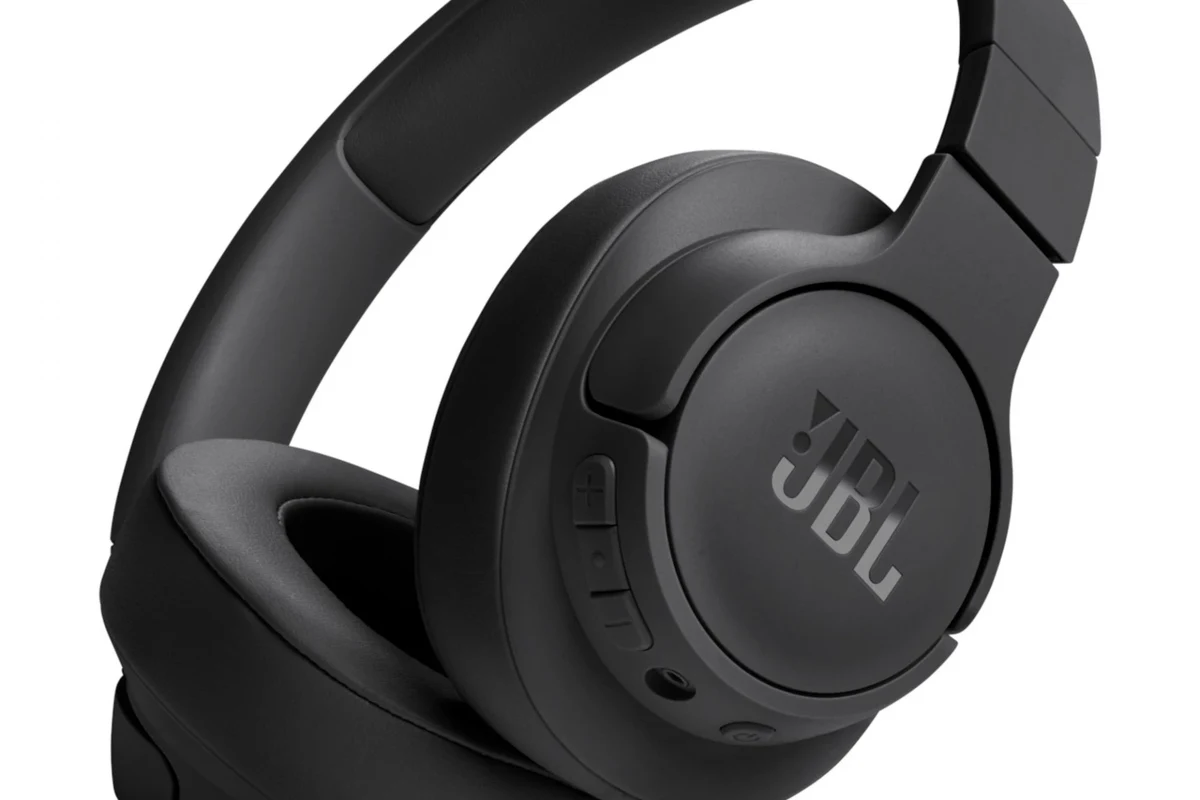
JBL headphones are generally compatible with iPhone, whether you’re using over-ear headphones, on-ear models, or true wireless earbuds. In most cases, the connection is simple because iPhone supports standard Bluetooth audio, which is the same basic wireless method used by many JBL products.
In 2026, that compatibility still matters because iPhones continue to rely heavily on Bluetooth for everyday listening. What changes from model to model is not whether JBL works at all, but how smoothly it works, what controls are supported, and whether you need an adapter for wired use.
Compatibility can vary by exact JBL model and iPhone generation, especially if you are using an older headphone with a Lightning or 3.5mm connection.
For most buyers, the real question is less “Will it connect?” and more “How well will it fit my iPhone use case?” That depends on whether you want calls, music, workouts, gaming, or a simple travel headphone setup. If you want a broader overview of wireless basics, our Bluetooth headphones explained simply guide can help.
How JBL Headphones Connect to iPhone: Bluetooth, Wired, and Adapter Options
There are three common ways JBL headphones may work with an iPhone: Bluetooth, a 3.5mm cable, or an adapter-based setup. Bluetooth is the easiest and most common, while wired use depends on the exact headphone model and which iPhone you own.
If you’re moving between phone brands or want help with the basics, our how to connect Bluetooth headphones guide is a useful starting point. It covers the common pairing process that applies to many JBL models.
Bluetooth pairing steps for first-time iPhone users
To pair JBL headphones with iPhone, turn on the headphones and put them in pairing mode. Then open iPhone Settings, tap Bluetooth, and select the JBL device when it appears in the list.
If the connection fails, make sure Bluetooth is enabled on the iPhone and that the headphones are not already paired to another nearby device. A reset or fresh pairing often solves the issue, especially if the headphones have been used with a laptop or tablet before.
Hold the Bluetooth button or power button until the LED indicates pairing.
Go to Settings, then Bluetooth, and wait for the JBL name to appear.
Tap the device and wait for the iPhone to confirm the connection.
Using a 3.5mm cable with older JBL models and iPhone adapters
Some older JBL headphones still include a 3.5mm audio jack, which can work well with iPhone if you have the right adapter. This is especially relevant for iPhones that no longer include a headphone jack, since you may need a Lightning-to-3.5mm or USB-C-to-3.5mm adapter depending on your model.
Wired listening can be helpful if you want zero battery concerns or if Bluetooth is acting up. For readers comparing cable-based and wireless setups, our wired vs wireless headphones article explains the trade-offs in a simple way.
Cheap adapters and worn cables can cause crackling, low volume, or intermittent audio. If a wired JBL headset seems unstable, the adapter is often the first thing to check.
Which JBL Headphones Work Best with iPhone Models Today
Most JBL headphone categories can work with iPhone, but the best choice depends on how you listen. True wireless earbuds are the most convenient, over-ear models are often better for longer sessions, and on-ear headphones can be a middle ground for portability.
As a general rule, the more standard the connection, the easier it is to use with iPhone. Bluetooth JBL models are usually the simplest choice for modern iPhone users, while wired models are more dependent on adapters and cable condition.
JBL over-ear, on-ear, and true wireless compatibility differences
Over-ear JBL headphones usually offer the best comfort for long listening sessions, and they often include larger batteries and physical controls. On-ear models are lighter and more compact, but they may feel less stable during movement.
True wireless JBL earbuds are often the easiest match for iPhone users who want a pocket-friendly setup. They are especially convenient for commuting and workouts, though fit and battery life will vary by model. If you’re still learning headphone categories, our types of headphones explained guide breaks down the basics.
Many headphone compatibility issues are not caused by the brand name itself, but by the connection type, firmware version, or iPhone settings.
Best-fit use cases for iPhone calls, music, gaming, and workouts
For iPhone calls, JBL headphones with a stable microphone and reliable Bluetooth connection are usually the safest pick. For music, most users will care more about comfort, bass response, and how well the headphones stay connected than about technical extras.
For gaming, latency matters more. Bluetooth can introduce a small delay depending on the model and app, so wired use may feel better for some players. For workouts, secure fit and sweat resistance matter more than premium sound tuning.
What iPhone Features Work with JBL Headphones and What Doesn’t
JBL headphones can support many everyday iPhone features, but not every Apple-specific feature will work the same way as it does with AirPods. That’s normal and does not mean the headphones are incompatible.
Siri, call controls, and playback buttons on JBL headphones
Many JBL headphones support basic controls such as play, pause, volume, track skipping, and call answering. Some models may also let you trigger Siri through a button press, but that depends on the specific design and firmware.
If you want a deeper look at how controls and sound settings affect daily use, our best EQ settings for headphone guide can help you fine-tune the listening experience after pairing.
Limitations with Apple-exclusive features like automatic device switching and Spatial Audio
Apple-exclusive features such as seamless automatic switching across Apple devices are usually best on AirPods and certain Apple accessories. JBL headphones may still connect to multiple devices, but switching is often manual rather than automatic.
Spatial Audio support can also be limited or unavailable depending on the JBL model and the app you are using. If those features are a top priority, Apple headphones may be the easier choice. If you want a simple comparison of Apple and non-Apple setups, see our Lightning headphones vs Bluetooth article.
Common Setup Mistakes That Make JBL Headphones Seem Incompatible with iPhone
When JBL headphones appear not to work with iPhone, the problem is often a setup issue rather than a true incompatibility. Bluetooth pairing errors, outdated firmware, and iPhone settings can all create the impression that the headphones are broken.
- Bluetooth is enabled on the iPhone
- The JBL headphones are in pairing mode
- The headphones are not already connected to another device
- The battery is charged
- The cable or adapter is not damaged
Bluetooth pairing errors, outdated firmware, and iPhone settings issues
If your JBL headphones do not show up in Bluetooth, start by turning Bluetooth off and on again on the iPhone. Then restart the headphones, move them closer to the phone, and try pairing again.
Outdated firmware can also cause connection problems, especially with newer iPhone software updates. If your JBL app supports firmware updates, it is worth checking before you assume the headphones are incompatible. For more troubleshooting help, our how to reset Bluetooth headphones guide covers a common fix that often helps.
Why audio lag, low volume, or one-ear playback can happen
Audio lag can happen because Bluetooth adds a small processing delay, and some apps handle that better than others. Low volume may come from phone settings, EQ changes, debris in earbuds, or a weak adapter connection.
One-ear playback is often caused by a partial pairing issue, a low battery in one earbud, or a balance setting on the iPhone. If the sound seems muffled rather than absent, our why do headphones sound muffled article may help you narrow down the cause.
Expert Advice: How to Get the Best Sound and Stability from JBL on iPhone
The best JBL-on-iPhone experience usually comes from a clean Bluetooth setup, up-to-date firmware, and realistic expectations about Apple-only features. In most cases, a few simple checks make a bigger difference than changing headphones entirely.
If you keep hearing distortion, uneven volume, or repeated disconnects after trying basic troubleshooting, it may be worth asking an audiologist about hearing balance issues or consulting a professional audio specialist about the device chain.
When to update firmware, reset Bluetooth, or re-pair the headphones
Update firmware when the JBL app shows that a newer version is available, especially if the headphones started behaving oddly after an iPhone update. Re-pair the headphones if they connect but sound unstable, drop out, or fail to reconnect automatically.
Reset Bluetooth on the iPhone if the device list becomes cluttered or if the headphones keep trying to connect to the wrong device. A clean re-pair often fixes problems faster than repeated failed connection attempts.
Warning signs that a cheap adapter or worn cable is causing problems
If wired JBL audio cuts in and out when you move the cable, the cable or adapter is likely the problem. Static, low output, and imbalance between left and right channels can also point to poor accessory quality rather than a headphone defect.
Listening at high volumes for long periods can cause hearing damage. Keep volume at 60% or below for extended sessions.
For readers who want a deeper explanation of signal quality and cable versus wireless sound, our Bluetooth vs wired headphones sound quality guide is a practical follow-up.
JBL vs Apple and Other iPhone-Friendly Headphones: Price, Value, and Performance
JBL often stands out because it gives iPhone users a wide range of options at different budget levels. Apple headphones usually win on seamless ecosystem features, while JBL can offer strong everyday value for listeners who care more about sound and battery than Apple-only convenience.
- JBL headphones generally work well with iPhone through Bluetooth or adapter-based wired use.
- Apple-only features are limited, but everyday listening, calls, and workouts usually work fine.
- Most problems come from pairing, firmware, cable, or adapter issues rather than brand incompatibility.
- JBL can be a smart value choice for iPhone users who want flexibility and broad model selection.
How JBL compares on budget, battery life, and everyday compatibility
JBL is often attractive to iPhone users looking for practical value rather than premium ecosystem integration. Battery life, comfort, and sound tuning can vary by model, but many shoppers find JBL easier to justify than higher-priced Apple-only options.
If you are comparing across headphone styles, our over-ear vs on-ear vs in-ear guide can help you choose the shape that fits your routine best.
When it makes sense to choose JBL over AirPods or premium alternatives
Choose JBL if you want more style variety, broader product selection, or a lower-cost option with solid everyday performance. JBL can also make sense if you use both Apple and non-Apple devices and do not want to stay locked into one ecosystem.
AirPods and other premium alternatives may be better if you want the smoothest Apple integration, automatic switching, and the most seamless iPhone-first experience. But for many users, JBL is the better value because it covers the core jobs well without forcing you into Apple-only features.
Final Recap: Should iPhone Users Buy JBL Headphones in 2026?
Yes, iPhone users can absolutely buy JBL headphones in 2026 and expect them to work in most everyday situations. Bluetooth models are the easiest choice, while wired models can still work well if you have the right adapter and a healthy cable.
The main trade-off is that JBL usually gives you broad compatibility and good value, but not every Apple-exclusive feature. If you want a dependable headphone for calls, music, travel, or workouts, JBL is still a very reasonable choice for iPhone users.
Frequently Asked Questions
Bluetooth is usually the easiest option for most JBL headphones and iPhone users. Wired can work well too, but it depends on the model, the cable, and whether you have the right adapter.
Yes, most JBL over-ear, on-ear, and in-ear models can work with iPhone if they use standard Bluetooth or a supported cable. The main difference is comfort, battery life, and how convenient they feel for daily use.
If the JBL model includes active noise cancelling, it can still work with iPhone. Noise cancelling is a headphone feature, not an iPhone-specific one, so compatibility depends on the JBL model itself.
Start by checking volume, EQ settings, and whether the headphones are fully paired and updated. If the sound still seems off, try re-pairing the headphones or testing a different cable or adapter.
Check battery life, fit, microphone quality, latency, and whether you need Bluetooth or wired use. For studio-style listening, comfort and a stable wired connection may matter more than extra wireless features.
Comfort depends on the model, ear cushion material, clamping force, and weight. For long sessions, over-ear designs are often more comfortable, but fit is still personal and can vary by listener.