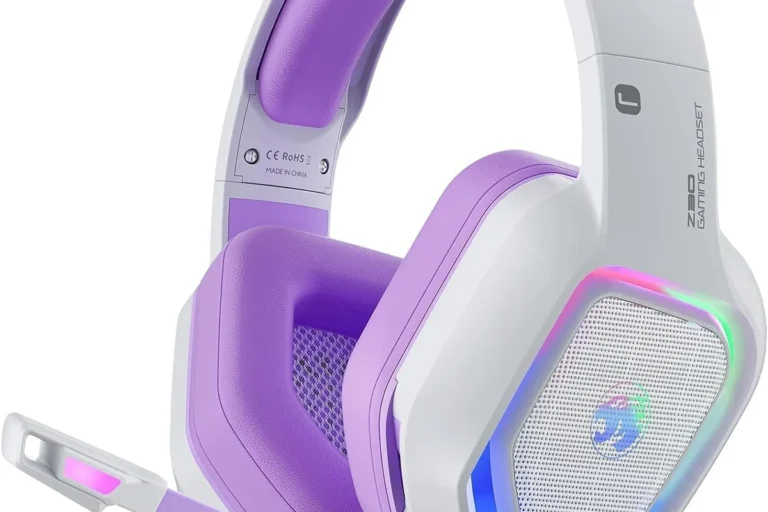
Headphones for Xbox One

The best headphones for Xbox One are the ones that match your connection type, comfort needs, and chat priorities. Wired models are usually the easiest choice, while wireless options make sense only if Xbox One compatibility is clearly confirmed.
If you want the best headphones for Xbox One in 2026, start by choosing the connection that matches your setup: wired for simplicity, wireless for freedom, or a chat-focused headset if party voice matters most. The right pick depends less on brand hype and more on compatibility, comfort, mic quality, and how you actually play.
- Compatibility first: Confirm whether the headset uses a controller jack, dongle, or Xbox-specific wireless support.
- Mic quality matters: Clear voice pickup is essential for party chat and multiplayer coordination.
- Comfort wins long sessions: Soft pads, balanced clamping force, and a padded headband matter more than flashy specs.
- Skip unnecessary extras: Bluetooth-only listening and premium app features may not add much on Xbox One.
Best Headphones for Xbox One in 2026: What to Buy and Why
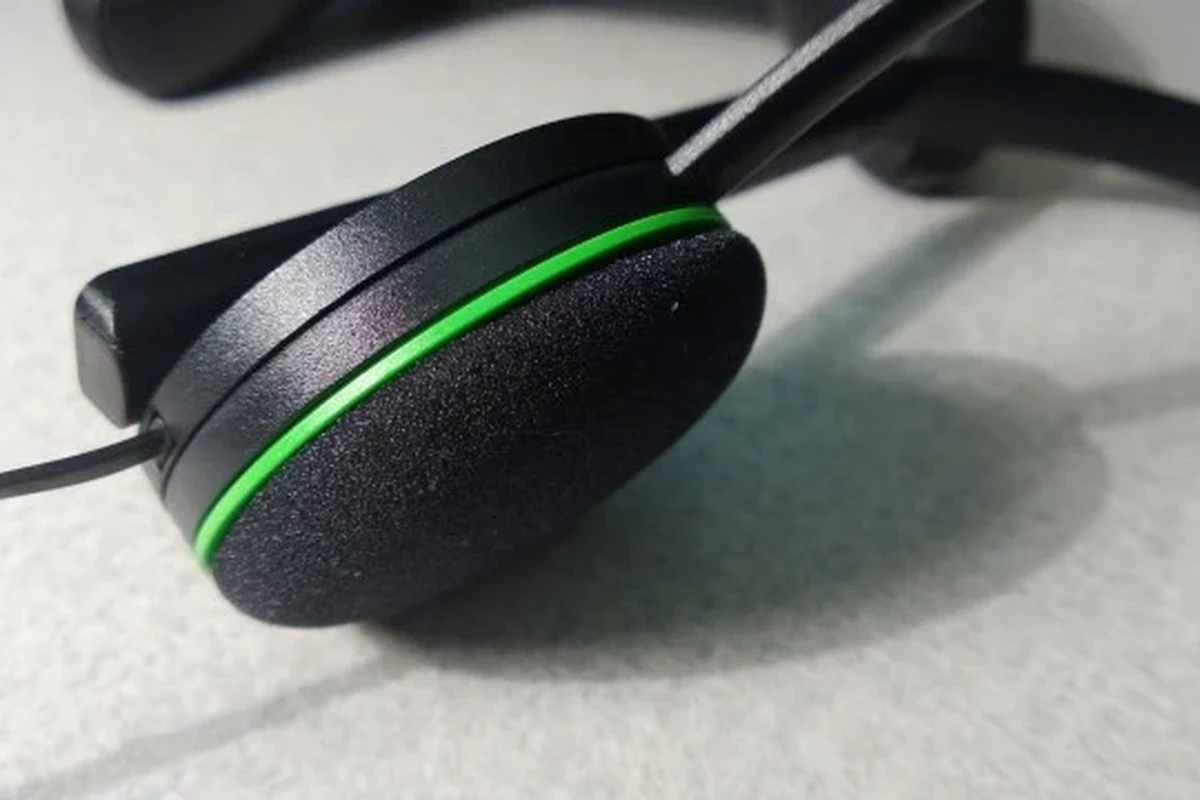
Xbox One still supports a wide range of headphone setups, but not every headset works the same way. Some connect directly through the controller, some need a USB dongle or console-specific wireless support, and some Bluetooth models require a workaround rather than a native connection. If you want a broader setup walkthrough, see how to use headphones on Xbox One and the related guide on connecting wireless headphones to Xbox One.
Quick answer: the best Xbox One headphones depend on whether you want wired simplicity, wireless freedom, or a budget-friendly chat headset
Wired headsets are usually the easiest choice for Xbox One because they plug into the controller and avoid pairing hassles. Wireless models are best if you want fewer cables, while budget chat headsets make sense if you mostly need clear voice communication and don’t want premium extras.
Who this guide is for: casual players, competitive gamers, party chat users, and couch co-op households
This guide is for anyone shopping for headphones for Xbox One who wants a practical answer without overpaying for features they may not use. It helps casual players, ranked multiplayer fans, family households, and anyone who shares a living room and needs to keep game audio contained.
How Xbox One Headphones Work: Compatibility, Connectivity, and Core Requirements
Before you compare sound signatures or marketing claims, it helps to understand how Xbox One handles audio. Compatibility is the first filter, because a great headset is still frustrating if it cannot carry both game sound and chat the way you expect.
Wired vs. wireless on Xbox One: controller jack, USB dongles, and console-specific wireless support
The simplest setup is a wired headset with a 3.5 mm plug connected to the Xbox controller. Wireless options vary more: some use a USB dongle, some use console-specific wireless technology, and some Bluetooth headphones do not connect to Xbox One directly in the way many shoppers assume. If you are comparing wireless options, the article on whether Bluetooth headphones work on Xbox One can help you avoid a mismatch.
For most buyers, “wireless” is not a single category. It can mean low-latency gaming wireless, USB dongle wireless, or Bluetooth for general listening. Those are not interchangeable, and Xbox One support depends on the exact implementation.
Manufacturer compatibility pages matter here. A headset that works on a phone or PC may still need an adapter, a dongle, or a specific Xbox-compatible version to function correctly on Xbox One.
Why mic support matters for party chat, multiplayer coordination, and in-game communication
For Xbox One, microphone support is often just as important as speaker quality. Party chat, team coordination, and quick callouts all depend on a mic that picks up your voice clearly without making you sound distant or muffled. A good boom mic can be more useful than a fancier sound profile if your main priority is communication.
What can go wrong: compatibility limits, adapter needs, and audio/chat balance issues
Common problems include a headset that plays game audio but does not transmit mic input, a wireless model that needs an adapter, or a setup where game volume overwhelms chat. Audio balance is especially important in multiplayer, because a headset can sound fine for solo play but feel awkward when voice chat is added.
If a headset promises broad compatibility, confirm the Xbox One-specific connection method before buying. “Works with Xbox” should mean more than “works with Bluetooth.”
What to Look for Before You Buy Headphones for Xbox One
A good Xbox One headset should solve three problems at once: it should sound clear, feel comfortable, and connect without drama. That sounds basic, but many shoppers focus on one feature and end up with a headset that disappoints in daily use.
Sound quality priorities: directional audio, bass balance, and clear voice chat
For gaming, directional audio matters because it helps you notice where sounds are coming from. You do not need exaggerated bass to enjoy Xbox One games; in fact, too much bass can blur footsteps, dialogue, and subtle effects. A balanced sound profile usually works best for mixed gaming, music, and streaming.
Technical terms can help here. A “driver” is the part of the headphone that creates sound, while “impedance” describes how hard the headset is to drive from a source. You do not need to memorize those terms, but they can influence whether a headset sounds loud enough and whether it pairs well with a controller or adapter.
Comfort and fit: ear cup size, clamping force, headband padding, and long-session wear
Comfort becomes more important the longer you play. Look for ear cups that fully cover your ears, a headband with enough padding, and a clamp that feels secure without squeezing too hard. If a headset is marketed as lightweight, that can be helpful, but the shape and padding matter just as much as the weight.
Closed-back headphones usually isolate outside noise better than open-back designs, which is why they are common for gaming in shared rooms.
Build quality and materials: durability, cable strain relief, hinges, and replaceable parts
Xbox One headsets get handled a lot: they are picked up, set down, twisted, and unplugged repeatedly. Strong hinges, reinforced cable ends, and decent strain relief can make a real difference over time. Replaceable ear pads or detachable cables are especially helpful because they can extend the usable life of the headset.
Mic quality and controls: boom mic clarity, mute switch, volume wheel, and sidetone
Mic clarity is one of the most practical features to check. A boom mic positioned near your mouth usually performs better than a tiny built-in mic. Easy controls also matter: a mute switch, volume wheel, and sidetone can make chat less frustrating. Sidetone means hearing a little of your own voice in the headphones, which can help prevent shouting during long sessions.
Budget and value: entry-level picks, midrange sweet spots, and premium features that matter
Entry-level Xbox One headphones can be perfectly usable if they connect cleanly and offer a decent mic. Midrange models often hit the best value because they tend to improve comfort, build quality, and chat performance without adding gimmicks. Premium features like ANC, app tuning, or multi-device support are only worth paying for if you will actually use them on Xbox One and beyond.
- Confirm Xbox One compatibility, including wired, dongle, or console-specific wireless support
- Check whether the mic is detachable, retractable, or easy to mute during chat
- Review return policy and warranty details in case fit or connectivity is not right
Top Types of Headphones for Xbox One and the Use Cases They Fit Best
Instead of chasing one “best” model, it is smarter to match the headset type to your play style. The same pair that is ideal for ranked shooters may feel overbuilt for casual couch gaming.
Best for competitive gaming: low-latency wired headsets with strong positional audio
Competitive players usually benefit from wired headsets because they avoid latency concerns and simplify setup. Strong positional audio helps with direction-based cues, and a clear mic matters when teamwork is part of the game. If you want the most predictable experience, wired models are usually the safest bet.
Best for casual play: comfortable all-day headsets with simple controls
Casual players often care more about comfort and convenience than advanced tuning. A headset with soft pads, easy volume controls, and a reliable mic can be more satisfying than a feature-heavy model that takes time to configure. This is where straightforward design often wins.
Best for party chat and multiplayer: clear mic performance and easy muting
If you spend a lot of time in party chat, prioritize mic quality, mute access, and sidetone. You want other players to hear you clearly without constant adjustments. For many households, this is the difference between a headset that feels useful and one that becomes annoying.
Best for shared living spaces: closed-back isolation and lower sound leakage
Closed-back headphones are usually the better choice when you need to keep game sound from bothering roommates or family members. They also help reduce outside noise, which can make dialogue easier to follow at lower volumes. If you are comparing use cases, the article on using Xbox One headphones effectively is a useful companion read.
Wired Xbox One gaming headset
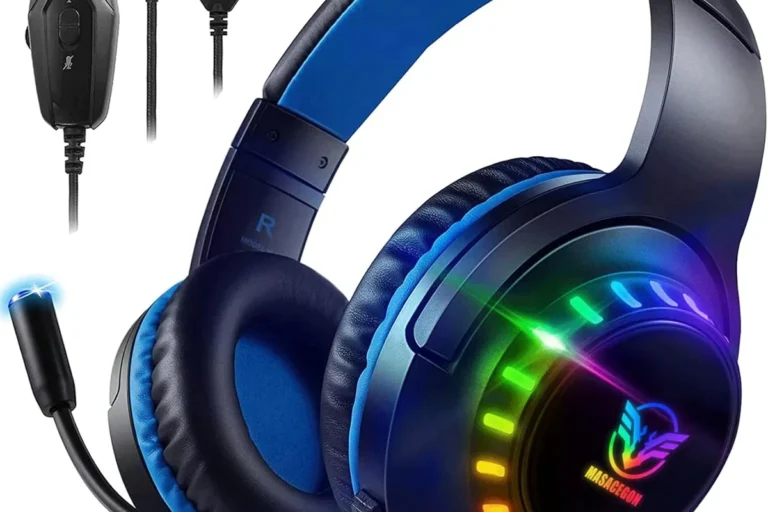
Best for players who want simple plug-and-play use, dependable chat support, and minimal setup. The main limitation is cable clutter, especially on a couch or in a shared room.
Xbox-compatible wireless headset
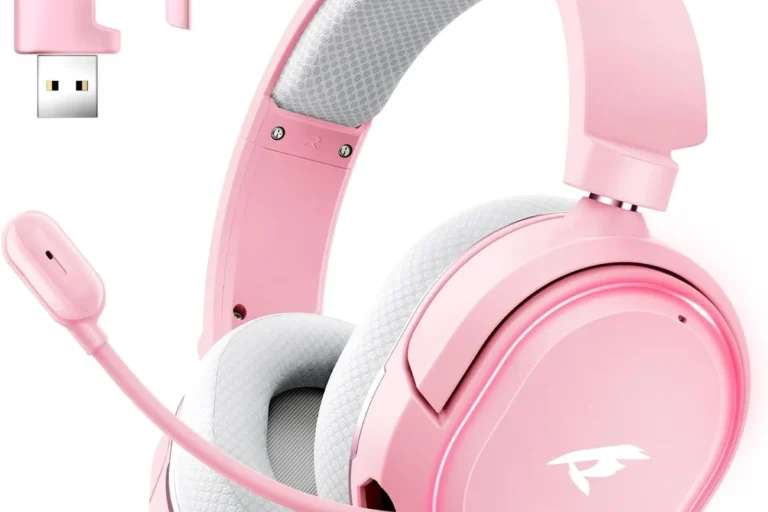
Best for people who hate cords and want a cleaner setup. Confirm the exact wireless method first, because Xbox One support varies by model and connection type.
Real-World Benefits and Limitations of Xbox One Headphones
Headphones can improve gaming in obvious ways, but they also introduce trade-offs. Knowing both sides helps you buy with realistic expectations.
Benefits: better immersion, clearer communication, and less household noise spill
Good headphones can make dialogue, music, and environmental effects easier to follow. They also help voice chat sound more direct, which matters in multiplayer games. In a busy home, they can reduce how much game audio leaks into the room.
Limitations: battery life, cable clutter, adapter dependence, and console compatibility quirks
Wireless headsets bring battery management, while wired headsets bring cable clutter. Some models also depend on adapters or dongles, which adds another point of failure. Compatibility quirks are common enough that it is worth checking official specifications before you buy.
Common buying mistakes: overpaying for features Xbox One may not fully use
One of the biggest mistakes is paying extra for features that do not help much on Xbox One. That includes Bluetooth-only listening, app features that are mostly for mobile use, or surround sound claims that sound better in marketing than in everyday play. Focus on compatibility, comfort, and mic quality first.
- Improves chat clarity and in-game focus
- Helps reduce room noise and sound leakage
- Can make multiplayer coordination easier
- Wireless models may need charging or dongles
- Some headsets do not support Xbox One natively
- Comfort and mic quality vary widely by model
Setup Guide: How to Connect and Optimize Headphones on Xbox One
Setup is usually simple, but small mistakes can create big annoyances. The goal is to get both game audio and chat working cleanly, then fine-tune the balance so the headset supports your play style.
How to connect wired headphones through the controller and adjust audio settings
For wired headphones, plug the headset into the controller’s audio jack if your controller supports it. Then check the Xbox audio and chat settings so the output is routed correctly. If you need a step-by-step walkthrough, the guide on how to plug headphones into Xbox One can be helpful.
How to set up wireless headsets and pair them correctly with the console or adapter
Wireless setup depends on the headset type. Some pair through a proprietary wireless button or a USB adapter, while others require a console-compatible base station. If the headset includes a dongle, follow the manufacturer’s pairing order carefully and confirm that the adapter is intended for Xbox One.
How to balance game audio and chat audio for clearer communication
Once the headset is connected, adjust the game-to-chat balance if your model supports it. If you cannot hear teammates clearly, lower game volume a little before turning chat all the way up. That usually sounds cleaner than maxing both sides.
Use the controller jack, dongle, or Xbox-compatible wireless method recommended by the manufacturer.
Make sure game sound and chat are both assigned to the headset, not just one or the other.
Set a comfortable level and adjust chat balance so voices stay intelligible during gameplay.
Troubleshooting basics: no sound, mic not working, low volume, and chat echo
If you get no sound, confirm the headset is fully seated and the console recognizes the correct output. If the mic does not work, check mute settings, controller firmware, and whether the headset is actually Xbox-compatible. Low volume can sometimes be fixed by increasing headset output in settings, while chat echo is often caused by volume being too high or sidetone being set aggressively.
If you are unsure whether the problem is the headset or the console, test the headset with another compatible device first, if the manufacturer says that is safe and appropriate.
Safe Use, Care, and Cleaning Tips for Longer Headphone Life
Good care does not just protect the headset; it also helps keep listening more comfortable over time. That includes safe volume habits, charging care, and basic cleaning.
Safe listening habits: volume limits, long-session breaks, and hearing protection
Recognized health guidance generally recommends keeping listening volume moderate and taking breaks during long sessions. If you notice ringing, discomfort, or fatigue, lower the volume and rest your ears. For hearing-health concerns, it is best to speak with a doctor or hearing specialist rather than trying to solve it through volume alone.
Do not listen at high volume for long periods, and do not ignore pain, ringing, or muffled hearing. If a headset has built-in volume-limiting features, follow the manufacturer’s guidance instead of bypassing them.
Cleaning routine: ear pads, mesh surfaces, mic boom, and cable care
Wipe ear pads and outer surfaces with a soft, dry or slightly damp cloth according to the manufacturer’s instructions. Keep the mic boom clean so speech stays clear, and avoid pulling on the cable when unplugging. If you want a more detailed usage reference, the guide on using headphones for Xbox One easily and quickly may also help.
Storage and maintenance: avoiding heat, moisture, bent cables, and worn cushions
Store the headset in a cool, dry place and avoid leaving it in hot cars, near radiators, or in damp areas. Bent cables, crushed ear pads, and cracked hinges are all signs that a headset is being stored or handled too roughly. If cushions wear out, replacing them can improve comfort and hygiene without replacing the whole headset.
Stop using any charging cable, battery, or unit that is frayed, swollen, cracked, or overheating, and follow the manufacturer’s safety guidance.
Final Recommendation: Which Xbox One Headphones Offer the Best Value in 2026
The best value in 2026 usually comes from a headset that matches your play style instead of chasing the most features. For competitive buyers, that often means a wired model with dependable mic performance; for casual players, a comfortable all-day headset; for budget shoppers, a simple chat-focused option; and for premium buyers, a well-built wireless headset with confirmed Xbox One support.
Best overall choice by use case: competitive, casual, budget, and premium buyers
Competitive gamers should prioritize low-latency wired headphones and strong positional audio. Casual players should look for comfort and easy controls. Budget buyers should focus on clear chat and reliable compatibility, while premium buyers should only pay more for wireless convenience, better materials, or advanced features they will actually use.
Transparent verdict: what matters most, what to skip, and how to choose with confidence
If you are shopping for headphones for Xbox One, the safest approach is to verify compatibility first, then compare comfort and mic quality, and only then think about extras like surround sound or app tuning. Skip flashy claims that do not improve your actual gaming experience, and confirm current specs, availability, and warranty details with the manufacturer before you buy.
For Xbox One buyers, the best headset is the one that connects cleanly, feels good after an hour, and keeps chat understandable without forcing you to overpay for features the console may not fully use.
Common Questions
A wired headset with a 3.5 mm plug is usually the easiest. It avoids pairing problems and works well for most players.
Not always in a native, direct way. Some need a workaround or a separate adapter, so check the exact model before buying.
Xbox One party chat and multiplayer games rely on clear voice communication. A good mic can improve teamwork more than extra sound effects can.
Look for padded ear cups, a comfortable headband, and a clamp that is secure but not tight. Comfort becomes more important during longer sessions.
Avoid buying based only on branding or flashy features. Always confirm compatibility, mic support, and connection type first.
Frequently Asked Questions
The best choice depends on how you play. Wired headsets are usually the simplest, while wireless models are better if you want fewer cables and confirmed Xbox One support.
Very important if you use party chat or play multiplayer games. A clear boom mic usually works better than a tiny built-in mic for voice communication.
Sometimes, but not always directly. Many Bluetooth headphones need a workaround or adapter, so check the exact model and official compatibility notes first.
Choose soft ear pads, a padded headband, and a fit that does not squeeze too hard. Taking breaks also helps reduce ear and head fatigue.
Check the connection, mute settings, and Xbox audio output settings first. If the headset is wireless, confirm that it is paired using the correct Xbox-compatible method.
Keep them clean, store them in a dry place, and avoid pulling on the cable. If the battery, cable, or ear pads show damage or heavy wear, follow the manufacturer’s guidance before using them again.