Can You Bluetooth Headphones to Xbox A Simple Guide

No, most Xbox consoles do not support standard Bluetooth headphones directly. The best alternatives are an Xbox Wireless headset, a wired headset through the controller, or a TV Bluetooth workaround with possible lag.
Many Xbox players ask the same question: can you bluetooth headphones to xbox? The short answer is no, not directly on most Xbox consoles, but there are a few practical workarounds that can still get audio to your headphones.
If you want the cleanest experience for gaming, chat, and low latency, it helps to understand how Xbox audio works before buying anything new. That can save you from lag, missing microphone support, and compatibility headaches later.
- Direct support: Standard Bluetooth headphones do not pair natively with most Xbox consoles.
- Best reliability: Wired headsets and Xbox Wireless headsets are the safest choices.
- Workaround limits: TV Bluetooth can work, but latency and chat support may be issues.
- Competitive play: Avoid Bluetooth workarounds if timing and voice chat matter.
Can You Bluetooth Headphones to Xbox? The Short Answer and Why It Matters
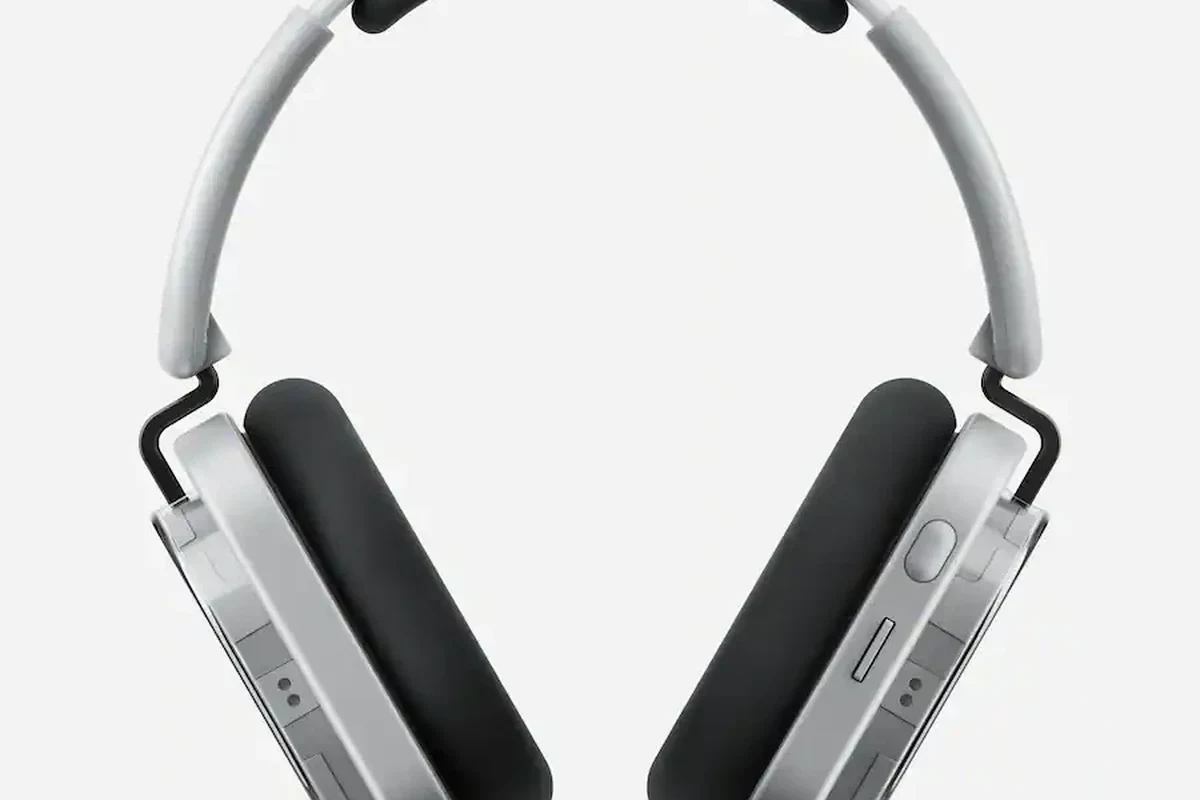
Standard Bluetooth headphones do not connect directly to Xbox consoles for game audio. That is the main reason many players are surprised when a headset that works with a phone, tablet, or laptop will not pair with an Xbox.
This matters because gaming audio is more sensitive than casual music listening. Even a small delay can make footsteps, dialogue, and multiplayer chat feel out of sync, especially in fast-paced games.
Do not assume a Bluetooth headset will behave the same way on Xbox as it does on a phone. Xbox audio routing is different, and many Bluetooth solutions only work as partial workarounds.
How Xbox Wireless Audio Works in 2025: Bluetooth Limits vs Xbox-Compatible Options
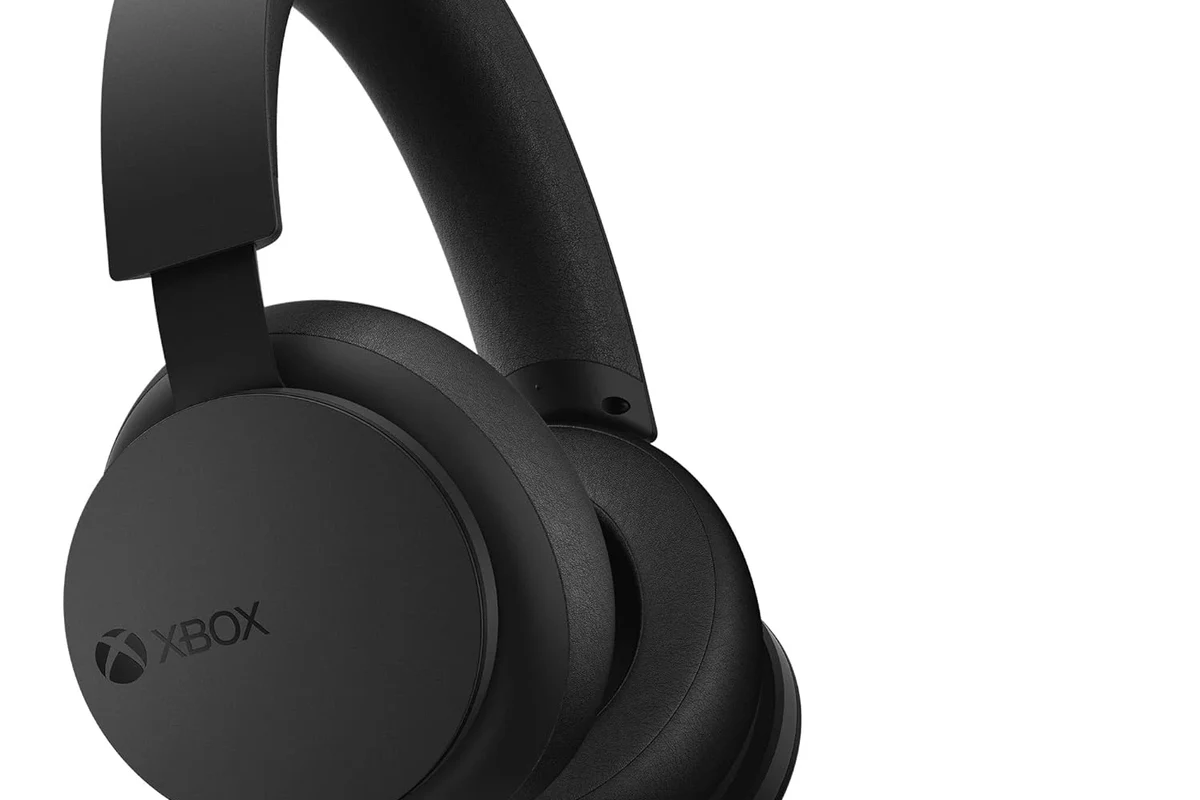
Xbox consoles are built around Microsoft’s own wireless audio system, plus wired connections through the controller or TV-based audio output. In practice, that means your best options are usually Xbox Wireless headsets, wired headsets, or a Bluetooth transmitter used with another device in the chain.
If you are researching headset types in general, it can help to review bluetooth headphones explained and compare them with wired setups. The connection method often matters more for gaming than the brand name on the box.
Why Xbox consoles still don’t support standard Bluetooth audio
Xbox consoles do not offer standard Bluetooth audio support for most headsets because Bluetooth can introduce latency and does not always handle game audio and mic chat the way Xbox expects. That is especially noticeable when you need both sound and voice communication at the same time.
Some players assume a USB Bluetooth dongle will solve the problem, but many of those adapters are designed for PCs, not Xbox. Even when a transmitter works, it may only send audio and may not support voice chat properly.
Xbox wireless headsets are not the same thing as Bluetooth headsets. They use a separate wireless protocol that is designed specifically for Xbox compatibility and lower-latency gaming audio.
Which Xbox models and headset connections actually work
Most modern Xbox consoles support the same general headset options: Xbox Wireless headsets, wired headsets through the controller’s 3.5mm jack, and TV or monitor audio output. Exact behavior can vary by console model, controller version, and the headset itself.
If you are using a wired setup on another device too, our guide on bluetooth vs wired headphones sound quality is a useful comparison. For Xbox, wired still remains the simplest path for reliable audio.
Best Ways to Use Headphones with Xbox Without Bluetooth
If your main goal is to hear game audio clearly and avoid connection trouble, the best options are usually not Bluetooth at all. Instead, think in terms of Xbox Wireless, wired controller audio, or TV audio routed to a transmitter.
Xbox Wireless headsets and the dedicated Xbox Wireless protocol
Xbox Wireless headsets are the most seamless wireless choice for Xbox players. They are made to pair directly with the console and usually offer a more stable gaming experience than a generic Bluetooth headset.
For many players, this is the best balance of convenience and performance. You get wireless freedom without relying on a Bluetooth workaround that may add lag or limit chat support.
If you want wireless gaming on Xbox, look for “Xbox Wireless” support on the headset packaging rather than just “Bluetooth.” That small label can make a big difference in compatibility.
TV Bluetooth workaround for sound, and why it can affect gaming latency
One workaround is sending Xbox audio to your TV or monitor first, then pairing Bluetooth headphones to the TV. This can work for casual listening, but it may introduce delay depending on the TV, the headphones, and the audio processing settings.
That delay is usually less noticeable in slower games or single-player titles, but it can be distracting in shooters, rhythm games, or competitive play. If your TV has audio delay or lip-sync settings, those may help, but they do not always remove the problem completely.
TV-based Bluetooth audio is often fine for relaxed gaming, but it is rarely the best choice for low-latency play. Results can vary a lot by TV model and headphone model.
Controller audio jack and wired headset setup
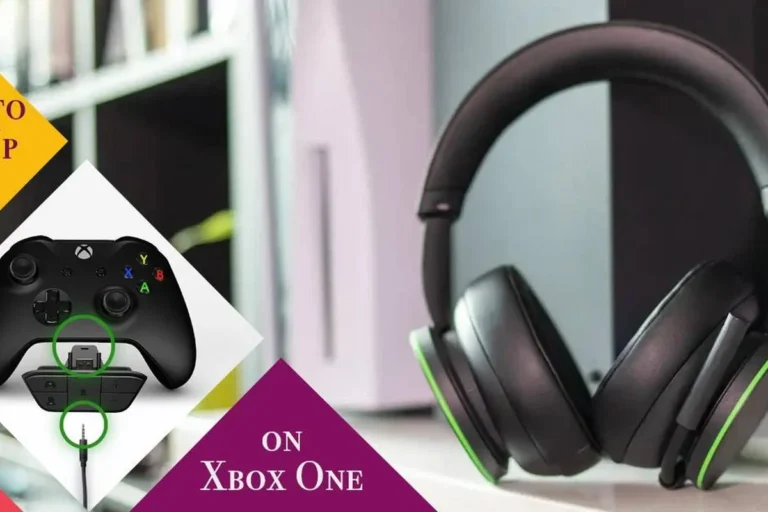
The easiest and most reliable option is still a wired headset plugged into the Xbox controller. This avoids pairing issues, reduces latency, and usually supports game audio and chat without extra hardware.
For players who want a simple setup, wired headsets are often the least frustrating choice. They are also a good value if you do not need wireless freedom.
How to Connect Headphones to Xbox Step by Step
There are a few different ways to connect headphones to Xbox, and the right method depends on the headset you already own. Below are the most common setups and what to expect from each one.
Connecting an Xbox Wireless headset
Make sure the headset is charged and powered on before pairing.
Use the headset’s pairing button or switch, following the brand’s instructions.
Use the Xbox pairing button on the console and wait for the headset connection to complete.
Once connected, test both game audio and voice chat. If the headset has an app or EQ settings, you can adjust sound to match your preferences, but start with the default profile first.
Using a wired headset through the controller
Insert the 3.5mm cable into the controller’s headphone jack.
Confirm that headset output and chat audio are enabled in the Xbox sound menu.
Open a game or party chat and make sure both sound and microphone input are working.
This setup is straightforward and usually the most dependable. If you are also trying to understand whether a headset works on other devices, our guide on wired headphones on MacBook shows how much connection type affects compatibility across platforms.
Using a Bluetooth transmitter with your TV or monitor
Run the console through your TV or monitor as usual.
Use the TV, monitor, or audio output port supported by the transmitter.
Put the Bluetooth headphones and transmitter into pairing mode and connect them.
This method can be useful if you already own Bluetooth headphones and only want basic game sound. Still, it is worth checking whether your display supports low-latency audio features, because not every transmitter setup feels smooth enough for gaming.
Common Mistakes Gamers Make When Trying to Bluetooth Headphones to Xbox
Most connection problems come from expecting Bluetooth to behave like a universal gaming standard. It is not, and Xbox is one of the clearest examples of that limitation.
Assuming every Bluetooth adapter will work with Xbox audio
Not every Bluetooth transmitter or USB adapter is suitable for Xbox use. Some will only work with TVs or PCs, while others may not pass chat audio or may require extra setup that still does not solve latency.
Before buying, check whether the adapter supports your exact output source and whether it handles the type of audio you need. For more on wireless stability and pairing basics, see our guide on how to connect bluetooth headphones.
Ignoring lag, mic support, and chat compatibility
Game audio lag can be annoying, but missing microphone support can be even more frustrating. A workaround that only delivers sound may still leave you unable to talk in party chat or in-game voice channels.
Competitive players should pay close attention to this. If you need accurate footsteps, fast reaction timing, and clear chat, a true Xbox-compatible headset is usually the safer choice.
Overlooking TV audio settings and output formats
When Bluetooth is routed through a TV or monitor, audio settings matter a lot. Output format, lip-sync controls, and sound processing modes can all change how delayed or clear the sound feels.
That is why two people can use the same transmitter and get very different results. If you are troubleshooting wireless sound in general, our article on bluetooth headphone lag fix can help you understand the common causes.
Expert Advice: When a Bluetooth Workaround Is Worth It and When It Is Not
A Bluetooth workaround can be perfectly fine in the right situation. The key is knowing when convenience matters more than perfect responsiveness.
If you have persistent hearing issues, tinnitus, or discomfort during long gaming sessions, consider speaking with an audiologist. If a headset causes pain, pressure, or ringing, do not just “push through it.”
Best use cases for casual single-player gaming
Bluetooth workarounds are most reasonable for story games, puzzle games, streaming apps, or relaxed couch play. In those cases, a small delay may not bother you much, especially if you are not using voice chat.
They can also be useful if you already own a comfortable Bluetooth headphone and want a temporary solution before upgrading. For casual listening, convenience may matter more than perfect timing.
When competitive players should avoid Bluetooth workarounds
If you play shooters, fighting games, rhythm titles, or anything where timing matters, Bluetooth is usually the wrong tradeoff. Latency, chat delays, and connection instability can all affect performance.
In those situations, a wired headset or a true Xbox Wireless headset is usually the better fit. It is simply easier to trust a connection that is designed for gaming from the start.
Cost Comparison: Bluetooth Transmitters, Xbox Wireless Headsets, and Wired Alternatives
Cost is another major factor because the cheapest option is not always the best value. The right choice depends on whether you care most about convenience, sound quality, mic support, or low latency.
Budget-friendly options for basic listening
A basic wired headset is often the most affordable reliable choice for Xbox. It usually gives you simple setup, stable audio, and chat support without extra accessories.
Budget Bluetooth transmitters can also be inexpensive, but their usefulness depends on your TV or monitor and how much lag you are willing to accept.
Mid-range and premium choices for better latency and chat
Mid-range Xbox Wireless headsets often provide the best balance for most players. They are usually easier to use than transmitter-based workarounds and more flexible than a plain wired headset.
Premium options may add better build quality, stronger comfort, improved mic performance, or extra software features. Still, the best choice depends on your preferences, ear shape, and how long you play each session.
Final Verdict: The Best Headphone Setup for Xbox Players in 2025
If you are asking can you bluetooth headphones to xbox, the practical answer is that direct standard Bluetooth support is not built into most Xbox consoles. You can still use Bluetooth indirectly through a TV, monitor, or transmitter, but that route is better for casual listening than for serious gaming.
For most Xbox players, the best setup is either a wired headset through the controller or an Xbox Wireless headset made for the console. Those options are simpler, more reliable, and far less likely to create lag or chat issues.
- Xbox does not support standard Bluetooth headphones directly.
- Wired and Xbox Wireless headsets are the most reliable choices.
- TV Bluetooth workarounds can add lag and may limit chat support.
- Competitive gamers should avoid Bluetooth-based workarounds when possible.
Frequently Asked Questions
Not always. Wired headphones usually offer the most stable connection, while wireless can be more convenient if it is designed for Xbox.
They can be, especially for blocking room noise during long sessions. Just make sure the headset is comfortable and compatible with your Xbox setup.
Closed-back headphones usually work better for most console players because they isolate outside noise and keep sound from leaking. Open-back models can sound spacious, but they are less private and less isolating.
Focus on connection type, comfort, mic support, and tuning more than raw specs alone. Bass, clarity, and soundstage matter, but they vary by model and personal preference.
Look for a reliable connection, a comfortable fit, and decent mic support before chasing extra features. A simple wired headset is often the safest budget choice.
Check ear cushion material, headband padding, weight, and build quality. If you play for long sessions, comfort matters as much as sound.