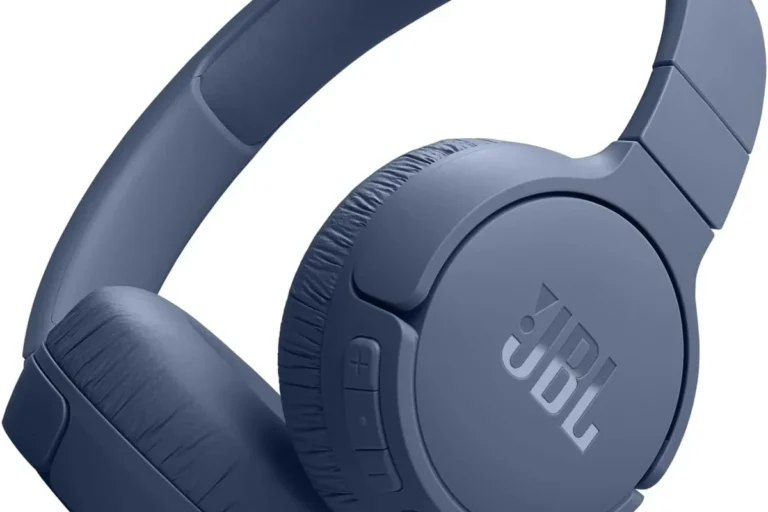
How Do Gaming Headphones Work: Sound Explained

For gamers in the United States, gaming headphones are more than small speakers placed over your ears. They combine speaker drivers, a digital-to-analog converter, an amplifier, a microphone, software, and sometimes wireless radio to turn game data into sound you can hear and use.
In simple terms, your gaming device sends audio to the headset. The headset converts that digital signal into an electrical signal, drives tiny speakers, and creates sound waves near your ears. A microphone performs the reverse task by changing your voice into a signal that the console or computer can send to other players.
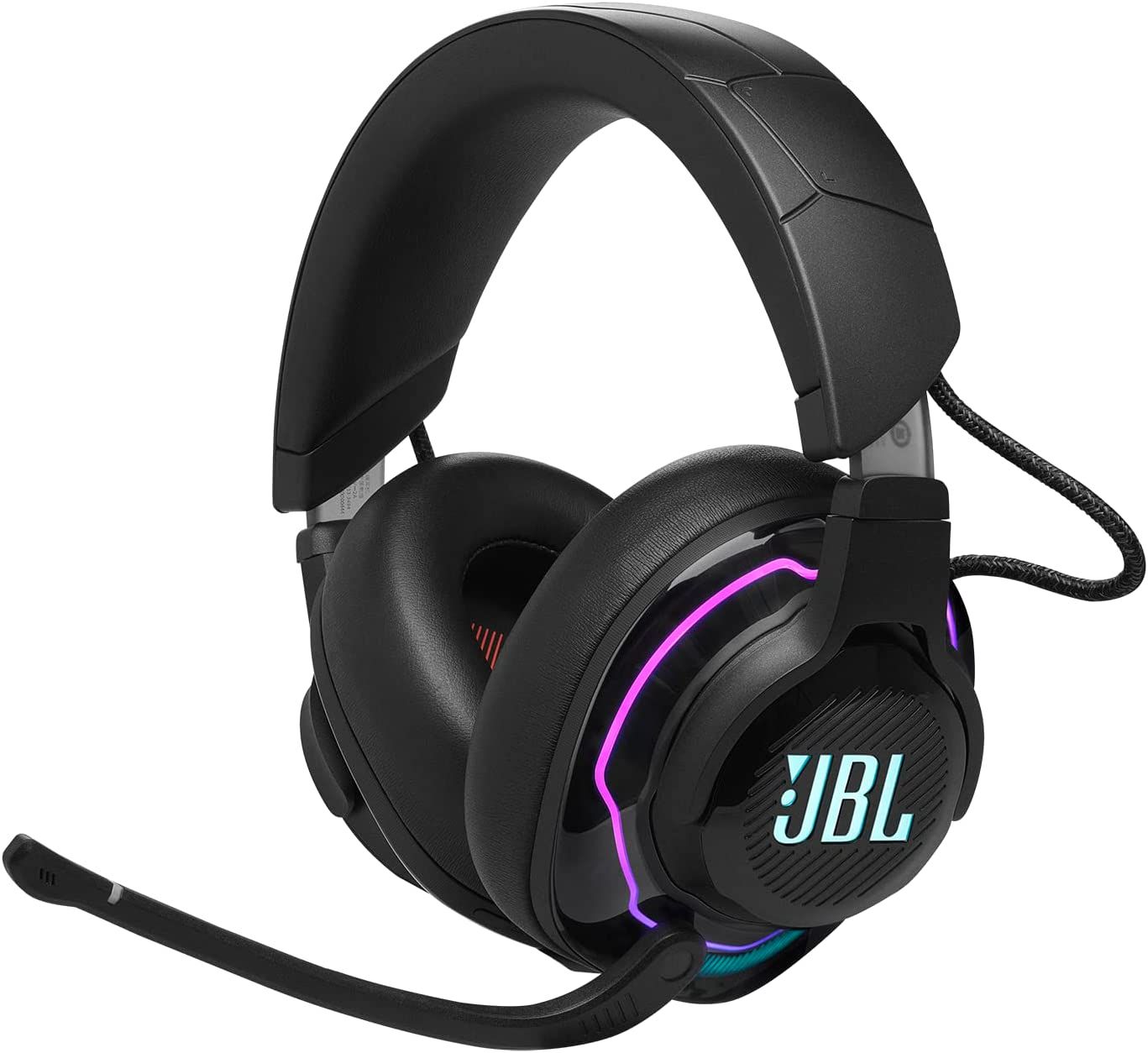
The Short Answer: How Do Gaming Headphones Work?
Gaming headphones work by converting digital game audio into sound waves. A console or PC sends audio data through USB, a 3.5-millimeter cable, Bluetooth, or a proprietary wireless connection.
The headset then uses several parts:
- DAC: Converts digital audio into an analog electrical signal.
- Amplifier: Raises the signal to a level that can drive the speaker drivers.
- Drivers: Turn the electrical signal into sound waves.
- Ear cups: Help direct sound toward your ears and reduce outside noise.
- Microphone: Converts your voice into an electrical or digital signal.
- Software: Controls equalization, virtual surround sound, microphone filters, and other features.
A wired analog headset may use the sound card in your PC or controller. A USB or wireless headset usually contains its own DAC and amplifier. This difference affects compatibility, controls, sound processing, and sometimes latency.
What Happens to Game Audio Inside a Headset?
Game audio usually begins as digital data. The game engine creates separate sounds for music, speech, gunfire, footsteps, weather, and other events. It also places many sounds around the player in a virtual 3D space.
The audio system mixes these sounds into left and right channels. In some games, it also adds positional information. This tells the headset software how a sound should appear when it comes from the front, side, rear, or above the player.
1. The game creates and mixes sound
A game may calculate:
- The distance between the player and a sound
- Whether a wall blocks the sound
- The direction of the sound
- The amount of echo in the space
- Whether the sound should be quiet or loud
- Whether the sound belongs to the left or right channel
The game then sends the mixed audio to the operating system or console.
2. The device sends the signal to the headset
The signal can travel through several connection types:
- 3.5 mm analog: The source device performs the digital-to-analog conversion.
- USB: The headset or USB adapter often performs the conversion.
- 2.4 GHz wireless: A USB transmitter sends compressed or uncompressed audio over a private radio link.
- Bluetooth: The device sends audio through a Bluetooth codec.
- HDMI or optical audio: A separate audio system may receive the signal before sending it to the headset.
3. The DAC converts digital data
A DAC, or digital-to-analog converter, changes numbers into a constantly changing electrical signal. That signal represents the shape of the sound wave.
A better DAC does not automatically make a headset sound better. The driver design, tuning, amplifier, fit, game mix, and source quality also matter. A DAC becomes especially relevant when a computer has electrical noise, low output power, or poor analog audio.
4. The amplifier powers the drivers
The amplifier increases the strength of the analog signal. This lets the drivers move enough air to produce useful volume.
Headphone impedance and sensitivity affect how much power a headset needs. A high-impedance headset may need more voltage than a controller or laptop can provide. A low-sensitivity headset may also sound quiet even when the volume is set high.
5. The drivers create sound
Drivers are the small speakers inside the ear cups. Most gaming headsets use dynamic drivers. A dynamic driver contains a magnet, a voice coil, and a flexible diaphragm.
When the electrical signal reaches the voice coil, it interacts with the magnet. The coil and diaphragm move back and forth. This movement pushes air and creates pressure changes that your ears detect as sound.

What Are the Main Parts of Gaming Headphones?
Each part affects a different stage of the listening and communication process. A headset can have strong drivers but a weak microphone, or a clear microphone but poor comfort.
Speaker drivers
Drivers produce the sound you hear. Their size alone does not determine quality. Larger drivers may move more air, but tuning and design matter more than diameter by itself.
Gaming headsets often use a frequency response shaped for games. This may add bass for explosions or raise upper frequencies for speech and detail. A strong bass boost can make music and effects exciting, but it may hide quiet sounds such as footsteps.
Ear cups and pads
Ear cups hold the drivers at the correct distance from your ears. They also affect isolation, comfort, and heat.
Closed-back ear cups block more outside sound and reduce sound leakage. Open-back designs let air pass through the ear cups. They may create a wider, more natural sound, but people nearby can hear the game and outside noise can enter.
The fit matters because a poor seal can reduce bass and change the sound balance. Glasses, hair, and loose pads can create small gaps around the ears.
Microphone
A headset microphone changes air pressure from your voice into an electrical signal. Most use a small condenser microphone or electret microphone.
The headset may process the microphone signal with:
- Noise reduction
- Echo cancellation
- Automatic gain control
- Voice filters
- Sidetone, which lets you hear your own voice
Noise reduction can help in a loud room. However, aggressive processing may remove parts of speech or make your voice sound unnatural.
DAC and amplifier
USB and wireless headsets often include a DAC and amplifier inside the headset or its wireless transmitter. A 3.5 mm headset usually relies on the connected device.
This means the same analog headset can sound different on a gaming PC, Xbox controller, PlayStation controller, or laptop. The output power and audio circuitry may not be the same.
Controls and software
Controls may adjust volume, mute the microphone, balance game audio against chat, or change sound profiles. Software can add equalizers, virtual surround sound, firmware updates, and microphone settings.
Software features may work only on Windows PCs. A headset may still play sound on a console, but advanced controls may not transfer to that platform.
How Do Wireless Gaming Headphones Work?
Wireless gaming headphones use radio signals to send audio from a console or computer to the headset. The headset receives the signal, decodes it, converts it into an analog signal, amplifies it, and sends it to the drivers.
Most wireless gaming headsets use one of two systems.
2.4 GHz wireless
A 2.4 GHz headset usually includes a USB transmitter. The transmitter connects to the PC or console and sends audio to the headset over a private wireless link.
This design often provides lower latency than standard Bluetooth. It may also support a microphone connection and game-chat features. The trade-offs include a USB port requirement, battery charging, and possible wireless interference.
Bluetooth
Bluetooth is common on phones, tablets, and laptops. It uses audio codecs to compress and transmit sound.
Bluetooth can work well for music and casual play. However, gaming performance depends on the device, codec, operating system, and headset. When the microphone is active, some Bluetooth systems switch to a lower-quality hands-free mode.
Some newer headsets support both Bluetooth and 2.4 GHz wireless. This allows a player to hear game audio through the low-latency link while using Bluetooth for a phone call.
Wireless latency
Latency is the delay between an event in the game and the sound reaching your ears. A small delay may be hard to notice. A larger delay can make a game feel out of sync.
Latency can come from:
- Game audio processing
- The console or computer
- The wireless transmitter
- Codec encoding and decoding
- Digital signal processing
- The headset driver response
Wireless latency is not automatically bad. The important question is whether the complete system responds quickly enough for the type of game you play.

How Does Surround Sound Work in Gaming Headphones?
Most gaming headsets use two physical drivers: one for the left ear and one for the right ear. “7.1 surround sound” in a headset usually means virtual surround processing, not seven separate speakers around each ear.
Virtual surround sound creates positional cues by changing the level, timing, and frequency balance of audio in each ear. These changes imitate the way sound reaches the two ears from different directions.
Your brain uses several clues to locate sound:
- Time difference: One ear receives the sound slightly before the other.
- Volume difference: The closer ear may receive a louder signal.
- Frequency changes: Your head and outer ears alter certain frequencies.
- Reflections: Walls and surfaces add echoes and delays.
A surround algorithm uses these clues to make a two-speaker headset sound more spacious or directional.
Why surround sound does not always help
Virtual surround processing can improve direction cues in some games. It can also make audio sound distant, hollow, or less precise. The result depends on the algorithm, the game mix, and your ears.
Many competitive players compare stereo and surround modes. If footsteps or voices become harder to place, stereo may be the better choice. Use the mode that gives you the clearest position cues, not the one with the largest channel number.
What Is the Difference Between Gaming Headphones and Gaming Headsets?
Headphones usually refer to listening devices without a built-in microphone. Headsets include both headphones and a microphone.
A gaming headset is convenient for voice chat because the microphone is attached and usually includes a mute control. Separate headphones can offer more choice in sound and comfort. You can add a standalone USB microphone or a clip-on microphone when voice quality matters.
A headset is often the simpler option for console gaming. Separate equipment may be more flexible on a PC but can require more desk space and setup.
Wired vs. Wireless Gaming Headphones
The right connection depends on your priorities. Neither wired nor wireless is always better.
| Feature | Wired headset | 2.4 GHz wireless headset | Bluetooth headset |
|---|---|---|---|
| Battery | No battery needed | Needs charging | Needs charging |
| Latency | Usually very low | Usually low | Varies by codec and device |
| Setup | Simple with a compatible jack | Requires USB transmitter | Requires Bluetooth support |
| Chat support | Usually reliable | Usually designed for chat | Can change audio quality |
| Movement | Limited by cable | Free movement | Free movement |
| Compatibility | Depends on plug and device | Depends on transmitter support | Depends on Bluetooth profiles |
| Extra software | Often optional | Often useful | Often limited |
A wired headset can be the best fit for long sessions because it does not run out of power. A wireless headset can be more convenient if your chair is far from the console or you dislike cable drag.
Check the exact platform before buying. A headset that works on a Windows PC may not support wireless audio on a PlayStation or Xbox without the correct transmitter or license.

How Do Gaming Headphones Connect to a PC or Console?
Before connecting a headset, check the port, platform, and chat features you need.
3.5 mm connection
A 3.5 mm headset may connect to:
- A PC combo headset jack
- A laptop
- A PlayStation or Xbox controller
- A monitor with audio output
- A compatible handheld device
A four-pole TRRS plug usually carries stereo audio and microphone signals through one connector. A desktop PC with separate headphone and microphone jacks may need a splitter.
USB connection
A USB headset sends digital audio to its own audio hardware. It may provide more controls than a basic analog headset.
USB headsets can be platform-specific. A console may support USB audio but not the headset’s equalizer or surround software. Use the headset maker’s compatibility list and the console maker’s current support information.
Optical connection
Optical audio can carry digital sound, but many modern gaming setups use HDMI and USB instead. Optical connections may not carry microphone data, so chat may require a separate path.
Wireless transmitter
A 2.4 GHz headset usually needs its USB transmitter connected to the device. Some transmitters use USB-A, while others use USB-C. An adapter may solve a port mismatch, but it does not guarantee full platform support.
Basic setup steps
- Connect the headset or transmitter.
- Open the audio settings on the PC or console.
- Select the headset as the output device.
- Select its microphone as the input device.
- Set the game-chat balance.
- Test game audio and voice chat separately.
- Confirm that the mute button works.
A successful setup produces clear game audio, a working microphone, and no unwanted echo.
Why Can Gaming Headphones Sound Quiet, Muffled, or Delayed?
The symptom often points to the likely cause. Check the simplest settings first.
| Symptom | Likely causes | Useful checks |
|---|---|---|
| No sound | Wrong output, loose plug, muted device | Select the headset and check volume |
| Quiet sound | Low source power, low system volume | Raise volume carefully and test another device |
| Muffled sound | Blocked pads, poor tuning, wrong Bluetooth mode | Check fit, EQ, and microphone mode |
| One side is silent | Damaged cable, balance setting, bad plug | Check left-right balance and cable connection |
| Voice sounds distant | Mic placement or processing | Move the mic near the mouth and reduce filters |
| Delay in sound | Bluetooth codec or heavy processing | Try wired or 2.4 GHz mode |
| Echo in chat | Open speakers, monitoring, duplicate input | Disable duplicate microphone paths |
| Crackling | Wireless interference, damaged cable, driver issue | Reconnect, update firmware, and test another port |
Do not assume that a more expensive headset will fix a software setting. Windows, PlayStation, Xbox, and individual games can each have separate volume and chat controls.
If a headset becomes hot, smells burnt, swells, or shows battery damage, stop using it and follow the manufacturer’s safety instructions. Do not puncture or open a lithium-ion battery.

How Loud Should Gaming Headphones Be?
High volume can damage hearing over time. The National Institute for Occupational Safety and Health and the Occupational Safety and Health Administration publish guidance on occupational noise exposure, while the World Health Organization provides broader safe-listening information. These sources support the basic rule that louder sound requires less exposure time.
A practical approach is:
- Start at a low volume.
- Raise it only until speech and game detail are clear.
- Take regular quiet breaks.
- Avoid using maximum volume to overcome a noisy room.
- Reduce volume if your ears ring or sound seems dull after playing.
A headset’s volume number does not show the actual sound level at your ears. Fit, source power, content, and driver sensitivity all change the result. If you notice ongoing ringing, pain, muffled hearing, or trouble understanding speech, stop exposure and seek advice from a qualified hearing professional.
How to Choose Gaming Headphones
Choose based on the way you play, not the label on the box.
For competitive games
Prioritize:
- Clear midrange sound
- Accurate left-right imaging
- Low latency
- A stable microphone
- Comfortable fit for long sessions
Heavy bass and aggressive surround processing may mask small audio cues.
For single-player games
You may prefer:
- Wider sound
- Strong bass
- Virtual surround options
- Comfortable ear pads
- Good isolation or an open-back design
The best choice depends on whether you want cinematic impact or a more natural presentation.
For console gaming
Confirm:
- The exact console model
- Wired or wireless support
- Game-chat support
- USB transmitter compatibility
- Whether the companion app works on that console
For PC gaming
Look for:
- USB or analog support
- Equalizer and microphone controls
- Firmware update support
- Compatibility with your operating system
- The ability to save settings to the headset, if you switch devices
For shared rooms
Closed-back headphones help reduce sound leakage. Active noise cancellation can reduce steady sounds such as an air conditioner, but it does not replace a good ear seal and may not improve game positioning.
Common Mistakes to Avoid
The most common mistake is treating marketing terms as performance proof. “7.1,” “gaming-grade,” and “studio sound” do not explain how a headset will perform in your room, game, or platform.
Avoid these errors:
- Buying a headset without checking console compatibility
- Using Bluetooth when low latency is essential
- Leaving surround mode on without comparing it to stereo
- Setting the microphone too far from your mouth
- Raising volume to hide outside noise
- Ignoring comfort and clamp pressure
- Assuming larger drivers guarantee better sound
- Installing several audio filters at once
- Forgetting to charge a wireless headset before a long session
- Using a desktop splitter with the wrong wiring standard
If sound changes when you move the cable, the cable or connector may be damaged. If only one game sounds wrong, check that game’s audio mix before replacing the headset.

Key Takeaways
- Gaming headphones convert digital game data into sound through a DAC, amplifier, and speaker drivers.
- The drivers move air and create the sound waves your ears detect.
- A headset microphone converts your voice into an electrical or digital signal for chat.
- 2.4 GHz wireless usually targets low-latency gaming, while Bluetooth performance depends heavily on the codec and device.
- Virtual surround sound uses processing and two drivers to create directional cues.
- Wired connections avoid battery limits, while wireless connections provide more freedom of movement.
- Compatibility, comfort, microphone quality, and safe volume matter as much as sound quality.
- Stereo is not always worse than virtual surround; compare both with the games you play.
Frequently Asked Questions
Do gaming headphones need a sound card?
No. A basic analog headset can use the sound hardware in a PC, laptop, controller, or monitor. USB and wireless headsets often include their own sound hardware.
Are wireless gaming headphones worse than wired headphones?
Not necessarily. A good 2.4 GHz wireless headset can provide low latency and clear sound. The trade-offs are battery life, wireless interference, added electronics, and possible platform limits.
Can gaming headphones hear footsteps better?
They can make footsteps easier to hear when the game mix and headset tuning support that goal. However, no headset can recover detail that the game does not produce. Too much bass or aggressive processing may hide quiet sounds.
Is 7.1 surround sound better for gaming?
Not always. Virtual surround can improve direction cues for some players and games, but it can also reduce clarity. Test it against stereo and keep the mode that helps you locate sounds.
Why does my microphone sound bad?
The microphone may be too far away, aimed incorrectly, muted, or affected by noise reduction and automatic gain control. Check input selection, microphone position, software filters, and the platform’s chat settings.
Can I use any gaming headset with any console?
No. Wired 3.5 mm models often have broad support, but USB and wireless models may require a specific platform, transmitter, or software. Check the manufacturer’s compatibility information before buying.
Conclusion
Gaming headphones work by joining audio conversion, amplification, speaker drivers, microphone technology, and software in one system. The game creates digital sound, the headset processes it, and the drivers turn it into air movement that your ears can interpret.
For most players, the best choice is the headset that fits the platform, stays comfortable, provides clear chat, and delivers low enough latency for the games they play. Start with compatibility and fit, then compare wired, 2.4 GHz, and Bluetooth options. Keep volume moderate, test stereo against surround, and treat marketing features as options rather than guarantees.