How Do Lightning Headphones Work: Simple Guide

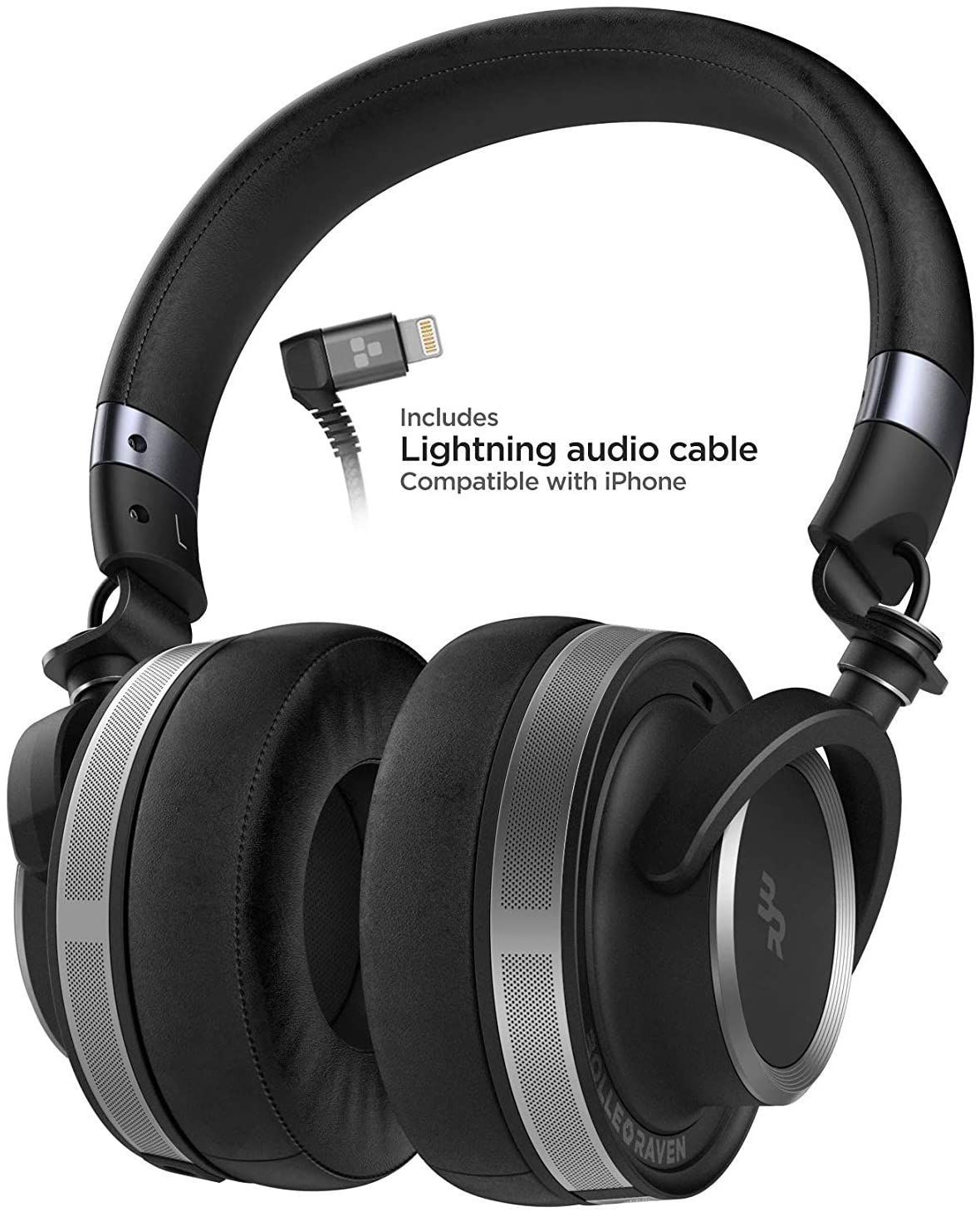
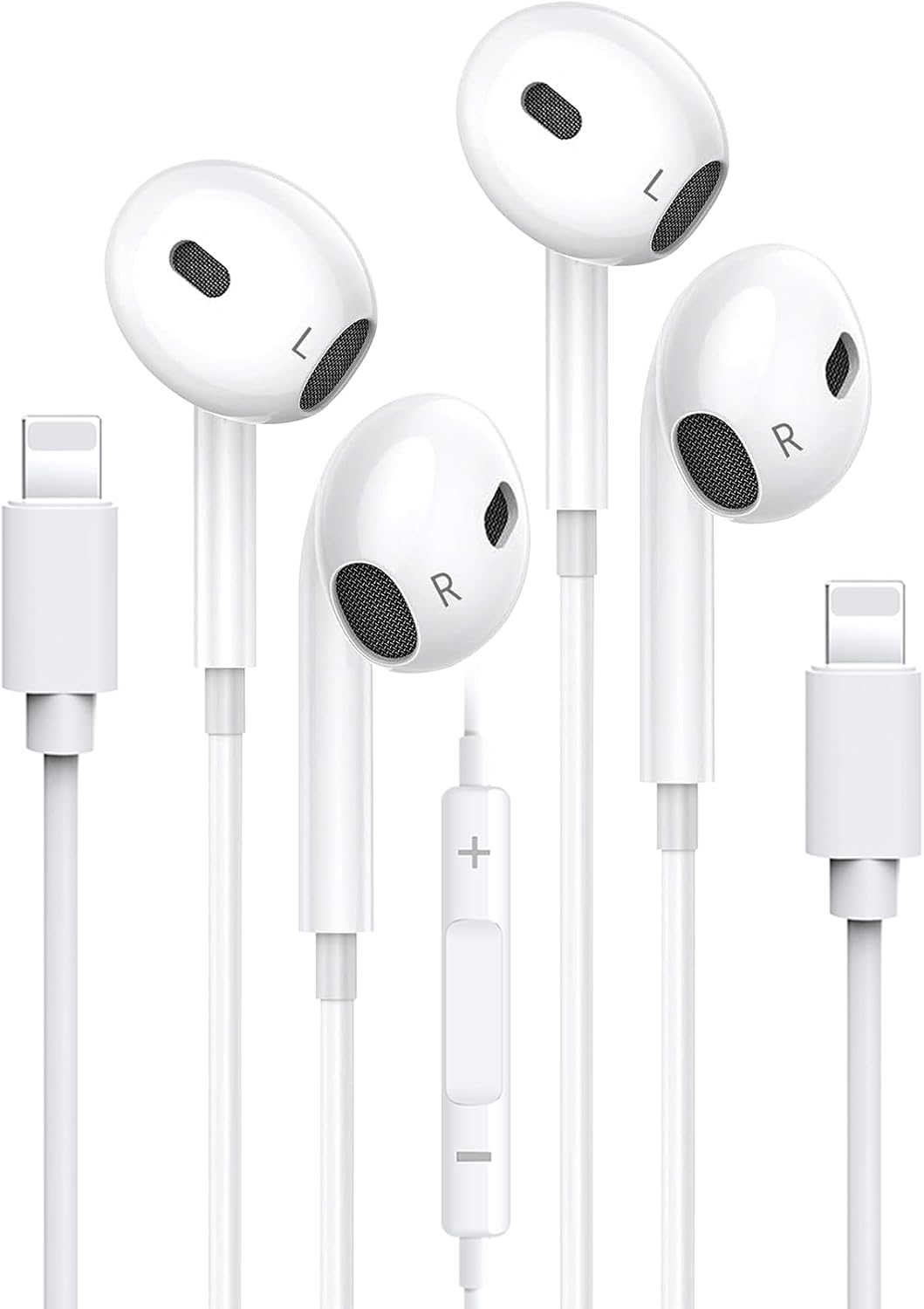
In the United States, Lightning headphones are most often used with older iPhones and iPads that have a Lightning port instead of a 3.5 mm headphone jack or USB-C port. They work by sending digital audio through the Lightning connector, where electronics in the headphones convert that data into sound. The same connection can also carry power and signals from the microphone, buttons, and remote.
Unlike traditional wired earbuds, Lightning headphones are not just passive speakers. They contain a small digital-to-analog converter, amplifier, and control system inside the plug or earbud cable.

What Are Lightning Headphones?
Lightning headphones are wired headphones designed to connect directly to an Apple Lightning port. Apple introduced the Lightning connector in 2012. It became common on U.S. iPhones, iPads, and iPods before Apple began moving many devices to USB-C.
A standard pair of analog headphones sends an electrical sound signal from the device’s headphone jack to the speaker drivers. Lightning headphones work in a different way:
- The device sends digital audio data through the Lightning port.
- A digital-to-analog converter, or DAC, changes the data into an analog audio signal.
- An amplifier increases the signal enough to drive the small speaker drivers.
- The drivers turn the electrical signal into sound waves.
The headphones may also send information back to the device. This includes microphone audio, volume changes, play and pause commands, and calls to Siri.
How Does a Lightning Audio Signal Travel?
A Lightning connection carries digital information rather than the final analog sound signal. Your iPhone stores and processes music as digital data. That data uses numbers to describe the shape of the sound wave.
The Lightning audio system then follows this path:
Music app or video → iPhone audio system → Lightning port → DAC → amplifier → speaker driver → ear
The DAC is one of the most important parts of the system. It changes digital samples into a continuously changing electrical signal. The amplifier then supplies the small amount of power needed by the speaker drivers.
This setup puts much of the audio hardware in the headphones or in a Lightning adapter. With a traditional 3.5 mm connection, the phone usually performs the digital-to-analog conversion before sending the analog signal to the headphones.
What Is Inside the Lightning Plug?
A Lightning headphone plug can contain several small parts:
- A DAC for digital-to-analog conversion
- An amplifier for the speaker drivers
- A control chip for communication with the device
- Power-management parts
- Support for microphone and remote controls
- In some products, circuitry for accessory identification or authentication
This is why Lightning headphones can cost more to make than simple analog earbuds. They need active electronics, not just wires and speakers.
Why Do Lightning Headphones Need Power?
Lightning headphones need power because their electronics must process the incoming digital audio. The connected iPhone or iPad normally supplies that power through the Lightning port.
The power use is small, but it is not zero. Long listening sessions may have a minor effect on the device’s battery life. The amount depends on the headphone design, volume, amplifier efficiency, microphone use, and whether the headphones include extra features such as noise cancellation.
This power arrangement creates a useful benefit: the headphones can include their own audio hardware. It also creates a limit: they may not work with a device, adapter, or operating system that does not support the needed Lightning audio functions.
Some Lightning accessories can support charging through an additional port or pass-through adapter. Basic Lightning headphones usually cannot charge the iPhone at the same time because they occupy the only port.

How Do the Microphone and Buttons Work?
Lightning headphones can send control signals and microphone audio through the same connector used for playback.
When you press the volume, play, pause, or call button, a small control circuit sends a command to the iPhone. The phone then changes the volume, pauses the track, answers the call, or activates another supported function.
The microphone works in the opposite direction from the speakers. It captures your voice and sends the audio signal through the Lightning connection to the phone.
This makes Lightning headphones useful for:
- Phone calls
- Voice recordings
- Video recordings
- Voice messages
- Siri commands
- Online meetings
- Gaming chat
The exact functions depend on the headphone design and the connected device. A low-cost or poorly made accessory may support sound but have weak microphone quality or incomplete button support.
Lightning Headphones Compared With 3.5 mm Headphones
The main difference is where the audio conversion happens.
| Feature | Lightning headphones | 3.5 mm headphones |
|---|---|---|
| Audio type at the port | Digital | Analog |
| DAC location | In the headphones or adapter | Usually in the phone or computer |
| Power needed by headphones | Yes, from the device | Usually no separate digital power |
| Microphone support | Digital accessory connection | Analog headset wiring |
| Device compatibility | Requires a compatible Lightning port | Works with many analog headphone jacks |
| Charging while listening | Usually needs a special adapter | Depends on the device |
| Main limitation | Works with fewer devices | Many newer phones lack a jack |
Neither connection is automatically better in every situation. Lightning headphones can work well with compatible Apple devices and offer direct digital control. A 3.5 mm headset is often easier to use with laptops, game systems, airplane screens, audio recorders, and older equipment.
Sound quality depends on more than the connector. The DAC, amplifier, speaker drivers, tuning, file quality, fit, and software all affect what you hear.
Lightning Headphones Compared With USB-C Headphones
Lightning and USB-C headphones use a similar basic idea: both can carry digital audio and power. The main difference is the connector and the device standard.
USB-C is used across many brands and device types. It is common on newer Android phones, modern iPads, Mac computers, Windows laptops, tablets, and some gaming devices. Lightning headphones are mainly intended for compatible Apple hardware with a Lightning port.
A USB-C headphone is not automatically compatible with a Lightning device. A simple passive cable may not solve the problem because the two systems use different connector designs and accessory rules.
If you own a newer U.S. iPhone with USB-C, choose USB-C headphones or a compatible wireless model. If you own an older iPhone with Lightning, Lightning headphones or a Lightning-to-3.5 mm adapter may be practical.
Do Lightning Headphones Sound Better?
Lightning headphones do not automatically sound better than 3.5 mm headphones. The connector alone does not determine audio quality.
A Lightning design can provide a controlled digital path and place the DAC close to the headphones. This may help a manufacturer control the audio hardware. However, the final sound still depends on:
- The quality of the DAC
- The amplifier design
- Speaker-driver quality
- Ear tip fit and seal
- Audio processing
- Music file quality
- Volume level
- Noise from the surrounding area
Two Lightning headphones can sound very different. A well-made 3.5 mm headset can also outperform a poorly designed Lightning model.
Claims about “lossless” or “studio-quality” sound need careful review. A digital connector does not create extra detail that was not present in the audio source. It also cannot fix poor tuning, weak drivers, or a bad fit.
Does a Lightning-to-3.5 mm Adapter Work the Same Way?
A Lightning-to-3.5 mm adapter usually contains a DAC and amplifier. It receives digital audio from the Lightning port and produces the analog signal needed by ordinary 3.5 mm headphones.
The signal path is:
iPhone → Lightning adapter → DAC and amplifier → 3.5 mm plug → headphones
This means the adapter is an active audio device. It is not merely a passive change in plug shape.
Apple’s Lightning-to-3.5 mm adapter is designed for supported Apple devices, but third-party adapters can vary. Some may have limited microphone support, lower output power, poor shielding, or compatibility problems.
Before buying an adapter, check these features:
- Support for audio output
- Support for microphone input
- Support for volume and call controls
- Compatibility with your iPhone or iPad model
- Support for your operating system
- Whether charging pass-through is available
- Whether the product is certified or clearly identified by its maker
An adapter that works for music may not support every headset function.

How to Connect and Use Lightning Headphones
Using Lightning headphones is usually simple.
- Unlock the iPhone or iPad if it does not detect the accessory.
- Insert the Lightning plug fully into the port.
- Start music, a video, or a call.
- Check the volume on the device and the headphone remote.
- Speak into the microphone if you are making a call or recording.
- Remove the plug by holding the connector, not the cable.
The device should normally route sound to the connected headphones. If sound continues through the speaker, open the audio output menu in the app or Control Center and select the wired headphones.
A successful connection usually shows these signs:
- Audio comes from both earbuds
- The remote changes volume or pauses playback
- The microphone works during a test call or recording
- The headphones remain connected when the cable moves slightly
Do not force the plug. A damaged Lightning port can cause charging and accessory problems beyond the headphone issue.
How to Fix Lightning Headphones That Do Not Work
Check the simplest and safest causes first.
1. Check the volume and audio output
Raise the device volume while audio is playing. Then open the audio output control and confirm that the Lightning headphones are selected.
Some apps have their own volume controls or mute settings.
2. Remove dirt from the port
Pocket lint and dust can stop the plug from making full contact. Turn off the device before cleaning.
Use a dry, soft tool made for careful port cleaning. Do not pour liquid into the port. Do not use metal objects that can scratch contacts or cause a short.
3. Inspect the plug and cable
Look for:
- Bent or damaged contacts
- A cracked plug shell
- Frayed cable insulation
- A loose connection near the plug
- Moisture or corrosion
Stop using headphones with exposed wires. Damaged cables can cause sound dropouts and may become unsafe.
4. Test the headphones with another compatible device
If they fail on more than one supported device, the headphones may be defective. If they work elsewhere, the problem may involve the original iPhone, port, settings, or software.
5. Restart and update the device
A restart can clear a temporary accessory or audio-routing error. Install available operating-system updates from the device’s normal settings menu.
An update may improve compatibility, but it cannot repair damaged hardware.
6. Remove conflicting accessories
Disconnect hubs, adapters, charging accessories, and other wired devices. Some accessories can interfere with power or data communication.
7. Check for accessory warnings
If the iPhone reports that the accessory is not supported, the product may be damaged, incompatible, poorly made, or not correctly recognized. Try a known-compatible accessory before assuming the phone is broken.
If the Lightning port also fails to charge the device, or if it feels loose, seek service from Apple or a qualified repair provider.
Common Problems and Likely Causes
| Symptom | Likely causes | Useful first check |
|---|---|---|
| No sound | Low volume, wrong output, dirty port, damaged plug | Select the headphones and inspect the port |
| Sound in one ear | Cable damage, blocked earbud, driver failure | Test with another device |
| Crackling sound | Loose connection, damaged cable, dirty contacts | Hold the plug still and inspect it |
| Microphone does not work | Unsupported adapter, blocked mic, app permission | Test Voice Memos or a call |
| Buttons do not work | Incomplete accessory support or hardware failure | Test play and volume controls |
| Headphones connect and disconnect | Loose port, worn plug, cable strain | Try another compatible headset |
| “Accessory not supported” warning | Compatibility issue, damage, counterfeit or poor-quality accessory | Test a known-compatible product |
| Phone will not charge with headphones connected | No pass-through charging | Use a compatible charging adapter |
A single symptom does not prove one cause. For example, low volume can result from device settings, an audio limiter, an app setting, weak headphone output, or blocked ear tips.
Are Lightning Headphones Safe to Use?
Normal wired listening is generally low risk when the headphones and device are in good condition. Keep the volume at a level that lets you hear important sounds around you, especially near traffic or machinery.
Avoid using damaged Lightning headphones. Stop using them if you notice heat, a burning smell, exposed wire, liquid in the connector, or repeated device warnings.
Do not use wired headphones during electrical storms when you are connected to a device that is charging from a wall outlet. The headphones do not attract lightning, but electrical faults and damaged chargers can create hazards. Follow local safety guidance and move indoors during a storm.
Keep headphone volume moderate. If your ears ring or sound seems dull after listening, lower the volume and take a break. Persistent hearing changes or pain require medical advice.
What Are the Main Advantages and Limits?
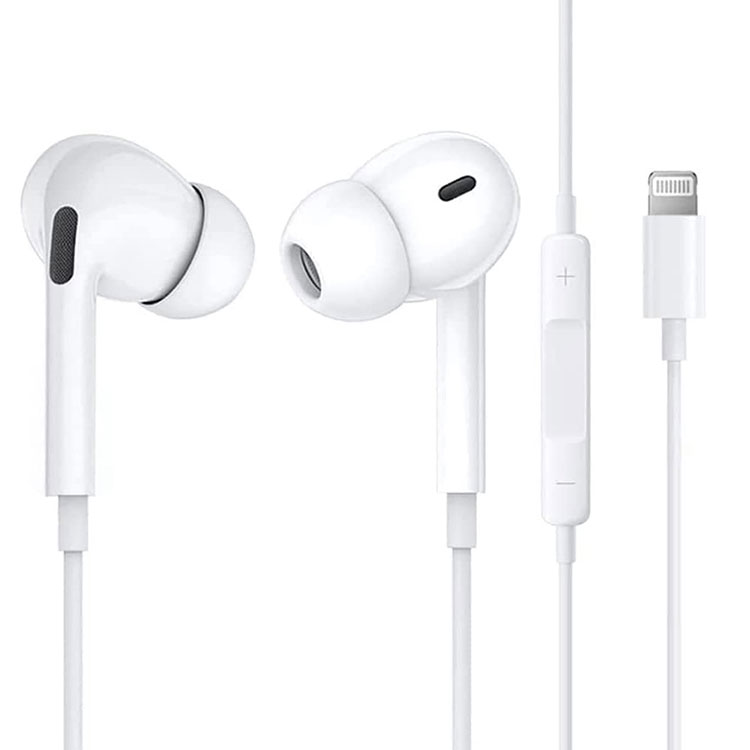
Lightning headphones make sense when you want a direct wired connection to a compatible Apple device and do not want to manage Bluetooth pairing or battery charging.
Advantages
- No wireless pairing
- No headphone battery for basic models
- Direct digital audio connection
- Built-in support for microphone and remote controls
- Lower delay than some wireless systems
- Easy plug-in use with compatible Lightning devices
Limits
- They work with fewer devices than 3.5 mm headphones
- They use the device’s Lightning port
- Charging and listening may require a special adapter
- The headphones contain electronics that can fail
- Compatibility can vary between products
- They may not work well with USB-C devices
- A damaged port can affect both audio and charging
The best choice depends on your device and routine. Choose Lightning headphones for simple wired use with a compatible Lightning iPhone or iPad. Choose USB-C headphones for modern USB-C equipment. Choose 3.5 mm headphones when you need broad support across older audio devices.
Key Takeaways
- Lightning headphones receive digital audio through the Lightning port.
- A DAC inside the headphones or adapter changes digital data into an analog sound signal.
- An amplifier drives the small speaker drivers.
- The connector can also carry power, microphone audio, and button commands.
- A Lightning-to-3.5 mm adapter is an active audio converter, not just a plug converter.
- Compatibility depends on the device, operating system, adapter, and headphone design.
- Clean the port carefully, avoid damaged cables, and check audio routing before replacing hardware.
FAQs
Do Lightning headphones need Bluetooth?
No. Lightning headphones use a physical wired connection. They do not need Bluetooth pairing or a wireless battery for basic audio playback.
Can Lightning headphones work with an Android phone?
Usually not directly. Most Android phones use USB-C, not Lightning. A special adapter might exist, but compatibility is not guaranteed, and microphone or button functions may not work.
Can I charge my iPhone while using Lightning headphones?
Usually not with basic Lightning headphones because the headphones occupy the port. A compatible splitter or adapter with charging pass-through may allow both, but check its audio and charging support before buying.
Why do Lightning headphones stop working when the iPhone is locked?
Some accessories or apps may behave differently when the device is locked. First test the headphones with built-in music or a phone call. If playback stops only in one app, check that app’s background and lock-screen settings.
Are Lightning headphones analog or digital?
They are digital at the Lightning connector. The headphones or adapter normally contain the DAC that converts the digital signal into the analog signal used by the speaker drivers.
Do all Lightning headphones support the microphone?
No. Many do, but support depends on the product and its control circuitry. Confirm microphone support if you plan to use the headphones for calls, recordings, meetings, or gaming chat.
Conclusion
Lightning headphones work by combining digital audio transfer with built-in audio electronics. The connected Apple device sends digital sound through the Lightning port, and a DAC and amplifier inside the headphones turn that data into sound. The same link can support a microphone, remote buttons, and power.
For the most reliable result, match the headphones to the device’s port, use a well-made adapter when needed, keep the connector clean, and troubleshoot audio routing before replacing the headphones. As more U.S. devices move to USB-C, check the port on your phone or tablet before choosing a new wired headset.